On This Page8 sections
Key Takeaways
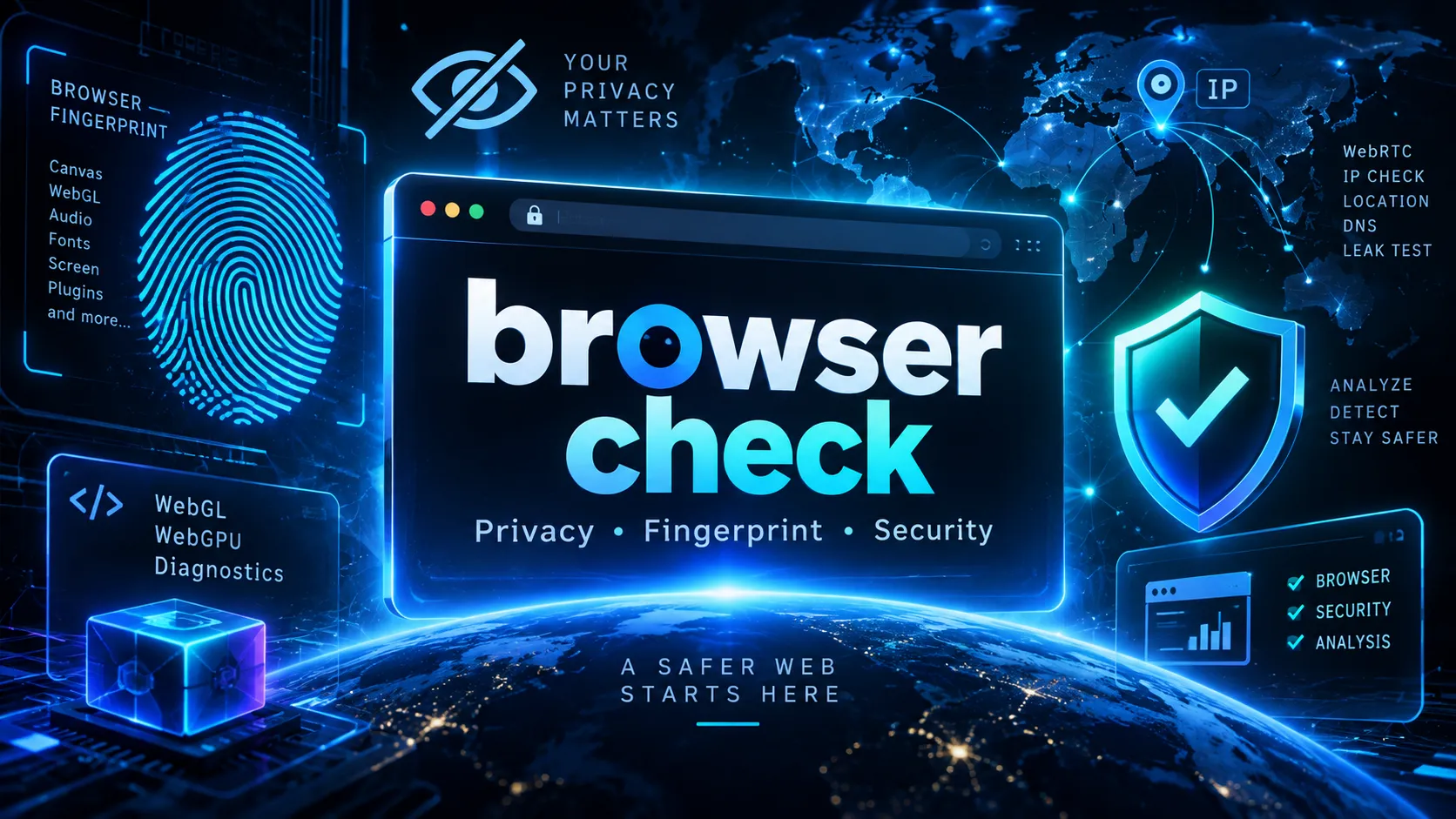
- BrowserCheck.net is a free online browser testing and diagnostic platform that helps users understand what their browsers reveal to websites and whether important browser capabilities are working.
- Its main features include browser version detection, privacy checks, fingerprint analysis, WebRTC IP address comparisons, WebGL and WebGPU tests, cookie and storage diagnostics, and TLS connection information.
- No software installation is required for its browser-based tests. Most checks run automatically or through interactive tools inside the current browser session.
- BrowserCheck also maintains an antidetect browser directory covering 67 browsers and related projects as of October 2026, with documented feature comparisons, platform compatibility, and selected pricing information.
- The platform provides practical troubleshooting tools, including downloadable support reports, browser environment comparisons, and profile storage isolation checks.
- BrowserCheck does not guarantee anonymity or complete security. Its tests report observable browser and network signals rather than assigning an unsupported universal security score.
What Is BrowserCheck.net?
browser check is a browser diagnostic and privacy testing website that allows users to inspect their browser configuration, fingerprinting characteristics, network information, and supported web technologies.
The platform is designed to answer practical questions such as:
- What browser am I using?
- What browser version and operating system does a website see?
- What information does my browser reveal about my device?
- Is my browser fingerprint readable?
- Does WebRTC expose a different public IP address from my normal web connection?
- Are cookies, localStorage, sessionStorage, and IndexedDB functioning correctly?
- Does my browser support WebGL and WebGPU?
- What TLS and HTTP connection information is visible?
- How can I compare two browser environments?
Unlike a traditional browser information page that displays only a User Agent string and IP address, BrowserCheck combines multiple diagnostic categories into a single testing environment.
Its primary purpose is browser visibility and troubleshooting, not malware removal, automated anonymity, or security certification.
The website also includes educational guides, browser configuration resources, and a database of specialized browsers used for profile management, development, testing, and automation.
How Does BrowserCheck Work?
BrowserCheck uses a combination of browser-side JavaScript APIs and network information available to its hosting infrastructure.
When someone opens the website, the browser can expose certain information through standard web APIs. Depending on browser support and privacy settings, these observations may include:
- Browser and operating-system identifiers.
- User Agent and Client Hints values.
- Screen dimensions and color depth.
- Language and timezone preferences.
- Device memory and logical processor counts.
- Graphics rendering capabilities.
- Cookie and storage availability.
- Selected privacy preference signals.
BrowserCheck organizes the results into categories covering browser identity, network information, privacy, fingerprinting, and hardware-related capabilities.
Local Browser Checks
Many diagnostic operations run directly inside the browser.
For example, a Canvas fingerprint check draws a predefined image and calculates a hash from the rendering output. A WebGL check reads supported graphics capabilities, while a storage test writes and reads temporary data.
These operations demonstrate what the current browsing environment exposes or supports.
Network Checks
Some tests require network requests.
BrowserCheck uses information associated with requests handled through its Cloudflare deployment to display the public address and available approximate network metadata.
Its WebRTC test separately requests a server-reflexive address through STUN and compares that observation with the address seen by the website.
The distinction is important: browser-side information and server-visible network information come from different observation points. Neither provides a complete picture of all activity on the device.
BrowserCheck Features: Complete Overview
BrowserCheck provides several dedicated testing tools rather than relying on one generalized result.
| Feature | What It Checks | Main Use Case |
|---|---|---|
| Browser Version Check | Browser family, reported version, OS, User Agent | Identify the current browser environment |
| Browser Security Test | Cookies, privacy requests, automation flags | Review observable browser configuration |
| Browser Privacy Test | GPC, DNT, fingerprint surfaces, network metadata | Understand exposed privacy signals |
| Browser Fingerprint Check | Canvas, WebGL, audio, fonts, layout | Inspect browser fingerprint inputs |
| Browser Leak Test | Request public IP versus WebRTC public address | Investigate potential network routing differences |
| WebGL Test | WebGL 1/2, renderer information, shader drawing | Diagnose browser graphics functionality |
| WebGPU Test | GPU API, adapter, device, compute execution | Check modern browser GPU compute support |
| User Agent Checker | Raw User Agent and parsed identity | Debug browser detection |
| Client Hints Test | Low- and high-entropy Client Hints | Inspect modern browser identity APIs |
| Cookie & Storage Test | Cookie, localStorage, sessionStorage, IndexedDB | Diagnose browser storage failures |
| TLS & HTTP Connection Test | Negotiated TLS version, cipher, HTTP protocol | Inspect connection characteristics |
| Safe Support Report | Redacted browser capability report | Share troubleshooting information |
| Environment Compare | Two browser environment snapshots | Find configuration changes |
| BrowserCheck Lab | Profile consistency and storage isolation | Test browser profile behavior |
Each tool provides a narrower observation. Combining results can support troubleshooting, but a passing result in one category does not establish that other categories are secure or functioning correctly.
Browser Fingerprint Test: What Does Your Browser Reveal?
Browser fingerprinting is one of BrowserCheck's most important testing areas.
A browser fingerprint is a combination of browser-exposed characteristics that websites may use to distinguish browsing environments.
Unlike traditional cookies, fingerprinting can rely on information generated by the browser and device itself.
What BrowserCheck Measures
The fingerprint test examines several categories of signals.
1. Canvas fingerprinting
The browser renders predefined text and graphics into an HTML Canvas element. Differences in fonts, rendering engines, hardware, and browser settings can influence the resulting image.
BrowserCheck calculates a local hash from the rendered output.
2. WebGL fingerprinting
The test examines exposed WebGL capabilities and renderer information.
Graphics drivers, browser privacy protections, and rendering configurations may affect these observations.
3. Audio fingerprinting
BrowserCheck uses OfflineAudioContext to process a deterministic audio sample and calculates a hash from the output.
The operation does not require audible playback.
4. Font availability
The site checks a fixed collection of common font candidates.
The result does not represent a complete inventory of installed system fonts.
5. Layout and screen signals
BrowserCheck inspects selected layout measurements, screen characteristics, language information, and browser identity fields.
How to Interpret Fingerprint Results
A fingerprint hash is not a personal identification number.
For example, two computers may produce the same Canvas result, while a browser update or different rendering environment may change an existing hash.
A useful interpretation is:
- Readable: The selected browser surface returned information that the page could process.
- Masked or unavailable: The browser blocked, generalized, or did not support the requested information, or the test could not complete.
- Stable across repeated checks: The selected output did not change between those observations.
- Different after a configuration change: At least one input or rendering condition may have changed.
BrowserCheck does not maintain a representative population database for calculating fingerprint rarity.
Consequently, it does not claim that a particular fingerprint is unique among millions of browsers.
This limitation matters because fingerprint readability, fingerprint uniqueness, and real-world tracking effectiveness are different concepts.
WebRTC Leak Test: Can Your Browser Expose Another IP Address?
BrowserCheck includes a dedicated WebRTC leak test intended to identify differences between two public network address observations.
WebRTC is a browser technology used by real-time communication applications, including video calls and peer-to-peer connections.
During connection establishment, WebRTC may gather ICE candidates that describe possible network paths.
How the BrowserCheck WebRTC Test Works
The test follows three main steps:
- It obtains the public IP address associated with a request to BrowserCheck.
- It creates a data-only WebRTC peer connection and requests an ICE candidate through a STUN service.
- When both comparable public addresses are available, it compares them and displays the result.
The test does not request camera or microphone access.
Understanding WebRTC Test Results
| Result | Meaning | Recommended Action |
|---|---|---|
| Same public address | No different public address was observed in this comparison | Continue with other relevant privacy checks |
| Different public addresses | The two observed public network paths differ | Investigate VPN, proxy, WebRTC, and routing configuration |
| No comparable address | One or both observations could not be obtained | Review blocked APIs, STUN connectivity, and browser policies |
A mismatch may be relevant when someone expects a VPN to carry all applicable traffic.
However, a difference alone does not establish the underlying cause. Multiple network interfaces, proxy configurations, IPv4 and IPv6 behavior, split tunneling, and browser policies can affect the results.
Does BrowserCheck Test DNS Leaks?
No. BrowserCheck's WebRTC comparison is not a comprehensive DNS leak test.
The website explicitly excludes DNS resolver testing, open-port scanning, Tor verification, and automatic VPN detection from this particular diagnostic flow.
A matching WebRTC result should therefore never be interpreted as proof that every network request is protected.
For comprehensive network privacy troubleshooting, use separate diagnostics appropriate to the specific network path being investigated.
Browser Privacy Test: Cookies, GPC, and Do Not Track
BrowserCheck also provides a privacy test focused on information accessible to websites and selected privacy preference signals.
Global Privacy Control
Global Privacy Control, commonly abbreviated GPC, communicates a user's preference regarding certain forms of personal-data sale or sharing.
BrowserCheck checks whether the current browser exposes this signal.
However, enabling GPC does not automatically block every tracking script. Its effect depends on the receiving website, applicable regulations, and technical implementation.
Do Not Track
Do Not Track, or DNT, is an older browser preference mechanism that expresses a request not to be tracked.
A browser may expose DNT without guaranteeing that every website honors it.
Cookie Availability
BrowserCheck checks cookie support and provides a more detailed storage test.
Importantly, enabling ordinary first-party cookies is not inherently a privacy failure. Many websites require cookies for authentication and user preferences.
Likewise, the browser reporting that cookies are enabled does not prove that third-party tracking cookies are allowed.
BrowserCheck treats these observations separately rather than turning them into a misleading universal privacy score.
WebGL and WebGPU Testing for Developers
BrowserCheck is useful beyond privacy research. Its WebGL and WebGPU tools can help developers diagnose graphics-related browser problems.
WebGL Test
The WebGL checker examines both WebGL 1 and WebGL 2 when available.
It performs more than a simple API-existence check.
The test attempts to create graphics contexts, compile a shader, draw a small triangle, and verify the rendering through pixel readback.
It also inspects supported extensions, graphics limits, and available renderer information.
This helps distinguish between a browser that exposes WebGL and one that can complete the selected rendering operation.
Important limitation: Passing a small rendering test does not prove that a demanding 3D application or game will run correctly. A software renderer may pass, and performance is not measured by this test.
WebGPU Test
WebGPU provides a more modern interface for selected GPU rendering and compute workloads.
BrowserCheck's WebGPU test separates several stages:
- Whether the WebGPU API is exposed.
- Whether a GPU adapter can be requested.
- Whether device creation succeeds.
- Which features and limits are reported.
- Whether a small compute shader can execute successfully.
- Whether the expected result can be read back from a buffer.
The test uses a minimal compute operation to verify execution instead of relying solely on the existence of navigator.gpu.
This can help identify compatibility issues for browser applications using GPU computing, AI inference, visualization, and advanced graphics.
A passing result is a useful baseline, not a benchmark of GPU speed or a guarantee that every WebGPU application will work.
Cookie and Browser Storage Diagnostics
BrowserCheck offers a dedicated Cookie & Storage Test for diagnosing problems involving browser persistence.
It tests actual write, read, and cleanup operations for:
- First-party cookies.
- localStorage.
- sessionStorage.
- IndexedDB.
For each supported storage mechanism, BrowserCheck uses temporary test markers and checks whether the expected value can be retrieved.
The test then attempts to remove its own temporary data.
Why This Is Useful
A web application may fail to save settings or preserve session state even when the browser reports that cookies are enabled.
Possible causes include storage policies, browser restrictions, temporary browser environments, or API failures.
Testing storage mechanisms independently helps developers narrow the problem.
For example, an application might successfully write to localStorage while an IndexedDB transaction fails.
BrowserCheck can expose this difference instead of treating all browser storage as one capability.
The test does not erase unrelated browser data, and it does not establish whether third-party cookies or cross-site storage mechanisms are functioning correctly.
Browser Environment Comparison and Safe Support Reports
Two particularly practical BrowserCheck features are environment comparison and support-report generation.
Compare Browser Environment Snapshots
The Environment Compare tool allows users to capture two browsing environments and inspect their differences.
The comparison can include browser identity, Client Hints, graphics capabilities, storage behavior, and selected TLS connection information.
A developer might use this workflow to investigate a website that works before a browser update but fails afterward.
A typical procedure is:
- Capture the working environment as Snapshot A.
- Change one setting, update the browser, or switch to another test environment.
- Capture Snapshot B.
- Compare the results to identify changed fields.
- Investigate which differences are relevant to the application failure.
Snapshots can be exported as JSON and imported into another browser for comparison.
The website states that these comparison files remain under the user's control rather than being automatically uploaded to a public report URL.
Privacy warning: Full snapshot files can contain detailed browser attributes, exact versions, screen information, and fingerprint hashes. They should not be posted publicly without inspection.
Generate a Safe Support Report
BrowserCheck's Safe Support Report is designed for sharing troubleshooting information with developers or support teams.
It collects selected capability and storage results and provides options to copy, download JSON, or print the report.
Its shareable output intentionally excludes sensitive fields such as raw IP addresses, full User Agent strings, exact browser versions, fingerprint hashes, and precise location information.
This makes it more appropriate for an ordinary support ticket than sending an unrestricted browser fingerprint dump.
The report remains a diagnostic snapshot. It cannot determine whether the device contains malware or whether every browser component is secure.
Antidetect Browser Directory: Compare 67 Browsers and Projects
One of BrowserCheck's less obvious features is its specialized browser directory.
As of October 2026, the directory lists 67 browsers and related projects, each organized around 16 documented feature checks. Twenty entries also include pricing notes.
It covers products and projects associated with profile management, development, automation, and specialized browsing environments.
Examples include:
- AdsPower.
- GoLogin.
- Multilogin.
- Dolphin Anty.
- BitBrowser.
- MoreLogin.
- Octo Browser.
- GeeLark.
- Hidemyacc.
- Hubstudio.
The directory supports filtering and comparison across several categories.
| Category | Example Criteria |
|---|---|
| Operating systems | Windows, macOS, Linux |
| Browser engines | Chromium, Firefox |
| Automation | API, Playwright, Puppeteer, Selenium, RPA, MCP |
| Profile management | Local profiles, cloud synchronization, team features |
| Pricing | Free plans, monthly pricing, profile limits |
| Other capabilities | Cloud-phone integrations and developer tools |
Users can select up to three products for comparison.
Documented Support Is Not the Same as Tested Performance
The directory distinguishes publicly documented capabilities from independent hands-on measurements.
If a vendor advertises API access, BrowserCheck may record the supported feature and associated limitations. That does not automatically mean the website has independently verified the performance or reliability of that API.
Similarly, an unverified feature does not necessarily mean the product lacks it.
BrowserCheck does not assign a universal anti-detection effectiveness score or guarantee that any browser can avoid identification by third-party platforms.
This makes the directory most useful for initial product research and feature comparisons, rather than claims about bypassing security systems.
BrowserCheck Lab: Testing Profile Consistency and Isolation
BrowserCheck Lab extends ordinary browser diagnostics into controlled environment testing.
Its local tools allow users to inspect selected browser attributes, save baselines, repeat checks after reopening profiles, and investigate storage isolation.
Profile Consistency Testing
A profile consistency check can compare exposed browser characteristics before and after reopening the same environment.
This is useful for determining whether selected language, timezone, screen, graphics, and storage values remained stable during repeated observations.
Storage Isolation Testing
The Lab also provides an A/B procedure using temporary markers.
A marker is created in one browser profile. Another profile then checks whether it can read the same test data.
This helps investigate possible shared storage between browsing environments.
A readable marker in the second environment warrants investigation. An unreadable marker does not prove that two environments are completely isolated across every website or tracking mechanism.
Published Reference Measurements
BrowserCheck Lab includes a documented native Chrome reference involving ten reopen cycles on a specified macOS test environment.
The published observations describe consistent selected environment values and expected storage behavior during those runs.
However, the site explicitly distinguishes this reference from uncompleted vendor-product benchmarks.
These results cannot be used to rank AdsPower, GoLogin, Multilogin, or other specialized browsers without equivalent installed-product testing.
Browser AI Settings: How to Manage Built-In AI Features
BrowserCheck also provides a Browser AI Settings section.
This resource addresses a different but increasingly relevant question: How can users adjust or disable AI features built into their browsers?
The documented guides cover:
- Google Chrome and Gemini-related browser controls.
- Mozilla Firefox AI Controls.
- Microsoft Edge and Copilot settings.
- Safari-related Apple Intelligence settings.
- Brave Leo controls.
- DuckDuckGo NoAI Search.
Rather than assuming that every browser offers a single AI off switch, BrowserCheck explains the available controls individually.
For example, hiding an AI assistant button may not prevent the assistant from accessing previously shared information or disable other AI services.
Likewise, turning off a browser's on-device AI models may not affect cloud-based features or AI-powered search results.
The guides distinguish documented effects from limitations and provide browser-specific checklists.
BrowserCheck also notes that ordinary websites cannot reliably inspect or change every private AI setting inside the browser.
The published guidance was reviewed against official sources in August 2026. Menu paths may change with subsequent browser releases.
Does BrowserCheck Collect Your Personal Information?
BrowserCheck's privacy documentation describes a design intended to keep selected diagnostic processing local while clearly identifying operations that require network communication.
Local Fingerprint Processing
The site states that Canvas, WebGL, offline-audio, font, and layout fingerprint hashes are calculated in the browser.
It does not include raw fingerprint hashes in its analytics events or send them to its network-metadata endpoint.
IP Address Visibility
Like other websites, BrowserCheck's hosting infrastructure receives the network address required to serve the request.
Its first-party network endpoint returns available Cloudflare metadata to the browser, including the observed IP address and selected approximate location information.
Approximate IP geolocation can be inaccurate, particularly for VPNs, mobile networks, and corporate gateways.
Third-Party Services
Some optional or specialized functionality involves other providers.
For example:
- WebRTC candidate gathering contacts a STUN service.
- The optional map can load OpenStreetMap resources when requested.
- Google Analytics is described as consent-based in the published privacy policy.
A STUN request can expose network information to the STUN provider even when the displayed fingerprint calculations remain local.
Locally Saved Test Data
Saved baselines, comparison snapshots, and temporary storage markers may remain in browser storage until deleted, expired, or cleared according to the relevant feature's behavior.
The privacy policy also distinguishes ordinary test results from manually exported files.
Practical recommendation: Users should review the privacy policy, avoid publicly sharing raw environment snapshots, and use redacted support reports when exact technical identifiers are unnecessary.
Is BrowserCheck Free to Use?
BrowserCheck's publicly accessible browser testing tools can be used without purchasing a subscription or installing dedicated desktop software.
Visitors can open the website, run supported checks, examine results, and use the available reporting features directly in their browsers.
The site does not present these browser diagnostics as a paid security-certification service.
However, accessing BrowserCheck should not be confused with obtaining a free subscription to the third-party products listed in its antidetect browser directory.
Those products have their own pricing, account requirements, and usage limits.
BrowserCheck's directory provides research information rather than bundled access to the listed commercial software.
How to Use BrowserCheck: Three Practical Examples
Example 1: Check Browser Privacy Before Using a VPN
A user wants to understand what network address and browser information are exposed in the current session.
Recommended workflow:
- Open BrowserCheck in the browser being evaluated.
- Inspect the reported public IP address and approximate network information.
- Run the Browser Privacy Test to review GPC, DNT, cookies, and exposed attributes.
- Run the Browser Leak Test to compare the page-request address with the available WebRTC address.
- Record the observation state without publishing either IP address.
- If a mismatch appears, investigate VPN routing and browser policies using the provider's documentation.
The goal is to identify specific differences, not declare the VPN universally safe or unsafe.
Example 2: Diagnose a Web Application That Will Not Run
A developer finds that a browser-based graphics application does not work on a particular computer.
Recommended workflow:
- Check the browser family and reported version.
- Run the WebGL and WebGPU tests.
- Identify whether the required API, context, adapter, or device is unavailable.
- Check browser storage if the application also fails to save state.
- Generate a Safe Support Report.
- Compare the findings with the application's documented requirements.
This separates graphics capability problems from storage or browser-compatibility issues.
Example 3: Compare Two Browser Profiles
A QA engineer wants to examine whether two browsing environments expose different attributes and maintain separate first-party storage.
Recommended workflow:
- Capture the initial environment using BrowserCheck Lab.
- Save a baseline for the first profile.
- Reopen the profile and repeat the observations.
- Use the Lab's temporary-marker procedure to investigate storage visibility from a second profile.
- Compare the recorded observations and cleanup results.
- Document the test conditions and repeat the process when necessary.
This procedure can reveal selected environment changes or shared storage behavior. It does not establish that two profiles cannot be linked through other mechanisms.
BrowserCheck vs. Other Browser Testing Websites
Browser diagnostic websites often focus on one particular area, such as IP lookup, browser version identification, or fingerprint analysis.
BrowserCheck takes a broader approach by combining several categories in one platform.
| Capability | Basic Browser Info Checker | Dedicated Fingerprint Tester | BrowserCheck |
|---|---|---|---|
| Browser and OS information | Usually | Often | Yes |
| Public IP display | Often | Sometimes | Yes |
| Canvas and audio signals | Rarely | Commonly | Yes |
| WebRTC address comparison | Sometimes | Varies | Yes |
| WebGL and WebGPU execution tests | Rarely | Varies | Yes |
| Cookie and IndexedDB operations | Rarely | Varies | Yes |
| TLS and HTTP connection metadata | Rarely | Varies | Yes |
| Redacted support report | Varies | Varies | Yes |
| Local environment comparison | Rarely | Varies | Yes |
| Specialized browser directory | Rarely | Rarely | Yes |
These comparisons describe typical categories of tools, not a measured ranking of individual competing websites.
BrowserCheck's advantage is the convenience of having related observations and troubleshooting workflows in one place.
A specialized fingerprint research service may still offer capabilities that BrowserCheck does not, such as population-level uniqueness analysis. A dedicated DNS diagnostic service can test network paths that BrowserCheck's WebRTC comparison does not cover.
Choosing the correct tool depends on the exact question being investigated.
What BrowserCheck Cannot Detect
A critical part of understanding BrowserCheck is recognizing the boundary between observable browser behavior and deeper device or network security.
BrowserCheck does not provide:
- A complete malware or antivirus scan.
- An audit of installed extension source code or permissions.
- Verification of operating-system security patches.
- A comprehensive DNS leak assessment.
- Open-port or router vulnerability scanning.
- A definitive VPN or proxy identification service.
- A guarantee of online anonymity.
- A representative global browser fingerprint uniqueness measurement.
- Proof that every website honors privacy preferences.
- A universal score measuring browser security or anti-detection effectiveness.
A normal website operates within browser security boundaries. It generally cannot inspect private system files, installed security software, or every connection generated by other applications.
Therefore, a test returning an available or successful result should be interpreted within its documented scope.
For security-sensitive decisions, browser diagnostics should complement official browser updates, operating-system security tools, and appropriate network testing.
Common Browser Testing Mistakes
Treating a Fingerprint Hash as a Unique Identity
A fingerprint hash summarizes a specific observation. It does not reveal how common that observation is among other browsers.
Assuming No WebRTC Mismatch Means No IP Leak
The WebRTC comparison examines a limited network path. DNS, other applications, and different protocols require separate verification.
Assuming Cookies Enabled Means Third-Party Tracking Is Enabled
Basic cookie availability does not reveal every cross-site storage policy or exception.
Confusing a Reported Version With an Installed Version
User Agent reduction, compatibility behavior, and browser configuration can affect reported version strings.
The browser's official update mechanism is the appropriate place to verify installed security updates.
Interpreting Unsupported APIs as Proof of Privacy
An unavailable API may reflect privacy protection, missing browser support, network restrictions, or an execution error.
Unavailable is not automatically safe.
Sharing Full Diagnostic Data Publicly
Environment snapshots and browser fingerprints may include identifying technical details. Redacted summaries are preferable for public troubleshooting.
Who Should Use BrowserCheck?
Everyday internet users can inspect browser identity, privacy preferences, and selected network exposure.
Developers can troubleshoot graphics APIs, browser storage, User Agent behavior, and compatibility issues.
QA engineers can compare browser environments and investigate regressions after configuration changes.
Privacy-conscious users can examine fingerprint surfaces and investigate a specific WebRTC address mismatch.
IT support teams can request redacted diagnostic reports instead of unrestricted device information.
Browser automation researchers can compare documented capabilities of specialized browser products and inspect selected profile behaviors using the Lab.
The common benefit is visibility into how a particular browser session behaves under a defined test.
Frequently Asked Questions
What is BrowserCheck.net used for?
BrowserCheck.net is used to inspect browser identity, privacy-related signals, fingerprints, network observations, graphics capabilities, storage functionality, and selected connection details. It also provides troubleshooting reports and browser comparison resources.
Is BrowserCheck.net safe to use?
BrowserCheck provides standard browser-based diagnostics and publicly describes its data processing and test limitations. Some checks involve network requests, including WebRTC STUN communication. Users should review the privacy policy and avoid sharing detailed environment exports unnecessarily.
Does BrowserCheck require installation?
No dedicated application installation is required for the public browser-based tests. Some features depend on supported browser APIs, JavaScript, permissions, or network connectivity.
Can BrowserCheck detect browser fingerprinting?
It can show selected fingerprint-related values exposed by the current browser and calculate local hashes. It cannot prove global fingerprint uniqueness or determine whether unrelated websites are actively tracking a particular person.
Can BrowserCheck detect WebRTC IP leaks?
It can compare the website's observed public IP address with an available STUN-derived WebRTC public address. A mismatch can identify a difference worth investigating, but the test does not establish the cause or test every possible leak.
Does BrowserCheck test DNS leaks?
No. Its published WebRTC comparison explicitly excludes DNS resolver testing. A separate DNS-specific diagnostic is required for that purpose.
Can BrowserCheck tell whether a browser is up to date?
It can report browser version information exposed to websites. However, reduced or modified User Agent values mean the result cannot independently confirm the latest installed security patch. Use the browser's official update interface.
Can BrowserCheck test WebGPU support?
Yes. It checks API availability, adapter and device access, supported capabilities, and a minimal compute operation. A successful result does not guarantee compatibility with every WebGPU workload.
Is BrowserCheck an antidetect browser?
No. BrowserCheck is a diagnostic website and research directory. It lists specialized browsers and provides selected profile testing resources, but it is not itself a replacement browser application.
Does BrowserCheck offer a browser comparison tool?
Yes. It supports comparisons between local browser environment snapshots and provides a directory for comparing the documented features of specialized browser products.
Can BrowserCheck remove tracking or hide an IP address?
No. BrowserCheck reports selected information exposed by the current environment. It does not function as a VPN, proxy, tracker blocker, or anonymizing browser.
Conclusion
BrowserCheck.net is a comprehensive free browser checker that combines privacy diagnostics, fingerprint inspection, WebRTC address comparisons, graphics capability tests, storage checks, and browser environment analysis.
Its main strength is the breadth of practical information available through one website. Instead of focusing exclusively on IP addresses or User Agent strings, it helps users examine several important aspects of their browsing environment.
For developers and technical users, the WebGL, WebGPU, storage, and support-report tools offer particularly useful troubleshooting capabilities. For privacy-conscious users, the fingerprint and WebRTC tests provide a clearer picture of selected browser-exposed signals.
The antidetect browser directory and BrowserCheck Lab further extend the platform into product research and controlled environment testing.
However, BrowserCheck is a diagnostic resource, not an anonymity service or security certification system. Its results are most valuable when interpreted with their stated limitations.
For anyone trying to understand what their browser reveals, troubleshoot a compatibility problem, or compare browser configurations, BrowserCheck offers a practical starting point. Open the website, run the relevant tests, review the findings, and investigate any unexpected results using authoritative browser and network documentation.
Continue Reading
More articles connected to the same themes, protocols, and tools.


Referenced Tools
Browse entries that are adjacent to the topics covered in this article.