
 CursorCursor is an AI coding and cloud development platform that combines a VS Code-based editor, local and cloud agents, CLI workflows, Origin code hosting, repository collaboration, and prompt-to-app creation.
Coldtea.ai
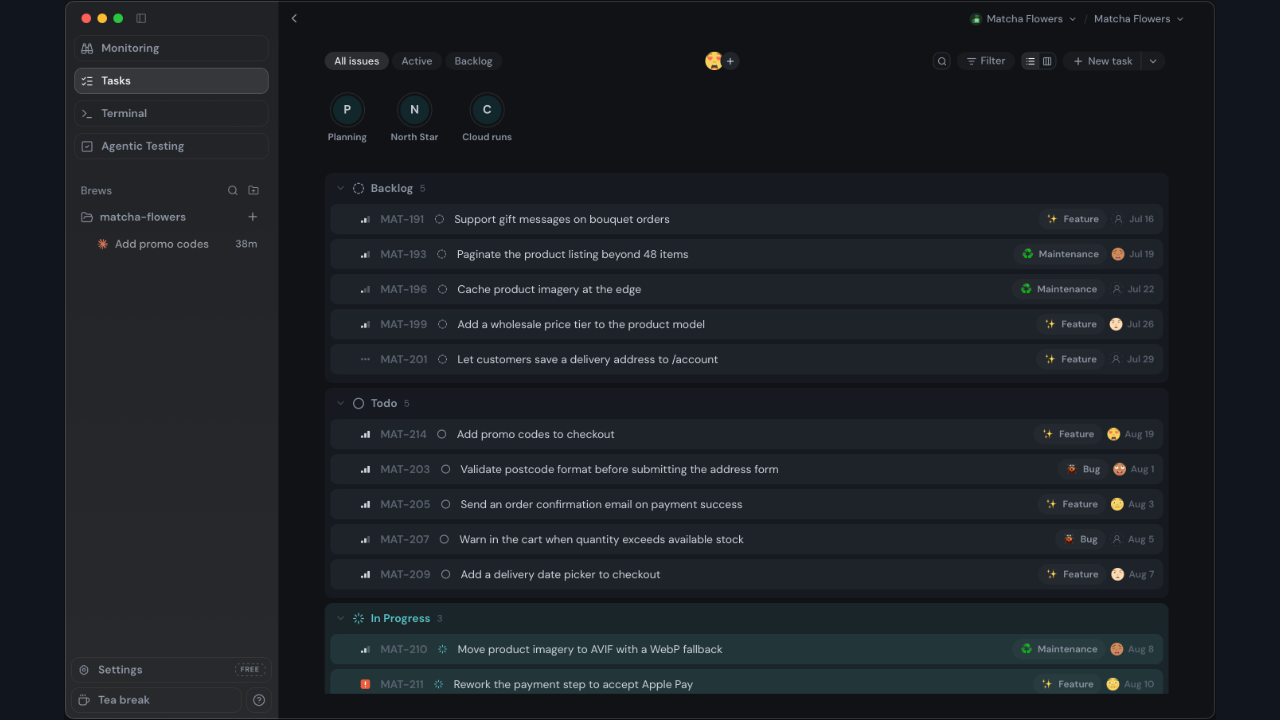
A macOS IDE connecting existing coding agents with task workspaces, visual QA, and production monitoring.
Information checked: Sep 12, 2026 ·View sources
Tool details
- Type
- AI editors
- Platforms
- macOS
- Free plan
- Yes
- Open source
- Not verified
- Bring your own key
- Yes
- Local models
- Not verified
Overview
Best for
- macOS developers using several coding agents
- Teams evaluating changes with preview URLs
Strengths
- Keeps existing agent workflows in one task workspace.
- Connects implementation with visual checks and production signals.
Limitations & trade-offs
- Developers requiring a native Windows or Linux desktop app
- The current desktop download is for macOS.
- Agent billing and testing credits are separate considerations.
Get started
Pricing & usage limits
Official pricingFree tier available
Terminal and BYOK monitoring$0
The terminal is free; monitoring supports your own provider keys. Agent subscriptions and inference may cost extra.
Agentic testing allowance$0 / month
2,000 testing credits per month. Additional usage requires paid credits; check the current checkout.
Pricing checked: Sep 12, 2026 · Subscription, usage limits, and model costs may be billed separately.
Features & details
Task workspace
- Claude Code, Codex, Gemini CLI, and OpenCode integrations
- Separate Git worktrees for tasks
- Issue connections for Linear, Jira, and GitHub
Check and follow changes
- Built-in browser and visual QA
- Production monitoring integrations
- Optional cloud background execution
Following a change beyond the editor
Coldtea is useful when finishing a feature involves an agent terminal, a preview URL, an issue tracker, and monitoring dashboards. Its task workspace keeps these activities connected. The coding work still depends on the agent you choose and the project you supply.
For a first evaluation, use a small change with a visible result: correcting a form validation message is easier to assess than asking for a complete redesign.
Try one task from issue to visual check
- Use the official installation guide to install the macOS build and open a repository.
- Connect an already configured coding agent and create a task with a clear acceptance condition.
- Review the proposed changes in that task's worktree, then run the project's checks.
- Open the preview and verify both the intended state and a failure state before accepting the change.
Decide whether the workspace fits
Try the same task in your current editor and compare the number of context switches. Coldtea's value is strongest when QA and follow-up matter alongside writing code. Cloud background execution is optional; review the selected agent's data handling before treating a local project as entirely offline.
Model support & data privacy
Privacy & data handling
Local work remains local until optional cloud execution is enabled. Connected agents and model providers have their own data policies.
Guides, reviews & fixes
No published guides yet. Start with the official documentation above.
Product updates
No verified product updates listed yet. Follow this tool to see new relevant content in Saved.
See the content timelineAlternatives
CursorCursor is an AI coding and cloud development platform that combines a VS Code-based editor, local and cloud agents, CLI workflows, Origin code hosting, repository collaboration, and prompt-to-app creation. WindsurfWindsurf, now transitioning under the Devin Desktop brand, is an AI-native IDE for developers who want coding agents, codebase context, and editor workflows in one desktop environment.
Sources & verification
Verification dates record when this directory checked the information. Product release dates appear separately above.