On This Page8 sections
Key Takeaways
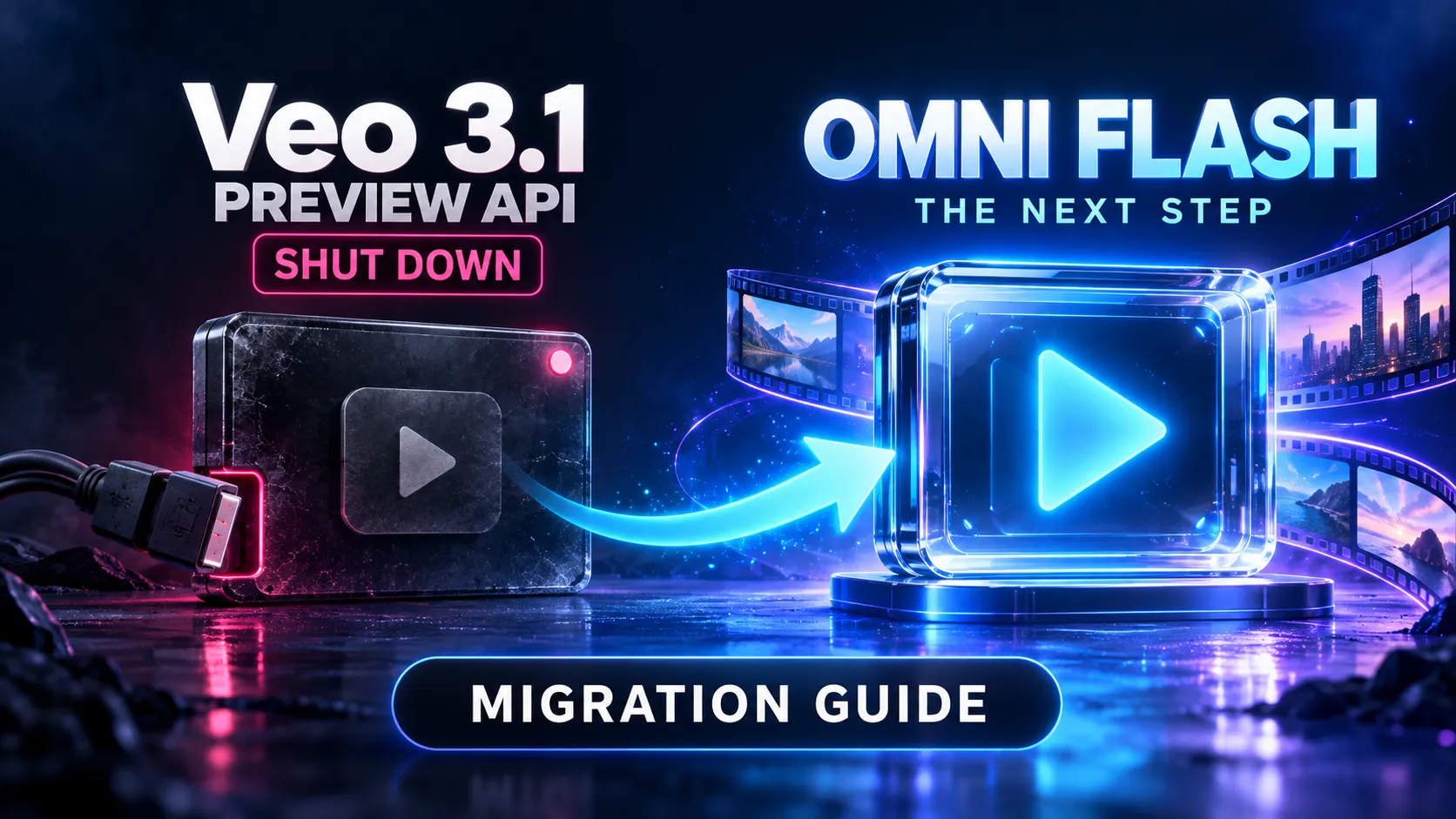
- Veo 3.1 Preview shut down in the Gemini API on October 22, 2026. The retirement covers the standard, Fast, and Lite preview model IDs.
- The recommended Gemini API replacement is
gemini-omni-1.1-flash. Avoidgemini-omni-flash-preview: that endpoint also shut down on October 22. - Migration requires changes to the API integration. Omni Flash uses the Interactions API, with different request fields, response parsing, and conversation state.
- Check feature compatibility before restoring traffic. Uploaded-video editing has regional restrictions, several legacy controls are unsupported, and 1080p and 4K outputs use upscaling.
- Budget for complete workflows. At published Standard pricing, eight seconds of 720p video output costs approximately $0.81, before input and other applicable token charges.
Updated: October 31, 2026.
Google's video generation documentation confirms that the Veo 3.1 Preview shutdown has already happened. Applications still sending requests to these retired Gemini API endpoints need an active replacement and a revised integration.
The practical migration has four parts: remove retired model references, implement the Interactions API contract, validate the product features that depend on video generation, and measure the cost of delivering an acceptable result.
Which Veo Models Shut Down?
The Gemini API deprecation schedule identifies the affected endpoints and their replacement.
| Retired model ID | Shutdown date | Recommended Gemini API replacement |
|---|---|---|
veo-3.1-generate-preview | October 22, 2026 | gemini-omni-1.1-flash |
veo-3.1-fast-generate-preview | October 22, 2026 | gemini-omni-1.1-flash |
veo-3.1-lite-generate-preview | October 22, 2026 | gemini-omni-1.1-flash |
gemini-omni-flash-preview | October 22, 2026 | gemini-omni-1.1-flash |
Deprecation and shutdown are different events. A deprecated model may remain accessible during a transition period. A shut-down endpoint is no longer available.
This announcement concerns the specified Gemini API endpoints. It does not establish that every Veo deployment or consumer product has been discontinued. Google's video documentation also directs developers to GA models available through the Gemini Enterprise Agent Platform.
For applications that require a Veo-specific workflow, evaluate that separately documented route. Do not assume that replacing the model name also transfers authentication, configuration, quotas, or billing between platforms.
Why Changing the Model String Is Not Enough
The legacy Veo integration uses video-generation methods and long-running operation objects. Omni Flash is documented through the Interactions API.
| Integration area | Legacy Veo pattern | Omni Flash migration |
|---|---|---|
| JavaScript generation method | ai.models.generateVideos(...) | ai.interactions.create(...) |
| Main text input | prompt | input |
| Output configuration | Veo generation configuration | response_format for video output controls |
| Job/result handling | Operation polling and generated-video results | Interaction status and video content |
| JavaScript SDK video access | Generated-video result objects | interaction.output_video convenience field |
| Direct REST response parsing | Veo response structure | Video content within steps |
| Follow-up editing | Workflow-specific handling | previous_interaction_id for stored interactions |
The engineering implication is to replace the provider adapter while preserving the application's job interface. The frontend can continue requesting a video, checking progress, and downloading a result while the backend translates those actions into the new API.
Avoid passing an old Veo configuration object into an Omni request. Explicitly map supported settings and reject unsupported options before submitting a billable request.
Step 1: Find Every Retired Endpoint Reference
Search source code, deployment configuration, and worker packages. This command lists matching filenames without printing their contents:
rg -l --hidden -g '!node_modules' -g '!.git' -g '!dist' 'veo-3[.]1-|gemini-omni-flash-preview|generate_videos|generateVideos|predictLongRunning' .Then inspect references outside the repository:
- Environment variables and deployment dashboards.
- Database-backed model catalogs and prompt templates.
- Queue messages created before the migration.
- Scheduled jobs, fallback routes, and retry workers.
- Product pricing rules and credit deductions.
- Monitoring queries that classify requests by the old model name.
Queued jobs deserve special attention. If a job stores its original model ID, deploying new defaults will not necessarily update that job. Decide whether pending requests should be migrated, canceled, or returned to the user for revision.
Keep historical model IDs on completed jobs. Rewriting them would make cost analysis and output provenance misleading.
Step 2: Generate and Download a Video with Omni Flash
Use a Gemini API project with paid-tier access. Google's Interactions API overview lists support in the Python and JavaScript Google GenAI SDKs from version 2.3.0 onward.
Install the current JavaScript package, validate the integration, and commit the resulting lockfile:
npm install @google/genai@latestProvide GEMINI_API_KEY through the server environment or secret manager. Keep the key out of browser bundles.
The following Node.js example uses URI delivery, which Google's Omni guide recommends for generated videos larger than 4 MB. Save it as generate.mjs:
import { GoogleGenAI } from '@google/genai';

const apiKey = process.env.GEMINI_API_KEY;
if (!apiKey) throw new Error('GEMINI_API_KEY is required');

const ai = new GoogleGenAI({ apiKey });

const interaction = await ai.interactions.create({
  model: 'gemini-omni-1.1-flash',
  input: 'A short cinematic shot of a ceramic cup on a wooden table. Slow camera push-in, soft morning light, quiet room ambience.',
  store: true,
  background: false,
  stream: false,
  response_format: {
    type: 'video',
    aspect_ratio: '16:9',
    resolution: '720p',
    delivery: 'uri'
  }
});

if (interaction.status !== 'completed') {
  throw new Error('Interaction did not complete: ' + interaction.status);
}

const video = interaction.output_video;
if (!video?.uri) throw new Error('No video URI returned');

const fileId = new URL(video.uri).pathname
  .split('/files/')[1]?.split('/')[0];
if (!fileId) throw new Error('Unexpected video URI format');

const deadline = Date.now() + 300_000;
let ready = false;

while (Date.now() < deadline) {
  const file = await ai.files.get({ name: 'files/' + fileId });
  const state = typeof file.state === 'string'
    ? file.state
    : file.state?.name;

  if (state === 'ACTIVE') {
    ready = true;
    break;
  }
  if (state === 'FAILED') throw new Error('Video file processing failed');

  await new Promise(resolve => setTimeout(resolve, 5000));
}

if (!ready) {
  throw new Error('File readiness deadline exceeded; retain the URI for recovery');
}

await ai.files.download({
  file: video,
  downloadPath: 'omni-output.mp4'
});

console.log('Saved omni-output.mp4');
console.log('Interaction ID:', interaction.id);
Run the script:
node generate.mjsThe five-minute deadline bounds file-readiness polling after generation; it does not impose a timeout on the preceding generation request or guarantee a completion time. Configure request and worker deadlines separately.
For production, persist the interaction ID and returned file reference before downloading. If downloading fails, recover the existing result instead of immediately submitting another generation.
Step 3: Update REST Response Parsing
Direct REST integrations submit requests to:
POST https://generativelanguage.googleapis.com/v1beta/interactionsUse the API key in the x-goog-api-key header and send a JSON request body.
output_video is an SDK convenience field. The raw REST response exposes generated media through the steps array. A backend that expects a top-level REST output_video field can report failure even when generation succeeds.
This helper extracts a video content item from a completed REST interaction:
function extractVideoPart(payload) {
  if (payload.status !== 'completed') {
    throw new Error('Interaction is not completed');
  }

  for (const step of payload.steps ?? []) {
    if (step.type !== 'model_output') continue;

    for (const part of step.content ?? []) {
      if (part.type === 'video' && (part.uri || part.data)) {
        return part;
      }
    }
  }

  throw new Error('Completed interaction contains no video output');
}
Handle the returned representation deliberately:
data: decode the base64 payload and store the resulting bytes.uri: follow the documented file-readiness and download workflow.- Neither: retain the response status and diagnostic information; do not mark the job successful.
Google's Interactions schema migration guide also documents the transition from outputs to steps and the introduction of response_format. Older Interactions examples can therefore be incompatible even when their model name looks correct.
Step 4: Rebuild Editing Around Interaction State
Omni supports iterative editing through previous_interaction_id. After the initial request in the earlier example, a follow-up can reference its stored state:
const edited = await ai.interactions.create({
  model: 'gemini-omni-1.1-flash',
  previous_interaction_id: interaction.id,
  input: 'Change the lighting to late afternoon. Preserve the cup, table, framing, and camera movement.',
  store: true,
  response_format: {
    type: 'video',
    resolution: '720p',
    delivery: 'uri'
  }
});

console.log('Edited interaction ID:', edited.id);
Download the edited output through the same file workflow. Save the new interaction ID if subsequent edits should continue from that version.
Treat edits as a version tree. If two requests both reference the first interaction, they create separate branches; one does not automatically include changes from the other.
Storage is part of the product design. The Interactions documentation describes default storage, a 55-day paid-tier retention period, and configurable shorter retention windows. Setting store: false prevents that interaction from serving as stored context for subsequent turns and is incompatible with background execution.
Consequently:
- Use stored interactions when users need conversational editing.
- Set storage behavior explicitly for one-shot generation.
- Keep finished videos in application-controlled storage when long-term access is required.
- Authorize access to interaction IDs through the application's own user and project permissions.
- Handle expired conversation state as a recoverable product condition.
An interaction ID should not be treated as a permanent asset archive.
Step 5: Check Feature Compatibility Before Reopening Every Control
The Omni Flash model specification lists ordinary video output at 3–10 seconds and 24 FPS. Supported resolutions are 360p, 720p, 1080p, and 4K.
Google's GA release notes distinguish 1080p and 4K as upscaled outputs. Product copy should preserve that distinction rather than promising native 4K generation.
| Existing product feature | Migration decision |
|---|---|
| Landscape and portrait generation | Validate 16:9 and 9:16 independently |
| Exact-duration deliverables | Measure generated duration; apply application-side finishing where needed |
| First and last frame inputs | Test the documented interpolation workflow with representative image pairs |
| Long clips | Evaluate extension separately from ordinary generation |
| Negative prompt field | Incorporate supported constraints into the regular prompt |
| Temperature or system-instruction controls | Remove or disable unsupported controls |
| Uploaded-video editing | Gate availability by documented regional and input restrictions |
| Voice replacement or uploaded audio references | Do not advertise these as supported migration features |
The current limitations include several consequential restrictions:
- Uploaded videos for editing or extension must be no longer than 10 seconds, with a documented exception for extending model-generated videos across turns.
- Editing or extending uploaded videos is unavailable to users in the EEA, Switzerland, and the United Kingdom; model-generated video workflows are treated differently.
- Voice editing and uploaded audio references are unsupported.
- System instructions, temperature,
top_p, stop sequences, and dedicated negative prompts are unsupported. - YouTube videos cannot be used as media sources.
Separate model capabilities from the API surface actually available. Broad multimodal descriptions do not mean every audio, video, or editing input is exposed through the current API.
Build capability checks into the server as well as the interface. A hidden frontend control does not prevent an older client or queued request from submitting an unsupported option.
Prompt Migration: Preserve Intent and Retest Results
A prompt that worked well with Veo is useful test material, but its output characteristics should be reassessed after switching models.
Use a compact structure that makes the desired result inspectable:
Subject: A blue ceramic cup on a walnut table.
Action: Steam rises gently; the cup stays stationary.
Camera: One continuous slow push-in with no cuts.
Lighting: Soft morning window light from the left.
Audio: Quiet room ambience with no music or dialogue.
Constraints: No captions, logos, additional objects, or scene changes.
For edits, state both the requested change and the elements that must remain stable. A request to change the background should also identify whether framing, subject appearance, motion, and audio should be preserved.
Keep a regression set covering the actual business use cases: products, people where permitted, landscape shots, portrait compositions, dialogue, typography, and image references.
Score outputs against those requirements. A successful HTTP response establishes API compatibility; it does not establish commercial usability.
Omni Flash Pricing: Calculate Cost per Delivered Result
The Gemini API pricing page lists the following Standard rates for gemini-omni-1.1-flash:
| Billing category | Published price |
|---|---|
| Input tokens | $1.50 per million tokens |
| Text output, including applicable thinking tokens | $9.00 per million tokens |
| Video output | $17.50 per million tokens |
| Free API tier | Not available |
For 720p video, Google specifies 5,792 output tokens per second. The resulting video-output calculation is:
720p video-output cost
= duration in seconds × 5,792 × $17.50 / 1,000,000
= duration in seconds × $0.10136| Generated 720p duration | Calculated video-output cost |
|---|---|
| 5 seconds | $0.50680 |
| 8 seconds | $0.81088 |
| 10 seconds | $1.01360 |
| 1,000 clips of 8 seconds each | $810.88 |
These figures exclude input and other applicable token charges, storage, delivery, and application infrastructure. The 720p conversion should not be assumed to apply unchanged to other resolutions.
The useful business metric is cost per accepted result.
For example, if an accepted clip requires three separately generated eight-second 720p versions, their combined video-output component is approximately $2.43. That is an illustrative workflow calculation, not a measured average or a claim about failed-request billing.
Track:
- Total generation and editing spend.
- Accepted outputs and abandoned jobs.
- Generated seconds per accepted result.
- Regeneration frequency and editing depth.
- Storage and download costs.
Reconcile these metrics against actual usage and billing before retaining a credit system originally designed for Veo Fast or Lite.
Production Reliability: Prevent Duplicate Work and Lost Results
A video request can succeed upstream while the application loses its response or fails to download the file. Treating every timeout as a failed generation can create duplicate paid work.
Use an application job record with a unique request identifier and separate stages for submission, generation, file readiness, download, and completion.
Recommended controls include:
- Deduplicate submissions: prevent repeated clicks and worker restarts from creating another generation for the same application job.
- Persist provider references promptly: save interaction IDs and file references as soon as they are available.
- Bound retries: distinguish retryable transport failures from invalid parameters and policy rejections.
- Recover downloads independently: a failed transfer should not automatically restart generation.
- Limit concurrency: apply worker limits based on observed capacity and project quotas.
- Record operational metadata: model ID, settings, timestamps, status, usage, and final asset location.
Google's rate-limit documentation directs developers to their active limits in AI Studio and notes that available capacity can vary. Avoid publishing one universal requests-per-minute assumption for every account.
For web applications, keep video work outside a short-lived browser request where practical. Return an application job ID and let the interface reconnect to progress after navigation or a network interruption.
Common Migration Failures and Their Fixes
| Symptom | What to investigate | Corrective action |
|---|---|---|
| Requests still target Veo Preview | Old deployment settings, queue payloads, or fallbacks | Remove retired IDs from all execution paths |
| Omni Preview also fails | Migration used gemini-omni-flash-preview | Select gemini-omni-1.1-flash |
| Invalid or unknown parameters | A Veo configuration was reused | Rebuild requests against the current Interactions schema |
| REST reports no video after successful generation | Parser expects SDK-only output_video | Inspect video content in steps |
| Follow-up edits lose context | Wrong parent ID, disabled storage, or expired state | Validate the stored interaction chain |
| Large video responses fail | Inline payload size or application limits | Use URI delivery and the file workflow |
| Some uploaded-video edits are unavailable | Regional or input restrictions | Apply the documented capability checks |
| Costs rise after migration | More attempts, deeper editing, or stale credit assumptions | Measure cost per accepted result |
| Timeouts produce duplicate clips | Submission is retried without reconciling prior work | Deduplicate jobs and recover existing results |
Treat these as diagnostic categories. Inspect the actual API error and request metadata before assigning a cause.
Migration Acceptance Checklist
Before directing all eligible traffic to the new integration, verify that:
- Production requests and fallback routes contain no retired model IDs.
- Paid-tier access and current project limits are confirmed.
- Text-to-video and required image workflows produce downloadable files.
- Both aspect ratios and every advertised resolution are tested.
- REST or SDK result parsing matches the installed integration.
- Large files complete the URI delivery and download path.
- Follow-up edits use the intended parent interaction.
- Storage and retention settings match the product's editing behavior.
- Unsupported inputs and controls receive clear validation messages.
- Retries cannot silently create duplicate application jobs.
- Billing and credit deductions match observed usage.
- A feature flag can pause affected workflows or route to a separately validated alternative.
Because the preview endpoints have already shut down, rollback cannot depend on restoring them. Prepare a controlled pause or another active, tested route.
Frequently Asked Questions
When did Veo 3.1 Preview shut down?
The standard, Fast, and Lite Veo 3.1 Preview endpoints in the Gemini API shut down on October 22, 2026.
Which model replaces Veo 3.1 Preview in the Gemini API?
Google recommends gemini-omni-1.1-flash. The older gemini-omni-flash-preview endpoint is also retired.
Can an application keep its old Veo request body?
The integration needs to be updated for the Interactions API. Input fields, output configuration, result parsing, and state handling must be checked explicitly.
Is Gemini Omni Flash free through the API?
The published pricing table lists paid-tier access and no free API tier for this model. Availability in a consumer interface should not be treated as free API entitlement.
Does the shutdown mean all Veo services are gone?
The announcement applies to the specified Gemini API endpoints. Google's documentation separately identifies GA models on the Gemini Enterprise Agent Platform as an alternative route.
Conclusion
A complete Veo 3.1 Preview migration updates the model, API contract, media delivery, editing state, capability checks, and cost accounting together.
Start by removing retired endpoints and generating one downloadable clip with gemini-omni-1.1-flash. Then validate the workflows users actually purchase or depend on, measure their total cost, and expand traffic only after the acceptance checks pass.
Continue Reading
More articles connected to the same themes, protocols, and tools.


Referenced Tools
Browse entries that are adjacent to the topics covered in this article.