On This Page8 sections
Key Takeaways
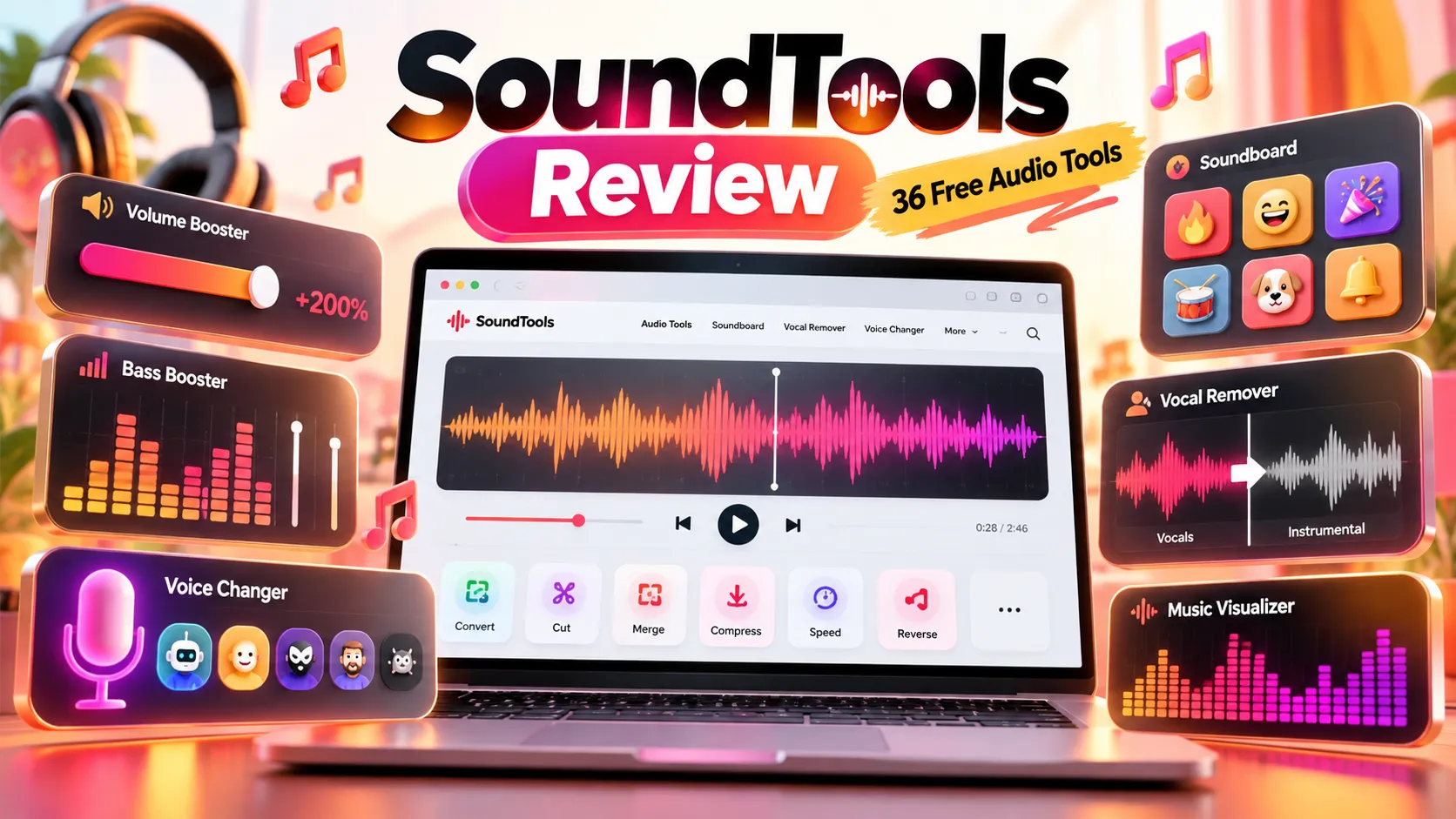
- SoundTools is a free, browser-based audio utility platform, not a music streaming service or downloadable digital audio workstation. Its homepage currently links to 36 tools across audio effects, voice and AI, editing, and creation.
- An external traffic estimate for September 2026 places the site at 701,660 monthly visits, with 60.35% attributed to search. These are modeled third-party figures, not verified Google Analytics or Search Console results.
- Its distinguishing proposition is on-device processing. SoundTools says audio and text supplied to its tools remain in the browser. The site still uses analytics and third-party advertising, so private file processing is not equivalent to anonymous browsing.
- The free offer has technical limits. Some AI features require desktop browsers, large initial model downloads, and substantial processing time. The vocal remover and stem splitter each specify a 100 MB and 10-minute file cap.
- For website builders, the interesting model is a collection of task-specific landing pages connected by practical workflows, rather than one generic audio editor. That is a plausible explanation for search visibility, not a proven causal analysis of its rankings.
What Is SoundTools?
SoundTools combines everyday audio utilities and increasingly ambitious AI features in one website. Visitors can make a recording louder, convert an audio format, change a voice, isolate song vocals, build a personal soundboard, or create a music visualization without installing a dedicated application.
The homepage organizes 36 tool links into four sections: 11 effects, 10 voice-and-AI tools, nine editing-and-conversion tools, and six creation-and-analysis tools. The site also contains a blog and experimental projects under The Lab. The company's About page identifies XAAX INC., a Wisconsin corporation, as the operator; this is an operator disclosure, not an independently verified corporate-registry finding.
The published business model is straightforward: no required account, subscription, or watermark, with advertising funding access. The attraction is not that every task is unique. It is that each task has a direct URL, recognizable controls, an immediate starting point, and links to related tools.
SoundTools Features: What Can You Actually Do?
| Category | Representative tools | Primary use cases |
|---|---|---|
| Audio effects | Volume Booster, Bass Boost, EQ, Reverb, 8D Audio, Nightcore, Slowed + Reverb, Sped Up Audio | Adjust loudness, frequency balance, tempo, ambience, and creator-style effects |
| Voice and AI | Voice Changer, Text to Speech, Speech to Text, Voice Cloning, Vocal Remover, Stem Splitter, Noise Remover | Narration, transcription, voice transformation, and music source separation |
| Edit and convert | Audio Converter, Trimmer, Joiner, Pitch Shifter, Tempo Changer, Video to Audio, Metadata Editor | Cut, merge, reformat, retime, and organize recordings |
| Create and analyze | Beat Maker, BPM Detector, Music Visualizer, Soundboard, Hearing Test, Granular Synthesizer | Make beats, trigger clips, generate visuals, and inspect audio properties |
Volume Booster and Bass Booster
The Volume Booster offers percentage-based amplification up to 300% and a separate loudness-normalization mode described with a -16 LUFS target. These solve different problems: gain increases signal level, while normalization aims for a consistent target. Neither can reconstruct detail lost in a poor recording. Extreme gain or bass boost can still produce clipping, even when a page emphasizes clean output.
The Bass Booster emphasizes low frequencies, with a +8 dB preset and up to +15 dB of adjustment. That can add impact to some tracks but may overwhelm small speakers or distort material with little remaining headroom. Compare previews at similar perceived loudness rather than assuming the louder version sounds better.
Voice Changer, Speech to Text, and Text to Speech
The Voice Changer advertises 17 or more presets, including robot, anime, deep, and chipmunk-style voices, plus controls for pitch, formants, modulation, delay, and reverb. It is better understood as an audio-effects processor than as a drop-in virtual microphone for live Discord calls.
The Speech to Text feature uses a browser implementation of Whisper and advertises transcription across 99-plus languages, with text and SRT exports. The Text to Speech tool instead uses Kokoro-based synthesized voices and currently concentrates on American and British English. These language capabilities should not be confused: multilingual recognition does not imply multilingual voice generation.
The Voice Cloning feature describes a short reference-voice workflow using F5-TTS. It requires explicit permission for any voice that is not the user's own. Its hardware, browser, and model-download requirements make it a more demanding feature than a basic voice filter.
Vocal Remover and Stem Splitter
The Vocal Remover aims to produce an instrumental track and an isolated vocal track. The Stem Splitter takes this further by dividing a recording into vocals, drums, bass, and other instruments, with separate preview and download controls. SoundTools describes its separation approach as based on Demucs.
The distinction matters: removing vocals can help make a practice or karaoke track, whereas four-stem separation offers more control for remix preparation. Neither should be assumed to deliver perfectly isolated tracks. Heavy effects, overlapping instruments, reverb, and low-quality source files can cause audible leakage or artifacts.
Soundboard, Beat Maker, and Music Visualizer
The Soundboard lets users upload or record short clips, trim them, label buttons, and play several sounds. Boards are stored locally and can be exported. It is a custom soundboard maker, not a searchable library of thousands of ready-made meme sounds, and it does not directly route audio into a Discord virtual microphone.
The Beat Maker combines drum pads and a step sequencer with seven classic drum-machine-style kits. The Music Visualizer provides audio-reactive graphics and video export, making it relevant to music uploads, podcasts, and short-form social videos. However, its full collection of visualization effects and export options is not available identically on every browser.
How to Use SoundTools: Four Practical Workflows
Make a Quiet Voice Recording Easier to Hear
- Open Volume Booster and load the original audio file.
- Preview a modest gain increase, or select normalization if the goal is a consistent level across recordings.
- Listen for harsh peaks, background hiss, and clipping before exporting.
- Keep the original file; increasing volume also increases existing noise.
Create a Karaoke or Remix Practice Track
- Open Vocal Remover for a two-track result, or Stem Splitter for four separate parts.
- Start with a short, reasonably clean recording and use a desktop browser with available memory.
- Leave the page active during processing, then audition each output for residual vocals or instruments.
- Export only material that the user has the right to use; removing vocals does not remove copyright obligations.
Turn a Voice Memo into a Transcript
- Open Speech to Text on a supported desktop browser and record or select an audio file.
- Allow the first-use model download, choose the correct language or recognition options, and run transcription.
- Review personal names, technical terms, numbers, and timestamps manually.
- Export plain text or SRT when subtitle timing is needed.
Make a Shareable Audio Visualization
- Open Music Visualizer and choose an audio file or microphone input.
- Select a visual style, aspect ratio, and sensitivity suitable for the destination platform.
- Preview motion during loud and quiet passages rather than judging a static frame.
- Export in desktop Chrome, Edge, or Firefox where supported; on iOS Safari, follow the site's screen-recording fallback.
How SoundTools Works: Web Audio API, WebAssembly, and Local AI
SoundTools says its interface is built with vanilla HTML and JavaScript. Its technical write-up describes a dual-processing approach: the Web Audio API provides responsive previews, while FFmpeg compiled to WebAssembly handles final encoding and format conversion. This separation is valuable because making users fully re-encode a file every time they adjust a slider creates an unnecessarily slow feedback loop.
Audio file → Browser decoding → Web Audio preview → Final render → FFmpeg.wasm encoding → Download
AI model files → Browser cache → WebAssembly / ONNX / WebGPU inference → Local result
The browser platform supports this design. MDN's Web Audio documentation explains audio processing and real-time audio graphs; ONNX Runtime Web documents local model inference, including WebAssembly and supported GPU execution options.
There are two economic effects. First, ordinary transformations and local inference can avoid per-request server-side rendering costs. Second, large model downloads still consume bandwidth and CDN capacity, and browser performance varies across devices. Client-side AI is not automatically fast, lightweight, or free to operate at scale.
The site reports improved workflow completion after adding instant previews, but its published figures are not independently benchmarked. More broadly, any claim of instant processing should distinguish a near-immediate preview from the time needed to produce a downloadable output.
Privacy: Local Audio Processing Does Not Mean Zero Tracking
According to the site's Privacy Policy, uploaded recordings, microphone input, and text entered into the tools are processed locally and are not sent to SoundTools servers. AI model files are downloaded from cdn.soundtools.io and cached on the device. This is a meaningful architectural distinction from cloud services that require uploading recordings for processing, although the claim has not been independently audited in this review.
The same privacy policy also discloses Cloudflare hosting and security logs, Google Analytics, and advertising through Setupad and its partners, including Google. These services can receive IP addresses, browser information, page-visit data, cookies, or advertising identifiers. The appropriate distinction is therefore local media processing versus website-level analytics and advertising data collection.
People handling confidential recordings should still consider browser extensions, device security, download permissions, and whether local caching is acceptable. Clearing site data can also remove cached AI models and soundboard settings.
Important Limitations Before Using SoundTools
| Tool or feature | Published limitation or trade-off | Practical implication |
|---|---|---|
| Vocal Remover and Stem Splitter | Maximum 100 MB or 10 minutes per file; the site estimates around five minutes for a three-minute song with suitable GPU support and roughly 30 minutes without it | Shorten very long tracks and do not expect cloud-style instant output |
| Voice Cloning | Desktop Chrome, Edge, or Firefox recommended; Safari generation unsupported; the page indicates an initial model download of roughly 750 MB and elsewhere quotes a higher total | Requires substantial disk cache, bandwidth, and processing power; displayed estimates vary |
| Text to Speech | Desktop-focused; Safari unsupported; initial model download is approximately 100–115 MB | Not a universal mobile narration tool; currently centered on English voices |
| Speech to Text | iOS unsupported; first use downloads a model of roughly 240 MB | Desktop is the safer choice for transcription jobs |
| Music Visualizer | Desktop supports more visual styles; Safari lacks the same direct video-with-audio export workflow | Test the target browser before planning a publication workflow |
| Soundboard | Browser storage is device-specific; no direct virtual-microphone routing | Export backups and use a dedicated routing app if Discord injection is essential |
Two apparent contradictions are worth noting. The homepage markets broad device support and no file limits, while individual AI pages document unsupported environments and explicit size or duration caps. The best interpretation is free, uncapped account usage where supported, not unlimited input size or universal compatibility for every tool.
The hearing-age feature is also an entertainment-oriented screening exercise, not an audiological diagnosis. Audio equipment, calibration, volume, and surroundings affect the outcome. The site's own Hearing Test page makes that distinction.
SoundTools Traffic: September 2026 Analysis
A third-party traffic snapshot supplied for September 2026 estimates the following figures. They should be treated as directional market intelligence: the site's private analytics, unique-user counts, conversion rates, rankings, and actual advertising revenue have not been independently verified.
| Metric | Reported estimate |
|---|---|
| Monthly visits | 701,660 |
| Bounce rate | 56.06% |
| Pages per visit | 2.91 |
| Average visit duration | 1 minute 17 seconds |
| Global traffic rank | 70,475 |
| Domain creation date in the snapshot | November 10, 2025 |
| Domain expiration date in the snapshot | November 10, 2027 |
At the quoted pages-per-visit rate, multiplying 701,660 visits by 2.91 yields approximately 2.04 million modeled pageviews. This is an arithmetic illustration, not an independently measured pageview total. The domain date shown in the snapshot suggests a relatively young site, but the registration record was not separately verified.
Where Visitors Reportedly Come From
| Acquisition channel | Share | Approximate monthly visits |
|---|---|---|
| Search | 60.35% | 423,452 |
| Direct | 26.07% | 182,923 |
| Referrals | 5.35% | 37,539 |
| Social | 3.72% | 26,102 |
| 0.35% | 2,456 | |
| Display ads | 0.08% | 561 |
| Other | 4.08% | 28,628 |
The estimated 60.35% search share is the most commercially interesting result. It suggests that task-based discovery, rather than paid acquisition, accounts for the largest portion of reported visits. Direct traffic is also meaningful, but it cannot by itself establish user retention or brand loyalty.
The top reported countries are the United States (23.77%), India (7.63%), Canada (4.41%), Brazil (3.57%), and Mexico (3.51%). This mix implies geographically diverse demand and potential variation in advertising yield. A short, single-purpose utility visit can also be successful even if the user leaves quickly, so a 56.06% modeled bounce rate is not sufficient evidence of poor usefulness.
The Search Keywords That Explain the Opportunity
The supplied keyword panel provides another useful perspective. Keyword search volume describes broader search-market demand; the traffic column estimates visits attributed to SoundTools for that query. These numbers should not be treated as Google Search Console measurements or assumed to share identical calculation methods.
| Keyword | Estimated traffic to SoundTools | Search volume | Advertiser CPC |
|---|---|---|---|
| volume booster | 5.18K | 162.33K | $0.20 |
| soundtools | 3.43K | 2.61K | $0.00 |
| soundboard | 3.17K | 504.06K | $1.06 |
| bass booster | 2.47K | 32.66K | $0.75 |
| voice changer | 2.27K | 232.69K | $0.49 |
Several conclusions follow:
- The largest opportunities are non-branded tasks. Terms such as soundboard and voice changer are far broader than searches for the SoundTools name.
- Search volume is not captured traffic. A keyword with 504,060 estimated searches does not mean the site receives anything close to that number of visits.
- Advertiser CPC is not publisher revenue. The $1.06 figure for soundboard reflects a modeled cost-per-click market signal; it cannot be used as a site RPM or earnings estimate.
- A few headline terms do not explain the whole site. The five listed keyword-traffic figures account for only a small portion of the separate sitewide search estimate. Long-tail traffic may be important, but the snapshot is insufficient to prove its precise contribution.
Why a Collection of Small Tools Can Attract Search Traffic
SoundTools illustrates a scalable information architecture: one clearly defined user task, one immediately usable tool page, and contextual pathways to related tasks. The homepage exposes recognizable phrases such as volume booster, audio converter, vocal remover, and music visualizer. Individual pages add instructions, format details, limitations, FAQs, and direct access to the controls.
The design has several plausible SEO advantages. A page about converting audio can address conversion-specific intent without forcing visitors through a full editing suite. A page about slowing songs can answer pitch-preservation questions. Related-tool links connect sequences such as trimming a recording, cleaning its noise, changing its voice, and downloading the result.
The site also maintains an audio tools blog featuring format comparisons, conversion guides, and a technical implementation article. These articles can support utility pages with explanatory context and discoverable internal links. However, the existence of this structure does not prove the source of the reported traffic or the cause of any ranking gains; that would require page-level Search Console data and historical backlink evidence.
For competing publishers, mass-producing nearly identical pages is a poor substitute for genuinely different functionality. Google's spam policies warn against doorway pages that target slight query variants without providing meaningful differences. Tool quality, intent-specific interfaces, honest limitations, and useful examples are harder to copy than a keyword template.
How Does SoundTools Make Money?
The site's About page and privacy disclosures describe an advertising-supported model. The privacy policy explicitly names Setupad as the advertising technology provider and identifies Google among the exchanges and partners that may deliver ads. This does not establish that SoundTools holds a separate, directly approved Google AdSense account.
No verified revenue, page RPM, ad fill rate, or net profit figure was found in the reviewed public information. Multiplying a modeled visit total by an arbitrary RPM would produce a hypothetical scenario, not an earnings disclosure. Actual results depend on viewable pageviews, placements, geography, consent, devices, seasonality, advertiser demand, and the economics of the ad stack.
The model nonetheless makes strategic sense for accessible utilities: users can accomplish a task without creating an account, search supplies discovery, and advertising finances infrastructure. Local processing may reduce compute expenditure, but hosting scripts and large AI model files is not costless.
SoundTools vs. Other Audio Tools
| Alternative | Better fit when... | Meaningful difference |
|---|---|---|
| AudioMass | A user needs detailed waveform editing and a more integrated audio-editing workspace | Open-source browser editor with editing, effects, and multitrack capabilities |
| VocalRemover.org | The primary task is quick, dedicated two-track vocal isolation | Focused AI source separation rather than a broad utility directory; processing claims should be tested with the same files |
| Voicemod | Sounds must be routed directly into Discord or game voice chat | Designed for live voice-chat and soundboard integration rather than only browser playback |
| SoundTools | Someone wants several quick, free, browser-based audio jobs without accounts | Combines local-processing utilities, AI features, creation tools, and distinct task pages |
The right choice depends on the output, not the number of features. A dedicated editor is preferable for a complex timeline. A live voice-chat soundboard is preferable for microphone routing. SoundTools is strongest when a user wants a specific output without installing or learning a full production environment.
Product Opportunities Revealed by This Market
SoundTools' feature coverage also exposes potential directions for differentiated products. These are product hypotheses, not validated gaps in search demand or evidence that SoundTools lacks every related feature:
- Batch audio workflows: Convert, trim, normalize, rename, and package many files in a single job, with a clear queue and failure recovery.
- Reliable mobile creator export: Build audio visualizers and short clips around iPhone and Android constraints rather than treating mobile as a reduced desktop interface.
- Offline-first privacy tools: Offer a well-documented installable web app, transparent network behavior, and explicit local-data controls for recurring professional use.
- Creator-specific chains: Combine voice cleaning, subtitle generation, narration, and audiogram export around podcasts, interviews, or short-form video rather than displaying disconnected tools.
- Advanced but transparent processing: Show true-peak headroom, clipping warnings, before-and-after loudness measurements, and format-specific export trade-offs.
For a new entrant, the defensible advantage is a better result for a narrower audience, not merely another catalogue of 30-plus pages. Assess search difficulty and existing incumbents before committing to high-volume keywords, and validate demand through actual task completion, repeat use, and organic landing-page performance.
Is SoundTools Safe and Legitimate?
SoundTools presents a named operator, a public privacy policy, terms of service, and detailed descriptions of processing technologies. Those are useful transparency signals, but they are not an independent code audit, a guarantee of uninterrupted service, or proof of flawless audio output.
For privacy-sensitive work, the locally processed media claim is relevant, while the site's disclosed analytics and advertising remain a separate consideration. For legal use, follow the Terms of Service: clone another person's voice only with express permission, avoid deceptive impersonation, and ensure the user has rights to music or recordings being modified. Processing a copyrighted song into an instrumental does not make it royalty-free.
Frequently Asked Questions
Is SoundTools Completely Free?
The operator says its tools require no subscription, account, or watermark and are funded by ads. Specific technical limits, such as the vocal separation file-size cap, still apply.
Does SoundTools Upload Recordings to a Server?
Its privacy policy says no: audio, microphone recordings, and tool text are processed on the device. AI model assets are downloaded, and separate analytics and advertising services still collect some website-use data.
Does SoundTools Work on iPhone and Safari?
Some utilities and basic audio effects do, but not every AI workflow does. Text to Speech and Voice Cloning state that Safari generation is unsupported, and Speech to Text states that iOS is unsupported. Check each tool page before starting.
Can SoundTools Replace Audacity or a Full Digital Audio Workstation?
Not generally. It covers many narrow jobs but is not a complete substitute for a production environment with advanced multitrack editing, mixing, automation, plug-ins, and precise mastering workflows.
Can the SoundTools Soundboard Play Sounds Through a Discord Microphone?
Not directly. Its soundboard plays through the browser and supports creating and exporting clips. Live virtual-microphone routing requires a suitable desktop routing solution.
How Much Traffic Does SoundTools Get?
The supplied third-party snapshot estimates about 701.66K visits in September 2026. It is not a verified internal measurement, and visits are not the same thing as unique users or pageviews.
How Much Does SoundTools Earn From Ads?
No reliable public earnings number was established. The site discloses Setupad and advertising partners including Google, but reported traffic cannot determine income without verified monetization metrics.
Conclusion
SoundTools is a notable example of a search-oriented, browser-native utility platform. Its 36 linked tools address concrete audio tasks, its local-processing approach reduces the need for accounts and uploads, and a third-party September 2026 snapshot estimates approximately 702,000 visits, mostly from search.
Its trade-offs are equally important: heavyweight AI models can be slow, browser support is uneven, some tools impose file limits, and local audio processing does not eliminate advertising tracking. The site is most compelling for quick, self-contained jobs rather than complex production sessions.
Explore SoundTools by starting with one practical task, check that tool's device requirements, and compare the output with a dedicated alternative before relying on it for professional work. For product builders, the transferable lesson is to create trustworthy, useful tools around distinct search intents and connect them into workflows that genuinely help users finish the job.
Continue Reading
More articles connected to the same themes, protocols, and tools.


Referenced Tools
Browse entries that are adjacent to the topics covered in this article.