
On This Page7 sections
Key Takeaways
- Kimi Work is Moonshot AI’s local desktop Agent mode (launched June 3, 2026, still in beta) designed for knowledge workers rather than pure coding.
- It operates inside a selected local folder, can drive a real signed-in browser via the Kimi Browser Extension (WebBridge), produce finished documents/spreadsheets/slides, and coordinate an Agent Swarm of up to 300 sub-agents.
- Goal Mode and local scheduled tasks support longer or recurring work, but tasks run only while the computer is awake and the desktop app is open.
- Permission levels (Default, Manual Approval, Fully Automatic) give users control over file changes and code execution; the underlying models remain cloud-based.
- Usage draws from the shared Kimi membership credit pool. International plans start at $19/month (Plus); free tier access is limited. Apple Silicon Macs (macOS 12+) and Windows 10+ are supported.
What Is Kimi Work?
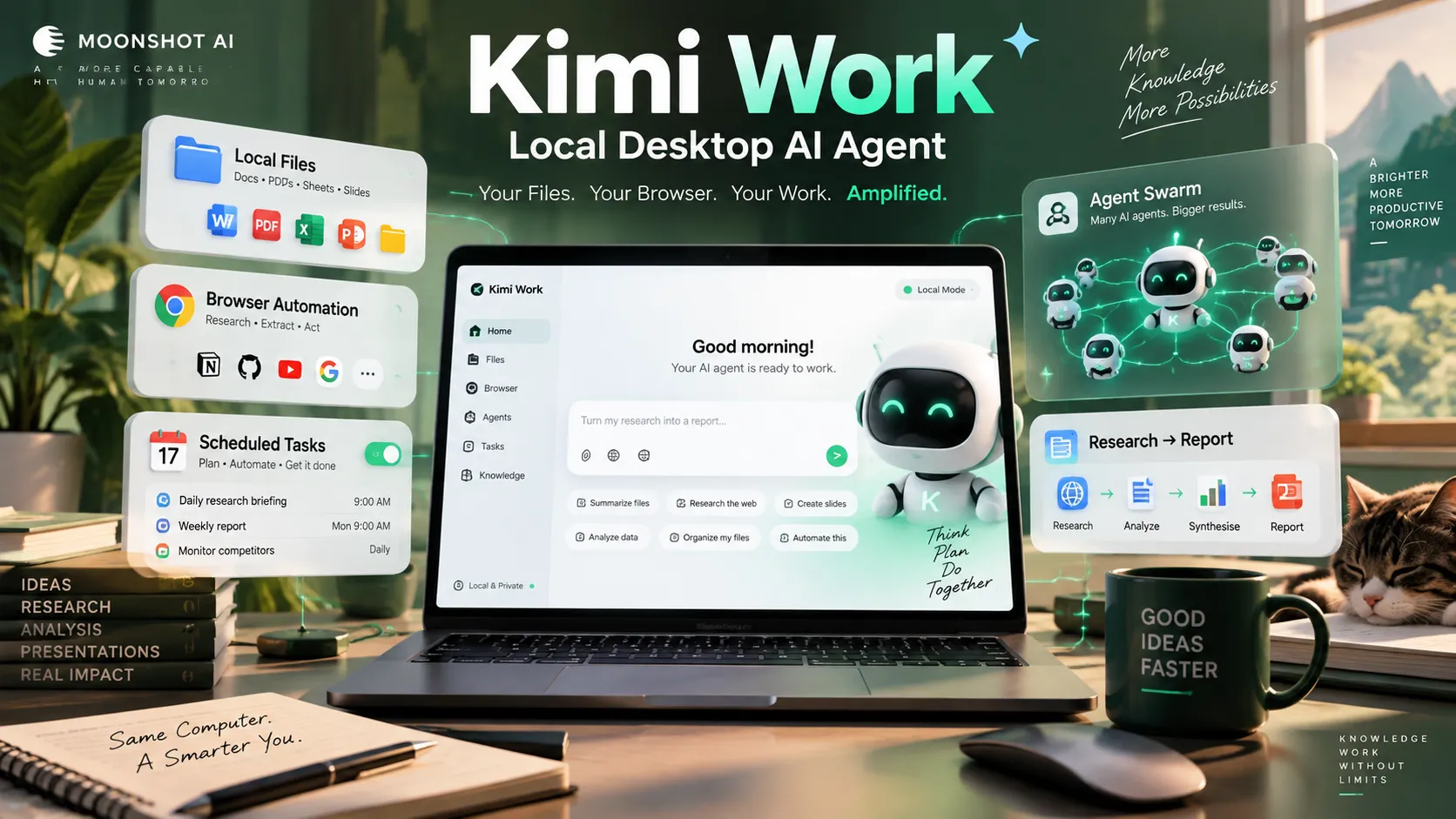
Kimi Work is the Work mode inside Kimi’s desktop client from Moonshot AI. Unlike a standard chat interface, it functions as a general-purpose local Agent for knowledge workers. Users describe a goal in natural language; the system decomposes the task, calls tools, operates the browser, organizes folders, and returns finished work products such as documents, spreadsheets, slide decks, or reports—all saved on the user’s own machine.
Analysis of official documentation shows a clear division of labor: Kimi Code targets developers who write and edit code, while Kimi Work targets everyday knowledge-work scenarios—moving information, organizing files, analyzing data, and producing reports—without requiring a terminal or environment configuration. The desktop client supports two modes (Chat and Work). Work mode provides a sidebar for New Task, Dashboard, Plugins, Skills, Scheduled Tasks, WebBridge, Projects, and Chat.
The product launched on June 3, 2026 and remains in beta. Since version 3.1.0 it has been powered by the Kimi K3 model. Moonshot has stated that execution stability, delivery quality, and user experience continue to improve based on beta feedback.
Core Capabilities
Local File Access and Workspace Control
Kimi Work mounts a user-selected folder as the workspace. It can search PDFs, reconcile spreadsheets, organize files, generate reports, and write results back to disk. Three permission levels govern behavior:
- Default — routine operations run automatically; sensitive actions (modify, overwrite, or run code on local files) prompt for authorization.
- Manual Approval — every action requires explicit confirmation.
- Fully Automatic — actions proceed without prompts.
Users retain control over which folders are visible. The agent does not upload source files unless the user approves an action that requires it. This local-execution model contrasts with pure cloud sandboxes that require upload/download cycles.
Browser Automation (Kimi Browser Extension / WebBridge)
The built-in browser extension lets the agent operate a real browser the way a person would—opening pages, switching tabs, clicking, scrolling, extracting data, and filling forms. Because it uses the user’s existing browser session, it inherits logged-in cookies and can access sites behind authentication that a headless cloud browser cannot reach. Common uses include research across multiple sites, data extraction into local spreadsheets, and multi-step web workflows.
Agent Swarm
For larger or more parallelizable tasks, Kimi Work can autonomously assemble a team of up to 300 sub-agents. The system splits the objective, assigns sub-tasks, coordinates tool calls (reported capacity exceeding 4,000 coordinated steps in high-scale scenarios), and synthesizes results into a single coherent output. This is particularly suited to batch processing, multi-company research, or large-scale data extraction. Swarm usage is credit-intensive and subject to plan limits.
Goal Mode and Scheduled Tasks
Goal Mode shifts the agent from single-step completion to sustained pursuit of a defined objective with acceptance criteria and constraints. It can continue working across multiple rounds while the user is away, subject to explicit caps on time, rounds, or tokens.
Scheduled tasks run on daily, weekly, monthly, or one-time schedules. They execute locally and only while the Kimi Work desktop app is open and the computer is awake. Missed triggers (computer asleep, shut down, or app closed) are not executed retroactively. A “Keep Computer Awake” setting helps overnight jobs. Free-tier users are limited in the number of scheduled tasks.
Skills, Plugins, Widgets, and Dashboard
Kimi Work inherits professional Skills (website building, PPT creation, and others) and supports third-party or locally uploaded Skills. Plugins connect external services such as Canva, Notion, and WPS, plus professional databases in finance, research, and law. Widgets are interactive pages generated in chat that can stay linked to local data or plugins. The Dashboard aggregates widgets into a persistent, topic- or project-oriented view.
Remote Control
From version 3.1.0 onward, the Kimi mobile app (Android/iOS) can remotely control a paired desktop instance of Kimi Work. Tasks still execute on the computer; the phone serves as a remote window for starting tasks, monitoring progress, and approving permissions. Files and credentials remain on the local machine.
Technical Context and Model
Kimi Work is powered by Kimi’s agent kernel (originally derived from Kimi Code capabilities) and, since 3.1.0, the Kimi K3 model. K3 is Moonshot’s large-scale open-weight Mixture-of-Experts model with a long context window, designed for long-horizon coding, knowledge work, and reasoning. The desktop agent leverages this for multi-step tool use and sustained execution.
“Local” refers to file, browser, and approved tool execution on the user’s machine. The underlying model inference remains cloud-based. System requirements are Windows 10 or later, and macOS 12 or later on Apple silicon only (Intel Macs support Chat but not Work mode).
Pricing and Access
Kimi Work draws from the shared Kimi membership credit pool (alongside features such as Deep Research, Slides, Kimi Code, and Agent Swarm). Credits are metered by actual token usage and refresh monthly with no rollover.
International plans (as of October 2026 documentation) include:
- Plus — $19/month ($15/month equivalent on annual)
- Pro — $39/month
- Max — $99/month
- Ultra — $199/month
Higher tiers increase agent credits, concurrent tasks, scheduled-task limits, project storage, and Swarm concurrency. A free tier (Adagio/equivalent) exists with limited agent uses and scheduled tasks. Exact credit-to-task conversion varies by complexity; Moonshot publishes approximate task counts based on typical consumption. China-market plans use different naming and pricing. Users should verify current rates on the official membership page, as plan structures have evolved.
Practical Workflows and Edge Cases
Research-to-report pipelines. Mount a folder of source documents, instruct the agent to extract key facts, cross-check via the browser, and write a structured Markdown or Word report back to a designated output folder. Specify read-only constraints on source files and explicit completion criteria.
Batch data processing. Use Agent Swarm to process hundreds of files or web pages in parallel (for example, extracting tables from many sites into a consolidated spreadsheet). Monitor credit consumption; Swarm is more expensive than single-agent runs.
Recurring monitoring. Schedule a morning briefing that reads local files, checks designated websites via the browser extension, and saves a summary. The computer and app must remain available; the task will not catch up if the machine was off.
Common pitfalls and mitigations.
- Beta variability. Decomposition quality, browser reliability, and final deliverable polish can still vary. Start with contained workspaces and review outputs before relying on them for external use.
- Credit burn. Long-horizon Goal Mode runs and large Swarms consume tokens rapidly. Set explicit caps and monitor the shared credit pool.
- Permission friction. Default mode prompts on sensitive actions; Fully Automatic reduces interruptions but increases the need for careful scoping of the workspace.
- Browser risks. Because the extension operates in a real logged-in session, restrict the sites and actions allowed. Avoid unattended high-stakes form submissions.
- Hardware constraints. No Work mode on Intel Macs. Scheduled and long-running tasks require the machine to stay awake.
- Privacy. Local file access is permission-gated, but model calls are cloud-based. Review Moonshot’s terms for sensitive or regulated data.
Community reports and independent walkthroughs note that the agent can successfully surface duplicates or missing data in structured files, yet early arithmetic or summarization errors still occur and benefit from a correction prompt or explicit verification step.
Conclusion
Kimi Work occupies a distinct position among desktop AI agents by combining direct local-file access, real-browser automation, multi-agent swarm coordination, and local scheduling inside a single beta desktop client. It is strongest for knowledge-work tasks that mix local documents with web research and produce finished office artifacts, provided users accept beta-stage variability and the requirement that the computer stay available for long or scheduled runs.
Organizations and individuals evaluating the tool should begin with a small, permission-constrained workspace, capture a baseline task with clear acceptance criteria, and monitor credit consumption before scaling to Swarm or Goal Mode. Official documentation, the desktop download, and current membership pricing are available on the Kimi site; independent reviews and the Help Center FAQ supply additional operational details on permissions, scheduling behavior, and platform requirements.
Continue Reading
More articles connected to the same themes, protocols, and tools.

Referenced Tools
Browse entries that are adjacent to the topics covered in this article.





