On This Page8 sections
Key Takeaways
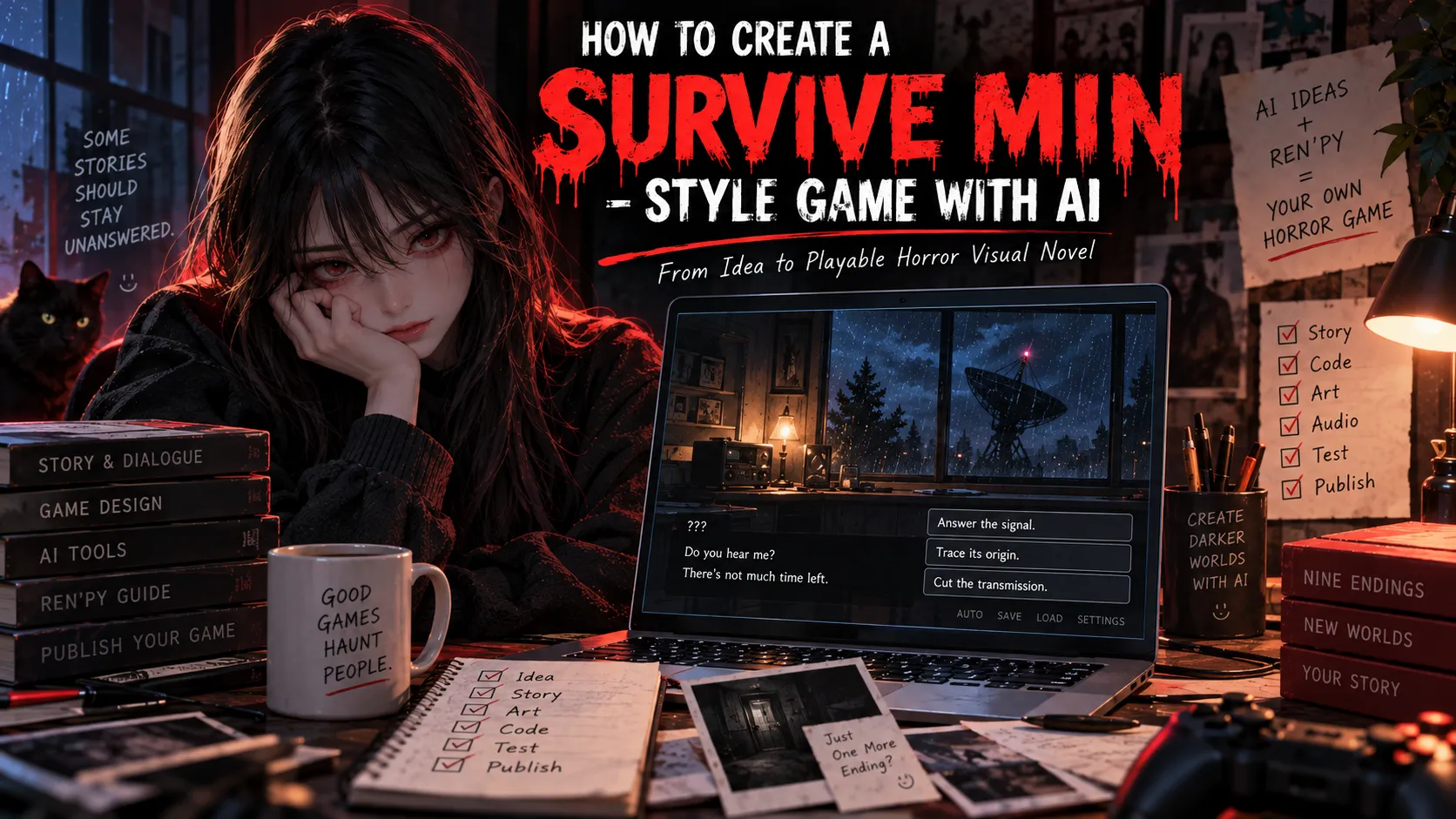
- SURVIVE MIN is a creator-made game, not an AI-generated template. FATHER's original is a mature psychological-horror visual novel made with Ren'Py, with nine endings. Its official itch.io listing explicitly states that no generative AI was used. AI can assist with making a new game inspired by its design principles, but it should not be credited with creating the original.
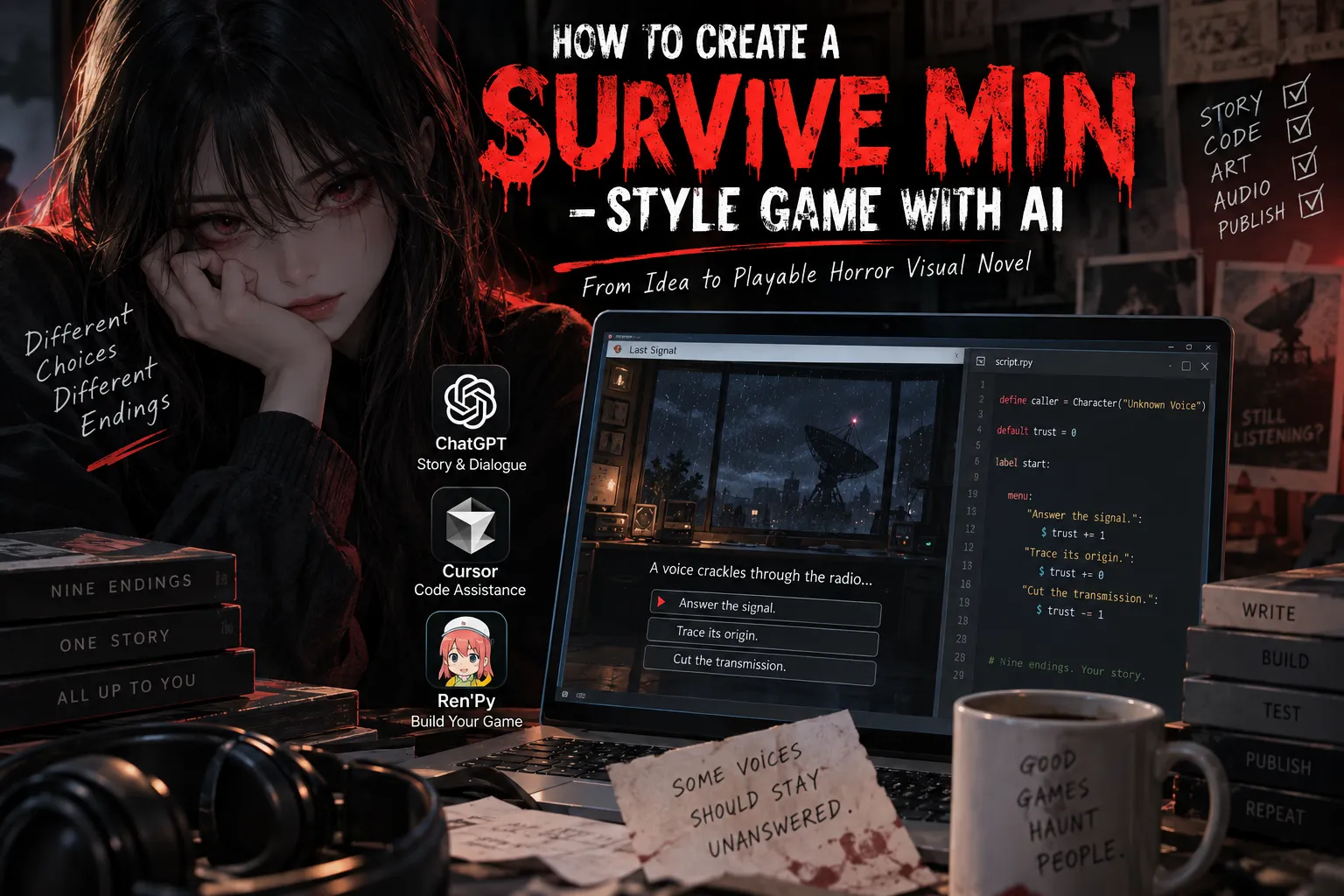
- The practical workflow is AI-assisted writing + Ren'Py development + original art and audio. Use ChatGPT to structure scenes, a coding assistant such as Cursor to edit
.rpyfiles, and the Ren'Py launcher to run, lint, and package the game. - Start with a deterministic branching story, not a live AI chatbot. Three emotional states multiplied by three final decisions provide nine testable endings without writing nine completely separate games.
- Build a text-only prototype first. Add portraits, lighting, sound, accessibility settings, and browser/mobile support after every ending can be reached.
- Create an original title, character, setting, dialogue, and assets. This tutorial demonstrates a new radio-station horror concept rather than reproducing Min or FATHER's copyrighted work.
What Is SURVIVE MIN, and Why Is It a Useful Game-Design Reference?
SURVIVE MIN by FATHER is a dialogue-led horror visual novel about surviving an encounter with Min, an unpredictable and dangerous entity. The official page lists nine endings, approximately an hour of playtime, and Windows, macOS, Linux, and Android downloads. It identifies Ren'Py as the development engine and credits the creator and a writing partner for the original production. The listing also says no generative AI was used.
The important lesson is structural, not visual: a small number of locations and characters can produce meaningful replay value when choices change how later dialogue is interpreted. A single room is inexpensive to illustrate; tension comes from pacing, character reactions, sound, and consequences.
For an AI-assisted project, preserve those principles while inventing a different premise. The sample game below, LAST SIGNAL, follows a night-shift operator at a remote radio station who receives an emergency transmission apparently sent from tomorrow. It does not use Min, the original game's story, or its artwork.
Best Tools for Making a SURVIVE MIN-Style Game With AI
| Task | Recommended tool | Why it fits |
|---|---|---|
| Plot, dialogue, choice maps, test cases | ChatGPT | Produces drafts and structured tables that a human editor can revise |
| Editing and debugging scripts | Cursor or another code-aware assistant | Can inspect multiple .rpy files, make targeted changes, and explain errors |
| Game engine and packaging | Ren'Py | Free for commercial use; built for dialogue, sprites, menus, saving, and branching |
| Character portraits and backgrounds | Original illustration or a licensed AI image generator | Creates distinct, reusable artwork rather than copied screenshots |
| Audio and voice | Recorded performance or appropriately licensed audio tools | Consistent delivery, controlled timing, and clear usage rights |
| Publishing | itch.io or a self-hosted site | Supports downloadable releases; Ren'Py also has a web export |
Why Ren'Py over a general-purpose game engine? Its native menu, label, character dialogue, save/load, and rollback features remove much of the infrastructure a short visual novel would otherwise require. Unity or Godot can be useful for physics-heavy scenes, but usually introduce unnecessary work for a primarily text-and-choice horror game. Ren'Py does not require Node.js, React, or a paid AI coding service.
Step 1: Design an Original Horror Hook and Nine-Ending Map
A useful prototype has one setting, one central threat, three decisions, and a clear ending condition. Give the player uncertainty rather than random punishment.
For LAST SIGNAL:
- Setting: A radio observatory after midnight.
- Threat: A voice claims to be broadcasting from the following day.
- Player goal: Decide whether the transmission is a warning, manipulation, or evidence.
- Hidden state:
trust, affected by the first two choices. - Final action: Cut the signal, answer it, or trace its origin.
- Resolution: Three trust bands × three actions = nine endings.
| Trust when the final choice appears | Cut signal | Answer signal | Trace signal |
|---|---|---|---|
Guarded (trust < 0) | guarded_cut | guarded_answer | guarded_trace |
Uncertain (trust == 0) | uncertain_cut | uncertain_answer | uncertain_trace |
Open (trust > 0) | open_cut | open_answer | open_trace |
This approach is an ending matrix, not a claim about SURVIVE MIN's internal source code. Its advantage is reachability: two decisions each allowing -1, 0, or +1 can produce all three trust bands, and every band permits all three final actions. The branch count stays manageable even as the ending prose becomes richer.
Design rule: An outcome should follow from the player's pattern of behavior. An apparently identical final action can have a different consequence depending on earlier trust, making replays meaningful without requiring dozens of unrelated branches.
Step 2: Create a Ren'Py Project
- Download the current stable SDK from Ren'Py's official download page.
- Launch Ren'Py, select Create New Project, choose a project name such as
LastSignal, and select a resolution and theme. - Open the project directory and locate
game/script.rpy. - Replace the template's sample
label startwith the example below; do not keep two labels namedstart. - Run Launch Project, then Check Script (Lint) after each major edit. The official quickstart explains the launcher and basic scripting model.
A useful file layout after artwork is added:
game/
  script.rpy
  images/
    station.webp
    signal_idle.png
    signal_alarm.png
  audio/
    ambience.ogg
    static.ogg
The first playable build should not depend on those optional assets. Confirm the writing and ending logic before spending time on illustration.
Step 3: Build a Playable Nine-Ending Horror Game
Paste the following into game/script.rpy. It uses native Ren'Py dialogue and choices, Python only for the ending lookup, and persistent data for an ending counter. No external API or images are required.
define caller = Character("Unknown Voice")

default trust = 0
default ending_id = ""
default persistent.seen_endings = []

init python:
    ENDINGS = {
        "guarded_cut": ("Dead Air", "The radio dies. A second transmitter clicks on beneath your chair."),
        "guarded_answer": ("False Coordinates", "You answer with a lie. Tomorrow's rescue team follows it."),
        "guarded_trace": ("Empty Frequency", "The signal leads to your own station, abandoned for twenty years."),
        "uncertain_cut": ("The Last Second", "You cut the power, but the clock keeps counting backward."),
        "uncertain_answer": ("Open Channel", "The voice repeats your words one second before you speak."),
        "uncertain_trace": ("The Duplicate", "Two locations appear on the map. Both are labeled YOU."),
        "open_cut": ("Mercy Silence", "You end the call gently. For the first time, the voice thanks you."),
        "open_answer": ("Tomorrow's Witness", "The warning reaches someone who can still change the morning."),
        "open_trace": ("First Light", "At dawn, you find the source: a recorder you have not built yet.")
    }

label start:
    $ trust = 0
    $ ending_id = ""

    "01:13 AM. The observatory has been closed for six years."
    "A voice begins speaking through the emergency radio."
    caller "Do not switch on the corridor lights."

    menu:
        "Demand the caller's identity.":
            $ trust -= 1
            caller "You know my name. You just haven't heard it yet."
        "Ask whether the caller is safe.":
            $ trust += 1
            caller "That depends on what you do next."
        "Wait and listen.":
            caller "Good. You heard the silence between the words."

    caller "At 01:14, every clock here will stop."

    menu:
        "Call it a trick.":
            $ trust -= 1
            caller "Then prepare to be surprised."
        "Ask for another piece of evidence.":
            caller "Look at the red dial."
        "Promise to take the warning seriously.":
            $ trust += 1
            caller "Then there is still time."

    "The red dial spins. Every clock stops at 01:14."

    if trust < 0:
        $ tone = "guarded"
        caller "You still think I am the danger."
    elif trust > 0:
        $ tone = "open"
        caller "You may be the first person who listened."
    else:
        $ tone = "uncertain"
        caller "You haven't decided what I am."

    menu:
        "Cut the transmission.":
            $ action = "cut"
        "Answer on the emergency channel.":
            $ action = "answer"
        "Trace the signal to its origin.":
            $ action = "trace"

    $ ending_id = tone + "_" + action
    $ ending_title, ending_text = ENDINGS[ending_id]

    "ENDING: [ending_title]"
    "[ending_text]"

    if ending_id not in persistent.seen_endings:
        $ persistent.seen_endings = persistent.seen_endings + [ending_id]
        $ renpy.save_persistent()

    $ ending_count = len(persistent.seen_endings)
    "Endings discovered: [ending_count] / 9."
    return
What the code does: default initializes state safely; each early response adjusts trust; the final choice selects one of three actions; a predictable key selects one of nine written outcomes. The persistent variable records unlocked endings across separate playthroughs. Ren'Py documents this mechanism in its persistent-data guide.
This is a mechanically complete prototype, not a finished hour-long game. Expand each branch into scenes, character expressions, pauses, and consequences while keeping the ending keys stable. A longer game should also let players save and revisit important choices.
Step 4: Use AI Prompts That Produce Usable Game Assets
A prompt should specify an output contract: exact scene count, variables, format, originality constraints, and acceptance criteria. Vague requests such as make a game like SURVIVE MIN tend to produce disconnected prose or invalid engine code.
Prompt A — Design the story and choice map
Act as a narrative designer for a mature psychological-horror visual novel.
Create an ORIGINAL story set in an abandoned radio observatory.
Do not use SURVIVE MIN characters, names, scenes, or dialogue.
Deliver:
1. A 120-word premise and a 3-act outline.
2. Three player choice points, each with three options.
3. A trust variable changed by the first two choices (-1, 0, +1).
4. Nine distinct endings: three trust bands times three final actions.
5. A table identifying exactly how to reach every ending.
6. Content warnings and alternatives to flashing effects.
Make character reactions foreshadow the endings; avoid random deaths.
Prompt B — Generate or refactor Ren'Py code
You are a Ren'Py 8 coding assistant. Edit only game/script.rpy.
Use Ren'Py labels, menu blocks, dialogue, and default variables.
Preserve all nine ending identifiers and their reachability.
Do not invent engine APIs or add network calls.
Do not reference any image or audio file unless it exists.
Return complete changed code, then list syntax risks and a manual
playthrough path for each ending. Keep all scenes original.
Prompt C — Generate consistent original artwork
Create a cinematic 16:9 visual-novel background of an abandoned
mountain radio observatory at 1 AM. One desk, analog equipment,
a faint red dial, distant rain beyond the window. Muted charcoal,
aged amber and deep burgundy, restrained practical lighting,
readable negative space behind the dialogue box. No people,
no text, no logos, no references to existing game characters.
Deliver a clean background suitable for a 1920x1080 game scene.
For portraits, use a character sheet first: fixed hair, clothing, silhouette, color palette, and front/three-quarter expressions. Generate expressions as related assets with matching framing; otherwise the character may visibly change identity between dialogue lines. Transparent PNG portraits and compressed WebP/JPEG backgrounds are often practical choices, subject to what the target Ren'Py build supports.
Step 5: Add Visuals, Audio, and Pacing Without Breaking the Build
After the image files exist, declare them above label start:
image bg station = "images/station.webp"
image signal idle = "images/signal_idle.png"
Then add the following at the beginning of the start label, after its initialization lines:
scene bg station
show signal idle at truecenter
play music "audio/ambience.ogg" fadein 1.0
Do not add the music line until the audio file exists. Keep the dialogue interface legible over dark backgrounds, and preserve enough contrast for small screens.
| Element | Useful implementation | Common failure |
|---|---|---|
| Suspense | A short pause before an important reply | Long forced delays on every line |
| Threat escalation | Change a portrait or ambient sound after a choice | Random jump scares unrelated to the narrative |
| Atmosphere | One looping room tone plus a few distinct cues | Large audio files and constant loud effects |
| Replay value | Short opening, clear saves, optional read-text skip | Forcing players to repeat the entire introduction |
| Accessibility | Subtitles, readable font, volume controls, reduced motion | Flicker, tiny text, or unskippable shaking |
Ren'Py includes self-voicing and accessibility features. Test their interaction with custom menus. If the game contains potentially distressing horror, publish precise content warnings and offer a non-flashing mode rather than treating warnings as a substitute for accessibility.
Step 6: Test All Nine Endings, Not Just the Happy Path
A valid ending key does not automatically mean a player can reach it. The following independent Python check verifies that the planned state model can produce exactly nine keys:
from itertools import product

actions = ("cut", "answer", "trace")
expected = {
    f"{tone}_{action}"
    for tone in ("guarded", "uncertain", "open")
    for action in actions
}

reached = set()
for first, second, action in product((-1, 0, 1), (-1, 0, 1), actions):
    score = first + second
    tone = "guarded" if score < 0 else "open" if score > 0 else "uncertain"
    reached.add(f"{tone}_{action}")

assert reached == expected, (expected - reached, reached - expected)
print(f"All {len(reached)} planned endings are reachable in the state model.")
This script tests the model, not the actual Ren'Py UI. Also open the game and manually verify the branches, text, portrait changes, loading a saved game, and the ending counter. Run Check Script (Lint) before every release. Pay special attention to:
- Unreachable endings: One condition overshadows another or a variable is never incremented.
- Rollback and saves: Revisit earlier choices and verify the story state remains coherent.
- Persistent unlocks: Check that multiple runs count each ending only once; test with a fresh profile as well.
- Asset paths: Match spelling, capitalization, and extensions, especially on case-sensitive platforms.
- Audio problems: Test mute, voice/music volume, autoplay restrictions, and headphones.
- Mobile UI: Touch targets, long translation strings, safe margins, and orientation.
AI can draft test plans or generate a branch-coverage table, but the game engine remains the final authority on whether the script runs.
Step 7: Publish on itch.io, Desktop, Android, or the Web
For a downloadable release: Configure the title, version, icon, and project metadata; use the Ren'Py launcher's Build Distributions option; test each output on its target platform before uploading it. Android packaging uses Ren'Py's separate Android tooling, so a desktop build is not automatically a working APK.
For browser play: Ren'Py supports an HTML5/WebAssembly export through the launcher's Web (Beta) tools. Choose Build and Open in Browser for local testing, then upload the generated web ZIP to a compatible host or upload the generated web directory to your own server. The official Web documentation notes important limitations:
- A game must run through a web server, not simply by opening exported files from disk.
- The host should serve
.wasmasapplication/wasm. - Browser audio may not play until the player interacts with the game.
- Browser builds cannot rely on ordinary Python socket or
requestscalls to a live AI API. - Asset size, download strategy, and mobile memory significantly affect load time; progressive downloading can help.
For an SEO-focused game site: Give the game an indexable landing page with a unique description, screenshots, controls, genuine FAQ, age/content information, and a prominent play action. Load a large embedded game only after the user presses Play. The game's WebAssembly canvas alone does not replace readable HTML content for search discovery.
The official SURVIVE MIN itch.io listing offers downloadable builds; independently operated browser-play pages should not automatically be treated as official distributions.
Should the Character Be Powered by a Live AI Chatbot?
Usually not for version one. Using AI to author dialogue is different from asking an AI model to improvise every in-game reply.
| Design | Main advantage | Main trade-off |
|---|---|---|
| Fixed Ren'Py branches, assisted by AI during development | Fast, offline-capable, reproducible endings, controllable age rating | Finite dialogue |
| Hybrid: authored story with AI-assisted writing revisions | Richer lines while retaining stable game rules | Editorial consistency work |
| Live LLM NPC | Open-ended conversation | API cost, latency, safety review, privacy, and unpredictable plot state |
For a nine-ending horror visual novel, fixed branches generally win on narrative causality and testability. If live conversations are a later feature, keep ending logic in a deterministic state machine and place model calls behind a properly secured backend—not a secret key shipped inside a browser game. Ren'Py's web networking limitations also make a direct Python-to-LLM integration unsuitable for the standard web export.
Common AI Game-Making Mistakes and How to Avoid Them
- Copying Min's likeness, story, UI assets, or branding: Make an original work, or obtain the necessary permissions. Inspiration does not grant reproduction rights.
- Asking for a complete polished game in one prompt: Generate a playable vertical slice, inspect it, then expand one scene at a time.
- Writing nine endings before establishing three good choices: Prototype the decisions and emotional feedback before increasing word count.
- Letting AI invent missing Ren'Py functions: Require syntax that matches official documentation and run lint after each modification.
- Generating inconsistent portraits: Lock a character sheet and use a consistent art pipeline.
- Using synthetic voices without permission: Verify consent, source licenses, and commercial-use terms; do not impersonate real performers.
- Ignoring sensitive material: Put accurate age and content information ahead of the play button; provide accessible alternatives for flashing and loud effects.
- Assuming AI output is automatically publishable: Review licenses, third-party material, translation quality, and platform rules before release.
Frequently Asked Questions
Was SURVIVE MIN itself made with AI? No. Its official creator page identifies Ren'Py as the engine and marks the work as made without generative AI. This guide uses AI as an optional development assistant for a different game.
Can someone create a SURVIVE MIN-style game without programming experience? Yes, a small version is approachable because Ren'Py's script format is concise. AI can explain syntax and generate drafts, but a developer still needs to test choices, repair bugs, and review the writing.
How long does a project like this take? A text-only three-choice prototype may be feasible in a focused session or two. Polished illustration, editing, multiple routes, voice work, localization, and device testing can take substantially longer. Scope drives the timeline more than the AI model used.
Do nine endings require nine separate story scripts? No. Shared scenes plus meaningful state changes and distinct ending scenes are easier to maintain than nine duplicated storylines.
Can the game run on a website? Yes, Ren'Py provides a web export, but browser limitations and file sizes must be tested. For a browser-first game with extensive live-network features, a JavaScript-native implementation may be worth comparing.
Is Ren'Py free? Yes. The engine is free and open source, including commercial use, subject to its licenses. Art, voice, AI subscriptions, hosting, and promotional work may have separate costs.
Conclusion
The most effective way to create a game inspired by SURVIVE MIN with AI is to use AI for the labor-intensive drafts, Ren'Py for the deterministic experience, and human editing for the horror. Begin with an original one-location premise, two trust-building choice points, and a three-action finale. Run the nine-ending prototype, prove that every ending is reachable, and only then invest in character art, music, mobile packaging, or a browser release.
Next step: Create a new Ren'Py project, paste the LAST SIGNAL prototype into script.rpy, and play all nine routes before expanding the story.
Continue Reading
More articles connected to the same themes, protocols, and tools.

Referenced Tools
Browse entries that are adjacent to the topics covered in this article.