
On This Page8 sections
Key Takeaways
- Creating a Sprunki-style game involves building an interactive music mixer where players assign sound icons to animated characters and combine beats, basslines, melodies, effects, and vocals.
- Three development methods are available: Scratch for beginners, the official Incredibox Modbox for compatible mods, and HTML/CSS/JavaScript for independent browser games.
- Audio synchronization is the most important technical requirement. At 120 BPM in 4/4 time, four bars last exactly eight seconds. Every loop must follow the same musical timeline.
- A working prototype needs only four sounds and four characters. A larger sound library, alternate phases, character animations, recording, and hidden combinations can be added afterward.
- This guide includes a complete browser-game example using the Web Audio API, with synthesized audio, synchronized playback, drag-and-drop, touch-friendly controls, and sound removal.
- Copyright and monetization rules matter. Sprunki is associated with a fan-made Incredibox project by NyankoBfLol. Independent commercial games should use original assets and branding rather than copying protected music, characters, or source files.
What Is a Sprunki Game?
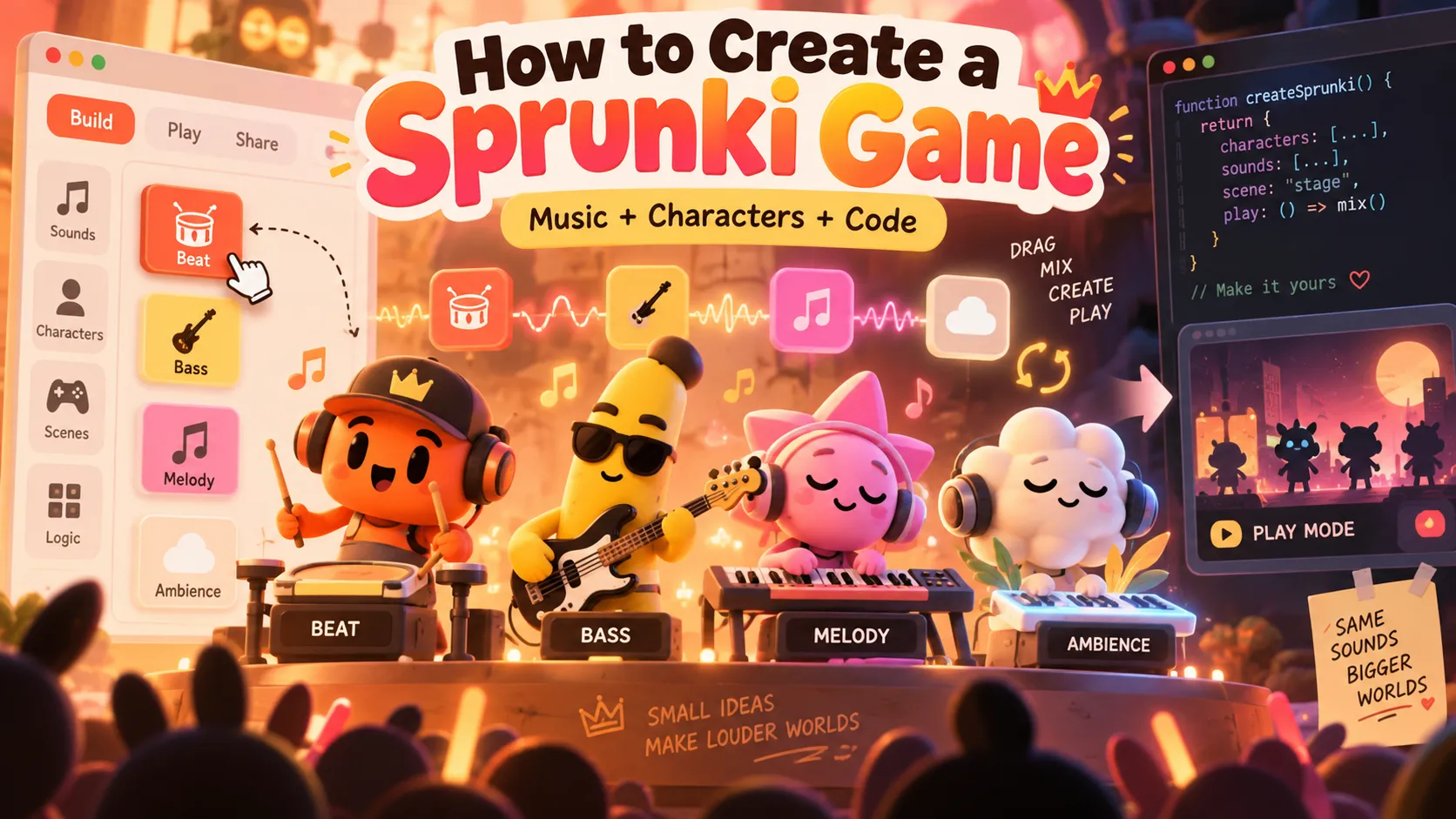
Sprunki is a character-based music-mixing experience inspired by Incredibox. Players assign musical sounds to characters, creating combinations of percussion, bass, melodies, voices, and sound effects. The game became recognizable for its colorful characters, accessible music creation, and contrasting visual themes.
The original Sprunki project was created by NyankoBfLol as a fan-made Incredibox experience. The creator's itch.io profile is an important attribution reference. Sprunki should not be confused with an official Incredibox release, and unofficial websites hosting copies should not automatically be treated as authorized sources.
A Sprunki-style game typically contains several interconnected systems:
- Sound palette: a collection of selectable sounds represented by icons.
- Character stage: performers that accept sound assignments.
- Audio engine: synchronized playback of multiple sound loops.
- Animation system: visual responses corresponding to the active sounds.
- Interaction system: drag-and-drop or tap-based sound assignment.
- Combination system: special sound combinations that unlock additional content.
- Theme system: optional alternate music, character appearances, or darker visual phases.
The fundamental gameplay loop is simple: select a sound, assign it to a character, listen to the mix, and experiment with combinations.
However, reproducing the experience successfully requires more than a collection of images and audio files. Every active sound must remain synchronized, even when a player adds or removes characters during playback.
Three Ways to Create a Sprunki-Style Game
There are three practical approaches, each with different technical requirements and publishing options.
| Method | Difficulty | Main tools | Best use case |
|---|---|---|---|
| Scratch | Beginner | Scratch editor, costumes, sounds, broadcasts | Learning game logic and building simple fan-inspired projects |
| Official Incredimod | Intermediate to advanced | Incredibox Modbox, music software, animation tools | Creating compatible mods for the official Incredibox app |
| Custom browser game | Intermediate | HTML, CSS, JavaScript, Web Audio API | Building an independent music game with original assets |
For beginners, Scratch offers the simplest starting point. It supports interactive sprites, sound playback, and visual programming without requiring extensive coding knowledge.
For experienced developers, JavaScript offers greater flexibility. It supports custom user interfaces, accurate audio scheduling, mobile controls, recording features, and deployment to an independent website.
The official Incredimod workflow is a separate option designed for the Incredibox application. It follows specific package formats and distribution restrictions.
Step 1: Plan the Game Before Writing Code
Start with a minimal playable version rather than attempting to reproduce a complete character roster immediately.
A practical first version contains:
- Four musical sounds: beat, bass, melody, and ambient pad.
- Four character slots capable of receiving sounds.
- One shared tempo of 120 BPM.
- Four-bar musical loops lasting eight seconds.
- Drag-and-drop interaction on desktop.
- Tap-to-select interaction on mobile.
- Controls for replacing or removing sounds.
- A reset button that clears the active composition.
An example game-state structure is:
{
  "bpm": 120,
  "barsPerLoop": 4,
  "loopDuration": 8,
  "soundLibrary": ["beat", "bass", "melody", "pad"],
  "stageSlots": ["beat", null, "melody", null],
  "theme": "normal"
}
This separation between available sounds and active stage assignments makes the project easier to maintain.
For example, moving a sound from one character to another should update the assignment without accidentally producing duplicate playback instances.
Step 2: Create Original Music Loops
Audio is the foundation of the gameplay. Characters can look appealing, but the experience will fail if their sounds drift out of synchronization or clash harmonically.
Music loops can be produced using a digital audio workstation or an editor such as Audacity. Use original recordings, synthesized sounds, or samples licensed for the intended distribution.
Calculate the correct loop duration
The relationship between tempo, musical bars, and loop duration is:
Loop duration = Number of bars × Beats per bar × 60 / BPM

Example:
4 bars × 4 beats × 60 / 120 BPM = 8 seconds
Every stem should contain exactly the same duration and begin on the same musical downbeat.
| Sound category | Purpose | Example implementation |
|---|---|---|
| Beat | Establishes rhythm | Kick, snare, and hi-hat pattern |
| Bass | Provides low-frequency foundation | Short bass notes following the harmony |
| Melody | Makes the composition memorable | A repeating synthesizer or instrumental phrase |
| Pad | Adds atmosphere | Sustained chords or filtered textures |
| Effects | Provides transitions and personality | Original electronic effects and rhythmic textures |
| Vocals | Adds a recognizable musical identity | Original vocal syllables or short phrases |
Recommended audio preparation:
- Set every stem to the same BPM and musical key.
- Remove unintended silence before the first downbeat.
- Export every loop with an identical duration.
- Verify that the ending connects cleanly to the beginning.
- Avoid clipping when multiple sounds play simultaneously.
- Keep percussion, bass, and melodic elements rhythmically compatible.
- Use consistent sample rates, such as 44.1 kHz, when preparing uncompressed stems.
At 44,100 samples per second, an eight-second mono recording contains 352,800 samples. Matching sample counts can help prevent timing inconsistencies.
Advanced insight: MP3 encoder padding and imprecise trimming can introduce small gaps. For an independently developed Web Audio game, accurately aligned WAV files are useful during production. The official Incredimod format instead specifies MP3 sound assets, so the two workflows should not be confused.
Step 3: Design Characters and Sound Icons
A memorable character-based music game needs performers that visually communicate their musical roles.
Instead of creating twenty similar-looking characters, begin with four distinctive original designs:
- Percussion character: a compact robot with mechanical drum movements.
- Bass character: a rounded creature that pulses with low-frequency notes.
- Melody character: a bright, expressive performer with rhythmic facial animations.
- Ambient character: a floating figure with slow, atmospheric movements.
Each character should have at least three visual assets:
- An idle appearance when no sound is assigned.
- An active appearance when the character is performing.
- An icon representing the corresponding musical sound.
More advanced characters can include animated mouths, moving accessories, blinking eyes, and rhythmic body motion.
A reusable character definition might look like this:
{
  "id": "bass-character",
  "name": "Moss",
  "category": "bass",
  "sound": "assets/bass.wav",
  "idleSprite": "assets/moss-idle.webp",
  "activeSprite": "assets/moss-active.webp",
  "animationFrames": 8
}
These filenames represent original placeholder assets, not files taken from Sprunki.
For production, optimize images and avoid loading oversized sprites when a smaller transparent image provides the same visual quality.
Step 4: How to Make a Sprunki Game in Scratch
Scratch provides an accessible environment for creating a music-mixing prototype. Open the Scratch project editor and start a new project.
Build the game stage
Create four character sprites and four sound-icon sprites. Position the characters across the upper portion of the stage and the icons below them.
Add a Reset button and provide visible instructions explaining how players assign sounds.
Import the audio
Upload four original audio loops into Scratch. Make sure each has the same musical duration and tempo.
Create idle and active costumes for the characters.
Create the game variables
Create a variable named selectedSound. This tracks which musical sound the player has selected.
Create a list named slotSounds with four entries. Initialize every entry to none.
When a player clicks a sound icon, update selectedSound. Clicking a character assigns that sound to the corresponding list position.
Implement a shared loop controller
A controller sprite can broadcast a message named loopStart at regular intervals.
Every active sound checks its corresponding assignment when this message arrives.
The following illustrates the intended Scratch block logic:
WHEN GREEN FLAG CLICKED
set selectedSound to none
initialize slotSounds with four none values
forever
  broadcast loopStart
  wait 8 seconds

WHEN BEAT ICON CLICKED
set selectedSound to beat

WHEN CHARACTER 1 CLICKED
replace item 1 of slotSounds with selectedSound

WHEN loopStart RECEIVED
if character 1 is assigned beat
  start sound beat
The example is explanatory pseudocode, not a script that can be pasted directly into Scratch.
Important limitation: Scratch broadcasts and wait blocks are not sample-accurate. For a beginner project, apply sound changes at the next loop boundary rather than restarting an added sound immediately.
Also, Scratch's stop all sounds block stops every playing sound. It cannot serve as an independent mute control for a single character.
Add animations and reset controls
When a character receives a sound, switch to its active costume. When its assignment is removed, restore the idle costume.
The Reset button should clear the assignment list and restore all idle appearances.
If an existing Scratch project is being remixed, follow the platform's official remixing guidance, provide attribution, and verify rights for any third-party assets.
Step 5: Build a Playable Sprunki-Style Game With JavaScript
For developers who want an independent website, the Web Audio API provides more precise synchronization than starting separate audio elements whenever a user clicks a character.
The example below generates four simple original sound loops directly in the browser. It does not require downloading or copying any Sprunki assets.
Features include:
- Four original synthesized musical parts.
- Four assignable performer slots.
- Desktop drag-and-drop.
- Touch-friendly click or tap assignment.
- Synchronized audio playback.
- Sound replacement and removal.
- Reset controls.
- Lightweight character feedback.
Create a file named index.html and insert the following complete code.
<!doctype html>
<html lang="en">
<head>
<meta charset="utf-8">
<meta name="viewport" content="width=device-width,initial-scale=1">
<title>Original Loop Mixer</title>
<style>
body{font:16px system-ui;margin:0;background:#fff5e8;color:#38251e}
main{max-width:850px;margin:auto;padding:24px}
#palette,#stage{display:flex;flex-wrap:wrap;gap:12px;margin:20px 0}
button{border:2px solid #9b715e;border-radius:14px;padding:15px;background:white;cursor:pointer;color:inherit}
.sound{min-width:120px;background:#ffe0b8}
.slot{min-width:145px;min-height:120px;border-style:dashed}
.selected{outline:3px solid #e6633e}
.playing{background:#ffd6a3;animation:bounce .5s infinite alternate}
@keyframes bounce{to{transform:translateY(-6px)}}
@media(prefers-reduced-motion:reduce){.playing{animation:none}}
</style>
</head>
<body>
<main>
<h2>Original Character Loop Mixer</h2>
<p>Start audio, then drag or tap a sound and assign it to a performer.</p>
<button id="start">Start audio</button>
<button id="reset">Reset mix</button>
<p id="status" role="status">Audio is off.</p>
<div id="palette" aria-label="Sound palette"></div>
<div id="stage" aria-label="Performers">
<button class="slot">Empty 1</button>
<button class="slot">Empty 2</button>
<button class="slot">Empty 3</button>
<button class="slot">Empty 4</button>
</div>
</main>
<script>
const bpm=120;
const seconds=4*4*60/bpm;
const ids=['beat','bass','lead','pad'];
const symbols=['🥁','🎸','✨','🌙'];
const slots=[...document.querySelectorAll('.slot')];
const palette=document.getElementById('palette');
const status=document.getElementById('status');
const assigned=Array(4).fill(null);
const nodes=Array(4).fill(null);
const buffers=new Map();
let context,clockStart,selected=null;

function synthesize(ctx,kind){
 const sr=ctx.sampleRate;
 const buffer=ctx.createBuffer(1,Math.round(seconds*sr),sr);
 const out=buffer.getChannelData(0);
 const tau=2*Math.PI;
 const bassNotes=[110,110,130.81,110,98,98,130.81,146.83];
 const leadNotes=[440,523.25,659.25,587.33,523.25,440,392,329.63];
 for(let i=0;i<out.length;i++){
  const t=i/sr;
  const beat=Math.floor(t/0.5);
  const part=t%0.5;
  let v=0;
  if(kind==='beat'){
   const kick=Math.sin(tau*(75*part+65*(1-Math.exp(-18*part))/18))*Math.exp(-18*part);
   const snare=beat%2===1?(Math.random()*2-1)*Math.exp(-35*part):0;
   const hat=(Math.random()*2-1)*Math.exp(-80*(t%0.25));
   v=0.30*kick+0.12*snare+0.025*hat;
  }else if(kind==='bass'){
   const f=bassNotes[beat%bassNotes.length];
   v=(0.17*Math.sin(tau*f*t)+0.05*Math.sin(tau*f*2*t))*Math.exp(-2*part);
  }else if(kind==='lead'){
   const step=Math.floor(t/0.25);
   const f=leadNotes[step%leadNotes.length];
   const phase=(t%0.25)/0.25;
   v=0.13*Math.sin(tau*f*t)*Math.sin(Math.PI*phase)**2;
  }else{
   v=0.05*(Math.sin(tau*220*t)+Math.sin(tau*261.63*t)+Math.sin(tau*329.63*t));
  }
  const fade=Math.min(1,t/0.006,(seconds-t)/0.006);
  out[i]=v*Math.max(0,fade);
 }
 return buffer;
}

function updateSlot(i){
 slots[i].textContent=assigned[i]?`${symbols[ids.indexOf(assigned[i])]} ${assigned[i]} - tap to remove`:`Empty ${i+1}`;
 slots[i].classList.toggle('playing',Boolean(assigned[i]));
}

function clearSlot(i){
 const node=nodes[i];
 if(node){
  const now=context.currentTime;
  node.gain.gain.cancelScheduledValues(now);
  node.gain.gain.setTargetAtTime(0,now,0.01);
  node.source.stop(now+0.06);
  node.source.addEventListener('ended',()=>{
   node.source.disconnect();
   node.gain.disconnect();
  },{once:true});
 }
 nodes[i]=null;
 assigned[i]=null;
 updateSlot(i);
}

function assign(i,id){
 if(!context||context.state!=='running'){
  status.textContent='Press Start audio first.';
  return;
 }
 if(!buffers.has(id))return;
 const existing=assigned.indexOf(id);
 if(existing!==-1)clearSlot(existing);
 clearSlot(i);
 const when=context.currentTime+0.04;
 const offset=((when-clockStart)%seconds+seconds)%seconds;
 const source=context.createBufferSource();
 const gain=context.createGain();
 source.buffer=buffers.get(id);
 source.loop=true;
 source.loopEnd=seconds;
 gain.gain.setValueAtTime(0,when);
 gain.gain.linearRampToValueAtTime(0.8,when+0.02);
 source.connect(gain).connect(context.destination);
 source.start(when,offset);
 nodes[i]={source,gain};
 assigned[i]=id;
 updateSlot(i);
 selected=null;
 for(const button of palette.children)button.classList.remove('selected');
 status.textContent=`${id} added to slot ${i+1}.`;
}

ids.forEach((id,index)=>{
 const button=document.createElement('button');
 button.className='sound';
 button.draggable=true;
 button.textContent=`${symbols[index]} ${id}`;
 button.addEventListener('click',()=>{
  selected=id;
  for(const item of palette.children)item.classList.remove('selected');
  button.classList.add('selected');
  status.textContent=`Select a slot for ${id}.`;
 });
 button.addEventListener('dragstart',event=>event.dataTransfer.setData('text/plain',id));
 palette.append(button);
});

slots.forEach((button,i)=>{
 button.addEventListener('click',()=>selected?assign(i,selected):clearSlot(i));
 button.addEventListener('dragover',event=>event.preventDefault());
 button.addEventListener('drop',event=>{
  event.preventDefault();
  assign(i,event.dataTransfer.getData('text/plain'));
 });
});

document.getElementById('start').addEventListener('click',async event=>{
 try{
  if(!context){
   context=new AudioContext();
   for(const id of ids)buffers.set(id,synthesize(context,id));
   clockStart=context.currentTime;
  }
  await context.resume();
  event.currentTarget.disabled=true;
  status.textContent='Audio ready. Choose a sound and a slot.';
 }catch(error){
  status.textContent=`Audio could not start: ${error.message}`;
 }
});

document.getElementById('reset').addEventListener('click',()=>{
 slots.forEach((_,i)=>clearSlot(i));
 selected=null;
 for(const button of palette.children)button.classList.remove('selected');
 status.textContent='Mix cleared.';
});
</script>
</body>
</html>
The example uses synthesized demonstration sounds, so it can be opened directly in a modern browser without additional files.
When replacing those sounds with recordings loaded using fetch(), run a local development server rather than relying on local file URLs:
python3 -m http.server 8000Then visit http://localhost:8000/.
Why the audio remains synchronized
The code uses one AudioContext as its shared clock. All four generated audio buffers have the same duration.
When a player assigns a new sound, the game calculates its current position inside the eight-second loop:
const when=context.currentTime+0.04;
const offset=((when-clockStart)%seconds+seconds)%seconds;
source.start(when,offset);
This technique lets the new sound enter at the same musical position as the sounds already playing.
Without a shared transport, a newly assigned melody could restart at the first beat while the percussion is halfway through the phrase.
The game also creates a fresh AudioBufferSourceNode for each assignment. This is necessary because a stopped source node cannot be restarted.
Each part passes through a gain node, allowing a short fade before removal. That reduces clicks caused by abruptly cutting audio at a nonzero waveform value.
For production development, see the MDN Web Audio API documentation.
Step 6: Replace Demo Sounds With Real Audio Files
The synthesized example is useful for understanding playback, but a polished music game needs deliberately composed audio stems.
Organize original assets using a predictable directory structure:
sprunki-style-game/
├── index.html
├── assets/
│   ├── sounds/
│   │   ├── beat.wav
│   │   ├── bass.wav
│   │   ├── melody.wav
│   │   └── pad.wav
│   ├── characters/
│   │   ├── robot-idle.webp
│   │   ├── robot-active.webp
│   │   └── moss-active.webp
│   └── backgrounds/
│       └── stage.webp
An audio loader can fetch and decode the files before gameplay begins:
async function loadSound(ctx,url){
 const response=await fetch(url);
 if(!response.ok){
  throw new Error(`Failed to load ${url}`);
 }
 const data=await response.arrayBuffer();
 return await ctx.decodeAudioData(data);
}

const beatBuffer=await loadSound(context,'assets/sounds/beat.wav');
The loader must run inside an asynchronous function or module, with an initialized audio context.
For each sound, verify that the decoded duration matches the musical loop and that the first meaningful event is aligned to the shared downbeat.
Important: loading sounds successfully does not guarantee synchronization. The playback scheduling logic must still use the common audio transport.
Step 7: Add Character Animations and Rhythm Feedback
A static sound mixer can be functional, but animated characters make the music feel interactive.
A practical animation system has three states:
| State | Trigger | Visual behavior |
|---|---|---|
| Idle | No sound assigned | Still character or subtle breathing |
| Active | Sound assigned and playing | Body movement, blinking, or mouth animation |
| Transition | Sound added, removed, or theme changed | Brief visual response |
For a 120 BPM game, quarter-note beats occur every 0.5 seconds.
A basic CSS animation can use this timing as an approximation:
.character.playing{
 animation:bounce 0.5s ease-in-out infinite alternate;
}

@keyframes bounce{
 to{transform:translateY(-8px)}
}
However, CSS animations run on a separate visual clock. They are not guaranteed to match audio playback perfectly, particularly after tab suspension or device performance changes.
For precise rhythm-linked animation, derive the current beat from AudioContext.currentTime. Then update character frames or transformations according to that beat position.
Accessibility should also be considered. Disable nonessential movement for users requesting reduced motion, provide visible labels, and avoid relying on color alone to communicate sound assignments.
Step 8: Add a Horror Mode or Alternate Phase
One recognizable aspect of Sprunki-inspired games is the contrast between ordinary music creation and an alternate, darker presentation.
An original game can implement a second musical theme without copying existing character designs or protected audio.
Create two sound libraries:
{
  "normal": {
    "beat": "normal/beat.wav",
    "bass": "normal/bass.wav"
  },
  "dark": {
    "beat": "dark/beat.wav",
    "bass": "dark/bass.wav"
  }
}
Both banks should use the same tempo and loop length unless the game intentionally supports a more complex musical transition.
A theme switch can be activated by a special icon, a secret sound combination, or an explicit mode button.
Synchronize the transition
Do not stop all music and start the replacement tracks at arbitrary times.
Instead, calculate the next loop boundary:
const elapsed=Math.max(0,context.currentTime-clockStart);
const nextBoundary=clockStart+(Math.floor(elapsed/seconds)+1)*seconds;
Schedule outgoing tracks to fade and incoming tracks to begin at that boundary.
Coordinate the visual transition with the same musical event. Otherwise, the background may switch immediately while the old music continues, producing an inconsistent experience.
Other optional features include altered character expressions, darker sound textures, original bonus sequences, and special animations.
Platform considerations: if publishing on Scratch or another all-ages platform, follow its content standards and avoid graphic or excessively frightening material.
Step 9: Create an Official Incredibox Mod Using Modbox
Developers targeting the official Incredibox ecosystem should follow its separate Incredimods documentation.
The official documentation describes the Modbox example, asset structure, audio requirements, animation exports, and submission process.
Important technical requirements include:
- Manifest:
modbox/app.jsonstores the mod's name, timing information, credits, animations, and optional bonus configuration. - Sound count: the official
animearraysupports up to 20 sound-and-animation entries. - Loop timing:
looptimedefines the loop duration in milliseconds. - BPM: the
bpmmanifest property is informational; it does not independently control the underlying audio scheduling mechanism. - Audio assets: the official mod pipeline accepts MP3 files and supports alternating A/B loop variations.
- Animations: sound names must correspond to the appropriate animation assets and package structure.
- Bonuses: optional bonus videos and music must follow the documented specifications.
An illustrative partial manifest looks like this:
{
  "name": "Original Rhythm Crew",
  "date": "2026-10-16",
  "looptime": 8000,
  "bpm": 120,
  "totalframe": 384,
  "animearray": [
    {
      "name": "beat",
      "color": "#EF9E55",
      "uniqsnd": true
    },
    {
      "name": "bass",
      "color": "#B66A55",
      "uniqsnd": true
    }
  ],
  "credit": {
    "crewname": "Original Rhythm Crew",
    "music": ["Original Composer"],
    "design": ["Original Artist"]
  }
}
This is an illustrative manifest, not a complete importable Modbox package. The actual mod must follow the current official template and include the required sounds, sprite files, animation information, and other relevant assets.
The official documentation also describes importing a mod into the Incredibox app for testing and submitting completed mods through its designated modding service.
The Incredimods charter specifies quality, content, attribution, and monetization restrictions. It explicitly prohibits selling or generating revenue from submitted mods.
Step 10: Add Recording, Sharing, and Secret Combinations
Once the core music engine works, several optional features can make the game more engaging.
Record the player's composition
For an independent Web Audio game, connect the active voices through a master gain node and route the mixed signal to a MediaStreamAudioDestinationNode.
A compatible MediaRecorder can capture the resulting stream.
const destination=context.createMediaStreamDestination();
const recorder=new MediaRecorder(destination.stream);
This snippet is only the initial recording setup. A complete implementation must connect the game's master audio output to the destination, handle recording events, and provide a supported export format.
Use MediaRecorder.isTypeSupported() to check the available recording formats rather than assuming MP3 output works in every browser.
Create shareable mixes
Serialize the current sound assignments, active theme, and relevant settings into a compact URL parameter.
Example state:
{
  "slots": ["beat", "bass", "lead", null],
  "theme": "normal"
}
When someone opens a shared URL, the application can restore the selected sounds after the visitor enables audio playback.
Unlock special combinations
Define combinations that produce a bonus animation, musical variation, or visual effect.
const activeSounds=['beat','bass','lead'];
const unlocked=['beat','bass','lead'].every(id=>activeSounds.includes(id));
if(unlocked){
 console.log('Bonus unlocked');
}
For combinations where slot position does not matter, compare active sound IDs as a set. If the arrangement matters, compare both the IDs and their positions.
Avoid introducing expensive account systems or complicated progression mechanics before the basic mixing experience is enjoyable.
Step 11: Optimize the Game for Mobile and Desktop
Audio decoding, animation, and touch interaction can become performance bottlenecks as the character library expands.
Recommended optimization techniques:
- Reuse one
AudioContextinstead of creating a separate context for each character. - Decode audio buffers once and reuse them across assignments.
- Load the initial sound bank first and delay secondary themes until needed.
- Compress visual assets without damaging readability.
- Use appropriately sized sprites rather than desktop-resolution assets everywhere.
- Provide tap-based interaction as an alternative to native drag-and-drop.
- Use visible controls with touch-friendly target sizes.
- Respect reduced-motion settings.
- Test on devices with limited memory.
Decoded audio can use substantially more memory than the downloaded compressed files.
For example, an eight-second stereo buffer at 44.1 kHz with 32-bit floating-point samples occupies approximately 2.69 MiB. Twenty buffers of that size occupy roughly 54 MiB before considering additional assets and runtime overhead.
That is why lazy loading and audio-buffer management become increasingly important in larger projects.
Common Problems When Creating a Sprunki Game
| Problem | Likely cause | Recommended solution |
|---|---|---|
| Audio does not start on mobile | Browser autoplay restrictions | Resume the audio context after a user interaction |
| New sounds begin off beat | Each loop starts at time zero | Calculate the offset from a shared musical clock |
| Music gradually loses synchronization | Inconsistent loop lengths or independent timers | Use identical stem durations and one audio timeline |
| Removing sounds causes clicks | Abruptly stopping a waveform | Apply a short gain fade before stopping |
| Multiple sounds distort | Combined audio exceeds available headroom | Reduce track levels and check the summed output |
| Sounds fail after deployment | Invalid file paths, MIME types, or CORS restrictions | Inspect network requests and server configuration |
| Drag-and-drop fails on phones | Native drag behavior differs between platforms | Include tap-to-select and tap-to-assign controls |
| Character animation feels disconnected | Animation runs on a separate timer | Derive rhythmic animation from the audio clock |
| Official mod package fails to import | Missing or incorrectly named files | Validate the complete Modbox structure |
A reliable release should be tested on desktop browsers, Android devices, and iOS devices, including sessions where the browser tab is suspended and resumed.
Copyright, Fan Mods, and Monetization
Creating an original music-mixing game is different from distributing a modified copy of Sprunki or Incredibox.
Sprunki's creator, NyankoBfLol, has discussed allowing fan projects with appropriate credit. However, those statements should not be interpreted as unlimited authorization to commercially exploit every Sprunki asset or to distribute unauthorized copies.
Separately, Incredibox's official FAQ states that its music, designs, and code are protected by intellectual-property rights and cannot be reused in monetized games, websites, or other commercial products under its standard terms.
Its official modding charter also prohibits monetization of Incredimods.
For a public independent project, the safest practical development strategy is to create original characters, original music, original branding, and independently written code.
Maintain an asset inventory recording the creator, license, permitted uses, redistribution conditions, and attribution requirements for every included file.
Do not describe an unofficial creation as an official Sprunki or Incredibox game.
Frequently Asked Questions
Can beginners create a Sprunki game without coding?
Yes. Scratch can implement sound icons, characters, assignments, animations, and simple synchronized loops using visual programming blocks. More precise real-time synchronization benefits from a dedicated audio engine.
Can a Sprunki-style game be made for free?
Yes. Scratch, JavaScript, browser APIs, and many basic audio-editing tools can be used without software subscription fees. Hosting, commissioned artwork, music production, and some official app workflows may introduce costs.
Can the original Sprunki game be edited?
Editing the original project requires legitimate access to editable source material and the relevant permissions. An unofficial website hosting a playable copy does not automatically provide those rights.
How many characters should the first game contain?
Four characters are enough for a prototype. Seven stage performers and a larger sound library are reasonable expansion targets, but are not required for an original implementation.
Can AI create a Sprunki-style game?
AI coding assistants can help generate UI components, sprite-state logic, Web Audio scheduling, and procedural animations. Effective prompts should specify exact requirements such as 120 BPM, eight-second loops, four slots, touch support, and original assets. Generated code still requires testing.
Why are the sounds not synchronized?
The most common causes are different loop durations, leading silence, encoder padding, and starting newly assigned sounds from the beginning rather than the current transport position.
Can players save or record their music?
Yes. A custom game can save sound assignments locally, serialize them into a shareable URL, or capture audio through Web Audio and MediaRecorder. Browser format support varies.
Can a Sprunki-inspired game include a horror mode?
Yes. An original darker theme can use custom music, visual changes, and special character animations. Theme transitions should follow a musical boundary, and content should comply with the target platform's age and community rules.
Can an independent Sprunki-style website display advertisements?
A genuinely original and properly licensed game may have commercial options. Reusing protected Sprunki or Incredibox material raises separate licensing issues, and official Incredimods cannot be monetized under their charter.
Is a browser game better than a Scratch project?
The answer depends on the goal. Scratch is easier for learning and experimentation, while a custom browser application provides more control over synchronization, mobile interfaces, recording, performance, and independent distribution.
Conclusion
Creating a Sprunki-style game combines music production, character design, interactive programming, and precise audio synchronization. The most effective approach is to begin with a small playable prototype rather than attempting to reproduce a complete character library immediately.
Scratch provides an accessible starting point for beginners. The official Incredibox Modbox supports a specialized modding workflow. JavaScript and the Web Audio API offer greater control for developers building independent browser games.
Start by building the four-sound prototype in this guide. Confirm that every loop stays synchronized, make sound assignments responsive on desktop and mobile, and then expand the experience with original characters, stronger musical arrangements, alternate themes, recording, and sharing.
A distinctive visual identity, polished original audio, and reliable interaction will create a more sustainable game than a direct copy of an existing fan project.
Continue Reading
More articles connected to the same themes, protocols, and tools.
Referenced Tools
Browse entries that are adjacent to the topics covered in this article.





