On This Page8 sections
Key Takeaways
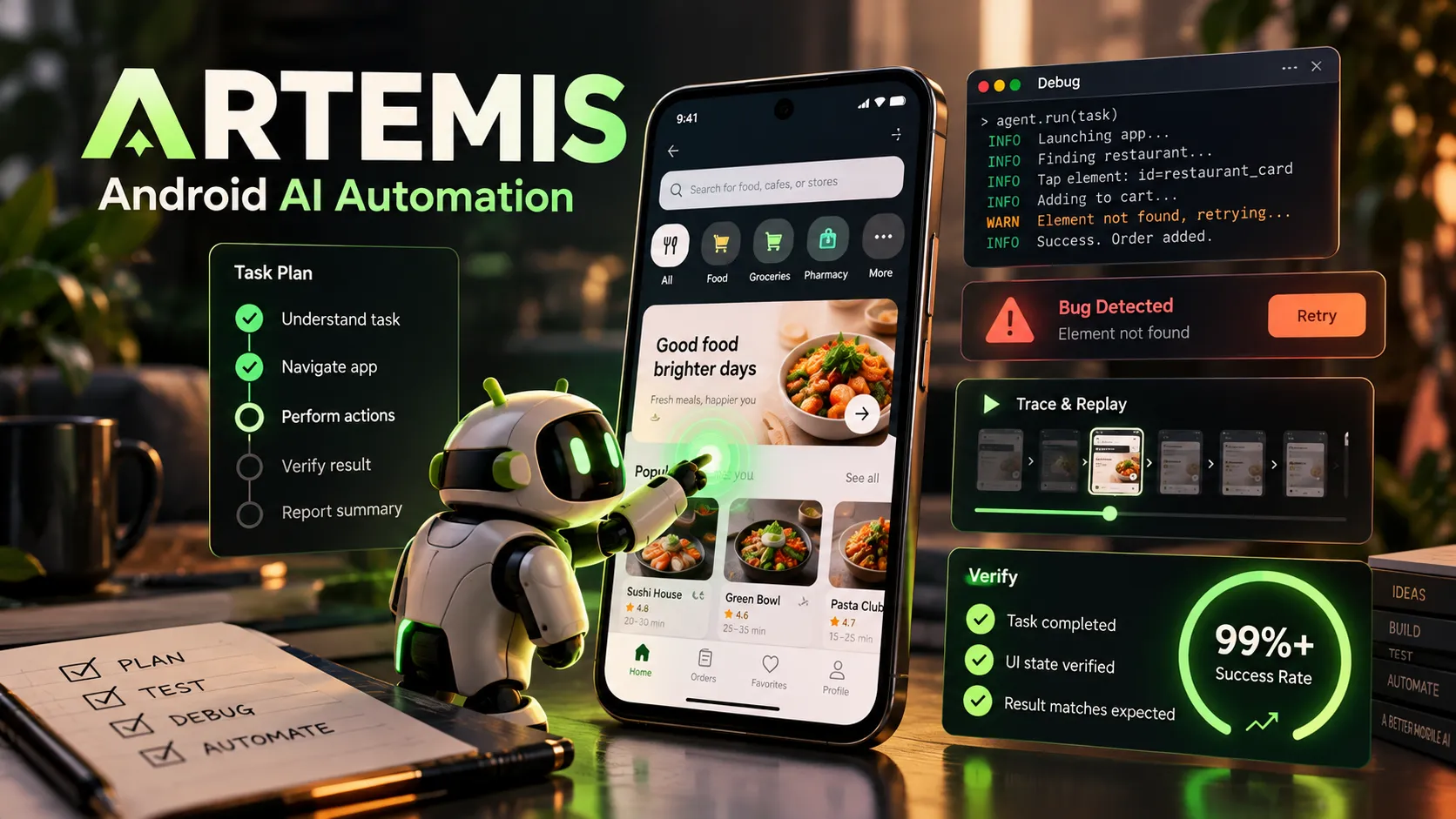
- Google ARTEMIS is an open-source Android AI automation framework that turns natural-language goals into interactions with Android phones and emulators. It is not an AI IDE or a standalone language model.
- The maintainers report 99%+ task completion on AndroidWorld. That result describes a specific benchmark evaluation, not a guaranteed success rate for every real-world app.
- Flash and Pro prioritize different outcomes. Flash is documented at approximately 3–5 seconds per step; Pro adds planning, diagnostics, and verification, with a documented range of approximately 15–40 seconds per step.
- MCP support connects mobile testing to coding agents including Codex, Claude Code, Google Antigravity, Cursor, and Windsurf.
- The code is Apache-2.0 licensed, but model inference, test devices, and infrastructure may cost money.
- A hybrid testing strategy works best: use ARTEMIS for discovery and difficult bug reproduction, then encode stable checks in deterministic mobile-test suites.
What Is Google ARTEMIS?
ARTEMIS is an Android automation agent framework published through Google's GitHub organization. It translates natural-language instructions into a series of observations and actions on connected Android devices. The target can be an emulator or a physical phone with authorized debugging access.
Instead of requiring an engineer to script every tap in advance, ARTEMIS examines the current interface, decides what to do next, performs the action, and observes the resulting state. Typical assignments include navigating unfamiliar applications, investigating unexpected permission dialogs, reproducing mobile bugs, and capturing evidence for a coding agent.
The project offers a browser-based console, a command-line interface, an MCP server for AI development environments, and a Python client for programmatic use. Its role is to provide the mobile-device interaction layer; a connected coding assistant still handles repository changes and build processes.
How ARTEMIS Works
Multimodal grounding instead of blind taps
ARTEMIS uses Android accessibility hierarchies, OCR, and visual perception to locate interface controls. When semantic information is available, resource IDs, labels, and element indices reduce dependence on fixed screen coordinates. For custom-drawn interfaces, including some Canvas, Flutter, and Compose views, the framework can fall back to visual or coordinate-based targeting.
Why this matters: fixed coordinates can become invalid when the keyboard opens, the device changes resolution, a dialog appears, or content scrolls. Semantic locators are generally more resilient, although they depend on the quality of the app's accessibility information.
An observe–think–act loop
Each step starts from current device state rather than an assumed screen. The agent observes, reasons about the next interaction, acts, and checks what changed. This makes it useful for exploratory work in which the exact navigation route is unknown.
It also introduces non-determinism: model responses, transient UI states, network conditions, and permissions can affect the chosen sequence. An agent's report of success should therefore be checked against a measurable outcome.
Action checks and compressed history
Pro checks individual action targets against the current UI tree and, when needed, pixels immediately before execution. This helps catch targets that moved between observation and action. Rapid multi-action bursts can handle transient controls but do not provide the same individual check for every action.
Flash and Pro also summarize older screenshots and compress completed steps into searchable history. This limits active context growth during long explorations, but original traces are still more useful than summaries when diagnosing an exact failure.
ARTEMIS Flash vs. Pro
| Capability | Flash | Pro |
|---|---|---|
| Primary goal | Fast, reactive UI navigation | Complex investigation and verification |
| Documented approximate latency | 3–5 seconds per step | 15–40 seconds per step |
| Architecture | Single-model reactive loop | Planner, Operator, and Checker responsibilities |
| Persistent task plan | No | Yes |
| Individual pre-action checks | No dedicated safety net | Yes |
| Checkpoint verification | No dedicated Checker | Configurable |
| ADB diagnostics | Not available to Flash agent | Available to Operator |
| Compressed history | Yes | Yes |
| Best fit | Simple exploration and smoke checks | Branching workflows, debugging, and evidence collection |
The timing figures are project estimates, not independently verified service-level guarantees. Total workflow time also depends on app loading, retries, device speed, and model-provider latency.
Choose Flash when the goal is to inspect a screen or perform a short, straightforward navigation task. Flash's documented agent.flash.max_turns = 0 means there is no default turn cap; this does not make its results automatically verified.
Choose Pro when the task requires a maintained plan, logs, recovery from blocked actions, or independent review of the outcome. Its verification levels include off, final, checkpoints, and strict; the documented default is final.
AndroidWorld Benchmark: What Does 99%+ Mean?
The ARTEMIS repository reports 99%+ task completion on AndroidWorld. AndroidWorld is an Android-agent benchmark developed by Google Research and DeepMind. Its original specification includes 116 parameterized task types across 20 applications, requiring agents to reach programmatically evaluated states.
This is more informative than a screenshot-identification score because it evaluates multi-step interactions on a functioning Android environment. Nevertheless, the ARTEMIS headline remains a maintainer-reported result. It does not establish 99% success on arbitrary commercial apps, identical results with every model provider, or independently replicated reliability on physical devices.
Before adoption, measure the framework on internal scenarios. Useful metrics include independently verified task success rate, median and P95 completion time, retries, inference expense, and completeness of screenshots and logs. Reset application data and permissions before each attempt, and compare Flash, Pro, and a scripted baseline on the same app build and emulator image.
Installation on macOS, Linux, and Windows
ARTEMIS requires an authorized Android device or emulator and access to a supported model provider. Its startup scripts assist with Android tooling, including ADB, scrcpy, FFmpeg, and Python environment setup using uv.
macOS and Linux
git clone https://github.com/google/artemis.git
cd artemis
./start.sh
Windows PowerShell
git clone https://github.com/google/artemis.git
cd artemis
.\start.bat
The documented default console runs at http://localhost:8000. Its UI supports device setup, screen viewing, task submission, and replay.
Verify the device and environment
adb devices
uv run artemis doctor
If the device shows unauthorized, approve the debugging prompt on the phone. If no device is listed, confirm the emulator is running or check the cable, ADB server, and wireless pairing configuration. When several devices are connected, explicitly select the intended device rather than allowing an ambiguous test target.
Configure model access
Create a local environment file from the repository template:
cp .env.example .envThe environment template documents provider credentials; model selection is configured through config/artemis.jsonc. Populate credentials locally and keep .env out of version control. The existence of a provider setting does not guarantee that every model and auxiliary component supports exactly the same capabilities.
Run a first task
uv run artemis run "Open Settings, navigate to Battery, and verify the battery percentage is visible" --profile flashFor a more involved investigation:
uv run artemis run "Open the installed test app, reproduce the login error, collect available logs, and identify the failing step" --profile pro --verification-level finalThese are task examples rather than guaranteed outcomes. The target application, device state, permissions, and model access determine what can actually run.
Connect ARTEMIS to Codex and Claude Code with MCP
ARTEMIS exposes a Model Context Protocol server, allowing compatible development agents to request device actions and inspect results. This is particularly useful when a coding assistant must validate changes in a running Android application instead of inferring behavior from source code.
Install an integration from the ARTEMIS project directory:
uv run artemis mcp --install codex
uv run artemis mcp --install claude
uv run artemis mcp --install antigravity
The launcher can also configure detected supported clients:
uv run artemis mcp --install allFor a manual Codex setup, generate the project's current configuration rather than guessing paths:
uv run artemis mcp --generate-config codexA representative ~/.codex/config.toml configuration looks like this; replace all placeholder paths with actual absolute paths:
[mcp_servers.artemis]
command = "/absolute/path/to/artemis/.venv/bin/python"
args = ["-m", "mcp_server"]
cwd = "/absolute/path/to/artemis"

[mcp_servers.artemis.env]
PYTHONUNBUFFERED = "1"
PYTHONPATH = "/absolute/path/to/artemis"
Reload the client after changing its MCP configuration.
Five key MCP tools
| Tool | Role |
|---|---|
mobile_run_task | Start a Flash or Pro task asynchronously |
mobile_manage_task | Inspect progress, stop a run, or supply additional instructions |
mobile_get_device_state | Read screenshots or the UI hierarchy |
mobile_inspect_trace | Examine steps, action overlays, and recorded evidence |
mobile_diagnose | Check runtime, credentials, ADB, device, and MCP readiness |
A good agent request defines the build to install, the emulator to use, the initial app state, the expected result, and the evidence required on failure. The coding assistant should not claim a bug is fixed until a repeat run reaches a verifiable state.
Python SDK and CI Integration
ARTEMIS provides a lightweight Python client that communicates with the running host. Install it using the repository's documented package path:
uv add "artemis-client @ git+https://github.com/google/artemis.git#subdirectory=packages/artemis-client"Example asynchronous task:
import asyncio
from artemis_client import ArtemisClient

async def main():
    client = ArtemisClient(
        "http://127.0.0.1:8000",
        device_serial="emulator-5554",
        default_profile="flash",
    )
    result = await client.run(
        "Open Settings and verify that the Battery screen is visible"
    )
    assert result.succeeded, result.error or result.status
    print(result.trace_id)

asyncio.run(main())
This example assumes that the daemon is running and the named emulator is connected. For a CI gate, the SDK's task status should be paired with an independent assertion about application state. Preserve traces and screenshots as failure artifacts rather than relying only on an agent-generated summary.
A practical pipeline prepares a clean emulator, installs a debug APK, resets test data, runs a bounded ARTEMIS scenario, waits for completion, and verifies the final condition. Stable flows can then be converted into conventional regression tests for faster repeated execution.
ARTEMIS vs. Appium, Maestro, Espresso, and UI Automator
| Tool | Main advantage | Main trade-off | Best use |
|---|---|---|---|
| ARTEMIS | Adaptive natural-language exploration | Inference cost and non-determinism | Discovering flows and reproducing difficult bugs |
| Maestro | Readable, repeatable declarative flows | Paths and assertions must be authored | Stable mobile regression tests |
| Appium | Broad cross-platform driver ecosystem | Driver and selector maintenance | Existing enterprise automation suites |
| Espresso | App-aware Android synchronization | Requires test implementation | Fast in-app Android assertions |
| UI Automator | Scripted interaction with system UI | Selectors and synchronization require maintenance | Predictable system-level workflows |
ARTEMIS is strongest when developers do not yet know the complete interaction path. Deterministic tools are generally preferable when a known scenario must run frequently and consistently. A productive combination uses ARTEMIS to discover the route, then records stable locators and explicit assertions in the team's regression framework.
Pricing, Privacy, and Security
The ARTEMIS repository is licensed under Apache License 2.0, but an open-source license does not make every execution free. Hosted model calls, emulator hosting, physical devices, stored traces, and engineering review can create expenses.
A useful operational metric is total cost per independently verified successful workflow, not simply the price of one model request. A slower Pro run may be worthwhile for complex bug reproduction, while repeatedly testing a stable login path may be cheaper with Maestro or Espresso.
ARTEMIS can install an Accessibility Helper to read UI hierarchies. The project's documentation says the helper listens locally on the Android device; that does not mean all model inference is offline. Screenshots and task context may be processed by the configured model provider.
Inspect or remove the helper:
uv run artemis helper status
uv run artemis helper uninstall
The documented daemon administration API does not provide built-in remote authentication. Do not expose its device-control endpoint directly to the public internet. Use trusted local access or a properly secured tunnel, test accounts, and isolated devices. Redact personal data, credentials, and tokens from screenshots and Logcat before sharing traces.
Limitations and Common Troubleshooting
ARTEMIS remains Android-focused; native iOS support and deeper Android Studio integration appear on the project's roadmap rather than as established current capabilities. Custom screens, security dialogs, biometric flows, inaccessible controls, and model-provider differences can also affect results.
- No device detected: Run
adb devices, check cable or emulator readiness, and authorize debugging on the device. - Task cannot start: Run
uv run artemis doctor, then check provider credentials, model access, quota, and network connectivity. - Wrong button selected: Inspect the hierarchy and screenshot; prefer semantic selectors before coordinate fallbacks.
- MCP tools missing: Regenerate client configuration, verify absolute interpreter paths, reload the coding agent, and use
mobile_diagnose. - Flaky outcome: Reset the app's state, permissions, device locale, display settings, and network conditions; compare trace evidence across runs.
- Sensitive environment: Use a dedicated emulator and synthetic data rather than allowing an agent to operate an everyday personal device.
Reported issues and their resolution status can change. Review the ARTEMIS issue tracker for current environment-specific failures before deploying broadly.
Frequently Asked Questions
Is ARTEMIS an AI model or an AI coding tool?
Neither exactly. ARTEMIS is a framework for AI-guided Android interaction. It uses configured models and can work alongside coding assistants through MCP.
Does ARTEMIS work with Codex and Claude Code?
Yes. The repository documents MCP installation and integration for both clients, alongside other compatible development environments.
Can ARTEMIS automate iPhones?
Native iOS automation is listed as future work. The documented current implementation focuses on Android devices and emulators.
Does the 99%+ AndroidWorld score guarantee production reliability?
No. It is a project-reported benchmark result under particular evaluation conditions. Reliability on a specific application requires repeated, independently verified local tests.
Is ARTEMIS free and completely offline?
The code is open-source, but configured model services and test infrastructure may have costs. Offline inference should not be assumed merely because the helper and console run locally.
Should ARTEMIS replace Appium or Maestro?
Usually not. ARTEMIS is valuable for exploration and diagnosis, while deterministic tools remain effective for known, frequently repeated test cases.
Conclusion
ARTEMIS offers a useful bridge between AI-assisted coding and real Android-device observation. Its Flash and Pro profiles, multimodal targeting, MCP integrations, and trace inspection make it especially relevant to developers diagnosing unpredictable mobile behavior.
The maintainers' AndroidWorld result is encouraging, but engineering adoption should depend on measured reliability, total workflow cost, evidence quality, and data-security controls. Start from the official ARTEMIS repository, connect a clean emulator, run a bounded Flash task, and compare a Pro investigation with a deterministic baseline. Use those results to decide where AI-driven exploration genuinely improves the development workflow.
Continue Reading
More articles connected to the same themes, protocols, and tools.
VisionHOPE Installation Guide (2026): Complete CUDA Setup, Pretrained Models, and First Inference

Unlimited-OCR Explained: Baidu's 32K-Token Model for Multi-Page Document Parsing
Google Research Open-Sources Harness²: AI Agents That Improve Their Own Prompts, Skills, and Memory
Referenced Tools
Browse entries that are adjacent to the topics covered in this article.