
On This Page8 sections
Key Takeaways
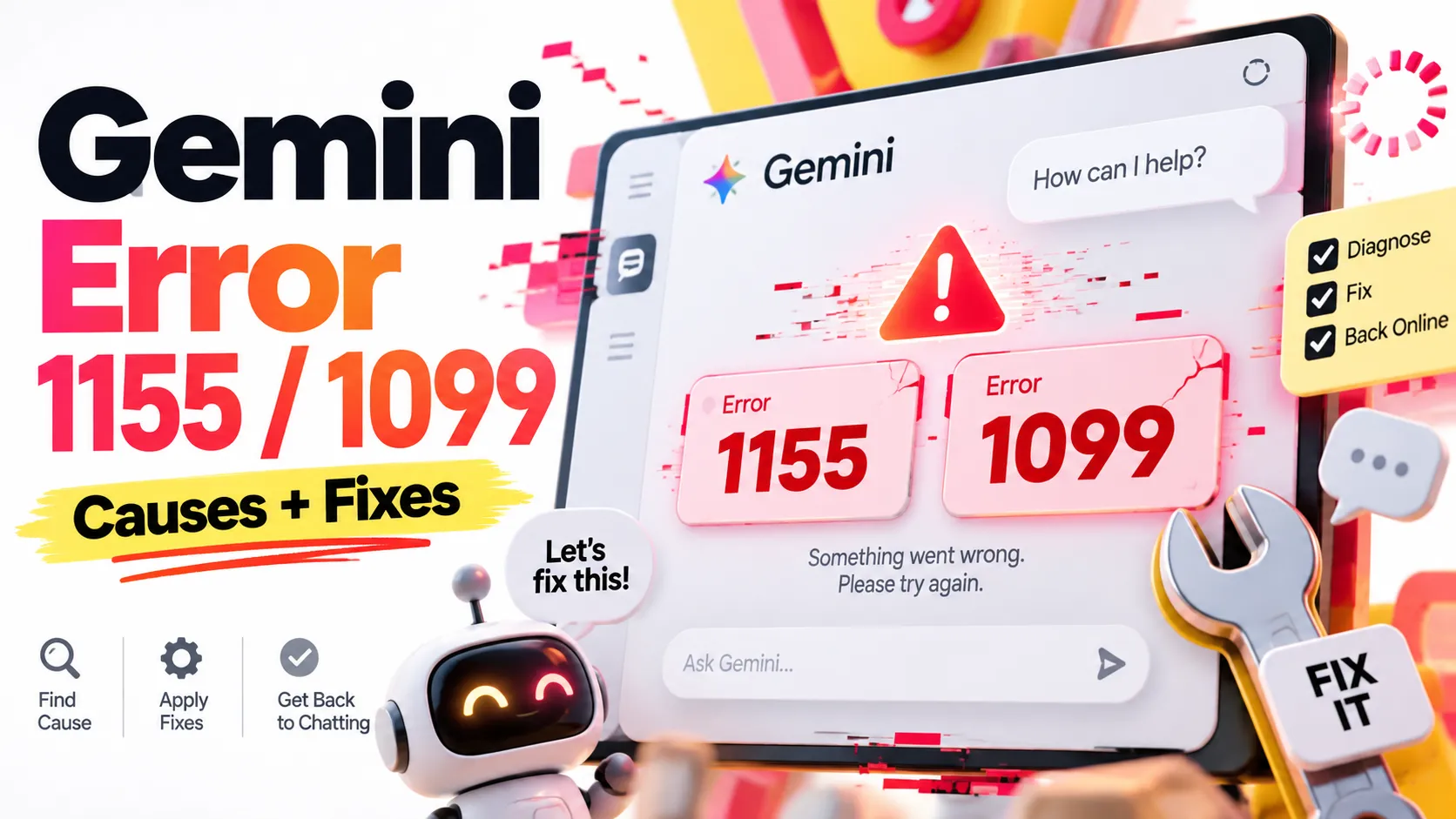
- Gemini errors 1155 and 1099 are not publicly documented as individually defined error codes. Both appear with a generic
Something went wrongmessage, so the number alone cannot reliably identify the cause. - Error 1099 has appeared in an officially documented incident. Google's June 10, 2026 incident report associated errors
1099and1076with a backend service disruption. This does not establish that every subsequent 1099 has the same cause. - Error 1155 has been reported by users, including during an October 8, 2026 spike in Gemini complaints, but Google has not publicly established a universal root cause for that number.
- The fastest safe diagnosis is to compare a new chat, private browser window, another device, and another account. Change one variable at a time to isolate the scope of the failure.
- Do not delete chats, disable security protections, or purchase an upgrade merely to fix these codes. None is a proven general solution.
Quick Answer: How to Fix Gemini Error 1155 or 1099
If Google Gemini displays Something went wrong (1155) or Something went wrong (1099), first save your unfinished prompt. Open a new chat and send a short text-only request, such as Explain photosynthesis in one sentence. If that succeeds, the problem may be associated with the original chat, attachment, context, or feature. If it fails, try the same Google account in a private browser window and compare results with another device or account.
| What happens | Most useful interpretation | Next action |
|---|---|---|
| Original chat fails, new chat works | Conversation-specific context or configuration may be involved | Continue in a new chat after saving important material |
| Regular browser fails, private window works | Extension, cookies, or browser-profile state may be involved | Disable extensions and selectively clear site data |
| One account fails, another works on the same device | Problem may be account-scoped | Test on another device and send Google feedback |
| Multiple accounts fail across devices | A broader service or network problem becomes more plausible | Check incident reports and retry later |
| Text works, but files, images, voice, or a specific model fail | Failure may be associated with a particular feature or route | Isolate the failing feature and report it |
These patterns are diagnostic clues, not confirmed causes. A successful second account does not prove an account ban, and a failed private window does not prove an outage.
What Do Gemini Error 1155 and Error 1099 Mean?
The codes are observed in Gemini Apps, including the web application at gemini.google.com and user-reported mobile experiences. They are not ordinary HTTP status codes and should not be treated as equivalents of the Gemini API's documented 429 RESOURCE_EXHAUSTED or 503 UNAVAILABLE responses.
| Code | Reported symptom | What is established | What is not established |
|---|---|---|---|
1155 | Generic Something went wrong failure, sometimes on simple prompts | User reports in Gemini Help Community, including June and October 2026 discussions | An official universal definition, root cause, or guaranteed fix |
1099 | Failed response or interrupted chat, sometimes during Analysis | Google's June 10, 2026 incident report explicitly mentioned 1099 | Whether later 1099 events have the same underlying cause |
A Gemini Help Community discussion about 1155 includes a suggestion that communication or timeout conditions might be involved. Community suggestions are not official engineering specifications. Likewise, explanations such as 1155 means an authentication handshake failure or 1099 means context overflow should not be presented as established facts.
A community report about 1099 described failure during Analysis, including across multiple devices. This narrows the observed behavior but does not by itself prove that the prompt length, reasoning mode, or conversation history caused the error.
The Confirmed Backend Example: June 10, 2026
Google's June 10 Gemini incident report describes a service disruption involving the messages Something went wrong (1099) and Something went wrong (1076).
The published explanation attributed the disruption to heavy read contention in a backend database used for tool deployment metadata. A skewed index concentrated database requests on a limited number of shards. A one-minute in-memory cache lifetime further increased pressure when cached entries expired or missed. Google described a substantial prompt failure rate during the incident and mitigations that included redistributing indexed values, increasing the cache lifetime to 20 minutes, and changing internal traffic and deadline handling.
Why this matters: Gemini depends on supporting infrastructure in addition to the model that generates text. An error shown during a response can originate in metadata lookup or other backend dependencies. During a service-side incident, deleting cookies or changing a paid plan cannot repair the underlying infrastructure.
Important limitation: This report explains one specific 1099 event. It does not prove that all 1099 errors have that database cause, or that 1155 is connected to the same subsystem.
October 8, 2026: Why Both Codes Were Discussed
On October 8, 2026, users reported a wave of Gemini failures. Tom's Guide's live outage coverage described Downdetector complaints exceeding 5,000 at one point and documented readers encountering code 1155 as well as other failures. These represent reported complaints, not a confirmed count of distinct affected users.
Google community discussions that day included a report of 1155 and 1099 in the same chat experience and a report of account-specific failures across Android and Chrome.
As of October 12, 2026, the public Gemini incident history did not provide a matching technical explanation for the October 8 wave. Absence from a public dashboard does not establish that no disruption occurred: reporting scopes, thresholds, and affected products can differ.
The defensible conclusion is that a widely reported disruption occurred, while the exact cause and the relationship between 1155 and 1099 remain unconfirmed.
Step-by-Step Troubleshooting
1. Preserve the prompt and conversation first
Copy any unsaved prompt, code, or research to a local note. If the original conversation still opens, preserve important answers and links before experimenting. Avoid deleting the chat as a first response: neither error is documented as requiring conversation deletion.
Google's Gemini export guidance explains how Gemini-related activity can be exported through Google Takeout. Exported activity may not reproduce every conversation in the original chat layout, so manually save irreplaceable material as well.
2. Run a minimal new-chat test
Start a completely new Gemini conversation and enter a short text-only prompt. Do not include files, images, long custom instructions, or connected-app requests.
- New chat succeeds: The original thread, attachment, or a specific feature may be involved. Continue in a new thread after transferring essential context.
- New chat also fails: The fault is less likely to be isolated to the original conversation. Continue with a browser and account comparison.
- Only one model or feature fails: Test another model or response mode if available on your plan. Record which specific choice changes the outcome.
A successful minimal test identifies a usable path; it does not conclusively diagnose the original failure.
3. Try a private browsing window
Open Gemini using Chrome Incognito or another browser's private mode, then sign in to the same Google account and retry the same minimal prompt.
If private browsing succeeds, first disable extensions in the normal browser profile—particularly blockers and request-modifying add-ons—and test again. If necessary, clear only Gemini-related site data, rather than removing every Google cookie. You may need to sign in again afterward.
If private browsing also fails, do not repeat cookie clearing indefinitely. Move to device, account, and network isolation.
4. Compare devices, accounts, and networks
Change one variable at a time:
- Same account, different device: If both fail, a single-device browser problem is less likely.
- Different account, same device and network: If only one account fails, the symptom may be account-scoped; this is not proof of a ban or a particular backend defect.
- Same account, different network: Compare Wi-Fi with cellular data, if available. Different outcomes can implicate VPN, proxy, DNS filtering, or local network configuration.
Temporarily switch off a VPN or proxy only when doing so is permitted by your workplace, organization, and security requirements. Re-enable it after testing. Do not disable security tools merely because a numeric Gemini error appears.
5. Isolate Gemini's mobile features
For a mobile-only failure, update the Gemini app and operating system, restart the app, and compare a typed prompt with the feature that fails.
On Android, clearing the app cache can test stale local resources. Clearing app storage or data is more disruptive and should not be the default first step. For Gemini Live, confirm microphone permissions and test a normal text response. On iPhone, compare the app with the web experience in a browser before reinstalling anything.
6. Review service status and account access
Check Google's Gemini incident history, recent community discussions, and independent outage reports. A green public status page cannot guarantee that every consumer account and feature is unaffected.
If you cannot sign in at all, Google's Gemini access documentation covers account type, administrator settings, region, and eligibility. Those restrictions are relevant to access errors, but should not be automatically treated as explanations for 1155 or 1099 appearing in an otherwise active chat.
When to Contact Google Support
Escalation is appropriate when a short prompt consistently fails in a new chat, especially if the same account fails across devices while a different account works on the same network.
Open Gemini and use Settings & help → Send feedback. Google's official feedback instructions describe attaching screenshots and reporting problems. Include the error code, date, local time zone, affected feature, app or browser version, and the results of controlled tests.
Problem: Gemini shows "Something went wrong (1155)" or "Something went wrong (1099)".
First observed: [YYYY-MM-DD HH:MM, time zone]
Platform: [web / Android / iOS; app or browser version]
Account type: [personal / Workspace / school]
Affected feature: [new chat / existing chat / Analysis / file upload / voice]
Reproduction: [short text-only prompt in a new chat]
Browser comparison: [normal window versus private window]
Device comparison: [device A versus device B]
Account comparison: [account A versus account B]
Network comparison: [Wi-Fi versus cellular or another approved network]
Expected result: Gemini returns a response.
Actual result: The request fails with the code above.
Privacy note: Feedback can contain screenshots and conversation context. Review attachments carefully. Do not publish passwords, tokens, confidential prompts, account identifiers, or sensitive documents in public support threads.
Common Mistakes and Unverified Fixes
- Assigning one universal meaning to each code. Google has not published a definitive one-line technical mapping for 1155 and 1099.
- Deleting chat history to reset Gemini's backend. This can destroy useful work and is not an official fix. Gemini Apps Activity settings control history and retention, not known remediation for either code.
- Buying a subscription as an emergency repair. Paid plans can also encounter service failures. Upgrading is not a proven cure for these error messages.
- Assuming a successful alternate account proves a ban. Account differences can involve settings, eligibility, rollout, or temporary backend conditions. Additional evidence is required.
- Trying every browser reset without collecting results. Controlled experiments are more useful than repeatedly clearing all cookies or reinstalling apps.
- Confusing the Gemini app with the Gemini API. The Gemini API troubleshooting guide defines API responses, including
429and503. Those statuses cannot be directly equated to app messages 1155 and 1099. - Repeating large prompts or uploads without limit. During a service-side failure, repeated requests are unlikely to help. Preserve content, run a minimal test, and report persistent failures.
Gemini Error 1155 vs. 1099 vs. API Errors
| Error or response | Surface | What can responsibly be inferred |
|---|---|---|
Something went wrong (1155) | Gemini Apps | Generic failure; precise internal meaning not publicly established |
Something went wrong (1099) | Gemini Apps | Generic failure; also documented during a June 2026 backend incident |
429 RESOURCE_EXHAUSTED | Gemini API | Documented capacity, quota, or rate-limit-related API response; inspect actual API details |
503 UNAVAILABLE | Gemini API | Documented service-unavailable condition; retry with appropriate backoff |
| Sign-in or eligibility message | Gemini Apps | Account access or policy issue; follow the specific official access guidance |
For developers: Diagnose an API failure using its real HTTP status, structured error response, request metadata, and relevant rate limits. Do not construct retries or alerting rules by translating Gemini Apps' 1155 or 1099 into undocumented API error codes.
Frequently Asked Questions
Is Gemini error 1155 caused by a long prompt?
Not necessarily. Reports include failures on simple prompts. If a short prompt works in a new chat but a long thread fails, context or an associated feature becomes a reasonable troubleshooting hypothesis—not a confirmed definition of code 1155.
Does Gemini error 1099 mean Analysis or Thinking mode has failed?
Some user reports describe errors during Analysis, but the June 2026 incident affected broader Gemini infrastructure. The stage in which an error appears is useful evidence, not a complete root-cause explanation.
Can error 1155 change into error 1099?
Users have reported seeing both codes during the same period, including in an October 8 discussion. That does not establish a technical sequence where one error turns into the other.
Is Gemini down if I see 1155 or 1099?
Possibly, but an error on one account or device cannot establish a global outage. Compare short-prompt tests and check reports from independent users and official incident pages.
How long do these errors last?
There is no universal published recovery time for either number. Some widespread incidents resolve within hours; individual account or feature issues may behave differently. Historical outage duration is not a guaranteed repair estimate for a current error.
Will clearing activity or deleting a conversation fix the errors?
There is no documented guarantee. Deleting activity can remove valuable history. Preserve your information and perform minimally disruptive diagnostics first.
Are 1155 and 1099 the same as Gemini API error 429 or 503?
No. The numeric codes discussed here appear in the Gemini app interface. API errors are separate, documented responses that developers should handle according to their actual status and payload.
Conclusion
Gemini error 1155 and error 1099 are symptoms, not dependable root-cause diagnoses. Google's June 2026 postmortem establishes that error 1099 can accompany a backend infrastructure incident, while October reports show both messages appearing during a wider period of Gemini disruption. Neither record establishes a permanent, universal definition for either code.
The safest practical approach is to save your work, test a fresh text-only chat, compare browsers and accounts, check service reports, and submit reproducible feedback if the problem persists. Start with the official Gemini incident history and feedback instructions before trying risky resets.
Continue Reading
More articles connected to the same themes, protocols, and tools.

ArtCraft, PhotoCraft & FilmCraft: 7 Free Adobe Alternatives Built with Claude—Features, Pricing, and Limitations
Anthropic Banned 11.4 Million Claude Accounts: What the November 2026 Rules Really Mean

13 Best SEO AI Agent Skills in 2026: GitHub Projects, Features, and Real User Reviews
Referenced Tools
Browse entries that are adjacent to the topics covered in this article.





