On This Page8 sections
Key Takeaways
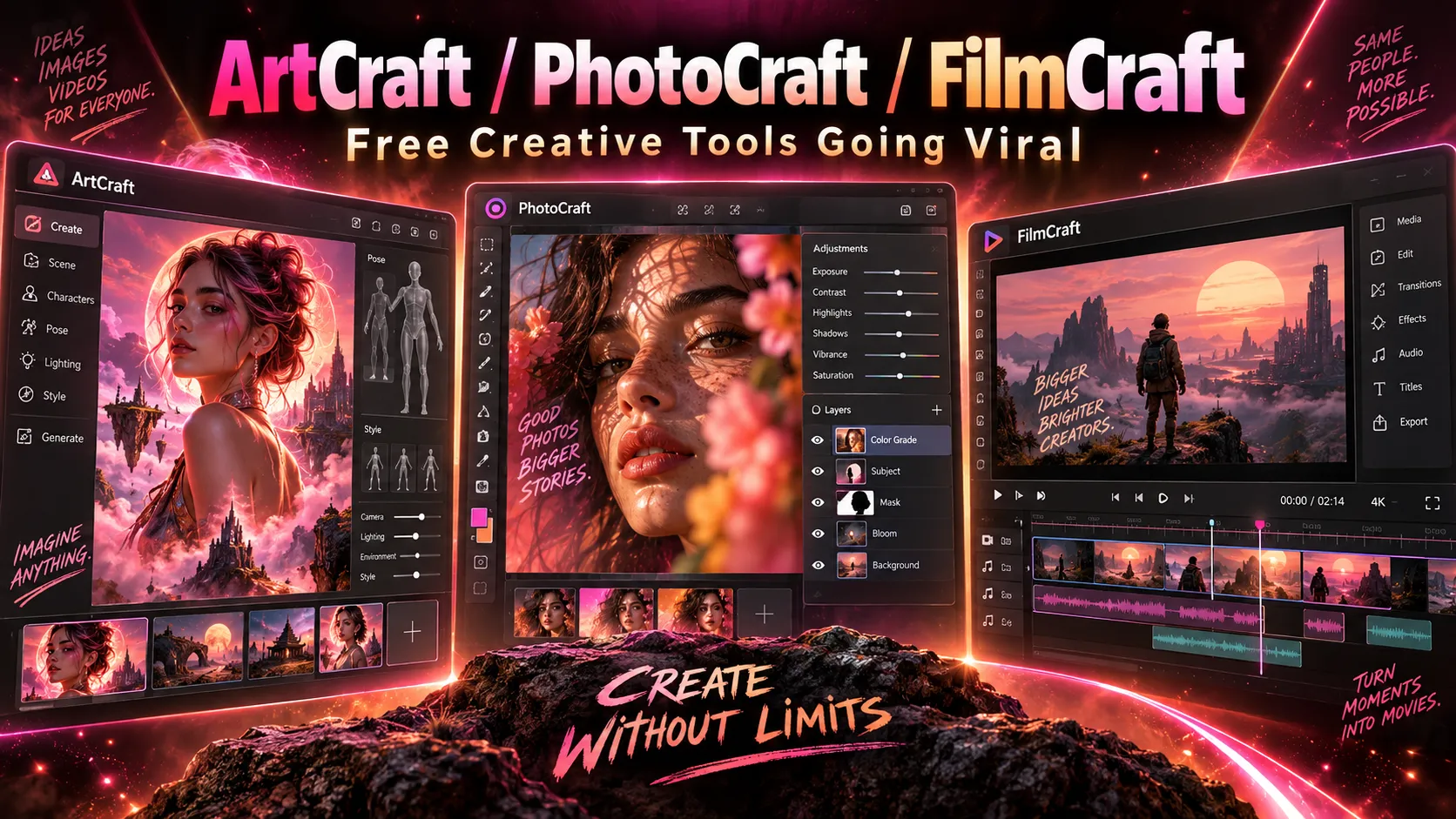
- ArtCraft is both a brand and a separate AI creation studio. Its seven Crafting Apps are standalone, open-source editors; PhotoCraft and FilmCraft are two of them.
- PhotoCraft targets Photoshop; FilmCraft targets Premiere Pro. Both are built in Rust with familiar creative workflows and unusually direct access for AI agents through commands, a CLI, and MCP.
- Free software does not mean free cloud generation. The Crafting Apps are free to install and use, while optional hosted AI image and video generation in ArtCraft can consume paid credits.
- Neither editor is ready to replace Adobe for every professional. On October 10, 2026, the project's own assessments rated PhotoCraft around 45% ready for real work and FilmCraft around 56%. Those figures are developer estimates, not independent benchmark scores.
- The projects are changing rapidly. GitHub listed PhotoCraft v0.7.0 and FilmCraft v0.6.0 on October 11, 2026; reviews of older alpha releases should not be treated as tests of these builds.
What Are ArtCraft, PhotoCraft, and FilmCraft?
ArtCraft is an open-source AI image and video creation studio focused on controllable compositions. Rather than relying exclusively on text prompts, creators can arrange 2D layers, stage 3D elements, position characters, and then use generative models to produce the result. It is available through the ArtCraft website and its GitHub repository.
PhotoCraft is a native image editor developed as an alternative to Adobe Photoshop. It emphasizes layers, masks, adjustments, typography, brushes, PSD interoperability, and a familiar interface. Its official product page identifies it as free, open source, and in early alpha.
FilmCraft is a native nonlinear video editor designed around Premiere Pro-like workflows. It includes source and program monitors, multitrack timelines, trimming, color grading, titles, captions, audio mixing, and media export. The FilmCraft product page offers standalone downloads.
These are not three names for one application. ArtCraft Studio handles AI-led creation, while PhotoCraft and FilmCraft are separate editing applications within the wider Crafting Apps family. An ArtCraft subscription is not required simply to use the editors.
All Seven Crafting Apps Compared
The official Crafting Apps directory lists seven applications:
| App | Closest Adobe counterpart | Primary purpose | Published status |
|---|---|---|---|
| PhotoCraft | Photoshop | Layered image editing, retouching, PSD/PSB workflows | Early alpha |
| VectorCraft | Illustrator | Vector shapes, illustrations, paths | In development |
| FilmCraft | Premiere Pro | Video editing, effects, sound, export | In development / alpha |
| LightCraft | Lightroom | Photo libraries and RAW development | In development |
| PdfCraft | Acrobat Pro | Reading, organizing, splitting, merging and securing PDFs | Early alpha |
| EffectCraft | After Effects | Motion graphics and visual effects | In development |
| DesignCraft | InDesign | Page layout and publishing | In development |
Naming note: Some initial coverage and repository references used PrintCraft for the PDF application. The current official product directory calls it PdfCraft. Neither name should be confused with a separate Adobe product.
The Adobe names above describe the intended workflow, not feature-for-feature equivalence. Installation availability, workflow maturity, and file compatibility differ across applications.
Why Did the Projects Go Viral in October 2026?
In an early-October Reddit announcement, the developer said Claude Opus 5.5 had helped build seven Rust implementations of familiar Adobe workflows. The same post described the author as an experienced Rust developer with collaborators and invited outside contributions. It also set an ambitious goal of full feature parity; that goal was a development aspiration, not an achieved result.
The combination attracted attention for several reasons:
- Subscription fatigue: Users want alternatives that keep working without an ongoing Adobe Creative Cloud subscription.
- Familiar interfaces: Switching from mature creative software is often costly because established shortcuts, panels and editing habits matter.
- AI-assisted development: Building seven substantial native applications with coding agents challenges expectations about software development speed.
- Open source and agent access: Source code, command-line interfaces and machine-readable controls allow both human contributors and automation tools to inspect and extend workflows.
The enthusiasm comes with skepticism. Tom's Hardware reported on October 8 that the launch raised questions about AI-generated code quality, security and copyright. Those questions deserve evaluation rather than assuming either that the apps are unsafe or that open-source availability guarantees safety.
ArtCraft Studio: AI Image and Video Creation With More Control
ArtCraft Studio is the AI-centric part of the ecosystem. Its differentiator is scene-first generation: creators can define objects, positions and camera relationships before invoking a model.
The documented workflows include:
- 2D composition: Build a scene from image layers, cutouts, masks and backgrounds.
- 3D staging: Place foreground elements, backdrops and props in a scene with spatial depth.
- Character posing: Define a pose and camera framing before generating an image or shot.
- Image-to-3D and location workflows: Use visual input to help construct reusable environments and geometry.
- Image and video generation: Send prepared scenes or prompts to supported models and providers.
This approach is particularly relevant to repeatable character shots, storyboards, product visuals and short-form video, where prompt-only generation can make composition difficult to reproduce. It does not eliminate model-specific limitations such as character consistency, generation cost or rendering artifacts.
The ArtCraft source repository documents its composition tools and model integrations. Availability and restrictions can differ by provider and desktop/web environment; confirm the model catalog before designing a workflow around one model.
PhotoCraft: How Close Is It to Photoshop?
PhotoCraft uses Rust, an egui-based native interface and a GPU compositing path built around wgpu. Its architecture separates editing commands and document state from the visual interface. It also includes a CPU reference compositor and copy-on-write image tiles, helping make undo and large documents manageable in principle.
According to the PhotoCraft repository, the editor supports layers, masks, adjustment layers, live filters, type, brushes, vectors, and PSD/PSB handling. Local editing does not require an ArtCraft account or a cloud AI subscription.
The PSD compatibility distinction that matters
A high percentage of successful PSD round trips sounds impressive, but round-trip success is not the same as seamless interoperability with Photoshop. A file might preserve its internal data through one parser while still display differently—or fail to open—in the target application.
The October 10 PhotoCraft parity assessment reports roughly 76% feature breadth but only 45% readiness for real work. It flags incomplete real-world PSD fidelity, performance shortfalls, text and brush interaction issues, and missing proprietary plugin compatibility. The assessment also states that only 3 of 25 measured performance scenarios met its budgets at the referenced baseline.
For professional use, test text layers, smart objects, masks, color profiles, complex composites and re-opening exported PSDs in Adobe Photoshop. A simple document that opens correctly is not proof that a client's large layered file will survive an entire round trip.
Does PhotoCraft have Photoshop's generative AI?
Not yet at comparable depth. The same assessment estimates its AI/generative area at about 10% readiness, and reports no general ML runtime in that snapshot. Traditional content-aware or selection tools should not be mistaken for full equivalents of Adobe's Generative Fill, Neural Filters or cloud-backed AI features. The separate ArtCraft Studio offers AI generation, but that does not mean the same capability is already built into PhotoCraft.
FilmCraft: A Premiere Pro Alternative With Agent-Ready Editing
FilmCraft implements a familiar video-editing layout with source/program monitors, a multitrack timeline, ripple/roll/slip/slide trimming, transitions, effects, color controls, titles, captions and audio tools. Its GitHub README also documents internal media codecs, hardware decoding paths, export options and an integer-based time model designed to avoid frame-timing drift.
Its most interesting technical choices are direct editing commands and an independent engine. The repository describes more than 650 engine commands accessible through the GUI, CLI, a JSON control channel and MCP. The same underlying operation can therefore be invoked by a user or an agent rather than relying solely on simulated mouse clicks.
Can FilmCraft open Premiere Pro projects?
Not directly as of October 11, 2026. FilmCraft cannot open .prproj files. Its documentation instead describes interchange paths such as FCP7 XML, AAF and OTIO. These formats may carry sequences and some edit information, but users must verify effects, transitions, audio routing and linked media after transfer.
The FilmCraft parity assessment, updated October 10, estimates 86% feature breadth and 56% readiness for real work. Major remaining gaps include performance on demanding footage, application stability across machines, missing VST3/Audio Units/OpenFX hosting, incomplete delivery codecs and limited AI features.
Video formats and export caveats
FilmCraft documents H.264 editing and software export, with additional codec support that depends on platform and hardware. H.265 export has hardware-encoder requirements in the documented builds; AV1 export is not yet available. Some 10-bit and 4:2:2 camera media can be problematic. A supported codec name therefore does not guarantee support for every profile, bit depth, frame rate or camera container.
Before migrating a production timeline, test representative phone footage, camera originals, variable-frame-rate clips, multichannel audio and final exports—not only the built-in demo project.
What Makes the Rust and MCP Architecture Different?
PhotoCraft and FilmCraft are designed so the editing engine is not inseparable from the UI. A human clicks an editing command; an agent can invoke that command through a structured interface.
In simplified terms, the architecture is:
Human editor or AI agent → GUI / CLI / MCP → typed editing commands → document or timeline engine → GPU / CPU processing → saved file
This matters because GUI-only automation is brittle. A coordinate-based macro can break when a panel moves or the screen resolution changes. A semantic operation with a stable command identifier is easier to script, validate, repeat and test.
Potential uses include automated image resizing, applying a consistent adjustment to many files, generating thumbnails from video edits, assembling captioned short clips and performing repeated exports.
However, agent control is not equivalent to high-quality autonomous editing. Reliable results still require correct engine behavior, durable file formats, validation and human review. An AI agent can execute a command precisely and still produce an incorrect creative result.
Developers can inspect the PhotoCraft automation documentation and FilmCraft control protocol before integrating an MCP client.
How Complete Are PhotoCraft and FilmCraft in October 2026?
The following figures are maintainer-produced estimates, not a common third-party testing benchmark:
| Measure | PhotoCraft vs Photoshop | FilmCraft vs Premiere Pro |
|---|---|---|
| Feature breadth | ~76% | ~86% |
| Ready for real work | ~45% | ~56% |
| Development stage | Alpha | Alpha |
| Biggest workflow obstacle | PSD fidelity, speed, UI depth, plugins and AI tools | .prproj import, media edge cases, speed, plugins and stability |
Feature breadth answers whether something exists; readiness asks whether it performs reliably enough for actual projects. An effect menu item can count toward breadth even when the effect lacks professional-grade accuracy, interactive performance or plugin interoperability.
That distinction explains why rapid AI-assisted implementation does not immediately deliver professional software parity. The final stretch requires real media corpora, visual comparisons, hardware testing, accessibility work and fixes for unusual but essential production cases.
An independent TechRadar hands-on review published October 10 found familiar interfaces but encountered PhotoCraft interaction/save problems and FilmCraft trimming/audio problems on an older Intel Mac. The reviewer used much earlier alpha builds (approximately 0.2), so those specific results must not be presented as measurements of the October 11 releases. For example, later repository documentation describes support for file types that earlier builds struggled with.
Are ArtCraft, PhotoCraft, and FilmCraft Free?
The standalone Crafting Apps are free and open source. They do not require a paid ArtCraft Studio subscription for ordinary local editing.
ArtCraft Studio itself is downloadable without a subscription, but hosted AI model inference may consume credits. Its official pricing page displayed the following promotional rates for annual billing on October 11, 2026:
| ArtCraft Studio plan | Effective monthly price when billed yearly | Included monthly credits |
|---|---|---|
| Basic | $8 | 1,000 |
| Pro | $28 | 3,750 |
| Max | $48 | 6,600 |
| Enterprise | Custom | Custom |
These are annual-plan monthly equivalents, not standalone monthly-payment quotes, and promotional prices can change. One-time credit packs are also offered. The company says users can bring their own compute or eligible third-party subscriptions, subject to those providers' rules and costs.
For a meaningful price comparison, calculate cost per successful image, video second or finished asset, including retries, resolution, model choice and editing time. Credits alone are not a universal measure of output.
How to Download and Install the Apps Safely
The ArtCraft Launcher can install and update multiple Crafting Apps. Users who only need one editor can use its standalone product page or the official GitHub Releases pages:
- PhotoCraft releases — macOS, Windows, Linux and WebAssembly builds are documented.
- FilmCraft releases — macOS, Windows, Linux and WebAssembly packages are documented.
- ArtCraft Studio — desktop and browser access for AI creation.
Version warning: The product landing pages can lag behind GitHub Releases. As checked on October 11, 2026, GitHub marked PhotoCraft v0.7.0 and FilmCraft v0.6.0 as latest, while product download listings displayed earlier versions. Check the release notes and your operating system before installing.
Build PhotoCraft from source
With a supported Rust toolchain and system dependencies installed:
git clone https://github.com/storytold/photocraft.git
cd photocraft
cargo run --release -p photocraft
Build FilmCraft and inspect its commands
git clone https://github.com/storytold/filmcraft.git
cd filmcraft
cargo run --release -p filmcraft
cargo run --release -p filmcraft-cli -- commands
The FilmCraft repository also documents cargo run --release -p filmcraft-cli -- mcp for its headless MCP server. Review setup and security guidance before registering local automation with an external agent.
Use downloads from the official domain or repositories, verify published SHA-256 checksums when available, back up documents, and test new versions on copies. Avoid executing unknown third-party installer mirrors or granting broad file-system access without a clear need.
Real-World Testing: A Better Checklist Than Star Counts
GitHub attention measures interest, not whether an editor can replace an established professional workflow. A useful evaluation uses the same assets and acceptance criteria in both the established application and the alternative.
PhotoCraft test:
- Open a layered PSD with smart objects, adjustment layers, masks and several fonts.
- Edit text, apply a mask, change blend modes and perform repeated undo/redo.
- Save in a layered format, reopen in PhotoCraft, then open the PSD in Photoshop.
- Compare layer integrity, typography, color profiles, transparency and export appearance.
- Repeat with a large, high-bit-depth document to evaluate GPU memory and responsiveness.
FilmCraft test:
- Import real H.264/HEVC footage plus any camera-specific 10-bit or 4:2:2 samples.
- Trim clips, create transitions, grade footage, add captions and mix multichannel audio.
- Save, close, reopen, reconnect media and confirm timeline timing.
- Export a deliverable and inspect frame rate, audio sync, color, bitrate and playback in another player.
- Try interchange through FCP7 XML, AAF or OTIO if compatibility with another editor is essential.
A successful demo is encouraging, but production readiness requires repeating these checks on the exact platform, footage and projects that matter.
Security, Copyright, and Long-Term Reliability
The maintainers describe PhotoCraft and FilmCraft as clean-room implementations and publish them under dual MIT/Apache-2.0 software licenses. That is a statement about the projects' intended development and licensing model, not an independent legal determination about every algorithm, asset or interface design. Branding and bundled third-party assets may have separate conditions.
Open source enables inspection but does not prove the absence of vulnerabilities. Image and video parsers process complex, sometimes untrusted files; malformed inputs, memory exhaustion, broken codecs and unintended file access remain possible. Rapid AI-assisted coding increases the importance of reproducible tests, code review, fuzzing and signed or verifiable releases.
For studios, the largest adoption risk may be workflow lock-in in reverse: replacing Adobe before verifying export and interchange can leave projects hard to transfer back. Maintain original media, neutral exports and backup copies throughout the evaluation period.
Better Alternatives If Production Reliability Matters Today
The Crafting Apps offer a distinctive combination of familiar interfaces, open source and agent access, but established alternatives remain relevant:
| Need | Established option | Why consider it |
|---|---|---|
| Open-source photo manipulation | GIMP | Mature community and long-standing editing workflows |
| Digital painting and illustration | Krita | Painting-oriented brush and animation workflows |
| Layered graphics in a browser | Photopea | Accessible without a desktop installation, with PSD-oriented editing |
| Professional video finishing | DaVinci Resolve | Established editing, grading, audio and delivery workflows |
| Open-source video editing | Kdenlive | Mature nonlinear video workflow without an Adobe subscription |
The strongest choice depends on whether the priority is familiarity, price, open-source licensing, file compatibility, video performance or AI automation. No single alternative wins every category, and availability of free versus paid capabilities should be checked with each provider.
Frequently Asked Questions
Is ArtCraft the same as PhotoCraft?
No. ArtCraft refers to the AI creative studio and the wider project brand. PhotoCraft is a separate image editor in the Crafting Apps family.
Is FilmCraft an AI video generator?
FilmCraft is primarily a video editor, not a replacement for a text-to-video generation model. ArtCraft Studio handles generative image and video workflows. FilmCraft's structured commands can be driven by AI agents, which is different from generating footage.
Can PhotoCraft edit Photoshop PSD files?
Yes, the project supports opening and saving layered PSD/PSB files. Compatibility is incomplete, especially for complex documents and unsupported features, so always verify round trips before relying on it for client work.
Can FilmCraft import a Premiere Pro project?
It cannot directly open .prproj files in the documented October 2026 builds. Interchange through FCP7 XML, AAF or OTIO may transfer parts of a project, but manual corrections can be necessary.
Do the seven Crafting Apps require a subscription?
No. The standalone editors are free and open source. Optional hosted AI generations in ArtCraft Studio can involve paid credits.
Does PhotoCraft run on Linux or in a browser?
The project publishes Linux installers and WebAssembly builds. Browser support and desktop feature parity should be verified per release. FilmCraft also publishes WebAssembly builds, even though its main product page emphasizes desktop platforms.
Are these apps built entirely by AI?
The creator has publicly described substantial use of Claude Opus 5.5, but the projects also involve human direction, testing, maintainers and community contributors. Calling them entirely autonomous AI creations would overstate what has been demonstrated.
Conclusion
ArtCraft, PhotoCraft and FilmCraft signal an important change in creative software development: AI coding agents are making it easier to build ambitious native tools, while command-based architectures make those tools easier for other agents to operate. The result is more interesting than a set of Photoshop and Premiere lookalikes.
Still, free, open source and fast-moving are not synonyms for production-ready. As of October 11, 2026, the maintainers themselves classify PhotoCraft and FilmCraft as alpha projects and document substantial gaps in compatibility, performance and reliability.
The practical next step is to download the current official release, test a representative noncritical project, compare exported results, and report reproducible issues on GitHub. Artists interested in repeatable AI composition can separately explore ArtCraft Studio, while professional editors should preserve their existing workflows until the alternatives meet their own acceptance tests.
Continue Reading
More articles connected to the same themes, protocols, and tools.
Referenced Tools
Browse entries that are adjacent to the topics covered in this article.