
On This Page8 sections
Key Takeaways
- Nano Banana 2.1 works best when prompted like a creative brief rather than a loose list of keywords. Google's image prompt guide recommends defining style, subject, setting, action and composition.
- Its strongest use cases include graphic design, product consistency, character consistency, multi-reference editing, text rendering and infographics. Google's published evaluations show meaningful improvements across these areas.
- Put required text inside quotation marks. Google specifically recommends quoting words that must appear in the image and describing the desired typography.
- Assign every reference image a specific role. Nano Banana 2.1 supports up to 14 reference images, including consistency for up to four characters and fidelity for up to 10 objects.
- Use
minimal,mediumorhighThinking strategically.mediumis the default, while more complex layouts, multi-character scenes and information-heavy graphics can benefit from additional reasoning. - Current Nano Banana 2.1 prompt collections are already clustering around posters, product photography, 3D figurines, infographics, fashion, thumbnails, advertising, mockups and extreme-ratio banners.
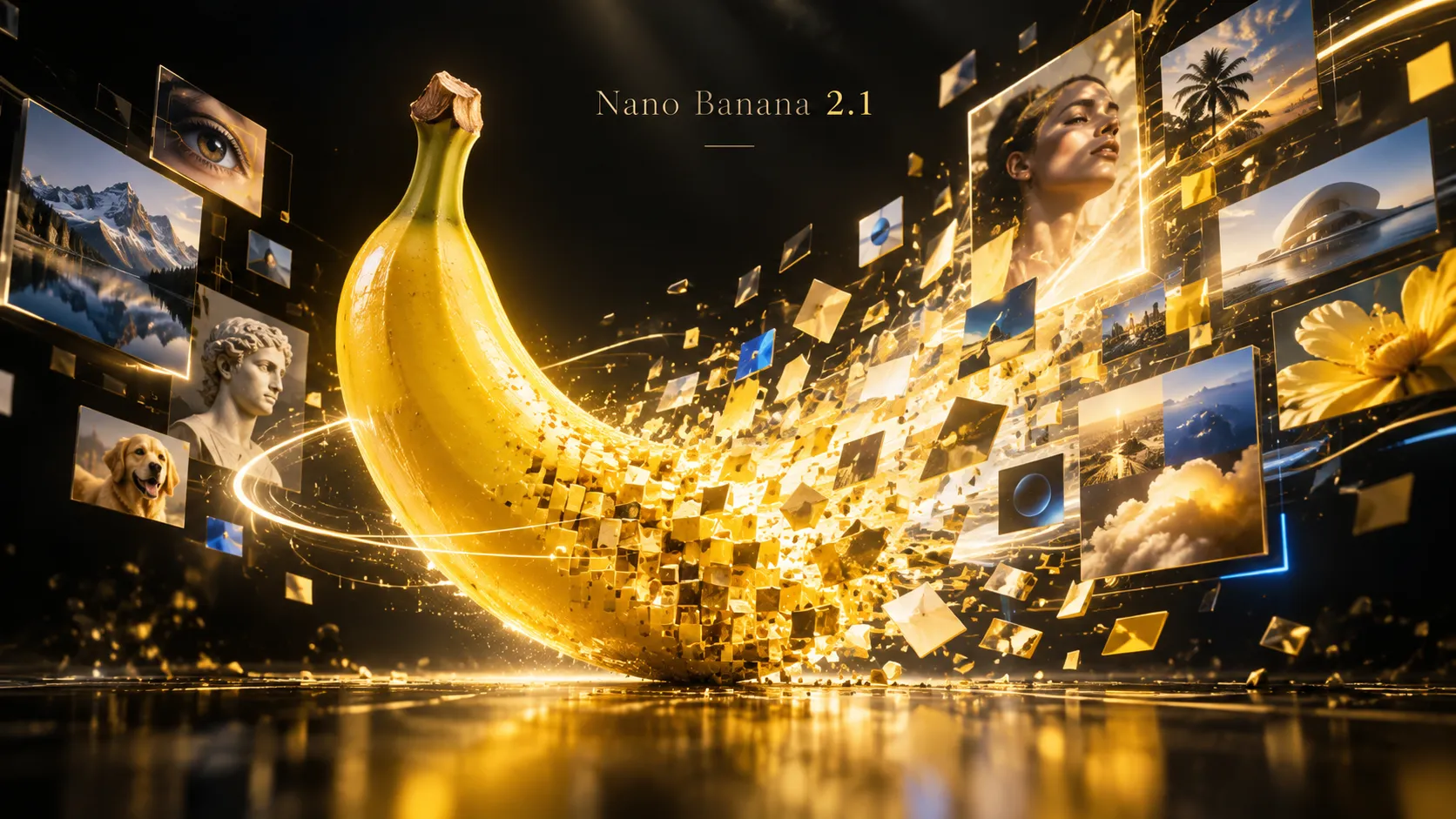
Released on October 6, 2026, gemini-nano-banana-2.1 is Google's latest high-efficiency image generation and conversational editing model. It supports 1K, 2K and 4K output, Google Search grounding, multi-image inputs and iterative editing.
The practical implication is important: strong Nano Banana 2.1 prompts increasingly resemble art-direction briefs. Define the finished deliverable, specify its structure, describe the visual subject and lighting, provide exact copy, assign reference-image roles and explicitly state what must remain unchanged.
Why Nano Banana 2.1 Prompts Are Different
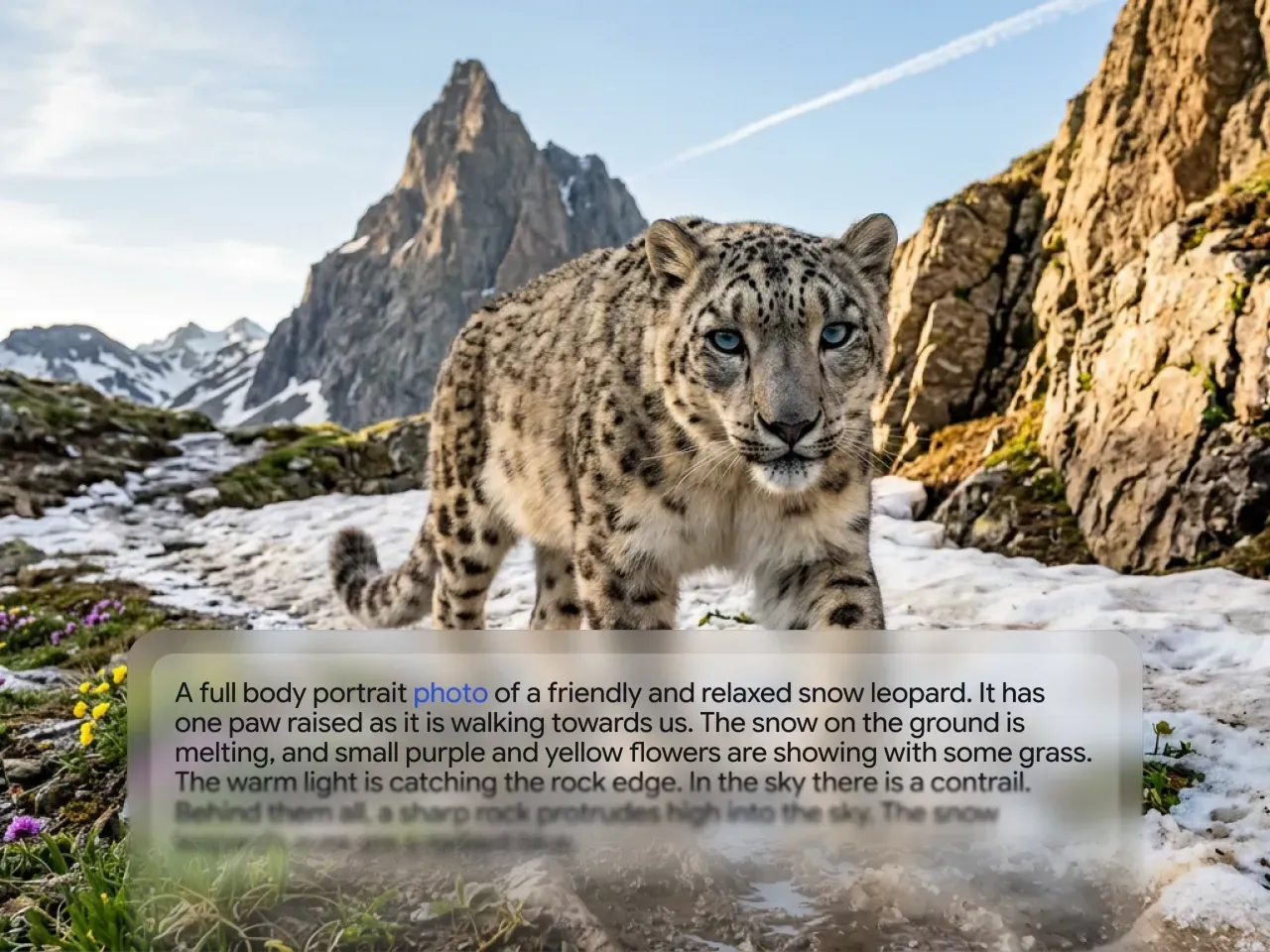
Older image-generation workflows often relied on strings such as cinematic, 35mm, ultra detailed, masterpiece. Nano Banana 2.1 responds well to normal instructional language because it combines image generation with multimodal reasoning and conversational editing.
Google's prompt guidance highlights five core dimensions: style, subject, setting, action and composition. It also recommends quoted text for precise typography, production-ready aspect ratios and clearly named subjects when consistency matters.
For production work, add several more controls:
- Define the finished artifact first: poster, product ad, infographic, photograph or UI mockup.
- State exact counts for grids, panels, characters and objects.
- Put visible copy in quotation marks.
- Explicitly assign roles to reference images.
- Add a preserve list for edits.
- Add a short do-not-change list for identity and product fidelity.
- Specify aspect ratio and final resolution.
Google's own model-card evaluation reports higher Nano Banana 2.1 Thinking scores than Nano Banana 2 and Nano Banana Pro across its published infographic design, general editing, multi-character consistency, mask editing, product consistency, stylization and multi-reference editing tests. These are vendor evaluations rather than guarantees, but they indicate where the model has been optimized most aggressively.
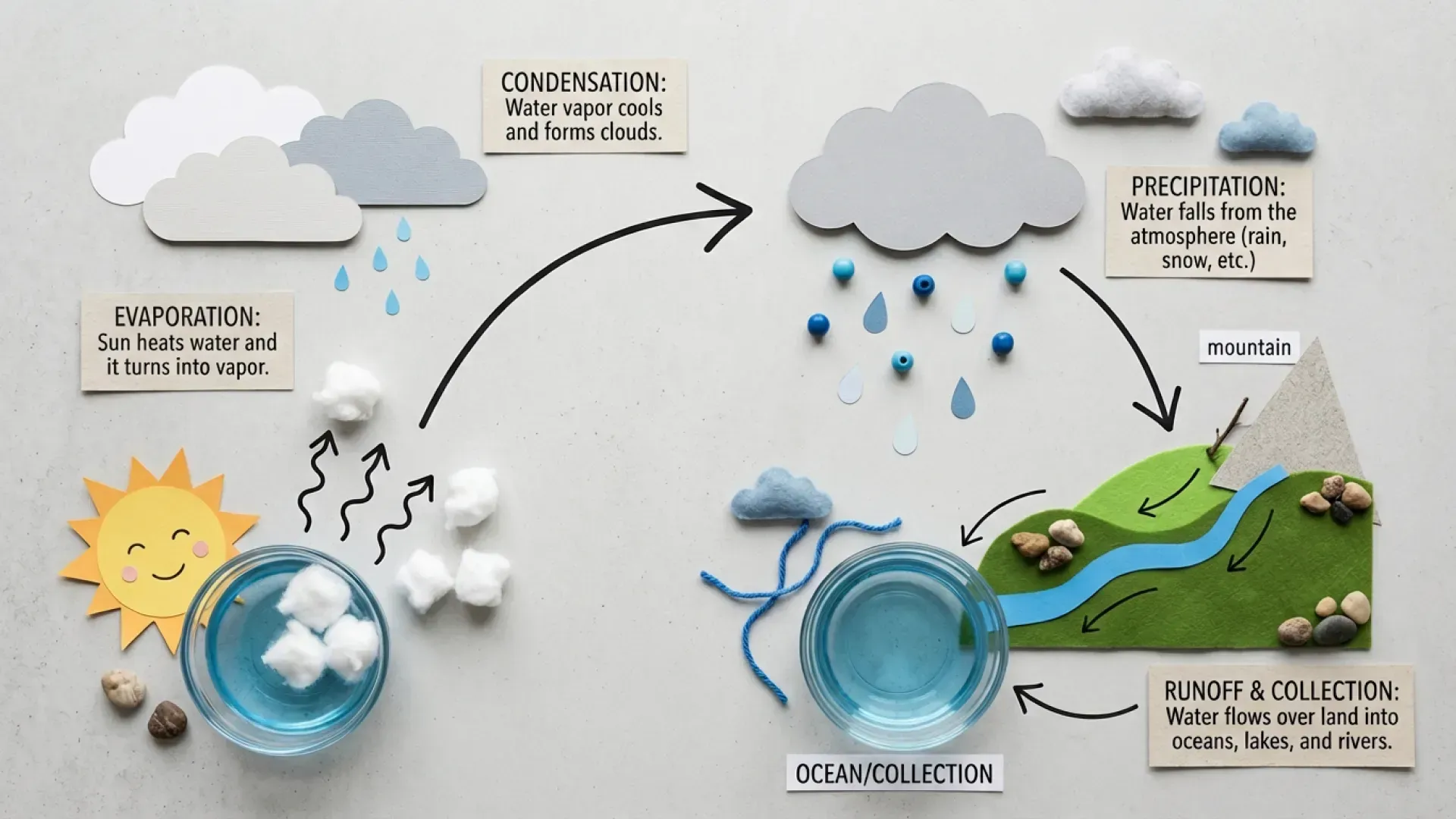
The Best Nano Banana 2.1 Prompt Formula
DELIVERABLE
Create a finished [poster / photograph / infographic / UI / product advertisement].

SUBJECT
Describe the exact person, product, object or character.

SCENE
Describe the location, environment and supporting objects.

COMPOSITION
Specify framing, orientation, camera angle, grid or panel structure.

STYLE
Describe the visual language, typography, materials and palette.

LIGHTING
Describe the source, direction, softness and mood.

EXACT TEXT
Display exactly:
"[required copy]"

REFERENCE RULES
Reference image 1 provides [identity].
Reference image 2 provides [clothing/product].
Reference image 3 provides [environment/style].

PRESERVE
Keep [identity / logo / product proportions / layout] unchanged.

DO NOT
Do not add extra text, alter identity or redesign the product.

OUTPUT
[aspect ratio], [1K / 2K / 4K].
1. Swiss Graphic Design Poster Prompt
Google's Nano Banana 2.1 showcase prominently demonstrates Swiss-style visual design and typography.
Create a finished Swiss International Style poster for an AI image model called "NANO BANANA 2.1".

Use a strict modular grid, oversized condensed sans-serif typography, asymmetrical composition, sharp geometric blocks, thin technical lines and generous negative space.

Main headline:
"NANO
BANANA
2.1"

Supporting text:
"FAST IMAGE INTELLIGENCE"
"GENERATE · EDIT · CREATE"

Use an off-white paper background with banana yellow, deep black and a small amount of signal red.

Add subtle registration marks, coordinates, technical annotations and a minimal barcode.

The typography must be crisp, intentional and fully legible.

Do not add fake words.
Do not add text beyond the supplied copy.

Vertical 4:5 poster.
2. Neo-Swiss Outdoor Sports Poster Prompt
Design a finished Neo-Swiss brutalist outdoor sports poster.

Subject:
A lone trail runner crossing a dramatic red desert canyon during golden hour.

Layout:
Oversized split typography reading:
"RUN
WILD"

Use a circular photo crop overlapping the headline.

Add four modular information blocks:
"DESERT SERIES 2026"
"42.2 KM"
"ELEV. 1,850 M"
"ENDURE THE CANYON"

Include coordinates, a minimalist elevation chart, measurement marks and one small barcode.

Palette:
off-white paper, safety orange and pitch black.

Typography:
bold condensed grotesk plus small monospace data labels.

High-end contemporary outdoor-brand campaign.
No placeholder words.
No extra text.

Vertical 4:5.
This format is closely aligned with the technical outdoor-poster examples Google uses to demonstrate Nano Banana 2.1's improved graphic-design capability.
3. Cinematic 1970s Travel Poster Prompt
Create a cinematic 1970s travel poster for a fictional Pacific Coast road trip.

A vintage seafoam-green camper van is parked beside an ocean cliff at sunset.
A stylish traveler sits on the roof beside two surfboards.

Place enormous ultra-condensed cream typography behind the subject:

"HORIZON"

Small header:
"PACIFIC COAST · ISSUE 08 · HIGHWAY ONE"

Use a flat cobalt-blue graphic field combined with realistic photography.
Add warm film grain and subtle offset-print texture.

The person and van should partially overlap the word "HORIZON" to create depth.

Sophisticated 1970s editorial travel design.
No additional text.

Vertical 2:3.
4. Luxury Product Photography Prompt
Product consistency is one of Nano Banana 2.1's most useful commercial capabilities. Google's own evaluation reports stronger product-consistency performance for 2.1 than its previous Nano Banana models.
Use the uploaded handbag as the exact product reference.

Create a premium commercial fashion photograph.

IMPORTANT:
Preserve the exact bag shape, stitching, material, hardware, proportions, logo placement and color.

Place the handbag centered on a sculptural cylindrical podium.

Environment:
soft peach architectural forms,
matte spheres,
curved arches,
monochrome pale-peach background.

Lighting:
large diffused studio softbox from the upper left,
subtle rim light,
soft realistic contact shadow.

Mood:
quiet luxury,
minimalist fashion campaign,
high-end editorial art direction.

Do not redesign the handbag.
Do not change the logo.
Do not add text.

Vertical 4:5.
5. One Product, Four Advertising Campaigns Prompt
Use the uploaded product as the exact visual reference.

Create four distinct premium advertising concepts for the same product.

Concept 1:
Minimal Japanese studio, warm ivory plaster, morning sunlight.

Concept 2:
Futuristic chrome environment, cool blue reflections.

Concept 3:
Mediterranean stone terrace overlooking the sea at golden hour.

Concept 4:
Dark luxury studio, black background with a narrow spotlight.

STRICT PRODUCT CONSISTENCY:
The product must remain visually identical in all four concepts:
same shape,
same proportions,
same label,
same logo,
same materials,
same color.

Only the environment, lighting, camera composition and supporting props may change.

Generate four separate compositions.
This structure turns one clean product reference into an entire campaign ideation workflow while making the immutable product attributes explicit.
6. Luxury Perfume Advertisement Prompt
Create a finished luxury fragrance advertisement.

Hero object:
a faceted transparent glass perfume bottle filled with pale amber liquid.

The label must read exactly:
"NOIR No. 7"
"PARIS"

Place the bottle on a polished blush-pink marble pedestal.

Add:
one elegant white orchid,
tiny condensation droplets on the bottle,
a subtle reflection on the marble.

Lighting:
large softbox from the upper left,
warm highlight passing through the liquid,
soft shadow toward the lower right.

Composition:
minimal,
premium beauty-magazine aesthetic,
generous negative space.

The label text must be clearly readable.
Do not add other words or logos.

Vertical 4:5.
7. Photorealistic Storefront With Exact Text Prompt
Google recommends enclosing required text in quotation marks when typography must be rendered directly into an image.
Create a cinematic nighttime photograph of a small Tokyo street-corner coffee shop in the rain.

The neon storefront sign must read exactly:

"BANANA CAFE"

Inside the window, a barista is pouring latte art.

A cyclist carrying a transparent umbrella passes in the foreground.

Wet pavement reflects yellow, red and teal neon lights.

Camera:
35mm lens,
natural shallow depth of field,
street-level perspective.

Look:
realistic skin,
realistic materials,
subtle film grain,
warm interior against a cool rainy exterior.

Do not add additional signs.
Do not add fake lettering.

16:9.
8. AI Infographic Prompt
Nano Banana 2.1 is particularly interesting for information graphics because Google reports major gains in its internal infographic-design and factuality evaluations. Factual outputs should still be verified before publication.
Create a clean educational infographic titled:

"HOW A LARGE LANGUAGE MODEL WORKS"

Show a left-to-right five-step flow:

1. INPUT
A user enters text.

2. TOKENIZATION
The text is divided into tokens.

3. TRANSFORMER
Attention layers process relationships.

4. PREDICTION
The model predicts the next token.

5. OUTPUT
Tokens are converted back into readable text.

Use one simple isometric illustration for each stage.
Connect the five stages with thin arrows.

Visual style:
modern scientific editorial design,
white background,
electric blue, violet and warm orange accents,
clean geometric sans-serif typography.

Keep all labels short and readable.
Do not invent statistics.

16:9.
9. Search-Grounded Current Information Prompt
Nano Banana 2.1 supports grounding with Google Web and Image Search, creating a useful workflow for current products, locations and visually specific real-world subjects.
Use Google Search grounding to verify the current information before creating the image.

Create an accurate infographic titled:

"THE CURRENT GEMINI IMAGE MODEL FAMILY"

Show the currently available Nano Banana image models.

For each model include only verified:
- official model name
- positioning
- supported image resolutions
- primary use case

Arrange the models as clean comparison cards.

Visual style:
minimal editorial technology infographic,
white background,
restrained Google-inspired color accents,
precise typography.

Do not invent specifications.
Omit any field that cannot be verified.

16:9.
Grounding can reduce stale knowledge, but generated prices, benchmark numbers and product specifications should still be checked against the underlying source before publishing.
10. Notes-to-Infographic Prompt
Analyze the notes below before designing the image.

Turn them into a finished editorial infographic.

Do not copy long paragraphs verbatim.
Extract the six most important ideas.

For each idea create:
- one short headline
- one concise supporting sentence
- one simple icon or diagram

Arrange the ideas in a clear reading hierarchy.

Title:
"THE FUTURE OF AI IMAGE GENERATION"

Style:
high-end technology magazine,
white background,
dark charcoal typography,
electric yellow accents,
thin technical lines,
generous whitespace.

Do not invent facts, numbers or claims.

16:9.

NOTES:
[paste source notes here]
11. Multi-Reference Person + Outfit + Location Prompt
Nano Banana 2.1 supports up to 14 reference images. Instead of asking it to vaguely combine them, define exactly what information each reference controls.
Create a cinematic fashion photograph using the uploaded reference images.

REFERENCE IMAGE 1:
Use only for the person's facial identity, hair, skin tone and body proportions.

REFERENCE IMAGE 2:
Use only for the outfit design, fabric, colors and accessories.

REFERENCE IMAGE 3:
Use only for the location, architecture and environment.

Place the person from reference image 1 wearing the exact outfit from reference image 2 inside the location from reference image 3.

Preserve:
facial identity,
hair,
skin tone,
body proportions,
outfit construction and accessories.

Do not blend identities.
Do not redesign the clothing.

Natural editorial pose.
Soft late-afternoon sunlight.
35mm fashion photography.
Full-body composition.

Vertical 3:4.
12. Multi-Character Story Prompt
Google documents consistency for up to four characters and recommends assigning distinct names to reference subjects when generating continuing scenes.
Use the three uploaded character references.

Character A:
the fluffy white creature wearing the green hat.

Character B:
the small orange monster.

Character C:
the sheep wearing the yellow party hat.

Create a six-scene visual story about the three friends building a tree house.

Scene 1:
They discover a giant tree.

Scene 2:
They excitedly sketch the plan.

Scene 3:
Construction goes wrong and the ladder collapses.

Scene 4:
They work together to repair it.

Scene 5:
The tree house is completed.

Scene 6:
At sunset they sit together inside the finished tree house celebrating.

STRICT CONSISTENCY:
Keep each character's identity, clothing, proportions and colors consistent.
Exactly one A, one B and one C appear in each scene.
Do not merge, duplicate or redesign the characters.

Expressions and camera angles may change naturally.

Create each scene as a separate 16:9 image.
13. Same Person in a Different World Prompt
Use the uploaded portrait as the identity reference.

Generate a cinematic full-body portrait of the same person as a medieval knight standing on a snowy mountain ridge.

Preserve exactly:
facial structure,
eye shape,
nose,
jawline,
hairline,
hair color,
age,
skin tone.

Change only:
clothing,
environment,
pose.

Wardrobe:
historically inspired weathered steel plate armor,
dark wool cloak.

Environment:
cold alpine sunrise,
snow blowing lightly across the ridge.

Photography:
natural skin texture,
realistic hair,
85mm cinematic portrait look.

Do not beautify, age or change the person's identity.

Vertical 2:3.
14. Viral 3D Collectible Figure Prompt
3D figurine prompts remain one of the most visible Nano Banana prompt formats in current prompt libraries.
Turn the person in the uploaded photo into a highly realistic 1/7 scale collectible figure.

Preserve the person's recognizable facial identity, hairstyle and key clothing details.

Place the figure standing on a transparent circular acrylic base on a modern computer desk.

Behind the figure:
a premium retail figure box featuring an illustration of the same character.

On the computer monitor:
show a professional 3D sculpting interface displaying the digital version of this exact figure.

Materials:
realistic painted resin,
subtle plastic texture,
fine fabric folds,
accurate miniature detailing.

Scene:
real desktop photography,
soft studio lighting,
shallow depth of field.

Make the result look like a physically manufactured collectible photographed in a real room, not a floating CGI render.

Vertical 3:4.
15. Action Figure Blister Pack Prompt
Transform the uploaded person into a premium action figure displayed inside retail blister packaging.

Preserve the person's recognizable face and hairstyle.

Packaging:
minimal cream cardboard backing,
clear molded plastic shell,
clean retail product photography.

Arrange these accessories neatly beside the figure:
- laptop
- headphones
- smartphone
- coffee cup
- miniature camera

Top headline:
"AI CREATOR"

Bottom label:
"COLLECTOR EDITION"

Materials:
realistic injection-molded plastic,
printed card stock,
subtle reflections on the clear shell.

Front-facing composition.
No extra text.

1:1.
16. Character Turnaround Sheet Prompt
Use the uploaded character image as the exact identity reference.

Create a professional character turnaround sheet with six views:

1. front
2. three-quarter front
3. left profile
4. back
5. three-quarter back
6. close-up face

Keep absolutely consistent:
facial identity,
hair,
clothing,
body proportions,
colors,
accessories.

Use a neutral standing pose and soft neutral studio lighting.

Arrange all six views on one clean off-white design sheet.

Add only these labels:
"FRONT"
"3/4"
"PROFILE"
"BACK"
"3/4 BACK"
"FACE"

Do not add any other text.

16:9.
17. Precise Single-Object Edit Prompt
A reliable editing structure is change list + preserve list. Google's prompt guide explicitly supports modifying details while retaining the wider composition.
Edit the uploaded image.

CHANGE ONLY:
Change the red sofa into a deep cobalt-blue velvet sofa.

PRESERVE EXACTLY:
- the sofa's original shape and size
- camera position
- room architecture
- cushions
- plants
- rug
- wall artwork
- lighting
- shadows
- reflections

Do not alter any other object.

The new velvet material must respond naturally to the existing room lighting.
18. Mask-Based Environment Replacement Prompt
Google specifically highlights improved mask-based editing in Nano Banana 2.1, although its model card notes that localized edits can still occasionally preserve unwanted structure or misinterpret spatial relationships.
The object inside the marked area is the ONLY object that must remain fixed.

Replace the entire environment around it with a moss-covered ancient forest immediately after rain.

STRICT:
Do not move the marked object.
Do not resize it.
Do not rotate it.
Do not change its shape.
Do not change its texture.
Do not change its color.

Preserve its pixel position and scale as closely as possible.

Match the new forest lighting naturally to the fixed object.

Photorealistic macro photography.

16:9.
19. Full Website UI Mockup Prompt
Google's Nano Banana 2.1 showcase includes a dense full-page website design, making structured web mockups another useful stress test.
Create a complete full-page website design for an AI image platform called "BANANA STUDIO".

Vertical full-page web UI mockup.
No browser chrome.
No laptop or phone frame.

Visual direction:
Swiss editorial design combined with a modern creative-AI SaaS interface.

Header:
"BANANA STUDIO" logo left.
Links right:
"Models"
"Gallery"
"Pricing"
"API"

Hero:
Huge headline:
"MAKE
ANYTHING
VISIBLE"

Subtitle:
"Generate, edit and transform images with AI."

Primary button:
"START CREATING"

Continue the page with:
- masonry image gallery
- model comparison section
- prompt examples
- pricing cards
- final CTA
- minimal footer

Palette:
warm off-white,
banana yellow,
charcoal black.

Typography:
large grotesk sans-serif,
precise grid,
generous spacing.

Use realistic generated imagery inside the gallery.

Vertical 9:16.
20. Dark AI SaaS Landing Page Prompt
Design a polished dark-mode landing page for an AI video generation startup called "FRAME".

Hero headline:
"IDEAS INTO MOTION"

Subtitle:
"Create cinematic AI video from text and images."

CTA:
"CREATE VIDEO"

Hero background:
one dramatic cinematic still of a futuristic woman standing in heavy rain.

Include:
model selector,
prompt field,
Generate button,
four example thumbnails,
small navigation,
pricing teaser.

Visual language:
premium shipping SaaS product,
dark graphite,
subtle glass panels,
thin borders,
precise spacing,
high-end creative-tool aesthetic.

Avoid generic dashboard clutter.
Do not add lorem ipsum.

16:9.
21. Consistent Icon System Prompt
Create a coherent 3 x 3 icon system for an AI creative platform.

Nine icons in this exact order:

1. Image
2. Video
3. Audio
4. Upscale
5. Remove Background
6. Inpaint
7. Characters
8. Styles
9. Export

Design system:
identical stroke width,
same rounded corner radius,
same optical size,
same visual weight,
same perspective.

Palette:
black and banana yellow only.

Flat vector style.
No gradients.
No labels.
White background.

Every icon must clearly belong to the same brand system.

1:1.
22. High-CTR YouTube Thumbnail Prompt
Create a finished high-CTR YouTube thumbnail.

Composition:
A surprised technology creator on the right, looking toward a glowing AI-generated image on the left.

Expression:
wide eyes,
strong curiosity,
believable rather than cartoonish.

Large text:
"NANO
BANANA
2.1"

Small yellow badge:
"NEW"

Background:
dark AI interface,
banana-yellow glow,
subtle cool-blue highlights.

Prioritize:
clear face,
large readable typography,
strong foreground-background separation,
high contrast at mobile thumbnail size.

Do not add any other words.

16:9.
23. SEO Blog OG Image Prompt
Create a premium editorial technology cover about Google's Nano Banana 2.1 image model.

Main visual:
a photorealistic yellow banana transforming into a stream of pixels, typography, photographs and digital illustrations.

Background:
a sophisticated dark AI creative interface with image-generation panels.

Main headline:
"NANO BANANA 2.1"

Small subtitle:
"FASTER · SMARTER · CHEAPER"

Visual mood:
high-end technology magazine,
dark graphite background,
banana yellow,
small restrained accents of blue, red and green,
cinematic lighting,
minimal copy.

Keep the title large enough to read in an OG preview.

No additional text.

16:9.
24. Ultra-Wide 8:1 Website Banner Prompt
Nano Banana 2.1 specifically addresses tiling artifacts on panoramic 1:4, 4:1, 1:8 and 8:1 ratios at 2K and 4K, making extreme website banners a particularly relevant 2.1 use case.
Create an ultra-wide cinematic website hero background.

Scene:
a futuristic AI creative studio extending continuously across the entire frame.

Left 30%:
dark, visually quiet negative space reserved for website headline and CTA.

Center:
a glowing yellow banana-shaped holographic sculpture.

Right:
floating creative panels showing photography, 3D art, typography and illustration.

Environment:
dark graphite architecture,
soft volumetric yellow light,
premium cinematic technology aesthetic.

IMPORTANT:
No repeating texture.
No mirrored architecture.
No text inside the image.
Maintain one continuous environment across the full width.

Ultra-wide 8:1 composition.
25. Ultra-Tall 1:8 Timeline Infographic Prompt
Create an extremely tall vertical educational infographic titled:

"THE EVOLUTION OF AI IMAGE GENERATION"

Build eight chronological sections from top to bottom.

Each section contains:
- a year
- one short headline
- one simple illustration
- one concise explanatory sentence

Run one continuous timeline through the entire composition.

Style:
editorial museum exhibition,
off-white background,
black typography,
yellow highlights,
fine technical grid,
generous vertical spacing.

Avoid dense paragraphs.
Do not invent historical milestones or dates.

Ultra-tall 1:8 composition.
26. Image Localization Prompt
Google's prompt guide explicitly discusses translating and localizing generated visual concepts. When wording matters, providing the exact translated text remains the safest approach.
Translate all visible English text in the uploaded design into Simplified Chinese.

Keep exactly:
the same visual hierarchy,
font style,
font weight,
approximate font size,
text positions,
colors,
spacing,
illustrations,
photography,
background,
overall layout.

Do not redesign the image.
Do not move major graphic elements.

Use natural native Chinese wording rather than awkward literal translation.

If a phrase cannot fit at the original size, reduce only that text block enough to preserve the layout.
27. Photorealistic Editorial Portrait Prompt
Create a candid editorial portrait of a young creative director standing outside a small independent bookstore in Copenhagen.

Appearance:
natural relaxed expression,
slight wind moving the hair,
charcoal wool coat over a simple white shirt.

Camera:
medium-format photography,
80mm lens,
shallow depth of field,
eye-level framing.

Light:
soft cloudy Nordic daylight.

Rendering:
real skin pores,
subtle skin imperfections,
natural under-eye texture,
individual hair strands,
realistic fabric.

Color:
muted documentary editorial grade.

Avoid:
plastic skin,
aggressive beauty retouching,
over-sharpening.

Vertical 3:4.
28. High-Fashion Editorial Prompt
Create a high-fashion editorial photograph.

Subject:
a model wearing an oversized cobalt-blue sculptural suit.

Location:
a monumental raw-concrete staircase.

Lighting:
strong late-afternoon sunlight creating extremely long geometric shadows.

Composition:
architectural framing,
clean negative space,
model positioned off-center.

Rendering:
natural skin texture,
visible fabric weave,
realistic concrete texture.

Camera look:
medium-format film,
slightly desaturated editorial grade,
luxury fashion-magazine aesthetic.

No text.

Vertical 3:4.
4K final output.
29. Isometric Cutaway Infographic Prompt
Create a highly detailed isometric cutaway illustration of an underground AI data center.

Show four clearly separated levels:

1. SURFACE
Solar arrays and cooling equipment.

2. SERVER HALL
Rows of compute racks and hot/cold aisles.

3. NETWORK
Fiber distribution and switching infrastructure.

4. POWER
Battery systems and electrical distribution.

Add thin callout lines and concise labels.

Title:
"INSIDE AN AI DATA CENTER"

Style:
modern technical infographic,
clean isometric geometry,
architectural visualization,
white background,
dark gray structures,
electric blue and yellow accents.

Do not invent unnecessary statistics.

16:9.
30. Exploded-View Product Diagram Prompt
Create a finished exploded-view technical illustration of a modern wireless mechanical keyboard.

Separate the components vertically while preserving correct physical alignment:

- keycaps
- switches
- aluminum top plate
- PCB
- battery
- acoustic foam
- aluminum bottom case

Add thin callout lines and these exact labels.

Title:
"ANATOMY OF A MECHANICAL KEYBOARD"

Style:
industrial-design presentation,
white background,
minimal gray materials,
small yellow accent color,
precise technical spacing,
clean sans-serif labels.

Keep proportions mechanically plausible.
Do not add fake internal parts.

16:9.
Best Nano Banana 2.1 Prompt Patterns by Use Case
| Goal | Prompt pattern | Most important instruction |
|---|---|---|
| Poster | Deliverable + grid + exact text + palette | Quote every required line |
| Product ad | Reference + environment + lighting | List product details that must not change |
| Character image | Identity reference + new scene | Separate identity from wardrobe and setting |
| Multi-character story | Named characters + scenes | Forbid duplicates and identity blending |
| Infographic | Fixed section count + labels | Keep copy concise and verify facts |
| Photo edit | Change list + preserve list | Use CHANGE ONLY |
| Mask edit | Selected object + new environment | Lock position, scale and rotation |
| UI mockup | Page structure + exact UI copy | Specify sections instead of only aesthetics |
| Thumbnail | Face + headline + contrast | Optimize for small-size readability |
| 8:1 banner | Focal zones + negative space | Prevent repetition and reserve copy space |
How to Get Better Text Rendering
Text rendering is improved in Nano Banana 2.1, but prompt structure still matters. Google recommends putting exact wording in quotation marks and specifying the typography style.
A weak instruction is:
Make a poster about an AI conference with cool text.A stronger version is:
Create a finished vertical technology conference poster.

Display exactly:
"AI SYSTEMS 2026"
"NOVEMBER 12–14"
"BERLIN"

Typography:
large condensed sans-serif headline,
small monospace date and location,
high contrast,
precise baseline alignment.

Do not add any other text.
For cleaner results:
- Keep headlines short.
- Separate headline, subtitle and small copy.
- Tell the model where each text block belongs.
- Avoid asking for several paragraphs inside one image.
- Use 2K or 4K for final artwork containing small typography.
- Proofread every visible word before publishing.
How to Prompt With Multiple Reference Images
Nano Banana 2.1 supports up to 14 reference images, but adding more references does not automatically improve the result. Google specifies support for consistency across up to four characters and fidelity for up to 10 objects.
A more reliable prompt labels each input explicitly:
Reference image 1 = facial identity.
Reference image 2 = jacket and accessories.
Reference image 3 = product being held.
Reference image 4 = location.

Create one new photograph combining those assigned roles.

Preserve the identity from image 1.
Preserve the exact jacket from image 2.
Preserve the exact product design and logo from image 3.
Use image 4 only for the environment.

Do not mix visual attributes between references.
The critical difference is role assignment. A vague request to combine several images leaves the model to decide which image controls identity, clothing, product details or environment.
When to Use Minimal, Medium or High Thinking
Nano Banana 2.1 exposes minimal, medium and high Thinking levels, with medium as the default.
A practical strategy is:
- Minimal: simple portraits, straightforward background changes and fast ideation.
- Medium: normal production work, posters, product ads, editing and multi-reference compositions.
- High: information-dense graphics, complicated layouts, several characters or scenes with many simultaneous constraints.
Google's model-card results show the Thinking configuration outperforming the no-Thinking configuration across its listed text-to-image and editing evaluations.
Common Nano Banana 2.1 Prompt Mistakes
Asking for an aesthetic instead of a finished deliverable
Weak:
Cool brutalist AI design, yellow and black.Better:
Create a finished 4:5 technology poster using a rigid brutalist grid...Naming the actual deliverable gives the model information about hierarchy, margins, typography and completion state.
Failing to say what must remain unchanged
When editing, users frequently describe only the new change. That makes the rest of the image negotiable.
Use:
CHANGE ONLY:
[requested change]

PRESERVE EXACTLY:
[list of protected elements]
Giving multiple references without roles
Do not depend on image order alone. Define Reference image 1, Reference image 2 and their responsibilities in plain language.
Asking for too much visible text
Even improved image models should not be treated as page-layout engines for long documents. Short, hierarchical typography is substantially safer than paragraphs of small copy.
Trusting factual infographics without checking them
Google reports higher infographic factuality, but its model card still identifies limitations involving world knowledge, factuality, advanced 3D reasoning and spatial localization.
Treat a generated infographic as visual synthesis, not a primary factual source.
Overusing negative instructions
Do not bury the design brief beneath a giant negative prompt. Describe the desired result first, then finish with a short list of the highest-risk mistakes to avoid.
Depending exclusively on left/right instructions
Google notes occasional spatial-localization errors, including left/right confusion. When exact placement matters, use stronger anchors such as leftmost 30%, centered below the title, top-left grid cell or numbered panels.
A Better Workflow Than One Giant Prompt
Complex designs are often easier to build iteratively:
- Generate the main composition.
- Correct character or product fidelity.
- Fix typography and layout.
- Refine materials and lighting.
- Render the final version at the target resolution.
For example:
Step 1:
Create the poster layout with the correct headline and image placement.

Step 2:
Keep the entire composition unchanged. Increase the headline size by 15% and remove the icon in the lower-right corner.

Step 3:
Keep everything else unchanged. Change only the background from warm gray to off-white.

Step 4:
Preserve the final composition and render the finished artwork at 4K.
This workflow reduces the number of constraints the model must satisfy in a single generation and takes advantage of Nano Banana 2.1's conversational-editing architecture.
Nano Banana 2.1 Prompt Cheat Sheet
For photography:
subject + environment + camera position + lens + lighting + texture + color grade + aspect ratioFor graphic design:
finished deliverable + grid + exact copy + typography + palette + hierarchy + texture + aspect ratioFor product photography:
exact reference + preserve list + stage + props + lighting + contact shadow + camera + do-not-redesign ruleFor character consistency:
named identity reference + preserved attributes + new wardrobe/pose/scene + anti-duplication ruleFor editing:
CHANGE ONLY + requested modification + PRESERVE EXACTLY + protected elementsFor infographics:
title + fixed section count + verified facts + short labels + visual flow + no-invented-data ruleNano Banana 2.1 Limitations to Keep in Mind
Nano Banana 2.1 is substantially more capable than earlier versions, but it is not deterministic design software.
Google's model card identifies remaining issues including:
- occasional persistent subject pose during editing;
- occasional spatial-localization mistakes;
- limitations in advanced 3D reasoning;
- remaining world-knowledge and factuality errors.
The highest-risk outputs are often graphics that look authoritative while containing a subtle factual, textual or spatial mistake.
Before publishing commercial output, check:
- every visible word;
- logos and product details;
- fingers and small anatomy;
- repeated objects;
- character count;
- diagram labels and arrows;
- dates, prices and factual claims;
- whether an edit unintentionally modified an untouched region.
Which Nano Banana 2.1 Prompts Should You Try First?
Five categories reveal the model's strengths particularly quickly:
- Swiss or editorial poster — tests typography, hierarchy and visual design.
- Product recontextualization — tests product fidelity and realistic lighting integration.
- Multi-reference fashion image — tests whether the model can keep reference responsibilities separate.
- Three-character story — tests identity consistency across changing scenes.
- Infographic — tests reasoning, typography, layout and factual discipline simultaneously.
Current Nano Banana 2.1 prompt libraries similarly emphasize posters, products, infographics, 3D figurines, fashion, YouTube thumbnails, ad creatives, mockups and extreme-ratio banners. This suggests that early experimentation is converging around several repeatable workflows rather than a single universal "magic prompt."
Conclusion
Nano Banana 2.1 rewards specific art direction more than prompt ornamentation. The strongest prompt is rarely the one with the largest collection of adjectives. It is the one that removes ambiguity.
Define the finished deliverable. Specify the visual structure. Put required text in quotes. Give every reference image a job. Explicitly protect identity, products and layout during edits. Use additional Thinking when many constraints interact, and verify factual graphics before publication.
The 30 Nano Banana 2.1 prompts above provide reusable starting points for the model's most promising workflows: poster design, product advertising, photorealism, character consistency, 3D collectibles, infographics, image editing, UI concepts, thumbnails and panoramic web assets.
For a fast practical test, start with the Swiss poster, product-consistency, multi-reference fashion and multi-character story prompts, then reuse their structure for the exact visual workflow being built.
Continue Reading
More articles connected to the same themes, protocols, and tools.
Referenced Tools
Browse entries that are adjacent to the topics covered in this article.





