
On This Page8 sections
Key Takeaways
- Gemini 4 Argon launched broadly on October 13, 2026. Its most compelling demos combine reasoning, code generation, tool execution, and feedback loops rather than relying on a single chat response.
- This guide includes 15 copy-and-paste prompts for 3D games, Blender scenes, product animation, interactive simulations, massive document analysis, and autonomous coding.
- Official vs. adapted prompts are clearly separated. Google's Wizard's Chess starter prompt is quoted directly; the other prompts are original, practical recreations based on public demonstrations, not leaked or unpublished transcripts.
- Google Antigravity, Blender MCP, Three.js, and supporting creative tools matter. Argon's API natively returns text, not rendered images, 3D assets, or MP4 files.
- The most transferable pattern is plan → build → run → inspect → revise. Successful generation must be measured with functioning artifacts, valid geometry, passing tests, and transparent limits on agent iterations.
- Access and cost matter. Google AI Pro and Ultra subscribers can use Argon in the Gemini app; the paid API and Ultra-level Antigravity access have different eligibility and billing requirements.
On October 13, 2026, Google expanded access to Gemini 4 Argon, its frontier model for difficult software engineering, science, and agentic tasks. Within a day, demonstrations of miniature racing games, photorealistic temples, custom animation engines, and autonomous development workflows were circulating widely.
The surprise was not simply that an AI could describe a 3D world. These workflows asked an AI agent to write scene code, operate tools, examine the generated result, and make corrective changes.
This collection focuses on the concrete prompts behind that style of work. Each project includes a reproducible prompt, the tools it needs, and the main failure modes to check before claiming success.
What Makes Gemini 4 Argon Different?
Gemini 4 Argon uses the model identifier gemini-4-argon. Google's model documentation specifies a unified context window of 1,048,576 tokens, configurable low, medium, and high thinking levels, and a standard synchronous output limit of 65,536 tokens. Supported background long-decode workflows can generate longer responses within the unified budget.
Argon accepts text, images, video, audio, and PDF inputs. Its native output is text. Google explicitly lists native image and audio generation as unsupported for this model.
That explains the architecture of its most visual demos:
| Component | Role in an Argon demo |
|---|---|
| Gemini 4 Argon | Plans tasks, reasons over files and screenshots, writes and revises code |
| Google Antigravity | Provides agent-oriented development workflows and execution context |
| Blender MCP | Lets a suitably configured agent inspect or modify Blender projects |
| Three.js / WebGL | Runs interactive 3D scenes and games in the browser |
| Nano Banana and other media tools | Supply images, textures, audio, or supporting assets when separately available |
| Automated tests and visual reviewers | Check whether the result actually works |
Google describes many of these combinations in its October 13 launch announcement. A successful demo proves a workflow is possible, not that every run will produce the same quality or cost.
Gemini 4 Argon Prompt Examples at a Glance
| # | Project | Main output | Evidence |
|---|---|---|---|
| 1 | Wizard's Chess | Playable 3D fantasy chess game | Google demo; original short prompt public |
| 2 | Desk Racer | Your desk turned into a miniature racing game | Google demo and creator walkthrough |
| 3 | Pagoda Temple | Photorealistic Blender architectural scene | Google demo |
| 4 | Pixel Exploded View | CAD-to-product-animation workflow | Sundar Pichai public demo |
| 5 | Kinetic Typography | Programmatic animated title sequence | Google executive demo |
| 6 | Gothic Cathedral | Reference image converted to a 3D scene | Google demo |
| 7 | Argon Tennis | Phone-controlled multiplayer-style mini-game | Independent creator demonstration |
| 8 | Gummy Bears | Interactive soft-body physics test | Community comparison; mixed reported results |
| 9 | Furniture Designer | Dimensioned, 3D-printable furniture component | Google demo |
| 10 | Anatomy Explorer | Interactive human body with layered structures | Google demo |
| 11 | Chaco Canyon | Evidence-linked archaeological 3D reconstruction | Google demo |
| 12 | NASA Data to Slides | Research archive converted into a presentation | Google executive demo |
| 13 | Overnight Python Optimization | Benchmarked repository changes and a reviewable PR | Google engineering report |
| 14 | Robot Manipulation | MuJoCo simulated task and verification | Google Robotics report |
| 15 | Procedural Library Renderer | A scene generated with custom ray-tracing code | Google demo and published source |
The ranking is editorial, not a claim about measured social-media views. Where a creator has not published the complete original prompt, the recreation below is labeled accordingly.
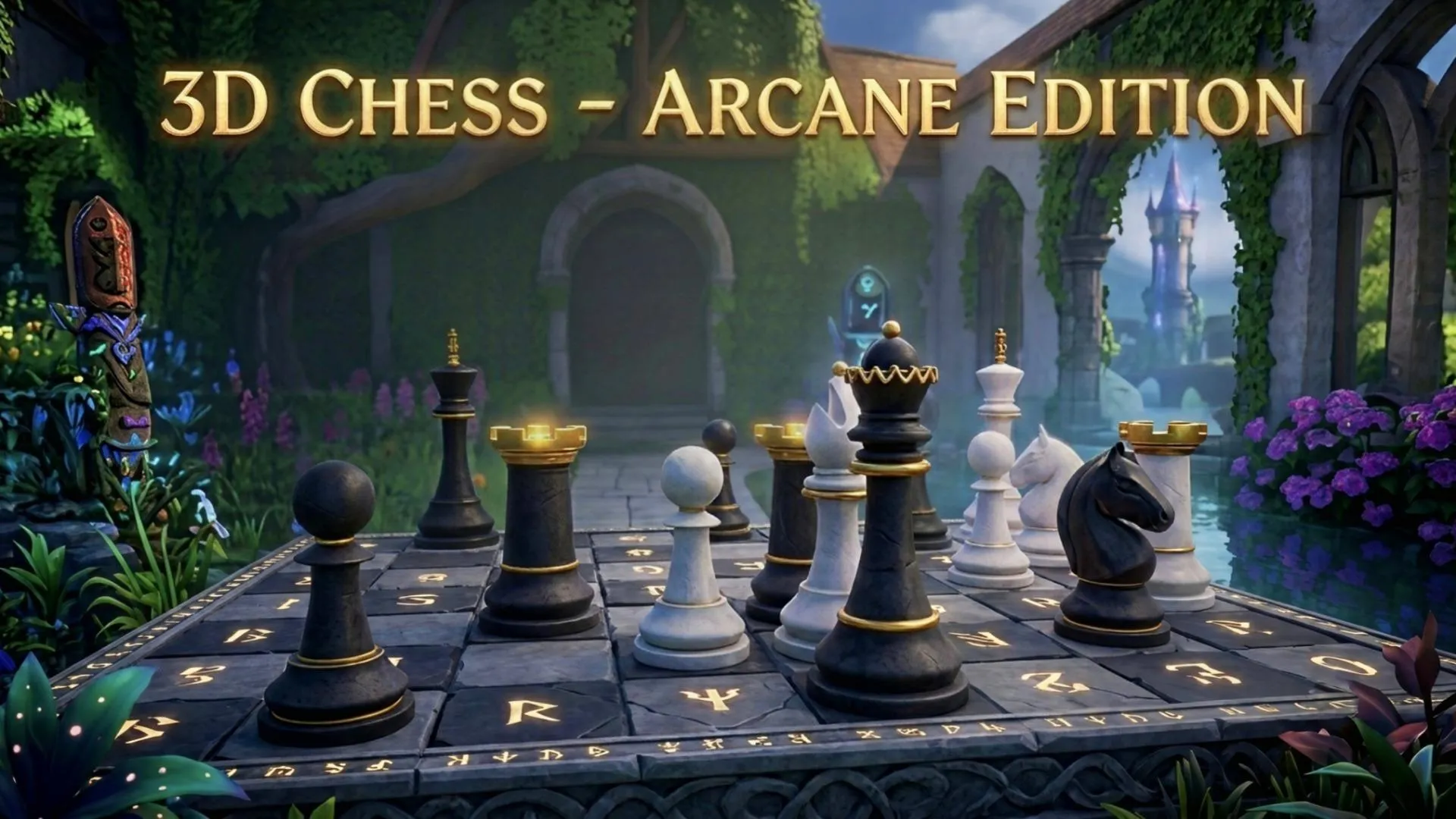
1. Wizard's Chess: Create a Playable 3D Game
Evidence: Google's featured prompt and AI Studio demo. Tools: Three.js, optionally headless Blender. Prompt type: Original starter plus an adapted implementation prompt.
Google's AI prompt showcase includes this short original instruction:
Build a AAA-quality 3D Wizard’s Chess web app from scratch using headless Blender and Three.jsIt is a powerful creative brief, but not a sufficient acceptance test for a functional game. The following expanded prompt adds the requirements a developer should verify.
Copy-Paste Prompt
Build a complete, playable fantasy chess browser game.

Stack: Three.js, TypeScript, and headless Blender if configured.

First milestone:
- Implement legal chess moves, captures, check, checkmate,
  castling, en passant, promotion, and stalemate.
- Provide an AI opponent, restart, undo, and a move history.
- Write tests for special rules before adding visual effects.

Second milestone:
- Procedurally model distinct fantasy chess pieces.
- Create a dark stone board with cinematic warm lighting.
- Add smooth movement and short capture animations.
- Include orbit, zoom, and reset camera controls.

Validation:
- Play a complete game against the AI.
- Check that animation never changes the logical board state.
- Test mouse, keyboard focus, and touch interactions.
- Capture screenshots and resolve clipping and console errors.

Deliver a runnable app, source code, assets, and test results.
Why it works: It prevents visual effects from consuming the project budget before chess rules are reliable. An attractive screen recording should not be mistaken for evidence of working castling or checkmate handling.
Try the official concept: Wizard's Chess in AI Studio (Google sign-in may be required).
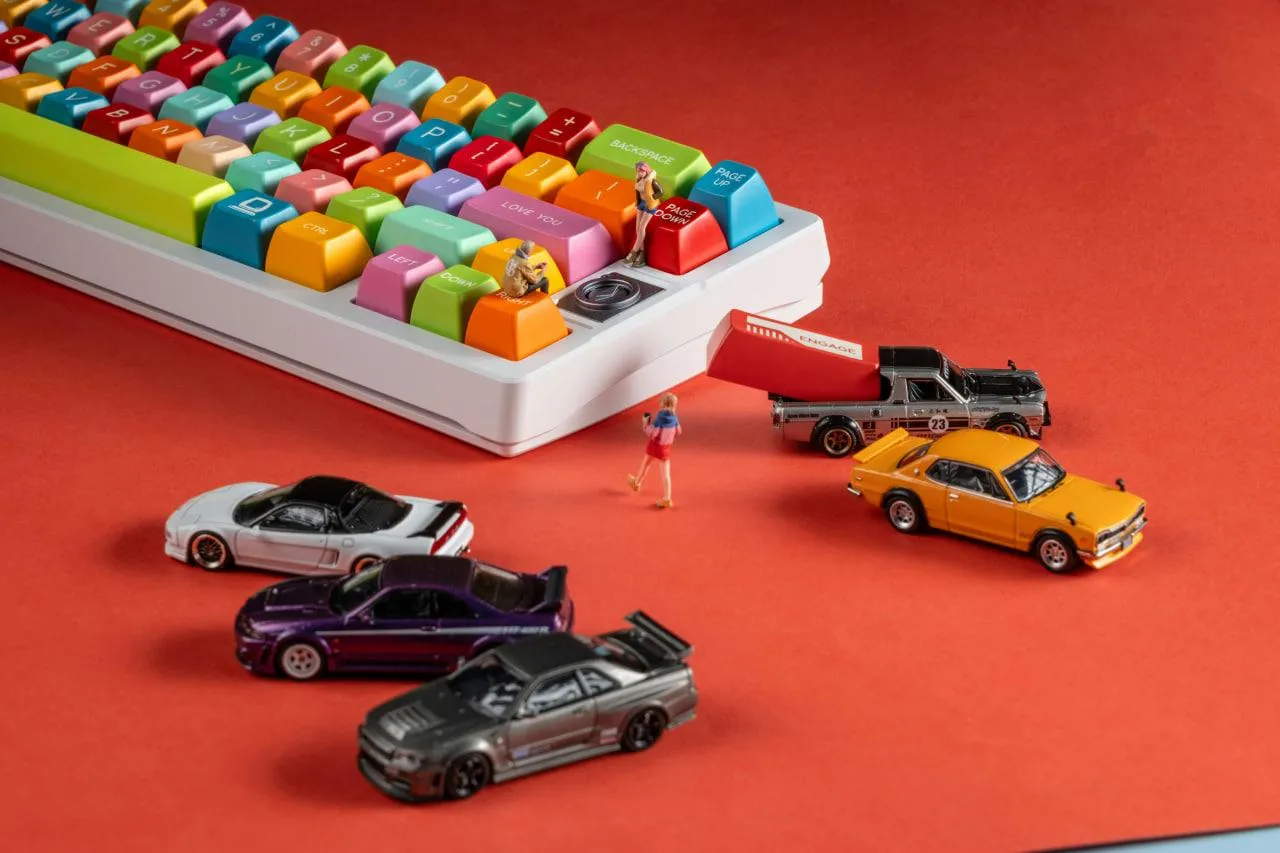
2. Desk Racer: Turn Photos of Your Desk Into a Racing Game
Evidence: Google's Desk Racer project. Tools: Blender MCP, Three.js, optional image-generation and audio tools. Prompt type: Adapted.
This demonstration reconstructed a real home-office environment so that desk accessories became obstacles around a tiny car. Its appeal comes from the contrast between an ordinary photograph and an interactive miniature world.
Copy-Paste Prompt
Turn my attached desk photographs into a playable miniature
3D racing game.

Before coding, inspect the images and map the monitor,
keyboard, cup, mouse, books, and other visible objects.

Build a continuous track winding around the objects.
Keep the layout recognizable from the supplied photos.

Use Blender MCP for detailed assets if available and
Three.js for browser gameplay.

Implement:
- Third-person chase camera and adjustable zoom.
- WASD / arrow-key driving, braking, and steering.
- Collisions, checkpoints, laps, timer, and restart.
- A clear start line, finish line, and progress feedback.
- Responsive layout and a quality setting for slower devices.

Process:
1. Block out the track with basic geometry.
2. Validate that the car can finish a complete lap.
3. Replace placeholders with recognizable desk objects.
4. Inspect collision meshes and camera obstructions.
5. Improve textures, shaders, and audio only after tests pass.

Deliver the playable app, editable assets, and source code.
Advanced tip: Upload multiple angles instead of a single image. The model cannot infer hidden object dimensions reliably. Fix the world scale early, because an attractive miniature car may still be too wide for the track.
Explore: Desk Racer app (sign-in may be required).

3. Photorealistic Pagoda: Multi-Agent Blender Modeling
Evidence: Google's official Argon launch demonstration. Tools: Blender, optional Blender MCP. Prompt type: Adapted.
Google described Argon generating a complex, multi-building pagoda scene, using independent visual critique loops to improve architecture, landscaping, materials, and lighting.
Copy-Paste Prompt
Build a cinematic East Asian pagoda temple complex in Blender.

Scene elements:
- A five-story central wooden pagoda.
- Two smaller temple buildings and a stone courtyard.
- Layered roofs, decorative eaves, stairs, trees, and lanterns.
- Physically plausible materials and late-afternoon light.

Separate the workflow into two roles:
Builder: create procedural geometry, materials, and renders.
Critic: inspect actual renders for floating objects,
intersections, incorrect proportions, and poor composition.

Create front, aerial, and ground-level previews.
Fix measurable issues and rerender, up to five cycles.

Prioritize convincing architecture over ornament count.
Save the editable .blend file, procedural scripts,
and three final camera renders.
Why it works: Valid Python scripts can still create broken architecture. Reviewing rendered output catches failures that syntax checking misses. Avoid unbounded multi-agent loops; cap revisions and request confirmation before expensive final renders.
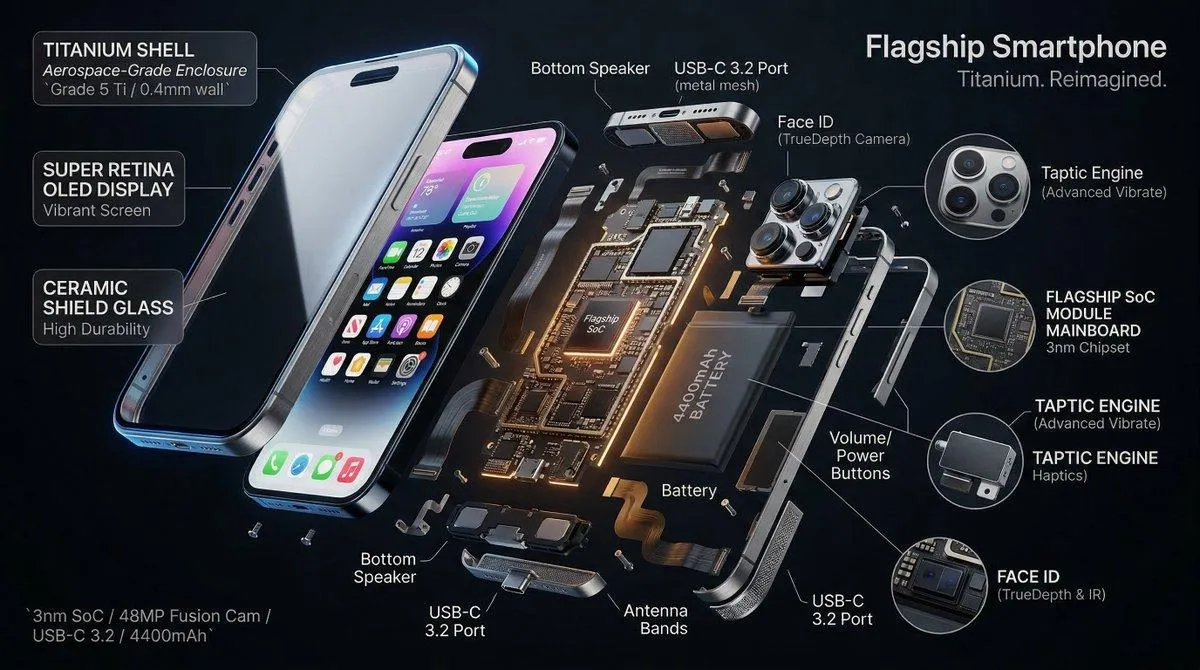
4. Pixel CAD Exploded View: Product Animation With Blender
Evidence: Sundar Pichai's public Argon demonstration. Tools: CAD importer, Blender, Blender MCP. Prompt type: Adapted.
Pichai described Argon generating lighting, camera choreography, sound, and an exploded-view animation from a Pixel CAD source file. The published example reportedly used 1,000 render-review-refine iterations. That figure reflects an unusually ambitious demo, not a recommended default budget.
Copy-Paste Prompt
Create a 15-second premium exploded-view animation
from the attached smartphone CAD assembly.

Inspect the component hierarchy first. Identify the shell,
display, battery, camera modules, and internal structures.
Do not invent parts absent from the input assembly.

Storyboard:
0-3s: clean hero view of the assembled product.
3-9s: components separate along physically plausible paths.
9-12s: smooth camera orbit around the exploded assembly.
12-15s: components reassemble into the final product.

Use studio lighting, realistic materials, and clean motion.
Render low-resolution previews and inspect selected frames.
Correct clipping, reversed components, and incorrect spacing.

Allow five review cycles before requesting approval.
Export the editable Blender file and final video when possible.
Important distinction: An animation derived from structured CAD can preserve real mechanical relationships. A generative video based only on text cannot be assumed to depict engineering-accurate internals.
5. Kinetic Typography: Generate Every Frame With Code
Evidence: A separate Sundar Pichai demonstration described 3D kinetic typography and music produced through code. Prompt type: Adapted.
Copy-Paste Prompt
Create a 12-second kinetic typography animation with the
words GEMINI 4 ARGON.

Do not use stock footage, prerecorded animations,
or imported motion templates.

Visual sequence:
0-3s: geometric strokes assemble into 3D letters.
3-6s: letters rotate and dissolve into particles.
6-9s: particles follow mathematical curves and reform.
9-12s: the title settles into a cinematic final frame.

Use procedural geometry, shaders, vector math,
and particle simulation. Generate audio programmatically
if appropriate audio tools are available.

Render at 1920x1080, 30 FPS.
Check frames at 0, 3, 6, 9, and 12 seconds for
legibility, timing, and visual consistency.

Provide working source code and an export pipeline.
Best use: Brand reveals, product launch videos, and code-generated motion graphics. Rendering 360 full-HD frames can be expensive; preview at a smaller resolution and lower sample count first.

6. Gothic Cathedral: Turn a Reference Image Into a Blender Scene
Evidence: Google showcased Argon starting with a Nano Banana reference image and iteratively constructing Gothic architecture with audio-reactive lighting. Prompt type: Adapted.
Copy-Paste Prompt
Reconstruct the attached Gothic cathedral reference as
an editable 3D Blender environment.

Identify camera perspective, vanishing points, arches,
columns, vaults, windows, and lighting direction.

Build the scene with consistent architectural proportions.
Use reusable procedural components for columns and arches.
Add stone materials and stained-glass windows.

Match one camera to the source image, then create
an aerial view and an interior cinematic view.

If audio-reactive controls are available, animate
selected lights to respond to an imported music track.

Review previews for geometric intersections,
floating objects, incorrect camera alignment,
and inconsistent scale.

Document which hidden areas were inferred.
A single reference image cannot reveal every hidden wall or accurate structural dimension. Treat the result as visual reconstruction unless verified architectural plans are supplied.
7. Argon Tennis: Use a Smartphone as the Racket
Evidence: Independent developer Ammaar Reshi shared an Argon-made tennis concept and a thread of game demos. Prompt type: Adapted; a precise original full prompt was not independently recovered for this article.
Copy-Paste Prompt
Build a browser tennis mini-game where a smartphone
acts as the player's racket controller.

Architecture:
- Desktop browser displays the tennis court.
- Phone opens a controller page via QR code.
- Connect both devices through an authenticated,
  short-lived local session using WebSockets.

Gameplay:
- Interpret phone orientation as racket direction.
- Detect swing-like movements with sensor readings.
- Add a calibration screen and sensitivity control.
- Simulate ball trajectory and collisions.
- Display score, serve status, and restart control.

Quality checks:
- Support permission prompts for motion sensors.
- Provide a keyboard fallback for unsupported devices.
- Test latency, disconnects, and reconnection.
- Prevent duplicate swing events from sensor noise.

Deliver runnable server/client code and setup instructions.
Practical limitation: Motion sensor permission behavior differs between mobile browsers. A convincing video does not prove the same controls will work across every phone, so the keyboard fallback is part of the acceptance criteria.
8. Gummy Bears: Test Real Soft-Body Physics
Evidence: A community comparison shared a gummy-bear physics task and reported mixed Argon results. Prompt type: Adapted, not a verified reproduction of the exact original experiment.
Copy-Paste Prompt
Build an interactive Three.js soft-body simulation
with five translucent gummy bears on a white table.

Each bear needs a continuous shape with rounded ears,
head, torso, arms, and legs.

Required behavior:
- Drag a bear by a limb and stretch its body.
- Release it and observe damped elastic movement.
- Drop a bear onto the table and show compression.
- Collide multiple bears without obvious interpenetration.
- Adjust stiffness and damping with sliders.

Use a real deformation method such as shape matching
or a mass-spring system. Do not fake elasticity using
only rigid-body translations.

Write repeatable tests for dragging, release,
floor collision, and bear-to-bear collision.

Provide a working preview and source code.
What this measures: A scene can look polished while its physics fails. Evaluate geometry, deformation, collision stability, frame rate, and cost independently. A community report from one run is not a statistically reliable model ranking.
9. Sofa Leg Designer: Build a 3D-Printable Product
Evidence: Google's launch page shows Argon using a sofa photograph and measurement sketch to design replacement legs. Tools: 3D modeling, optionally Nano Banana for design variants. Prompt type: Adapted.
Copy-Paste Prompt
Design ten replacement furniture-leg concepts using
the attached sofa photo and dimensioned sketch.

Start by extracting confirmed measurements.
List any missing dimensions critical for mounting.

Generate a gallery of ten modern design directions,
then let the user select one for detailed modeling.

For the selected concept:
- Use parametric geometry and editable dimensions.
- Preserve the mounting interface and required height.
- Check mesh watertightness and minimum wall thickness.
- Produce STL or 3MF when supported.
- Include a dimensioned drawing and material notes.

Do not claim structural load safety without
physical testing and engineering validation.
Why it matters: This turns an aesthetic request into a manufacturable artifact. The hard part is not merely producing an STL; it is respecting real dimensions and material constraints.
10. Human Anatomy Explorer: An Interactive 3D Learning App
Evidence: Google demonstrated a medical education tool synthesized from three open-source repositories. Prompt type: Adapted.
Copy-Paste Prompt
Build an interactive human anatomy web application
from the supplied licensed models and metadata repositories.

First inventory the inputs and check attribution requirements.
Map anatomical terms to actual mesh identifiers.

Features:
- Rotatable 3D human body viewer.
- Toggles for skeleton, muscles, and organ layers.
- Searchable structure names and contextual information.
- Click-to-isolate and transparency controls.
- Progressive asset loading for large meshes.

Validation:
- Verify label-to-mesh mappings.
- Flag missing structures instead of inventing them.
- Check that layered geometries align.
- Cite dataset references in the information panel.

Deliver the app and an asset-license manifest.
Label it for education, not clinical diagnosis.
This task is a strong test of semantic data integration and WebGL engineering. It is also a reminder that a realistic-looking medical app can contain incorrect labels unless the source data is audited.
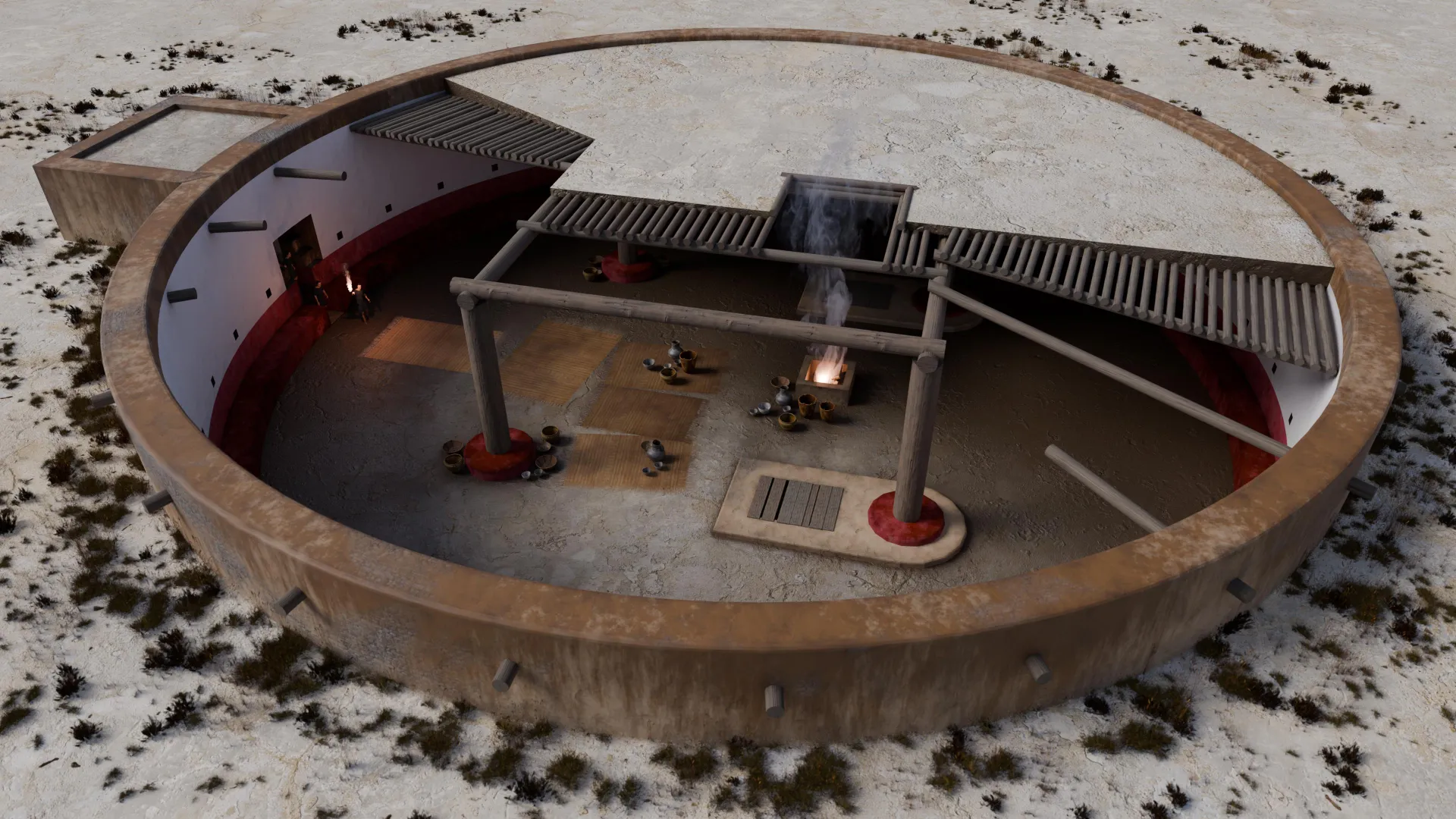
11. Chaco Canyon: Reconstruct an Archaeological Site
Evidence: Google's public demo used approximately 50 GB of LiDAR, GIS, CAD, and archival records to build an explorable reconstruction. Prompt type: Adapted.
Copy-Paste Prompt
Create an interactive archaeological reconstruction
from the supplied LiDAR, GIS, CAD, and archival sources.

Do not paste the complete archive into one prompt.
Build a file inventory and index relevant material first.

Workflow:
1. Identify coordinate systems and units.
2. Align spatial datasets into one reference frame.
3. Reconstruct verified terrain and measured structures.
4. Mark inferred geometry separately from observed geometry.
5. Generate optimized meshes for a web viewer.
6. Add source-linked annotations and a layer selector.

Support camera navigation, timeline filtering when data
allows, and toggles for confirmed versus inferred features.

Report unresolved geometry, conflicting sources,
and transformation uncertainty.
Why it is difficult: A million-token context budget does not mean 50 GB of binary terrain data fits into a single request. Use external storage, preprocessing, and targeted retrieval.
12. NASA Mars Archive: Turn 80,000 Files Into a Slide Deck
Evidence: Sundar Pichai's demonstration described a mixed archive of over 80,000 Mars weather logs and Ingenuity helicopter telemetry files becoming a visual slide presentation. Prompt type: Adapted.
Copy-Paste Prompt
Analyze the supplied NASA Mars weather and helicopter
telemetry archive and create an evidence-linked
12-slide presentation for a technical audience.

The archive may contain CSV, XML, PDF, images, and videos.

Work in stages:
1. Inventory files, dates, formats, and dataset coverage.
2. Parse machine-readable data with appropriate tools.
3. Normalize timestamps, units, and missing-value markers.
4. Derive relevant statistics and trends.
5. Cross-check unusual observations against source records.
6. Create charts with labeled units and stated methodology.
7. Draft a concise narrative with explicit uncertainties.

Slides should cover mission context, environment,
flight conditions, observations, anomalies,
and limitations.

Add source references for every numeric claim.
Do not invent missing readings or claim to have
processed files that were never opened.

Deliver an editable deck and reproducible calculations.
The hidden risk: Presentation polish can conceal faulty aggregations. Auditable transformations and traceable source records are more important than how quickly a deck appears.
13. Optimize a 200,000-Line Python Codebase Overnight
Evidence: Google's published Agent Development Kit engineering report includes real /goal instructions, repository rules, benchmark methodology, and code-review decisions. Prompt type: Adapted.
The team reported an 11-hour Argon run that proposed six optimizations across 32 files. Reviewers accepted two, rejected four, and shipped changes that reduced the measured long-session in-memory preparation overhead by about 40% and improved cold imports by 21%. The agent completed 16,892 unit tests during the final run.
Copy-Paste Prompt
/goal Improve performance across this Python repository
without changing public APIs or user-visible behavior.

Read repository guidelines, architectural rules,
and test instructions before modifying source files.

Measure baseline performance for imports, long sessions,
and representative agent workflows.

For each optimization:
- Explain the suspected root cause.
- Make the smallest maintainable code change.
- Add a regression test.
- Run representative benchmarks before and after.
- Check for compatibility and mock-related failures.
- Reject synthetic-only gains that introduce brittle state.

Run the full relevant test suite.
Open one review-ready pull request with measurements,
tradeoffs, and a reproducible benchmark procedure.

Do not merge or deploy the pull request.
The most revealing detail: The four rejected proposals included brittle caching, private dependency internals, and performance gains that did not survive realistic evaluation. Autonomous coding is most trustworthy when the agent explores options and maintainers approve only validated improvements.
14. MuJoCo Robotics: Verify a Robot's Trash-Disposal Task
Evidence: Google's robotics article publishes multiple full experimental prompts and reports a range of simulation and perception workflows. Prompt type: Adapted.
Copy-Paste Prompt
Create a simulation-only robot manipulation project.

Goal: identify a beverage can, pick it up,
operate a foot-pedal trash bin, and release the can inside.

Inputs: calibrated camera views, robot description,
and available MuJoCo scene assets.

Plan:
- Estimate object positions and reachable poses.
- Determine a stable grasp and approach trajectory.
- Simulate pedal activation and lid movement.
- Validate gripper alignment above the bin opening.
- Check collisions, joint limits, and balance.

Use separate checks for foot-pedal alignment,
object grasp stability, and final release position.

Produce the simulation, evaluation results,
and a report of failed attempts.
Do not command real hardware without operator approval
and independent safety procedures.
Why this is notable: It combines perception, planning, tool calls, and simulation. Even an excellent simulated outcome is not proof of safe performance on physical hardware.

15. Pure-Python Ray-Traced Library Scene
Evidence: Google described Argon creating a sunlit library through a custom Python rendering pipeline and additional narration/music tools, with source code linked from its launch post. Prompt type: Adapted.
Copy-Paste Prompt
Build a small software ray tracer and use it to render
a cinematic sunlit library scene.

Core renderer:
- Python standard library only for ray tracing.
- Camera rays and ray-object intersections.
- Diffuse materials, shadows, and basic reflections.
- Reproducible output using a fixed random seed.

Scene:
- Wooden bookshelves and reading tables.
- Tall windows, warm sunlight, and long shadows.
- A carefully composed interior camera.

Render a low-resolution preview first.
Inspect geometry, lighting, and camera framing.
Then produce a higher-resolution final image.

Use a simple image format such as PPM if necessary.
Clearly document any external tools used for video
encoding, narration, or soundtrack generation.

Deliver the renderer, scene data, and output image.
Practical insight: Programmatic rendering creates editable, testable artifacts. However, a pure-Python implementation may render slowly; validate at low resolution before increasing samples and frame dimensions.
Bonus: A Reusable Gemini 4 Argon Agent Prompt
The fifteen projects share one lesson: a successful agent prompt defines observable acceptance criteria, not just the desired aesthetic.
This universal template can be appended to most coding, visualization, or analysis requests.
You are a senior engineering and creative agent.

Inspect the available tools, source files, permissions,
and constraints before starting.

Follow five phases:
1. PLAN: define milestones, dependencies, and acceptance tests.
2. BUILD: create working source code and required artifacts.
3. RUN: execute the project using tools actually available.
4. INSPECT: review logs, tests, screenshots, or renders.
5. IMPROVE: fix concrete failures and validate again.

Requirements:
- Prioritize functionality before decoration.
- Do not invent tool outputs, tests, assets, or benchmarks.
- Keep irreversible actions behind explicit approval.
- Limit open-ended refinement to five cycles.
- Record what could not be verified.

Final delivery:
- Working artifact and source files.
- Run instructions.
- Actual checks performed.
- Known limitations and follow-up risks.
How to Get Better Results With Gemini 4 Argon Prompts
Choose the Right Execution Environment
Gemini App: useful for planning, document analysis, and writing. Google states that eligible AI Pro and Ultra subscribers have Argon access in the app.
Google Antigravity: most appropriate for repository work, coding agents, Blender integrations, and long tasks. Google's initial Argon rollout provides Antigravity access through Ultra and eligible enterprise offerings.
Google AI Studio and Gemini API: suited to experimenting with model inputs and building applications. The Argon API is paid; owning a consumer Pro subscription does not automatically create a free Argon API tier. Verify current eligibility before beginning.
For tool-oriented projects, the prerequisite is simple: a prompt cannot install or authorize Blender, start a browser test runner, or connect a tool server by itself.
Give the Model Evidence, Not Just Adjectives
For desk games, attach photographs. For CAD animations, provide a structured assembly. For archaeological reconstructions, supply known measurements and spatial data. For repository optimizations, provide real tests and baseline measurements.
The richer the verified inputs, the less the model needs to guess.
Separate Milestones and Use Test Gates
A robust order is:
- Functional prototype.
- Correct geometry or data representation.
- Interaction and controls.
- Visual and audio polish.
- Independent validation and performance tuning.
A project should not move to the next stage when a critical test still fails.
Budget for Review Loops
Repeated render-and-inspect cycles are a strength of the Argon demonstrations, but they also consume tokens and compute. Five constrained review cycles may be more practical than an unbounded instruction to keep improving forever.
For high-cost projects, approve a preview before full-resolution rendering.
Gemini 4 Argon Pricing, Access, and Token Limits
Google's October 2026 developer guide lists introductory paid API pricing through November 30, 2026.
| Billable tokens | Through Nov. 30, 2026 | Starting Dec. 1, 2026 |
|---|---|---|
| Input | $2 / 1M | $4 / 1M |
| Output, including thinking | $10 / 1M | $20 / 1M |
| Eligible implicitly cached input | $0.10 / 1M | $0.20 / 1M |
Implicit caching requires eligibility and a cache hit; it is not a universal discount. Explicit caching is not supported for this model. The recommended default thinking level is medium.
For most ordinary tasks, Google recommends the default output configuration. Long decode up to the shared 1M-token budget requires the appropriate background-execution setup, and higher thinking effort or longer outputs can increase latency and cost.
External rendering, image generation, storage, and video encoding may add separate charges.
Gemini 4 Argon vs. Claude Opus 5.5: What the Demos Prove
Google's model card reports strong Argon results on DeepSWE v1.1 and Vibe Code Bench, but competitors lead on some other terminal- and repository-oriented evaluations.
A dramatic Blender video is therefore not a universal coding benchmark. Different workloads exercise different abilities:
- Creative 3D: assess geometry, visual consistency, frame rate, and number of revisions.
- Software engineering: assess passing tests, regressions, maintainability, and human review time.
- Physics: assess actual deformation, contacts, stability, and repeatability.
- Research: assess source coverage, calculation correctness, and factual provenance.
- Autonomous tasks: assess completion rate, tool-call failures, cost, and safety boundaries.
Meaningful model comparisons should use the same project inputs, tool access, acceptance tests, and multiple trials. A single community success or failure should remain labeled as an anecdote.
Common Prompt Mistakes and How to Avoid Them
- Mistaking a showcase for a reproducibility guarantee. A Google demo establishes a possible result under its particular setup, not an average success rate.
- Confusing Argon with an image-generation model. For images or video, supply the required rendering or media-generation tools.
- Skipping acceptance criteria. Ask for a playable game, not merely an attractive game screen.
- Trusting agent self-reports. Require actual test results, render inspections, and source files.
- Ignoring asset provenance. Record CAD origins, dataset licenses, and generated versus supplied components.
- Using huge archives without preprocessing. Index and parse datasets before asking for synthesis.
- Granting broad write permissions. Restrict the workspace and require human approval before destructive changes or production deployment.
- Leaving costs open-ended. Define iteration limits, preview quality, and completion conditions.
Frequently Asked Questions
Are these the original Gemini 4 Argon prompts?
Only the brief Wizard's Chess starter is reproduced verbatim from Google's public prompt gallery. The other prompts are original, more detailed adaptations of publicly documented use cases. Google's robotics examples and ADK performance report contain authentic task instructions for readers who want to study source prompts.
Can Gemini 4 Argon generate Blender projects?
Argon can generate scripts and operate a configured Blender integration through an agent environment such as Antigravity. It does not produce native .blend files from its text-only API without execution tools.
Can Gemini 4 Argon make a complete browser game?
Google demonstrated playable 3D games using Argon and related tools. Production readiness still depends on gameplay tests, browser compatibility, assets, performance, and maintenance.
Is Gemini 4 Argon available on Google AI Pro?
Google says AI Pro and Ultra include access in the Gemini app, while Argon access in Antigravity initially targets Ultra and eligible enterprise customers. The Argon API has no free tier, and consumer subscription access should not be confused with API entitlement.
What is the best Gemini 4 Argon prompt for beginners?
Start with a small Three.js experience or a basic chess prototype. Desk Racer and detailed Blender architecture are more demanding because they require source imagery, asset creation, geometry correction, and interactive testing.
How can developers verify a viral Argon case study?
Check the original creator's post, linked code or app, model version, execution environment, toolchain, and available tests. Separate an official video from independently reproduced results. For projects with no published original prompt, identify any reproduction instructions as adaptations.
Conclusion
The best Gemini 4 Argon prompts are specifications for verifiable work, not magic incantations. Its standout examples combine a capable reasoning model with editors, browsers, Blender, Three.js, simulators, and review loops to deliver artifacts that people can inspect or run.
For a first experiment, choose Wizard's Chess for browser coding, Desk Racer for photo-to-game creation, or the ADK-inspired /goal workflow for real software engineering. Copy the matching prompt, supply the necessary assets, and record the generated code, actual test outcomes, iterations, and total cost.
Explore Google's official launch examples, review Gemini 4 Argon's availability and pricing, and compare results against objective acceptance criteria. That approach produces something more valuable than a viral screenshot: a repeatable workflow.
Continue Reading
More articles connected to the same themes, protocols, and tools.
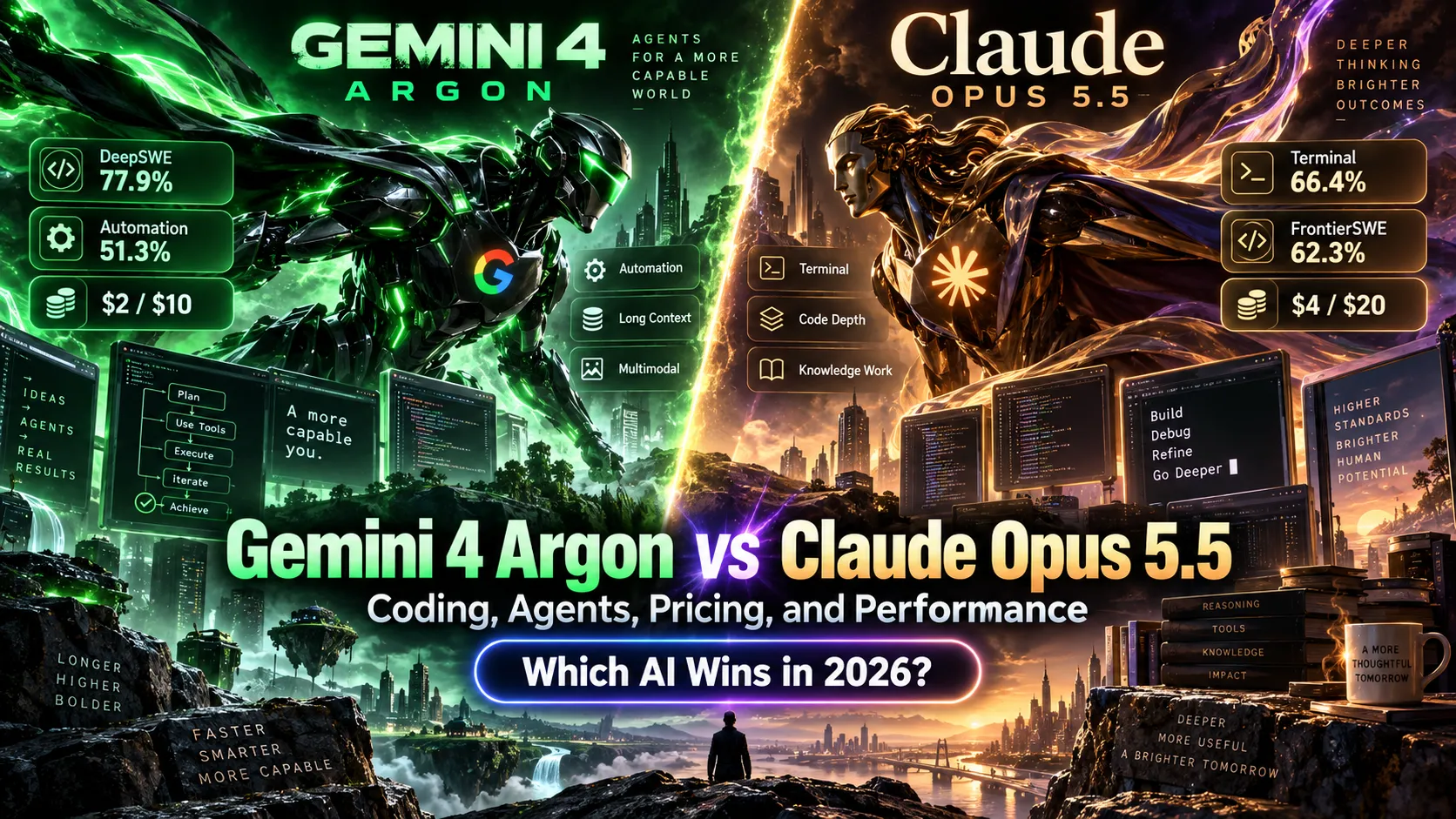
Gemini 4 Argon vs Claude Opus 5.5: Which AI Actually Wins at Coding, Agents, and Price in 2026?
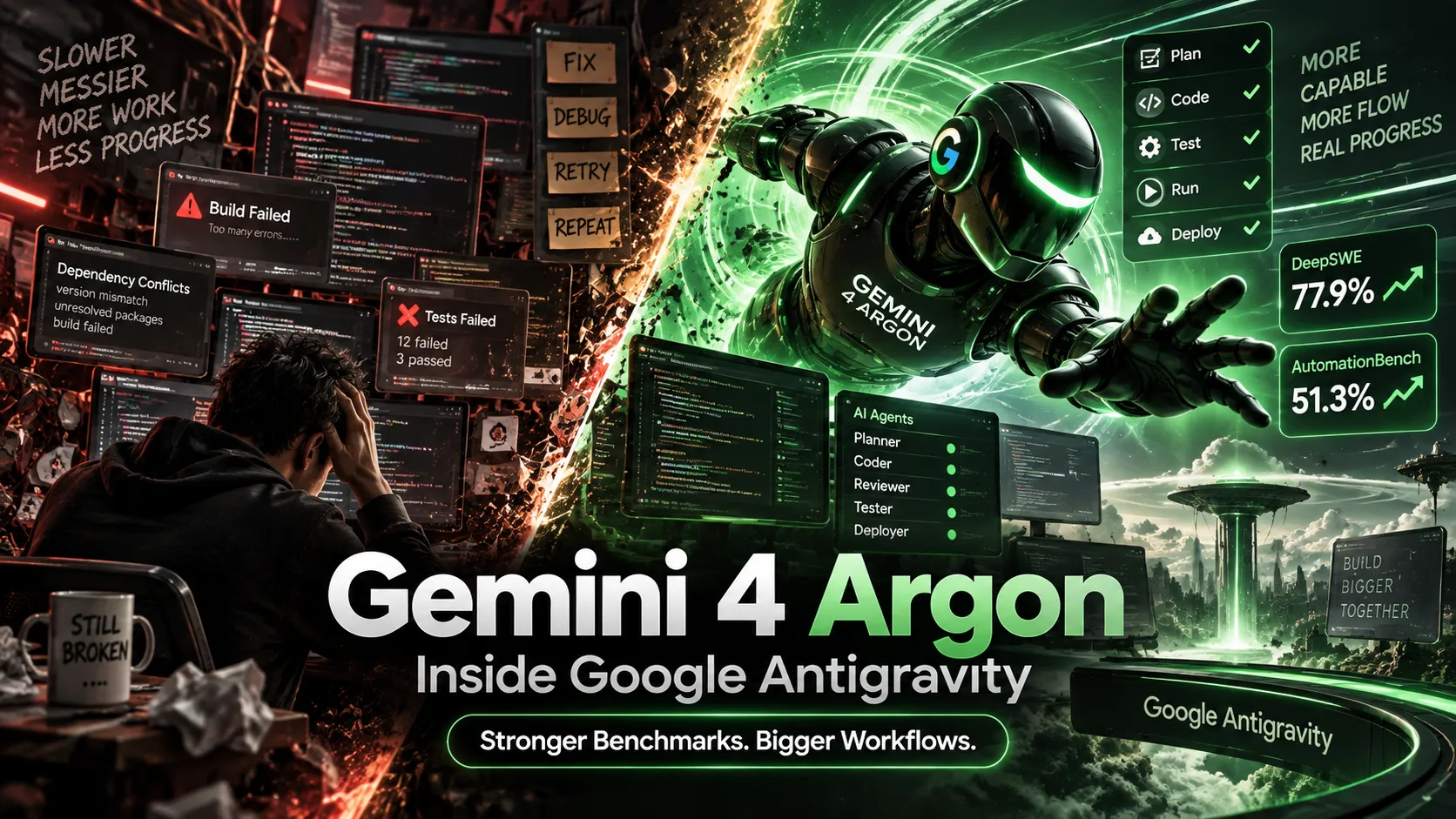
Gemini 4 Argon Arrives in Google Antigravity: Ultra Access, Benchmarks, Pricing, and Real-World Results

How ChoicerVoicer.games Reportedly Reached 4.49 Million Monthly Visits: The Viral Game SEO Growth Case Study
Referenced Tools
Browse entries that are adjacent to the topics covered in this article.





