ArticleJuly 16, 20265
Codex Skins Explained: How Codex Dream Skin Works, Security Risks, and Whether It Is Worth Using
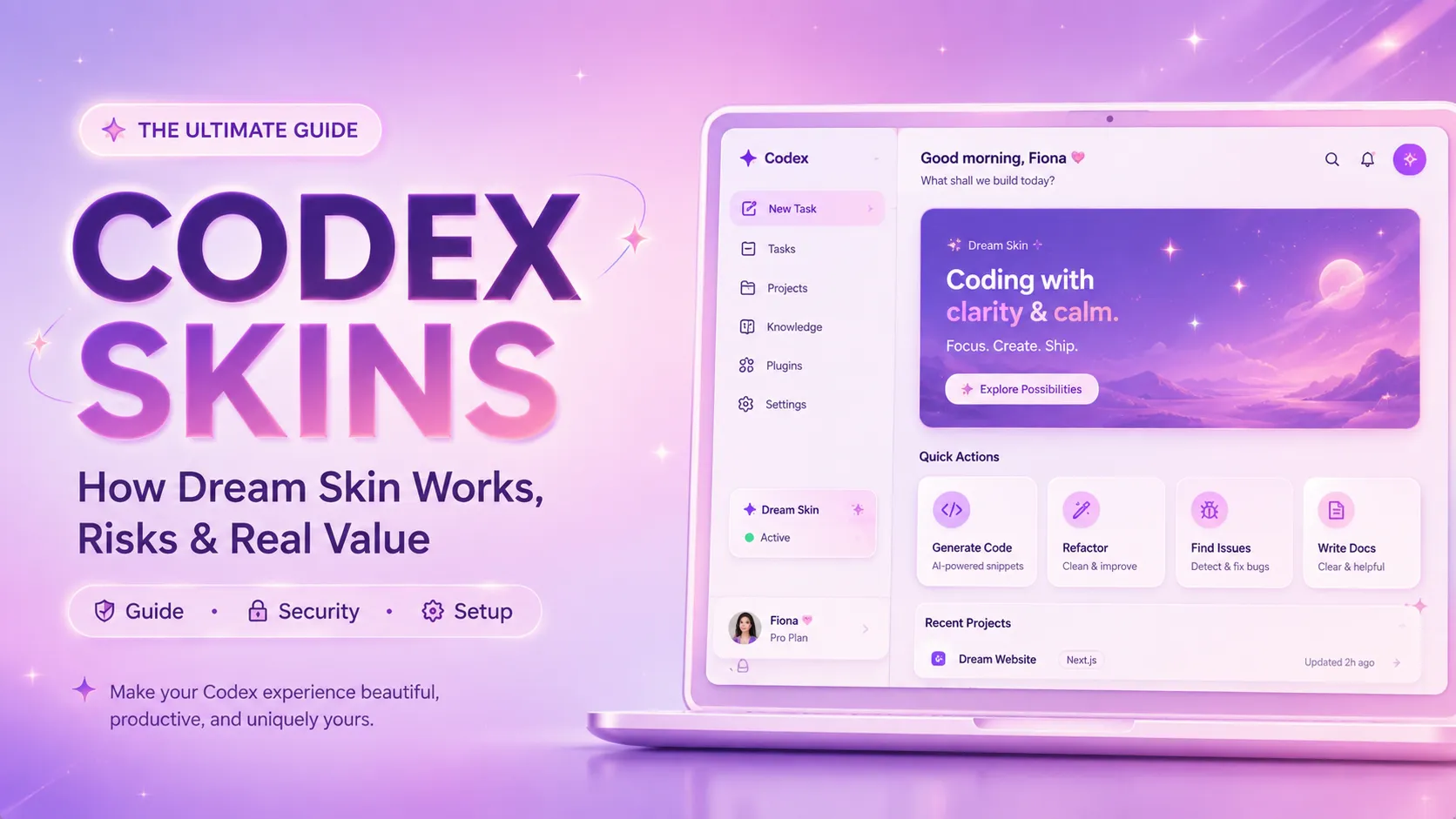
Codex skins usually refer to third-party customization projects such as Codex Dream Skin. These tools connect to the Codex desktop application through the local Chrome DevTools Protocol, then inject CSS, background assets, and limited JavaScript to change how the interface looks.
A Codex skin is not an official OpenAI feature. It does not improve model intelligence, increase usage limits, accelerate responses, or unlock additional Codex capabilities.
The most important points are:
A Codex skin is a third-party interface customization layer for the Codex desktop application. It can replace background images, adjust panel transparency, change sidebar styling, and add blur, shadow, border, or color effects to the input area and conversation interface.
One widely discussed implementation is Codex Dream Skin. It allows the default Codex workspace to be transformed into anime-inspired, cyberpunk, pixel-art, minimalist, dark-glass, branded, or other visual styles.
A typical Codex skin can modify:
A Codex skin does not normally change:
Codex skins should therefore be understood as interface personalization tools, not Codex performance extensions.
No. Codex Dream Skin is a third-party open-source project and is not an official OpenAI theme system.
This distinction matters because third-party skins do not receive official compatibility guarantees. OpenAI can update the Codex desktop application at any time, changing its page structure, startup behavior, security settings, component hierarchy, or internal styling.
Users should expect that:
A third-party Codex skin is better treated as an experimental customization project than as a permanent part of the Codex platform.
Codex Dream Skin does more than place an image over the application window. It connects to Codex's Chromium-based rendering environment and dynamically modifies the interface while the application is running.
The general process is:
Remote debugging may be enabled with parameters similar to:
text --remote-debugging-address=127.0.0.1 --remote-debugging-port=9341
The injector can then inspect a local endpoint such as:
text http://127.0.0.1:9341/json/list
After identifying the correct Codex renderer, the tool uses the Chrome DevTools Protocol to evaluate style or interface-modification code inside that page.
The advantage is that the project may avoid directly patching the official Codex application package. The disadvantage is that it depends heavily on undocumented internal implementation details.
Most Codex skin implementations do not directly modify the official application binary, application signature, or protected installation directory.
However, not modifying the official binary does not mean nothing on the system is changed.
An installer may still create or modify:
Windows users should pay particular attention to changes under the Codex user configuration directory. An installer may back up and then modify a file such as:
text ~/.codex/config.toml
On macOS, theme resources may be stored under a path such as:
text ~/.codex/codex-dream-skin-studio
Application state and logs may also be stored under:
text ~/Library/Application Support/CodexDreamSkinStudio
The more accurate description is:
Codex Dream Skin may avoid changing the official application binary while still creating configuration files, scripts, logs, state data, and shortcuts in the user's account.
The main security concern is not the background image. It is the level of access provided by the debugging and injection mechanism.
The Chrome DevTools Protocol can inspect page structure, execute JavaScript, read renderer state, modify displayed content, and automate interactions. A tool that connects to Codex through CDP has significantly more power than a traditional CSS-only theme.
A more careful implementation should:
127.0.0.1These protections reduce accidental exposure, but they do not eliminate local threats.
A loopback address normally prevents direct access from other computers on the internet or local network. However, other programs already running on the same computer may still be able to connect to the debugging port.
While Codex is running with remote debugging enabled, a malicious local process could potentially:
This does not mean that the original open-source project is necessarily malicious. It means that the underlying mechanism has a broad capability boundary.
Users must evaluate more than the theme image. They must also trust:
The following installation methods should be avoided:
Particular caution is necessary with products marketed as a cracked version, permanently compatible version, or version that works without the official Codex application. These claims often indicate that the package has moved far beyond a simple theme implementation.
The safer approach is to obtain the project from its original repository, inspect the scripts, and test it in an isolated environment.
Users should perform basic checks before copying an installation command into a terminal.
A safer workflow includes:
On macOS or Linux, the Codex configuration can be backed up with:
bash cp ~/.codex/config.toml ~/.codex/config.toml.backup
Windows users should inspect:
text %USERPROFILE%\.codex\config.toml
After installation, compare the modified configuration with the backup. Confirm that no unknown API endpoints, proxy servers, model providers, or authentication settings were added.
A safer setup should bind the debugging service to 127.0.0.1, not 0.0.0.0.
On macOS or Linux, check the listening process with:
bash lsof -nP -iTCP:9341 -sTCP:LISTEN
On Windows PowerShell, use:
powershell Get-NetTCPConnection -LocalPort 9341
The expected local address is:
text 127.0.0.1
A result such as the following is more concerning:
text 0.0.0.0
That address can indicate that the service is listening on every network interface. Codex and the skin process should be stopped immediately while the launch configuration is reviewed.
A legitimate visual theme does not need access to project files, environment variables, API keys, or authentication tokens.
However, because CDP can execute JavaScript, the actual behavior depends on the injector code being run.
Security review should look for:
fetch calls or other network requestslocalStorage or IndexedDBIf the injector only manipulates DOM elements, CSS variables, and local image resources, the risk is more limited. If it sends data externally or loads remote commands dynamically, it should not be used.
Runtime injection commonly depends on specific DOM structures, CSS class names, routes, and component hierarchies.
A skin may need to identify:
When Codex changes its React components, generated class names, page routes, or renderer structure, an older selector may no longer locate the correct element.
Common failures include:
A reliable skin manager should use resilient element detection and stop safely when injection fails instead of retrying indefinitely.
Simple CSS changes and a static background image should have a limited performance impact. Complex themes can increase GPU utilization, memory usage, and rendering cost.
Potentially expensive designs include:
Recommended optimization practices include:
backdrop-filter.A high-resolution display does not require an original 8K asset. For most desktop windows, an optimized image around 2560 pixels wide is sufficient.
The main difference is the availability of an official extension and theming API.
| Category | Third-Party Codex Skin | Official VS Code Theme |
|---|---|---|
| Official theme API | Usually unavailable | Available |
| Implementation | CDP and runtime injection | Official extension system |
| Stability | Depends on internal UI structure | Relatively stable |
| Permission scope | Potentially broad | Managed by the extension platform |
| Update compatibility | Frequently affected | Guided by compatibility rules |
| Installation | Scripts or local tools | Extension marketplace |
| Recovery | Depends on installer quality | Extension can be disabled |
| Security review | Depends on the project | More mature platform controls |
This is why a Codex skin is more accurately described as an interface injection tool than a conventional editor theme.
The popularity of Codex skins is driven less by technical complexity and more by immediate visual impact.
A single before-and-after screenshot can communicate the value of the project. This is more accessible than explaining an agent framework, MCP server, or code-model benchmark.
Users can ask Codex to read the installation instructions, execute the setup commands, and verify the result. The idea of using an AI coding agent to modify its own interface creates a strong social-media narrative.
Developers increasingly spend extended periods inside Codex, Cursor, Claude Code, and similar environments. As these tools become persistent workspaces, personalization, emotional appeal, and visual identity become more important.
Some users have started offering theme design, image adaptation, and installation services. Even when the technical barrier is low, the idea of earning money by selling Codex skins is naturally attention-grabbing.
The value depends on what the service includes.
A service that only changes one background image and runs a public script has limited long-term value. As tutorials become more accessible, more users will be able to perform the same task independently.
A more reasonable paid service should include:
A seller who cannot provide source code, a restoration process, or a list of modified files should not be trusted on a machine containing sensitive projects.
An open-source software license does not automatically grant commercial rights to images used inside a theme.
Common copyright and licensing risks include:
Commercial themes should use:
Product names should also avoid implying official OpenAI approval. A safer description is “a third-party theme tool compatible with Codex,” combined with a clear statement that the product is not affiliated with OpenAI.
Basic skin installation has a low technical barrier and is likely to become a price-competitive service. The more defensible opportunity is a secure, visual, cross-platform theme management product.
A graphical editor could allow users to:
A safer theme package should not allow arbitrary JavaScript. It should contain only images, approved properties, and CSS variables.
For example:
json { "name": "Midnight Glass", "background": "background.webp", "overlayOpacity": 0.38, "blur": 12, "panelOpacity": 0.82, "accentColor": "#8b7cff" }
The theme manager would convert these values into restricted CSS. This approach reduces the attack surface of downloadable themes.
A marketplace could provide:
The strongest enterprise use case may not be decorative backgrounds. It may be reducing operational mistakes through clear environment indicators.
For example:
These features can reduce accidental actions and provide more practical value than decorative customization alone.
A product that supports only Codex faces significant platform risk. A more sustainable theme manager could expand to:
The broader product category could be positioned as an AI Coding Workspace Theme Manager rather than a Codex-only skin utility.
Possible causes include:
Check the skin logs, the listening port, and the injector process before reinstalling anything.
This usually means that CSS rules are too broad or that a background layer is covering interactive elements.
Recommended recovery steps include:
A background overlay is usually more reliable than changing text colors individually.
A safer CSS pattern is:
css .codex-theme-background::after { content: ""; position: absolute; inset: 0; background: rgba(0, 0, 0, 0.38); pointer-events: none; }
The pointer-events: none property is essential because it prevents the overlay from blocking buttons and input elements.
This usually indicates that the injector can no longer find an old target element and is repeatedly attempting to insert the theme.
Automatic injection should be paused until a compatible version is available. Increasing the retry frequency will usually make the problem worse.
Confirm that:
Codex skins are most suitable for:
They are less appropriate for:
As the Codex desktop application develops into a long-term agent workspace, official appearance settings would be a logical addition.
A mature official system could include:
If an official theming system becomes available, CDP-based skin tools may shift toward:
The most valuable long-term asset is therefore unlikely to be the injection script itself. It is more likely to be the creator ecosystem, theme library, compatibility infrastructure, and cross-platform configuration layer.
Codex Dream Skin demonstrates that AI coding tools are evolving from purely functional software into personal workspaces where developers spend substantial amounts of time. Users increasingly care not only about model capability and execution speed, but also about appearance, identity, comfort, and emotional value.
However, current Codex skins remain unofficial runtime-injection tools. They may avoid changing official binaries, but they still rely on a powerful local debugging interface and may create configuration files, launch scripts, logs, and persistent injector processes.
Users should follow several basic rules:
For developers and entrepreneurs, the stronger opportunity is not another one-time installation service. It is a declarative, secure, reversible, and cross-platform AI coding workspace theme manager.
A practical first version could focus on visual theme creation, automatic color extraction, compatibility checks, asset optimization, and one-click restoration. It could later expand to Cursor, Claude Code, Windsurf, Visual Studio Code, Gemini CLI, and other AI development environments.
More articles connected to the same themes, protocols, and tools.
Browse entries that are adjacent to the topics covered in this article.