On This Page8 sections
Key Takeaways
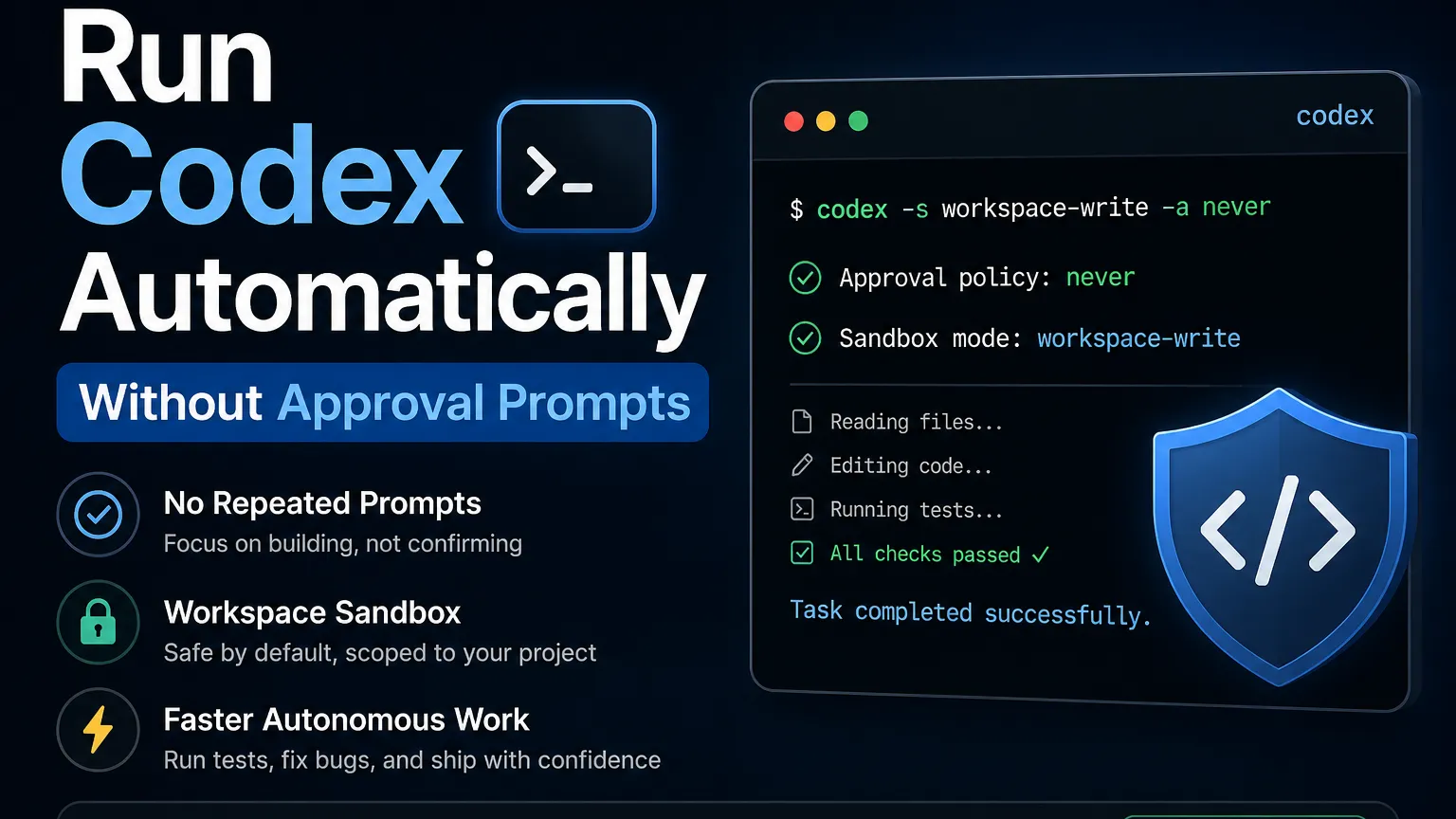
Codex CLI can run without repeated approval prompts by combining --ask-for-approval never with a sandbox mode. The best daily configuration is codex --sandbox workspace-write --ask-for-approval never, which allows autonomous work inside the project while limiting wider system access. Use codex exec for scripts and CI. Reserve --dangerously-bypass-approvals-and-sandbox or --yolo for trusted repositories inside isolated containers or virtual machines.
How do you run Codex without approval prompts?
Run Codex with project-scoped write access and approval prompts disabled:
codex --sandbox workspace-write --ask-for-approval neverThe shorter equivalent is:
codex -s workspace-write -a neverThis configuration lets Codex inspect code, edit project files, and run commands without repeatedly asking for permission. Commands that exceed the sandbox boundary fail instead of opening another confirmation dialog.
For frequent use on macOS or Linux, add an alias:
echo 'alias codex-auto="codex -s workspace-write -a never"' >> ~/.zshrc
source ~/.zshrc
Then start an autonomous session with:
codex-autoWhich Codex automation mode should you use?
workspace-write with approvals set to never is the best default for unattended local development because it removes interruptions without giving Codex unrestricted access to the entire computer.
| Configuration | Prompts | Access level | Best use |
|---|---|---|---|
read-only + on-request | Yes | Inspect files only | Audits and unfamiliar repositories |
workspace-write + on-request | Sometimes | Read and write inside the workspace | Interactive development |
workspace-write + never | No | Autonomous project-level work | Daily coding and long tasks |
danger-full-access + never | No | Broad system and network access | Isolated runners |
--yolo | No | No approvals and no sandbox | Disposable VMs or containers |
Approval policy and sandbox mode control different things. The approval policy decides whether Codex pauses for permission, while the sandbox determines what generated commands can access. Disabling prompts does not automatically remove the sandbox.
How do you make automatic execution the default?
Set persistent defaults in ~/.codex/config.toml:
approval_policy = "never"
sandbox_mode = "workspace-write"
After saving the file, running codex starts an autonomous workspace session without requiring command-line flags.
Projects that need package downloads, remote APIs, or external documentation can enable network access:
approval_policy = "never"
sandbox_mode = "workspace-write"

[sandbox_workspace_write]
network_access = true
Keep network access disabled when the project does not require dependency installation or external services. A local coding agent with unnecessary network access has more opportunities to expose credentials or upload sensitive code.
What can Codex modify in workspace-write mode?
workspace-write lets Codex modify the current project and configured writable roots while protecting important control directories.
Protected paths include:
.git.agents.codex- The resolved Git directory when
.gitis a pointer file
These locations remain read-only under the standard workspace sandbox, reducing the chance that an autonomous task changes repository metadata or its own local configuration.
When Codex needs another directory, grant it explicitly:
codex \
  --sandbox workspace-write \
  --ask-for-approval never \
  --add-dir ../shared-package
The --add-dir option is safer than switching the entire session to unrestricted access. It can be repeated for monorepos, shared libraries, generated assets, or adjacent projects.
How do you give Codex completely unrestricted access?
Use the dangerous bypass flag:
codex --dangerously-bypass-approvals-and-sandboxIts shorter alias is:
codex --yoloThis mode removes both approval prompts and the Codex sandbox. Generated commands can access the wider filesystem, use available network connections, and interact with credentials exposed to the process. It should run only inside an externally isolated environment.
Do not use unrestricted mode on a primary workstation containing:
- SSH private keys
- Cloudflare, AWS, Vercel, or GitHub tokens
- npm publishing credentials
- Stripe or payment credentials
- Production database access
- Sensitive browser sessions
A container is useful only when it does not contain valuable secrets that generated commands could read or transmit.
Is --full-auto still the recommended option?
No. --full-auto is a deprecated compatibility flag, and current Codex CLI versions recommend explicitly selecting workspace-write instead.
Replace:
codex --full-autoWith:
codex --sandbox workspace-write --ask-for-approval neverThe newer command clearly defines both the approval behavior and the security boundary. Current versions display a deprecation warning when --full-auto is used.
How do you run Codex automatically in scripts or CI?
Use codex exec for non-interactive tasks:
codex exec \
  --sandbox workspace-write \
  --ask-for-approval never \
  "Inspect the project, fix the failing tests, run the full test suite, and stop when all tests pass."
codex exec runs without opening the interactive terminal interface. Its default sandbox is read-only, so workflows that modify files should explicitly select workspace-write.
For a temporary CI runner, add --ephemeral:
codex exec \
  --sandbox workspace-write \
  --ask-for-approval never \
  --ephemeral \
  "Run lint, type checking, tests, and the production build. Fix failures caused by the current branch."
--ephemeral prevents the run from persisting session rollout files, making it suitable for short-lived CI jobs.
How do you capture Codex output for another script?
Use JSON events and save the final response separately:
codex exec \
  --sandbox workspace-write \
  --ask-for-approval never \
  --json \
  --output-last-message codex-summary.md \
  "Fix test failures and summarize every changed file."
--json prints newline-delimited events for machine processing. --output-last-message writes the final response to a selected file. Use --output-schema when another program requires a validated JSON response with a fixed structure.
Can Codex review approvals automatically?
Yes. Auto-review provides a middle ground between manual confirmation and automatically rejecting every sandbox escalation.
Configure it in ~/.codex/config.toml:
approval_policy = "on-request"
approvals_reviewer = "auto_review"
sandbox_mode = "workspace-write"
Eligible approval requests are evaluated by a reviewer agent. Actions that already fit inside the sandbox continue normally, while higher-risk requests receive an additional automated safety review. Auto-review does not remove the sandbox and does not guarantee that every requested action will be approved.
Use auto-review when long tasks occasionally need broader access but repeated manual prompts would interrupt the workflow.
Why does Codex still stop when approvals are disabled?
Codex can still stop because never means “do not ask,” not “force every action to succeed.”
Common causes include:
- A command exceeds the active sandbox.
- Network access is disabled.
- Authentication has expired.
- A command requires interactive input.
- A managed policy or project rule blocks the action.
- A dependency, test, or build process fails.
- The prompt does not provide enough information to choose an implementation.
For autonomous work, define what Codex may modify, how it should verify success, and when it must stop.
What prompt works best for autonomous Codex tasks?
A strong prompt defines the goal, constraints, validation steps, and completion condition:
Inspect the repository and identify why the test suite is failing. Implement the smallest maintainable fix. Run formatting, linting, type checking, tests, and the production build. Continue fixing issues caused by your changes until every check passes. Do not deploy, publish packages, push commits, edit environment files, or access production services.This structure reduces interruptions because Codex knows which actions are expected and which operations are prohibited.
For larger tasks, include these checkpoints:
- Inspect the repository before editing.
- Prefer the smallest safe change.
- Preserve public APIs unless a change is necessary.
- Run all relevant validation commands.
- Review the final diff.
- Report changed files and unresolved risks.
- Stop before deployment or publication.
What is the recommended Codex configuration?
The recommended daily configuration is:
approval_policy = "never"
sandbox_mode = "workspace-write"

[sandbox_workspace_write]
network_access = true
Disable network_access when downloads and external services are unnecessary. Add extra writable directories with --add-dir, and use codex exec for scripts and CI.
Use --yolo only inside a disposable, externally hardened environment with no valuable credentials. For most development work, removing approval prompts while retaining the workspace sandbox provides the best balance of speed, autonomy, and damage containment.
Conclusion
Codex supports autonomous execution without repeated confirmations. Use codex -s workspace-write -a never for normal development, persist the settings in ~/.codex/config.toml, and use codex exec for non-interactive automation. Grant network access and additional directories only when required. Reserve --dangerously-bypass-approvals-and-sandbox for isolated runners that contain no production credentials or sensitive personal data.
Continue Reading
More articles connected to the same themes, protocols, and tools.



Referenced Tools
Browse entries that are adjacent to the topics covered in this article.