On This Page8 sections
Key Takeaways
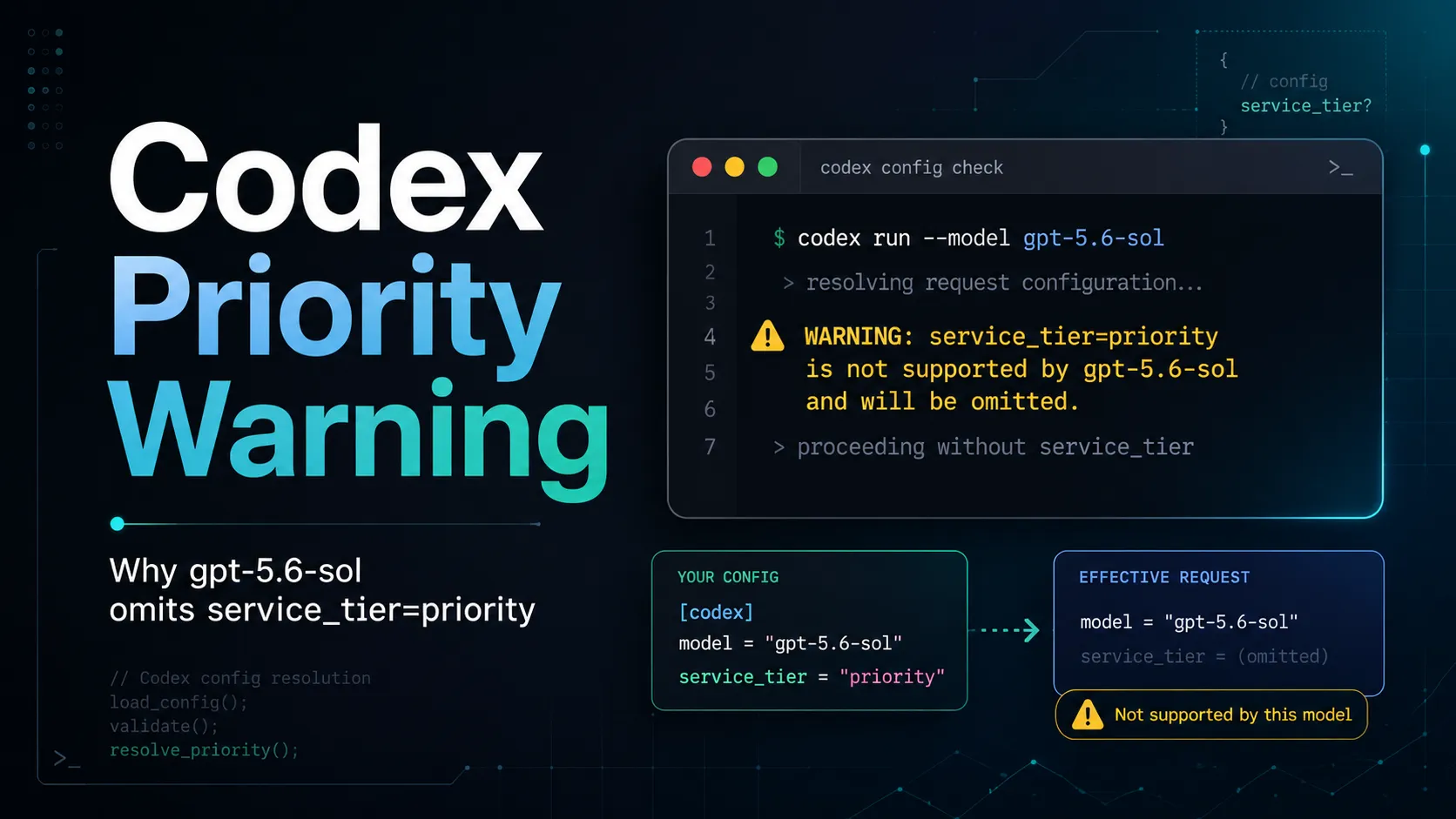
The warning means Codex found a configured service tier that the selected model does not advertise as supported. It removes that tier from outgoing requests and continues using gpt-5.6-sol with the model’s default processing tier.
- It is normally a configuration warning, not a failed model request.
- Codex does not automatically replace
gpt-5.6-solwith another model. - The configured
prioritytier is omitted before the request is sent. - Model quality, reasoning effort, tools, and context limits are not directly changed.
- The main practical difference is that the request does not receive the requested priority-processing behavior.
- The safest fix is to remove the unsupported tier while continuing to use
gpt-5.6-sol. - Users who specifically need Codex Fast mode must select a model whose catalog currently advertises Fast-tier support.

What Does the Warning Mean?
The message is generated by Codex’s local model-capability validation:
text ⚠ Configured service tier `priority` is not advertised as supported for model `gpt-5.6-sol` and will be omitted from requests.
Codex maintains model metadata describing capabilities such as reasoning settings, context limits, tool support, and available service tiers. Before sending a request, the client compares the active configuration with the selected model’s advertised capabilities.
In this case, the comparison produces the following result:
Configured model:       gpt-5.6-sol
Configured service tier: priority
Advertised tier support: priority not listed
Codex action:            remove service_tier from the request
Final processing tier:   model or account default
The wording “not advertised as supported” is important. It means the active Codex model catalog does not expose that tier for the selected model. Codex therefore avoids sending an unsupported or unverified request option.
Does the Warning Stop Codex from Working?
No. Codex normally continues the request after removing the unsupported field.
The request effectively changes from something conceptually similar to:
{
  "model": "gpt-5.6-sol",
  "service_tier": "priority"
}
To:
{
  "model": "gpt-5.6-sol"
}
The model remains gpt-5.6-sol. The warning does not indicate that Codex has fallen back to a smaller model, reduced the reasoning level, shortened the context window, or disabled coding tools.
However, the request will not receive a guaranteed priority tier merely because the local configuration requested one. Latency and throughput will follow the default tier selected by the service.
Why Does This Happen with gpt-5.6-sol?
The warning appears because service-tier availability is model-specific and catalog-driven.
Codex does not assume that every model supports every processing tier. A model can be available for normal coding tasks while lacking an advertised Fast or Priority option in the current catalog.
At the time of writing, Codex’s public Fast-mode documentation lists GPT-5.5 and GPT-5.4 as supported Fast-mode models. gpt-5.6-sol is not included in that published Fast-mode support list.
This distinction explains why the model itself can work normally while the service-tier override is rejected or omitted.
Possible causes include:
- The model does not currently support that tier.
- The tier has not been enabled for the model catalog used by the account.
- The model is being gradually deployed and its metadata is still restricted.
- The configured tier uses an API-level value rather than Codex’s user-facing value.
- A project, profile, or managed configuration is injecting an older setting.
- The installed Codex version has cached model metadata that differs from the current server catalog.
What Is the Difference Between fast and priority?
In Codex, Fast mode is the user-facing service-tier option, while priority is commonly the request-level value used by OpenAI API Priority Processing.
A typical Codex configuration uses:
service_tier = "fast"Codex can translate that preference into the appropriate request behavior when the selected model advertises a Fast tier.
Direct OpenAI API requests may instead use:
{
  "service_tier": "priority"
}
These values operate at different abstraction layers:
| Context | Recommended value | Purpose |
|---|---|---|
| Codex CLI configuration | fast | Select Codex Fast mode when supported |
| Codex interactive command | /fast | Enable or disable a catalog-provided Fast tier |
| Direct OpenAI API request | priority | Request API Priority Processing when eligible |
| Unsupported Codex model | No tier override | Use the model’s default processing tier |
Copying service_tier = "priority" directly from an API example into config.toml is therefore not the safest Codex configuration pattern.
More importantly, changing priority to fast does not create Fast support for an unsupported model. The selected model must still advertise the tier.
What Is the Safest Fix for gpt-5.6-sol?
The safest fix is to remove the service_tier setting and allow Codex to use the default tier.
Open the user-level configuration file:
nano ~/.codex/config.tomlFind and remove or comment out this line:
service_tier = "priority"A clean configuration can look like this:
model = "gpt-5.6-sol"
model_reasoning_effort = "medium"

[features]
fast_mode = true
The fast_mode feature flag can remain enabled. It only enables Fast-tier controls when the active model advertises a compatible tier. It does not force unsupported models to use Fast mode.
After saving the file, start a new Codex task and run:
/statusThe warning should disappear if no other configuration layer is setting service_tier.
How Can Fast Mode Be Used Instead?
Users who prioritize response speed over staying on gpt-5.6-sol can switch to a model that currently advertises Fast-mode support.
A compatible configuration may look like:
model = "gpt-5.5"
service_tier = "fast"
model_reasoning_effort = "medium"

[features]
fast_mode = true
Inside the Codex CLI, Fast mode can also be inspected or changed with:
/fast status
/fast on
/fast off
If /fast does not appear for the current model, the catalog is not advertising a Fast tier for that model. This is expected behavior and should not be bypassed by manually inserting priority into the configuration.
Fast mode generally provides lower latency in exchange for higher credit consumption. It improves processing speed rather than reasoning quality. A task that needs deeper analysis may still benefit more from a higher reasoning effort than from a faster service tier.
How Can the Active Configuration Be Verified?
Codex can load settings from several layers. Editing only ~/.codex/config.toml may not solve the warning if another layer has higher precedence.
The main configuration order is:
- Command-line flags and
--configoverrides - Trusted project
.codex/config.tomlfiles - Selected profile files
- User-level
~/.codex/config.toml - System configuration
- Built-in defaults
Use the following command inside Codex to inspect which layer supplied each setting:
/debug-configThis is particularly useful when the warning persists after the visible service_tier line has been removed.
Also search common configuration locations:
grep -R "service_tier" ~/.codex ./.codex 2>/dev/nullCheck the installed Codex version:
codex --versionCheck the active authentication method:
codex login statusRun the built-in diagnostic report:
codex doctor --summaryFinally, open a new Codex task and confirm the selected model:
/statusConfiguration-file changes commonly apply to new turns or new tasks. Testing only an already-running task can produce misleading results.
Why Does Authentication Method Matter?
Codex can operate through a ChatGPT account or an API key, and the meaning of speed-related settings differs between those modes.
ChatGPT sign-in
With ChatGPT authentication, Codex Fast mode uses the product’s Fast-tier system and consumes plan credits at a higher rate when supported.
Check the active mode with:
codex login statusAPI-key authentication
With API-key authentication, requests use API pricing and service-tier rules. API Priority Processing is a separate billing and latency feature requested through service_tier="priority" in supported API requests.
A value that is valid in a direct Responses API request is not automatically the correct value to hardcode in Codex’s config.toml. Codex still validates the preference against its active model catalog and provider configuration.
This distinction is one of the most common reasons users see service-tier warnings after copying configurations between API scripts, Codex CLI, and the desktop application.
Does Removing priority Make the Model Worse?
No. Removing the tier changes request scheduling, not the model’s core intelligence.
The following settings remain separate:
- Model selection: Determines the underlying model.
- Reasoning effort: Controls how much reasoning the model performs when supported.
- Service tier: Primarily affects latency and processing priority.
- Context window: Determines how much input and conversation history can be handled.
- Tool permissions: Control filesystem, shell, network, and integration access.
- Usage limits: Depend on the plan, model, authentication method, and current account policies.
A Standard-tier gpt-5.6-sol request can therefore produce the same quality class of result as a priority-tier request. It may simply take longer to begin or complete under load.
Should service_tier = "fast" Replace priority Automatically?
Only when the selected model supports Fast mode.
For gpt-5.6-sol, blindly replacing the line with:
service_tier = "fast"may still result in the setting being ignored because the underlying compatibility issue is the model’s advertised tier support, not only the spelling of the value.
Use this decision process:
Need to keep gpt-5.6-sol?
└── Yes: remove service_tier and use Standard/default processing.

Need Fast mode more than gpt-5.6-sol?
└── Yes: switch to a supported model and use service_tier = "fast".

Calling the OpenAI API directly?
└── Use API service-tier parameters only for eligible models and projects.
This avoids replacing one warning-producing configuration with another.
What If the Warning Appears After Using /fast?
Codex persists some interactive choices. A previously selected Fast tier may remain in a configuration file or application state after switching models.
For example:
- A user selects GPT-5.5.
- Fast mode is enabled.
- Codex stores a Fast or Priority-related preference.
- The user later switches to
gpt-5.6-sol. - The stored tier is no longer compatible with the active model.
- Codex removes it from outgoing requests and displays the warning.
The correct solution is not to force the old tier onto the new model. Disable Fast mode before switching, remove the persisted tier, or select a supported model.
Useful commands include:
/fast off
/model
/status
/debug-config
If /fast is unavailable, edit the configuration file directly and start a new task.
Common Fixes That Do Not Work
Repeatedly restarting Codex
A restart reloads the same incompatible setting. The warning remains until the configuration or model selection changes.
Enabling [features].fast_mode = true
This flag enables Fast-mode functionality in the interface. It does not add Fast support to every model.
Setting both fast and priority
Codex accepts one preferred service tier. Duplicating or overriding the setting across multiple configuration layers makes troubleshooting harder.
Assuming the model automatically falls back
The service tier is omitted, not the model name. Codex normally continues with the selected model at its default tier.
Copying API examples directly into Codex configuration
API request parameters and Codex configuration values are related but not interchangeable in every environment.
Editing only the global config
A trusted project file, active profile, CLI override, or managed system configuration may have higher precedence.
Treating the warning as proof that Priority Processing was used
The message explicitly says the tier was omitted. Billing and performance should be evaluated based on the actual served tier, not the configured value.
Recommended Configurations
Keep gpt-5.6-sol without the warning
model = "gpt-5.6-sol"
model_reasoning_effort = "medium"

[features]
fast_mode = true
Use a supported model with Codex Fast mode
model = "gpt-5.5"
model_reasoning_effort = "medium"
service_tier = "fast"

[features]
fast_mode = true
Use Standard processing for all models
model = "gpt-5.6-sol"
model_reasoning_effort = "medium"

[features]
fast_mode = false
Disabling the feature is optional. Simply omitting service_tier is usually sufficient for Standard processing.
How to Confirm the Fix
Use this validation sequence after changing the configuration:
- Remove every unsupported
service_tieroverride. - Search user and project configuration files for duplicate settings.
- Start a completely new Codex task.
- Run
/statusand confirm the active model. - Run
/debug-configand inspect the winning configuration layer. - Use
/fast statusonly when the command is available for the model. - Run a small prompt and confirm that the warning no longer appears.
A simple test prompt is sufficient:
List the top-level files in this repository and summarize its likely purpose. Do not modify anything.The configuration is fixed when the task runs with gpt-5.6-sol, no unsupported-tier warning appears, and /debug-config shows no incompatible service-tier override.
Conclusion
The Codex warning does not mean gpt-5.6-sol is broken. It means the configured priority tier is not advertised for that model, so Codex removes the tier while preserving the model request.
For most users, the correct solution is straightforward: keep gpt-5.6-sol, remove service_tier = "priority", start a new task, and verify the result with /status and /debug-config.
Users who specifically need lower latency should switch to a model that currently exposes Codex Fast mode and configure service_tier = "fast". Avoid forcing API-level priority values into Codex configurations without first confirming model, account, and authentication compatibility.
Continue Reading
More articles connected to the same themes, protocols, and tools.



Referenced Tools
Browse entries that are adjacent to the topics covered in this article.