On This Page8 sections
Key Takeaways
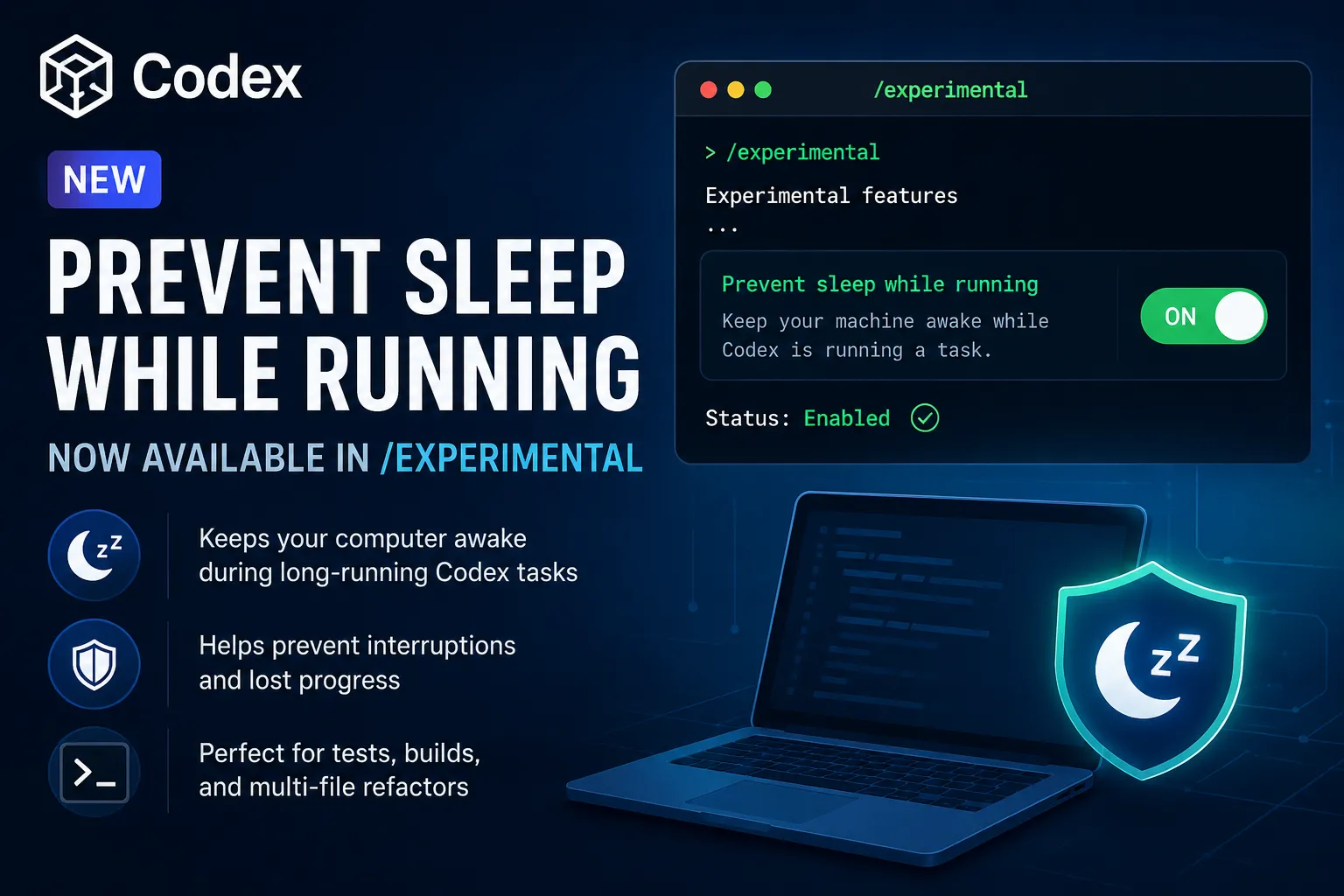
“Prevent sleep while running” is a new experimental Codex setting that keeps the computer awake while a Codex turn is actively running. It is designed for long-running coding tasks such as tests, refactors, dependency installs, and multi-file edits. The tip is not an error, not a usage-limit warning, and not a cloud background-execution feature. It can be enabled through /experimental or the related Codex configuration setting.
What does “Prevent sleep while running” mean in Codex?
“Prevent sleep while running” means Codex can stop the local machine from going to sleep while an active Codex task is running. OpenAI’s Codex app documentation states that users can enable a “Prevent sleep while running” toggle because tasks may take a while to complete.
The message “Tip: NEW: Prevent sleep while running is now available in /experimental” is an informational tip, not a failure state. Codex is telling the user that a new experimental option is available in the slash-command workflow.
Why would Codex need to keep the computer awake?
Codex needs the computer to stay awake because local tasks depend on an active terminal, file system, network connection, and shell process. If the machine sleeps during a long run, Codex may lose access to command output, test results, dependency installation progress, or the interactive session.
This matters most for tasks that take longer than a few minutes. Examples include running npm test, pnpm build, pytest, TypeScript checks, database migrations, dependency upgrades, large-repository analysis, and multi-file refactoring.
Is “Prevent sleep while running” a Codex CLI feature or Codex app feature?
“Prevent sleep while running” appears in both the Codex app documentation and the Codex configuration reference. OpenAI documents the app-level setting as a toggle in Codex app settings, and the configuration reference lists features.prevent_idle_sleep as a Boolean feature that prevents the machine from sleeping while a turn is actively running.
The configuration reference describes features.prevent_idle_sleep as experimental and off by default. That means users should treat it as available but not yet a fully mature default behavior.
What does /experimental do in Codex?
/experimental is the Codex command used to toggle experimental features and add them to config.toml. OpenAI’s Codex best-practices documentation lists /experimental among useful CLI session controls for long-running work.
In practical terms, /experimental is where Codex exposes newer features before they become stable defaults. The “Prevent sleep while running” tip means the setting is now discoverable from that experimental controls menu.
How is “Prevent sleep while running” different from /fast and /usage?
“Prevent sleep while running” controls the computer’s sleep behavior, while /fast controls inference speed and /usage controls usage visibility or reset management. These features solve different operational problems.
| Codex feature | Main purpose | Directly speeds up Codex? | Directly changes usage limits? | Best use case |
|---|---|---|---|---|
Prevent sleep while running | Keeps the machine awake during active turns | No | No | Long tasks, tests, refactors |
/experimental | Toggles experimental features | Depends on feature | Depends on feature | Trying new Codex controls |
/fast | Enables faster inference mode | Yes | Can increase plan usage | Short tasks and quick edits |
/usage | Shows usage or manages resets | No | Only if a reset is redeemed | Checking limits and reset status |
OpenAI’s slash-command documentation explains that slash commands provide keyboard-first control over Codex sessions, including commands for switching models, adjusting permissions, using /fast, checking status, and managing workflows.
Does this feature make Codex run in the background after the computer is closed?
“Prevent sleep while running” does not mean Codex can continue running after the laptop is closed, the app exits, the terminal session ends, or the machine shuts down. It prevents idle sleep during an active local turn; it does not convert a local Codex task into a remote cloud job.
This distinction is important for laptop users. On macOS and Windows, closing the lid may still trigger sleep depending on power settings, external display setup, battery mode, and system policy. The Codex setting should be understood as an awake-while-running safeguard, not a full background-execution system.
Should developers enable “Prevent sleep while running”?
Developers should enable “Prevent sleep while running” when Codex is expected to perform long local tasks. It is especially useful when Codex needs to run tests, wait for builds, inspect logs, perform project-wide edits, or complete work while the user is temporarily away from the keyboard.
Developers do not need to enable it for short prompts, quick explanations, small code edits, or simple command suggestions. The value appears when the task duration is long enough for the operating system’s idle-sleep timer to become a risk.
Does “Prevent sleep while running” use more Codex quota?
“Prevent sleep while running” does not directly consume more Codex quota because it is a power-management setting, not a model mode. The setting keeps the machine available while a turn is active; it does not by itself change the selected model, token accounting, or inference speed.
The indirect effect is that more long-running tasks may finish successfully. A completed long task can naturally involve more tool calls, command output, and model reasoning than a task interrupted by sleep, so total usage may be higher because the work actually completes.
What is the safest way to use this Codex tip?
The safest way to use the feature is to enable it for long coding sessions and disable or ignore it for short work. Users on battery power should be more careful because preventing sleep can increase battery drain, heat, and background activity.
A practical workflow is: open /experimental, enable “Prevent sleep while running” before a long task, keep the laptop open and powered when possible, and review Codex output when the task asks for approval or finishes.
Conclusion
“Tip: NEW: Prevent sleep while running is now available in /experimental” means Codex now exposes an experimental setting that keeps the local machine awake while a turn is actively running. The feature is useful for long-running coding tasks, but it is not an error, not a cloud background runner, and not a usage reset. Developers should enable it when running builds, tests, refactors, or other tasks that could be interrupted by system sleep.
Continue Reading
More articles connected to the same themes, protocols, and tools.


Referenced Tools
Browse entries that are adjacent to the topics covered in this article.