


Replit AI
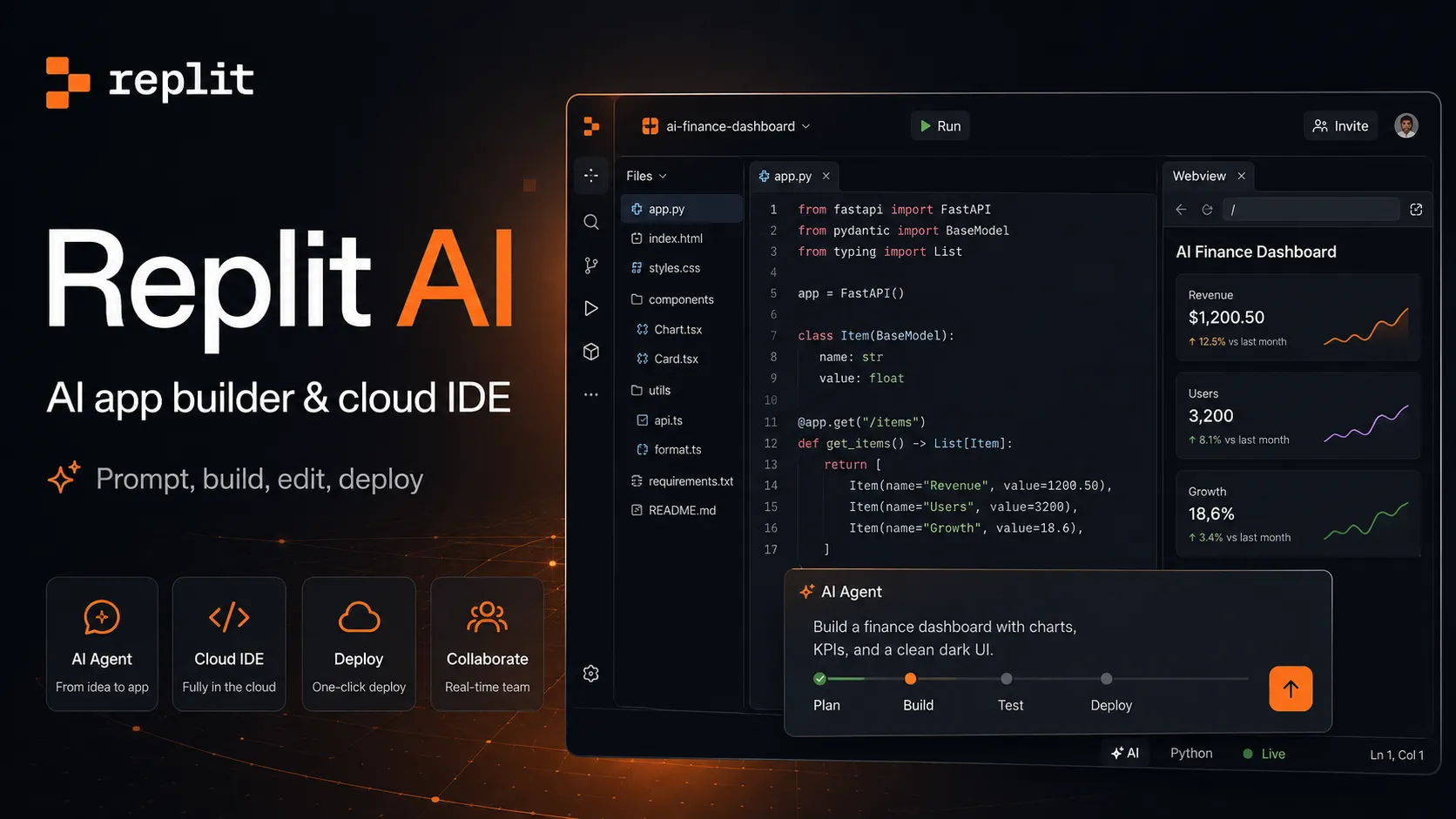
Replit AI 是一款 browser-based all-in-one AI software creation platform,結合 prompt-to-app generation、cloud IDE、built-in infrastructure、publishing 與 collaboration。
资料核对: 2026年6月14日 ·查看来源
工具信息
- 工具类型
- 應用建構器
- 平台
- Web browser, Replit cloud workspace, iOS app, Android app, GitHub workflows, Hosted Replit deployments
- 免费方案
- 支持
- 开源
- 不支持
- 自带密钥
- 不支持
- 本地模型
- 不支持
工具概览
适合场景
- Founder MVPs
- Prompt-to-app prototypes
- Internal tools
- Business dashboards
- Web apps
- Mobile app experiments
- Student projects
- No-code 與 low-code software creation
- 想要 cloud IDE + AI Agent 的開發者
- 想要 browser-based collaboration and deployment 的團隊
- Automations 與輕量 business workflows
优点
- 從 prompt 到 published app 的 end-to-end 路徑非常完整。
- 把 AI builder、browser IDE、database、auth、hosting 與 deployment 整合到同一平台。
- 適合非開發者建立 prototypes,也適合開發者快速交付工具。
- Agent modes 提供速度、成本與能力之間的實用控制。
- 不需要 local environment setup,也能進行協作式 app building。
- Enterprise 方向比許多輕量 prompt-to-app builders 更完整。
局限与取舍
- 需要 fully local development 的團隊
- 需要 local model execution 的使用者
- 缺乏 engineering/security review 的高度 regulated production apps
- Agents 不能存取 data、files、terminal commands 或 infrastructure 的 workflows
- 有嚴格 custom CI/CD 與 cloud architecture 要求的組織
- 想要 fixed-cost AI usage 且不接受 credit-based variability 的使用者
- 需要深度 local IDE customization 的大型成熟 repositories
- 長任務或模糊任務中,usage-based Agent credits 可能難以預測。
- AI-generated apps 仍需要人工測試、安全審查與 production ownership。
- Cloud/browser workflow 不一定適合堅持 local IDE 與 custom infrastructure 的團隊。
- 複雜 backend、compliance 或 data workflows 需要謹慎監督。
- Starter 方案對認真持續的產品開發有限制。
- 若沒有 safeguards,自主 Agent actions 應與 production data 隔離。
开始使用
价格与使用额度
提供免费方案
Starter$0 / month
用於探索 Replit 的免費方案,包含每日 Agent credits、內建 database、app creation tools,以及 1 個已發布專案。
Replit Core$25 / month
年繳時為每月 $20。包含每月 credits、更多 Agent capacity、最多 5 位 collaborators,以及個人 app-building 功能。
Replit Pro$100 / month
年繳時為每月 $90。包含更高每月 credits、更多 collaborators/viewers、更強 Agent capacity、premium support 與進階 creation workflows。
EnterpriseCustom
提供 enterprise-grade security、SSO、SCIM、governance、private deployment options、security controls、support 與 organization-level administration。
Usage creditsUsage-based
Agent 使用量取決於 credits、task effort、selected modes、app testing 與 cloud resources。
价格核对: 2026年6月14日 · 额度、模型费用与订阅价格可能分别计算。
功能与详细介绍
AI app generation
- 將自然語言 prompts 轉換成 apps、websites、dashboards、mobile experiences、slides、videos 與 prototypes。
- Replit Agent 會撰寫程式碼、設定基礎設施、測試結果,並協助改善專案。
- 支援從空白 prompt 或既有 project context 開始建立 app。
Agent modes
- Lite、Economy 與 Power modes 用來平衡速度、成本與能力。
- Optional App Testing、High Effort 與 Turbo controls 提供更符合任務需求的行為。
- Power mode 設計用於較困難任務與更高能力的 model routing。
雲端開發 workspace
- 瀏覽器式 editor,包含 files、terminal、packages、workflows、previews 與 project settings。
- 支援在同一環境中 coding、testing、debugging 與 publishing。
- Project instructions 可引導 Agent behavior 與 app conventions。
內建基礎設施
- 支援 full-stack apps 的內建 database。
- Publishing、hosting、deployments、secrets、environment variables 與 app configuration 已整合。
- Replit apps 可包含 auth、integrations 與 backend logic,不必先設定獨立基礎設施。
整合
- Replit-managed integrations 會在 Agent 偵測到需求時自動運作。
- Connectors 讓 Agent 可從 chat 讀寫支援的外部服務。
- External integrations 允許使用者為可信任的第三方服務提供 API keys。
團隊與企業控制
- Collaboration、shared workspaces、viewers 與 team billing 支援團隊工作流程。
- Enterprise options 包含 SSO、SCIM、isolated environments、governance 與 security administration。
- Security Agent 與 enterprise workflows 協助團隊審查並強化產生的 applications。
為什麼選擇 Replit AI?
Replit AI 最適合那些不只需要產生程式碼的專案。它的優勢在於整合環境:Agent 可以寫程式碼,瀏覽器 workspace 可以執行它,Replit 可以管理應用程式基礎設施,而發布層可以讓成果在不離開平台的情況下直接可用。這讓它比單純聊天式 coding assistant 更完整,也比純視覺化 no-code builder 更偏技術工作流。
選擇它的主要理由是速度與連續性。使用者可以從粗略想法開始,讓 Agent 產生第一版,在編輯器中調整,連接資料或整合服務,然後從同一個 workspace 發布結果。代價是 prompts、程式碼、基礎設施、資料、隱私設定與使用 credits 都在同一個流程中,因此不謹慎使用可能造成真實的營運風險。
核心工作流程
實用的 Replit AI 工作流程應該從產品 brief 開始,而不只是口號。你需要描述使用者、應用程式類型、主要畫面、需要儲存的資料、必要整合,以及哪些部分應該先 mock。對於簡單 demo 之外的任務,應根據工作選擇合適的 Agent mode,讓成本、速度與能力相符。
第一版完成後,流程應該更有紀律。UI 修正、範圍清楚的功能、資料庫變更與 bug 修復,都應拆成較小請求。繼續前先檢查 checkpoints。Secrets 應放在 Secrets 工具,而不是 prompts 或原始碼檔案。面向 production 的應用程式應分離測試資料與真實資料,並避免讓 Agent 對 live systems 執行過於寬泛的指令。
使用場景
Replit AI 適合想要可運作成果物,而不是靜態 mockup 的 builders。創辦人可以建立 SaaS demo,老師可以帶學生建立應用程式,營運團隊可以建立 workflow tool,開發者也可以快速 scaffold 一個服務,再用手寫程式碼替換部分實作。它也適合 dashboard、data app、輕量 portal、prototype 與內部自動化,尤其是速度比架構完美更重要的場景。
如果組織已經有嚴格的基礎設施規則、成熟 CI/CD、local-only 開發要求,或高風險 production data,Replit AI 就不一定適合。這些情況下,它仍可用於 prototype 與實驗,但最終 production system 應該走正常的工程、安全與部署流程。
與替代工具比較
與 Bolt.new 和 Lovable 相比,Replit AI 更像完整的雲端軟體 workspace。Bolt.new 強在瀏覽器原生 Web 開發與快速 full-stack JavaScript build;Lovable 更偏 product-builder,具備強 prompt-to-app 與 visual iteration 流程。Replit 的差異在於 AI builder 位於更大的 hosted IDE 與 deployment platform 中,可支援更多類型的專案與成果物。
與 v0 相比,Replit AI 更廣,也較不綁定 Vercel/Next.js 生態。v0 很適合 React、Next.js、Tailwind、shadcn/ui 與 Vercel deployment workflow,而 Replit 更適合需要一般 cloud workspace、內建 database、app publishing、collaboration,以及非開發者也能建立 app 的使用者。
與 Cursor 或 Windsurf 相比,Replit AI 不著重於深度 local codebase editing,而是更專注於把想法變成 cloud-hosted outputs。Cursor 和 Windsurf 更適合已經有 repositories、tests、local tools 與成熟工程環境的開發者。Replit 則更適合從零開始、在瀏覽器中協作並快速發布的使用者。
最佳設定
最佳設定取決於專案成熟度。快速 prototype 應保持範圍狹窄,避免太早連接敏感真實系統。較困難的架構工作可以使用更高能力的 Agent modes,並在重大變更前要求 Agent 說明計畫。為了控制成本,prompts 應具體,需監控 credit 使用量,並把大型任務拆成可驗證的小步驟。
團隊在擴大使用前應先定義規則。標準化 project templates、design conventions、naming patterns、environment variable handling、access controls 與 publishing rules。Enterprise 團隊在鼓勵非開發者大量建立 app 前,應先導入 SSO、SCIM、private deployment controls、security review、backups 與 budget dashboards。
遷移注意事項
Replit 可以作為快速起點,但 production handoff 仍然重要。遷移時要確認 run command、package setup、environment variables、database schema、deployment assumptions 與 secrets。既有外部資料與 secrets 不一定會自動遷移,因此應另外文件化。
Production handoff 時,應把產生的 app 當成任何接手的 codebase 處理。加入測試、檢查 dependencies、審查 authentication 與 authorization、確認 database permissions、設定 backups,並文件化 rollback procedures。Replit AI 可以快速產生第一個可運作版本,但長期 ownership 仍要求人類理解系統做了什麼,以及如何運作。
模型支持与数据隐私
支持的模型
- Claude Opus 4.7
- OpenAI
- Anthropic
- OpenRouter
隐私与数据处理
Replit AI 可能會處理 prompts、project files、code、terminal output、app configuration、deployment metadata、database context、connector data 與 usage information,以提供 Agent 與 app-building features。使用者應將 secrets 保存在 Replit Secrets 或其他 secret stores,避免在 prompts 或 source files 中暴露 production credentials,分離 development 與 production data,審查 app privacy settings,並在發布前驗證 AI-generated behavior。
指南、评测与常见问题



产品动态
暂时没有经过核对的产品动态。关注后,新的相关内容会出现在「我的收藏」。
查看相关内容动态替代工具
 Bolt.newBolt.new 是一個瀏覽器原生的 AI 網頁應用程式建置工具,可快速將產品概念轉換為可編輯、可運行且可部署的 JavaScript 應用程式。
 LovableLovable 是一款 full-stack AI Web app builder,定位介於 no-code prototyping tools 與 developer-first AI coding environments 之間。Replit AI 与 Lovable 对比
 v0v0 is Vercel’s AI app builder for creating, refining, integrating, and deploying modern web applications from prompts, design inputs, and repository context.
 Google AntigravityGoogle Antigravity 是 agent-first AI development platform,結合 desktop agent manager、IDE、CLI、SDK 與 Google 生態系整合,用於 task-oriented software development。
 CursorCursor 是一款基於 VS Code 的 AI IDE,專注於將自動補全、聊天、程式碼庫上下文和自主編碼代理整合為一體化的開發者工作流程。
 WindsurfWindsurf 目前正轉入 Devin Desktop 品牌,是一款 AI-native IDE,適合想在同一個桌面環境中使用 coding agents、codebase context 與 editor workflows 的開發者。
 Claude CodeClaude Code is Anthropic's terminal coding agent for repository work, subagents, hooks, MCP, and automation, with growing operational tooling for API cost analysis and feedback.
 Codex CLIOpenAI Codex CLI is a terminal coding agent that combines repository editing and command execution with task-to-task coordination, parallel workflows, hooks, and the broader Codex platform.
 StackBlitzStackBlitz is a browser-native web development environment and WebContainers platform for instant JavaScript and Node.js project work.
 CodeSandboxCodeSandbox is a cloud development environment and sandbox infrastructure platform for browser coding, collaborative development, and programmatic code execution at scale.
 GitHub CodespacesGitHub Codespaces is a GitHub-native cloud development environment for running reproducible, containerized developer workspaces from repositories, branches, pull requests, and templates.
 DevinDevin is an autonomous AI software engineer for delegating real engineering tasks to cloud and desktop agents that work across repositories, tickets, pull requests, shells, browsers, and team tools.
信息来源与核对记录
核对日期记录本站何时检查信息;不代表产品发版日期。
官方网站Replit 價格Replit 文件建立並發布你的第一個 appReplit Agent 概覽Replit Agent modesReplit AI integrationsAgent integrations 概覽Replit EnterpriseReplit 安全文件Replit 資訊安全Replit Security Agent 發表Replit Agent 4
本站资料修订记录
已更新目前 Replit AI 定位、Starter/Core/Pro 價格、Agent modes、Agent 4 方向、integrations、enterprise security controls、credit-based usage notes 與 production-safety guidance。