
 CursorCursor is an AI coding and cloud development platform that combines a VS Code-based editor, local and cloud agents, CLI workflows, Origin code hosting, repository collaboration, and prompt-to-app creation.
Orca
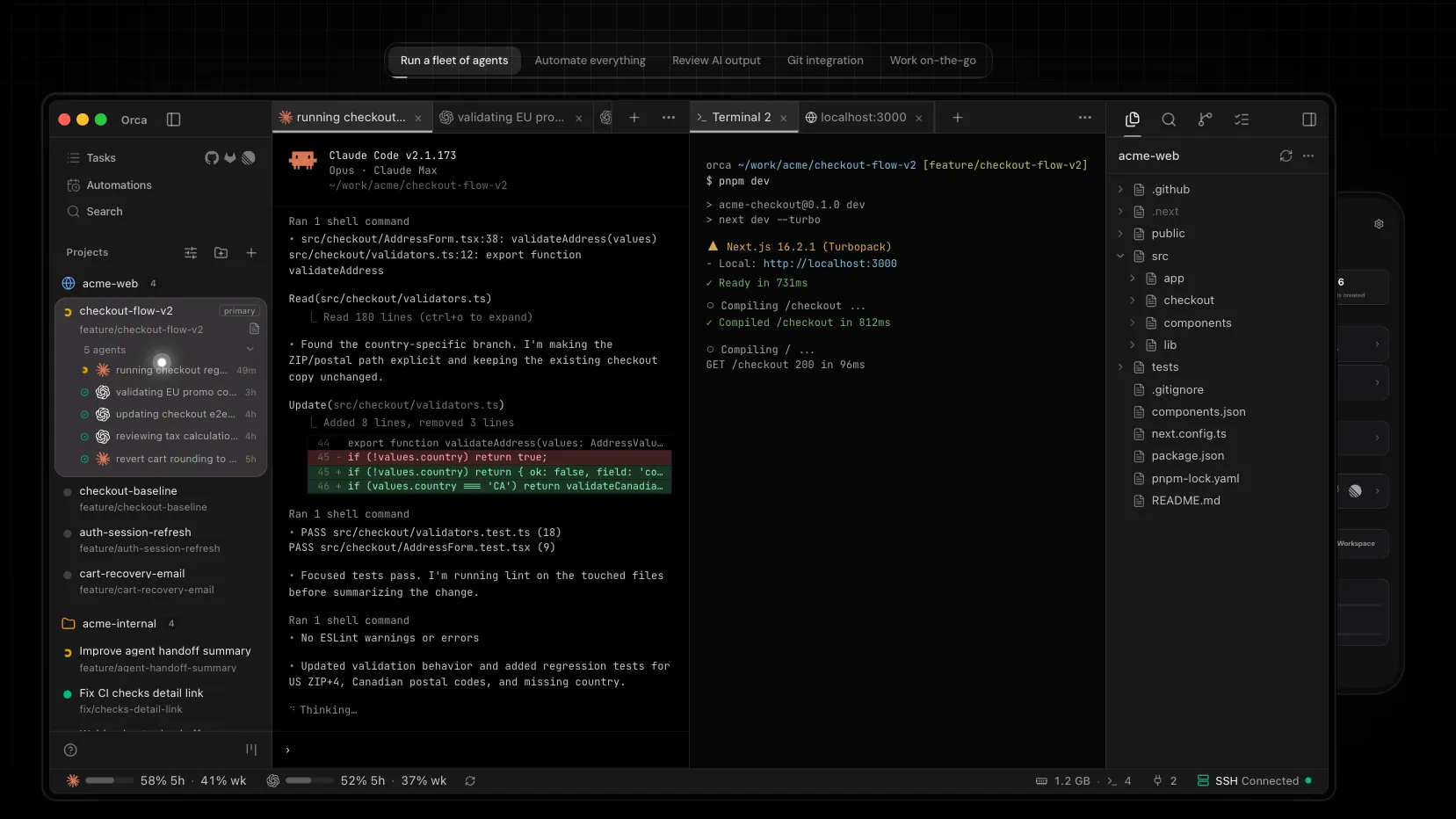
Orca is a standalone, local-first agent IDE for coordinating multiple CLI coding agents across isolated git worktrees.
Information checked: Jul 3, 2026 ·View sources
Tool details
- Type
- AI editors
- Platforms
- macOS, Windows, Linux, iOS companion, Android companion
- Free plan
- Yes
- Open source
- Yes
- Bring your own key
- Yes
- Local models
- No
Overview
Best for
- Professional developers coordinating several AI coding agents
- Teams experimenting with agentic development while keeping diffs reviewable
- Developers already using Claude Code, Codex, OpenCode, or Cursor CLI
- Workflows that need git worktree isolation for parallel tasks
- Remote dev-box setups where the agent runtime should live on another machine
Strengths
- Strong fit for parallel agent workflows without branch collisions.
- Free, MIT-licensed, and local-first.
- Works with existing Claude Code, Codex, OpenCode, Cursor CLI, and other agent subscriptions.
- Review-oriented diff workflow helps keep AI changes auditable.
- Cross-platform desktop support with mobile companion options.
Limitations & trade-offs
- Non-technical users looking for a prompt-to-app builder
- Developers who only want lightweight autocomplete inside an existing IDE
- Teams that need a bundled proprietary model subscription
- Repositories where permission-bypass agent execution is not allowed
- Workflows that depend heavily on VS Code or JetBrains extension ecosystems
- Requires comfort with git worktrees, terminals, and agent CLI setup.
- Does not include model access; separate third-party subscriptions or API keys are still required.
- Permission-bypass defaults may need tightening for security-sensitive repositories.
- Not a simple VS Code extension or no-code app builder.
- Fast-moving project, so documentation and release notes may not always reflect every latest build.
Get started
Pricing & usage limits
Free tier available
Open Source$0
Free MIT-licensed desktop app; model access comes from your own agent subscriptions, accounts, or API keys.
EnterpriseCustom
Team rollout, deployment, security, approved-agent, and support discussions handled directly with Orca.
Pricing checked: Jul 3, 2026 · Subscription, usage limits, and model costs may be billed separately.
Features & details
Agent Workspaces
- Run parallel agent sessions in separate git worktrees
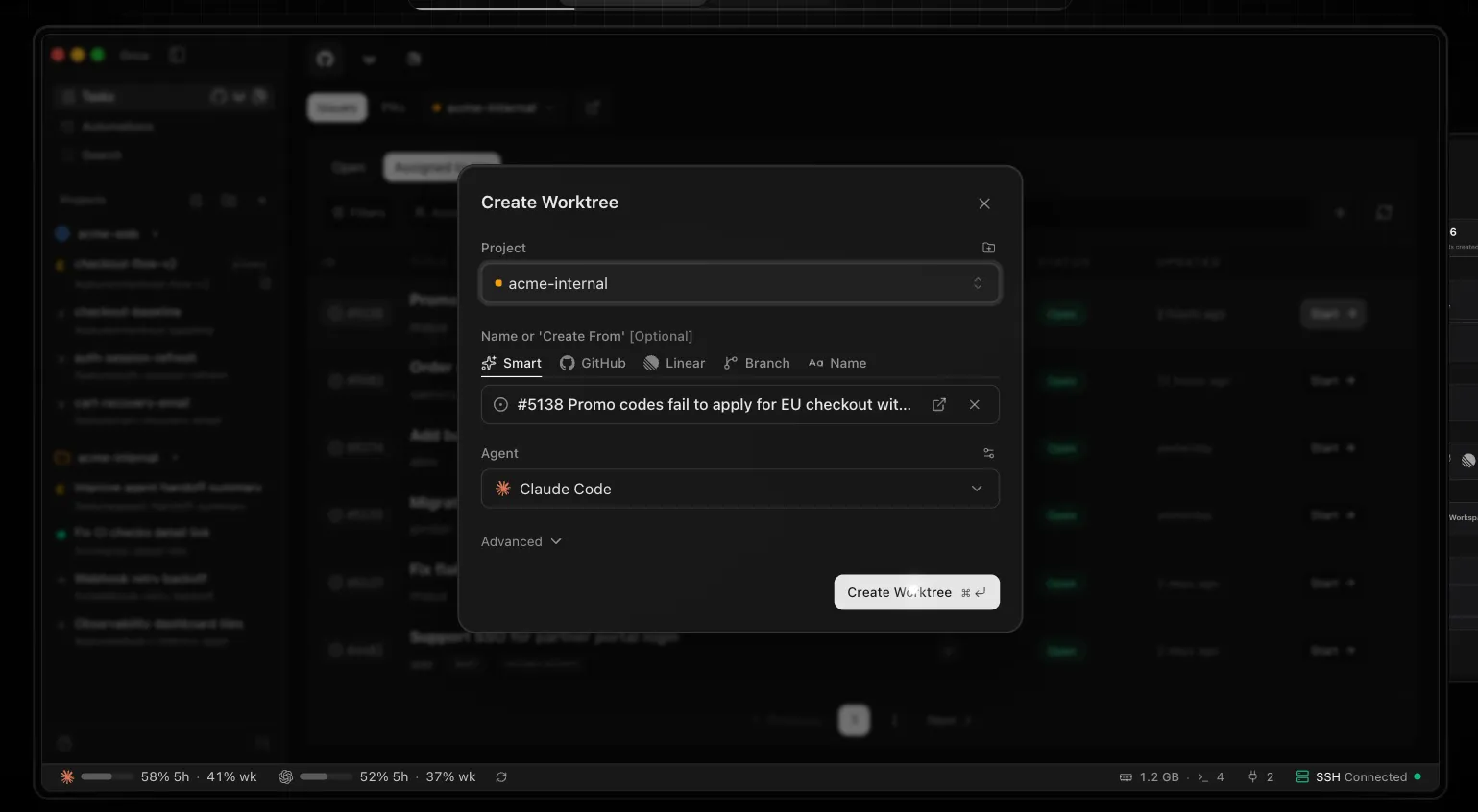
- Launch supported CLI agents from a built-in picker
- Track live agent status and workspace activity
- Keep each task isolated from other branches
Review & Ship
- Inspect AI-generated diffs before merging
- Annotate diff lines and send feedback back to agents
- Commit and push from the Orca workflow
- Work from GitHub, Linear, and Jira task context
Built-in Dev Surface
- Ghostty-style terminal panes with splits
- Monaco-based file editor and file explorer
- Per-worktree Chromium browser with DevTools
- Markdown, Mermaid, PDF, and image viewers
Automation & Remote
- Script worktrees, terminals, files, and browser actions with Orca CLI
- Use Orca skills and MCP-oriented agent workflows
- Run agent sessions on remote machines through Orca Server
- Monitor and steer sessions from mobile companion apps
Why Choose Orca?
Orca is best understood as an Agent Development Environment rather than a traditional AI autocomplete product. Its strongest use case appears when a developer already trusts one or more CLI coding agents and needs a control room around them: separate task spaces, visible agent state, a browser for checking the app, and a review loop before anything lands in the main branch.
The important distinction is that Orca does not try to become the model layer. It wraps the tools developers already run in terminals. That makes it especially attractive for teams that want to compare agents, race multiple approaches to the same bug, or keep provider choice flexible without constantly switching windows and folders.
Core Workflow
A typical Orca session starts with a repository, then splits work into small, isolated worktrees. One agent might investigate a regression, another might refactor a component, and a third might attempt a test fix. Each task keeps its own terminal state, browser state, and file context, so the developer can review outcomes instead of untangling overlapping edits.
The practical value is not just parallelism. Orca encourages a more reviewable pattern for AI coding: ask agents to work in disposable branches, inspect the diff, comment on weak lines, send revision instructions back, then keep only the patch that survives review. For production teams, that review-first posture is more important than raw generation speed.
Use Cases
Orca fits advanced coding workflows where agent output must be compared, supervised, and selectively merged. It is useful for bug bashes, UI implementation passes, dependency upgrades, test repair, documentation edits, and exploratory refactors where several candidate patches may be cheaper than a single long prompt.
It is also a strong match for developers using a remote Linux box or always-on dev machine. In that setup, the heavy agent processes and repositories can live on the remote runtime, while the desktop client remains the cockpit for terminals, browsers, diffs, and task switching.
Comparison to Alternatives
Compared with Cursor or Windsurf, Orca is less about being a polished all-in-one editor with built-in AI chat and more about orchestrating a fleet of external coding agents. Developers who live inside VS Code-like extension ecosystems may prefer a conventional AI editor. Developers who treat Claude Code, Codex, OpenCode, or other CLIs as independent workers may find Orca's worktree model more natural.
Compared with using raw CLI agents directly, Orca adds structure. The terminal is still central, but the surrounding workspace turns agent output into something easier to monitor, compare, and review. The tradeoff is that developers must understand how their agents authenticate, how git worktrees behave, and when automated command execution should be restricted.
Best Configuration
The cleanest setup is to keep each agent authenticated in its own native CLI first, then let Orca discover or launch those agents inside worktrees. Start with two or three concurrent tasks rather than a large fleet. Naming worktrees after the issue or hypothesis makes later cleanup easier, and small task scopes make diffs easier to judge.
For sensitive repositories, review the agent permission mode before letting agents run freely. Orca's isolation reduces branch collision risk, but it does not remove the need for normal security discipline: keep secrets out of prompts, use least-privilege provider credentials, and avoid giving broad shell permissions to agents unless the repository and environment are safe for that workflow.
Migration Notes
Orca does not require a codebase migration. The lower-friction path is to install the desktop app, add one existing repository, confirm that preferred agent CLIs work from a normal terminal, and then create a few trial worktrees from real but low-risk tasks.
Teams adopting Orca should define a lightweight operating pattern before scaling it: how branches are named, who reviews agent diffs, when worktrees are deleted, and which agents are approved. That keeps the tool from becoming a pile of abandoned experiments and turns it into a repeatable agentic development workflow.
Model support & data privacy
Supported models
- Claude Code
- Codex
- OpenCode
- Grok
- Gemini
- Cursor CLI
- GitHub Copilot CLI
- Aider
- Goose
- Qwen Code
Privacy & data handling
Orca is positioned as a local-first desktop app. Its docs state that repositories, prompts, terminal output, file contents, repo names, branch names, and URLs are not sent in anonymous telemetry; agent traffic is handled by the third-party CLIs and providers the user configures.
Guides, reviews & fixes
No published guides yet. Start with the official documentation above.
Product updates
No verified product updates listed yet. Follow this tool to see new relevant content in Saved.
See the content timelineAlternatives
CursorCursor is an AI coding and cloud development platform that combines a VS Code-based editor, local and cloud agents, CLI workflows, Origin code hosting, repository collaboration, and prompt-to-app creation. WindsurfWindsurf, now transitioning under the Devin Desktop brand, is an AI-native IDE for developers who want coding agents, codebase context, and editor workflows in one desktop environment.
 VoidVoid is an open-source AI IDE and Cursor-style VS Code fork for developers who want model choice, local/BYOK workflows, and more control over AI coding data paths.
 Zed AIZed AI is an open-source standalone AI code editor positioned around speed, agent review, flexible model access, and collaboration rather than VS Code compatibility.
 TRAE / TraeCodeTRAE combines TraeCode, an AI coding environment for working with source files, and TraeWork, a task-oriented AI work assistant. This page focuses on choosing and setting up the coding workflow, reviewing changes and understanding subscription usage.
Sources & verification
Verification dates record when this directory checked the information. Product release dates appear separately above.
Official websiteDocumentationSupported agentsInstall docsGitHub repositoryEnterprisePrivacy & Telemetry
Directory revision history
Verified official site, docs, GitHub repository, supported agents, install paths, privacy notes, and enterprise positioning.
GitHub repository listed v1.4.119 as the latest release.
Official changelog highlighted live agent status, GitHub Projects in Tasks, and the beta mobile companion app.