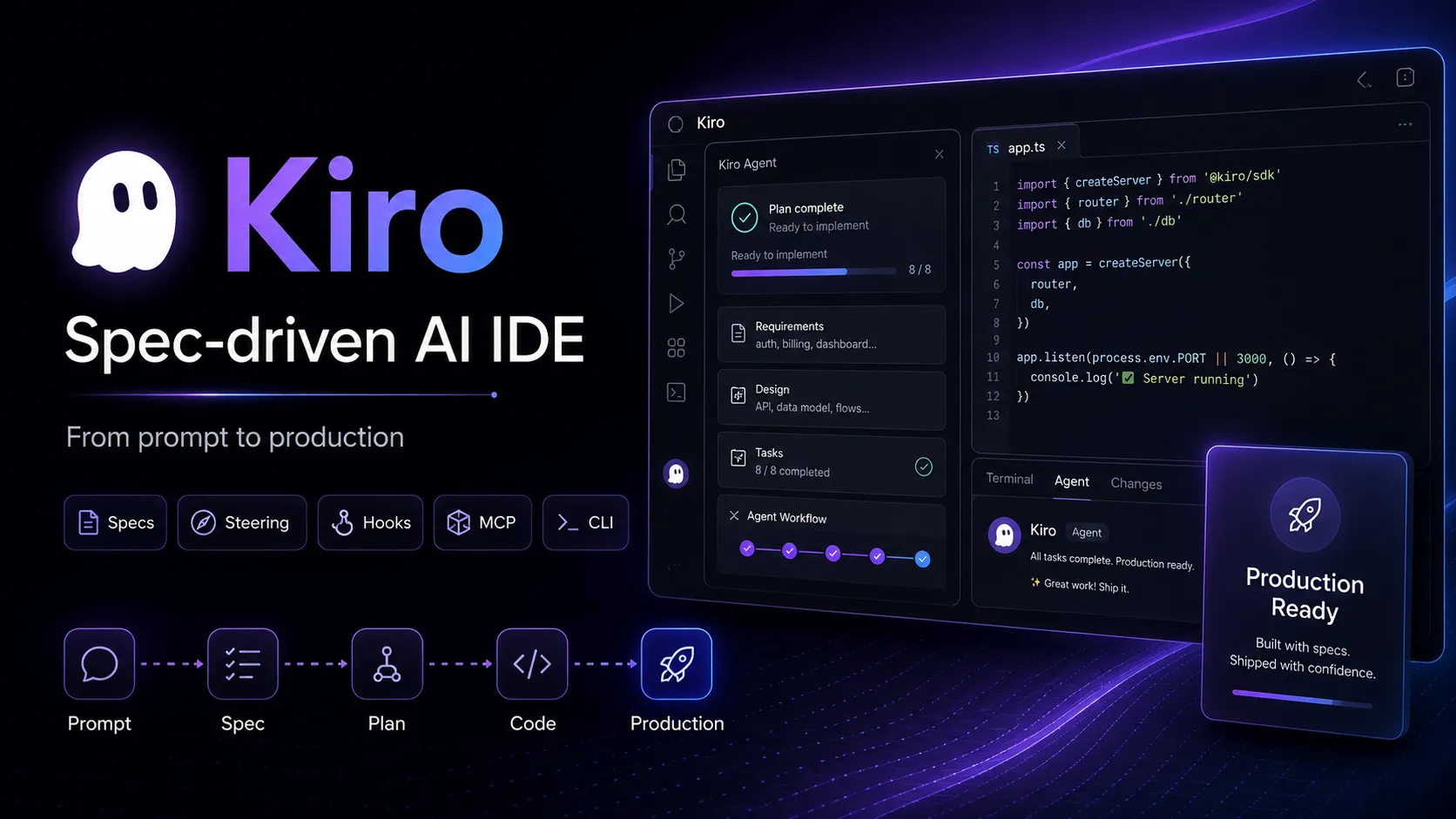
Kiro is an AWS-backed agentic AI IDE for spec-driven software development, combining local coding, CLI automation, web-based delegated agents, MCP tools, and team steering into one structured engineering workflow.
Perpetual free tier with 50 monthly credits and limited access to open-weight models and selected Claude models.
Pro$20 / per month
Includes 1,000 monthly credits and access to paid-tier model capacity with optional overages.
Pro+$40 / per month
Includes 2,000 monthly credits for more frequent agentic development sessions.
Pro Max$100 / per month
Includes 5,000 monthly credits and the full Kiro feature set, including specs, custom subagents, powers, hooks, and full CLI access.
Power$200 / per month
Includes 10,000 monthly credits for heavy individual or team usage.
Overages$0.04 / per additional credit
Available as opt-in overage billing on paid tiers.
Enterprise / Team SubscriptionCustom / AWS-managed
Team subscriptions are managed through AWS with IAM Identity Center, admin controls, usage monitoring, and enterprise governance. GovCloud pricing is listed as approximately 20% higher and does not include the Free tier.
Pricing checked: Jun 23, 2026 · Subscription, usage limits, and model costs may be billed separately.
Features & details
Spec-Driven Development
Turns prompts into requirements, design docs, and task plans
Generates requirements.md, design.md, and tasks.md artifacts
Supports feature specs and bugfix specs
Tracks implementation progress across discrete tasks
Agentic Coding Interfaces
Standalone desktop IDE for macOS, Windows, and Linux
Kiro CLI for terminal and automation workflows
Kiro on the web for delegated cloud sessions and pull requests
GitHub and GitLab workflow support
Context and Automation
Steering files for project, team, and workspace guidance
Agent hooks triggered by IDE events or shell commands
Powers for dynamic MCP tool loading
Built-in MCP server support
Models and Reasoning
Auto model routing
Claude Opus, Sonnet, and Haiku models
Open-weight coding models such as DeepSeek, MiniMax, GLM, and Qwen
Configurable reasoning effort on supported models
Why Choose Kiro?
Kiro is built around a different assumption than many AI coding tools: the hard part is not only generating code, but keeping intent, architecture, tasks, tests, and team standards aligned as the codebase changes. That is why its headline workflow is spec-driven development rather than pure chat editing.
This makes Kiro especially relevant for developers who like AI speed but dislike the chaos that can come from long vibe-coding sessions. Instead of jumping straight from prompt to patch, Kiro can turn an idea into requirements, a technical design, and a task plan before implementation starts.
The AWS connection also matters. Kiro is positioned less like an experimental editor and more like an engineering workflow product: desktop IDE, CLI, web delegation, identity controls, billing through AWS for teams, and enterprise-oriented monitoring. That gives it a different buyer profile from solo-first AI editors.
Core Workflow
A practical Kiro workflow starts by asking the agent to understand the desired change. For small tasks, this can look like normal AI-assisted coding. For larger tasks, the stronger pattern is to use specs: define what should change, review the generated requirements and design, then let the agent work through implementation tasks.
Steering files are the second layer. These are persistent project instructions that describe product goals, technology choices, structure, conventions, and team rules. The more clearly a team defines steering, the less it has to repeat context in every prompt.
Hooks add automation around routine engineering habits. For example, a team can ask Kiro to update docs after file changes, run checks after task completion, or enforce a review step before certain actions. This is where Kiro becomes more like a workflow layer than a chat sidebar.
Powers and MCP support extend the environment further. Instead of dumping every tool into context all the time, Kiro powers can load relevant tool instructions and MCP servers only when a task calls for them. That is useful for teams connecting design tools, databases, observability tools, cloud services, or API platforms.
Use Cases
Kiro is a good fit for feature development where requirements and architecture need to be explicit. Examples include adding a new backend module, refactoring a large service, building a full-stack feature, writing tests and docs for existing code, or turning a product idea into a task list that teammates can review.
It is also useful for teams standardizing AI coding across a codebase. Steering files can encode preferred frameworks, architecture rules, naming patterns, security expectations, and testing habits. That helps reduce the randomness that often appears when every developer prompts an AI assistant differently.
The web agent is better suited to delegated work. A team can connect repositories, ask Kiro to work in a sandbox, and review the resulting pull request. That makes it more comparable to autonomous coding agents, while the desktop IDE remains better for active hands-on coding.
Comparison to Alternatives
Compared with Cursor, Kiro is more process-heavy. Cursor is excellent for fast in-editor chat, tab completion, and interactive edits. Kiro is more compelling when the team wants explicit specs, task tracking, hooks, and project standards before the agent changes code.
Compared with Windsurf, Kiro leans harder into spec-driven planning and AWS-backed governance. Windsurf may feel more fluid for continuous AI-assisted coding. Kiro may fit better when the organization wants the agent’s reasoning and implementation plan to be documented as part of the work.
Compared with GitHub Copilot, Kiro is less of an add-on and more of a standalone development environment. Copilot is easier to adopt inside existing editors. Kiro asks the user to adopt a new IDE/CLI/web workflow, but gives more structured agent behavior in return.
Compared with Claude Code or Codex CLI, Kiro offers a broader interface surface. Terminal-first agents are strong for developers who live in shells and want maximum directness. Kiro is stronger when the team wants local IDE collaboration, persistent steering, specs, hooks, powers, and web-based delegated work in one product family.
Best Configuration
The best Kiro setup starts with steering. Generate the foundational product, tech, and structure steering files, then edit them manually so they match the real codebase. Treat these files as part of the repository’s engineering contract, not as disposable AI context.
For large tasks, prefer specs over one-shot prompts. Review requirements first, then the design, then the task breakdown. This is slower at the beginning, but it can prevent expensive wrong turns when the change touches several files or systems.
For teams, define which hooks are safe to automate. Documentation updates, test generation, lint checks, and post-task summaries are lower-risk. Security-sensitive changes, migrations, infrastructure edits, and dependency updates should still include human review.
For cost control, choose models deliberately. Auto is a reasonable default, but cheaper open-weight models can be useful for long coding sessions or routine edits, while Opus-class models are better reserved for architecture, security, debugging, and high-risk refactors.
Migration Notes
Migrating from VS Code is easier than moving to a completely unfamiliar editor because Kiro is based on Code OSS and supports importing many VS Code settings, themes, and Open VSX-compatible extensions. Still, teams should test their essential extensions, terminal workflow, formatters, and debugging setup before standardizing on it.
Migrating from Cursor or Windsurf should not be treated as a simple editor swap. The workflow change is more important than the UI change. To get value from Kiro, teams should adopt specs, steering, and hooks rather than using it only as another chat-enabled editor.
Migrating from a terminal agent such as Claude Code or Codex CLI may work best as a hybrid. Keep the CLI for automation and shell-native work, but use the IDE when specs, project navigation, code review, and hands-on editing need a richer interface.
For organizations adopting Kiro at scale, start with one pilot repository. Define steering files, connect only the necessary MCP tools, monitor credit usage, test privacy settings, and decide which workflows belong in the desktop IDE, CLI, or web agent before rolling it out broadly.
Model support & data privacy
Supported models
Auto
Claude Opus 4.8
Claude Opus 4.7
Claude Opus 4.6
Claude Opus 4.5
Claude Sonnet 4.6
Claude Sonnet 4.5
Claude Sonnet 4.0
Claude Haiku 4.5
DeepSeek 3.2
MiniMax M2.5
GLM-5
MiniMax M2.1
Qwen3 Coder Next
Privacy & data handling
Kiro is an AWS application. Its IDE privacy documentation describes AWS shared-responsibility security practices, while Kiro Web documentation states that task descriptions, chat messages, code changes, and additional context may be stored to execute tasks. Kiro Web documentation also states that content from Free Tier and individual subscribers may be used for service improvement unless opted out, while enterprise users are automatically opted out of telemetry and content collection by AWS. Teams should review Kiro Web sandbox access, connected GitHub/GitLab permissions, MCP tools, secrets, network access, and enterprise logging settings before using it with sensitive code.
Created directory entry and verified current Kiro positioning, pricing tiers, credits, model list, IDE/CLI/Web availability, specs, steering, hooks, powers, MCP support, enterprise identity, and privacy notes from official sources.