

Create
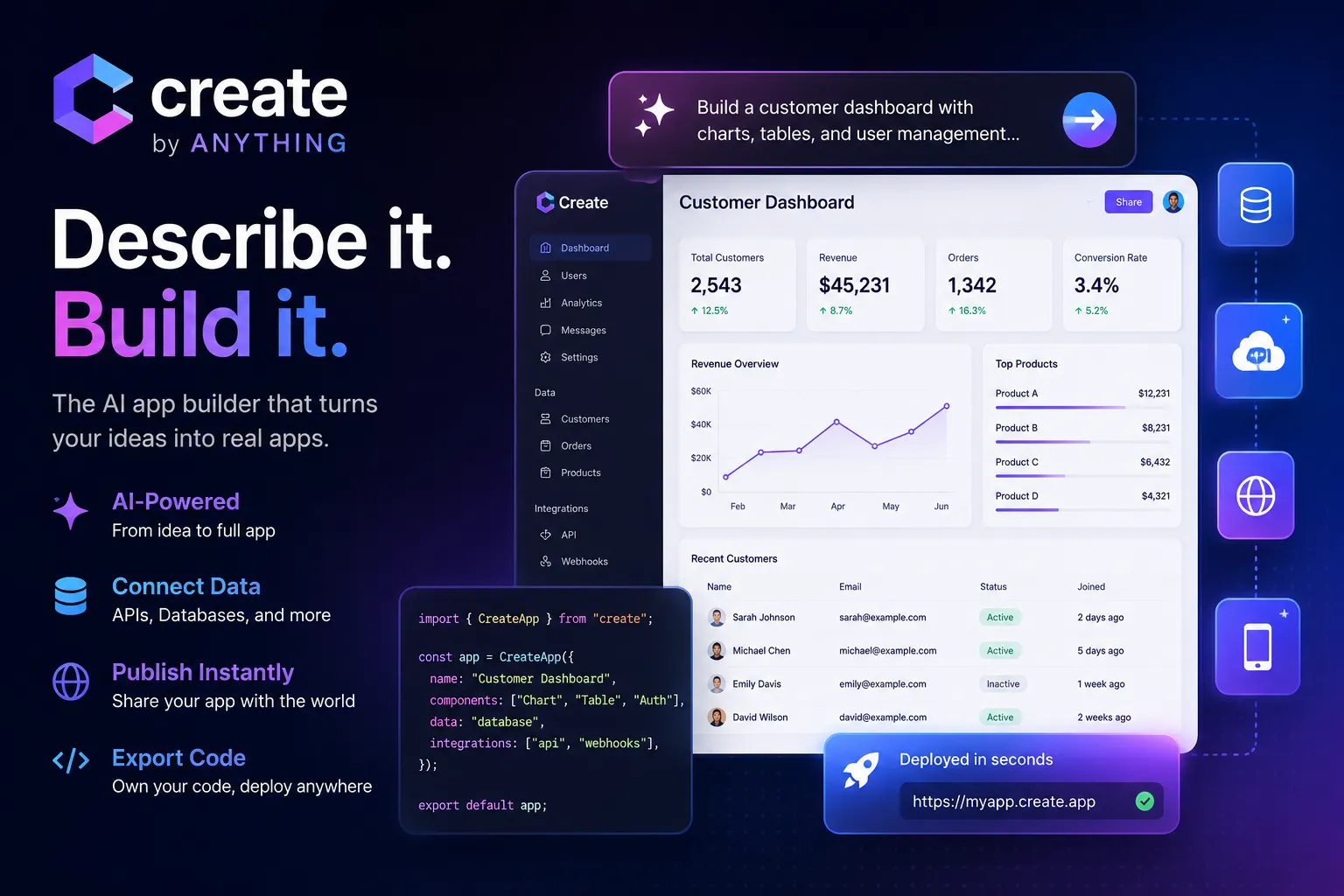
Create, now also branded as Anything, is an AI app builder for turning plain-English prompts into apps, sites, tools, and products. It is strongest for fast prototyping, internal tools, simple web/mobile apps, API-connected dashboards, and AI-powered workflows.
Choose Create when you want a fast, English-first AI app builder for prototypes, internal tools, dashboards, and simple apps with database, AI, publishing, and API integration support. Choose Lovable, Bolt.new, v0, or Replit AI if code ownership and developer handoff matter more, and choose Bubble if you want a more mature no-code platform for long-term visual app operations.
Pricing Plans
Free
Includes 3K monthly credits, daily credits up to 10K/month, chat and generation, publishing, and AI integrations.
Pro 20k
Includes 20K monthly credits, private projects, branding removal, custom domains, and more storage.
Max / Advanced
Includes 220K monthly credits, advanced agent features, frontier models, parallel agents, visual QA, extended context, automated testing, and priority support.
Teams
Custom team pricing for collaborative app building, shared workflows, internal tools, and larger usage needs.
Extra credits
Paid plans can purchase more credits when included monthly credits are exhausted.
Core Features
1Prompt-to-app building
- Generate apps, sites, tools, products, and components from natural-language descriptions.
- Create runs the generated app so users can iterate from a working result.
- Supports web and mobile app creation from conversational prompts.
2AI agent workflow
- Agent tiers support increasingly capable app-building behavior.
- Higher tiers add multiple agents running in parallel.
- Advanced workflows can use visual QA, extended context, and automated testing.
3App logic and data
- Database support is included across plans.
- Web search and AI integrations can be added to generated apps.
- Generated tools can connect to REST APIs and uploaded Swagger documentation.
4Design and editing
- Generate UI from text prompts or screenshots.
- Create components, dashboards, tables, grids, maps, cards, search, and filtering interfaces.
- Refine generated apps through follow-up prompts and visual iteration.
5Publishing and ownership
- Publish projects from Create/Anything hosting.
- Paid plans support custom domains and branding removal.
- Code export is available on paid plans for handoff or further development.
6Team and internal tools
- Built for non-technical teammates to create internal tools in English.
- Collaboration helps designers, founders, engineers, and operators edit projects together.
- Useful for building dashboards and workflow tools on top of production APIs, Airtable, Supabase, Xano, or custom backends.
Pros
- Fast plain-English workflow for turning ideas into working apps.
- Good fit for internal tools, dashboards, and simple product prototypes.
- Supports database, web search, publishing, AI integrations, and custom domains.
- Can connect to REST APIs and Swagger docs for API-backed tools.
- Higher tiers add visual QA, automated testing, and parallel agent workflows.
- Code export reduces lock-in compared with closed no-code-only tools.
Cons
- Credit-based usage can become limiting during heavy iteration.
- Best suited to prototypes, tools, and straightforward apps rather than complex production systems.
- Advanced features are concentrated in the $199/month tier.
- Less developer-centric than code-first tools like Bolt.new, v0, Replit AI, Cursor, or Cline.
- Model/provider control is less transparent than BYOK or open-source agent tools.
- Generated apps still need review, security checks, and cleanup before serious production use.
Why Choose Create?
Create is strongest when the fastest path from idea to working app is plain English. Instead of starting with a blank codebase, a visual canvas, or a local dev environment, users describe what they want and let the agent generate a running app that can be refined through follow-up prompts.
The product is now closely tied to the Anything brand, so a directory page should preserve both names. People may search for Create.xyz, Create Anything, or Anything AI app builder and expect the same product family. The practical positioning is simple: it is an AI-first app builder for people who want to make useful tools quickly without starting from a traditional engineering workflow.
Core Workflow
A practical Create workflow begins with a specific product brief. Describe the user, app goal, screens, data, workflows, integrations, and visual style. For internal tools, it helps to mention the source of truth: an API, Airtable base, Supabase table, Xano backend, CRM, spreadsheet, or custom database.
After the first version is generated, the workflow becomes iterative. Users refine layout, add fields, connect APIs, generate AI-powered features, publish the result, and optionally export code on paid plans. The best results come from breaking work into small changes rather than asking for a large app and multiple integrations in one step.
Use Cases
Create fits internal tools, dashboards, lightweight CRMs, customer tables, review classifiers, admin panels, AI automations, API-connected utilities, landing pages, and quick mobile or web app prototypes. It is particularly useful for operators, founders, product managers, and technical-adjacent teammates who know the workflow they need but do not want to wait for engineering capacity.
It is less ideal for complex production systems with deep infrastructure requirements. If the app needs custom CI/CD, heavy backend logic, strict observability, source-code governance, or a mature engineering process, Create may still be useful for prototyping, but not necessarily as the final production architecture.
Comparison to Alternatives
Compared with Lovable, Bolt.new, and v0, Create is more conversational and non-technical in feel. Lovable, Bolt.new, and v0 are stronger when the end state should move into code, GitHub, Vercel, or developer-led maintenance. Create is stronger when the user wants to describe a business tool and get a working result quickly.
Compared with Bubble, Create is more AI-first and faster for early generation, while Bubble is more mature as a long-term visual no-code platform with deep workflow and database controls. Compared with Replit AI, Create is simpler for non-developers, while Replit gives more of a full browser IDE and cloud workspace.
Compared with Figma Make, Create is less design-canvas centered and more app/workflow centered. Figma Make is attractive when design context is the starting point; Create is attractive when the prompt, workflow, data, and integration are the starting point.
Best Configuration
The best Create setup starts with clear acceptance criteria. Name the app type, data source, user roles, actions, integrations, and what should happen when a user clicks each important button. If the app talks to an API, provide the REST behavior or Swagger documentation early.
For teams, use Create for workflow discovery and fast internal tools, but keep a human review step before relying on generated apps for sensitive operations. Check API permissions, database access, authentication, public links, custom domains, and whether the app exposes private data. For credit control, avoid broad repeated regeneration and use focused follow-up prompts.
Migration Notes
Create’s code export makes it less locked in than purely closed builders, but migration still requires planning. Before moving a project out, document data sources, API keys, integrations, generated logic, custom domain settings, and any hosted behavior that depends on Create/Anything infrastructure.
Teams moving from Create into a developer-owned stack should treat the exported code as a starting point, not a finished production system. Add tests, inspect dependencies, review security, standardize environment variables, and decide where the app will be deployed. Teams staying inside Create should document project ownership, app privacy, credit usage, and maintenance responsibility so the tool does not become a hidden business-critical system without governance.
Best For
- Non-technical founders
- Startup MVPs
- Internal tools
- Admin dashboards
- API-backed tools
- Simple web apps
- Mobile app prototypes
- AI-powered workflows
- Database-backed tools
- Fast product experiments
- Teams building from English prompts
- Operators who need custom tools without waiting on engineering
Not Ideal For
- Large production systems with complex backend architecture
- Teams requiring full source-code ownership from day one
- Developers who primarily want IDE autocomplete
- Teams requiring local model execution
- Users who need provider-neutral BYOK model routing
- Highly regulated apps without engineering and security review
- Projects that require deep infrastructure, CI/CD, and observability control
Privacy Notes
Create/Anything can process prompts, generated app code, project data, uploaded images or screenshots, API descriptions, database context, integrations, logs, and hosted app content to generate and run apps. Users should avoid placing secrets, production credentials, private customer records, or regulated data into prompts, public projects, screenshots, integrations, or generated apps unless access controls, API permissions, and data-handling settings have been reviewed.
Alternatives
Sources
Update History
- Jun 15, 2026: Created entry with Create/Anything rebrand context, current Anything pricing, English-to-app workflow, AI integrations, REST API and Swagger support, code export, internal tool positioning, and comparison placement among AI app builders.
Related Tools
More listings in a similar part of the directory.






Create Articles
Guides, comparisons, and launch notes connected to this listing.

