
On This Page8 sections
Key Takeaways
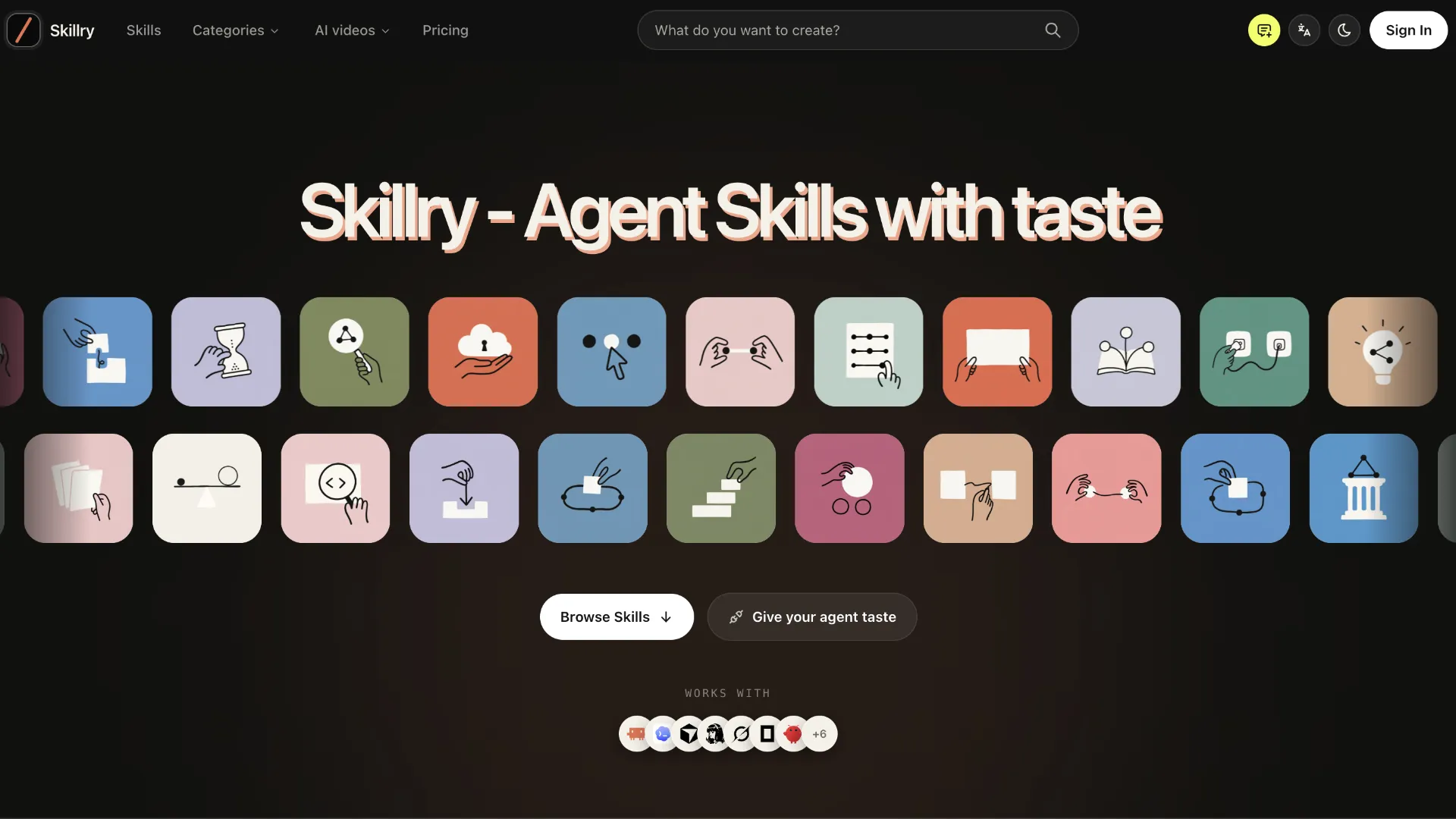
- Skillry is a curated marketplace for Agent Skills, not a conventional prompt library. Its packages are designed to give AI agents reusable workflows, examples, references, guardrails, and sometimes scripts or validators rather than a single block of text to paste into a chat.
- As of September 30, 2026, Skillry's live directory shows 382 Skills: 112 for Web, 47 for Slides, 140 for Video, and 83 for Image, with roughly 34 currently marked free.
- Skillry is strongest in visual and production-oriented work: landing pages, UI sections, presentations, infographics, social images, illustrations, launch videos, and other artifacts where a repeatable visual system matters.
- It supports multiple agent environments, including Claude Code, Codex, Cursor, Gemini CLI, OpenCode, Kimi Code, and Antigravity.
- Current official pricing is $9.99/month, $79/year, or $169 one-time for the Founding Lifetime plan.
- The main tradeoff is scale versus curation: Skillry is much smaller than open indexes such as SkillsMP, but it puts more emphasis on review, previewable output, defined deliverables, compatibility notes, and installation UX.
Catalog, compatibility, and pricing details in this review were checked on September 30, 2026.
What Is Skillry?
Skillry is a marketplace and discovery layer for Agent Skills: portable folders that teach an AI agent how to perform a repeatable task.
That distinction matters. A prompt usually tells a model what to do once. An Agent Skill can package the method for doing that job repeatedly.
A typical skill can look conceptually like this:
my-skill/
├── SKILL.md
├── references/
├── scripts/
└── assets/
SKILL.md is the entry point. It describes when the skill should be used and how the agent should execute the workflow. Supporting files can provide reference material, templates, validation logic, examples, or scripts.
Skillry describes its catalog as curated rather than exhaustive. Published Skills are reviewed for whether the instructions work, whether the examples reflect the intended output, and whether the package stays focused on a clear job.
The result is closer to an app store for agent workflows than a directory of clever prompts.
What Makes Skillry Different From a Prompt Library?
The easiest way to understand Skillry is to separate four layers that are often mixed together in AI tooling.
| Layer | What it provides | Typical limitation |
|---|---|---|
| Prompt | One set of instructions | Often needs to be rewritten or re-explained |
| Agent Skill | Reusable workflow plus supporting files | Still depends on the host agent and model |
| MCP server | Tools and external data access | Does not automatically encode a complete working method |
| Full application | Purpose-built UI and workflow | Less portable across agent environments |
Skillry focuses on the second layer.
Many Skillry pages show a sample request under a You say section and expose a Copy install prompt action. But the prompt is only the trigger. The value is in the package behind it: the process, visual rules, dependencies, checks, examples, and reusable files.
That is important for users comparing Skillry with prompt marketplaces. A strong Agent Skill attempts to reduce the amount of hidden decision-making the model must improvise every time.
Instead of repeatedly asking an agent to make a polished SaaS landing page, a well-constructed Skill can specify:
- the page architecture;
- spacing and typography rules;
- how to handle missing product information;
- which interactions should be functional;
- what output format to produce;
- what to validate before calling the task complete;
- which dependencies or outside services are required;
- what should remain fictional until real data is supplied.
This is why Skillry's positioning around taste is more meaningful than it first appears. The product is trying to package design and production judgment, not simply reusable wording.
What Is Actually in the Skillry Catalog?
The current catalog is heavily weighted toward visual production. The live directory lists 382 total Skills, broken down into 112 Web, 47 Slides, 140 Video, and 83 Image Skills.
Use-case filters include site pages, social content, client decks, brand assets, UI design, infographics, brand films, product launch films, illustration sets, diagrams, product explainers, motion graphics, storyboards, portraits, and learning materials.
That focus differentiates Skillry from repositories dominated by coding checklists, test workflows, and engineering automation.
Example: Quartz SaaS Landing
Quartz SaaS Landing is a useful example of how far a Skill can go beyond a prompt. Its page describes a complete AI SaaS marketing page with motion, pricing, a light/dark theme, product framing, and a self-contained output file. The workflow can also be adapted into React, Vue, or Astro projects.
The important part is not the visual style itself. It is that the Skill defines a repeatable delivery system around that style.
Example: Research Paper Deck
Research Paper Deck turns a supplied paper into a figure-first 16:9 HTML presentation. Its description emphasizes traceable captions, explicit sources, calibrated claims, and a problem-to-evidence narrative.
This is a good example of a Skill encoding editorial judgment in addition to design.
Example: Hand-Drawn Visual Notes
Hand-Drawn Visual Notes is currently listed as free. It turns source material into a focused 4:3 explainer graphic with a hand-drawn visual language and uses GPT Image as its generation layer.
A free Skill like this is a practical way to test whether the Skillry workflow improves consistency over an ordinary prompt.
Example: Objection-Reversal Launch Film
The Objection-Reversal Launch Film shows the other side of Agent Skills: dependencies matter. The Skill produces a structured launch video workflow, but its page lists HyperFrames, Node.js 22+, and FFmpeg as requirements.
This illustrates a critical rule for evaluating any Agent Skill: compatibility with an agent does not automatically mean the entire production pipeline is dependency-free.
How Skillry Works
The normal Skillry workflow has six steps.
1. Find the artifact, not just a tool name
Skillry increasingly organizes discovery around the thing a user needs to ship: a landing page, deck, architecture diagram, launch visual, product image set, or social campaign.
This is a better discovery model for Agent Skills because users usually know the output they need before they know the name of a Skill.
2. Inspect the preview and deliverables
Before installation, check:
- the preview gallery;
- What you get;
- Good fit and Not for;
- required inputs;
- dependencies;
- possible outside costs;
- declared Runs in compatibility;
- Last tested environments.
Skillry deliberately distinguishes broad compatibility from environments it has actually tested. A Skill may be designed to run in many agents even if only a smaller subset appears in its latest test record.
3. Install the Skill
Skillry supports downloading a ZIP, using an install prompt, or installing through its CLI.
The documented CLI flow is:
npx --yes skillry-cli@latest login
npx --yes skillry-cli@latest status
npx --yes skillry-cli@latest install story-first-deck
For Claude Code, the guide shows an explicit agent target:
npx --yes skillry-cli@latest install story-first-deck --agent claude-codeSkillry says the CLI uses browser authorization and stores a revocable, scope-limited credential in the operating system's secure credential store rather than asking users to create and paste an API key.
4. Put the Skill in the directory your agent actually reads
Skillry's current guide documents these locations:
| Agent | Skill directory |
|---|---|
| Claude Code | ~/.claude/skills |
| Codex | ~/.agents/skills |
| Cursor | ~/.agents/skills |
| Gemini CLI | ~/.agents/skills |
| OpenCode | ~/.agents/skills |
| Kimi Code CLI | ~/.agents/skills |
| Antigravity | ~/.gemini/config/skills |
Do not assume every agent uses the same directory. Different environments can support compatibility paths or agent-specific locations.
5. Start a fresh session
This is easy to miss. Agents commonly scan for Skills at session start. Installing a folder and continuing the same session can make a working Skill look broken.
6. Invoke the Skill and validate the output
Use the Skill's example request first. If that works, move to a real task.
Then validate the artifact the same way a human specialist would. For a web Skill, inspect responsive behavior and interactions. For a deck, check source traceability, overflow, and export behavior. For a video workflow, inspect timing, assets, licensing, and render dependencies.
A Skill improves the method. It does not eliminate the need for review.
Does Skillry Work With Claude Code, Codex, Cursor, and Other Agents?
Mostly, but portability has layers.
Skillry's compatibility model makes a useful distinction: the instructions and reference files are generally portable, while installation paths, skill matching behavior, host-only capabilities, and script execution can vary.
In practice, portability depends on four questions:
- Can the agent discover
SKILL.md? - Will it match the user's request to the Skill's description?
- Can it execute any scripts the Skill expects?
- Does it have access to the required model or external tool?
This explains why the same Skill can work perfectly in Claude Code but behave differently in Cursor or Codex.
The instructions may be identical while the host model, tool permissions, filesystem conventions, or triggering logic differ.
Skillry Pricing in 2026
Skillry currently offers three catalog-wide Premium access options:
| Plan | Current price | Access model |
|---|---|---|
| Monthly | $9.99/month | Premium access while subscribed |
| Yearly | $79/year | Premium access while subscribed |
| Founding Lifetime | $169 one-time | Ongoing Premium access under the founding offer |
The official pricing page says the paid options include Premium Skills, web or CLI installation, ongoing Skill updates, and newly released Premium Skills.
Some individual Premium Skill pages also display direct purchase pricing, which creates two reasonable usage patterns:
- buy a small number of highly specific Skills individually;
- subscribe when using many Skills across web, image, slide, and video workflows.
Because the Lifetime tier is explicitly labeled a founding price, it should be treated as time-sensitive rather than a permanent list price.
Skillry vs Skills.sh vs SkillsMP
Skillry operates in a rapidly expanding Agent Skills ecosystem, but these services solve different discovery problems.
| Platform | Core model | Scale | Curation approach | Installation/discovery emphasis |
|---|---|---|---|---|
| Skillry | Curated marketplace | Hundreds of Skills | In-house review and previewable outcomes | Artifact-first discovery, web/CLI install, Premium catalog |
| skills.sh | Open Agent Skills ecosystem | Large public ecosystem | Popularity, topics, official sources, security-related browsing | CLI-based, GitHub-backed Skills |
| SkillsMP | Public SKILL.md index | Millions of indexed files | Broad indexing rather than certification | Search and research across public GitHub Skills |
The practical distinction is straightforward:
- Use Skillry when output quality, visual direction, previews, and a curated workflow matter more than raw catalog size.
- Use skills.sh when open-source distribution, GitHub-native installation, ecosystem popularity, and broad agent support matter most.
- Use SkillsMP when the goal is research: finding many public examples, studying
SKILL.mdpatterns, or discovering niche workflows that may not appear in a curated store.
These are complementary more often than they are direct substitutes.
Is Skillry a Good Place to Find Prompt Examples?
Yes, but treating Skillry as a prompt collection undersells it.
Many Skill pages include a concrete example of what the user can say to the agent. Those examples are useful because they show:
- what input detail the Skill expects;
- what scope the Skill is designed to handle;
- which variables should be supplied;
- how specific the request needs to be.
However, copying only the visible example prompt removes much of the advantage.
The real Skill may also contain:
- decision rules;
- layout systems;
- templates;
- validation steps;
- scripts;
- references;
- fallback behavior;
- output constraints.
For prompt researchers, Skillry is therefore more valuable as a collection of workflow patterns than as a collection of isolated prompt strings.
Where Skillry Is Strongest
1. It makes output inspectable before installation
A common problem with agent workflow repositories is that the description sounds impressive but the user cannot see the expected result.
Skillry's preview-first approach is especially useful for visual work, where good is difficult to evaluate from a README alone.
2. The Skills are narrow enough to be reusable
The best examples are not make-anything Skills. They target specific jobs such as a pricing section, system map, research deck, launch film, social visual, or portfolio.
Narrow scope reduces improvisation and makes repeatability more realistic.
3. It documents the last mile
Several Skill pages explicitly list required inputs, dependencies, outside costs, limitations, and checks.
That is more useful than a generic style prompt because production failures often happen after generation: missing packages, wrong output format, fake interactions, unlicensed assets, or unsupported export requirements.
4. It is cross-agent by design
Skillry is not tied only to Claude Code. Its documentation covers Codex, Cursor, Gemini CLI, OpenCode, Kimi Code, Antigravity, and other compatible environments.
For people who switch models or coding agents frequently, that portability can be more valuable than a tool-specific prompt library.
Where Skillry Still Has Limitations
Model quality still matters
A Skill cannot make every underlying model equally capable.
The Skill fixes part of the method while the underlying model still performs the work.
Runs in is not the same as tested in
Read the Last tested row. A broad compatibility badge means the Skill is designed to transfer; it is not proof that every agent/model combination has been exercised.
Some workflows have outside costs
Image generation, video tooling, hosted APIs, or third-party renderers can introduce additional fees. Skill pages that list Outside costs should be checked before buying or installing.
Output formats vary
Some presentation Skills produce HTML decks rather than native PowerPoint or Google Slides files. Some web Skills produce self-contained HTML rather than a full production framework app.
The preview may look right while the delivery format is wrong for the team. Check the artifact type before choosing a Skill.
Individual adoption data is still uneven
Skillry is a relatively young marketplace. Install counters should be treated as an adoption signal, not as a reliable quality score.
Security and Trust: What to Check Before Installing Any Agent Skill
Agent Skills can contain more than Markdown. They may include scripts, templates, references, and instructions that cause an agent to act on local files.
That makes a Skill closer to installing automation than copying a prompt.
Before using a new Skill in an important repository:
- read
SKILL.md; - inspect
scripts/and executable files; - review required external services;
- understand what files the agent may create or modify;
- check whether network access is required;
- avoid exposing production secrets to workflows that do not need them;
- run unfamiliar Skills in a disposable project or branch first;
- inspect
git diffafter the first real run.
Skillry's review process and dependency disclosures improve the baseline, but curation should not replace local security review.
Common Skillry Installation Problems
The Skill never appears
The most likely causes are the wrong directory or an old session.
Confirm that SKILL.md sits directly inside the Skill folder rather than one folder deeper, then start a completely new agent session.
The Skill exists but does not trigger
Try the Skill's own example request.
If that works, the package is installed and the issue is request-to-description matching. Different agents can be more or less aggressive about invoking the same Skill.
The workflow fails halfway through
Check the dependency section.
A Skill may rely on Node.js, FFmpeg, an image model, a renderer, or another CLI. Format compatibility does not guarantee dependency compatibility.
Output quality gets worse after installing many Skills
More instructions are not always better.
If the agent becomes slower or less precise, remove Skills that are not actively used.
A downloaded Skill becomes stale
Revisit the Skill page and pull the latest package when a workflow matters. A local folder does not update itself merely because a newer version exists online.
Who Should Use Skillry?
Skillry is particularly well suited to:
- solo founders who need launch pages, product visuals, decks, diagrams, and release assets without building a design workflow from scratch;
- developers using Claude Code, Codex, or Cursor who want reusable delivery patterns instead of repeating long instructions;
- content teams producing OG images, article illustrations, carousels, and visual explainers;
- designers who want agents to follow a stronger visual system while preserving human review;
- marketers who need repeatable launch and campaign artifacts;
- teams that want a shared workflow encoded in files rather than buried in one person's chat history.
It is less compelling for users who only need one-off text prompts, want the largest possible open-source index, or require every workflow to be fully auditable on a public GitHub repository before installation.
A Practical Way to Evaluate Skillry Before Paying
Do not judge Skillry from the catalog alone.
A better evaluation is an A/B workflow test:
- Choose one free Skill that matches a task completed regularly.
- Run the task once with a normal prompt.
- Run the same task with the Skill.
- Compare revision count, visual consistency, missing requirements, and time to a usable artifact.
- Inspect the generated files and dependencies.
- Repeat the Skill on a second input to test whether the quality is actually reusable rather than a lucky first run.
For visual work, also compare whether the second and third outputs stay inside the same design system. Repeatability is the real advantage an Agent Skill is supposed to provide.
Conclusion
Skillry represents a broader shift in AI agents: the competitive layer is moving from which model can answer the prompt to which reusable workflow can reliably ship the artifact.
Its strongest idea is simple: package judgment, process, examples, constraints, and validation into a Skill that can travel between agent environments.
For users of Claude Code, Codex, Cursor, and similar tools, Skillry is most interesting when the work has a visible standard of quality — a landing page, deck, image, diagram, or video — and when repeating the same long prompt has started to feel like maintaining undocumented software.
The best next step is to install one free Skill, run it against a real recurring task, and compare the result with the team's existing prompt-based workflow. If it reduces revision cycles and produces more consistent artifacts across multiple runs, the value of the Skill model becomes measurable rather than theoretical.
Continue Reading
More articles connected to the same themes, protocols, and tools.
RateMySite Review 2026: What It Measures, How the Score Works, and Where It Falls Short

Codex + Cloudflare Zero Trust: The Safer Way to Ship Private AI-Built Internal Tools in 2026
Claude Code Considered Killing Plan Mode the Day After Google Antigravity Shipped It — What the Split Really Means
Referenced Tools
Browse entries that are adjacent to the topics covered in this article.

