On This Page8 sections
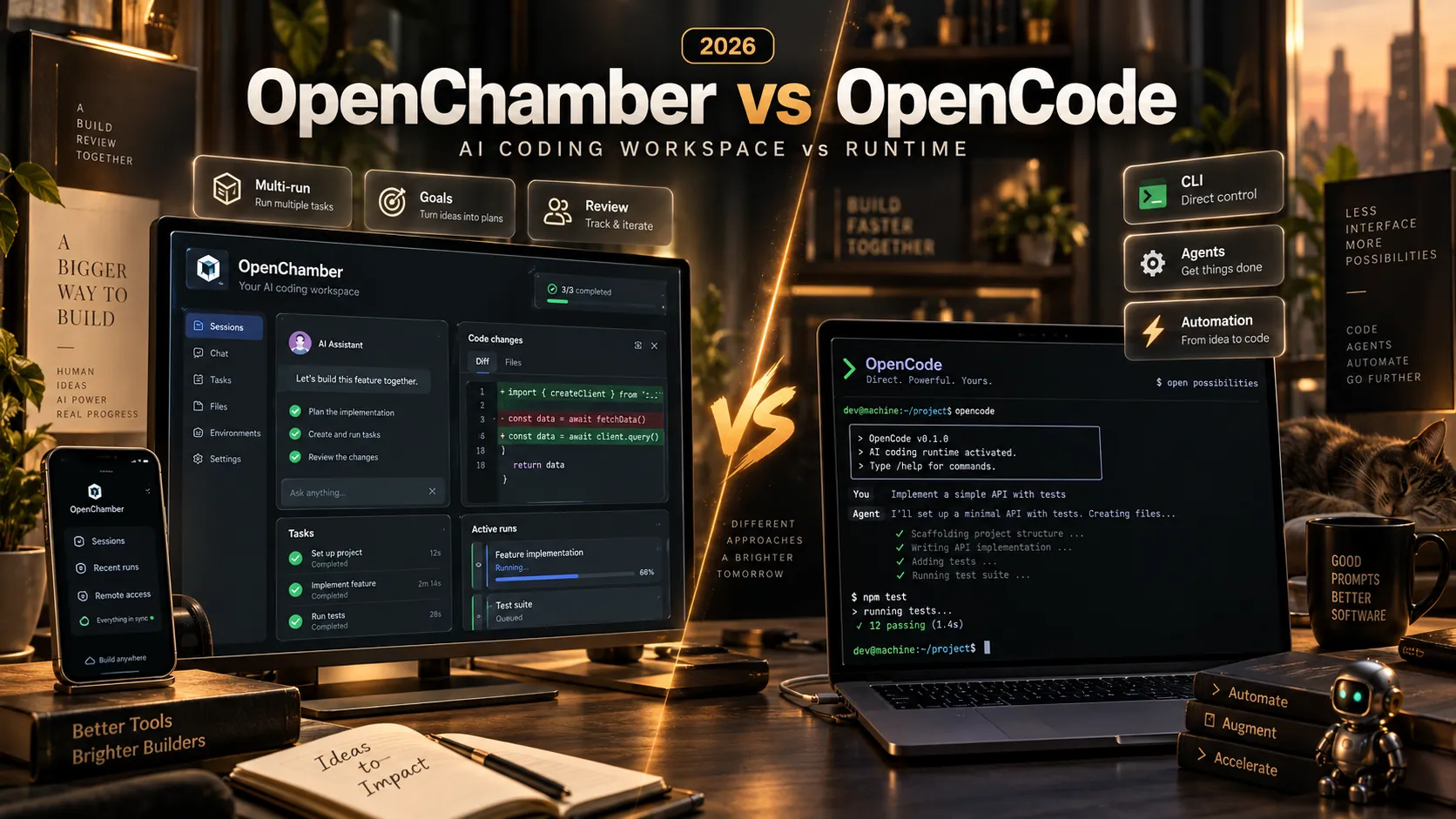
OpenChamber and OpenCode are two open-source tools designed to make AI-powered software development more productive. Although their names sound similar and their features overlap, they serve different purposes.
OpenCode is an AI coding agent and execution platform. OpenChamber is a development workspace built around OpenCode that adds workflow management, multi-agent comparisons, remote access, and code review capabilities.
That distinction is increasingly important as AI coding tools move beyond simple code generation toward autonomous development workflows.
OpenCode already provides a terminal interface, desktop application, web interface, configurable agents, multiple model providers, and automation capabilities. OpenChamber builds on that foundation with features such as Session Goals, Multi-run, Fusion, Changes Walkthrough, scheduled tasks, and Private Relay.
The real question is not whether OpenChamber can replace OpenCode entirely. It is whether OpenChamber's additional workflow capabilities justify using another layer on top of the underlying agent runtime.
This comparison examines their architecture, user experience, AI agent capabilities, integrations, Git workflows, remote development, pricing, security, and practical limitations based on official documentation available as of October 12, 2026.
Key Takeaways
- Different roles: OpenCode is the underlying AI coding agent and runtime, while OpenChamber provides a workspace for managing development tasks performed through OpenCode.
- Both have graphical interfaces: OpenCode offers terminal, desktop, and web experiences. OpenChamber also offers desktop and web interfaces, plus VS Code integration and mobile applications.
- OpenChamber emphasizes orchestration: Session Goals, Multi-run, Fusion, and guided code reviews help developers supervise complex or parallel agent workflows.
- OpenCode emphasizes direct control: Its CLI, configurable agents, model providers, tools, and APIs make it particularly suitable for terminal-first development and programmable automation.
- Both support extensibility: OpenCode supports custom agents, Skills, MCP servers, and plugins. OpenChamber adds a visual management experience and its own extension system.
- Remote workflows differ: OpenCode supports server-based and web access, while OpenChamber adds dedicated mobile clients, Private Relay, and desktop-managed remote instances.
- Neither guarantees better generated code: Coding quality depends primarily on the model, context, tools, and evaluation process rather than the surrounding interface.
- Both are open source: Their software is MIT-licensed, although model inference and infrastructure may involve additional costs.
What Is OpenCode? is an open-source AI coding agent maintained by the Anomaly organization.
It allows developers to interact with AI models inside software projects, inspect source code, edit files, execute terminal commands, and perform complex development tasks.
OpenCode's architecture combines an agent runtime with configurable models, tools, permissions, and multiple client interfaces.
Its available interfaces include:
- Terminal UI: An interactive command-line development environment.
- Desktop application: A native graphical experience for supported operating systems.
- Web application: Browser access to a running OpenCode instance.
- IDE integration: Support for development environments such as VS Code and compatible editors.
- CLI automation: Noninteractive commands designed for scripts, CI pipelines, and automated workflows.
OpenCode also supports custom agents, subagents, Skills, MCP servers, plugins, and a broad range of model providers.
For example, the CLI can launch an interactive coding session or execute a single prompt programmatically:
opencodeopencode run "Explain the architecture of this repository"The second command is useful for scripting and CI workflows where an interactive conversation is unnecessary.
OpenCode V2 also uses a shared background service that manages sessions, configuration, integrations, permissions, and execution for connected local clients.
This makes OpenCode more than a traditional terminal chatbot. It is an extensible coding-agent platform that can support multiple user interfaces and development environments.
See the official OpenCode V2 documentation for its current architecture and supported installation methods.
What Is OpenChamber? is an open-source Agentic Development Environment built on top of OpenCode.
Its purpose is to provide developers with a more comprehensive interface for organizing, supervising, reviewing, and delivering AI-generated development work.
Rather than replacing OpenCode's execution engine, OpenChamber uses it to perform coding tasks while adding its own workflow features.
The most important capabilities include:
- Session Goals: Automatically continue an agent session toward a defined objective.
- Multi-run: Run the same task using several models or sessions.
- Fusion: Combine promising implementation approaches into a new session.
- Changes Walkthrough: Generate guided explanations of related code changes.
- Browser Preview: Inspect running applications and provide visual context to agents.
- Git Workflows: Manage branches, worktrees, changes, issues, and pull requests.
- Private Relay: Connect paired devices through an end-to-end encrypted remote-access mechanism.
- Scheduled Tasks: Configure recurring development tasks through a graphical scheduler or repository files.
- Mobile Access: Review and manage coding sessions from supported mobile applications.
OpenChamber is independently maintained and is not an official OpenCode project.
Its central value is workflow coordination rather than a separate AI model or proprietary coding engine.
OpenChamber vs OpenCode: Features Comparison
The following table summarizes the most important differences between the two products in October 2026.
| Feature | OpenChamber | OpenCode |
|---|---|---|
| Primary purpose | AI development workspace and orchestration | AI coding agent and execution platform |
| Underlying execution | Uses OpenCode | Native OpenCode runtime |
| Terminal interface | Integrated terminal and OpenCode-based execution | First-class interactive CLI and TUI |
| Desktop application | Yes | Yes |
| Web interface | Yes | Yes |
| IDE integration | VS Code extension | VS Code and compatible IDE integrations |
| Mobile experience | Dedicated mobile applications and PWA | Web access through a connected instance |
| Multiple model providers | Through OpenCode | Native provider configuration |
| Custom agents | Supported through OpenCode | Native primary agents and subagents |
| Session Goals | Built-in goal continuation workflow | Agent execution and automation without the same documented Goal UI |
| Multi-run comparison | Built-in launcher for multiple runs | Parallel subagents and individually managed sessions |
| Fusion workflow | Built-in workflow | Requires separate integration or custom coordination |
| Git worktrees | Integrated creation and management | Git and external tooling can manage isolation |
| Guided diff walkthrough | Built-in AI-guided review | Code review through agents and existing tools |
| Browser preview | Integrated preview and visual context tools | Desktop/web capabilities and external browser tooling |
| GitHub workflows | Integrated issue and PR management | GitHub integration and automated workflows |
| Scheduled tasks | Built-in scheduler and repository loops | CLI and CI-based automation |
| Remote access | SSH, Private Relay, tunnels, and paired devices | Background server, web access, and pairing |
| Skills and MCP | Supported | Native support |
| Extensions | Workspace extensions and OpenCode integrations | OpenCode plugins and extensions |
| License | MIT | MIT |
| Software license cost | Free | Free |
| Model inference cost | Depends on connected providers | Depends on connected providers |
The most important difference is how development work is coordinated, not whether either product can call an AI model.
OpenCode is a strong foundation for directly operating agents. OpenChamber places more emphasis on supervising multiple workflows and reviewing their outcomes.
Architecture: How OpenChamber Builds on OpenCode
The architectural relationship explains why these products are often better understood as complementary rather than mutually exclusive.
OpenCode provides the core execution capabilities needed by coding agents: model interaction, tool invocation, file operations, shell execution, agent configuration, and session management.
OpenChamber adds a separate application layer around that runtime.
The relationship can be represented as follows:
Developer
   |
   +-- OpenCode CLI / Desktop / Web
   |       |
   |       +-- OpenCode Runtime
   |               |
   |               +-- AI Models
   |               +-- Tools and MCP
   |               +-- Project Files
   |
   +-- OpenChamber Workspace
           |
           +-- Session Goals
           +-- Multi-run and Fusion
           +-- Code Review and Git UI
           +-- Remote and Mobile Access
           +-- Scheduled Tasks
                   |
                   +-- OpenCode Runtime
This structure has several practical implications.
First, using OpenChamber does not require abandoning the OpenCode ecosystem. Compatible agents, model providers, and tools remain part of the underlying runtime.
Second, OpenChamber introduces another application and configuration layer. That can improve workflow management but also creates additional components to install, maintain, and troubleshoot.
Third, changes to OpenCode's runtime and interfaces can affect OpenChamber compatibility. Developers should use versions supported by the installed OpenChamber release instead of assuming that every OpenCode update is immediately compatible.
Finally, running the same model through the same underlying agent tools does not automatically produce higher-quality code simply because OpenChamber is used as the interface.
The primary benefits come from additional context management, orchestration, evaluation, and review workflows.
User Experience: Terminal-First vs. Workspace-First
One of the clearest differences between OpenChamber and OpenCode is their approach to daily development work.
OpenCode: Direct Interaction With the Agent
OpenCode is particularly convenient for developers who spend most of their time in a terminal or prefer a lightweight development workflow.
Its CLI provides direct access to agent conversations, file references, models, commands, and tool execution.
The V2 runtime also supports a shared background service, allowing connected clients to work with common session state.
OpenCode additionally provides desktop and web interfaces, so describing it as terminal-only would be inaccurate.
However, its core experience remains closely connected to the coding-agent runtime and its programmable interfaces.
This approach works well for developers who want to control implementation details through commands, configuration files, and custom scripts.
OpenChamber: A Centralized Development Workspace
OpenChamber emphasizes the overall development process.
Its interface brings projects, sessions, active tasks, Git changes, terminal activity, scheduled jobs, and reviews into one workspace.
Developers can switch between tasks, examine their status, compare implementations, and manage remote environments without relying entirely on separate terminal sessions.
The additional interface is particularly useful when several coding agents are working across different repositories.
Which Interface Is Better?
Neither is universally superior.
OpenCode is generally a more direct choice for terminal-first workflows and scripting. OpenChamber becomes more attractive when managing, reviewing, and coordinating agent work requires substantial attention.
Developers should evaluate both interfaces using actual projects rather than assuming that a larger feature set always results in better productivity.
Autonomous Agents: Session Goals vs. OpenCode Subagents
Both products support agentic development, but their documented approaches emphasize different capabilities.
OpenCode: Primary Agents and Subagents
OpenCode supports configurable primary agents and specialized subagents.
Primary agents manage the main coding session, while subagents can perform focused tasks in child sessions.
For example, a primary agent can delegate repository exploration to a read-only subagent while continuing the broader implementation workflow.
Developers can define agent instructions, select models, and configure permissions to control what each agent is allowed to do.
In OpenCode V2, agent definitions can be stored in project-level or global Markdown files.
This approach is powerful for building customized development workflows and reusable agent configurations.
The OpenCode Agents documentation describes the available configuration options.
OpenChamber: Session Goals
OpenChamber adds a goal-oriented continuation mechanism.
A developer defines a measurable objective, such as implementing an API endpoint, adding tests, and achieving a successful build.
After an agent turn, OpenChamber uses an evaluator to decide whether the objective has been completed, remains unfinished, or is blocked.
When additional work is required, the system can automatically continue the session.
The documented mechanism also includes token budgets, continuation limits, pause controls, and stopping conditions.
A goal might look like this:
Implement the CSV export feature, add validation for unsupported filters, write regression tests, and verify that the production build succeeds without changing existing API contracts.
The difference is that OpenChamber introduces an explicit completion-oriented control loop around agent execution.
Which Approach Is More Autonomous?
The answer depends on the workflow.
OpenCode can automate substantial work using agents, subagents, scripts, and external orchestration.
OpenChamber offers a convenient built-in mechanism for repeatedly assessing whether a specific objective has been achieved.
These capabilities are complementary rather than direct substitutes.
Important limitation: Model-based completion evaluations can be incorrect. A successful goal status should not replace actual test results, security review, or human verification.
For detailed behavior, see OpenChamber Session Goals.
Multi-Agent Development: Multi-run vs. Native Subagents
Parallel AI development is another important comparison point.
OpenCode can use specialized subagents and supports multiple sessions. Developers can also implement custom parallel workflows with scripts, plugins, and Git worktrees.
OpenChamber adds a specific Multi-run interface designed to launch and compare independent implementations of the same task.
How OpenChamber Multi-run Works
A developer chooses a project, defines a task, and selects multiple model configurations.
OpenChamber can launch up to five runs in a group, with each run receiving the same initial prompt.
Runs can optionally use isolated Git worktrees, preventing competing implementations from modifying the same checked-out files.
After execution, developers can inspect individual sessions and compare the resulting changes.
This is particularly valuable for tasks with several possible solutions, such as choosing a frontend architecture, implementing a complex algorithm, or refactoring a legacy subsystem.
Fusion: Combining the Strongest Results
OpenChamber also provides Fusion, a workflow for consolidating useful elements from different runs into a new session.
For example, one implementation may use a cleaner component structure, another may provide better error handling, and a third may include more comprehensive tests.
Fusion can help combine those strengths, but integration requires verification because different implementations may make incompatible assumptions.
How OpenCode Handles Similar Work
OpenCode can delegate tasks to subagents, run separate sessions, and work with Git-based isolation through external tools or customized workflows.
However, that is not the same as having a dedicated interface that launches multiple independent solutions to one prompt and organizes the results for comparison.
OpenCode offers greater flexibility for developers building their own orchestration systems. OpenChamber provides a more immediately accessible workflow for this particular use case.
Cost Considerations
Running multiple agents can substantially increase inference usage.
For a straightforward change, several parallel implementations may provide little additional value.
For uncertain architectural decisions, the ability to compare alternatives can be worth the extra cost.
The appropriate approach is to use parallel execution selectively and evaluate results against concrete acceptance criteria.
See OpenChamber Multi-run for the official workflow.
Git Workflows and Code Review
Both OpenChamber and OpenCode can participate in Git-based development, but their integrations differ.
OpenCode: Programmable GitHub Automation
OpenCode integrates with GitHub workflows and can run through GitHub Actions.
Developers can use agent-driven automation to investigate issues, implement changes, and review pull requests.
Its CLI also makes it suitable for repository scripts and CI pipelines.
For example, a noninteractive coding task can be started through:
opencode run "Review this repository for error-handling issues"This command demonstrates direct CLI automation; whether files are modified depends on the selected agent, permissions, and prompt.
OpenCode is particularly useful when developers want Git operations and AI tasks to fit into programmable workflows.
OpenChamber: Integrated Review and Delivery
OpenChamber provides a more visual approach to Git operations.
Developers can inspect diffs, manage worktrees, review pull requests, and connect GitHub or GitLab work items to coding sessions.
Its Issues and PRs Board brings relevant repository activity into a dedicated interface.
The October 8, 2026 OpenChamber v2.2.0 release expanded this workflow with issue and pull request management capabilities.
OpenChamber also supports Linear issue integration, making it possible to connect task tracking with coding-agent sessions.
Changes Walkthrough
A particularly useful OpenChamber feature is Changes Walkthrough.
It transforms a large code diff into an AI-guided explanation organized around related modifications.
This can make complex agent-generated implementations easier to inspect.
However, guided explanations are not substitutes for independent review. Authorization logic, database migrations, dependency changes, and production configuration still require careful examination.
OpenCode is attractive for programmable Git automation. OpenChamber provides a more centralized interface for reviewing and managing the development lifecycle.
Remote Development: OpenChamber vs. OpenCode
Remote coding is an area where the products offer overlapping foundations but different user experiences.
OpenCode Remote Capabilities
OpenCode V2 includes a background service and web interface.
Its documentation describes connecting clients to a running server and accessing the web interface through a pairing workflow.
This means OpenCode is not limited to a single interactive terminal window.
Developers can also use SSH, private networking, and other infrastructure tools to access remote coding environments.
The main considerations are authentication, network configuration, server availability, and the permissions granted to the execution environment.
OpenChamber Private Relay
OpenChamber adds a dedicated Private Relay system for paired devices.
The relay forwards end-to-end encrypted traffic between clients and a running OpenChamber instance.
According to the Private Relay documentation, the relay infrastructure cannot read the protected application content because it does not possess the encryption keys.
Devices can be paired through one-time QR codes, and their credentials can be revoked.
The system also prefers a direct connection when one is available.
Desktop-Managed Remote Instances
OpenChamber's desktop application can connect to remote machines over SSH.
It supports managed instances, where the application helps install and start the remote service, and external instances that are already running.
This can simplify management of development servers or remote workstations.
Mobile Development Management
OpenChamber provides dedicated mobile applications and a PWA experience.
Mobile users can monitor sessions, respond to questions, review changes, and interact with supported remote workflows.
OpenCode provides browser-based access, but OpenChamber's dedicated mobile interface and relay-based connection workflow represent a different product emphasis.
Which Is Better for Remote Coding?
OpenCode is sufficient for developers comfortable managing their own servers and remote connections.
OpenChamber is especially attractive when frequent cross-device access, mobile approvals, and centralized remote-instance management are priorities.
Neither eliminates the need for a continuously running host when work must continue without an active local client.
Scheduled Tasks and Automation
Both products support automation, but their approaches differ.
OpenCode Automation
OpenCode provides noninteractive CLI commands suitable for scripting and CI environments.
Developers can combine these commands with tools such as Cron, GitHub Actions, and existing deployment pipelines.
This offers substantial control over how tasks are triggered, logged, and integrated with other systems.
For experienced developers, this can be a simple and effective solution without introducing another workflow application.
OpenChamber Scheduler
OpenChamber provides a built-in scheduler for one-time, daily, weekly, and Cron-based tasks.
The scheduler starts sessions using configured prompts, agents, and model providers.
Scheduled tasks can also use Session Goals to continue toward a defined objective.
OpenChamber additionally supports repository-defined automation through Markdown files stored in .agents/loops/.
For example:
---
name: daily-code-review
schedule: '0 9 * * 1-5'
enabled: true
model: provider/model-name
agent: plan
timezone: Asia/Taipei
---
Review recent code changes.
Identify significant defects and regressions.
Summarize findings with file references.
Do not modify production files.
The model identifier must be replaced with one available in the configured OpenCode environment.
Project-level loops have activation safeguards and do not automatically execute merely because a repository contains an enabled task file.
OpenChamber's scheduled tasks require its server to remain running. Tasks do not execute while the server is stopped.
The Scheduled Tasks documentation explains the configuration and execution behavior.
Automation Verdict
OpenCode is well suited for developers who prefer scripts and CI-based automation. OpenChamber reduces the setup needed for recurring workflows managed through a graphical interface.
AI Models, Providers, Skills, and MCP Support
Both products can use the model ecosystem available through OpenCode.
OpenCode supports configurable providers, model selection, custom agents, Skills, MCP servers, and plugins.
Because OpenChamber uses OpenCode as its execution engine, it can expose and manage many of those underlying capabilities.
Consequently, OpenChamber should not be described as having inherently better model intelligence or exclusive access to the broader OpenCode provider ecosystem.
Model Configuration
OpenCode allows developers to connect supported providers and configure custom endpoints.
OpenChamber adds user-interface workflows for selecting models, managing integrations, and configuring relevant settings.
OpenChamber also includes Auto Model Routing, which can classify tasks and select models from user-defined choices.
The effectiveness of routing depends on the classification system, configured models, and fallback behavior. Automatic routing does not guarantee optimal model selection.
Claude Code Integration
OpenChamber documents a dedicated Claude Code integration using the installed Claude Code CLI and Anthropic's official Agent SDK.
Eligible users can authenticate through the documented integration workflow, subject to provider requirements.
This is different from merely selecting a Claude model through an API provider.
Skills and MCP
Both platforms support reusable agent instructions and external tools through the OpenCode ecosystem.
OpenChamber adds visual interfaces for discovering and managing Skills, MCP configurations, and additional workspace extensions.
The distinction is primarily between native runtime configuration and an expanded management interface.
Developers should also remember that MCP servers and third-party extensions can introduce additional data access and security risks.
Performance: Is OpenChamber Faster Than OpenCode?
There is no reliable basis for claiming that OpenChamber generates better code or consistently executes model requests faster than OpenCode.
OpenChamber uses OpenCode as its underlying execution environment. When the same model, provider, tools, prompts, permissions, and repository state are used, the underlying coding capabilities are closely related.
However, the surrounding workflows can influence total task completion time.
For example, OpenChamber's Multi-run can execute independent implementations concurrently, potentially reducing the elapsed time required to compare alternatives.
Its Session Goals can reduce manual intervention by continuing work after intermediate agent responses.
Conversely, the additional interface, evaluation calls, and parallel sessions introduce resource consumption and complexity.
OpenCode's direct CLI can be more convenient for simple commands and script-driven operations.
How to Benchmark Both Tools Fairly
A meaningful comparison should use the same repository, model, provider, task definition, and verification criteria.
Relevant measurements include:
- Time to complete the requested implementation.
- Total model tokens consumed.
- Number of manual interventions.
- Build and test success rates.
- Number of introduced defects.
- Time required for code review.
- CPU and memory consumption on the host.
Multiple runs should be evaluated because model output and external service latency can vary.
No measured performance advantage should be assumed without controlled testing. The primary documented differences concern developer experience and workflow features.
Pricing: Is OpenChamber More Expensive Than OpenCode?
Both OpenChamber and OpenCode are open-source projects distributed under the MIT license.
Neither requires purchasing a proprietary software license simply to run the open-source application.
However, AI coding workloads can incur external costs.
| Cost category | OpenChamber | OpenCode |
|---|---|---|
| Software license | Free | Free |
| Model inference | Provider-dependent | Provider-dependent |
| API subscriptions | Depends on integration | Depends on provider |
| Self-hosting | Optional infrastructure cost | Optional infrastructure cost |
| Parallel execution | Multi-run may increase usage | Parallel agents may increase usage |
| Evaluation calls | Session Goals may add calls | Depends on configured workflow |
| Third-party services | Optional | Optional |
OpenCode also offers optional model access services such as OpenCode Zen and OpenCode Go. These services are separate from the open-source runtime and have their own pricing arrangements.
OpenChamber can introduce additional model calls through autonomous continuation and comparison workflows, but those are workload costs rather than an OpenChamber software license fee.
For predictable spending, developers should monitor token usage, restrict unnecessary parallelism, configure goal budgets, and avoid repeatedly invoking expensive models for trivial tasks.
Installation: OpenChamber vs. OpenCode
The installation process provides another practical distinction.
Installing OpenCode V2
OpenCode V2 provides an official installation script:
curl -fsSL https://opencode.ai/v2/install | bashAfter installation, launch the terminal interface:
opencodeOr run a noninteractive command:
opencode run "Summarize this project and identify its main components"OpenCode also distributes desktop applications and supports web access.
See the OpenCode V2 installation documentation for current platform-specific instructions.
Installing OpenChamber Desktop
The simplest option is to download a desktop package from OpenChamber Releases.
The desktop application bundles a matching OpenCode CLI, so users do not need to install a separate copy for the normal desktop setup.
After installation, developers can configure providers, select projects, and begin creating coding sessions.
Installing OpenChamber CLI and Web
The documented CLI/Web installation requires Node.js 24.14 or newer and a compatible installed OpenCode CLI.
Install OpenCode first, then install OpenChamber:
curl -fsSL https://raw.githubusercontent.com/openchamber/openchamber/main/scripts/install.sh | bashStart the service with UI authentication:
openchamber --ui-password YOUR_STRONG_PASSWORDThe browser interface typically becomes available at http://localhost:3000.
Production installations should use strong authentication and secure networking rather than exposing the application publicly without additional controls.
Which Is Easier to Install?
For direct terminal use, OpenCode generally requires fewer application layers.
For graphical use, both products offer desktop applications.
OpenChamber's desktop package simplifies the dependency setup by bundling a compatible OpenCode CLI. Its server deployment has additional configuration requirements because it manages more workflow and remote-access functionality.
The easier option depends on whether the target environment is a local workstation, an IDE, or a persistent remote server.
Security and Privacy Comparison
Both products can execute tools and modify source code, making security configuration essential.
OpenCode Security
OpenCode supports configurable tool permissions, provider settings, and agent-specific access controls.
Developers can restrict shell commands, file modifications, and other actions through the runtime's permission configuration.
Its shared background service and web access should be protected appropriately when exposed beyond a trusted local environment.
OpenChamber Security
OpenChamber adds security controls for its application and remote-access features.
Documented options include:
- Password protection for the browser UI.
- Passkey authentication.
- Per-device pairing credentials.
- Revocable device access.
- End-to-end encrypted Private Relay connections.
- Enterprise policy options for restricting selected behaviors.
These features help manage additional access paths, but the extra services and extensions also expand the system's configuration surface.
Important Privacy Distinction
Neither product guarantees that all project content remains local when a remote model provider is configured.
Coding-agent requests may transmit prompts, source-code context, tool output, or other relevant information to the selected provider.
Optional plugins, MCP servers, classification systems, and external integrations can introduce additional data flows.
Security-sensitive deployments should review both the underlying OpenCode permissions and any OpenChamber-specific access configuration.
Recommended practice: Use least-privilege credentials, require approval for destructive operations, protect remote connections, and review third-party integrations before granting access to confidential repositories.
Pros and Cons of OpenChamber
Advantages
- Integrated interface for managing multiple development projects.
- Session Goals reduces the need for repeated manual continuation.
- Multi-run provides a convenient workflow for comparing implementations.
- Fusion supports combining useful results from different runs.
- Guided code walkthroughs simplify review of large diffs.
- Dedicated mobile interfaces enable remote task supervision.
- Private Relay reduces the need for manually exposing public ports.
- Built-in scheduling and issue management support recurring workflows.
Limitations
- Introduces another application layer on top of OpenCode.
- Requires compatibility with its supported OpenCode runtime.
- Goal evaluations and parallel runs can increase model usage.
- Some capabilities differ between desktop, web, VS Code, and mobile.
- Persistent tasks require a running execution environment.
- Additional integrations increase configuration and security responsibilities.
Pros and Cons of OpenCode
Advantages
- Direct access to a powerful open-source coding-agent runtime.
- First-class terminal interaction and noninteractive CLI commands.
- Native desktop and web interfaces.
- Extensive model-provider configuration options.
- Custom primary agents, subagents, permissions, and tools.
- Strong compatibility with scripting and CI-based automation.
- Open-source plugin, Skill, and MCP ecosystems.
- Fewer additional workflow components for developers who do not need them.
Limitations
- Developers may need additional tooling for sophisticated multi-run comparisons.
- Specialized project orchestration may require scripts or plugins.
- Remote infrastructure still needs appropriate access and security configuration.
- Agent completion must be verified using tests and review processes.
- Some workflows require more manual coordination than OpenChamber's dedicated interface.
Which Should You Choose?
The most useful decision criterion is the kind of work being performed.
| Development scenario | Recommended starting point | Reason |
|---|---|---|
| Terminal-first coding | OpenCode | Direct interactive workflow |
| CI scripts and command-line automation | OpenCode | Native noninteractive execution |
| Custom agent and plugin development | OpenCode | Direct runtime configuration |
| Managing many concurrent coding sessions | OpenChamber | Centralized task and session management |
| Comparing several implementations | OpenChamber | Multi-run and Fusion workflows |
| Supervising agents from a phone | OpenChamber | Dedicated mobile access and Private Relay |
| Reviewing large agent-generated changes | OpenChamber | Changes Walkthrough and integrated diff tools |
| Recurring maintenance with a graphical scheduler | OpenChamber | Built-in scheduled tasks |
| Minimal local development setup | OpenCode | Fewer workflow layers required |
| Managing remote development machines | OpenChamber | Desktop remote-instance controls |
Choose OpenCode If...
OpenCode is a strong choice for developers who prefer terminal-driven development, programmable automation, and direct control over the underlying agent runtime.
It is also appropriate for teams that already have effective CI pipelines, Git tooling, and external orchestration infrastructure.
When development tasks are relatively straightforward, another application layer may not provide enough additional value to justify its complexity.
Choose OpenChamber If...
OpenChamber is particularly attractive for developers managing multiple repositories, long-running tasks, parallel implementations, or remote coding environments.
Its additional capabilities can reduce the manual work involved in monitoring agent progress, comparing results, and reviewing complex changes.
It is especially relevant for independent developers and small teams that depend heavily on AI coding agents but do not want to build a custom orchestration dashboard.
Can You Use OpenChamber and OpenCode Together?
Yes. OpenChamber is explicitly designed around the OpenCode execution environment.
Developers can use OpenCode directly for terminal-focused work and OpenChamber for higher-level session management and review.
However, compatibility and session visibility depend on the particular versions, installations, and server configurations involved.
Developers should not assume that every independently created session or plugin is automatically portable between all configurations.
A practical approach is to test both interfaces against one repository before committing to a broader workflow change.
Frequently Asked Questions
Is OpenChamber Better Than OpenCode?
Neither is universally better. OpenCode provides the core agent runtime and direct programming interfaces, while OpenChamber adds integrated orchestration, review, and remote-management workflows. The better choice depends on how developers prefer to organize their work.
Is OpenChamber Built on OpenCode?
Yes. OpenChamber uses OpenCode to execute coding-agent tasks. It is an independently maintained application built around the OpenCode ecosystem.
Does OpenChamber Replace OpenCode?
Not at the architectural level. OpenChamber depends on the OpenCode runtime, although its desktop distribution bundles a compatible CLI and can provide a self-contained user experience.
Does OpenCode Have a Desktop App?
Yes. OpenCode provides desktop applications as well as terminal and web interfaces. It should not be described as a terminal-only product.
Can OpenCode Run Multiple Agents?
Yes. OpenCode supports configurable primary agents and subagents, including background child sessions. OpenChamber adds a dedicated Multi-run workflow for comparing independent implementations of the same task.
Which Tool Supports More AI Models?
Both can use the model ecosystem exposed by OpenCode. OpenChamber's broader graphical workflow does not inherently provide access to more capable models than the underlying runtime.
Can OpenChamber Use Claude Code?
OpenChamber documents a dedicated integration using the installed Claude Code CLI and Anthropic's official Agent SDK. Availability depends on the integration's requirements and the connected account.
Is OpenChamber Free?
Yes. The software is MIT-licensed and free to use. Model inference, hosting, and optional services may have separate costs.
Is OpenCode Free?
OpenCode is also open source and MIT-licensed. Optional model-access services, subscriptions, and API usage may involve charges.
Which Tool Is Better for Remote Development?
Both support remote workflows. OpenCode provides a background service and web access, while OpenChamber adds dedicated mobile clients, Private Relay, and a desktop interface for managing remote instances.
Does OpenChamber Generate Better Code?
There is no verified general evidence that OpenChamber produces better code simply because it adds a workspace interface. Model choice, context, execution tools, prompts, and validation determine coding outcomes. OpenChamber's advantage is more directly related to workflow coordination and review.
Conclusion
OpenChamber vs. OpenCode is ultimately a comparison between an AI coding runtime and a workspace built around that runtime.
OpenCode provides the foundation: configurable coding agents, model providers, terminal execution, desktop and web access, extensions, permissions, and automation interfaces.
OpenChamber builds on that foundation by emphasizing how agent work is managed across projects and devices. Session Goals, Multi-run, Fusion, Changes Walkthrough, scheduled tasks, and Private Relay are designed to make complex development workflows easier to supervise.
For developers who primarily need a capable AI coding agent, OpenCode is a compelling starting point. It provides direct control without requiring an additional orchestration layer.
For developers who regularly manage several AI coding tasks, compare model-generated implementations, or review work from remote devices, OpenChamber offers practical workflow advantages worth evaluating.
The products are also complementary. A developer can retain OpenCode's underlying execution environment while adopting OpenChamber for selected projects and workflows.
The most reliable evaluation is to run both against the same real-world coding task, verify the generated code, record model usage, and compare the time required for implementation and review.
Explore the OpenCode documentation and OpenChamber documentation, then test the workflow that best matches your development needs. Both projects offer open-source approaches to building more flexible AI-assisted software engineering systems.
Continue Reading
More articles connected to the same themes, protocols, and tools.

Referenced Tools
Browse entries that are adjacent to the topics covered in this article.