On This Page8 sections
Key Takeaways
- Cloudflare Artifacts is a Git-compatible versioned storage service designed for developers building AI agents, coding platforms, and automated software workflows.
- Artifacts entered open beta on October 1, 2026, following its initial private beta announcement on April 16, 2026.
- Each AI agent, task, user, or session can have an independent repository, enabling isolated development, version tracking, and automated code management.
- Pricing starts with 10,000 included repository operations and 1 GB-month of storage. Additional operations cost $0.15 per 1,000, while additional storage costs $0.50 per GB-month. A Workers Paid subscription is required.
- Cloudflare's official billing dates are inconsistent. Its pricing documentation and changelog specify October 14, 2026, while its October 1 announcement mentions October 15.
- Artifacts is not a complete GitHub replacement. It provides programmable Git infrastructure rather than a complete collaboration platform with native pull requests, issues, and discussions.
- The biggest opportunity lies in agent-native development platforms, where thousands or millions of independently managed repositories can support autonomous software development.
What Is Cloudflare Artifacts?
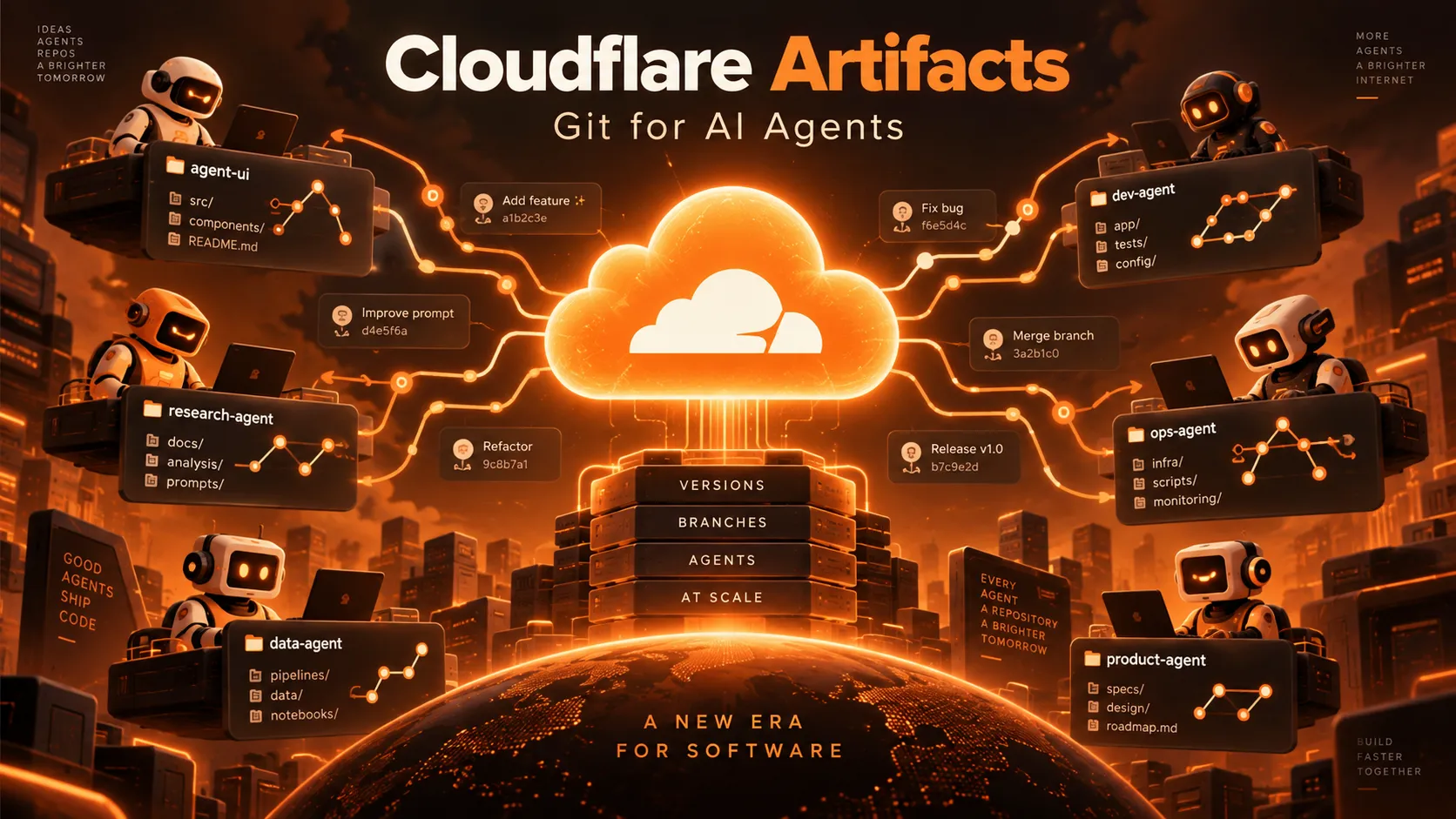
Cloudflare Artifacts is a Git-compatible versioned file storage service that allows developers to create, manage, fork, and access repositories programmatically through Cloudflare's infrastructure.
Unlike conventional file storage, Artifacts maintains Git-compatible version histories. Applications can track commits, inspect repository contents, and manage changes without operating traditional Git servers.
The platform supports standard Git workflows, including cloning, fetching, pulling, and pushing code, alongside programmatic access through REST APIs and Cloudflare Workers bindings.
Its defining concept is repository-per-agent architecture.
Traditional development platforms often organize work around long-lived repositories shared by human developers. Artifacts allows applications to create independent repositories for individual AI agents, automated tasks, development sessions, or generated customer projects.
For example, an AI coding platform could create separate repositories for three agents working on the same application. Each agent could independently modify code, commit changes, and submit results without directly overwriting another agent's work.
Cloudflare initially introduced Artifacts in private beta on April 16, 2026. The company subsequently expanded availability to Workers Paid customers on October 1, 2026.
The official positioning is important: Artifacts is infrastructure for building Git-based applications, not a finished replacement for GitHub.
Why Cloudflare Is Building Git Infrastructure for AI Agents
The rise of autonomous coding agents creates requirements that differ from traditional human-centered software development.
A conventional project might have several developers collaborating inside one repository. An AI-powered development platform may execute hundreds of independent tasks, each requiring its own workspace, history, permissions, and lifecycle.
These workloads introduce several challenges:
- Isolation: Agents need independent environments to prevent conflicting modifications.
- Parallel development: Multiple agents may explore competing implementations simultaneously.
- Version control: Every modification should be traceable, reviewable, and reversible.
- Automation: Repositories must be created and managed through APIs rather than manual interfaces.
- Scalability: Platforms may need to manage extremely large numbers of small repositories.
- Lifecycle management: Temporary repositories must be archived or deleted when tasks finish.
Cloudflare's architecture addresses these requirements by treating Git repositories as lightweight, programmable infrastructure resources.
In its October 1 announcement, We want you to build the next Git platform on Cloudflare, the company explicitly encouraged developers to reconsider how Git collaboration should work in an AI-agent-driven environment.
Instead of competing exclusively through traditional repository hosting, Cloudflare is positioning its infrastructure as a foundation for future coding platforms.
That strategy potentially extends beyond version control into automated testing, code review, deployment, and multi-agent coordination.
Cloudflare Artifacts Architecture Explained
Artifacts combines several Cloudflare technologies to implement lightweight Git-compatible repositories.
The architecture differs from operating a conventional Git server for every repository.
| Technology | Responsibility |
|---|---|
| Cloudflare Workers | Request routing, API handling, authentication, and application logic |
| Durable Objects | Isolated, stateful repository environments |
| SQLite-backed storage | Git object storage and repository state |
| Zig and WebAssembly | Git Smart HTTP protocol implementation |
| Cloudflare R2 | Internal repository snapshots |
| Workers KV | Supporting authentication-token management |
Durable Objects provide repository isolation
Durable Objects are Cloudflare's serverless primitives for managing independently addressable, stateful applications.
Artifacts uses this architecture to give repositories isolated execution and storage environments.
Rather than provisioning a dedicated Git server process for every repository, Cloudflare can activate repository infrastructure on demand.
This design is particularly suitable for large numbers of small, occasionally accessed repositories.
Cloudflare states that its architecture can scale to millions of repositories. However, repository-count scalability should not be confused with unlimited concurrent throughput.
Request-rate restrictions, storage limits, and workload characteristics remain important considerations.
A Git engine implemented in Zig
According to Cloudflare's original technical announcement, the Git protocol engine is implemented in Zig and compiled into a WebAssembly module of approximately 100 KB.
The implementation handles Git object processing, packfiles, compression, and Git Smart HTTP communication.
Streaming techniques help reduce memory consumption during repository transfers.
This approach allows Cloudflare to implement Git-compatible behavior inside its serverless execution infrastructure rather than relying on conventional long-running Git server processes.
Why this design matters
The architectural benefit is operational scalability.
A platform can create repositories when tasks begin, preserve their histories when tasks finish, and independently delete them when they are no longer required.
For AI agents, this enables disposable development workspaces with persistent version histories.
It also reduces the need for application developers to maintain dedicated Git hosting infrastructure.
Cloudflare Artifacts Features
1. Programmatic repository creation
Developers can create repositories through Wrangler, REST APIs, or Workers bindings.
This makes it possible for applications to provision Git repositories automatically whenever a customer starts a project or an AI agent receives a task.
Unlike workflows that require developers to create repositories manually, repository management becomes part of the application's own backend logic.
2. Repository forking for independent agents
Artifacts supports repository forking, allowing an application to create independent working copies from a common baseline.
For example, an automated software development platform could fork a repository for separate frontend, backend, and testing agents.
Each agent would maintain an independent history until the application reviews and integrates the results.
Forking does not eliminate the need for merge conflict resolution or code review. Those responsibilities remain with the application.
3. Git-compatible access
Artifacts supports familiar Git operations through HTTP-based Git remotes.
Developers can use standard Git clients rather than adopting an entirely new version-control format.
Supported workflows include cloning, fetching, pulling, and pushing repository changes.
However, compatibility has documented limitations, particularly around specific Git protocol features.
4. Workers bindings
Workers bindings enable applications to access repository functionality directly from Cloudflare Workers.
This can be useful when an application needs to inspect specific files, retrieve commit information, or manage repositories without cloning an entire working tree.
Direct programmatic access can also simplify authentication and integration with other Cloudflare services.
5. Repository events
Artifacts supports repository lifecycle and activity events.
These can include repository creation, deletion, forking, cloning, fetching, and pushing.
Applications can use these events to initiate automated tests, code reviews, notifications, or deployments.
For example, a push event could trigger a validation pipeline that checks newly generated code before it is approved.
6. Workers Builds integration
Artifacts repositories can integrate with Cloudflare Workers Builds.
Configured repository pushes can trigger automated builds and deployments.
Applications can also use Worker Previews to inspect changes before production deployment.
Build and deployment services have their own pricing and limits, separate from Artifacts storage charges.
7. Repository imports
Artifacts supports importing eligible public Git repositories over HTTPS, including public GitHub repositories.
This can help developers migrate template projects or seed agent workspaces from existing open-source codebases.
Private repository migration and continuous bidirectional synchronization should not be assumed to be automatic.
8. ArtifactFS integration
Cloudflare provides an ArtifactFS integration for compatible execution environments.
ArtifactFS can mount repository contents as a filesystem and retrieve data as needed instead of requiring a complete working-tree clone before an agent starts operating.
For large agent workflows, this can improve startup efficiency when tasks require access to only a subset of repository files.
9. Regional data controls
Artifacts supports namespace-level geographic restrictions for storage and processing in the United States and European Union.
The jurisdiction is selected when creating a namespace and cannot subsequently be changed.
Applications with regional data requirements should design their namespace structure before importing production repositories.
Cloudflare Artifacts Pricing in 2026
Cloudflare Artifacts uses consumption-based pricing based on repository operations and stored data.
According to the official pricing documentation, the published rates are:
| Billing dimension | Included allowance | Additional charge |
|---|---|---|
| Repository operations | 10,000 per month | $0.15 per 1,000 operations |
| Repository storage | 1 GB-month | $0.50 per GB-month |
| Required subscription | Workers Paid | Starting at $5/month |
The included allowances apply to Artifacts usage under Workers Paid.
Artifacts is not currently available as a standard feature of Workers Free.
When does Cloudflare Artifacts billing begin?
Cloudflare's published materials contain conflicting dates.
The Artifacts pricing documentation and October 1 changelog specify October 14, 2026.
However, the October 1 announcement about building the next Git platform specifies October 15, 2026.
As of October 12, 2026, developers should treat the discrepancy as unresolved and prepare for the earlier date until Cloudflare confirms otherwise.
What counts as an operation?
Cloudflare identifies repository actions such as creation, cloning, pulling, and pushing as relevant operations.
However, developers should distinguish local Git actions from remote repository activity.
For example:
git addoperates on the local working tree and index.git commitcreates a local commit without requiring a remote repository request.git cloneretrieves repository content from a remote server.git fetchretrieves remote repository information.git pushsends changes to the remote repository.
Local commits do not automatically generate Artifacts operation charges.
Developers should also avoid assuming that every high-level command maps to exactly one billable operation. The public pricing documentation does not comprehensively describe every possible low-level request-to-billing relationship.
Cloudflare's metrics documentation includes operation and error events, but monitoring totals should not automatically be treated as identical to invoice-defined billable operations.
How storage billing works
Cloudflare measures storage consumption in GB-months, using its documented daily peak and billing-period methodology.
Storage usage is aggregated across repositories.
A particularly important detail is that repositories remain stored until explicitly deleted.
An AI agent can finish executing while its repository continues consuming storage.
For applications that create thousands of temporary repositories every day, retention policies and automated cleanup are essential.
Cloudflare Artifacts Cost Examples
The following examples apply the published operation and storage prices to hypothetical workloads.
These estimates exclude the Workers Paid subscription and additional charges for inference, sandbox execution, builds, and other services.
| Monthly operations | Storage | Estimated Artifacts usage |
|---|---|---|
| 1,000 | 0.5 GB-month | $0.00 |
| 10,000 | 1 GB-month | $0.00 |
| 100,000 | 5 GB-month | $15.50 |
| 1,000,000 | 100 GB-month | $198.00 |
| 10,000,000 | 500 GB-month | $1,748.00 |
Example: A small AI coding platform
Consider an application performing 100,000 repository operations per month while maintaining an average billable storage level of 5 GB-months.
The first 10,000 operations are included, leaving 90,000 additional operations.
At $0.15 per 1,000 operations, this produces $13.50 in operation charges.
The included 1 GB-month leaves 4 GB-months of additional storage, costing $2.00.
Estimated Artifacts usage: $15.50 per month.
The application would also need the Workers Paid subscription and potentially other Cloudflare services.
Example: An application with 100,000 repositories
Suppose an AI platform creates 100,000 small repositories, each averaging approximately 100 KB of retained data.
This represents roughly 10 GB of total repository storage before additional metadata and history growth.
If each repository is created once during a month, the total operation count for creation alone would be 100,000.
Under the published rates, the illustrative operation overage would be $13.50.
If approximately 10 GB-months of storage were retained throughout the billing period, the storage overage would be approximately $4.50.
That produces an illustrative Artifacts charge of approximately $18.00, excluding other operations and services.
This scenario demonstrates why Artifacts may be economical for large numbers of small, mostly inactive repositories.
However, real-world charges depend on additional Git operations, repository history, storage measurement, and Cloudflare's billing implementation.
Cloudflare Artifacts vs. GitHub
Cloudflare Artifacts and GitHub both support Git repositories, but they serve different purposes.
| Feature | Cloudflare Artifacts | GitHub |
|---|---|---|
| Primary purpose | Programmable versioned storage | Developer collaboration platform |
| Git clone and push | Supported | Supported |
| Repository creation APIs | Supported | Supported |
| Repository-per-agent architecture | Core design pattern | Possible through automation |
| Native pull requests | Requires separate implementation | Supported |
| Built-in issue tracking | Not provided as a complete platform | Supported |
| Code review interface | Build or integrate separately | Native |
| CI/CD integration | Workers Builds and custom workflows | GitHub Actions |
| Repository-operation billing | Usage-based | Ordinary Git pushes are not billed individually |
| Free personal repository hosting | Not currently available on Workers Free | Available through GitHub Free |
Why GitHub remains useful
GitHub offers a complete collaboration experience, including pull requests, code reviews, issues, discussions, permissions, and a mature ecosystem of integrations.
Its Free plan supports unlimited public and private repositories, subject to applicable product limits.
For individual developers maintaining normal applications, GitHub generally provides the necessary functionality without requiring a custom repository-management application.
Where Artifacts has an advantage
Artifacts becomes interesting when repositories are internal application resources rather than manually managed developer projects.
For example, a service that generates thousands of customer-specific projects can use Artifacts to provision repositories automatically.
A multi-agent development platform can create and manage independent task repositories through APIs.
The value comes from automation, isolation, and integration with Cloudflare's execution infrastructure.
Can GitHub and Artifacts work together?
Yes.
GitHub can remain the canonical source repository, while Artifacts stores temporary agent workspaces or generated project versions.
Applications can transfer approved changes back into GitHub after testing and review.
This approach combines GitHub's collaboration features with Artifacts' programmable repository lifecycle.
However, synchronization, approvals, and merge conflict handling must be implemented or integrated explicitly.
Cloudflare Artifacts Technical Limits
Cloudflare publishes several limits that developers should consider before adopting Artifacts in production.
| Resource | Published limit |
|---|---|
| Maximum repository storage | 1 GB |
| Maximum individual file or Git blob | 32 MB |
| Maximum account storage | 1 TB, with increases available on request |
| Number of repositories | No published numerical limit |
| Number of namespaces | No published numerical limit |
| Namespace control-plane requests | 2,000 per 10 seconds |
| Per-repository Git requests | 2,000 per 10 seconds |
These limits are documented on the Artifacts limits page.
The repository-count model supports large-scale provisioning, but it does not eliminate individual repository size limits or request-rate restrictions.
Git protocol limitations
Artifacts supports Git protocol v1 and v2 for clone and fetch operations.
Push operations use the Git v1 receive-pack flow, while Git protocol v2 receive-pack is not currently supported.
Some optional Git protocol capabilities are also unavailable.
Most conventional clone and push workflows can still operate, but advanced automation should undergo compatibility testing.
Important edge cases include shallow cloning, partial-clone expectations, large packfiles, unusual references, and repository migrations.
Large binary files
Artifacts is not ideal for repositories containing large binary assets.
The 32 MB individual object limit and 1 GB repository limit make it more appropriate for source code, configuration, documents, and relatively small generated projects.
Applications generating large videos, datasets, or model files should consider separate object storage such as Cloudflare R2.
How to Use Cloudflare Artifacts
Developers can manage Artifacts repositories using Wrangler and standard Git clients.
A Workers Paid account and appropriate authentication are required.
Step 1: Authenticate with Cloudflare
Install or invoke Wrangler and authenticate:
npx wrangler loginStep 2: Create a repository
Create an Artifacts repository in the default namespace:
npx wrangler artifacts repos create agent-demo --namespace defaultInspect its details:
npx wrangler artifacts repos get agent-demo --namespace defaultThe returned repository information provides the remote URL needed for Git access.
Step 3: Generate a repository token
Create a short-lived write token:
npx wrangler artifacts repos issue-token agent-demo --namespace default --scope write --ttl 3600The TTL is specified in seconds, so 3600 corresponds to one hour.
Read-only workloads should use a read-scoped token rather than granting unnecessary write access.
Step 4: Clone the repository
Configure the actual remote URL and token returned by Cloudflare:
export ARTIFACTS_REMOTE='PASTE_REMOTE_FROM_CLOUDFLARE'
export ARTIFACTS_TOKEN='PASTE_REPO_SCOPED_TOKEN'

git -c http.extraHeader="Authorization: Bearer $ARTIFACTS_TOKEN" clone "$ARTIFACTS_REMOTE" agent-demo
This approach avoids embedding repository credentials directly inside a persistent Git remote URL.
Step 5: Commit and push changes
Move into the repository and create an initial file:
cd agent-demo
printf '# Agent Demo\n' > README.md
git add README.md
git commit -m 'Add initial README'
git -c http.extraHeader="Authorization: Bearer $ARTIFACTS_TOKEN" push origin HEAD:main
If Git author identity has not been configured, configure it before creating the commit.
Developers should also account for token expiration in longer-running agent workflows.
For production integrations, review Cloudflare's authentication guide and API documentation.
Building an AI Coding Platform with Artifacts
A practical Artifacts-based coding platform can combine repository isolation with automated execution and review.
Consider a user requesting an AI-generated application.
Stage 1: Repository provisioning
The backend creates an Artifacts repository or forks an approved starter template.
Stage 2: Agent assignment
A coding agent receives restricted repository access and an isolated execution environment.
Stage 3: Code generation
The agent modifies source files, installs dependencies when authorized, runs tests, and creates Git commits.
Stage 4: Repository synchronization
The agent pushes its completed changes to Artifacts.
Stage 5: Automated validation
Repository events trigger testing, static analysis, or review workflows.
Stage 6: Human or automated approval
An independent review process checks the proposed changes before merging or deploying them.
Stage 7: Deployment and cleanup
Approved changes are deployed, while temporary workspaces are archived or deleted according to the application's retention policy.
This pattern can support AI application builders, automated maintenance services, multi-agent development environments, and customer-specific code generation platforms.
However, Artifacts itself does not provide every component of this workflow. Developers still need orchestration, authorization, execution environments, review logic, and deployment controls.
Security Best Practices
Artifacts provides repository-level access mechanisms, but applications remain responsible for protecting credentials and sensitive code.
Use short-lived repository tokens
Generate credentials with the minimum scope required for each task.
A read-only task should not receive permission to push changes.
Tokens should expire when no longer needed.
Verify authorization before granting access
Applications must confirm that users and agents are authorized to access the requested repository before issuing credentials.
Repository isolation should complement application-level authorization rather than replace it.
Keep secrets out of Git history
Never intentionally commit API credentials, private keys, or sensitive environment variables.
Deleting a secret from the latest file version does not guarantee its removal from earlier Git commits.
Apply geographic restrictions appropriately
Applications with regional data requirements should select the appropriate namespace jurisdiction before storing production data.
Maintain independent backups
Important code should have tested export, backup, and recovery procedures.
Git compatibility helps portability, but it does not automatically provide a complete disaster-recovery strategy.
How to Avoid Unexpected Artifacts Charges
Cloudflare's consumption-based model makes cost monitoring essential, especially for autonomous systems.
1. Configure budget alerts
Cloudflare provides billing notifications that can warn administrators when spending reaches selected thresholds.
However, budget alerts are not hard spending limits.
They do not automatically pause applications or prevent additional charges, and billing data may not be updated in real time.
2. Enforce application-level quotas
Applications should implement their own operational restrictions, including:
- Maximum repositories created per user.
- Maximum repository operations per task.
- Maximum storage per customer.
- Maximum concurrent agent sessions.
- Maximum retry attempts after failures.
- Maximum retention periods for temporary repositories.
These limits should be enforced before allowing additional work.
3. Delete unused repositories
Repositories persist until explicitly deleted.
A platform creating temporary workspaces should run scheduled cleanup workflows and preserve only the history needed for auditing, recovery, or customer requirements.
4. Avoid unnecessary remote operations
Agents do not need to push every intermediate local commit.
Where appropriate, applications can batch meaningful changes and avoid repeatedly cloning entire repositories merely to inspect a small number of files.
Direct Workers access and filesystem integrations may reduce unnecessary transfers.
5. Measure the complete infrastructure cost
Artifacts charges may represent only a small portion of a coding platform's operating expenses.
Other costs can include AI inference, Workers execution, Sandboxes, CI/CD builds, networking, and additional storage.
Cost comparisons should consider the full application architecture rather than isolated Git storage pricing.
Cloudflare Artifacts Use Cases
AI coding agents
Independent repositories allow autonomous agents to implement and test changes without directly modifying shared production code.
AI application builders
Platforms that generate applications from natural-language prompts can maintain separate repositories for each customer project.
Automated code review
Agents can generate proposed fixes in independent repositories, allowing review systems to compare implementations before accepting changes.
Autonomous software maintenance
Maintenance agents can identify outdated dependencies, prepare updates, execute tests, and submit versioned patches.
Temporary development environments
Applications can provision disposable repositories for experiments, tutorials, automated evaluation, or short-lived coding sessions.
Versioned agent outputs
Artifacts can preserve structured task outputs alongside source code, making changes easier to inspect, compare, and restore.
The strongest fit is generally an application that requires automated repository provisioning and lifecycle management at scale.
Is Cloudflare Trying to Replace GitHub?
Cloudflare is clearly positioning itself within the broader market for Git infrastructure and AI-driven software development.
Its October 2026 announcement directly encouraged developers to build the next generation of Git platforms on Cloudflare.
However, that does not mean Artifacts already provides a complete GitHub alternative.
GitHub remains a mature platform for developers collaborating on projects through pull requests, issues, discussions, and integrated development tools.
Artifacts provides lower-level infrastructure that developers can use to construct alternative collaboration systems.
The distinction is similar to the difference between a database service and a complete application built on that database.
Cloudflare is supplying the infrastructure from which a GitHub competitor could emerge, rather than delivering the entire competitor as Artifacts itself.
That distinction also explains the pricing model. Customers are paying for infrastructure operations and retained storage rather than primarily purchasing a human-centered code collaboration interface.
Is Cloudflare Artifacts Worth Using?
Artifacts is promising for applications that genuinely need large numbers of independently managed repositories.
Its advantages include automated repository creation, isolated agent workflows, Git compatibility, and integration with Cloudflare's development infrastructure.
However, several limitations remain relevant:
- It requires Workers Paid.
- Usage-based billing introduces additional cost-management responsibilities.
- Repository size and individual blob limits restrict certain workloads.
- Some Git protocol capabilities remain unsupported.
- Developers must implement collaboration and review interfaces separately.
- Production workloads should be tested carefully while the service remains in beta.
For individual developers maintaining conventional websites or applications, GitHub continues to be a practical default.
For AI coding platforms, repository-per-agent systems, and automated development infrastructure, Artifacts offers an architecture worth evaluating.
The decision should depend on actual workload requirements, not simply the availability of a new Git storage product.
Frequently Asked Questions
What is Cloudflare Artifacts?
Cloudflare Artifacts is a Git-compatible versioned storage service that allows applications to create and manage repositories through APIs, Workers bindings, and standard Git clients.
Is Cloudflare Artifacts free?
Artifacts currently requires Workers Paid. The published monthly allowance includes 10,000 operations and 1 GB-month of storage. Additional consumption is billed separately.
When does Cloudflare Artifacts start charging?
Cloudflare's official materials conflict. Its pricing documentation and changelog specify October 14, 2026, while its October 1 blog announcement specifies October 15. The discrepancy should be verified before relying on either date.
Does every Git commit cost money?
No. Local Git commits do not automatically trigger remote Artifacts usage. Remote operations and retained storage determine usage charges according to Cloudflare's billing rules.
Can Artifacts replace GitHub?
Not as a complete collaboration platform today. Artifacts provides Git-compatible infrastructure, while GitHub offers a mature interface for repository management, pull requests, issue tracking, and code review.
Can AI coding agents use Cloudflare Artifacts?
Yes. Agents capable of working with Git repositories can use Artifacts when properly configured with access credentials and compatible execution environments.
Does Artifacts support millions of repositories?
Cloudflare designed Artifacts for extremely large repository counts and does not publish a numerical repository-count limit. Storage and request-rate constraints still apply.
Can Artifacts import GitHub repositories?
Artifacts supports importing eligible public HTTPS Git repositories. Private repository migration and ongoing synchronization require separate evaluation.
Can Artifacts deploy code to Cloudflare Workers?
Yes. Artifacts integrates with Workers Builds, allowing configured repository changes to trigger builds and deployments.
Is Artifacts suitable for large files?
Artifacts has a 32 MB individual file or Git blob limit and a 1 GB repository limit. Large datasets and binary assets are generally better handled by dedicated object storage.
Should existing projects migrate from GitHub?
Migration is unnecessary for ordinary development workflows. Artifacts is most relevant when an application needs automated repository provisioning, agent isolation, or Cloudflare-native versioned storage.
Conclusion
Cloudflare Artifacts introduces a different way to think about Git infrastructure in the age of autonomous software development.
Instead of organizing version control exclusively around long-lived human-maintained projects, Artifacts makes repositories programmable resources that can be created for individual agents, tasks, users, or development sessions.
Its architecture combines Git-compatible interfaces, Durable Objects, and Cloudflare's serverless ecosystem to support scalable automated workflows.
The published pricing can be attractive for large numbers of small repositories, but developers must account for operation volume, retained storage, subscription requirements, protocol limitations, and additional execution costs.
Cloudflare Artifacts is not a complete GitHub replacement today. Its significance is that it provides the foundation for building agent-native development platforms that could challenge traditional code-hosting workflows.
Developers considering adoption should review the official Artifacts documentation, create a small test repository, verify Git client compatibility, monitor actual usage, and compare the full operational cost with an existing GitHub-based architecture before migrating production workloads.
Continue Reading
More articles connected to the same themes, protocols, and tools.

Referenced Tools
Browse entries that are adjacent to the topics covered in this article.