
On This Page8 sections
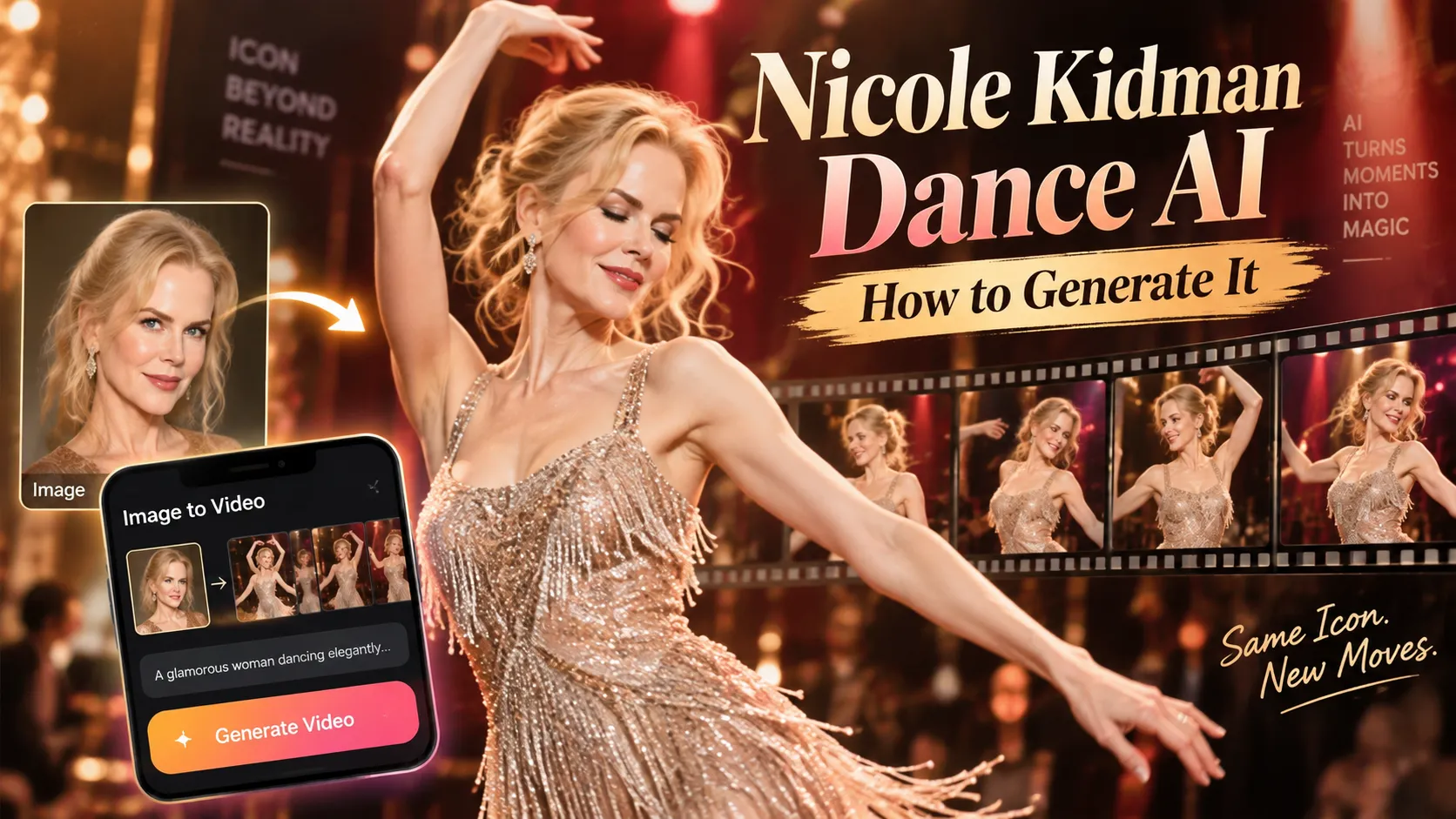
The Nicole Kidman Dance AI video trend is bringing a viral TikTok choreography to AI-generated videos. Instead of learning the entire dance routine, creators can upload a photograph, apply a dance template or motion-control model, and generate a short video featuring themselves, friends, or original characters performing the recognizable moves.
The trend is driven by ADÉLA's song 'Nicole Kidman', released on September 4, 2026, as part of her album PRIMA. The song inspired dance challenges featuring confident poses, synchronized arm movements, hip accents, and playful camera interactions.
Modern image-to-video and motion-transfer tools make it possible to recreate the dance format without recording a complete performance. However, obtaining realistic body movement, consistent facial features, and accurate musical timing requires choosing the right generation method.
This guide explains how to generate a Nicole Kidman Dance AI video, compares dedicated templates with advanced motion-control tools, provides ready-to-use prompts, and covers editing techniques for TikTok, Instagram Reels, and YouTube Shorts.
Key Takeaways
- The Nicole Kidman Dance trend is based on ADÉLA's 2026 song, not necessarily footage of actress Nicole Kidman dancing.
- The easiest method is to upload a clear photo to a dedicated Nicole Kidman Dance AI template and generate a short video automatically.
- Motion-control AI provides more precise choreography by transferring movement from an existing dance video to a character image.
- Full-body portraits generally provide better results for energetic dancing than tightly cropped selfies.
- Vertical 9:16 video is the recommended format for TikTok, Instagram Reels, and YouTube Shorts.
- Identity consistency, hand movement, foot placement, and beat synchronization are the most important quality factors.
- Music licensing and AI disclosure matter. AI-generated videos should not misrepresent a celebrity's participation or use copyrighted audio without the necessary rights.
What Is the Nicole Kidman Dance AI Video Trend?
The Nicole Kidman Dance is a social-media dance challenge associated with the song Nicole Kidman by Slovak pop artist ADÉLA.
The track was released on September 4, 2026, through Capitol Records. The accompanying music video, directed by Hannah Lux Davis, references several memorable Nicole Kidman performances, including Moulin Rouge!, Eyes Wide Shut, Birth, and Babygirl. These details were confirmed in Universal Music's official album announcement.
The song subsequently became associated with short-form dance performances, especially solo routines and synchronized two-person challenges.
What Does the Dance Look Like?
Although different creators perform variations, recognizable elements include:
- Hands moving toward the hair or sides of the head.
- Both arms rising overhead in coordinated movements.
- Small hip accents and rhythmic shoulder movements.
- Confident poses and direct eye contact with the camera.
- A playful turn or over-the-shoulder glance.
- A final step toward the camera or synchronized closing pose.
Solo versions emphasize facial expression and individual performance. Duo versions focus on synchronized choreography and the relationship between two dancers.
The AI-generated interpretation typically combines a recognizable movement sequence with the appearance of a person supplied through a reference photograph.
Why Is This Dance Suitable for AI Video Generation?
The choreography contains several features that make it practical for AI animation:
- A relatively short performance: A recognizable dance moment can fit into approximately 6–15 seconds.
- A consistent camera angle: Many versions use a fixed or gently moving camera, reducing scene complexity.
- Distinctive upper-body movements: Arm gestures and shoulder accents help viewers recognize the dance.
- Limited environmental interaction: The dancer usually does not need to manipulate complicated objects.
- Repeatable choreography: The same motion can be applied to different characters or settings.
Nevertheless, accurately animating arms, legs, hair, clothing, and facial expressions simultaneously remains challenging for generative video systems.
How to Generate a Nicole Kidman Dance AI Video From a Photo
The simplest workflow uses a dedicated AI dance template that already contains the choreography or an interpretation of it.
Step 1: Choose a Nicole Kidman Dance AI Generator
Start with a tool that explicitly supports the Nicole Kidman Dance trend.
Examples available in October 2026 include:
- Starrd Nicole Kidman Dance: A dedicated photo-to-video template advertising a 13-second dance performance.
- Video Effect AI Nicole Kidman Dance: A short-form generator offering solo and two-portrait configurations for original dance interpretations.
- Raindance AI: A dedicated dance generator focused on solo or synchronized duo performances.
- Genjutsu AI Nicole Kidman Dance: A motion-based template built around a two-person nighttime dance scene.
These are independent third-party services rather than official tools from ADÉLA or Nicole Kidman. Available features, pricing, and generation limits may change.
A dedicated template is preferable when the goal is to produce a recognizable trend video with minimal configuration.
Step 2: Upload a Suitable Photo
Choose a photograph in which the subject is clearly visible.
Recommended photo characteristics:
- One adult subject for a solo performance.
- A full-body or three-quarter-body composition.
- Both arms and legs visible whenever possible.
- A recognizable face without excessive blur.
- Natural, balanced lighting.
- Minimal obstruction from furniture, accessories, or other people.
- A relatively simple background.
For two-person choreography, use a service that explicitly supports two separate portraits or a suitable photograph containing both subjects.
Important: Uploading two unrelated portraits to a generator designed for only one subject may cause identity blending, duplicated limbs, or inconsistent character placement.
Step 3: Select the Dance Template
Find a preset labeled Nicole Kidman Dance, ADÉLA Dance, or another clearly identified variation of the song's dance trend.
Check the template preview before generating.
Different templates may reproduce different versions of the challenge, including:
- A solo performance in a bedroom or studio.
- Two friends dancing in a red room.
- A nighttime outdoor dance scene.
- A single performer moving toward a handheld camera.
- A more stylized interpretation using an original character.
The name of the effect does not guarantee identical choreography across platforms.
Step 4: Configure the Video
For an initial generation, use these practical settings where supported:
| Setting | Recommended Starting Point |
|---|---|
| Aspect ratio | 9:16 vertical |
| Generation duration | 6–15 seconds |
| Resolution | 720p or higher |
| Camera | Static or gently handheld |
| Subjects | One for solo, two for duo |
| Motion intensity | Moderate |
| Framing | Full body or head-to-knees |
| Visual style | Realistic social-media video |
These are recommended production settings, not guaranteed options on every service.
Start with a short clip before purchasing a longer, higher-resolution generation.
Step 5: Generate and Review the Result
Upload the photo, select the preset, and start generation.
Review the resulting video for:
- Facial features remaining recognizable throughout the clip.
- Hands moving naturally without additional fingers.
- Feet staying connected to the floor.
- Clothing retaining reasonably consistent shapes and colors.
- Arms passing across the body without obvious distortions.
- Dance movements remaining continuous.
- Both subjects retaining their original identities in a duet.
If the output looks unnatural, change one input or generation setting at a time. Repeatedly generating with an unsuitable source photograph can waste credits without addressing the underlying problem.
Step 6: Add Music and Export
Some templates produce silent videos or videos with original generated audio rather than ADÉLA's recorded song.
Export the generated clip and open it in a video editor such as CapCut, or use the editing tools offered by the publishing platform.
Add the original track only when its use is authorized for the intended platform, account type, region, and purpose.
Align the main dance gesture with the corresponding musical beat, add optional captions, and export the finished composition in a vertical format.
Method 2: Use AI Motion Control for More Accurate Choreography
Dedicated templates are convenient, but they limit creative control. For greater choreography accuracy, use motion transfer, sometimes called motion control or performance-driven animation.
Instead of asking a generative model to invent an entire dance, motion control provides a reference video that guides the animated character's movements.
Recommended Motion-Control Tools
Viggle AI
Viggle's AI Dance Generator supports character-image animation using motion templates or reference videos. Its workflow combines a character image with a selected motion source.
This makes it useful for creators who want to preserve a specific dance sequence rather than generate choreography solely from text.
Kling Motion Control
Kling-style motion-control models transfer body and gesture information from reference footage to an image-based character.
The Kling 3.0 Motion Control documentation describes support for full-body movement, hand gestures, and facial expressions. It also recommends unobstructed subjects and continuous reference shots.
Runway Act-Two
Runway Act-Two uses a driving performance video and a character reference to animate expressions, gestures, and body movement.
It can be useful for customized character performances, although the availability and behavior of gesture controls depend on the input type.
Motion-Control Workflow
- Obtain or record a dance reference video that can legally be used as an input.
- Trim the reference to the desired choreography segment.
- Choose a source video with a consistently visible dancer and limited camera movement.
- Upload a clear image of the intended character.
- Import the dance video as the motion reference.
- Select the supported output orientation and generation settings.
- Generate the animation and inspect its accuracy.
- Add authorized audio and export the final video.
Why this method works: The reference footage supplies temporal movement information. The AI model can concentrate on transferring the choreography while preserving the appearance of the target character.
However, the process is not perfect motion capture. Results can vary because of differences in body proportions, clothing, pose, camera perspective, and model capabilities.
When to Choose Motion Control
Motion control is preferable when:
- Exact movement timing matters.
- A particular solo routine must be reproduced.
- A custom character needs to perform the choreography.
- A dedicated template uses the wrong version of the trend.
- The creator wants to control the camera angle or performance reference.
For two-person choreography, check whether the selected model can independently track multiple subjects. Some motion-control implementations follow only the dominant performer.
Best AI Tools for Nicole Kidman Dance Videos Compared
| AI Tool | Main Approach | Ideal Use Case | Main Limitation |
|---|---|---|---|
| Starrd | Dedicated dance template | Quick solo video from a photo | Limited choreography customization |
| Video Effect AI | Short dedicated dance effect | Short solo or duo interpretations | Does not promise the exact original routine |
| Raindance AI | Trend-specific dance generation | Synchronized two-person videos | Preset-driven output |
| Genjutsu AI | Reference-based trend template | Recreating a specific duo scene | Scene and template constraints |
| Viggle AI | Motion transfer | Custom dance reference and character | Results depend on source-video quality |
| Kling Motion Control | Reference-driven animation | Controlled body movement | Identity drift and difficult multi-person motion |
| Runway Act-Two | Performance transfer | Custom gestures and expressions | Not a dedicated Nicole Kidman Dance preset |
Best for beginners: A dedicated template with a clear preview of the expected choreography.
Best for advanced creators: A motion-control generator using a carefully selected reference performance.
Best for original choreography: A general image-to-video model with movement instructions, especially when an exact reference routine is unnecessary.
Pricing, maximum duration, watermarks, available models, and commercial usage rights should be checked directly before purchasing credits.
Best Nicole Kidman Dance AI Prompts to Copy and Paste
Text prompts are most useful in image-to-video generators that support custom motion instructions. A dedicated dance template may not require any prompt at all.
The following prompts create original interpretations inspired by the recognizable dance format rather than guaranteeing a frame-for-frame recreation.
Prompt 1: Viral Solo Dance
Animate the adult person in the reference image performing a confident, playful pop dance in one continuous vertical shot. The dancer starts facing the camera, moves one hand through their hair, raises both arms overhead, performs controlled hip accents and shoulder movements, then makes a small turn and looks back toward the camera. Finish with a confident pose and a subtle smile. Maintain consistent facial identity, clothing, body proportions, and realistic movement. Natural indoor lighting, full-body framing, steady camera, smooth choreography, 9:16 social media video.Best for: Solo dance videos, TikTok edits, and realistic photo animation.
Prompt 2: Two Friends Dancing Together
Two adult friends stand side by side in a warmly lit room, performing a synchronized upbeat pop dance. Both dancers begin with gentle rhythmic steps, lift their arms overhead together, perform coordinated shoulder and hip movements, and turn playfully toward the camera. Each person retains their own facial features, hairstyle, outfit, and position throughout the scene. Full-body vertical framing, natural foot contact, continuous choreography, fixed smartphone camera, lively social media atmosphere, 9:16 composition.Best for: Friendship videos, couple edits, and synchronized dance challenges.
Prompt 3: Cinematic Nighttime Dance
An adult dancer performs a stylish pop choreography in a warm orange-lit city alley at night. The dancer approaches the camera with confident steps, performs flowing arm gestures and rhythmic shoulder movements, raises both hands above the head, then finishes with a playful turn. The handheld camera moves backward smoothly while keeping the subject centered. Realistic facial expressions, consistent clothing, natural body motion, atmospheric street lighting, cinematic but authentic smartphone footage, vertical 9:16.Best for: Cinematic interpretations and nighttime social-media edits.
Prompt 4: Simple Motion Prompt for Image-to-Video Models
The subject performs a short rhythmic pop dance, raising both arms overhead, shifting their hips gently, rolling their shoulders, and finishing with a playful turn toward the camera. Continuous seamless shot. Locked camera. Smooth realistic movement.Best for: Models that already receive a detailed input image and perform better with concise instructions.
According to Runway's official Image-to-Video Prompting Guide, effective image-to-video prompts primarily describe motion because the reference image already establishes appearance, composition, and lighting.
Long prompts are not automatically better. Clear physical instructions often produce more controllable results than abstract descriptions of mood or confidence.
How to Make the AI Dance Look More Realistic
Realistic AI dancing depends on more than facial detail. A convincing result requires consistent anatomy and coordinated movement over time.
1. Match the Starting Pose to the Dance
A front-facing standing portrait is usually easier to animate than an image showing someone sitting, leaning heavily, or crossing their arms.
When the initial pose differs dramatically from the reference movement, the model must reconstruct missing body information and generate larger pose transitions.
Practical recommendation: Start with a relaxed standing pose, visible hands, and enough space around the body for arm movements.
2. Preserve the Subject's Identity
Identity consistency becomes difficult when the dancer turns their head, moves their arms across the face, or briefly faces away from the camera.
To reduce visible changes:
- Use a sharp source image with recognizable facial features.
- Avoid heavy filters or excessive image sharpening.
- Prefer consistent lighting throughout the animation.
- Limit unnecessary rapid head rotations.
- Use identity-preservation controls when supported.
A high-resolution photograph can improve the source information, but it does not guarantee stable facial identity in every generated frame.
3. Control Camera Movement
Camera motion introduces another variable that the model must predict.
For the most reliable first attempt, use a fixed camera and let the subject perform the choreography.
Once the movement looks natural, experiment with gentle handheld tracking or a slow camera retreat.
Combining fast camera rotation, aggressive zooming, and complex choreography in a short generation increases the risk of visual instability.
4. Avoid Excessively Complex Choreography
A short dance containing four well-defined gestures is generally easier to control than a long sequence with frequent spins, jumps, and overlapping arm movements.
If the entire performance cannot be generated consistently, divide the choreography into shorter segments where the model and editing workflow support it.
Maintain continuity by matching the final pose of one segment with the beginning of the next.
5. Keep the Background Simple
Plain walls, dance studios, living rooms, and uncomplicated outdoor settings reduce the need to reconstruct complex environmental details during movement.
Mirrors, crowds, reflective surfaces, and moving background objects can introduce additional artifacts.
How to Sync the AI Dance With the Nicole Kidman Song
A visually convincing dance can still feel unnatural when its movements do not match the music.
For this trend, rhythm synchronization is particularly important because the recognizable gestures are closely associated with the song.
Step 1: Identify the Musical Segment
Choose the section associated with the dance variation being recreated.
Different creators may use different edits or shortened versions of the track, so the desired choreography should be matched to the actual audio rather than assumed to use a universal timeline.
Step 2: Locate the Strongest Motion Accents
Identify the moments when the dancer:
- Raises both arms.
- Performs a strong hip or shoulder accent.
- Changes direction.
- Turns toward the camera.
- Finishes the routine.
These are useful synchronization anchors because viewers can easily perceive whether they align with musical beats.
Step 3: Adjust Timing in the Editor
Import the video and authorized audio into a timeline-based editor.
Move the clip so its first major gesture aligns with the intended musical accent. Use small timing adjustments or modest speed changes if necessary.
Avoid substantial speed changes that make natural body motion look artificially accelerated or slowed.
Step 4: Export the Finished Edit
For a typical vertical social-media export, use:
- Aspect ratio: 9:16.
- Preferred delivery resolution: 1080 × 1920 when the source supports it.
- Frame rate: 24 or 30 fps, matching the source where practical.
- Video codec: H.264.
- Container: MP4.
- Audio: AAC where supported.
Exporting a native 720p generation at 1080p increases pixel dimensions but does not restore details that the AI model never generated.
Common Nicole Kidman Dance AI Problems and Fixes
| Problem | Likely Cause | Recommended Fix |
|---|---|---|
| Face changes during movement | Weak reference identity or large rotations | Use a clearer portrait and reduce extreme head movement |
| Extra fingers or distorted hands | Complex hand poses or occlusion | Simplify arm gestures and keep hands visible |
| Feet slide across the floor | Weak ground-contact consistency | Use full-body framing and a stable camera |
| Dance looks stiff | Limited motion instructions | Describe explicit shoulder, hip, and step movements |
| Two dancers merge together | Multi-subject tracking limitations | Use a dedicated duo template or compatible multi-person model |
| Wrong dance routine | A generic template was selected | Choose a trend-specific preset or supply a reference video |
| Movement is off beat | Generated motion and audio are not synchronized | Align key gestures manually during editing |
| Video has unexpected cuts | Too much requested action in a short duration | Simplify the prompt and request one continuous shot |
| Clothing changes unexpectedly | Difficult body reconstruction | Use a clean reference outfit and reduce occlusion |
| Quality looks blurry | Low native generation resolution | Select a higher-quality mode or apply restrained enhancement |
Why Do AI-Generated Hands Often Look Wrong?
Hands contain many independently moving joints and frequently overlap the face or body during dance routines.
When the original photograph does not provide enough information about the hidden fingers or changing perspective, the video model must infer those details across successive frames.
This can produce temporary anatomical distortions even when the rest of the performance looks realistic.
A better reference pose, clearer hands, and less aggressive choreography can reduce these failures.
Why Does the Face Change After a Turn?
The model may have limited information about how the person looks from the side or back.
A single frontal photograph does not fully describe facial geometry under different viewing angles.
Identity-preserving motion models can reduce the problem, but reliable reconstruction from one image remains imperfect.
Creative Nicole Kidman Dance AI Video Ideas
The same underlying choreography can produce noticeably different videos depending on the character, camera, and environment.
Best Friends Dance Challenge
Generate two friends performing the routine together, using their own clothing and recognizable faces.
This format works especially well when the synchronized movements are the central visual feature.
Before-and-After Transformation
Begin with a static portrait, then transition into the animated dance performance.
Use a quick visual reveal rather than adding unnecessary motion effects throughout the choreography.
Animated Character Dance
Create a stylized, original 3D or cartoon character performing an interpretation of the routine.
A stylized character can make exaggerated gestures feel intentional rather than anatomically incorrect.
Pet Dance Parody
Some trend templates support animal or character animation.
A playful animated pet performing recognizable dance gestures can create a humorous variation, although realistic animal anatomy and upright movement may be difficult for the model.
Fashion-Themed Dance
Use an original performer wearing a stylish outfit in a studio or runway-inspired setting.
This approach connects naturally with the fashion-oriented attitude of the song without requiring a celebrity likeness.
Is the Nicole Kidman Dance AI Generator Free?
Some general-purpose AI animation platforms advertise free access or limited free generation, but this does not mean every specialized Nicole Kidman Dance template is free.
Dedicated trend templates frequently use credits, subscriptions, or individual video purchases.
For example, the Starrd Nicole Kidman Dance template advertises a 13-second result using 100 Starrd credits, while Video Effect AI describes a six-second standard effect using its own credit system. These credit amounts are platform-specific and should not be compared directly as monetary prices.
Before paying, check:
- Whether a preview is available.
- Whether credits are refunded after failed generations.
- The actual output resolution and duration.
- Whether the result contains a watermark.
- Whether commercial use is permitted.
- Whether uploaded photos are retained or deleted.
- Whether multiple attempts require additional credits.
Cost-saving strategy: Test the composition with a short, lower-cost generation before committing credits to longer or higher-quality output.
Copyright, Celebrity Likeness, and AI Disclosure
The name Nicole Kidman Dance can create confusion between the viral choreography and the actress herself.
For most creators, the appropriate approach is to use their own photograph, a consenting participant, or an original fictional character.
Avoid presenting an AI-generated performance as authentic footage of Nicole Kidman or implying that she endorsed a product or participated in an event when she did not.
Can the Original Song Be Used?
ADÉLA's Nicole Kidman is a copyrighted commercial recording.
Music availability in a platform's sound library does not automatically grant permission to use the same recording in advertisements, branded content, downloaded videos, or on other services.
TikTok's Commercial Music Library guidance distinguishes commercially cleared sounds from the general music library used by personal accounts.
For business or promotional content, use music that is cleared for that purpose or obtain the necessary permissions.
Should AI-Generated Dance Videos Be Labeled?
Yes, where required by the platform, particularly when the result realistically depicts an identifiable person performing actions they did not actually perform.
TikTok's AI-generated content guidelines specifically address synthetic content that portrays people doing things such as dancing.
YouTube's generative AI disclosure guidance also requires disclosure of certain realistic, meaningfully altered or AI-generated content.
A clear caption such as AI-generated dance recreation can help viewers understand that the performance is synthetic.
How to Post a Nicole Kidman Dance AI Video on TikTok
Generating the video is only part of the workflow. Presentation also affects whether viewers recognize the challenge immediately.
Use a Recognizable Opening Frame
Start with a clear view of the dancer and avoid lengthy introductions.
A recognizable pose or dance movement near the beginning helps communicate the theme before viewers scroll away.
Keep the Main Performance Visible
Do not cover the dancer's hands, face, or feet with large text overlays.
If captions are needed, place them where they do not obscure the choreography or interface controls.
Write a Search-Friendly Caption
An example caption:
Nicole Kidman Dance AI Trend 💃✨
Turned a photo into a dance video inspired by ADÉLA's viral song.
AI-generated performance.

#NicoleKidmanDance #Adela #AIDance #AITrend #DanceChallenge
Hashtags help describe the content, but they do not guarantee distribution or high engagement.
Compare Different Versions
For creators evaluating several outputs, a simple controlled comparison can be useful:
- Version A: Solo performance with a static camera.
- Version B: Duo performance with synchronized movement.
- Version C: Cinematic nighttime setting with gentle camera motion.
Compare actual audience retention, replays, shares, and engagement rather than assuming that the most visually elaborate version will perform best.
Frequently Asked Questions
What Is the Nicole Kidman Dance AI Trend?
It is an AI-generated interpretation of a viral dance challenge associated with ADÉLA's song Nicole Kidman. Creators use photographs, motion-control models, or dedicated templates to produce videos featuring recognizable dance movements.
How Do You Make a Nicole Kidman Dance AI Video From One Photo?
Choose a compatible dance generator, upload a clear portrait, select the Nicole Kidman Dance template, generate the video, inspect the result, and add authorized music before publishing.
What Song Is Used in the Nicole Kidman Dance Trend?
The song is Nicole Kidman by ADÉLA, released September 4, 2026, on the album PRIMA. The official track is listed on Apple Music.
Is Nicole Kidman Actually Dancing in These AI Videos?
Not necessarily. The trend's name comes from ADÉLA's song. Most AI template versions are designed to animate a user-supplied person or fictional character rather than portray the actress herself.
Is This the Same as the Babygirl Dance Scene?
No. Although ADÉLA's music video references Nicole Kidman's film roles, including Babygirl, the viral Nicole Kidman Dance challenge is associated with ADÉLA's 2026 song and its social-media choreography. Searches for the actress's film dance scenes may refer to different footage and music.
Can Two People Appear in the Same AI Dance Video?
Yes, when the selected generator supports duo animation or multiple subjects. Dedicated two-person templates are generally easier to configure than single-character motion-control workflows.
Can AI Generate the Exact Original Dance?
Motion-control tools can attempt to transfer choreography from a suitable reference clip. Exact reproduction is not guaranteed because models can alter movement timing, body positioning, and small gestures.
Text-only animation prompts usually produce a stylistic interpretation rather than precise choreography.
How Long Should a Nicole Kidman Dance AI Video Be?
A short clip of approximately 6–15 seconds is a practical starting point for a single recognizable performance. The final duration should match the chosen choreography, music edit, and available model limits.
Can a Nicole Kidman Dance AI Video Be Made on a Phone?
Yes. Many browser-based generators work on mobile devices. The process generally involves uploading an image, selecting a template, generating the video, and exporting the result for editing or publication.
Which Is Better: A Dance Template or Motion Control?
A dedicated template is better for speed and convenience. Motion control is preferable when the choreography, reference performance, and character movement need more customization.
Why Does the AI Dance Look Unnatural?
Common reasons include an unsuitable starting photograph, complicated choreography, insufficient body visibility, camera movement, and temporary identity or anatomical inconsistencies. Improving the reference material often helps more than simply repeating the same generation.
Can Nicole Kidman Dance AI Videos Be Used Commercially?
Commercial use depends on the generator's terms, rights to the uploaded image, music licensing, any underlying reference footage, and applicable personality or publicity rights. A paid AI generation does not automatically grant all necessary commercial permissions.
Conclusion
Creating a Nicole Kidman Dance AI video is now achievable through two main approaches: dedicated dance templates for fast results and motion-control generators for more detailed choreography.
For beginners, the most efficient workflow is to select a template designed for the ADÉLA dance trend, upload a clear photograph, generate a short vertical performance, and review the animation before publishing.
For creators seeking more control, a suitable reference dance video combined with motion-transfer AI offers greater flexibility over gestures, movement timing, and character selection.
The strongest results depend on clear source images, stable character identity, realistic body movement, recognizable choreography, and properly synchronized music rather than excessive visual effects.
Start with a six-to-fifteen-second solo or duo performance, compare the available AI tools, and refine the most convincing result. Add authorized audio, disclose realistic AI-generated content appropriately, and publish an original interpretation of the Nicole Kidman Dance trend.
Continue Reading
More articles connected to the same themes, protocols, and tools.
Referenced Tools
Browse entries that are adjacent to the topics covered in this article.





