On This Page8 sections
Key Takeaways
- Pollo AI video effects transform ordinary photos into animated clips featuring cinematic camera movements, physical transformations, character interactions, and social-media-ready visual effects.
- Popular templates include Earth Zoom In, AI Hug, AI Muscle Generator, AI Melt Effect, AI Slice Effect, and AI Smooth Transition. Each works best with a different type of source image.
- Pollo AI offers two distinct approaches: image-to-video effect templates for animating photographs and AI video filters for restyling existing footage.
- Many effects can be tried with free credits, but free access is limited. Generation costs, export restrictions, watermarks, and commercial-use permissions depend on the selected feature and subscription.
- Better results depend on clear source images, compatible compositions, controlled motion, and careful inspection of faces, hands, objects, and background consistency.
- For TikTok, Instagram Reels, and YouTube Shorts, the most effective workflow combines a recognizable visual hook, a short transformation, appropriate sound, and a clean final frame.
What Are Pollo AI Video Effects?
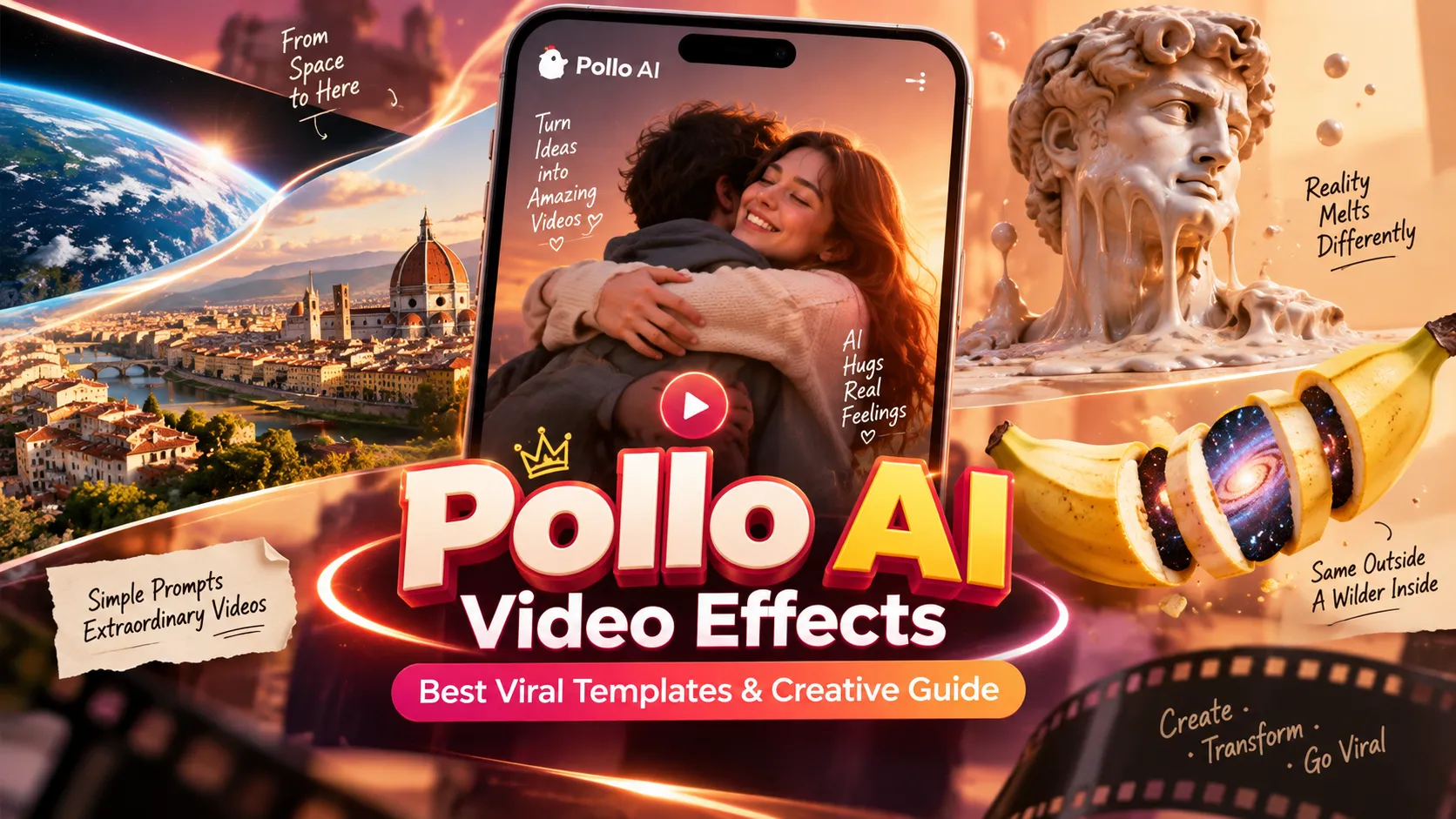
Pollo AI is an AI-powered creative platform offering video generation, image generation, editing tools, and ready-made visual effects. Its video effects library allows creators to produce animated scenes from static images without manually building complex animations.
Instead of describing every detail of an animation through a lengthy prompt, users can select a predefined effect, upload an appropriate image, and generate a video based on that effect's intended visual behavior.
For example, a portrait can become a muscular transformation, a product photograph can turn into a surreal melting animation, and a travel image can become the destination of a dramatic zoom from space.
The platform maintains a dedicated AI video effects library, with categories and templates covering viral transformations, interactions, artistic effects, dancing, and cinematic camera movements.
Pollo AI provides three related but different workflows:
| Feature | Input | Primary purpose | Best use case |
|---|---|---|---|
| AI video effects | Usually one or more images | Apply a predefined animated transformation | Viral short videos and visual surprises |
| AI video filters | Existing video footage | Restyle frames into a different visual aesthetic | Anime, clay animation, illustration, and stylized footage |
| AI video generator | Text, images, or references | Create a custom scene or motion sequence | Advertising, storytelling, and original cinematic clips |
| AI video editor | Existing video with editing instructions | Modify selected aspects of footage | Scene adjustments and targeted visual changes |
This distinction matters because selecting the wrong workflow can waste credits. A creator with a single portrait should generally begin with an image-based effect, while someone attempting to convert a filmed dance into anime should use video-to-video filtering.
Best Pollo AI Video Effects to Try in 2026
Pollo AI's growing effects library includes transformations, cinematic camera effects, character interactions, and surreal animations. The following selection focuses on identifiable effects available through Pollo AI's official effect pages rather than assuming that every template offers the same controls.
| Pollo AI effect | What it creates | Recommended input | Ideal application |
|---|---|---|---|
| Earth Zoom In | A camera journey from space into a photographed scene | Clear scene with a visible environment | Travel reveals and location introductions |
| Earth Zoom Out | A dramatic pullback from a scene into space | Landscape or environmental photograph | Video endings and transitions |
| AI Hug | Two people appearing to embrace | One two-person photo or two compatible portraits | Emotional storytelling |
| AI Muscle Generator | A person transforming into a muscular version | Clear portrait or body photograph | Fitness-themed humor and transformations |
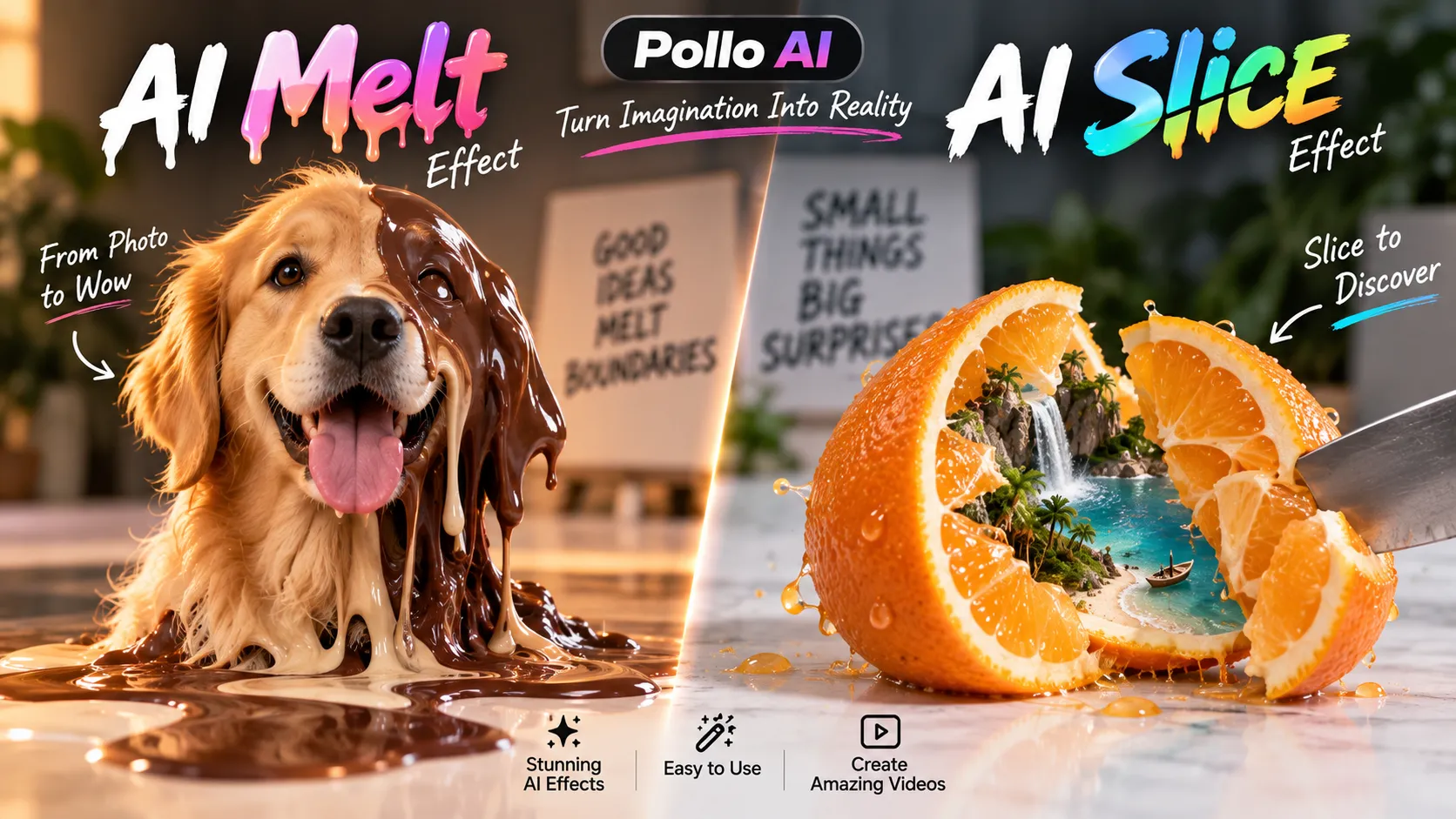
| AI Melt Effect | A subject gradually melting into a liquid-like form | Distinct object or subject | Surreal visual loops |
| AI Slice Effect | A small object being cut open to reveal its interior | One small, clearly visible object | Satisfying and curiosity-driven videos |
| AI Smooth Transition | Animated blending between two images | Two clear, compatible portraits | Before-and-after transformations |
| AI Selective Color | A colorful subject contrasted with a monochrome environment | Front-facing full-body portrait | Fashion and dramatic visual storytelling |
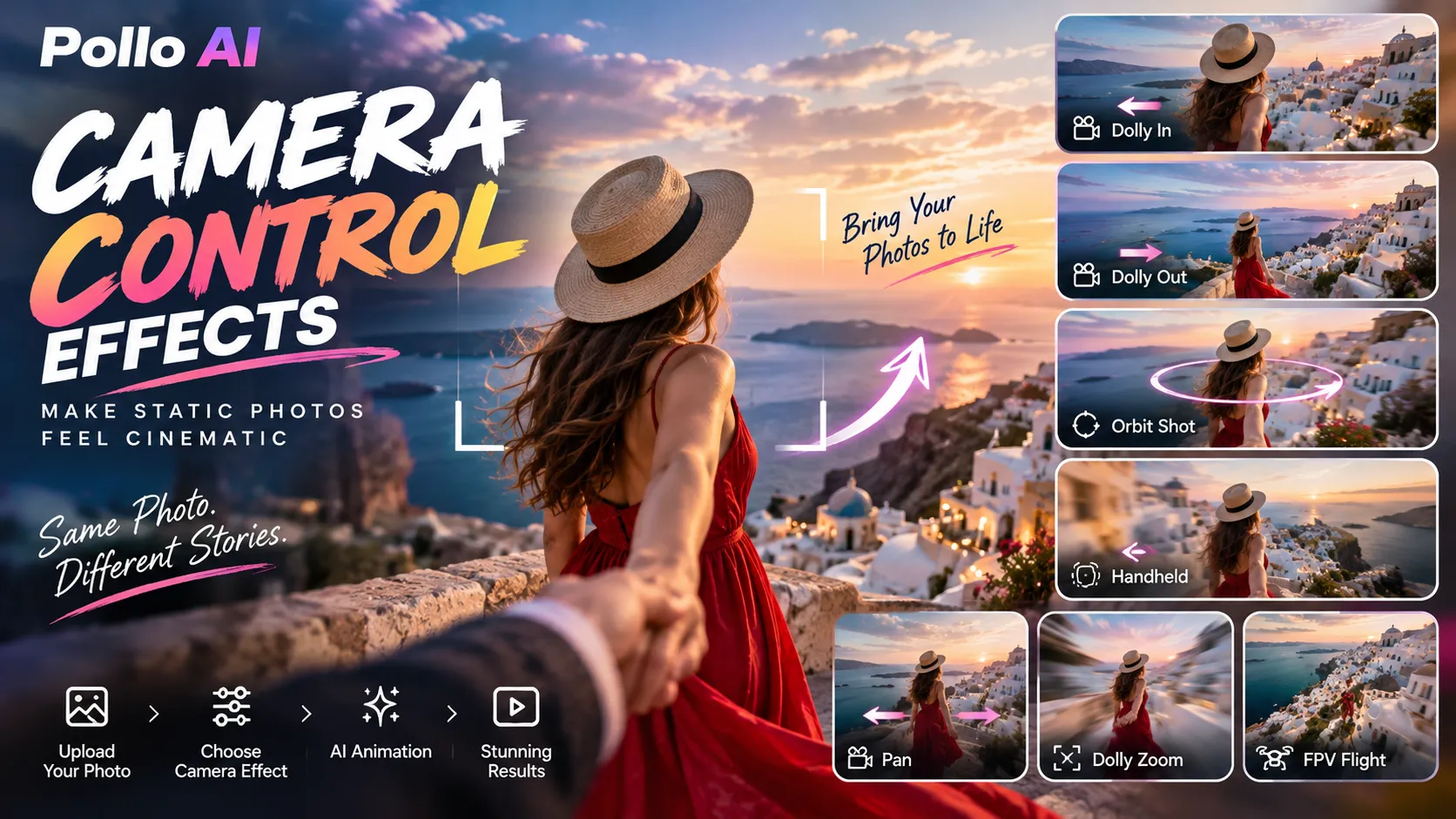
| Camera Control | Simulated pans, orbits, dolly moves, and zooms | Image with readable foreground and background | Cinematic social content |
| Unstable Multiply | A subject producing a burst of duplicated objects | Clearly isolated subject | Surreal and comedic content |
Important: These are available effect types, not a verified ranking by usage, engagement, or output quality. Template availability, pricing, and controls can change.
Earth Zoom In and Earth Zoom Out: Cinematic Location Reveals
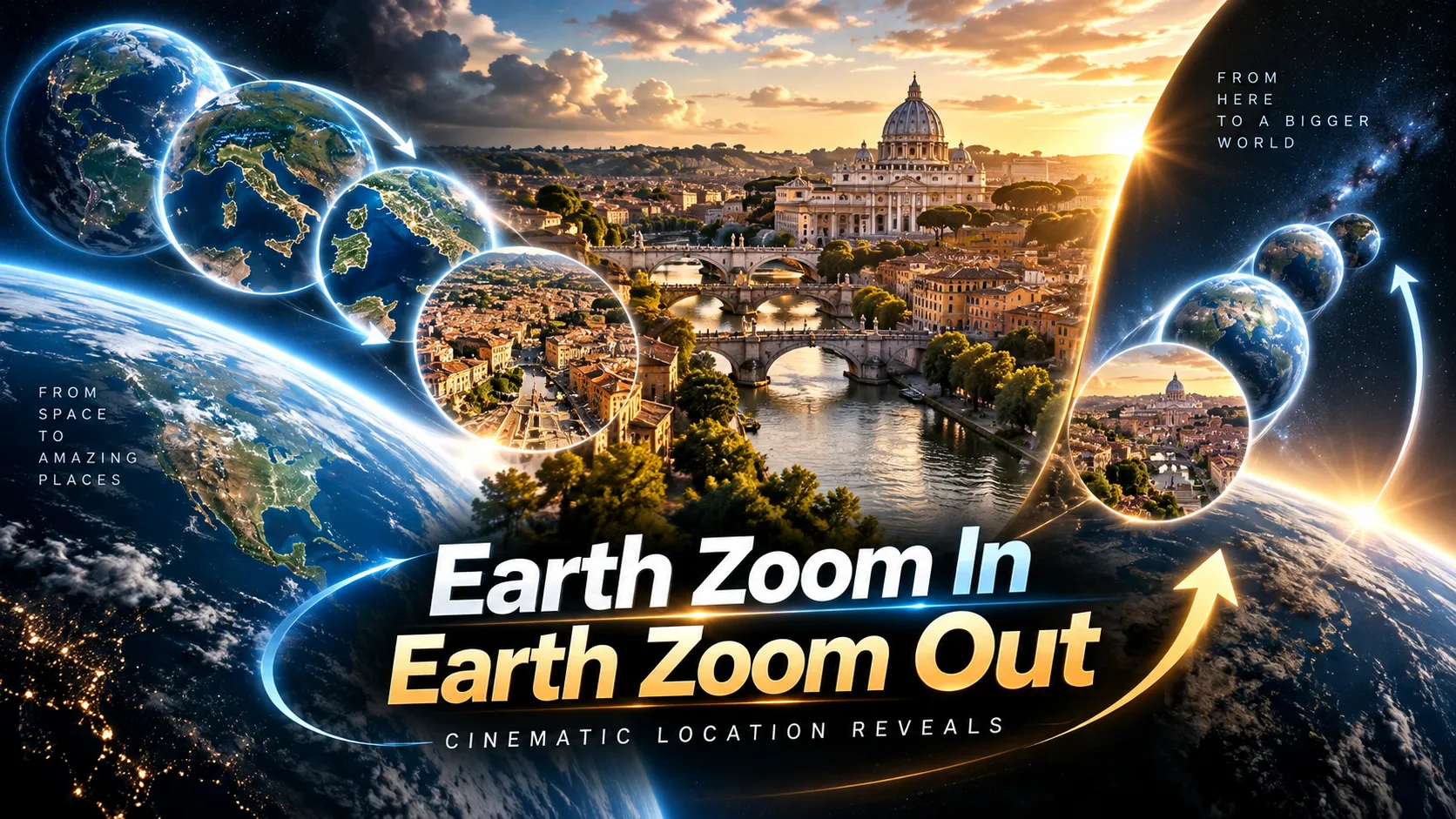
Earth Zoom In is particularly suitable for travel photography, architecture, real estate, product introductions, and destination-focused content.
The effect begins with a distant view of Earth and simulates movement through the atmosphere toward the uploaded image. Earth Zoom Out reverses the visual journey, moving away from the original scene toward an orbital perspective.
According to the official Earth Zoom In tool, the template is designed around a five-second sequence and recommends a clear JPG or PNG image with a non-solid background.
How to improve the result:
- Choose an image that contains identifiable environmental features, such as buildings, mountains, streets, or coastlines.
- Avoid completely featureless backgrounds that provide little spatial context.
- Keep the main subject reasonably central so the simulated camera approach has a clear destination.
- Use Earth Zoom In as an opening reveal and Earth Zoom Out as a closing transition when assembling a longer video.
For destination marketing, an especially useful sequence is a space-to-city zoom followed by a real location shot. This creates a sense of scale without requiring actual aerial footage.
The generated transition should be treated as a visual interpretation rather than geographically accurate satellite imagery.
AI Hug: Turn Portraits Into Emotional Interactions
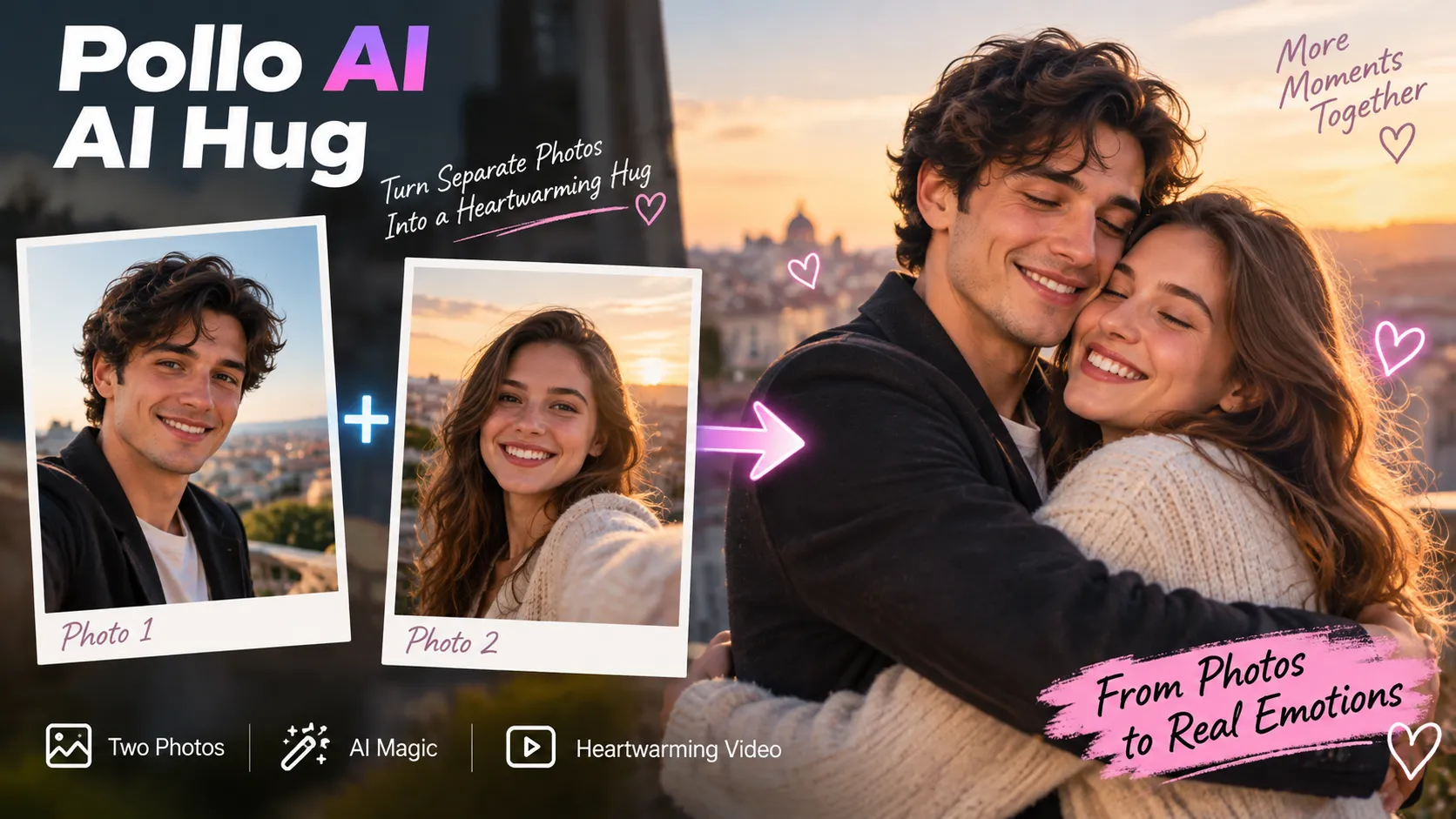
The Pollo AI Hug effect creates an animated embrace between two photographed subjects.
It is designed to work with either a single image containing two people or two separate photographs, depending on the selected input workflow.
The tool's published guidance recommends compatible image proportions and clearly visible individuals.
Best practices for AI Hug videos:
- Use photographs with similar lighting, apparent perspective, and image quality.
- Favor unobstructed faces and visible upper bodies.
- Avoid images in which arms, furniture, or other people obscure the subjects.
- Inspect the transition for facial identity changes and incorrect arm placement.
- Use only photographs for which the necessary likeness and image permissions have been obtained.
An effective creative application is an explicitly labeled fictional or commemorative animation. However, generated interactions should not be presented as authentic footage of events that never happened.
AI Muscle Generator: Dramatic Before-and-After Videos
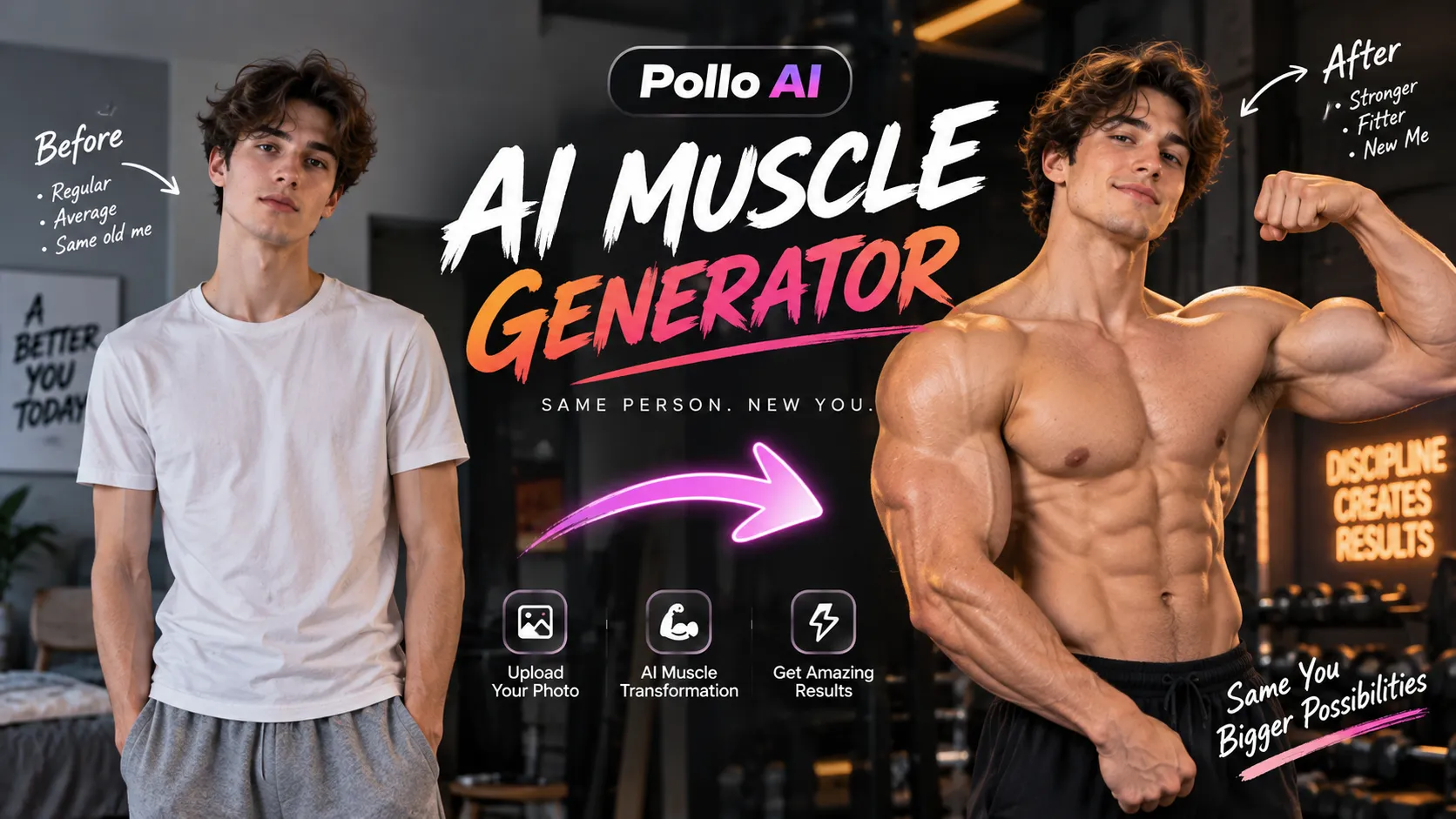
The AI Muscle Generator creates a transformation in which the photographed subject develops an exaggerated muscular physique.
Its main appeal is the contrast between an ordinary starting appearance and an unexpected final result.
Recommended approach:
- Select a sharp photograph with a recognizable person and an uncluttered background.
- Position the subject so the relevant upper body or full body is visible.
- Use the effect's available customization options to guide the intended transformation.
- Generate the clip and inspect anatomical consistency.
- Add humorous captions or sound during the final editing stage.
For creators targeting entertainment audiences, exaggerated fictional transformations are generally more appropriate than presenting the effect as evidence of actual fitness progress.
AI Melt Effect and AI Slice Effect: Surreal Visual Satisfaction
Two especially distinctive Pollo AI effects focus on impossible or visually surprising material behavior.
AI Melt Effect animates an image so the subject appears to soften, liquefy, or melt. The official AI Melt Effect supports image-based transformations of objects, characters, and scenes.
This effect works particularly well when the subject has a recognizable silhouette and visually interesting surface textures.
Potential concepts include a ceramic sculpture melting into colorful liquid, an ice-like object dissolving, or a surreal architectural scene changing shape.
AI Slice Effect generates an animation of an object being sliced open, revealing unexpected interior details. Pollo AI specifically recommends a single small object with a clean background and clearly defined contours.
The AI Slice tool is suitable for fruit-like objects, toys, and simple rounded products.
The difference between these effects is important:
- Melt: Emphasizes continuous deformation and flowing material.
- Slice: Emphasizes an anticipated action followed by an unexpected reveal.
For curiosity-driven content, the Slice effect provides a natural question-and-answer structure: viewers first see the object, then discover what the animation places inside it.
For both effects, intricate logos, transparent materials, and objects with complex geometry can introduce visual inaccuracies. Branded product designs should therefore be checked carefully before publication.
Camera Control Effects: Make Static Photos Feel Cinematic
Pollo AI also provides a dedicated Camera Control collection, featuring simulated camera behaviors such as orbit shots, pans, dolly movements, handheld motion, and zooms.
Camera effects are particularly useful when a photograph already has a strong composition but lacks movement.
Choosing the right camera motion:
| Camera movement | Visual purpose | Recommended subject |
|---|---|---|
| Dolly In | Direct attention toward a subject | Product or portrait |
| Dolly Out | Reveal more of the environment | Architecture or landscapes |
| Orbit Shot | Suggest depth around a central object | Sculptures and product displays |
| Pan Right | Reveal a scene horizontally | Wide landscapes |
| Handheld | Introduce informal camera movement | Documentary-style portraits |
| Dolly Zoom | Create an unsettling perspective change | Dramatic narrative scenes |
| FPV Flight | Suggest fast-moving first-person travel | Environments and imaginative scenes |
Camera motion is not the same as genuine 3D reconstruction. A single photograph does not contain complete information about hidden surfaces. Large simulated perspective changes may require the AI to invent previously unseen details.
For products that must remain visually accurate, subtle motion is often preferable to aggressive rotations.
How to Use Pollo AI Video Effects: Step-by-Step Tutorial
Creating an effect-driven video is straightforward, but a consistent workflow significantly improves efficiency.
Step 1: Open the effects library
Visit Pollo AI Video Effects and browse the available templates. Select a category or effect that matches the intended content.
Choose based on the desired final visual rather than simply selecting the most dramatic preview.
Step 2: Confirm the required input
Different templates have different input requirements.
Some accept one photograph. Interaction effects may require two subjects. Transition generators may require two separate images. Object-specific templates may work poorly with crowded scenes.
Read the guidance displayed on the chosen effect page before uploading.
Step 3: Prepare a compatible image
For reliable results, use an image with:
- Clear subject boundaries and strong separation from the background.
- Sufficient resolution for the intended output.
- Natural-looking facial features and hands, if people are present.
- No unnecessary text or embedded interface elements.
- Enough framing space for the desired movement.
A source image around 1024 pixels or larger on its main dimension can be a practical quality target for many workflows, but this is a creative recommendation, not a universal Pollo AI upload requirement.
Step 4: Adjust the available settings
Depending on the effect, controls may include a prompt field, background music, output options, public visibility, or copy protection.
Not every effect exposes every setting.
Where customization is supported, use concise instructions that preserve the original subject while describing the desired motion.
Step 5: Review credit consumption
Check the displayed credit cost before generation. Different effects and models can have different prices.
If the input is poorly suited to the chosen template, correcting the photograph before generation is usually a better first step than repeatedly paying for similar attempts.
Step 6: Generate and inspect the result
After processing, review the complete clip rather than judging it by the first frame.
Pay attention to:
- Facial and character consistency.
- Hand and finger anatomy.
- Subject shape and proportions.
- Background flickering.
- Sudden changes in lighting.
- Incorrect or disappearing product details.
- Whether the visual transformation actually completes.
Step 7: Prepare the final export
Download the result using the options available under the selected plan. Add captions, sound, and platform-specific framing if necessary.
A template-generated clip is best treated as one component of a finished social video, rather than automatically assuming it is ready for every distribution channel.
How to Apply Pollo AI Video Filters to Existing Footage
Creators with existing video footage should use Pollo AI Video Filters or its related video-to-video workflow rather than an image-based effects template.
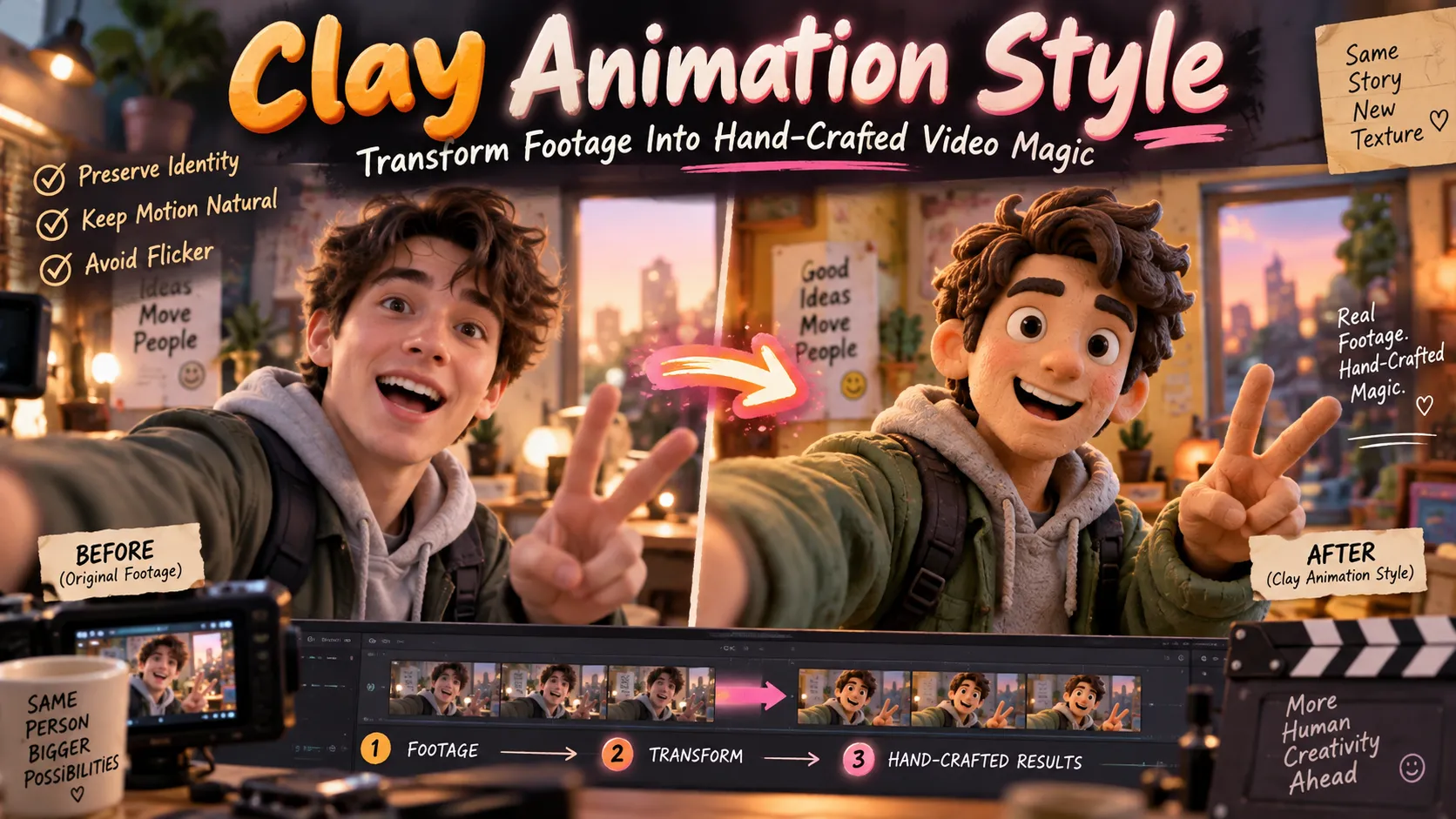
This tool applies visual styles to uploaded footage, including anime, clay animation, illustration, pixel art, and other artistic looks.
The published video-filter interface describes support for MP4 and MOV files with an upload limit of 50 MB. It also describes generation ranges of approximately three to five seconds for free users and up to 60 seconds for paid users, subject to the current feature configuration.
Video filtering workflow:
- Upload a supported source video.
- Select an appropriate visual style.
- Add an optional prompt to clarify the desired result.
- Configure available controls such as subject-only restyling or background customization.
- Generate a short sample before attempting a longer transformation.
- Review individual frames for temporal consistency.
Why temporal consistency matters: Video style transfer must maintain the same subject across many frames. An effect that looks convincing in one frame can still produce flickering textures, changing faces, or unstable outlines during motion.
The following is an example of a creative prompt for a video-filter workflow that accepts custom instructions:
Transform the footage into a hand-crafted clay animation style. Preserve the original character identity, body movements, camera timing, and overall composition. Use warm studio lighting, tactile clay textures, and consistent character proportions. Avoid flickering textures, abrupt appearance changes, and distorted facial features.This prompt is guidance rather than a guarantee. Results depend on the selected model, reference footage, and available controls.
Best Prompting Techniques for Pollo AI Video Effects
Many predefined effects require little or no prompting. However, for customizable effects and general image-to-video generation, well-structured prompts can improve clarity.
A useful framework is:
Subject + Primary Action + Camera Motion + Environment + Visual Style + Preservation Constraints
The most important principle is to describe one clear primary action. Excessive instructions can produce competing movements, subject drift, or inconsistent scene geometry.
Example 1: Cinematic product reveal
A premium black wristwatch resting on dark stone. The camera performs a slow cinematic dolly-in while soft golden light moves across the metallic surface. Preserve the exact watch shape, dial layout, and material appearance. Smooth realistic motion, elegant reflections, minimal background movement, no added text.Example 2: Fantasy transformation
A stone statue gradually transforms into a glowing crystalline sculpture. Small fragments shimmer as the transformation progresses from the base upward. The camera remains stable. Preserve the original silhouette and composition. Dramatic but controlled lighting, coherent materials, smooth continuous motion.Example 3: Travel scene animation
A cinematic aerial-style reveal of a coastal town at sunset. The camera moves slowly forward toward the harbor, with gentle ocean movement and realistic atmospheric depth. Preserve the recognizable buildings and shoreline. Natural colors, stable architecture, no abrupt camera changes.Example 4: Stylized character animation
Animate the illustrated character with a subtle smile, natural blinking, and gentle hair movement. Keep the original face, clothing, colors, and art style consistent. Use a static camera and soft lighting. Avoid extra limbs, facial morphing, and sudden background changes.Advanced prompting advice: Preservation instructions are particularly important for products, recognizable people, and recurring fictional characters. A prompt that only describes dramatic motion may leave the model greater freedom to alter important visual details.
When an effect is entirely predefined and does not offer prompt customization, changing the input image is often the most effective way to influence the outcome.
How to Create Viral-Style TikTok and Instagram Reels With Pollo AI
AI video effects are particularly suited to short-form content because many transformations produce a visually understandable result within a few seconds.
However, an impressive effect alone does not guarantee engagement. Video performance also depends on audience interest, originality, pacing, sound, and the strength of the opening image.
A practical production structure is:
| Video segment | Editorial objective | Suggested content |
|---|---|---|
| Opening | Establish curiosity | Show a recognizable or unexpected subject |
| Transformation | Deliver the main visual event | Apply the chosen Pollo AI effect |
| Payoff | Make the result understandable | Hold the final transformation briefly |
| Ending | Encourage continued viewing | Use a clean conclusion or visually compatible loop |
These are creative guidelines, not measured performance benchmarks.
Five content ideas worth experimenting with:
- Impossible product transformations: Turn everyday objects into surreal materials using melting or slicing effects.
- Travel reveal videos: Connect a space-to-Earth zoom with real footage of a destination.
- Portrait transformations: Use clearly fictional physical changes for humorous before-and-after clips.
- Anime-style performance videos: Apply video filters to permitted original dance or performance footage.
- Cinematic photo challenges: Animate the same photograph using different camera-control effects and compare the visual results.
Recommended publishing workflow:
- Choose the effect before composing or selecting the source image.
- Prepare a vertical 9:16 composition for platforms where vertical short-form video is appropriate.
- Generate the shortest clip that communicates the complete transformation.
- Add sound whose timing reinforces the primary visual event.
- Keep subtitles away from important faces and transformation details.
- Review the uploaded version for compression artifacts and unintended cropping.
If the tool generates only a landscape clip, crop deliberately rather than stretching the video. Some templates may not support every aspect ratio, so inspect available settings before committing credits.
For commercial content, measure outcomes such as view-through rate, click-through rate, and cost per usable creative rather than assuming a visually dramatic effect will improve conversion.
Pollo AI Video Effects Pricing: Is It Free?
Pollo AI provides free access to selected creation features through a limited credit system. This makes it possible to experiment before subscribing, but free access should not be confused with unrestricted generation.
September 2026 pricing checks by independent reviewers documented the following illustrative subscription options:
| Plan | Reported monthly price | Reported monthly credits | Typical positioning |
|---|---|---|---|
| Free | $0 | Limited starter credits | Basic experimentation |
| Lite | $15 | 400 | Occasional content creation |
| Pro | From $29 | From 800 | More frequent generation |
| Ultra | From $129 | From 5,000 | Higher-volume usage |
Pricing caveat: These figures are dated reference points, not a guaranteed October 2026 checkout quote. Pollo AI changes promotions, billing options, credit allocations, and model availability. Confirm current figures on its official pricing page.
What determines the real cost?
Pollo AI states that credit consumption depends on the selected model or tool, generation duration, output quantity, and resolution.
An individual effect may have a different cost from a general text-to-video generation task.
A useful cost calculation is:
Usable videos = Total generation attempts × Acceptance rate

Cost per usable video = Total credits spent ÷ Usable videos

Cash cost per usable video = Applicable spending ÷ Usable videos
For example, suppose a hypothetical campaign requires 10 credits per generation and half the outputs pass quality review. A 400-credit allowance supports 40 attempts and approximately 20 usable outputs under those assumptions.
At a hypothetical monthly cost of $15 with the entire allowance consumed, the effective subscription cost would be approximately $0.75 per usable clip.
This example is illustrative and is not a published price for a specific Pollo AI effect.
Additional billing details:
- Unused subscription credits generally do not roll over to the following billing cycle, according to Pollo AI's pricing FAQ.
- Eligible add-on credits have separate expiration rules; Pollo AI says qualifying purchased add-ons do not expire.
- The published refund FAQ describes a three-day request window for eligible first subscription purchases, subject to policy requirements.
- Watermark removal, output privacy, commercial permissions, and advanced options should be verified against the selected plan before purchasing.
Creators who generate occasional videos should consider whether a recurring plan is economical compared with their actual monthly output needs.
Common Pollo AI Video Effects Problems and How to Fix Them
AI animation can introduce artifacts even when the source image looks excellent. Understanding the likely cause helps avoid repeated unsuccessful generations.
| Problem | Likely cause | Recommended fix |
|---|---|---|
| Face changes during animation | Complex motion or weak identity preservation | Use a clearer frontal portrait and reduce motion complexity |
| Extra fingers or distorted hands | Difficult human-object interactions | Choose an image with visible, uncomplicated hand positions |
| Background flickering | Insufficient scene consistency | Simplify the environment or use a more stable camera effect |
| Subject disappears or changes shape | Poor subject separation or excessive transformation | Use a cleaner source image with stronger contrast |
| Product branding becomes inaccurate | Generative reconstruction of text or geometry | Use the original product image for final accurate branding |
| Two-person effect behaves incorrectly | Incompatible poses or mismatched portraits | Use clearer subjects with similar framing and proportions |
| Generated video looks soft | Low source quality or generative artifacts | Improve the source image and inspect supported resolution options |
| Upload is rejected | Unsupported format, excessive file size, or content restrictions | Recheck the specific tool's upload instructions and policies |
| Unexpected credit consumption | Different effects or settings use different credit amounts | Verify cost before creating each output |
| Video has a watermark | Plan-level export restrictions | Review watermark-free export eligibility on the pricing page |
A useful troubleshooting rule is to change one variable at a time. If a result fails, first improve the input image. If that does not work, reduce motion complexity or change the effect. Repeatedly regenerating an unchanged poor input can waste credits without addressing the original problem.
For commercial deliverables, inspect the exported clip at its intended display size. Errors that are difficult to notice on a small preview can become obvious on a larger screen.
Pollo AI Video Effects vs. CapCut, Pika, and Runway
Pollo AI is not the only option for creating AI-assisted short videos. The best alternative depends on whether the main requirement is a ready-made effect, timeline editing, or fine-grained generative control.
| Platform | Primary strength | Most suitable workflow | Main consideration |
|---|---|---|---|
| Pollo AI | Broad selection of predefined effects and multiple generation models | Image-driven transformations and short-form creative experiments | Variable credit cost and output consistency |
| CapCut | Timeline editing, conventional effects, captions, and distribution-focused editing tools | Assembling and finishing social videos | Generative capabilities differ from dedicated AI video platforms |
| Pika | AI-generated visual transformations and creative video effects | Playful experimental animation | Specific effects, limits, and access vary by plan |
| Runway | Generative video creation and editing workflows | Custom cinematic concepts and controlled creative production | More preparation may be required for complex scenes |
| Kling AI | Image-to-video generation and motion-oriented creative workflows | Customized animation based on reference images | Model-specific controls and generation costs |
This is a workflow comparison, not a controlled output-quality benchmark. Feature catalogs and pricing change frequently.
Which should creators choose?
For a recognizable one-click transformation, Pollo AI is a logical starting point. For captioning, trimming, sequencing, and final audio assembly, a timeline editor such as CapCut is often complementary rather than competitive.
For a scene that does not match any predefined effect, a customizable video-generation model may offer greater flexibility. Pollo AI also provides access to multiple video models, so users do not necessarily need to leave the platform to explore that approach.
Commercial Use, Privacy, and AI-Generated Content Rights
Using AI-generated video in advertising introduces requirements beyond visual quality.
Pollo AI's Terms and Conditions, effective April 30, 2026, describe user responsibilities for uploaded and generated content, restrictions on unauthorized likeness use, and licensing provisions for material submitted to the service.
Before publishing commercial work, creators should review several issues.
1. Permission to use source images
An uploaded photograph should be owned, licensed, or otherwise authorized for the intended purpose. This is especially important when working with professional photography, recognizable individuals, or protected brand assets.
2. Consent for recognizable people
AI Hug, AI Kissing, face transformations, and similar effects can depict people performing actions they never performed. Obtain necessary consent and avoid deceptive impersonation.
3. Commercial usage rights
Check the current plan's commercial-use permissions and any relevant restrictions associated with the chosen model, output, or third-party materials.
4. Public visibility and privacy
Some Pollo AI interfaces expose public visibility and copy-protection settings. Review these before uploading client assets or sensitive creative material.
The platform's terms also contain a broad license for content submitted to the service and additional provisions for material made public. Private visibility should not automatically be interpreted as a guarantee that uploaded data is excluded from all service operations.
5. Accuracy and disclosure
Generated media should not falsely represent real events, endorsements, or product capabilities. Where appropriate, disclose that visuals are AI-generated.
For advertising, source-image permissions, licensing, privacy, and truthful presentation are as important as whether a video looks realistic.
Advanced Workflow: Produce Better Videos With Fewer Credits
A disciplined production process can improve output efficiency without relying on unverified claims about a particular model's superiority.
Phase 1: Match the effect to the input
Start with the visual outcome, then read the template's source-image requirements. An object effect needs a different composition from a two-person interaction effect.
Phase 2: Create a strong source image
Ensure the image has clear lighting, consistent geometry, and enough visible information to support the intended movement.
Phase 3: Generate one short candidate
Avoid committing immediately to multiple outputs when the effect or image compatibility has not yet been established.
Phase 4: Perform a visual quality review
Inspect the beginning, middle, and end of the result. Check subject identity, recognizable details, motion continuity, and visual completion.
Phase 5: Revise the highest-impact issue
If the animation is visually unstable, alter the input or the requested motion rather than rewriting every setting simultaneously.
Phase 6: Finish in an editing workflow
Add captions, licensed audio, transitions, and final platform formatting after generating a satisfactory base clip.
Phase 7: Track performance and production cost
Maintain a simple record of the chosen effect, input type, credits used, number of attempts, accepted outputs, and resulting audience metrics.
This creates a repeatable process for determining which effect types are worth producing again.
For teams, a quality checklist is more useful than treating every generated clip as automatically ready for publication.
Frequently Asked Questions About Pollo AI Video Effects
Are Pollo AI video effects free?
Selected effects can be tried using Pollo AI's free credit allowance. Free access is limited and does not guarantee unlimited generations, watermark-free downloads, or unrestricted access to every effect. Check the credit requirement on the individual tool page.
How do you make a Pollo AI video effect?
Open the video effects library, select a template, upload the required image or images, configure any available settings, review the credit cost, and generate. Preview the completed video before downloading it.
Can Pollo AI turn a picture into a video?
Yes. Many Pollo AI effects specifically animate still photographs. The platform also offers general image-to-video models for creating custom movement and scenes.
Can Pollo AI add effects to an existing video?
Yes. Pollo AI's AI Video Filters and video-to-video tools can restyle existing footage. These workflows differ from image-based effect templates.
What are the best Pollo AI video effects for TikTok?
Earth Zoom In, AI Melt, AI Slice, AI Muscle Generator, and transformation effects are strong candidates for experimentation because their visual ideas can be communicated quickly. No effect is guaranteed to become viral; audience fit, execution, and presentation remain essential.
Does Pollo AI support anime-style video effects?
Yes. Its video-filter workflow includes anime and other illustrated styles. Users can upload supported footage and apply the selected visual treatment, subject to current tool limits.
Can Pollo AI generate AI hugging videos?
Yes. Pollo AI provides an AI Hug effect that can animate two people embracing from compatible source photographs. Obtain appropriate consent when using recognizable individuals.
Do Pollo AI video effects include sound?
Some effect pages offer background music choices, while certain broader video-generation models support audio-related features. Audio capabilities are not identical across every effect, so inspect the selected tool's controls.
How long does Pollo AI take to generate a video effect?
Processing time varies with the effect, model, queue demand, and selected settings. Some simple generations may complete relatively quickly, but there is no universal guaranteed processing time for every template.
Can Pollo AI video effects be used commercially?
Commercial eligibility depends on the applicable plan, model, source assets, and current terms. Confirm usage rights before including AI-generated content in paid advertising or other commercial deliverables.
Why do Pollo AI video effects sometimes distort faces or hands?
Generative video models must estimate motion, anatomy, lighting, and previously unseen visual information. Rapid interactions, occlusions, and complex movements can produce inconsistent results. Clearer source images and simpler motions often reduce these problems.
Are Pollo AI video effects better than traditional video editing?
They solve a different problem. AI effects can synthesize transformations that would require extensive conventional visual-effects work, while traditional editing provides direct control over timing, compositing, captions, and final assembly. Combining both approaches is often useful.
Conclusion
Pollo AI video effects offer an accessible way to transform photographs into animated, visually distinctive short clips. Their greatest strength is the range of predefined transformations available without requiring users to construct every motion sequence manually.
Earth Zoom effects are suitable for cinematic reveals, AI Hug supports fictional or commemorative interactions, AI Melt and AI Slice provide surreal transformations, and Camera Control can add movement to otherwise static compositions. Existing footage can also be restyled with Pollo AI's separate video-filter tools.
The main limitations are credit consumption, variable generation quality, occasional visual inconsistencies, and the need to verify commercial and privacy settings.
For the most efficient starting point, visit the Pollo AI video effects library, choose one effect that matches a clear source image, and generate a short sample. Inspect the result, refine the input if necessary, and finish the clip with suitable audio and formatting.
Start with one well-matched effect and one strong image. A simple, carefully executed transformation is more useful than an elaborate animation that cannot preserve its subject or communicate its visual payoff.
Continue Reading
More articles connected to the same themes, protocols, and tools.

Referenced Tools
Browse entries that are adjacent to the topics covered in this article.