

ZCode
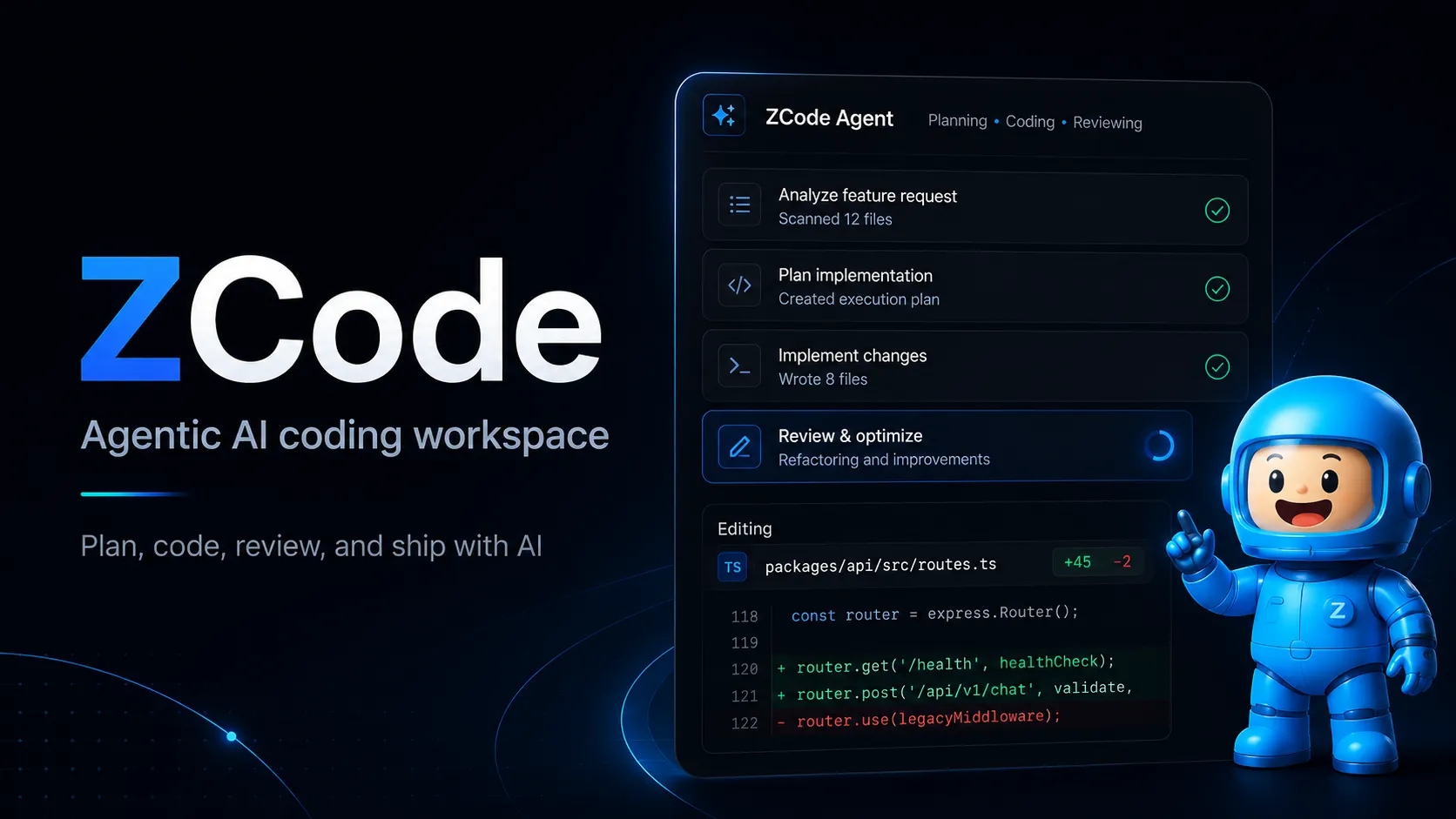
ZCode is a standalone agentic development environment focused on long-horizon AI coding tasks with GLM-optimized agents, BYOK provider access, MCP, skills, sub-agents, and remote workflow control.
Information checked: Jun 15, 2026 ·View sources
Tool details
- Type
- AI editors
- Platforms
- macOS Apple Silicon, macOS Intel, Windows x64, Linux beta
- Free plan
- Yes
- Open source
- No
- Bring your own key
- Yes
- Local models
- No
Overview
Best for
- Developers who want a standalone AI coding workspace optimized for long-running tasks.
- Teams already using Z.ai, BigModel, or GLM Coding Plan.
- Users who want agentic coding with explicit execution permissions and task progress tracking.
- Developers who use MCP tools, reusable skills, and role-specific sub-agents.
- Users who want to monitor or continue AI coding tasks from mobile or chat apps.
Strengths
- Strong fit for long-horizon coding tasks rather than only chat-style code help.
- Deep GLM-5.2 integration with built-in quota plans and model usage tracking.
- Flexible BYOK support for OpenAI-compatible and Anthropic-compatible providers.
- Useful control modes for balancing speed, autonomy, and safety.
- MCP, skills, and sub-agents make workflows reusable across projects.
- Remote Control and Bot Channel are useful for monitoring longer tasks away from the desktop.
Limitations & trade-offs
- Developers who require a fully open-source editor.
- Teams standardized on VS Code or JetBrains extensions only.
- Users who need a mature Linux-first production desktop app today.
- Workflows that require fully offline local-model execution.
- Organizations that cannot send code or prompts to external model providers.
- Not open source based on available official materials.
- Mac and Windows are the primary documented platforms; Linux is still positioned as beta/internal access.
- Best experience is tied to Z.ai/BigModel and GLM Coding Plan usage.
- Newer ecosystem than Cursor, VS Code, Claude Code, and GitHub Copilot.
- Pricing and quota details can vary by region, promotion, and provider account.
- Teams with strict data policies should review the privacy policy and provider routing carefully before adoption.
Get started
Pricing & usage limits
Free tier · From $18
New ZCode users can access a limited free GLM trial quota.
Entry GLM Coding Plan for lighter AI coding usage; promotional pricing may apply.
Higher quota plan for regular agentic coding workflows.
Highest listed quota tier for frequent long-horizon coding tasks.
Use Z.ai, BigModel, Anthropic, OpenAI, OpenRouter, Moonshot, MiniMax, Xiaomi MiMo, DeepSeek, or compatible OpenAI/Anthropic endpoints.
Pricing checked: Jun 15, 2026 · Subscription, usage limits, and model costs may be billed separately.
Features & details
Agentic Development Workspace
- ZCode Agent for planning, coding, debugging, testing, preview, and review
- Goal mode for long-running tasks with automatic iteration and validation
- Task, file, context, model, execution mode, and Git branch awareness
Model & Provider Access
- Built-in GLM-5.2 and GLM-5-Turbo access through Z.ai or BigModel accounts
- API key configuration for Anthropic, OpenAI, OpenRouter, Moonshot, MiniMax, Xiaomi MiMo, and custom providers
- Compatible with OpenAI-style and Anthropic-style provider endpoints
Workflow Control
- Execution modes including plan mode, confirm-before-change, auto-edit, and full access
- Safety confirmation flow for commands, file edits, network access, and high-risk operations
- Usage statistics for quota, token, and tool-call visibility
Extensibility
- MCP server management for stdio, HTTP, and SSE tools
- Import MCP configurations from Claude Code, Codex CLI, OpenCode, and .agents files
- Skills and sub-agents for reusable workflows, review roles, test helpers, and release processes
Remote & Team Touchpoints
- Mobile Remote Control for continuing desktop tasks from a phone
- Bot Channel integration for WeChat and Feishu
- Workspace access controls for connected bots
Why Choose ZCode?
ZCode is best understood as an Agentic Development Environment rather than a traditional editor with a chat sidebar. Its core design is built around long-horizon tasks: the user describes an outcome, the agent plans the work, edits files, runs checks, reviews progress, and continues across multiple iterations until the goal is met.
That positioning makes ZCode especially relevant for developers who are already using GLM Coding Plan or who want a controlled desktop workspace for autonomous coding. Instead of focusing only on inline completion, ZCode emphasizes task state, execution mode, file context, model routing, tool usage, and remote follow-up.
The strongest differentiator is the combination of a GLM-optimized default agent with flexible provider configuration. Developers can use Z.ai or BigModel accounts for built-in GLM access, but the product also supports API-key based providers and compatible OpenAI/Anthropic-style endpoints. That makes it more flexible than a single-model assistant while still giving GLM users a first-party path.
Core Workflow
A typical ZCode workflow starts by opening a local workspace and creating a task. The user can describe a feature, bug, refactor, test failure, or review request in natural language. ZCode Agent can then reference files, call commands, use skills, and operate within an execution mode selected by the developer.
For higher-risk work, plan mode or confirm-before-change mode is the safer default. For routine edits, auto-edit can reduce friction while still requiring confirmation for riskier operations. For low-risk long-running work, full access can reduce interruptions, but it should only be used when the repository and task boundaries are trusted.
Goal mode is important for tasks that require repeated iteration. Instead of repeatedly asking the agent to continue, the user can define a measurable target such as fixing all TypeScript errors or raising a page performance score. ZCode then tracks progress and runs further iterations until the goal is validated or the user intervenes.
Use Cases
ZCode is most useful when the task has enough scope to benefit from a managed agent workflow. Examples include resolving a failing test suite, refactoring a module, implementing a small feature across multiple files, preparing release notes, reviewing a local diff, or investigating a bug that requires reading code and running commands.
It is also well suited to workflows that need external tools. MCP support allows the agent to connect to additional capabilities such as memory, browser automation, web reading, or internal team services. Skills and sub-agents help turn repeated work into reusable patterns, such as code review checklists, test triage, UI inspection, release documentation, or team-specific engineering rules.
Remote Control and Bot Channel add another practical use case: monitoring and nudging long-running agent tasks away from the desktop. This is not a replacement for the local development environment because execution still happens on the desktop workspace, but it is useful when a task is already running and only needs status checks, follow-up instructions, or lightweight intervention.
Comparison to Alternatives
Compared with Cursor and Windsurf, ZCode is more explicitly centered on long-horizon agent execution and GLM Coding Plan integration. Cursor and Windsurf may feel more familiar to developers who want an AI-enhanced editor experience close to VS Code. ZCode may appeal more to users who want a task-first agent workspace with explicit execution modes and remote control.
Compared with Claude Code, ZCode offers a more visual desktop environment with task panels, file management, remote mobile access, Bot Channel, MCP management, skills, and sub-agent configuration. Claude Code remains attractive for terminal-first users who prefer a minimal command-line workflow and direct Anthropic model access.
Compared with Cline, Continue, or Roo Code, ZCode is not just an extension layered onto an existing editor. That can be an advantage for users who want a dedicated agentic workspace, but it can also be a drawback for teams that have already standardized around VS Code extensions and want minimal tooling change.
Best Configuration
For most teams, the safest starting setup is to connect a Z.ai or BigModel account, keep plan mode or confirm-before-change mode as the default for unfamiliar repositories, and create an AGENTS.md file in each project to document coding standards, test commands, forbidden paths, and review expectations.
After the basics are stable, add MCP servers gradually. Start with low-risk tools such as documentation or read-only context services before giving the agent access to tools that can mutate external systems. For reusable work, create skills for checklists and output formats, and create sub-agents only when a role is distinct enough to justify a separate specialized prompt.
For cost control, route simpler tasks to lighter models when possible and reserve GLM-5.2 or higher-reasoning settings for complex debugging, architectural changes, large refactors, and tasks that need sustained multi-step reasoning. Teams should also use usage statistics to watch prompt, token, and tool-call consumption.
Migration Notes
Developers moving from Claude Code, Codex CLI, or OpenCode should pay attention to ZCode's import paths for MCP configurations and skills. ZCode can import existing MCP servers from common agent configuration files, which reduces setup duplication, but teams should still verify scopes, environment variables, and secrets after import.
Existing prompt rules may need to be rewritten into ZCode's preferred structure. Project-level behavior should go into AGENTS.md, lightweight reusable prompts can become commands, detailed procedures should become skills, and role-specific responsibilities can become sub-agents.
The biggest migration consideration is workflow discipline. ZCode can operate with high autonomy, but higher autonomy should come after the team has defined test commands, permission boundaries, provider routing, and review expectations. Treat it like adding a junior automation-heavy teammate: useful when supervised by clear rules, risky when given broad permissions without guardrails.
Model support & data privacy
Supported models
- GLM-5.2
- GLM-5-Turbo
- GLM-4.7
- GLM-4.5-Air
- Claude
- OpenAI models
- Moonshot
- MiniMax
- Xiaomi MiMo
- DeepSeek
Privacy & data handling
ZCode's privacy policy says it may collect account information, device/log data, user-provided prompts, generated content, and conversation records for product functionality and service operation. Teams handling sensitive code should review the privacy policy, model-provider routing, BYOK configuration, and retention controls before rollout.
Guides, reviews & fixes
View allNo published guides yet. Start with the official documentation above.
Product updates
No verified product updates listed yet. Follow this tool to see new relevant content in Saved.
See the content timelineAlternatives
Sources & verification
Verification dates record when this directory checked the information. Product release dates appear separately above.
Directory revision history
Initial directory profile created from official ZCode, Z.ai, and BigModel documentation.