Unbounce
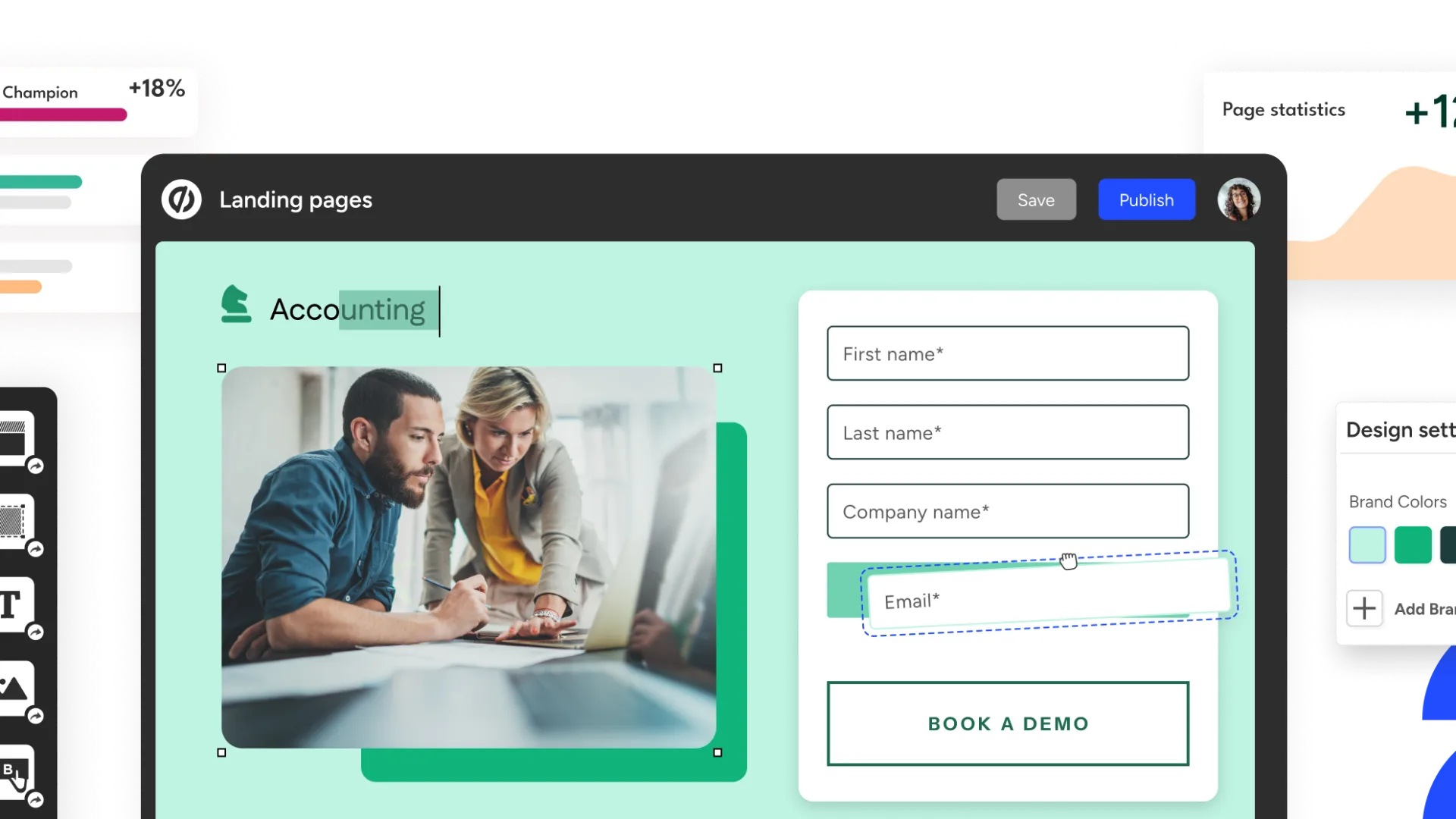
Unbounce is an AI-powered landing page and conversion optimization platform for marketers, agencies, and growth teams. It helps teams launch campaign pages, run tests, personalize copy, and route traffic with AI instead of relying on developers for every experiment.
Unbounce is a strong choice for marketers and agencies that need campaign landing pages with testing, AI-assisted copy, and conversion optimization. It is less suitable for teams looking for an AI coding tool, full-stack app builder, or self-hosted website platform.
Pricing Plans
14-Day Trial
Free trial with full access to the selected plan; no credit card required, with trial limits such as one user, no custom domains, and traffic restrictions.
Starter
Entry plan for launching first landing pages; includes drag-and-drop builder, 5 pages, up to 500 visitors, 1 user, 1 root domain, forms, hosting, and support.
Build
Unlimited landing pages, up to 20,000 visitors, popups, sticky bars, AI copywriting, custom code, custom styling, and integrations.
Experiment
Adds A/B testing, unlimited variants, manual traffic allocation, confidence intervals, dynamic text replacement, and reporting for up to 30,000 visitors.
Optimize
Adds AI traffic optimization, scheduling, advanced triggers, industry benchmarking, audience insights, 5 users, 3 root domains, and up to 50,000 visitors.
Concierge
Custom plan for larger companies with unlimited pages, traffic starting at 100,000 visitors, 15 users, 5 root domains, implementation services, and a dedicated customer success manager.
Agency
Custom agency plan for multiple clients and teams, with unlimited pages, traffic starting at 50,000 visitors, 5+ users, 10+ root domains, implementation services, and agency directory listing.
Core Features
1Landing Page Builder
- Drag-and-drop landing page editor
- 100+ conversion-focused templates
- Custom scripts, pixels, code, and styling
- Custom domains, subdomains, and free hosting
2AI and Optimization
- Smart Traffic AI visitor routing
- AI copywriting inside the landing page builder
- Industry benchmarking and audience insights on Optimize
- Dynamic text replacement for search-intent personalization
3Testing and CRO
- No-code A/B testing
- Unlimited variants on Experiment and above
- Manual traffic allocation and confidence intervals
- Conversion insights and reporting
4Campaign Tools
- Lead generation forms
- Popups and sticky bars
- Page, popup, and sticky bar scheduling
- Advanced triggers and targeting rules
5Integrations and Security
- Integrations with CRM, analytics, email, and marketing tools
- Zapier, Webhooks, Google Analytics, Salesforce, HubSpot, Mailchimp, Marketo, and more
- 2FA, SSL, SSO, user permissions, version control, and audit logs on eligible plans
- Worldwide data centers and CDN-backed hosting
Pros
- Strong fit for paid campaign landing pages, PPC, lead generation, and CRO workflows.
- Combines page building, A/B testing, AI copywriting, and AI traffic optimization in one platform.
- More campaign-focused than generic website builders.
- Useful for marketing teams that need to launch pages without waiting on developers.
- Smart Traffic can route visitors to different variants based on conversion signals.
- Supports technical customization through scripts, pixels, custom code, and integrations.
Cons
- Not an AI IDE, coding agent, or general-purpose web app builder.
- No permanent free plan; only a limited 14-day trial.
- Pricing can become expensive for high-traffic teams, agencies, or many domains.
- Best suited to landing pages rather than full websites, SaaS apps, or internal tools.
- AI copywriting is built into the builder, but the standalone Smart Copy product has been discontinued.
- Advanced optimization, audience insights, and traffic limits require higher plans.
Why Choose Unbounce?
Unbounce is best understood as a campaign landing page platform, not a general website builder or AI coding tool. Its value is concentrated around one high-value marketing problem: turning paid and owned traffic into leads, signups, demos, purchases, or other measurable conversions.
That focus makes Unbounce useful when a marketing team needs to move faster than a normal web development queue allows. A campaign manager can create pages, duplicate variants, change copy, publish offers, run tests, and optimize traffic without asking designers and developers to rebuild every page.
The platform is especially relevant when the cost of traffic is high. For paid search, paid social, partner campaigns, and lead generation, small conversion-rate changes can matter more than broad website design flexibility. Unbounce is built around that reality.
Core Workflow
A practical Unbounce workflow starts with a campaign, not a site map. The team defines the audience, ad group, search intent, offer, form goal, and conversion event before building the page.
The landing page is then created with templates or drag-and-drop editing, connected to a domain, linked to analytics and CRM tools, and published as a focused campaign destination. From there, marketers can add variants, test copy or layout changes, use dynamic text replacement for search-intent alignment, and route visitors through Smart Traffic when AI optimization is appropriate.
The key operational difference is speed. A normal website CMS workflow may require design review, frontend implementation, QA, deployment windows, and stakeholder signoff. Unbounce compresses that cycle for campaign pages, which is why it is often used by acquisition teams and agencies that launch many pages across offers, audiences, or clients.
Use Cases
Unbounce is strongest for pages tied directly to a measurable acquisition goal. Typical examples include PPC landing pages, SaaS demo requests, ebook downloads, webinar registration, consultation booking, lead magnets, ecommerce promotions, local service campaigns, and agency-managed client offers.
It also works well when a company needs many slight variations of a landing page. For example, a B2B SaaS team can create different pages for competitor keywords, industry segments, geographies, or persona-specific messaging while keeping the core layout and brand structure consistent.
Unbounce is less useful when the project needs multi-page content architecture, logged-in application logic, complex CMS workflows, marketplace functionality, or full custom frontend ownership. In those cases, a CMS, web framework, or app builder will usually be a better foundation.
Comparison to Alternatives
Instapage is the most direct premium comparison. Both products target campaign landing pages, testing, personalization, and paid traffic optimization. Instapage often appeals to larger ad teams that care heavily about collaboration and post-click experiences, while Unbounce remains attractive for marketers and agencies that want a balance of builder flexibility, testing, AI optimization, and campaign speed.
Leadpages is usually a simpler comparison for small businesses, coaches, creators, and lean marketing teams. It can be easier to adopt for basic lead capture, while Unbounce is more focused on conversion optimization, testing, and paid-campaign workflows.
Landingi and Swipe Pages compete closely on landing page creation, testing, and campaign management. They may appeal to teams comparing cost, template style, performance, or agency workflows. Unbounce remains a strong option when Smart Traffic, A/B testing, dynamic text replacement, and mature CRO workflows are central to the buying decision.
ClickFunnels is a different kind of comparison. It is more funnel-oriented, while Unbounce is more landing-page and campaign-optimization oriented. Choose ClickFunnels when the sales funnel, checkout flow, and offer sequence are the center of the workflow. Choose Unbounce when paid traffic landing pages and conversion testing are the center of the workflow.
Best Configuration
Unbounce works best when teams separate campaign pages from the main marketing site. The main website can remain the source of product information, SEO pages, docs, pricing, and brand navigation. Unbounce pages can then serve as focused conversion destinations for specific ad groups, audiences, and offers.
The best setup usually includes a dedicated subdomain, a clean naming convention, clear ownership for forms and lead routing, analytics standards, and a test calendar. Teams should define what counts as a conversion before launch, because unclear conversion goals make A/B testing and Smart Traffic harder to interpret.
For paid search campaigns, dynamic text replacement should be used carefully. Matching page copy to search terms can improve relevance, but over-personalization can create awkward messaging if keyword groups are messy. It works best when campaigns have clean ad groups, controlled keyword sets, and landing page copy that still reads naturally.
For AI optimization, Smart Traffic is most useful when there are meaningful variants and enough traffic for the system to learn. It should not replace basic landing page quality. Weak offers, slow pages, confusing forms, and mismatched ad intent will still hurt performance even if traffic routing is automated.
Migration Notes
Moving from a CMS or custom-coded page to Unbounce should start with the campaign objective. Do not simply copy a full website page into Unbounce. Landing pages should remove distractions, clarify the offer, align with ad intent, and focus on a single conversion path.
Moving from another landing page builder requires a more detailed audit. Teams should map domains, scripts, conversion goals, forms, integrations, analytics events, cookie settings, A/B test history, and CRM routing before rebuilding pages. The visible page design is only one part of the migration; tracking and lead flow are usually where mistakes happen.
Teams that previously used the standalone Smart Copy product should treat Unbounce’s current AI copywriting as an in-builder workflow. The discontinued standalone copy app should not be treated as a separate long-term writing workspace. Copy that needs to be retained should live in the team’s own documentation, CMS, or campaign asset system.
Practical Evaluation Checklist
Before adopting Unbounce, teams should validate the following:
- Is the primary goal landing page conversion rather than full website management?
- Will the team run paid campaigns or high-intent lead generation pages?
- Are traffic limits, user limits, and root domain limits aligned with campaign volume?
- Does the team need A/B testing, Smart Traffic, or only basic page publishing?
- Are CRM, analytics, tag manager, and email integrations already planned?
- Is there a clear form handling and lead routing process?
- Will custom scripts or pixels affect privacy, performance, or compliance?
- Are AI copywriting outputs reviewed for brand, legal, and claims accuracy?
Unbounce is most valuable when the team treats landing pages as conversion assets, not just quick web pages. When campaigns are structured, traffic sources are clear, and experiments are planned, it can become a practical CRO layer between ad spend and revenue.
Best For
- Paid campaign landing pages
- PPC and search ad campaigns
- Lead generation pages
- SaaS demo request pages
- Ecommerce promotion pages
- Agency campaign delivery
- Conversion rate optimization
- A/B testing landing page variants
- AI-assisted marketing copy refinement
- Routing traffic to better-performing landing page variants
Not Ideal For
- Developers looking for an AI code editor
- Teams that need a terminal coding agent
- Full-stack web app development
- Complex SaaS products with custom backend logic
- Open-source or self-hosted website stacks
- Large content websites or CMS-heavy publishing
- Teams that want a permanent free landing page plan
- Internal tools, database apps, or admin dashboards
Privacy Notes
Unbounce is a hosted marketing platform that can collect visitor, lead, form, analytics, and campaign data through landing pages, popups, sticky bars, scripts, integrations, cookies, and AI optimization features. Teams should review privacy settings, GDPR/CCPA requirements, form data handling, connected CRM and analytics tools, custom scripts, consent banners, and AI copy/optimization usage before deploying campaigns with regulated or sensitive data.
Alternatives
Sources
Update History
- Jul 2, 2026: Classified Unbounce as a marketing-focused web app builder and CRO platform rather than an AI IDE or coding agent.
- Jul 2, 2026: Verified current plan structure: Starter, Build, Experiment, Optimize, Concierge, and Agency, with a 14-day free trial and no permanent free plan.
- Jul 2, 2026: Updated AI positioning to distinguish Smart Traffic and in-builder AI copywriting from the discontinued standalone Smart Copy product.
Related Tools
More listings in a similar part of the directory.





Unbounce Articles
Guides, comparisons, and launch notes connected to this listing.