
 Hugging Face Inference EndpointsHugging Face Inference Endpoints is a managed AI model serving platform for developers and ML teams that need dedicated production inference APIs.
Replicate
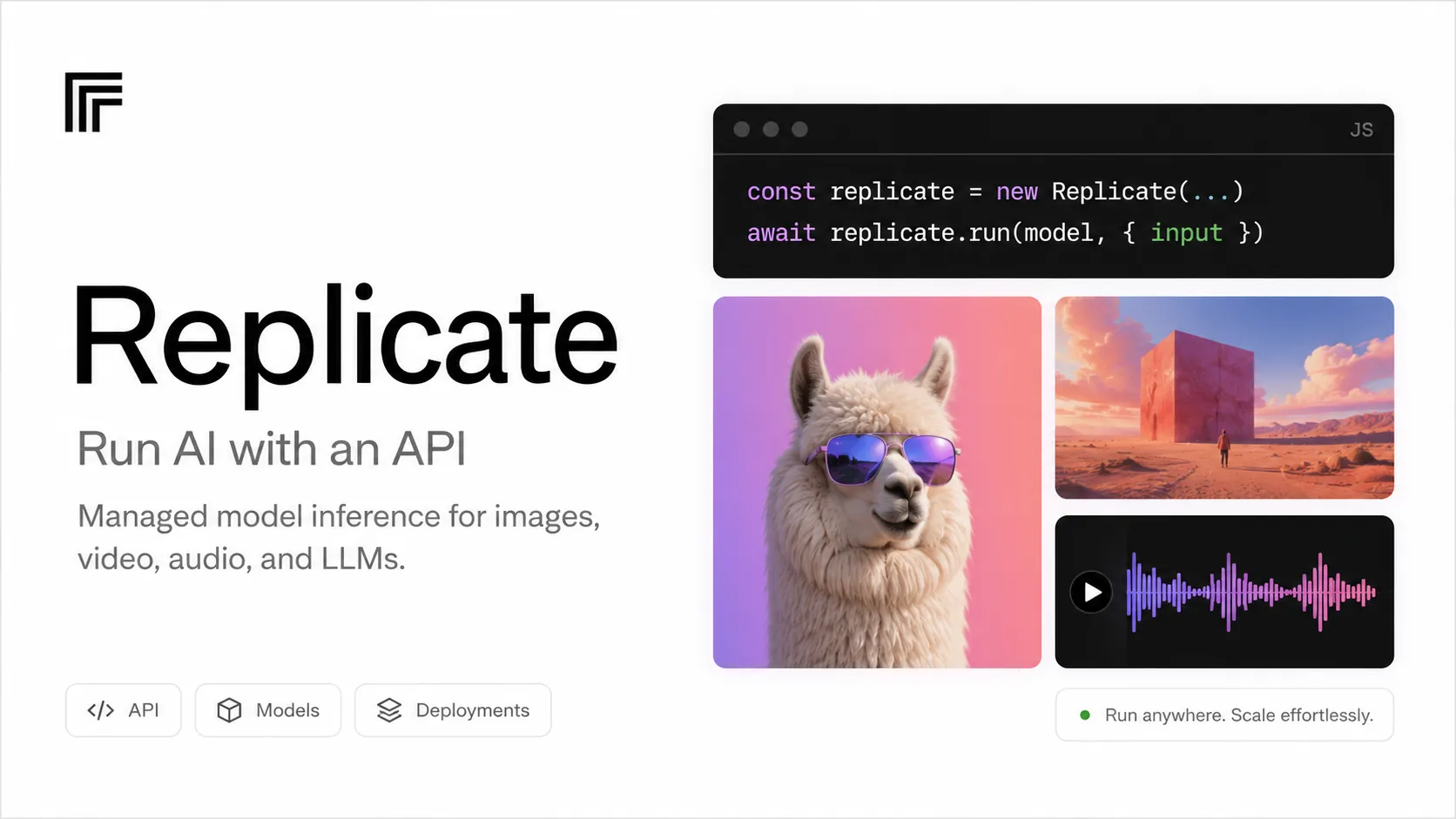
Replicate is an API-first AI model platform for developers who want managed inference and model deployment without operating GPU infrastructure.
Information checked: Jun 23, 2026 ·View sources
Tool details
- Type
- Developer workflows
- Platforms
- Web, HTTP API, Python, JavaScript/Node.js
- Free plan
- Yes
- Open source
- No
- Bring your own key
- No
- Local models
- No
Overview
Best for
- Adding AI image, video, audio, or LLM features to an application
- Testing multiple models before choosing a production provider
- Shipping prototypes without renting or configuring GPUs
- Serving custom models through an API
- Teams that need deployment controls but not full ML infrastructure ownership
Strengths
- Fast path from model discovery to working API call.
- Broad catalog across image, video, audio, and language workflows.
- Scale-to-zero behavior fits spiky prototype and product traffic.
- Custom models and deployments make it usable beyond demos.
- Good fit for developers who do not want to manage CUDA, queues, and GPUs.
Limitations & trade-offs
- Developers looking for an AI code editor
- Teams that need fully local inference
- Workloads requiring strict fixed monthly pricing
- Highly regulated data flows without an enterprise privacy review
- Low-latency workloads that cannot tolerate cold starts unless deployments are tuned
- Not an AI IDE, code editor, or coding assistant.
- Usage-based costs can be harder to predict than flat subscriptions.
- Public models may involve shared queues, cold boots, or scaling limits.
- Private models and deployments can bill for setup and idle time.
- Sensitive workloads require review of cloud processing and retention behavior.
Get started
Pricing & usage limits
Official pricingFree tier · From $0.0001
Limited free runs$0 / limited
Select models can be tried for free before billing is required.
Pay as you goFrom $0.000100/sec / usage
Many models are billed by hardware time; some official models use per-token, per-image, or per-output pricing.
DeploymentsUsage-based / instance time
Dedicated scalable endpoints bill for setup, idle, and active instance time.
EnterpriseCustom
Volume discounts, reserved compute, priority support, SLAs, and account management.
Pricing checked: Jun 23, 2026 · Subscription, usage limits, and model costs may be billed separately.
Features & details
Model Access
- Run public community and official models from one API
- Test models in a browser playground before integration
- Use versioned models for reproducible outputs
Production Integration
- HTTP API with Python and JavaScript client libraries
- Sync, async, streaming, and webhook workflows
- Deployments for stable endpoints and controlled scaling
Custom Model Operations
- Publish private or public models
- Choose hardware for models and deployments
- Fine-tune supported image models
Team & Security
- API token management
- Organizations for shared private models
- Enterprise contracts, SLAs, and higher GPU limits
Why Choose Replicate?
Replicate is useful when the hard part is not writing prompt code, but turning a model into a reliable product feature. A developer can evaluate a model in the browser, then move the same idea into a backend service through an API call. That makes it especially practical for small teams building AI image tools, video workflows, audio features, internal automation, or model comparison pages.
The main difference from an AI IDE is the layer it operates on. Replicate does not try to edit your repository or become your coding environment. It sits behind your application as managed inference infrastructure. For teams that already have a Next.js, Python, mobile, or backend stack, this is often cleaner than adopting an all-in-one AI app builder.
Core Workflow
A typical workflow starts with model selection. Test candidate models in the web playground first, compare input schemas and output quality, then pin the exact model version before wiring it into an application. Version pinning matters because model behavior can change over time, and production products need repeatable output.
For prototypes, calling a public model is usually the shortest path. Once latency, traffic, or reliability becomes important, move the workload behind a deployment so the endpoint, hardware, and scaling behavior are easier to control. For long-running jobs, prefer async predictions and webhooks instead of blocking a user request until the model finishes.
Use Cases
Replicate fits product teams building AI features that are visible to end users: background removal, image generation, upscaling, voice processing, text-to-video, avatar generation, creative editing, or model-powered internal tools. It is also useful for directories, benchmarks, and comparison sites because the same product can call several model families without rebuilding the whole infrastructure layer each time.
It is less compelling when the workload is purely code assistance. A developer looking for autocomplete, chat inside the editor, repo-wide refactors, or autonomous PR creation should compare tools such as GitHub Copilot, Cursor, Windsurf, Claude Code, or Devin instead. Replicate belongs in the application runtime, not inside the coding surface.
Comparison to Alternatives
Compared with Hugging Face Inference Endpoints, Replicate often feels more product-oriented for quickly trying and calling a wide range of generative models. Hugging Face may be more natural for teams already living in the Hugging Face ecosystem, especially when model cards, datasets, Spaces, and enterprise ML governance are central to the workflow.
Compared with Modal, RunPod, or lower-level GPU platforms, Replicate gives up some infrastructure control in exchange for speed. Those platforms can be better when the team wants to own more of the serving code, dependency stack, batching strategy, or GPU economics. Replicate is more attractive when the team wants the model API to feel like a managed product primitive.
Compared with single-provider APIs such as OpenAI or Anthropic, Replicate is broader and more multimodal. The tradeoff is that every model can have its own schema, latency profile, license, quality level, and cost behavior, so teams need stronger evaluation and routing discipline.
Best Configuration
For production apps, do not expose the Replicate API token in client-side code. Put calls behind a backend route, job queue, or serverless function, then store only the outputs you actually need. Add explicit timeouts, retries, and user-visible job states because media models can take longer than normal API requests.
Log the model name, version, request parameters, latency, and estimated cost for every run. This makes it much easier to debug quality regressions, compare model upgrades, and identify expensive prompts. Use separate tokens for development, staging, and production, and rotate them if they are ever committed to a repository.
For user-generated media, plan storage separately. API-created prediction data is not a permanent asset store, so copy outputs to your own storage layer if users need to revisit or download results later.
Migration Notes
If you are migrating from self-hosted inference, test cold starts, throughput, and output consistency before assuming the managed API is a drop-in replacement. The operational burden usually goes down, but cost visibility and per-model behavior become more important.
If you are migrating from a single AI provider, create a thin internal adapter around model calls. Normalize inputs, outputs, error handling, and metadata so your application is not tightly coupled to one model schema. That adapter also makes it easier to A/B test Replicate models against alternatives later.
If you are moving away from Replicate, first export the assumptions your product has accumulated: model versions, prompt formats, file handling, output post-processing, and retry behavior. Those details usually matter more than the API call itself.
Model support & data privacy
Supported models
- FLUX
- Stable Diffusion
- Llama
- DeepSeek
- Claude
- Ideogram
- Recraft
- Veo
- Wan
Privacy & data handling
Replicate is a cloud service, so prompts, inputs, outputs, files, logs, and training data may be processed by Replicate. API prediction data is automatically removed after an hour by default, while web-created prediction data is kept indefinitely unless deleted; review the privacy policy, data retention docs, and enterprise terms for sensitive workloads.
Guides, reviews & fixes
No published guides yet. Start with the official documentation above.
Product updates
No verified product updates listed yet. Follow this tool to see new relevant content in Saved.
See the content timelineAlternatives
Hugging Face Inference EndpointsHugging Face Inference Endpoints is a managed AI model serving platform for developers and ML teams that need dedicated production inference APIs. ModalModal is a serverless compute platform for AI, data, Python, GPU, batch, sandbox, notebook, and inference workloads that need elastic cloud execution without infrastructure management.
 RunPodRunPod is a GPU-focused AI developer cloud for running interactive GPU instances, serverless inference endpoints, public model APIs, and multi-node clusters.
 BasetenBaseten is a production AI inference platform for teams that need to deploy, scale, and operate custom or open-source models as APIs.
 Together AITogether AI is a developer infrastructure platform for teams that want hosted open-model inference, fine-tuning, evaluations, and GPU-backed deployment rather than a full AI code editor.
 Fal AIfal.ai is a developer-first generative media infrastructure platform for calling hosted AI model APIs or deploying custom models on serverless GPU infrastructure.
 Amazon BedrockAmazon Bedrock is an AWS-managed generative AI platform for enterprises and developers building secure model-powered applications, agents, RAG systems, and customized foundation model workflows.
 Vertex AIVertex AI, now folded into Google’s Gemini Enterprise Agent Platform naming, is a managed Google Cloud platform for building and operating AI applications rather than a standalone AI code editor.
Sources & verification
Verification dates record when this directory checked the information. Product release dates appear separately above.
Official websitePricingDocumentationHow Replicate worksBilling docsData retention docsEnterprisePrivacy policy
Directory revision history
Initial directory profile created from official Replicate website, docs, pricing, billing, data retention, enterprise, and privacy pages.