
 Microsoft FoundryMicrosoft Foundry is Azure’s enterprise AI application and agent platform for building, grounding, evaluating, deploying, and governing generative AI systems at scale.
Vertex AI
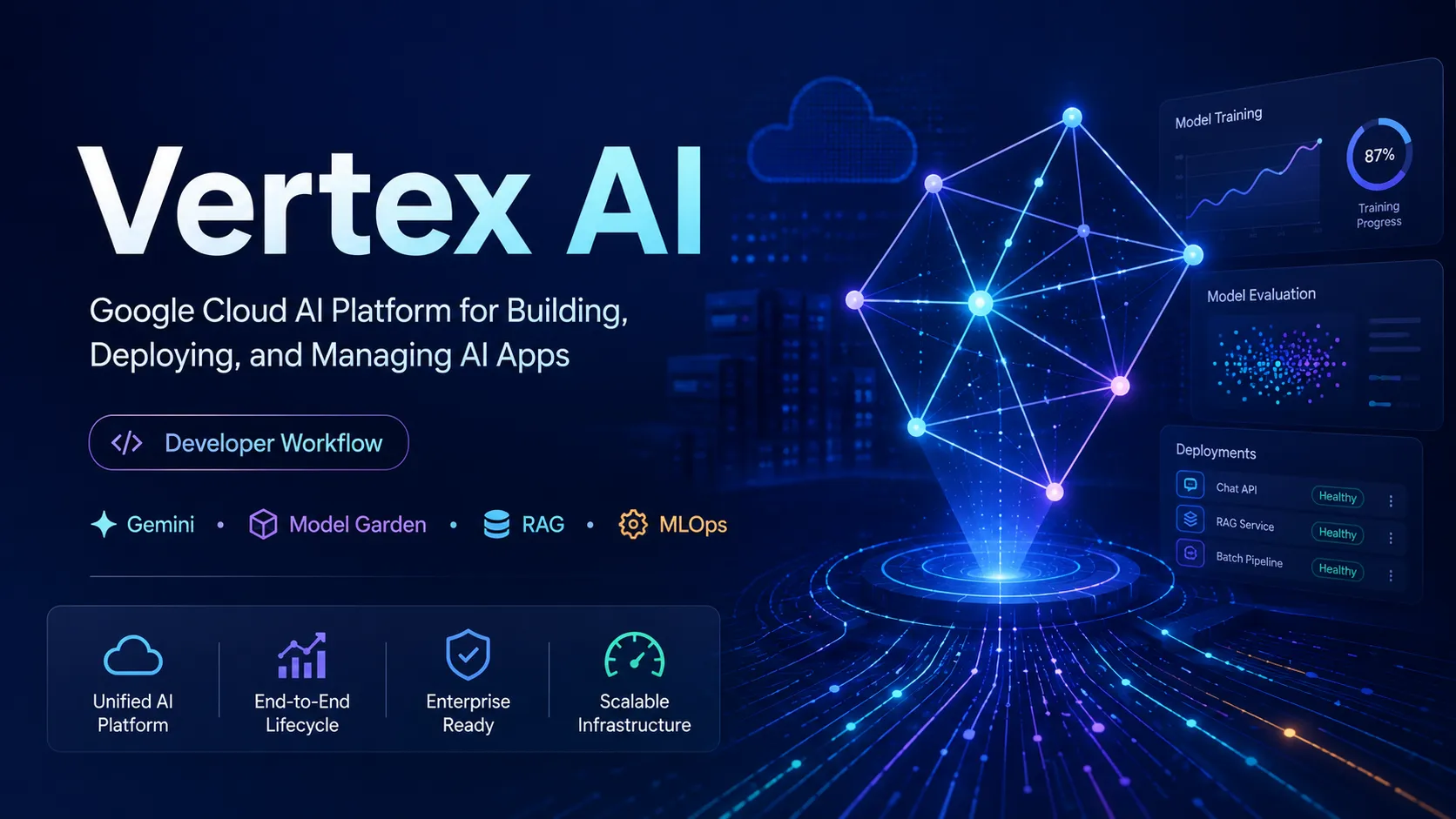
Vertex AI, now folded into Google’s Gemini Enterprise Agent Platform naming, is a managed Google Cloud platform for building and operating AI applications rather than a standalone AI code editor.
Information checked: Jun 26, 2026 ·View sources
Tool details
- Type
- Developer workflows
- Platforms
- Google Cloud Console, REST API, Python SDK, Node.js SDK, Java SDK, Go SDK, Cloud CLI, Terraform
- Free plan
- No
- Open source
- No
- Bring your own key
- No
- Local models
- No
Overview
Best for
- Teams deploying production AI features on Google Cloud
- Developers building Gemini-powered apps with enterprise governance
- ML teams that need training, registry, evaluation, endpoints, and monitoring
- RAG and agent applications that depend on Google Cloud infrastructure
- Organizations standardizing AI access through IAM, billing, audit logs, and cloud security controls
Strengths
- Strong fit for teams already building on Google Cloud.
- Combines generative AI, traditional ML, deployment, evaluation, and monitoring in one platform.
- Broad model access through Gemini, Google models, partner models, and open-weight models.
- Better production governance than most standalone AI coding tools.
- Works well with BigQuery, Cloud Run, Cloud Storage, IAM, and other Google Cloud services.
Limitations & trade-offs
- Developers looking for an AI-native code editor like Cursor or Windsurf
- Solo builders who only need a simple chat-based coding assistant
- Teams that want local-first model execution on developer machines
- Projects that need predictable flat-rate pricing from day one
- Workflows that must stay cloud-provider-neutral
- Not an AI IDE; developers still need a separate editor or coding assistant.
- Pricing is usage-based and can become hard to estimate without quotas and cost controls.
- Setup complexity is higher than simple API-only developer tools.
- Best experience requires Google Cloud knowledge and cloud account configuration.
- Some features, names, quotas, and model availability vary by region and release stage.
Get started
Pricing & usage limits
Official pricingFrom $0.0001
Google Cloud Free Trial$300 credits
New Google Cloud customers can use credits toward eligible Google Cloud services, including AI workloads where available.
Pay-as-you-goUsage-based
Pricing varies by model, input/output usage, training, endpoints, storage, evaluation, and related Google Cloud resources.
Text, chat, and code generationFrom $0.0001 / per 1,000 characters
Starting rate shown by Google Cloud for qualifying generative text, chat, and code generation usage.
Enterprise / committed usageContact sales
For larger deployments, provisioned throughput, custom training infrastructure, governance, and enterprise support.
Pricing checked: Jun 26, 2026 · Subscription, usage limits, and model costs may be billed separately.
Features & details
Model Development
- Access Gemini and partner models through Model Garden
- Tune supported models with supervised fine-tuning workflows
- Use managed APIs or deploy models to endpoints
Production AI Operations
- Model registry, evaluation, monitoring, and endpoint management
- Batch and online inference for ML and generative AI workloads
- Integration with IAM, audit logs, regions, and Google Cloud billing
Agent and RAG Workflows
- Agent runtime and managed agent deployment options
- RAG Engine, Vector Search, grounding, and prompt management
- SDK and API workflows for application developers
Enterprise Controls
- IAM-based access control and service account permissions
- Customer-managed encryption key support for supported workloads
- Networking, logging, quota, and compliance-oriented controls
Why Choose Vertex AI?
Vertex AI is not a Cursor-style editor, a VS Code plugin, or a terminal coding agent. Its real value appears after the prototype stage, when a team needs to turn models, prompts, embeddings, fine-tuning jobs, endpoints, evaluations, and operational controls into a repeatable production system.
For developer-tool buyers, the clearest way to position Vertex AI is as the infrastructure layer behind AI applications. A team might still use Cursor, GitHub Copilot, Gemini Code Assist, or Claude Code for writing code, while using Vertex AI to host or access models, run inference, evaluate outputs, manage RAG workflows, and connect AI behavior to Google Cloud permissions and billing.
The naming can be confusing because Google has been moving Vertex AI capabilities under the Gemini Enterprise Agent Platform brand. Search demand and developer memory still strongly associate these capabilities with “Vertex AI,” so directory pages should preserve the Vertex AI name while explaining the current platform naming in the body copy.
Core Workflow
A practical Vertex AI workflow usually starts with model selection rather than editor setup. Developers choose a model from Google, a partner provider, or an open model source, then test prompts or API calls in the console or SDK. Once the behavior is usable, the workflow moves into evaluation, grounding, retrieval, deployment, monitoring, and cost control.
For generative AI applications, the loop often looks like this: design prompts, attach context through RAG or tool calls, evaluate outputs, add safety and governance controls, deploy through an application backend, then monitor latency, quality, and spend. For traditional ML teams, the loop may instead involve datasets, training jobs, model registry, batch prediction, online endpoints, and model monitoring.
This makes Vertex AI heavier than API-first products, but also more suitable when AI is part of a larger cloud architecture. The best implementation pattern is to treat Vertex AI as a backend capability, not as a place where everyday coding happens.
Use Cases
Vertex AI fits teams building AI products that need more than a single model endpoint. Examples include internal copilots grounded in company documents, customer support assistants with retrieval and escalation logic, AI search experiences, multimodal analysis workflows, predictive ML services, and agentic systems that need managed runtime, memory, and observability.
It is especially relevant when the surrounding stack already lives on Google Cloud. BigQuery data, Cloud Storage assets, Cloud Run services, IAM permissions, audit logs, and billing controls can all become part of the same operating model. That integration is the strongest reason to choose Vertex AI over a simpler standalone model API.
For code-related use cases, Vertex AI is usually indirect. It can power code generation, code analysis, documentation generation, or internal developer agents, but it is not the UI where developers write code. Teams that want autocomplete, inline chat, repository edits, or pull request assistance should pair it with an IDE tool rather than expecting Vertex AI to replace one.
Comparison to Alternatives
Compared with Amazon Bedrock, Vertex AI is the natural choice for Google Cloud-centered teams, especially those using Gemini, BigQuery, and Google-native deployment patterns. Bedrock may be more attractive for AWS-first organizations that already standardize around IAM, Lambda, SageMaker, and AWS networking.
Compared with Azure AI Foundry, Vertex AI competes as a full cloud AI platform rather than a narrow model API. Azure may be more appealing for Microsoft 365, GitHub, Windows, and enterprise Microsoft environments, while Vertex AI is stronger for Google Cloud-native data and application stacks.
Compared with OpenAI’s API platform, Vertex AI has more cloud operations surface area. OpenAI can be faster to adopt for model-first product development, while Vertex AI becomes more compelling when model access, data governance, deployment, evaluation, and cloud architecture must live in one managed environment.
Compared with AI IDEs such as Cursor, Windsurf, or Zed AI, Vertex AI solves a different layer of the stack. Those tools improve how developers write and edit code. Vertex AI helps teams run AI capabilities in production.
Best Configuration
For small experiments, start with a separate Google Cloud project, a strict budget alert, and minimal IAM permissions. This keeps testing isolated and makes it easier to delete resources if the experiment is abandoned.
For production, separate environments by project or folder, define service accounts per application, add quota and budget controls early, and label resources so usage can be traced to teams or products. Teams should also decide whether prompts, request/response logs, evaluation data, and embeddings can be stored, exported, or inspected under their internal policies.
A good architecture usually keeps application logic outside Vertex AI and calls Vertex AI through a backend service. That backend can handle authentication, caching, rate limiting, prompt versioning, safety checks, and fallback logic. This avoids putting cloud credentials or platform complexity directly into frontend applications.
Migration Notes
Teams migrating from a simple API provider should expect more setup work. Instead of only managing API keys, they will need Google Cloud projects, billing, IAM, enabled APIs, regions, service accounts, quotas, and possibly VPC or compliance configuration.
Teams migrating from older Vertex AI naming should map old terms to the newer Agent Platform naming. Vertex AI Studio, Model Garden, RAG Engine, Agent Engine, Vector Search, endpoints, and evaluation features may appear under updated labels in current Google Cloud documentation.
The safest migration approach is to move one workload at a time. Start with a non-critical inference path, reproduce behavior with the selected model, measure latency and cost, then add evaluation and monitoring before replacing an existing production route.
Model support & data privacy
Supported models
- Gemini
- Imagen
- Veo
- Anthropic Claude
- Meta Llama
- Mistral
- AI21 Jamba
- DeepSeek
- OpenAI gpt-oss
Privacy & data handling
Vertex AI is governed by Google Cloud project, IAM, region, logging, and service configuration. Data handling depends on the chosen model, API, region, logging settings, and enterprise controls, so teams should review Google Cloud’s current data governance and zero data retention documentation before production use.
Guides, reviews & fixes
No published guides yet. Start with the official documentation above.
Product updates
No verified product updates listed yet. Follow this tool to see new relevant content in Saved.
See the content timelineAlternatives
Microsoft FoundryMicrosoft Foundry is Azure’s enterprise AI application and agent platform for building, grounding, evaluating, deploying, and governing generative AI systems at scale. Amazon BedrockAmazon Bedrock is an AWS-managed generative AI platform for enterprises and developers building secure model-powered applications, agents, RAG systems, and customized foundation model workflows.
 Anthropic ConsoleAnthropic’s browser-based developer environment for moving from Claude prompt experiments to governed API and Claude Code usage.
 Hugging FaceThe central open-model ecosystem connecting model and dataset discovery, application demos, agent libraries, inference providers, and production deployment.
 ReplicateReplicate is an API-first AI model platform for developers who want managed inference and model deployment without operating GPU infrastructure.
 GitHub CopilotGitHub Copilot is a mainstream AI code assistant and developer workflow layer for teams that want AI support inside existing editors, GitHub repositories, pull requests, and terminal workflows.
 Gemini Code AssistGemini Code Assist is Google’s AI coding assistant for IDEs, GitHub, Gemini CLI, and Google Cloud workflows, positioned as a business-friendly alternative to Copilot, Cursor, and terminal coding agents.
Sources & verification
Verification dates record when this directory checked the information. Product release dates appear separately above.
Official websiteGemini Enterprise Agent Platform product pageGemini Enterprise Agent Platform pricingGenerative AI on Vertex AI documentationModel Garden documentationVertex AI name changesVertex AI release notesGoogle Cloud icon library
Directory revision history
Updated entry to reflect Google’s Gemini Enterprise Agent Platform naming while preserving Vertex AI as the commonly searched product name.
Checked official pricing page and kept pricing as usage-based because costs vary by model, region, endpoint, training, storage, and related cloud resources.