
 LovableLovable is a full-stack AI web app builder positioned between no-code prototyping tools and developer-first AI coding environments.
Dyad
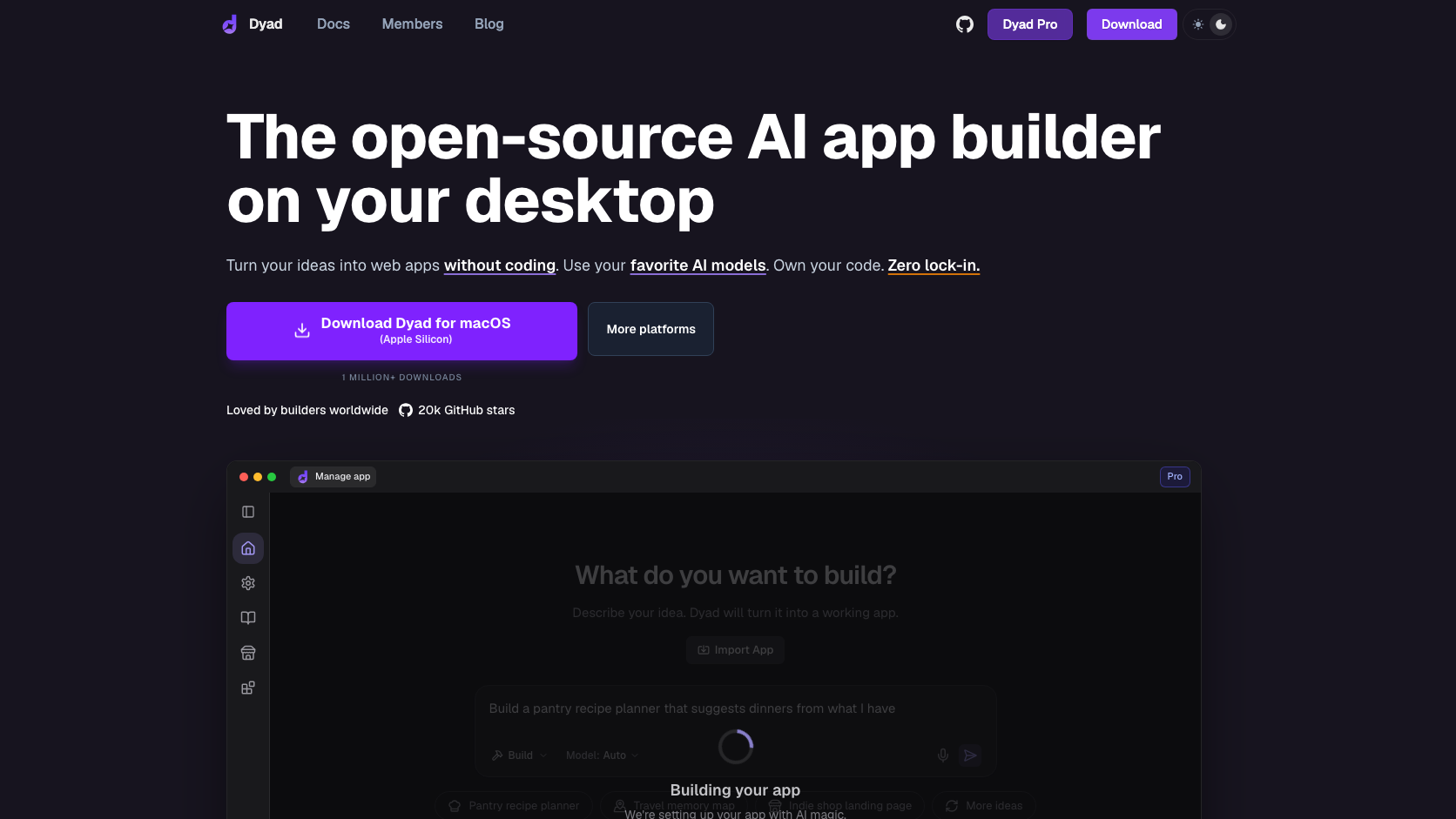
Dyad offers a local desktop alternative to hosted prompt-to-app platforms. It emphasizes open source, model choice, and direct ownership of the generated codebase.
Information checked: Aug 29, 2026 ·View sources
Tool details
- Type
- App builders
- Platforms
- macOS, Windows, Linux
- Free plan
- Yes
- Open source
- Yes
- Bring your own key
- Yes
- Local models
- Yes
Overview
Best for
- Developers who want a local Lovable-style workflow.
- Teams that require code ownership and BYOK.
- Builders comfortable managing their own deployment and model access.
Strengths
- Open-source and local-first.
- BYOK reduces dependency on one model vendor.
- Generated code stays under user control.
- Free edition creates a low-risk path to evaluation.
Limitations & trade-offs
- Nontechnical users wanting a fully hosted one-click platform.
- Teams that do not want to manage model credentials.
- Projects requiring enterprise governance out of the box.
- Local setup and provider keys create more configuration work.
- Output quality depends on the selected model.
- Some convenience services are reserved for paid plans.
- Users remain responsible for deployment, security, and production QA.
Get started
Pricing & usage limits
Free tier available
Free$0
Open-source local builder with user-supplied model access.
Pro$20 / month
Paid productivity and service features.
Max$79 / month
Higher-capacity plan for more intensive use.
Pricing checked: Aug 29, 2026 · Subscription, usage limits, and model costs may be billed separately.
Features & details
Local Builder
- Desktop application
- Local project files
- Full generated-code ownership
- Standard development workflow after export
Models and Control
- BYOK model providers
- Multiple model choices
- Local model options
- User-controlled API credentials
App Creation
- Prompt-driven UI and application generation
- Iterative visual workflow
- Project-aware changes
- Integrations for full-stack applications
Dyad Review 2026
Dyad is a local, open-source AI app builder that runs on the developer's computer, supports BYOK model providers, and keeps the generated application code under the user's control.
What Is Dyad?
Dyad offers a local desktop alternative to hosted prompt-to-app platforms. It emphasizes open source, model choice, and direct ownership of the generated codebase.
The builder itself runs locally and lets users bring model credentials, reducing platform lock-in compared with closed hosted app builders.
Core Features
Local Builder
- Desktop application
- Local project files
- Full generated-code ownership
- Standard development workflow after export
Models and Control
- BYOK model providers
- Multiple model choices
- Local model options
- User-controlled API credentials
App Creation
- Prompt-driven UI and application generation
- Iterative visual workflow
- Project-aware changes
- Integrations for full-stack applications
How It Fits an Agentic Development Workflow
Dyad is most useful when its permissions, repository scope, model access, and review checkpoints are configured before the first large task. Start with a bounded project, verify the generated changes or analysis, and only then expand access. This matters because agentic tools can move faster than a conventional assistant and can also amplify a bad assumption.
For teams, the practical evaluation should cover setup time, context quality, task completion rate, review burden, model or infrastructure cost, security controls, and how easily a human can interrupt or redirect work.
Best Use Cases
- Developers who want a local Lovable-style workflow.
- Teams that require code ownership and BYOK.
- Builders comfortable managing their own deployment and model access.
Pricing
- Free: $0. Open-source local builder with user-supplied model access.
- Pro: $20 per month. Paid productivity and service features.
- Max: $79 per month. Higher-capacity plan for more intensive use.
Pricing and limits can change quickly. The figures or plan descriptions above were checked against official information on 2026-08-29; verify the official site before purchasing.
Privacy, Security, and Deployment
Dyad runs locally, but prompts may be sent to the model provider configured by the user. Review each provider's retention policy, local credential storage, integrations, and deployment destination.
Any coding agent or developer tool with repository, terminal, browser, or secret access should be introduced with least-privilege credentials, protected branches, mandatory review, isolated test environments, and clear log-retention rules.
Limitations
- Local setup and provider keys create more configuration work.
- Output quality depends on the selected model.
- Some convenience services are reserved for paid plans.
- Users remain responsible for deployment, security, and production QA.
Alternatives
- Lovable
- Bolt.new
- v0
- Replit
- Base44
The best alternative depends on whether the priority is an AI-native editor, a terminal harness, autonomous cloud execution, code review, mobile control, or a shared orchestration layer.
Verdict
The strongest fit for users seeking an open, local, and BYOK alternative to hosted AI app builders.
Official Sources
Model support & data privacy
Supported models
- Anthropic
- OpenAI
- OpenRouter
- Local and compatible providers
Privacy & data handling
Dyad runs locally, but prompts may be sent to the model provider configured by the user. Review each provider's retention policy, local credential storage, integrations, and deployment destination.
Guides, reviews & fixes
No published guides yet. Start with the official documentation above.
Product updates
No verified product updates listed yet. Follow this tool to see new relevant content in Saved.
See the content timelineAlternatives
LovableLovable is a full-stack AI web app builder positioned between no-code prototyping tools and developer-first AI coding environments. Bolt.newBolt.new is a browser-native AI web app builder for quickly turning product ideas into editable, runnable, and deployable JavaScript applications.
 v0v0 is Vercel’s AI app builder for creating, refining, integrating, and deploying modern web applications from prompts, design inputs, and repository context.
 Replit AIReplit AI is an all-in-one browser-based AI software creation platform that combines prompt-to-app generation, a cloud IDE, built-in infrastructure, publishing, and collaboration.
 Base44Base44 is a no-code AI app builder for creating functional web apps, websites, internal tools, and portals from natural-language prompts with built-in backend services.
Sources & verification
Verification dates record when this directory checked the information. Product release dates appear separately above.
Directory revision history
Created a complete English draft profile from current official sources; kept unpublished for editorial review.