On This Page8 sections
Key Takeaways
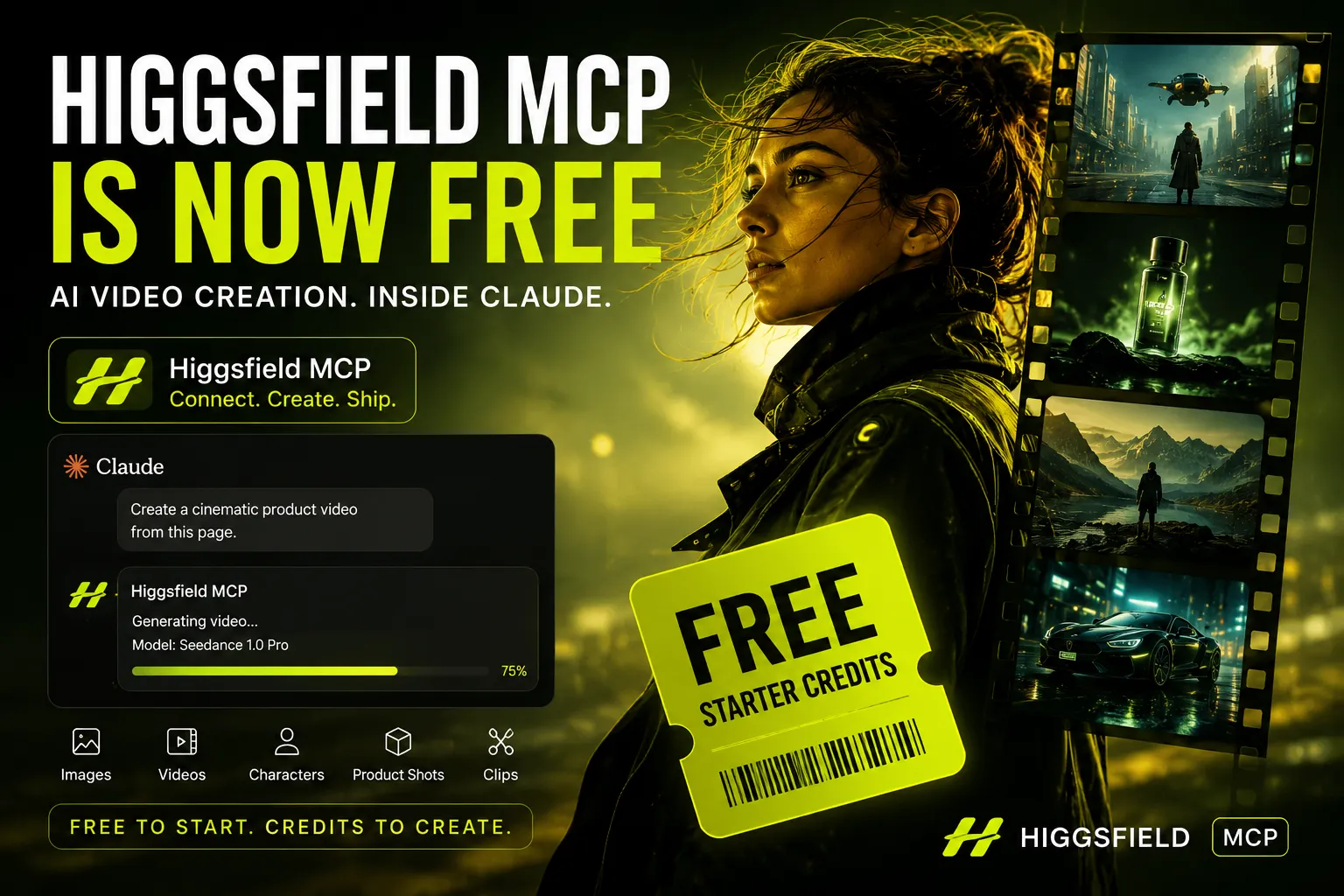
- Higgsfield MCP is now free to start, but “free” should be understood as a credit-based entry offer rather than unlimited generation.
- New users can use starter credits to test Higgsfield MCP inside Claude and supported agent workflows before paying.
- The main value is workflow consolidation: Claude or another MCP-compatible agent can generate images, videos, characters, product visuals, clips, and creative variants from a single chat.
- No API key is publicly documented for the official hosted connector. The official workflow is based on account sign-in and Higgsfield credits.
- The biggest advantage is agent-native creative production. MCP turns Higgsfield into a callable tool inside an AI assistant instead of a separate creative app.
- The main limitation is credit predictability. Video generation cost can vary by model, duration, resolution, and usage volume.
What “Higgsfield MCP Is Now Free” Actually Means
Higgsfield MCP being free is best understood as free access to start generating through the MCP connector, not unlimited free access to every premium model forever.
The current public positioning is simple: users can connect Higgsfield MCP to Claude or compatible agent clients, sign in with a Higgsfield account, and begin generating with starter credits. After that, usage follows Higgsfield’s credit-based system.
That distinction matters because many AI video tools use “free” differently. Some offer free sign-up but restrict output quality, watermark removal, generation volume, model access, or commercial readiness. Higgsfield’s free MCP offer is more useful when evaluated as a practical trial for agent-driven media generation.
The safe interpretation is:
- Free to connect: users can add Higgsfield MCP to Claude or another supported client.
- Free to try: new users receive starter credits for generation.
- Not unlimited: generations still consume Higgsfield credits.
- Paid usage still matters: higher-volume workflows, premium models, longer clips, higher resolution, or watermark-free output may require paid plans or more credits.
For users searching “Higgsfield MCP free,” the key question is not whether the product costs zero forever. The real question is: Can it be tested today without paying, and what happens after the starter credits are used?
Why This Announcement Matters
The AI video market is crowded with standalone interfaces: prompt boxes, generation panels, editing timelines, model marketplaces, and creative dashboards. Higgsfield MCP changes the interface layer.
Instead of treating video generation as a separate destination, Higgsfield makes it a tool callable by an AI agent.
That creates three important shifts:
- From prompt box to production agent: Claude can interpret a campaign brief, choose a creative direction, submit generations, and return results in the same chat.
- From one-off generation to iterative context: the agent can reference product pages, previous outputs, brand rules, reference images, and campaign goals.
- From tool switching to orchestration: image generation, video generation, product visuals, character consistency, clipping, and creative scoring can be planned together.
This is why the free launch matters. Higgsfield is not only competing as an AI video generator. It is competing to become part of the creative tool layer for agentic workflows.
Quick Setup: How to Connect Higgsfield MCP to Claude
The typical Claude setup flow is straightforward:
1. Open Claude.
2. Go to Settings → Connectors.
3. Add a custom connector.
4. Name it Higgsfield.
5. Paste the Higgsfield MCP URL.
6. Connect and sign in with a Higgsfield account.
Higgsfield has shown MCP connector URLs in these forms:
https://mcp.higgsfield.aiand:
https://mcp.higgsfield.ai/mcpIf one version is rejected by a client, the practical recommendation is to use the URL shown by Higgsfield’s current MCP page or connector copy button.
For terminal or agent workflows, Higgsfield also provides a CLI and Skills path:
npm install -g @higgsfield/cli
higgsfield auth login
npx skills add higgsfield-ai/skills
This path is more relevant for Claude Code, Codex, Cursor, and other developer-style agent environments where skills or CLI tools are part of the workflow.
What Can Higgsfield MCP Generate?
Higgsfield MCP brings Higgsfield’s image and video generation capabilities into Claude and compatible agents.
Documented and publicly described capabilities include:
- Text-to-image generation
- Image editing and refinement
- Text-to-video generation
- Image-to-video animation
- Product-page-to-video workflows
- Reusable Soul character training
- Video analysis into reusable prompts
- Short-form clip creation
- Hook and virality scoring
- Generation history reuse
- Model selection across multiple image and video models
The practical value is that users can ask for a goal, not just a render.
Example prompt:
Create a 9:16 product launch video for this landing page.
Use a strong visual hook in the first 2 seconds.
Generate 3 creative directions:
1. premium editorial
2. UGC testimonial
3. cinematic product demo
Return a short note explaining which version is best for paid social.
In a traditional interface, this usually becomes multiple prompts, downloads, re-uploads, and manual comparisons. In an MCP workflow, the agent can treat generation as one step inside a larger production loop.
Why Free MCP Access Is a Smart Growth Move
The free launch is strategically logical because MCP adoption depends on habit formation.
A normal AI video product asks users to visit a website, learn its interface, and remember to return. An MCP connector becomes part of the user’s existing AI workspace. Once added to Claude or an agent client, the tool is available whenever a content task appears.
Free credits help overcome four adoption barriers:
- Trust barrier: users can test quality before buying.
- Workflow barrier: users can see whether agent-based generation is faster than a standalone UI.
- Cost barrier: teams can benchmark real credit usage before committing.
- Switching barrier: users can compare Higgsfield against other AI video tools without paying upfront.
In practical terms, Higgsfield is using the free MCP launch to make users experience a new behavior: asking an agent to produce creative assets instead of manually operating a video generation dashboard.
Higgsfield MCP vs Traditional AI Video Tools
| Category | Higgsfield MCP | Traditional AI Video UI |
|---|---|---|
| Interface | Claude or MCP-compatible agent | Separate web app |
| Workflow | Agent plans, generates, iterates, and references context | User manually prompts and compares |
| Model access | Aggregated creative model workflow | Usually one platform’s generation stack |
| Setup | Add hosted connector and sign in | Create account and use web UI |
| Automation | Strong fit for batch briefs, product pages, and campaign variants | Better for direct manual control |
| Cost model | Starter credits, then credit-based usage | Subscription, credits, or pay-per-render |
| Best use case | Agent-driven creative production | Hands-on generation and editing |
Higgsfield MCP is strongest when the creative job has context: a product page, a campaign goal, a brand system, previous outputs, reference images, or many variants.
A standalone UI may still be better when the user wants frame-level editing, timeline precision, manual compositing, subtitle timing, or client-ready post-production. MCP is not a replacement for professional editing. It is a way to turn media generation into a programmable agent tool.
Best Use Cases for the Free Credits
New users should avoid burning starter credits on random prompts. The highest-signal tests are workflows that reveal whether Higgsfield MCP can save real production time.
1. Product Launch Video
Use one product URL or landing page and ask Claude to generate a short launch video in several formats.
Use this product page as context.
Create a 5-second 16:9 launch video and a 9:16 social version.
Make the hook visual in the first second.
Generate a short caption and three ad headline options.
This tests whether Higgsfield can convert business context into visual output, not just produce an isolated clip.
2. UGC Ad Variants
Ask for multiple hooks from the same brief.
Generate 5 UGC-style video concepts for this product.
Each should have a different first-line hook.
Keep the same product benefit but vary the setting, camera angle, and emotional tone.
This is where agent workflows can beat manual generation because the agent can reason about variation strategy before generating.
3. Reusable Character Test
If the goal is brand consistency, test reusable character workflows early.
A practical prompt:
Train a reusable brand character from these references.
Then generate three campaign images:
1. product hero
2. lifestyle scene
3. social ad thumbnail
Keep identity and styling consistent.
This is useful for creators, AI influencer projects, brand mascots, ecommerce campaigns, and recurring content formats.
4. Blog or Newsletter Visuals
For SEO and content teams, Higgsfield MCP can turn articles into distribution assets.
Create a featured image concept, a social preview, and a 5-second animated teaser for this article.
Make the image readable at thumbnail size.
Avoid tiny text.
This evaluates whether the tool can turn written content into images and motion assets that support traffic growth.
5. Model Comparison
Because Higgsfield provides access to multiple creative generation options, a useful benchmark is to run the same brief across different model families when available.
Generate the same product hero using three different model choices.
Return a comparison of realism, text rendering, brand consistency, and ad-readiness.
This reveals whether the aggregation layer provides meaningful creative optionality.
Common Pitfalls to Avoid
Pitfall 1: Assuming “Free” Means Unlimited
Free credits are useful for testing, but high-quality video generation can consume credits quickly. The cost of a generation may vary based on model, resolution, duration, and output type.
For batch work, ask the agent to estimate credit usage before generating.
Before generating, estimate how many credits this batch is likely to consume.
Ask for confirmation if the total could exceed my remaining free credits.
Pitfall 2: Giving Weak Creative Briefs
MCP does not remove the need for clear creative direction. It makes execution easier, but vague prompts still produce generic output.
A weak prompt:
Make a cool video for this product.A better prompt:
Create a 6-second 9:16 ad for a sleep product.
Audience: busy professionals.
Hook: visual discomfort in the first second.
Style: warm bedroom, realistic UGC, handheld camera.
End frame: product close-up with calm lighting.
Avoid medical claims.
Pitfall 3: Ignoring Rights, Likeness, and Brand Safety
AI video workflows still require brand safety review. Professional users should avoid prompts that create legal, reputational, or policy risk.
Avoid:
- celebrity likenesses without permission
- trademark-heavy scenes
- copyrighted characters
- fake endorsements
- medical or financial claims that cannot be substantiated
- prompts that could trigger safety filters or brand safety issues
Pitfall 4: Using MCP When a Web UI Would Be Better
MCP is excellent for brief-to-asset workflows. A visual editor is often better for frame-perfect editing, compositing, audio mixing, subtitle timing, and client review.
Use Higgsfield MCP for:
- ideation
- first drafts
- batch variants
- product visuals
- social ad hooks
- character-consistent campaigns
Use a dedicated editor for:
- final cut timing
- legal disclaimers
- precise brand typography
- complex motion graphics
- multi-track audio post-production
Pitfall 5: Not Saving Outputs Systematically
Agent-generated media can become messy fast. A good workflow should name and organize outputs as they are generated.
Recommended naming structure:
brand_campaign_assettype_format_model_versionExample:
sleepcool_launch_ugc_9x16_seedance_v03This makes it easier to compare variants, reuse winners, and avoid wasting credits regenerating assets that already exist.
Advanced Workflow: Turn Higgsfield MCP into a Creative Production System
The most powerful use of Higgsfield MCP is not one prompt. It is a repeatable pipeline.
A practical campaign workflow can look like this:
1. Read the product page and extract core benefits.
2. Generate 10 hook angles.
3. Choose the 3 strongest angles for paid social.
4. Generate 3 videos per angle in 9:16.
5. Generate matching thumbnail images.
6. Score each concept for hook clarity and visual novelty.
7. Rename outputs by campaign, angle, format, and version.
8. Summarize which assets should be tested first.
This is where MCP becomes more than a connector. It becomes the execution layer for a creative operating system.
For ecommerce operators, this can compress a creative cycle from days to hours. For content publishers, it can turn every article into a visual package. For solo builders, it can reduce the need to manually learn several different AI video interfaces before shipping one usable asset.
Technical Notes for Builders
Higgsfield MCP is a hosted connector, not merely a local script. That matters for deployment, security, and client compatibility.
Key technical points:
- Hosted endpoint: Higgsfield exposes a remote MCP server URL.
- Authentication: the workflow is account-based rather than API-key-first for the hosted connector.
- Asynchronous generation: image and video generation can take time, especially for video models.
- Credit accounting: generations consume Higgsfield credits after starter usage.
- Client coverage: Higgsfield positions the connector for Claude and other MCP-compatible clients.
From a builder’s perspective, the most important design implication is that media generation becomes callable infrastructure. Instead of writing a custom integration for every model provider, teams can expose creative tasks through a standardized agent interface.
Is Higgsfield MCP Worth Trying?
Yes, especially for users who already work inside Claude or another agent client.
Higgsfield MCP is most worth trying if the user needs:
- fast social ad concepts
- product visuals
- short videos for landing pages
- AI influencer or character-consistent assets
- blog and newsletter visuals
- ecommerce creative variants
- campaign ideation
- model comparison without switching tools
- automated asset generation from product context
It is less ideal if the user needs:
- long-form video editing
- deterministic timeline control
- enterprise media governance
- frame-accurate post-production
- guaranteed low-cost generation at high volume
- fully offline or self-hosted generation
The free credit offer makes the evaluation easy. The right test is not “can it make a pretty video?” The better test is: can it shorten a real creative workflow that normally requires multiple tools, multiple prompts, and multiple manual decisions?
Conclusion
Higgsfield MCP becoming free to start is a meaningful shift in AI creative tooling. It lowers the cost of trying agent-driven image and video generation, but the larger story is workflow: Higgsfield is turning creative production into something Claude and MCP-compatible agents can plan, execute, iterate, and organize inside a single conversation.
For creators, marketers, ecommerce teams, and builders, the best next step is simple: connect the MCP, use the free credits on one real campaign brief, and measure the output against the current workflow. If it saves context switching, produces usable variants, and keeps assets organized, Higgsfield MCP is not just a free AI video trial. It is an early glimpse of how agent-native creative production will work.
Continue Reading
More articles connected to the same themes, protocols, and tools.
Referenced Tools
Browse entries that are adjacent to the topics covered in this article.