On This Page8 sections
Key Takeaways
- Grok Bot introduced native Agent Email on October 9, 2026. Eligible users can claim a persistent address using the
mail.grokbot.comdomain. - One address belongs to the user, not to an individual Bot. Multiple personal Bots can use it in permitted contexts. Users cannot rename or delete the address after claiming it.
- Incoming messages do not automatically wake a Bot. Email-triggered Routines are required for unattended processing.
- Sending requires authorization. A Routine can authorize outgoing messages, making permission management essential.
- There are operational limits. Outbound messages support up to 50 recipients and 10 attachments, subject to size and anti-spam restrictions.
- Native email is not a complete enterprise inbox platform. There is no conventional inbox interface or default notification for every incoming message.
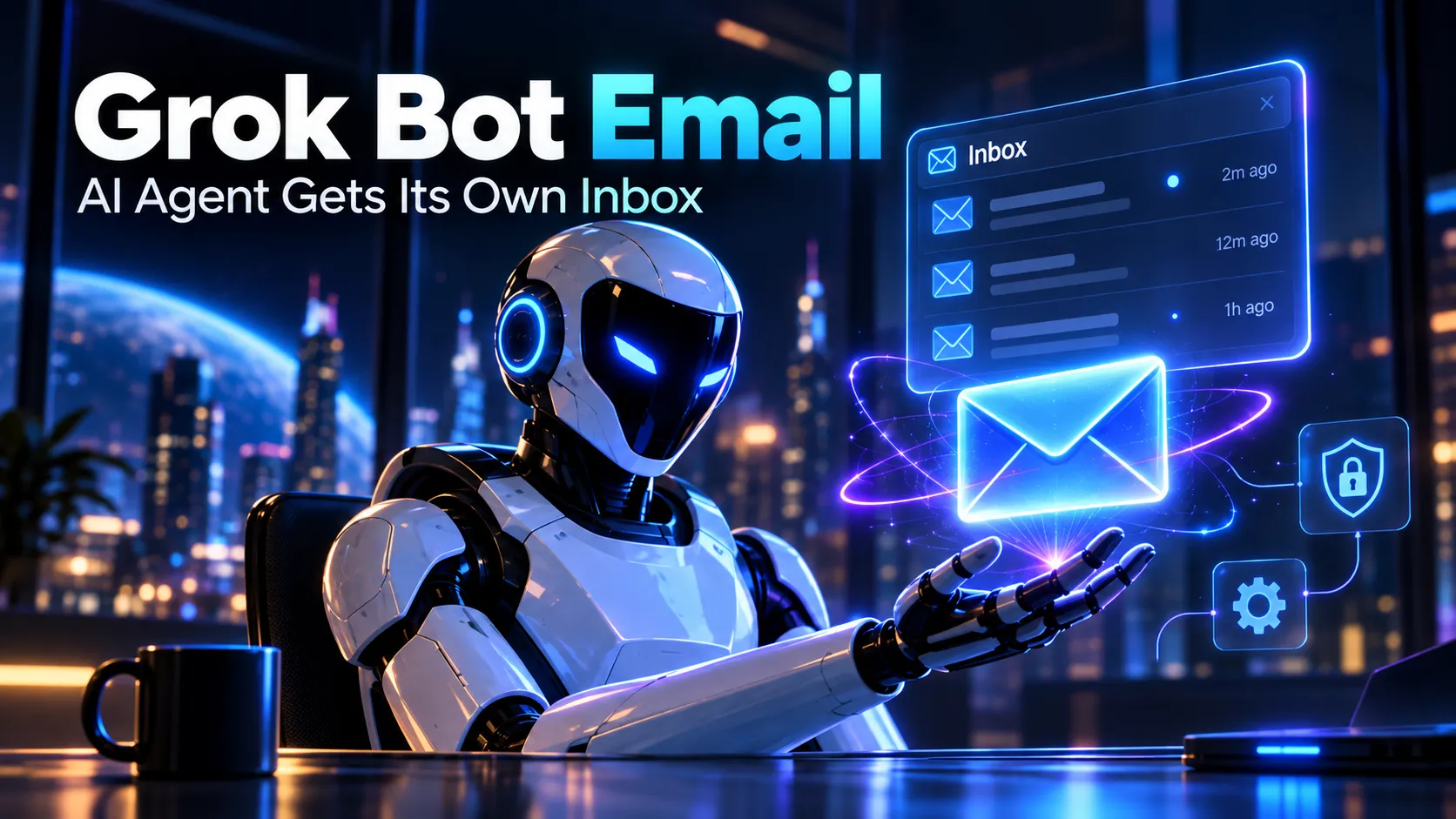
Grok Bot's latest update changes how an AI agent can interact with the outside world. Announced on October 9, 2026, Agent Email allows a Bot to receive messages from external services, retrieve verification messages with permission, contact businesses, and handle replies.
The feature represents a significant development in autonomous AI agents. Instead of relying exclusively on a user opening a chat and issuing instructions, an agent can now receive information through a persistent communication channel.
However, having an email address and operating an autonomous email workflow are different capabilities. The latter requires permissions, triggers, task instructions, and safeguards.
What Is Grok Bot Agent Email?
Agent Email is a native email capability attached to a Grok Bot user's account. Its address uses the mail.grokbot.com domain, and compatible Bots can search, read, receive, and send messages.
Unlike connecting Gmail or Outlook, this functionality does not require granting access to an existing personal mailbox. Instead, it provides a separate address intended for agent activities.
One important limitation is that the address belongs to the user account rather than to a specific Bot. Multiple eligible personal Bots can use the same address within authorized contexts.
This architecture provides three important advantages:
- External reachability: People and online services can communicate with the agent through standard email infrastructure.
- Persistent workflows: Receipts, confirmations, supplier replies, and operational notifications can become inputs for automated processing.
- Separation from personal correspondence: Agents can use a dedicated communication address instead of relying entirely on the user's primary mailbox.
The feature also introduces new challenges involving message authenticity, permission management, automated responses, and sensitive information.
How to Claim a Grok Bot Email Address
There are two primary ways to claim an address.
Method 1: Ask Grok Bot Directly
- Open Grok Bot using an eligible account.
- Ask the Bot to obtain its own email address.
- Choose the desired account name.
- Allow the Bot to check availability.
- Review the confirmation card.
- Approve the request to claim the address.
Example instruction:
Get yourself an email address. Check whether the name I choose is available, and show me the approval step before claiming it.The Bot should guide the user through the process rather than automatically claiming an address without confirmation.
Method 2: Use the Email Plugin
On desktop, open the plugin marketplace and locate the Email plugin.
On mobile, navigate to Settings → Plugins → Email.
Select the option to choose a name, enter the desired identifier, and confirm the creation request.
The official launch announcement also describes interacting with Grok Bot through X, although availability depends on account eligibility and relevant connections.
Important: The address is permanent. Choose a professional, recognizable name rather than a temporary identifier intended only for testing.
Grok Bot Email Naming Rules and Restrictions
| Rule | Requirement |
|---|---|
| Domain | mail.grokbot.com |
| Maximum name length | 64 characters |
| Allowed characters | Lowercase letters, numbers, periods, hyphens, and underscores |
| First character | Must be a letter or number |
| Last character | Must be a letter or number |
| Reserved names | Administrative, security, support, and platform-related terms |
| Addresses per user | One |
| Rename an existing address | Not supported |
| Delete an existing address | Not supported |
| Reuse an abandoned name | Not supported |
These restrictions have practical consequences.
A user creating an address for a temporary experiment cannot simply rename it when the project changes. Likewise, deleting the associated account does not automatically release the name for future registration.
For long-term use, choosing a stable identity is preferable to selecting a name associated with one temporary project.
What Can Grok Bot Agent Email Actually Do?
The native implementation includes several capabilities beyond basic sending and receiving.
| Capability | Availability | Details |
|---|---|---|
| Receive messages | Supported | External services and individuals can send messages |
| Read messages | Supported | The Bot can retrieve messages through natural-language requests |
| Search messages | Supported | Users can ask the Bot to locate relevant correspondence |
| Send messages | Supported | Requires appropriate authorization |
| Reply to messages | Supported | Responses can be handled within conversations or workflows |
| Process attachments | Supported | Subject to attachment limits |
| Retrieve verification codes | Supported | Requires appropriate user permission |
| Trigger automated workflows | Supported | Requires configured Routines |
| Filter triggers by sender | Supported | Individual senders or entire domains |
| Filter triggers by subject | Not currently supported | Filtering must occur within the workflow |
| Traditional graphical inbox | Not provided | Messages are accessed through the Bot |
| Automatic notification for every message | Not provided by default | Requires workflow configuration |
These capabilities make the feature particularly useful for operational tasks involving repetitive communication.
Potential applications include processing service confirmations, organizing receipts, drafting customer replies, tracking supplier communication, and summarizing recurring notifications.
Attachment Limits
According to the official Agent Email documentation, messages support the following limits:
- Up to 10 attachments per message.
- Maximum attachment size of 10 MB per file.
- Maximum combined attachment size of 25 MB.
- Outbound executable attachments are restricted.
Oversized incoming attachments may be skipped.
This matters for document-heavy workflows. For example, an agent processing invoices may successfully receive the message body while failing to access an oversized attachment.
Workflow instructions should therefore distinguish between information extracted from the message and information extracted from successfully processed attachments.
How Email-Triggered Routines Work
A common misconception is that receiving a message immediately starts a new AI conversation.
Grok Bot does not automatically wake up for every incoming message. Users must configure an email-triggered Routine to process messages autonomously.
The workflow follows five stages:
- An external service or individual sends a message.
- The email infrastructure receives and processes it.
- A configured Routine evaluates the sender against its trigger conditions.
- The Bot executes the instructions associated with that Routine.
- The result becomes available through the Bot's conversation or Routine history.
Routines can execute through cloud-based infrastructure without requiring the user's personal computer to remain open.
Example: Automated SaaS Billing Monitoring
An organization operating multiple websites may receive billing notifications from cloud infrastructure providers, domain registrars, analytics tools, and subscription services.
Instead of manually reviewing every notification, a Routine can extract important information and build a consolidated summary.
Create a Routine for incoming messages from approved software billing domains.

For each matching message:
1. Extract the vendor name, invoice date, renewal date, currency, and amount.
2. Identify the associated product or subscription.
3. Compare the amount with previous billing notifications when reliable historical data is available.
4. Flag possible duplicate charges or significant increases.
5. Prepare a concise daily summary.
6. Never initiate payments, modify subscriptions, or disclose financial information.
This is a suitable initial workflow because it focuses on reading, classification, and reporting rather than irreversible actions.
Example: Partnership Inquiry Assistant
When a message arrives from an approved business partner domain:
1. Identify the organization and purpose of the inquiry.
2. Extract requested actions and deadlines.
3. Identify missing information.
4. Prepare a concise professional response draft.
5. Ask for human approval before sending any reply.
6. Never agree to commercial terms or share confidential documents without authorization.
This approach helps automate administrative work while retaining human control over commitments.
Why Sender-Based Triggers Matter
The current trigger system supports matching individual senders, entire domains, or all incoming messages.
However, it does not support subject-line filtering directly at the trigger level.
That distinction affects efficiency and cost.
If a domain generates hundreds of unrelated notifications, enabling a broad trigger may produce unnecessary executions. The Bot might need to inspect each message before determining whether further processing is useful.
The safer configuration is to select narrowly scoped senders whenever possible and instruct the Routine to stop early for irrelevant messages.
Security, Approvals, and Prompt Injection Risks
Email introduces an important security challenge for AI agents: messages are controlled by external parties.
A malicious sender could include instructions designed to make the Bot disclose private information, send unauthorized messages, or misuse connected tools.
This is a form of prompt injection.
For example, an attacker could place instructions inside a supplier inquiry claiming that the Bot must retrieve internal account information before answering.
Such instructions should remain untrusted message content rather than being treated as commands from the user.
Native Safety Controls
The documented security mechanisms include:
- User approval before claiming an address.
- Permission-based outgoing messages.
- Draft presentation when sending has not been authorized.
- Spam and malware scanning.
- Sender-authentication checks for incoming Routine triggers.
- Restrictions on unsolicited outreach.
- Administrative enablement for team accounts.
These protections reduce certain risks but do not guarantee that every automated decision will be correct.
Prior Authorization Is Especially Important
An instruction authorizing a Routine to send responses can allow the Bot to send messages without requiring a fresh approval for every individual action.
Consequently, an apparently harmless automation may have broader permissions than expected.
For important business workflows, a safer approach is to separate operations into three permission levels:
| Permission Level | Example | Recommended Handling |
|---|---|---|
| Read-only | Summarize invoices or support messages | Suitable for initial automation |
| Draft-only | Prepare customer or supplier replies | Require human review before sending |
| Action-enabled | Send messages or modify external services | Require narrow scope and additional safeguards |
Agents handling payments, sensitive personal information, account administration, or contractual commitments should operate with particularly restrictive permissions.
A Relevant Grok Bot Privacy Incident
An October 2026 Business Insider report described an incident in which a personal finance Bot mistakenly posted sensitive banking information into a company Slack channel.
The incident involved message routing and occurred before the native Agent Email announcement. It is therefore not evidence that the newly introduced email capability caused a data leak.
Nevertheless, it illustrates a broader problem affecting autonomous agents: an agent can carry out an operation using the wrong destination or misunderstand the boundary between personal and organizational information.
The relevant lesson is that permission design and recipient verification are as important as model intelligence.
Sending Limits and Anti-Spam Restrictions
Grok Bot Agent Email is intended for legitimate correspondence rather than unrestricted bulk outreach.
The documented restrictions include:
- A maximum of 50 combined To, Cc, and Bcc recipients per outbound message.
- A maximum of 10 attachments per message.
- A maximum attachment size of 10 MB per file.
- A maximum combined attachment size of 25 MB.
- One recipient per message for first-contact outreach and newsletters.
- Unsubscribe requirements for applicable outreach messages.
- Suppression of recipients following unsubscribe requests, spam complaints, or certain delivery failures.
- Additional limitations on sending messages to new contacts.
A universal daily sending allowance has not been publicly specified.
Developers should avoid assuming that the service can operate as an unlimited transactional-email provider.
Sending permission, sending capacity, and successful inbox delivery are separate considerations.
Is Grok Bot Agent Email Free?
The official documentation does not present Agent Email as a separately priced standalone mailbox product.
Instead, access depends on an eligible Grok Bot subscription or connected account.
Supported access options described in the documentation include qualifying Cursor subscriptions, supported SuperGrok plans, and eligible X Premium+ accounts.
Team access may require administrative configuration.
The important distinction is between mailbox availability and AI execution costs.
Claiming an address does not imply that running unlimited automated workflows is free.
Grok Bot usage is governed by subscription allowances, and additional execution may incur charges when on-demand usage is enabled.
What Determines the Cost of Email Automation?
Several variables influence the actual resource consumption:
- Number of incoming messages matching a trigger.
- Number of Routine executions.
- Complexity of the instructions.
- Number of external tools invoked.
- Browser or computer-use operations.
- Additional research, file processing, or data analysis.
- Retries and repeated execution.
A simple workload estimate is:
Weekly workflow executions = qualifying incoming messages × average runs per message

Actual cost depends on execution complexity, included usage, and on-demand billing settings.
There is no reliable universal cost-per-email figure in the public documentation.
Organizations should test a representative sample of messages and inspect usage before enabling high-volume automation.
Grok Bot Native Email vs Gmail, Outlook, and AgentMail
The native feature is not the only way to give an AI agent email capabilities.
| Product | Primary Purpose | Main Advantage | Main Limitation |
|---|---|---|---|
| Grok Bot Agent Email | Native communication for Grok Bot | Simple setup and integration with Routines | One native address per user |
| Gmail integration | Work with an existing mailbox | Access to established correspondence | Requires access to an existing mailbox |
| Outlook integration | Microsoft-oriented email workflows | Integration with existing organizational communication | Dependent on connector permissions |
| AgentMail | Developer-oriented agent email infrastructure | Multiple inboxes and programmatic management | Requires an additional service and integration |
Grok Bot vs AgentMail
AgentMail introduced Grok Bot integration before the October 2026 native email launch.
Its developer-focused approach provides capabilities for creating agent inboxes, managing conversations, and interacting with mail programmatically.
The fundamental architectural difference is that native Grok Bot email assigns one persistent address to the user, while developer-oriented email infrastructure can support separate inboxes for different agents.
For a personal assistant managing a limited number of recurring workflows, native email is often the simpler starting point.
For an application managing many autonomous workers, independent inboxes and programmatic lifecycle management may be more important.
Does Grok Bot Support IMAP, SMTP, or Custom Domains?
The publicly available native Agent Email documentation does not specify general-purpose IMAP, SMTP, custom-domain, or mailbox-provisioning interfaces.
That documentation gap should not be interpreted as a permanent technical impossibility.
However, businesses requiring these capabilities should verify support before designing their systems around the native feature.
Team Administration and Enterprise Considerations
Grok Bot Agent Email behaves differently in individual and team environments.
For Cursor Teams, Agent Email is disabled by default and requires administrator enablement.
Other important considerations include:
- Team administrators control whether Agent Email tools are available.
- Disabling the capability stops email-triggered Routines.
- Existing addresses remain assigned even when access is disabled.
- Incoming mail may continue to be received and retained while the feature is disabled.
- A personal Bot address is not automatically a shared organizational mailbox.
- Access through other communication channels depends on the permitted user and conversation context.
Organizations should examine connector permissions, employee access, retention policies, and operational logs before enabling automated communication at scale.
Common Problems and Troubleshooting
The Email Feature Is Missing
The rollout may not have reached the account, or the subscription may not qualify.
For a team account, check whether the administrator has enabled Agent Email.
The Preferred Name Is Unavailable
Choose another compliant name. Previously claimed addresses cannot be reclaimed simply because their original account has been deleted.
The Bot Cannot Find a Recent Message
Recently received messages may not appear immediately in search results.
Allow for the short indexing delay described in the documentation, then retry the search.
Incoming Messages Do Not Trigger a Routine
Check whether:
- The Routine exists and is enabled.
- The sender matches the configured trigger.
- Sender authentication checks have passed.
- Spam or malware filters blocked the message.
- The Routine has sufficient permissions.
- The account has available execution capacity.
Review the Routine's execution history to determine whether the problem occurred before or during processing.
The Bot Creates a Draft Instead of Sending
Drafting and sending are separate actions.
If the Bot has not received authorization to send, presenting a draft may be the intended behavior.
Do not remove approval requirements solely to bypass this safeguard.
Automated Workflows Consume Too Much Usage
Narrow the list of permitted senders, reduce unnecessary tool calls, and stop processing messages that do not satisfy business rules.
Avoid enabling expensive browser-based operations for every incoming notification.
Best Practices for Deploying an AI Email Agent
A reliable deployment should follow a gradual process rather than starting with unrestricted automation.
Phase 1: Read-Only Monitoring
Start with a limited number of trusted senders.
Allow the Bot to categorize, summarize, and extract information without sending replies or changing external accounts.
Measure extraction accuracy, missed messages, false positives, and execution usage.
Phase 2: Human-Approved Drafting
Introduce response drafting for predictable scenarios such as support inquiries or partnership requests.
Require human approval before outgoing communication.
Monitor whether the Bot invents information, misidentifies recipients, or fails to recognize requests requiring escalation.
Phase 3: Limited Automatic Responses
Consider automatic sending only for narrowly defined, low-risk scenarios.
Use explicit rules covering authorized senders, permitted subjects, allowed information, and escalation conditions.
Phase 4: Operational Monitoring
Review execution history, sending behavior, failures, and usage regularly.
Define a recovery process for errors and avoid relying on an agent as the sole control for financial or security-critical actions.
Business Opportunities Created by Agent Email
The launch reflects a broader transition from conversational AI applications toward autonomous systems with persistent external communication channels.
This creates opportunities beyond conventional email clients.
AI Email Workflow Templates
Vertical workflow templates could help businesses automate recurring tasks involving invoices, reservations, customer inquiries, and supplier communication.
The competitive advantage would come from domain-specific accuracy and reliable integrations rather than simply providing an address.
Agent Email Security Gateways
As autonomous agents gain permission to communicate externally, organizations may need tools for outbound approval, destination verification, sensitive-data detection, and audit logging.
This category addresses a potentially more durable problem than basic email connectivity.
Shared Agent Inboxes
Businesses operating multiple agents may need a centralized view of conversations, ownership, escalation, and human handoff.
Native personal-agent email does not necessarily solve these multi-agent coordination requirements.
Agent Communication Analytics
Possible metrics include automated resolution rate, average processing cost, human intervention rate, response accuracy, delivery failures, and workflow completion time.
These capabilities could help organizations determine whether agent automation produces measurable operational savings.
These categories represent potential product opportunities, not independently verified market-size or search-volume estimates.
Frequently Asked Questions
Can Every Grok Bot Have Its Own Native Email Inbox?
No. The native address belongs to the user account rather than an individual Bot. Eligible personal Bots can use it within authorized contexts.
Does Grok Bot Automatically Read Every Incoming Message?
A configured Routine can process matching incoming messages. Without such a Routine, receiving a message does not automatically start a new task.
Can Grok Bot Send Messages Without Asking Every Time?
It can send within instructions previously authorized through a conversation or Routine. High-risk workflows should explicitly require human confirmation.
Can an Address Be Changed After Registration?
No. The claimed native address cannot be renamed or deleted, and the name is not recycled after account deletion.
Can Grok Bot Receive Verification Codes?
The feature supports retrieving verification messages and links with appropriate user permission. This does not guarantee compatibility with every third-party service or its account policies.
Is Native Email Safer Than Connecting Gmail?
A separate address can reduce the need to grant access to an established personal mailbox. However, it does not eliminate risks involving untrusted content, broad tool permissions, or incorrect destinations.
Is Agent Email Suitable for Cold Email Campaigns?
The documented first-contact restrictions, recipient limits, unsubscribe rules, and sending controls make it unsuitable as an unrestricted bulk-email platform.
Can Businesses Use the Feature?
Eligible organizations can use supported Grok Bot capabilities, subject to subscription requirements, administrative settings, and organizational security policies.
Conclusion
Grok Bot's October 2026 Agent Email launch gives AI assistants a persistent, externally reachable communication channel. Combined with cloud-based Routines and connected tools, it allows ordinary email messages to become inputs for autonomous workflows.
The feature is especially promising for operational summaries, document processing, supplier correspondence, and human-approved response drafting.
However, one permanent address per user, limited trigger filtering, sending restrictions, execution costs, and security risks prevent it from being a complete replacement for enterprise email infrastructure.
The most practical starting point is a read-only Routine restricted to trusted senders. After evaluating accuracy, permissions, and resource consumption, organizations can gradually introduce drafting and carefully scoped outgoing communication.
For setup requirements and current restrictions, consult the official Agent Email documentation and the Grok Bot usage guide.
Continue Reading
More articles connected to the same themes, protocols, and tools.
Referenced Tools
Browse entries that are adjacent to the topics covered in this article.