On This Page8 sections
Key Takeaways
- Grok Bot is not simply the standard Grok chatbot or the @grok account on X. It is a separate early-beta agent product launched on August 11, 2026 for completing multi-step work inside real apps, websites, files, and business systems.
- Its defining feature is a persistent cloud computer. Grok Bots can use a browser, filesystem, terminal, connectors, MCP integrations, and logged-in web applications, then continue working when the user's laptop is closed.
- Multiple Bots can work in parallel, but they do not receive separate security environments. All Bots belonging to one user share the same cloud computer, files, browser sessions, and command-line credentials.
- Current access is closely tied to SuperGrok Heavy and Cursor plans. Current listed options include Cursor Ultra at $200/month, SuperGrok Heavy at $300/month, and Cursor Premium Teams at $120 per seat per month.
- The strongest use cases are repeatable knowledge-work workflows with objective outputs and clear approval boundaries, including sales research, expense reconciliation, account health, recruiting, campaign monitoring, bug reproduction, and product-performance investigations.
- The biggest operational risk is excessive permission. Sending messages, publishing, purchasing, deleting data, changing permissions, modifying production systems, and accepting legal terms should generally remain behind explicit approval.
Grok Bot represents a larger shift in AI software: from systems that mainly answer questions to systems that can own and execute workflows.
A normal chatbot can draft an outreach email. Grok Bot is designed to go further: inspect the CRM, research the account, identify relevant contacts, prepare personalized drafts, place the work in the appropriate workflow, and stop when human approval is required.
That distinction is the key to understanding Grok Bot.
What Is Grok Bot?
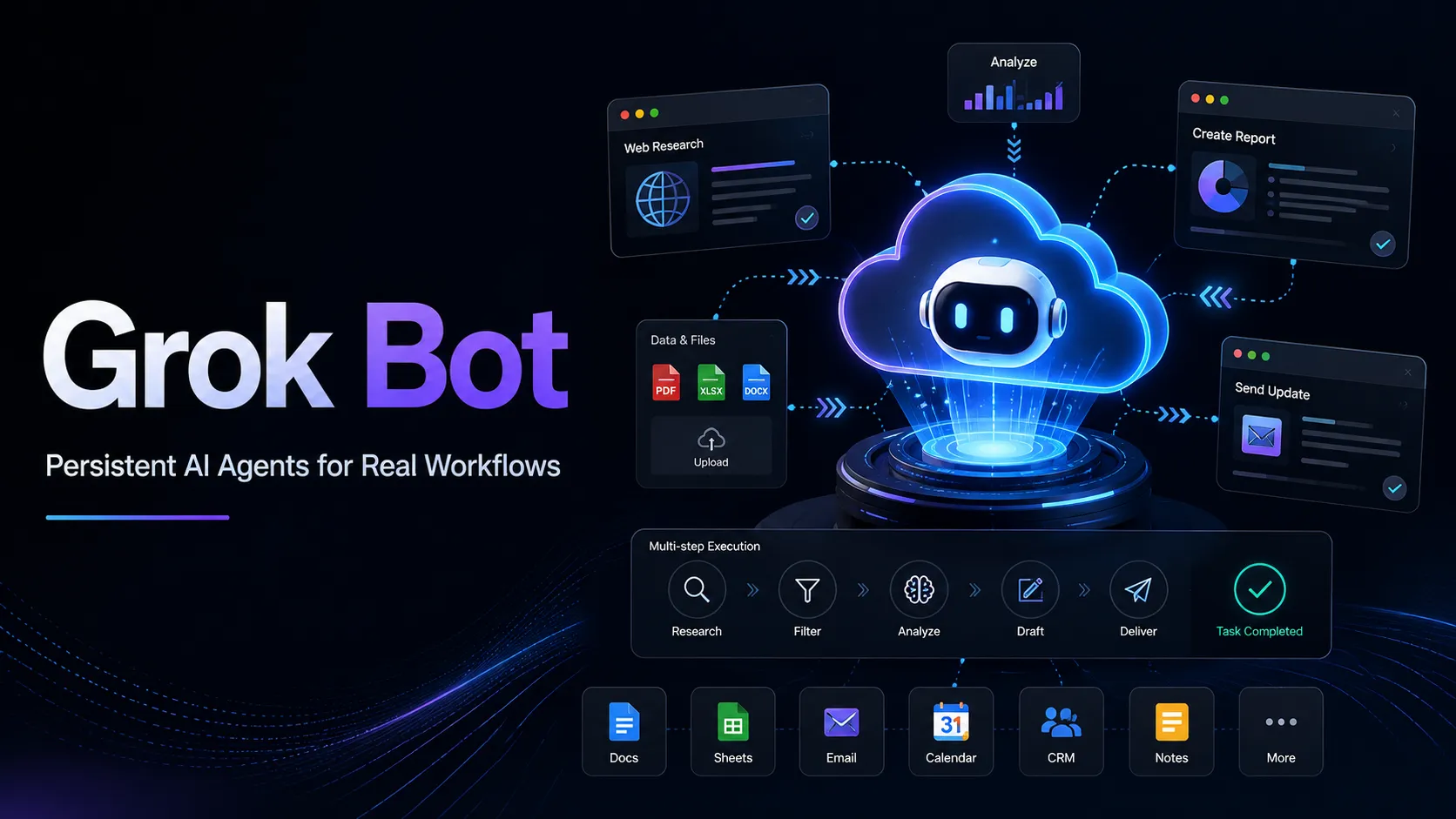
Grok Bot is a persistent AI-agent product built around named AI teammates that can operate a cloud computer and perform work across multiple applications.
One Bot functions as a persistent agent with its own role, conversation, memory, and working context. A Bot can interact with external systems through several mechanisms:
- Browser-based computer use
- A persistent cloud filesystem
- Command-line tools
- Supported connectors and plugins
- Model Context Protocol integrations
- Files attached to conversations
- Reusable skills
- Scheduled or event-triggered routines
This creates a fundamentally different operating loop from ordinary AI chat.
A conventional assistant generally follows:
Question → reasoning → answer
Grok Bot can instead follow:
Goal → gather context → open tools → execute steps → validate results → create artifact → request approval → continue or stop
The persistent environment is important because the Bot does not need to begin every task with a completely blank workspace. Browser sessions, files, and project state can remain available across later work.
Is Grok Bot the Same as Grok?
No. This distinction is particularly important for the keyword Grok Bot because users may be searching for several different products.
| Product | Primary purpose | Persistent work environment | Best use case |
|---|---|---|---|
| Grok Bot | Execute multi-step work | Yes | Delegating operational workflows |
| Grok chat | Conversational assistance and creation | Conversation-oriented | Research, questions, writing, media |
| @grok on X | Grok interaction inside X | No equivalent user cloud workspace | Questions and interactions on X |
| Grok API | Developer-controlled model integration | Developer-defined | Building applications and custom bots |
The simplest way to think about the difference is:
Grok answers. Grok Bot acts. The Grok API lets developers build their own acting systems.
Grok Bot still has practical boundaries. Authentication challenges, CAPTCHAs, payment confirmation, identity verification, website automation defenses, and company policies can require human intervention.
How Does Grok Bot Work?
Grok Bot combines several layers that are normally separate in AI products.
1. A persistent cloud computer
Each user receives a cloud computer used by their Bots. For team deployments, this functions as a managed Linux virtual machine dedicated to one member, with the Bot operating without root privileges.
The environment can hold:
- Browser sessions
- Files under
/workspace - Command-line credentials
- Connected applications
- Multiple Bot work screens
- Persistent project state
Because execution happens in the cloud, closing the Grok Bot application or local computer does not necessarily stop ongoing cloud work or scheduled routines.
2. Persistent named Bots
Instead of repeatedly creating generic agent sessions, users can create Bots around stable responsibilities such as:
- Account Health
- Sales Outbound
- Talent Scout
- Expense Manager
- Paid Media
- Product Performance
- Bug Reproduction
- Chief of Staff
Role specialization is more than organization. It improves the usefulness of long-lived context.
A generic helper may accumulate unrelated instructions. A dedicated Paid Media Bot can instead retain stable operational rules such as target CAC, reporting format, approved data sources, and the rule that budget modifications always require approval.
Current product limits allow dozens of Bots and group conversations under one account, making specialization practical for larger workflows.
3. Connectors, MCP, and browser fallback
Grok Bot can use structured connectors when available and browser-based computer use when a clean integration does not exist.
This hybrid approach matters because real business workflows often cross several categories of software:
- CRM
- Analytics
- Support platforms
- Advertising dashboards
- Internal admin systems
- Websites
- Spreadsheets
- Source control
- Issue trackers
Structured connectors are generally preferable because defined tools are less fragile than visually navigating a changing interface. Browser interaction becomes useful when structured integrations are unavailable or incomplete.
4. Skills
A skill stores a reusable way to complete a task.
A production-quality skill should define:
- When the skill should run
- Required inputs
- Required systems and permissions
- Step sequence
- Decision rules
- Validation requirements
- Expected output
- Approval boundaries
- Failure handling
This makes a skill closer to an operating procedure than a reusable prompt.
5. Routines
A routine tells a particular Bot when to execute a workflow.
Routines can run on schedules, while supported integrations can also start workflows from external events. Background routines can continue while the user's laptop is closed.
The safest progression is:
one-time task → corrections → reusable skill → second validation → routine
Automating an unreliable workflow does not make it reliable. It simply makes the failure repeat automatically.
What Makes Grok Bot Different From Typical AI Agents?
The most important differentiator is not model intelligence by itself. It is operational continuity.
Many AI agents can call tools during one request. Grok Bot combines tool use with durable roles, stored project state, persistent authentication, a cloud computer, and multi-Bot collaboration.
Persistent authentication
Once a website has been authenticated in the shared cloud browser, its session can remain available for future work.
That reduces repetitive login friction, but it creates an important security consequence: the session can also become available to other Bots sharing that user's cloud computer.
Cross-Bot handoffs
Bots can coordinate through conversations, shared files, group chats, and direct handoffs.
A workflow could therefore resemble:
Research Bot → Account Strategy Bot → Outreach Bot → Human approval
The user does not necessarily have to copy every result manually between isolated agent sessions.
Cloud execution
A locally running automation often stops when the computer sleeps or disconnects. Grok Bot's cloud runtime allows suitable work to continue independently of the user's device.
Browser fallback
APIs and MCP integrations will never cover every business application. Computer use gives Grok Bot another route through applications that have incomplete integrations or visual-only workflows.
That does not mean browser automation is as reliable as an API. It means Grok Bot can attempt workflows that would otherwise require a human simply because no structured connector exists.
Grok Bot Pricing in 2026
As of August 19, 2026, current Grok Bot access is associated with several premium subscription routes:
| Plan | Current listed price | Grok Bot access |
|---|---|---|
| Cursor Ultra | $200/month | Included |
| SuperGrok Heavy | $300/month | Included |
| Cursor Premium Teams | $120/seat/month | Included with team capabilities |
Individual users may also encounter trial access, while team subscriptions can include a weekly Grok Bot usage allowance.
There has been some naming variation between Cursor Premium Teams and Cursor Teams Premium in product materials. Because Grok Bot remains in beta, the active account or checkout interface should be treated as the final authority for current entitlement and pricing.
Is Grok Bot unlimited?
Unlimited usage should not be assumed.
Usage can include weekly allowances and additional consumption depending on account type and model routing.
Two beta-era limitations are particularly relevant for organizations:
- Grok Bot-specific spending controls may be more limited than mature enterprise automation platforms.
- Detailed action-level auditing is still an area organizations should evaluate before large-scale deployment.
Those limitations make staged deployment and permission controls particularly important.
How to Set Up Grok Bot
One unusual part of the setup is its relationship with the broader Cursor and xAI account ecosystem.
Supported platforms
Current supported clients include major desktop environments and iPhone, including:
- macOS on Apple silicon
- macOS on Intel
- Windows x64
- Windows Arm64
- iPhone on recent iOS versions
The cloud computer itself runs remotely, so the operating system of the execution environment is separate from the client used to control the Bot.
Recommended setup sequence
- Install the Grok Bot client.
- Sign in with an eligible account.
- Let the cloud computer finish provisioning.
- Create one narrowly focused Bot.
- Define its permanent responsibilities and restrictions.
- Start with a read-only task.
- Review the output carefully.
- Connect additional applications only when required.
- Convert a reliable workflow into a skill.
- Schedule the skill only after validating it on another real input.
This approach minimizes the chance that a poorly specified task becomes an automatically repeated error.
How to Write Better Grok Bot Instructions
A strong Grok Bot request should resemble an operating brief rather than a short chatbot prompt.
Use this structure:
Outcome:
What finished result should exist?

Sources:
Which systems, files, pages, dashboards, or conversations should be used?

Constraints:
What must not be changed, sent, deleted, purchased, published, or assumed?

Deliverable:
What artifact should be returned?

Evidence:
Which links, screenshots, timestamps, calculations, or records are required?

Approval boundary:
Which actions require explicit human approval?

Failure behavior:
What should happen when information is missing, stale, contradictory, or inaccessible?
For example:
Review the last seven days of paid-search performance.

Use the advertising platform, analytics dashboard, and current budget spreadsheet.

Compare spend, conversions, CAC, and conversion rate against the previous four-week baseline.

Return:
1. a one-page summary,
2. the three largest material changes,
3. supporting numbers and source references,
4. recommended budget changes.

Separate confirmed facts from hypotheses.
Do not change campaigns, budgets, tracking, or shared files.
Do not send messages.
Stop for approval before any external action.
If a required source is unavailable, report that failure instead of estimating from stale information.
This works because it defines both what success means and where autonomy ends.
Best Grok Bot Use Cases
The strongest Grok Bot workflows generally share four characteristics:
- Work spans multiple systems.
- Results can be objectively reviewed.
- The process occurs repeatedly.
- There is a clear difference between preparation and consequential action.
A good deployment typically starts with read-and-prepare work, validates the output, and only then adds approved actions or routines.
Sales research and outbound preparation
A Sales Bot can:
- Read a CRM list
- Exclude prospects already in an active sequence
- Research target companies
- Identify appropriate contacts
- Compare accounts with the ideal customer profile
- Draft personalized outreach
- Create a human review queue
The safer default is to stop before actually sending messages or enrolling contacts.
Account health monitoring
A customer-success Bot can combine:
- Product usage
- Support escalations
- Billing information
- Renewal timing
- Stakeholder activity
- CRM notes
The useful result is not another summary. It is a ranked watch list with evidence, reason for concern, and a recommended next step.
Paid-media monitoring
A Paid Media Bot can inspect campaign performance, compare current results with budget and CAC targets, calculate material deviations, and draft recommended reallocations.
Changing the actual budget should remain a separately approved action.
Recruiting research
A Talent Scout Bot can research candidates, compare their experience against defined requirements, check whether candidates already exist in an ATS, and prepare personalized outreach drafts.
Candidate contact and high-impact employment decisions deserve stricter governance than general research tasks.
Expense reconciliation
An Expense Manager can match receipts, policy documents, finance spreadsheets, and inbox records.
A strong workflow should require every policy exception to include its evidence and require totals to reconcile with the authoritative source.
Product-performance investigation
A Product Performance Bot can inspect:
- Analytics dashboards
- Observability tools
- Traces
- Flamegraphs
- Logs
- Deployment information
- Incident history
A good result should distinguish confirmed observations from hypotheses instead of presenting a plausible explanation as fact.
Bug reproduction
Bug reproduction is a particularly good computer-use case because it often requires visual interaction rather than only API calls.
A Bot can prepare a reproduction package containing:
- Exact steps
- Expected behavior
- Actual behavior
- Screenshots
- Browser and OS information
- Console output
- Network observations
- Minimal test case
Approved staging environments and test accounts should be preferred over customer production data.
Chief-of-staff workflow
A persistent Bot can examine approved inbox, calendar, meeting-note, planning, and communication sources and return only information relevant to current priorities.
The value comes from filtering, prioritization, and evidence, not from producing a longer summary of everything that happened.
Working With Files and Artifacts
Grok Bot can work with common business file formats, including documents, spreadsheets, presentations, images, audio, video, CSV, JSON, YAML, source code, HTML, email files, and Jupyter notebooks.
For serious work, asking only for an answer is usually a mistake.
Ask for a reviewable artifact instead:
- Document with supporting evidence
- Spreadsheet with formulas
- Slide deck with speaker notes
- Folder containing screenshots and logs
- Draft message that has not been sent
- Recommendation followed by supporting evidence
For consequential work, require the Bot to separate:
- Facts found in source systems
- Assumptions
- Inferences
- Actions already completed
- Actions awaiting approval
- Unresolved questions
This makes the result easier to audit and reduces the risk of confident language hiding incomplete verification.
Skills, Routines, and Teach a Task
Once a one-time workflow becomes reliable, Grok Bot can turn it into a reusable skill and then attach a schedule or supported event trigger.
One particularly interesting capability is Teach a task.
Users can demonstrate certain browser workflows while the Bot observes visible computer interaction. The resulting skill should still be treated as a draft that requires testing and refinement.
A robust learned skill should subsequently add:
- Branch conditions
- Retry behavior
- Missing-data rules
- Validation steps
- Approval requirements
- Stop conditions
One demonstration shows what happened once. It does not automatically describe every exception that can happen later.
Grok Bot Security and Privacy
Security is more important for Grok Bot than for an ordinary chatbot because the product can hold authentication state and perform real external actions.
Bots share one computer
This is the most important security fact to understand.
Files, browser sessions, and command-line credentials on the cloud computer can be available across the user's Bot roster. Creating two different Bots does not create two different security zones.
If two workflows require substantially different security boundaries, merely separating them into two Bot profiles is insufficient.
Use least privilege
A sensible configuration should:
- Connect only systems the workflow actually requires.
- Prefer read-only access initially.
- Use scoped service accounts where possible.
- Require approval for external messages.
- Require approval for publishing.
- Require approval for purchases and financial transfers.
- Require approval for deletion.
- Require approval for permission changes.
- Require approval for production modifications.
- Regularly remove unused connections and sessions.
Handle passwords manually
For passwords, passkeys, two-factor codes, CAPTCHAs, payment confirmations, and identity checks, the safest process is to take over the cloud computer for the sensitive step.
Passwords and one-time codes should not simply be pasted into normal Bot chat when a safer authentication flow is available.
Approval rules do not replace permissions
Grok Bot can use approval rules for actions such as:
- Require approval before sending external email
- Require approval before changing production systems
- Always allow a narrowly defined safe command
However, approval classification should complement least privilege rather than replace it.
Broad rules such as allowing everything in the browser are therefore poor security practice.
Deleting a Bot may not delete shared state
Deleting a Bot should not automatically be assumed to remove every file, browser session, or authorization from the shared computer.
A proper offboarding process should therefore include:
- Pause or remove routines.
- Sign out of sensitive websites.
- Remove connectors.
- Revoke authorizations in the source service.
- Remove sensitive files from the shared workspace.
- Delete or hide the Bot afterward.
Current Grok Bot Limitations
Because Grok Bot is still an early-beta product, several limitations are significant.
Websites can block automation
Some websites flag datacenter IP addresses or automated browser behavior. Authentication can also expire unexpectedly.
Connectors are generally more reliable when available.
CAPTCHAs remain human steps
A CAPTCHA or explicitly human-only workflow should be handed to the user rather than bypassed.
Therefore, the statement that Grok Bot can use websites should not be interpreted as a guarantee that every website workflow can run unattended.
Shared state can expand access unexpectedly
Logging into a sensitive administrator account for one workflow may effectively make that browser session available on the user's shared Grok Bot computer.
Convenient handoffs and strict isolation are competing goals in this architecture.
Model routing is product-managed
Grok Bot can manage model routing and failover internally rather than exposing the same level of explicit model choice developers receive when using an API directly.
That is different from using the Grok API, where a developer has greater control over model configuration and application architecture.
Persistent memory can become stale
Memory is useful for stable preferences and working conventions, but changing business facts should remain in their authoritative systems.
For important decisions, instruct the Bot to reopen the source rather than rely purely on remembered information.
Bad automation scales bad behavior
Before scheduling a routine, test scenarios involving:
- Missing inputs
- Empty result sets
- Conflicting records
- Authentication expiration
- Permission failures
- Duplicate data
- Changed user interfaces
- Unexpected event volume
- Temporarily unavailable systems
The important question is not whether the happy path works. It is whether failure behavior is safe.
Enterprise observability is still developing
Organizations with strict audit, compliance, cost-control, or change-management requirements should evaluate available logging, usage reporting, permission controls, and spending controls before broad deployment.
A Safer Grok Bot Deployment Strategy
A four-stage framework is more useful than immediately deciding whether a Bot should be autonomous.
Stage 1: Observe
Let the Bot read approved sources and create evidence-linked analysis.
No external writes.
Stage 2: Prepare
Allow the Bot to create:
- Reports
- Draft messages
- Spreadsheets
- Proposed changes
- Tickets
- Investigation packages
Still avoid irreversible actions.
Stage 3: Act with approval
Permit actions only after a human has reviewed the exact target and parameters.
Examples include:
- Send this message
- Update this CRM field
- Change this campaign budget
- Publish this article
Stage 4: Automate narrow actions
Only automate when:
- Inputs are predictable.
- Permissions are narrowly scoped.
- Failure behavior is defined.
- Results can be validated.
- Monitoring exists.
- Rollback is possible.
Autonomy should therefore vary by action risk, not by how capable the AI appears.
When Is Grok Bot Worth Paying For?
The strongest business case appears when repeated coordination costs more than the subscription and usage required to automate it.
Good candidates repeatedly:
- Move information between SaaS applications
- Research the same type of account or problem
- Reconcile records
- Produce recurring reports
- Create review queues
- Monitor campaigns or customers
- Reproduce software bugs
- Prepare executive updates
- Coordinate multiple specialist workflows
The value proposition becomes weaker when work is:
- Mostly one-off conversation
- Contained inside one application
- Too sensitive for the required cloud environment
- Too unpredictable for safe action boundaries
- Too low-volume to justify a persistent agent
The most meaningful ROI metric is not prompts or messages per month.
It is human coordination time removed per successfully completed workflow.
Advanced Grok Bot Tips
Give Bots jobs, not personalities
A weak description is:
Be an expert growth marketer.
A stronger description is:
Own weekly paid-search performance review. Use the advertising platform, analytics, and budget sheet. Flag material CAC and conversion changes. Return evidence-backed recommendations. Never modify spend without approval.
Operational responsibility creates more reusable context than generic persona language.
Keep volatile facts outside memory
Stable rules can live in the Bot profile.
Changing facts should live in the authoritative CRM, analytics system, ticket tracker, spreadsheet, or database.
Require evidence automatically
For important work, request:
- Timestamps
- Record IDs
- Calculations
- Screenshots when appropriate
- File names
- Explicit uncertainty
This makes incomplete research easier to detect.
Separate draft from send
This is one of the highest-value safety boundaries.
Drafting is preparation. Sending is an external action. Treat them as separate permissions.
Organize /workspace
Because Bots share a filesystem, use clear project directories and filenames. This reduces accidental cross-project contamination and makes handoffs easier to understand.
Use narrow event triggers
A rule such as reacting to every new Slack message creates noise, cost, and unnecessary execution.
A rule that triggers only when a specific channel receives a support-ticket link plus a defined phrase is much easier to reason about.
What If Grok Bot Means a Discord or Telegram Bot?
Some users searching for Grok Bot may actually want to build a custom chatbot powered by Grok models.
That is a different product category.
A developer-controlled architecture may look like:
Discord / Telegram / Web UI
          ↓
Application server
          ↓
Authentication + rate limits
          ↓
Grok API
          ↓
Optional tools, search, database, or MCP
          ↓
Application response
With this approach, the developer controls the interface, storage, authentication, model configuration, tools, and permissions.
The official Grok Bot product instead supplies the agent environment itself: persistent Bots, cloud computer, collaboration, skills, routines, browser control, files, and approval flows.
For developers building a conversational feature into an application, the Grok API may therefore be the more appropriate surface. For users wanting a ready-made AI teammate that works across business applications, the official Grok Bot is the relevant product.
Frequently Asked Questions
Is Grok Bot the same as Grok?
No. Grok is the broader AI assistant, while Grok Bot is a distinct product centered on persistent AI teammates and a cloud computer.
Is Grok Bot the @grok account on X?
No. @grok is a Grok surface on X. Grok Bot is designed around persistent task execution across apps and websites.
Can Grok Bot work after the laptop is closed?
Yes. Because execution occurs in a cloud environment, suitable background tasks and routines can continue without the local computer remaining active.
Does every Bot receive its own computer?
No. Bots belonging to one user can share one cloud computer. Each Bot can have its own role context, but files, browser sessions, and credentials may be shared.
Can Grok Bot use every website?
No guarantee exists for every website. Sites may block datacenter traffic, require a fresh login, present CAPTCHAs, or demand human confirmation. Connectors are preferable when available.
Is Grok Bot free?
It should not be described as a generally free product. Current access is primarily associated with qualifying premium plans, although trial access may occasionally be available.
What happens when Grok Bot needs a password or 2FA code?
The safest approach is for the user to take over the computer for the sensitive authentication step rather than exposing credentials unnecessarily inside the task conversation.
Can Grok Bot run scheduled tasks?
Yes. Proven workflows can be turned into reusable skills and scheduled routines, while some integrations can also trigger workflows based on external events.
Can teams select the exact model used by Grok Bot?
Grok Bot can manage model routing internally, so it should not be assumed to provide the same level of explicit model selection as a developer-facing API.
Is Grok Bot ready for fully unsupervised production changes?
That is generally a poor starting configuration. Read-only investigation, reviewable artifacts, and draft preparation are safer initial workloads. Consequential actions should be introduced gradually with clear approval boundaries.
Conclusion
Grok Bot is an important example of AI evolving from chat-based assistance toward persistent operational agents.
Its core innovation is not simply access to a capable model. It is the combination of a persistent cloud computer, specialized named Bots, stored context, connectors, MCP support, browser control, reusable skills, routines, multi-Bot coordination, and human approval checkpoints.
That architecture can remove meaningful coordination overhead from workflows that repeatedly cross applications. It also creates a more serious security model than ordinary chat because real accounts, files, browser sessions, credentials, and external actions are involved.
The most effective way to evaluate Grok Bot is therefore not with a clever one-off prompt.
Start with one repetitive, evidence-based workflow. Give one Bot a narrow job, connect only the systems it needs, prohibit consequential external actions, validate the result on multiple real examples, save the reliable method as a skill, and only then turn it into a routine.
If Grok Bot can consistently move a workflow from someone has to remember, research, coordinate, and prepare this to the finished result is waiting for review, its value becomes measurable. That is the point where an AI assistant begins to function like an operational teammate.
Find a Grok Bot for your workflow
Explore our developer shortlist with use cases, integrations, routines, and links to the official templates.
Explore Grok BotsContinue Reading
More articles connected to the same themes, protocols, and tools.
Referenced Tools
Browse entries that are adjacent to the topics covered in this article.