
On This Page8 sections
Key Takeaways
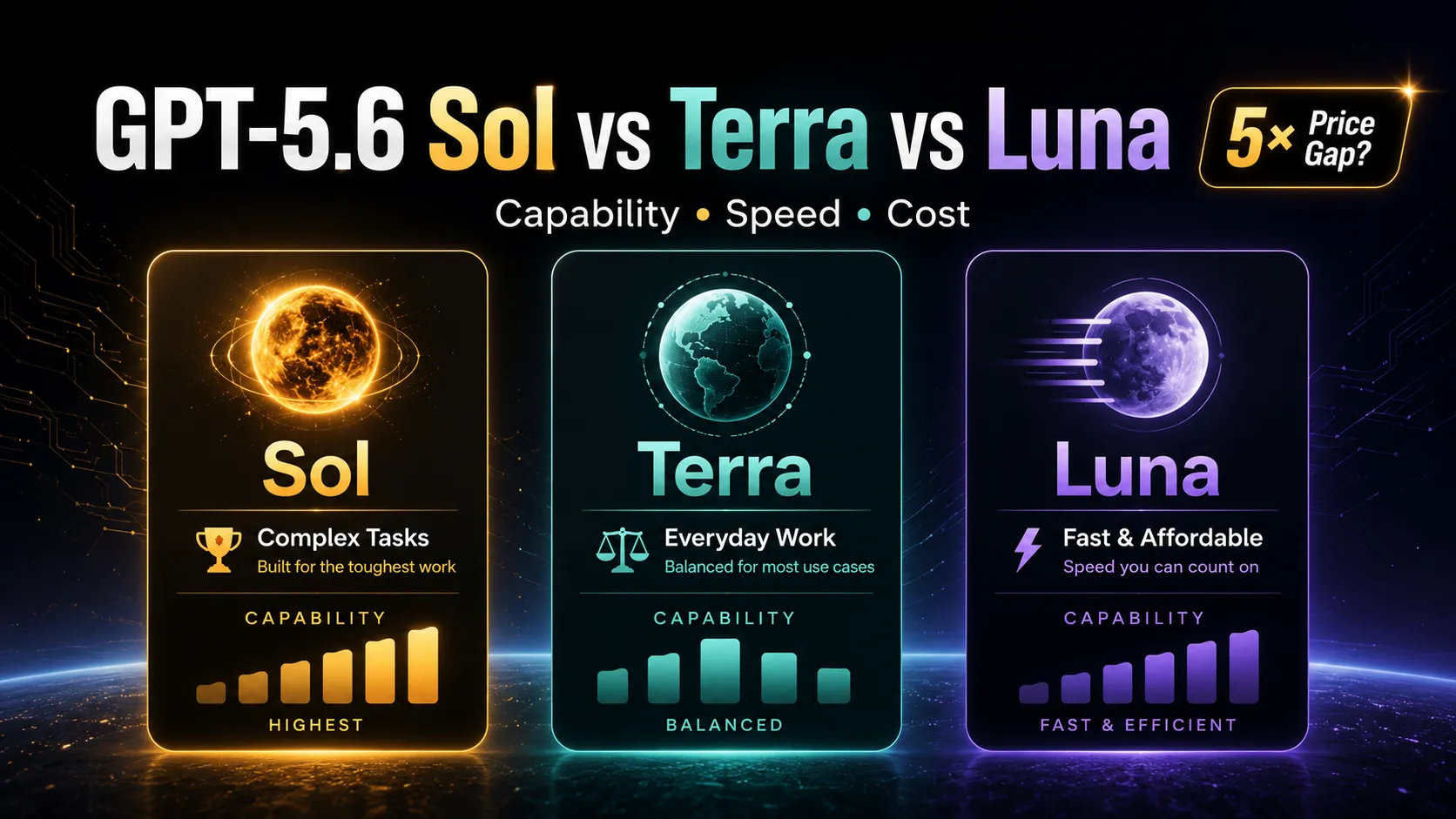
- GPT-5.6 Sol, Terra, and Luna are separate model tiers, not three reasoning settings for the same model. Sol is the flagship model, Terra is the balanced mid-tier option, and Luna is the lightweight, high-throughput model.
- Sol is designed for complex, ambiguous, and high-value tasks. Terra is the best default for everyday development. Luna works best for clearly defined, repetitive, and easily validated work.
- All three models offer a 1,050,000-token context window and up to 128,000 output tokens, so context size is not the main differentiator.
- Standard API pricing ranges from $1 per million input tokens for Luna to $5 for Sol, while output pricing ranges from $6 to $30 per million tokens.
- The most cost-effective workflow is usually not to choose one model exclusively. A better strategy is to use Luna for repetitive execution, Terra for primary development, and Sol for difficult problems and final review.
What Is the Relationship Between GPT-5.6 Sol, Terra, and Luna?
GPT-5.6 is offered in three distinct capability tiers designed for different combinations of quality, speed, and cost.
- GPT-5.6 Sol: The flagship frontier model for difficult professional work.
- GPT-5.6 Terra: A balanced model for everyday coding and general agentic workflows.
- GPT-5.6 Luna: A fast, affordable model for high-volume and well-defined tasks.
A useful comparison with earlier model naming conventions is:
- Sol is similar to a full flagship model without a mini or nano suffix.
- Terra occupies the role traditionally associated with a mini model.
- Luna occupies the role traditionally associated with a nano model.
This distinction matters because Luna is not simply Sol with a lower reasoning setting. The models differ in underlying capacity, optimization targets, cost structure, and expected reliability on complex work.
Increasing Luna's reasoning effort may improve its answer, but it does not automatically give Luna the same planning ability, judgment, or consistency as Sol. Similarly, lowering Sol's reasoning effort does not turn it into Luna.
GPT-5.6 Sol vs Terra vs Luna at a Glance
| Category | GPT-5.6 Sol | GPT-5.6 Terra | GPT-5.6 Luna |
|---|---|---|---|
| Positioning | Flagship frontier model | Balanced everyday model | Fast, affordable lightweight model |
| Primary priority | Maximum capability | Capability-cost balance | Speed and throughput |
| Reasoning ability | Highest | Strong | Good for defined tasks |
| Relative speed | Usually slower | Faster and balanced | Fastest |
| Input price | $5 per 1M tokens | $2.50 per 1M tokens | $1 per 1M tokens |
| Cached input price | $0.50 per 1M tokens | $0.25 per 1M tokens | $0.10 per 1M tokens |
| Output price | $30 per 1M tokens | $15 per 1M tokens | $6 per 1M tokens |
| Context window | 1,050,000 tokens | 1,050,000 tokens | 1,050,000 tokens |
| Maximum output | 128,000 tokens | 128,000 tokens | 128,000 tokens |
| Best for | Architecture, research, difficult debugging | Feature development, reviews, routine coding | Classification, transformation, batch edits |
The three models can access similar tool categories, including function calling, structured outputs, file search, shell environments, patch application, computer interaction, MCP integrations, and code execution.
The major difference is therefore not whether a model can call a tool. The difference is how reliably it can decide which tool to use, recover from failure, validate intermediate results, and determine whether the task is actually complete.
GPT-5.6 Sol: Built for Complex and Ambiguous Work
GPT-5.6 Sol is the strongest model in the family. Its advantage becomes most visible when a task requires more than generating locally correct code.
Sol is better suited to work involving:
- Large unfamiliar repositories
- Ambiguous requirements
- Multi-stage investigation
- Cross-module refactoring
- Architecture decisions
- Long-running tool use
- Security-sensitive changes
- High-cost failure scenarios
- Research and evidence synthesis
- Final quality assurance
A basic coding model can often produce a syntactically valid patch. A stronger agentic model must do more. It needs to identify the correct files, understand dependencies, anticipate side effects, run tests, interpret failures, revise the implementation, and confirm that the original objective has been met.
That is where Sol is most valuable.
Tasks That Fit Sol
Examples include:
- Analyze an entire Next.js application, identify all causes of layout shift, modify the relevant components, and verify the result.
- Migrate a legacy PHP service to FastAPI while preserving endpoint compatibility and creating a phased rollout plan.
- Investigate an intermittent concurrency bug involving database transactions, background jobs, and distributed locks.
- Review a major pull request affecting authentication, billing, and user permissions.
- Refactor a large unfamiliar codebase without breaking external integrations.
- Conduct a security-focused review of authorization logic and sensitive data flows.
These tasks are difficult because the problem is not fully defined in advance. The model must form hypotheses, inspect evidence, revise its assumptions, and make judgment calls.
The Main Cost of Sol
Sol costs five times as much as Luna for both input and output tokens.
That premium can be justified when:
- A mistake would be expensive.
- The task requires expert judgment.
- The problem is difficult to reproduce.
- Multiple systems must be changed together.
- Human review time is more expensive than model usage.
However, the premium is harder to justify for mechanical changes that can be automatically validated.
Sol is therefore best treated as a complex-task model, escalation model, or final-review model, rather than the automatic choice for every coding request.
GPT-5.6 Terra: The Best Default for Everyday Development
GPT-5.6 Terra is the most practical model for routine software work because it balances reasoning quality, speed, and cost.
Most development tasks are neither trivial nor exceptionally difficult. They require understanding project context, modifying several files, following existing conventions, and running tests, but they do not require frontier-level reasoning for every step.
That middle ground is where Terra is strongest.
Tasks That Fit Terra
Terra is well suited to:
- Building standard product features
- Developing React, Vue, or Next.js pages
- Fixing ordinary bugs
- Writing unit and integration tests
- Updating APIs and database fields
- Refactoring components
- Reviewing pull requests
- Writing Node.js or Python automation scripts
- Updating deployment configurations
- Converting clear specifications into working code
- Making coordinated changes across a moderate number of files
For example:
Add filtering, pagination, and CSV export to an existing React table, preserve the current coding style, and add Cypress coverage.
This task requires project understanding and coordinated implementation, but its scope and acceptance criteria are relatively clear. Terra is likely to provide a better cost-performance ratio than Sol.
Why Terra Works Well as the Default
Using Luna for all development work can increase the risk of missed edge cases, incomplete validation, or shallow fixes.
Using Sol for every task can increase cost without producing a meaningful quality improvement on ordinary work.
Terra occupies the practical middle:
- Strong enough for multi-file coding tasks
- Affordable enough for regular use
- Fast enough for interactive development
- Reliable enough for many agentic workflows
For individual developers and engineering teams without extensive internal benchmark data, Terra with medium reasoning effort is the safest default configuration.
GPT-5.6 Luna: Fast and Affordable, but Best with Clear Instructions
GPT-5.6 Luna is optimized for cost-sensitive, high-throughput workloads.
Its strongest use cases are tasks where the expected output is already well defined and can be checked automatically.
Luna is particularly effective for:
- Extraction
- Classification
- Transformation
- Structured summarization
- Repetitive code generation
- Template-based edits
- Batch processing
- Low-risk sub-agent tasks
Tasks That Fit Luna
Examples include:
- Rename the same field across a set of files.
- Convert JSON records into a fixed Markdown template.
- Extract structured values from documents.
- Classify logs, support tickets, or code issues.
- Generate multiple components based on an existing pattern.
- Add TypeScript types to straightforward functions.
- Create tests from a fixed template.
- Reformat documentation to match a style guide.
- Replace direct Axios calls with an existing request wrapper.
- Process a large number of independent, low-risk tasks.
A suitable Luna prompt might look like this:
Replace every direct Axios call under
src/componentswith the existingrequest()wrapper. Do not change business logic. Run the existing test suite and report any files that could not be migrated safely.
The scope, transformation rule, prohibited changes, and validation method are all explicit.
Tasks That Are Poor Fits for Luna
Luna is less suitable for vague prompts such as:
Review this entire project and optimize everything that looks wrong.
This request does not define:
- The affected scope
- The priority of problems
- The expected output
- Acceptable trade-offs
- Performance targets
- Compatibility requirements
- Validation criteria
With an underspecified task, a lightweight model is more likely to focus on visible symptoms, overlook cross-module effects, or declare completion too early.
How to Get Better Results from Luna
Luna performs best when the prompt includes:
- Exact directories or files to modify
- Rules for the transformation
- Content that must remain unchanged
- Input and output examples
- Required commands to run
- Acceptance criteria
- Failure-handling instructions
- A definition of task completion
The clearer the workflow, the more valuable Luna's speed and pricing become.
How Much Do the Three Models Cost?
Standard text pricing is structured as follows:
| Model | Input | Cached Input | Output |
|---|---|---|---|
| GPT-5.6 Sol | $5.00 | $0.50 | $30.00 |
| GPT-5.6 Terra | $2.50 | $0.25 | $15.00 |
| GPT-5.6 Luna | $1.00 | $0.10 | $6.00 |
All prices are per one million tokens.
The pricing ratios are consistent:
- Sol costs twice as much as Terra.
- Terra costs 2.5 times as much as Luna.
- Sol costs five times as much as Luna.
Example Cost Calculation
Assume one agentic task consumes:
- 1 million input tokens
- 200,000 output tokens
- No additional tool-specific fees
The approximate cost would be:
| Model | Input Cost | Output Cost | Total |
|---|---|---|---|
| Sol | $5.00 | $6.00 | $11.00 |
| Terra | $2.50 | $3.00 | $5.50 |
| Luna | $1.00 | $1.20 | $2.20 |
Across 100 similar tasks, the theoretical cost becomes:
- Sol: approximately $1,100
- Terra: approximately $550
- Luna: approximately $220
However, raw token pricing does not reveal the full economic picture.
A cheaper model may require:
- More retries
- More corrective prompts
- Additional tool calls
- More human review
- More manual code changes
- Longer debugging cycles
The more useful metric is therefore:
What is the total cost of producing one result that passes acceptance tests?
That calculation should include model usage, retries, tool execution, human review, and failure risk.
The Long-Context Pricing Trap
All three models support a context window of more than one million tokens. That does not mean every request should include an entire repository.
Very large prompts can trigger higher pricing tiers. Requests above certain input thresholds may receive higher input and output multipliers.
This leads to two important conclusions:
- A one-million-token context window is a maximum capability, not a recommended default.
- Large coding agents should use search, indexing, dependency analysis, and staged retrieval instead of loading every file immediately.
For a large repository, an efficient workflow is:
- Search for relevant symbols, routes, or components.
- Read the most likely files.
- Map dependencies.
- Inspect tests and configuration.
- Make the smallest safe change.
- Run targeted validation.
- Expand the investigation only when necessary.
This approach reduces cost and prevents irrelevant context from distracting the model.
Model Tier vs Reasoning Effort
Model tier and reasoning effort are separate settings.
The model tier determines the underlying capability level:
- Sol
- Terra
- Luna
Reasoning effort determines how much computation the selected model spends on a specific request:
- Low
- Medium
- High
- Extra High
- Max
Possible combinations include:
- Luna with high reasoning
- Terra with medium reasoning
- Sol with low reasoning
- Sol with maximum reasoning
A Luna model using high reasoning may outperform Luna using low reasoning, but it does not necessarily match Sol on complex architecture, research, planning, or tool coordination.
Similarly, Sol with low reasoning may still have stronger underlying judgment than a smaller model, even when it spends less time reasoning.
The most efficient strategy is to begin with the lowest reasoning level that consistently passes the required quality threshold. Increase reasoning only when the task benefits from deeper planning, verification, or exploration.
Which Model Should You Use in Codex?
The three models can be summarized as follows:
- Sol: Use when judgment, completeness, and problem-solving depth matter most.
- Terra: Use as the primary model for normal development work.
- Luna: Use for well-defined, repeatable, and high-volume execution.
Models can be selected explicitly in a coding workflow:
codex -m gpt-5.6-sol
codex -m gpt-5.6-terra
codex -m gpt-5.6-luna
A Practical Three-Tier Coding Workflow
Tier 1: Use Luna for Mechanical Work
Assign Luna tasks such as:
- Search and replace operations
- Structured extraction
- Documentation formatting
- Repetitive component creation
- Test template generation
- Simple migrations with automated validation
Tier 2: Use Terra for Primary Development
Assign Terra tasks such as:
- Feature implementation
- Standard bug fixes
- API updates
- Database changes
- Cross-file refactoring
- Test development
- Routine pull request reviews
Tier 3: Escalate Difficult Work to Sol
Use Sol when:
- Terra fails repeatedly.
- The problem is ambiguous.
- The repository is unfamiliar and large.
- The task affects architecture or security.
- The failure cost is high.
- A major change needs final review.
This layered approach controls cost without sacrificing quality where it matters.
Recommended Model by Development Task
| Development Task | Recommended Model | Why |
|---|---|---|
| Simple code completion | Luna | Small scope and easy validation |
| Batch field renaming | Luna | Repetitive rule-based work |
| Generating similar tests | Luna | Predictable output pattern |
| Standard page development | Terra | Requires context but limited ambiguity |
| Routine bug fixing | Terra | Strong balance of diagnosis and cost |
| API and database changes | Terra | Requires cross-file reasoning |
| Large unfamiliar repository analysis | Sol | Requires global understanding |
| Architecture refactoring | Sol | Involves long-term trade-offs |
| Intermittent concurrency debugging | Sol | Requires hypothesis-driven investigation |
| Security and permissions review | Sol | High cost of error |
| Final pre-release review | Sol | Completeness and edge cases matter |
Common Model Selection Mistakes
Mistake 1: Assuming the Same Context Window Means the Same Capability
Context size only describes how much information a model can receive. It does not measure how accurately the model can understand dependencies, plan actions, or resolve ambiguous requirements.
Mistake 2: Assuming Luna with High Reasoning Fully Replaces Sol
Additional reasoning improves a lightweight model, but it does not erase all differences in base capability, reliability, or complex judgment.
Mistake 3: Using the Strongest Model for Every Task
Sol may spend more time and tokens on tasks that have obvious, easily validated solutions. The highest-capability model is not always the most efficient model.
Mistake 4: Choosing the Cheapest Model Based Only on Token Price
A low-cost model that requires three attempts may cost more than a stronger model that succeeds once.
Mistake 5: Loading the Entire Repository into Every Prompt
Excessive context increases cost and may reduce focus. Retrieval and staged analysis are usually more efficient.
Mistake 6: Treating a Generated Patch as a Completed Task
A coding agent may create a plausible change without running tests, checking regressions, or validating production behavior.
Every important task should require the model to:
- Run relevant tests
- Inspect the final diff
- Report unverified assumptions
- Identify remaining risks
- Confirm the acceptance criteria
How to Build an Automatic Model Router
Teams can route tasks based on complexity, risk, and validation quality.
A simple decision process might look like this:
Is the task repetitive and supported by clear acceptance tests?
├─ Yes: Use Luna
└─ No: Does it require multi-file reasoning or significant tool use?
   ├─ Yes: Use Terra
   └─ No: Use Luna or Terra

Is the task ambiguous, architecture-sensitive, security-sensitive, or expensive to get wrong?
├─ Yes: Use Sol
└─ No: Keep the current model

Has the current model failed validation twice?
├─ Yes: Escalate one model tier
└─ No: Continue
A production routing system should measure:
- Input and output tokens per task
- Tool calls per task
- First-attempt success rate
- Average retry count
- Test pass rate
- Human editing required
- Time to accepted completion
- Total cost per accepted result
These measurements are more useful than generic benchmark scores because they reflect the team's actual repositories, prompts, tools, and quality requirements.
Recommended Default Configurations
For users without internal performance data, the following starting point is practical:
- Everyday development: Terra with medium reasoning
- Simple batch work: Luna with low or medium reasoning
- Complex architecture and debugging: Sol with high reasoning
- Extremely difficult, high-value tasks: Sol with maximum reasoning
- Large tasks that can be divided among agents: Sol with parallel sub-agent execution
When only one model can be selected for long-term coding work, Terra is usually the safest choice.
When the cost of failure is much higher than model usage fees, Sol becomes more attractive.
When tasks are highly standardized, independently testable, and processed at large scale, Luna's cost advantage becomes significant.
Conclusion
GPT-5.6 Sol, Terra, and Luna represent three different ways to allocate engineering resources.
- Sol spends more compute to deliver stronger judgment, planning, and completeness.
- Terra balances capability, speed, and cost for most real development work.
- Luna minimizes cost and latency for explicit, repeatable, high-throughput tasks.
The best strategy is not to search for one model that handles everything. Model selection should reflect task complexity, failure cost, ambiguity, and the strength of available validation.
Use Luna for standardized execution, Terra as the everyday development workhorse, and Sol for difficult investigations, architectural decisions, and final review.
Start with this tiered workflow, measure first-attempt success rates and total cost per accepted task, and refine the routing rules based on real project data.
Continue Reading
More articles connected to the same themes, protocols, and tools.

Referenced Tools
Browse entries that are adjacent to the topics covered in this article.





