On This Page8 sections
Key Takeaways
- Select the AI agent option when the OAuth client is used by an AI agent that can access Google data or perform actions for a user.
- If the client is only used for Sign in with Google, normal account login, or basic profile access, it usually should not be marked as an AI agent client.
- MCP is the clearest signal. If an AI application connects to Google through Model Context Protocol tools, the AI agent designation is generally the appropriate choice.
- If one product has both a normal web app and an AI agent, Google recommends separating those workflows into different OAuth clients rather than using one client for everything.
- Selecting the option does not automatically give an AI agent access to Gmail, Drive, Calendar, or other services. Actual access still depends on OAuth scopes, user consent, API configuration, and Google permissions.
What Does This Google OAuth Message Mean?
When creating or editing a Google OAuth client, developers may see wording similar to:
Designates this client for AI agents that take actions on behalf of users. Select this if your client uses MCP tools. If your application supports both AI agent workflows and standard user features, use separate OAuth clients for each.
In plain English, Google is asking:
Will this OAuth client be used by an AI agent that can use tools or Google services on the user's behalf?
If the answer is yes, the client should generally be designated for AI agent use.
If the OAuth client only lets a user log in to a normal website or application, the designation is usually unnecessary.
This distinction matters because an AI agent can do much more than identify a user. Depending on its permissions, it may search files, read messages, inspect calendars, create events, send messages, or call other tools.
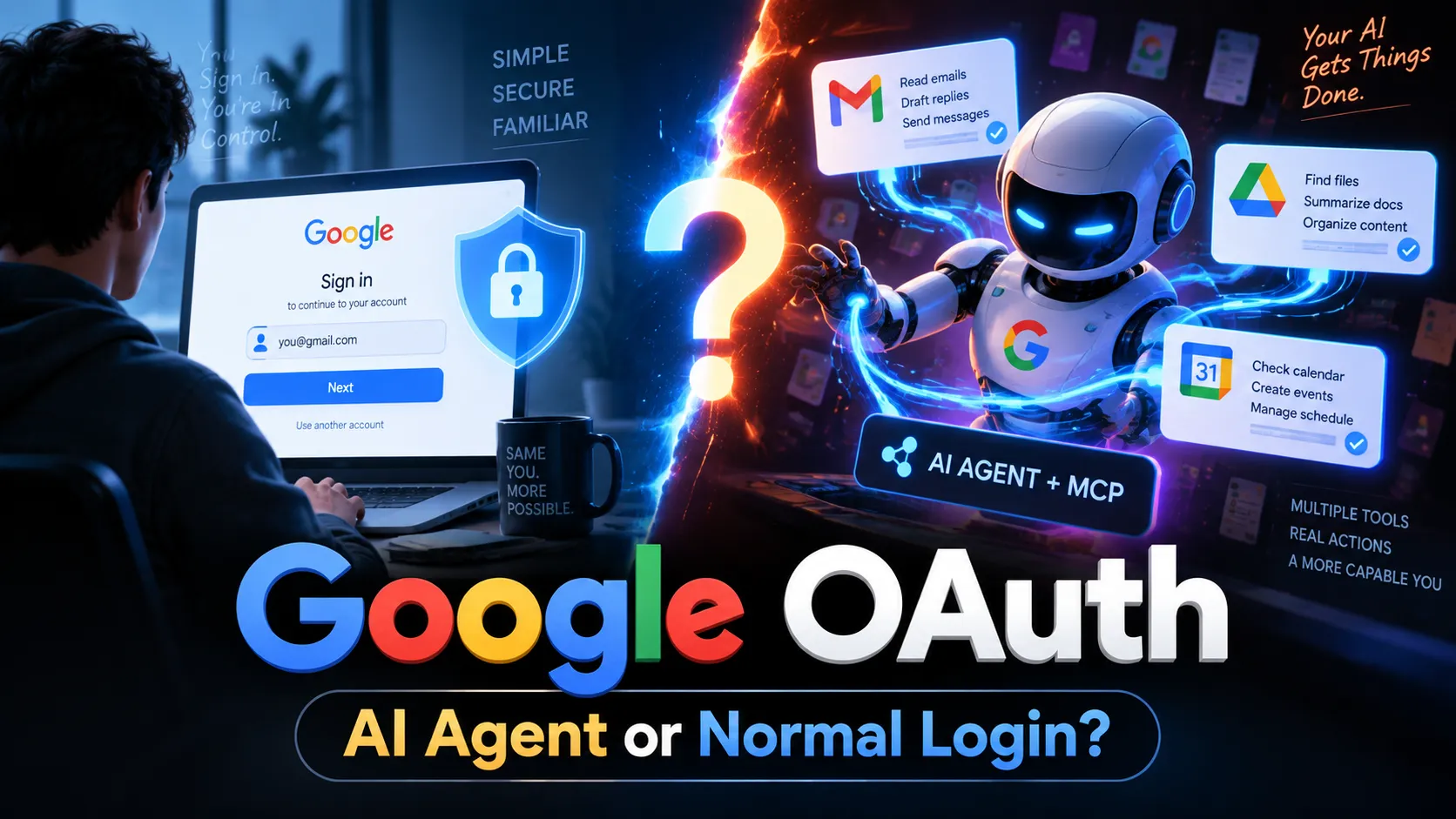
The Simple Difference: Login vs. AI Agent
The easiest way to understand the setting is to compare two common workflows.
Standard Google Login
A normal website might use Google OAuth like this:
User
  ↓
Click "Sign in with Google"
  ↓
Google authentication
  ↓
Website receives basic identity information
  ↓
User is signed in
Typical scopes may include:
openid
email
profile
The application is mainly using Google to answer a simple question:
Who is this user?
This is a standard authentication flow, not an AI agent workflow.
AI Agent Workflow
An AI-powered product may work differently:
User
  ↓
"Find the latest invoice in Gmail
and add the payment deadline to my calendar."
  ↓
AI agent
  ├─ searches Gmail
  ├─ reads matching messages
  └─ creates a Calendar event
Here, the application is not merely logging the user in.
The AI is deciding which tools to call and is accessing or changing Google data on the user's behalf.
That is the type of workflow this designation is intended to identify.
What Does MCP Have to Do With It?
MCP stands for Model Context Protocol.
MCP provides a standardized way for AI applications to connect to external tools and data sources.
Instead of building a completely different integration for every AI application, an MCP server can expose a collection of structured tools that an AI agent understands.
For example, an MCP-powered Google integration might expose tools for:
- searching Workspace data;
- reading messages;
- finding files;
- checking calendar events;
- sending a message;
- creating or updating information.
This explains why Google's OAuth interface explicitly mentions MCP tools.
If an OAuth client is being created specifically so an AI agent can connect to Google MCP tools, that is a strong indication that the AI agent option should be selected.
When Should You Select the AI Agent Option?
Select it when the OAuth client is dedicated to an AI-powered workflow that can access resources or execute actions for the user.
Common examples include:
- an AI assistant that searches Gmail;
- an agent that reads files from Google Drive;
- an AI scheduler that creates Calendar events;
- an agent that searches Google Chat;
- an AI application that sends supported Chat messages;
- a Claude, Gemini, Antigravity, or other agent integration that connects to Google Workspace MCP services;
- a custom MCP client that authenticates users with Google OAuth;
- an autonomous or semi-autonomous workflow where the model chooses which Google tool to call.
The important idea is not simply that the application contains AI.
The key question is:
Does the AI use this OAuth client to access Google resources or take actions under the user's authorization?
If yes, the AI agent designation is appropriate.
When Should You Leave It Unselected?
Do not select it simply because your product has an AI feature somewhere.
For example, the designation is generally unnecessary when the OAuth client is only used for:
- Sign in with Google;
- account registration;
- retrieving a user's name;
- retrieving a profile picture;
- retrieving an email address for authentication;
- connecting a normal web application where Google authorization is not being exposed to an AI agent.
A typical SaaS login flow can continue to use a normal OAuth client.
The presence of a ChatGPT-like interface, an LLM API, or AI-generated content does not automatically make the Google OAuth client an AI agent client.
What matters is how that OAuth client is used.
What If an App Has Both Normal Features and an AI Agent?
This is where Google's warning is especially important.
Suppose a product has:
- a normal website where users sign in with Google; and
- an AI assistant that can search Gmail and manage Calendar events.
A clean architecture would use two OAuth clients.
OAuth Client A
Standard Web Login

Scopes:
openid
email
profile
And separately:
OAuth Client B
AI Agent / MCP

Scopes:
gmail.readonly
calendar
other required scopes
The exact scopes depend on the product.
The benefit is separation.
The standard website login does not need to share the same OAuth configuration as an agent that may have access to sensitive Workspace data.
This makes authorization easier to understand, audit, restrict, and revoke.
Does Selecting It Give the AI More Permissions?
No.
This is one of the most important points.
Marking an OAuth client as an AI agent client does not automatically grant access to Gmail, Drive, Calendar, Chat, or any other Google service.
Permissions are still controlled by several layers:
- OAuth scopes requested by the application;
- scopes configured for the OAuth consent flow;
- APIs enabled in the Google Cloud project;
- user consent;
- Workspace administrator policies;
- permissions the signed-in user already has;
- restrictions applied by the relevant Google service.
Think of the AI agent designation as classification, not permission.
Why Google Wants AI Agents Separated
AI agents introduce a different security model from a normal login button.
A normal login flow might only need identity information.
An agent may be able to work with much more valuable data.
For example:
Normal Login
→ Know who the user is

AI Agent
→ Read data
→ Search data
→ Combine data
→ Decide which tool to use
→ Potentially modify data
That difference creates additional security and governance concerns.
Separating OAuth clients can improve:
- least-privilege design — each client requests only the permissions it needs;
- auditability — developers can identify which credentials belong to agent workflows;
- incident response — agent credentials can be disabled without breaking normal login;
- user trust — authentication and agent authorization are easier to explain separately;
- scope management — sensitive Workspace scopes do not need to be mixed with basic login scopes.
For production applications, this separation is a sensible architecture even beyond the immediate configuration requirement.
Example: A Normal SaaS App
Imagine a website called ExampleApp.
Users can create accounts with Google.
The app requests:
openid
email
profile
After login, the user manually uses the website.
No AI system receives access to the user's Google Workspace resources.
Recommended setup:
OAuth Client:
ExampleApp Web

AI agent designation:
No
Example: An AI Email Assistant
Now imagine an application where users can type:
Summarize all emails about the October product launch.The AI searches Gmail and returns a summary.
The OAuth flow may request a Gmail scope and authorize an AI agent to query messages.
Recommended setup:
OAuth Client:
ExampleApp Agent

AI agent designation:
Yes
If the product also has normal Google login, that login should ideally use a separate OAuth client.
Example: An MCP Client for Google Workspace
Suppose a developer builds an AI workspace assistant that connects to Google Workspace MCP services.
The workflow might look like:
AI Client
  ↓
OAuth authorization
  ↓
Google Workspace MCP Server
  ↓
Gmail / Drive / Calendar / Chat
This is exactly the kind of scenario where the AI agent designation makes sense.
Common Mistakes
Mistake 1: Selecting It Because the Product Uses an LLM
An application can use GPT, Gemini, Claude, or another model without allowing that model to access Google services.
If Google OAuth is only used for login, the OAuth client is still primarily a normal login client.
Mistake 2: Using One OAuth Client for Everything
Using the same client for basic login and powerful agent permissions creates unnecessary coupling.
Separating them is cleaner:
web-login-client
agent-mcp-client
It also makes future security and configuration changes easier.
Mistake 3: Assuming the Setting Grants MCP Access
It does not.
MCP access still requires the appropriate Google service, APIs, OAuth configuration, scopes, and user authorization.
Mistake 4: Requesting Broad Scopes Too Early
If an agent only needs to search email, do not request broad write permissions simply because they may be useful later.
Start with the minimum scope needed for the current feature.
Read-only feature
→ request read-only scope

Write feature
→ request write scope only when required
This follows the principle of least privilege and usually creates a clearer consent experience.
A Practical Decision Checklist
Before selecting the option, ask these questions:
- Is this OAuth client used by an AI agent?
- Can the AI access Google data after the user authorizes it?
- Can the AI invoke Google tools?
- Does the implementation use MCP?
- Can the AI perform actions rather than simply authenticate the user?
- Is this client separate from the application's normal login client?
If most answers are yes, select the AI agent designation.
If the flow is simply:
Google login → identify user → enter websiteleave it unselected.
If the flow is:
Google authorization → AI receives tool access → AI reads or changes Google dataselect it.
Recommended Architecture
For an application that supports both standard login and AI agents, a clean setup looks like this:
Google Cloud Project
│
├── OAuth Client: Web Login
│   ├── openid
│   ├── email
│   └── profile
│
└── OAuth Client: AI Agent
    ├── Gmail scopes
    ├── Drive scopes
    ├── Calendar scopes
    └── other tool-specific scopes
The agent client should request only the scopes required by the available tools.
This structure keeps normal authentication separate from delegated AI access and makes the application's security model much easier to reason about.
Conclusion
Google's AI agent OAuth client designation is essentially a way to identify OAuth clients used by agents that access services or take actions for users.
The rule is straightforward:
Only using Google for login? Leave it unselected.
Using OAuth so an AI agent or MCP client can access Google tools or data for the user? Select it.
For products that support both workflows, create separate OAuth clients. Keep the normal login client simple, and give the agent client only the scopes its tools actually require.
Before launching an agent integration, review the requested scopes, test the consent flow, and verify that every permission is necessary. That separation makes the application safer, easier to maintain, and easier for users to trust.
Continue Reading
More articles connected to the same themes, protocols, and tools.
Referenced Tools
Browse entries that are adjacent to the topics covered in this article.