
On This Page8 sections
Key Takeaways
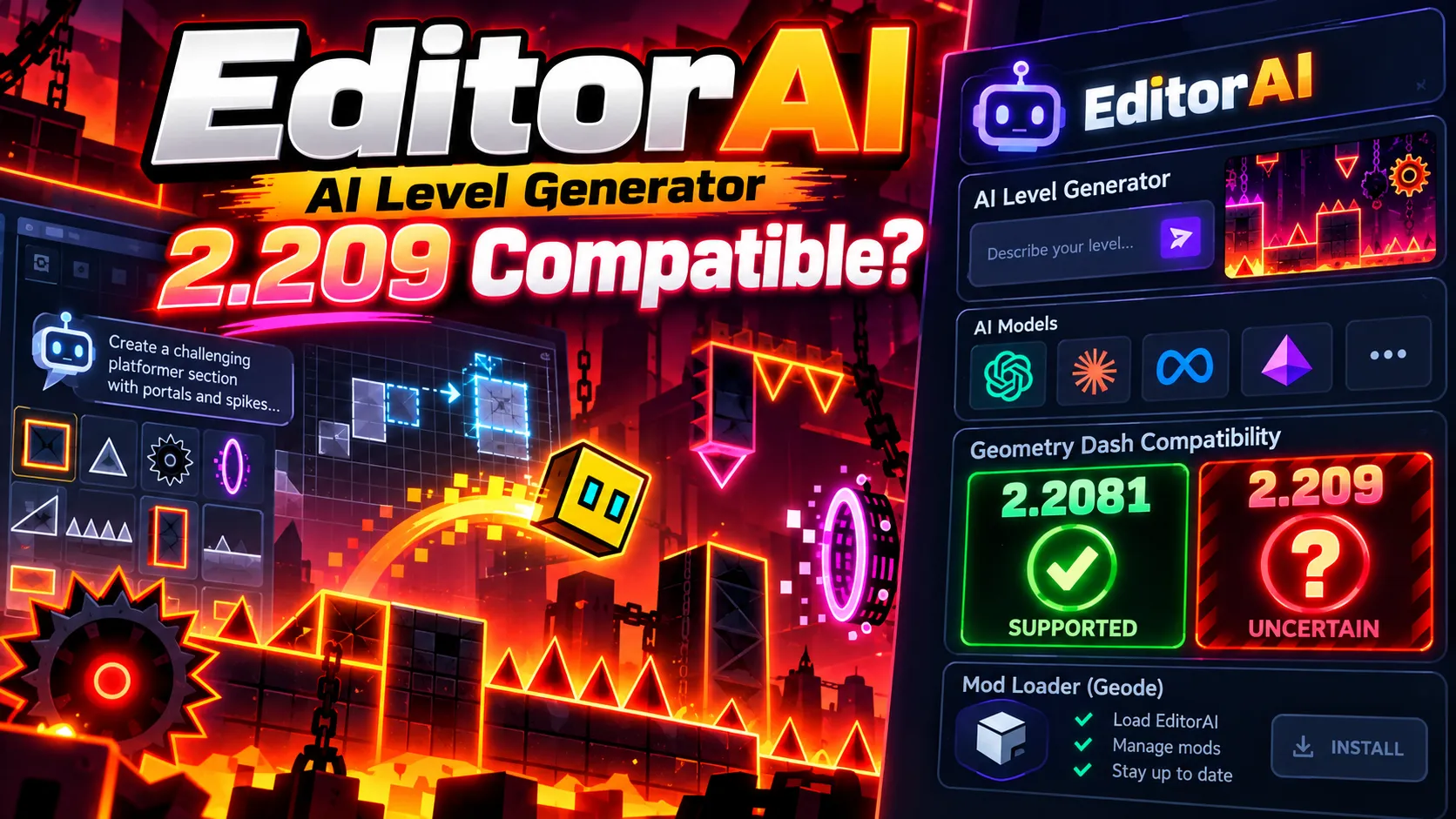
- EditorAI is an open-source AI level generator for Geometry Dash. Players can describe a level in natural language, choose an AI provider, and have objects placed directly into the game's level editor.
- Geometry Dash 2.209 compatibility is not officially confirmed as of October 17, 2026. EditorAI's latest publicly listed release, v2.1.12, still declares Geometry Dash 2.2081 as its target version across Windows, macOS, Android, and iOS.
- Geode v5.11.2 improves compatibility with Geometry Dash 2.209, including fixes for crashes and text inputs in forward-compatibility mode. However, its developers explicitly describe the release as primarily targeting 2.2081. A working Geode loader does not automatically make every older mod compatible.
- EditorAI supports multiple AI providers, including OpenAI, Claude, Gemini, DeepSeek, OpenRouter, Groq, Ollama, LM Studio, and OpenAI-compatible endpoints.
- Free generation options exist. Local Ollama inference can avoid paid API usage, while EditorAI Platinum provides a community-hosted option. Their hardware, availability, and privacy trade-offs differ.
- The safest approach for Geometry Dash 2.209 users is to verify all three compatibility layers before installing: the game version, the Geode loader, and the EditorAI mod itself.
EditorAI could change how Geometry Dash levels are created. Instead of manually placing every spike, platform, trigger, and decoration, a creator can explain the desired gameplay and let an AI model assemble an initial design.
The concept is particularly relevant following the October 15, 2026 release of Geometry Dash 2.209, which introduced several improvements to the official level editor.
But the new update also creates an immediate question: Does EditorAI actually work with Geometry Dash 2.209?
The answer requires distinguishing the mod's advertised features from its declared version support, the Geode loader's compatibility status, and real-world installation results.
What Is EditorAI for Geometry Dash?
EditorAI, developed by GitHub user entity12208, is a C++ mod built for the Geode modding framework. Its purpose is to turn natural-language descriptions into editable Geometry Dash level content.
Rather than generating screenshots or concept art, EditorAI attempts to place actual game objects within the Geometry Dash editor.
A creator might request a short neon-themed cube level with synchronized jumps, alternating platforms, and a gradual increase in difficulty. EditorAI passes the instructions to the configured language model, interprets its generated construction plan, and stages the resulting objects in the editor.
The user can then review the construction before committing it.
According to the official project documentation, the main workflow includes:
- Natural-language level creation: describe gameplay, visual style, difficulty, and approximate length.
- Generation for existing or new levels: select the current editor, a newly created level, or another created level.
- Live object placement: observe blocks appearing while the AI continues generating.
- Reviewable changes: accept, manually edit, or reject generated content.
- Conversational refinement: continue giving instructions through the session interface.
- Music-aware generation: use song BPM and waveform information to help coordinate gameplay with audio.
- Model flexibility: connect hosted AI APIs, local models, or compatible self-hosted endpoints.
EditorAI is not a standalone Geometry Dash game, an APK downloader, or a tool that automatically completes difficult levels. It is an AI-assisted authoring extension for the game's existing editor.
The project is publicly available under the MIT license. However, using the mod still requires access to a legitimate compatible installation of Geometry Dash and Geode.
Does EditorAI Work With Geometry Dash 2.209?
As of October 17, 2026, EditorAI has no verified official 2.209-compatible release in its public release history.
This is a compatibility warning, not proof that every installation must fail.
The available evidence identifies two separate situations: EditorAI still targets the previous Geometry Dash version, while Geode has begun addressing 2.209 compatibility problems.
EditorAI version status
The EditorAI release history identifies v2.1.12, released October 4, 2026, as its latest public release during this review.
Its mod.json manifest declares the following metadata:
| Component | Declared value |
|---|---|
| Mod name | Editor AI |
| Mod ID | entity12208.edit-ai |
| Mod version | v2.1.12 |
| Geode SDK version field | 5.10.1 |
| Geometry Dash — Windows | 2.2081 |
| Geometry Dash — macOS | 2.2081 |
| Geometry Dash — Android | 2.2081 |
| Geometry Dash — iOS | 2.2081 |
| Required dependency | geode.node-ids version >=v1.0.0 |
The important detail is the four platform-specific Geometry Dash version declarations.
Every platform entry still specifies 2.2081 rather than 2.209. The Geode SDK field identifies the version declared by the project; it should not be confused with a promise of compatibility with every newer Geode release.
The manifest is stronger evidence than an undated tutorial claiming the mod works with the latest game version. Still, a declaration alone is not a substitute for a comprehensive runtime test.
Geode compatibility after the 2.209 update
The Geode v5.11.2 release notes document two changes relevant to Geometry Dash 2.209:
- Fixes for crashes occurring on 2.209.
- Fixes for text-input handling in forward-compatibility mode on 2.209.
However, the same release notes explicitly state that v5.11.2 is still primarily for Geometry Dash 2.2081.
A Geode contributor also stated in an October 16 issue discussion that Geode was not yet fully compatible with 2.209.
These statements are not contradictory. Partial forward compatibility can allow specific functionality to operate while leaving other hooks, integrations, or third-party mods unsupported.
A loader that starts successfully does not establish EditorAI compatibility. The mod may depend on game functions, editor interfaces, or internal structures that changed during the update.
Compatibility verdict
| Situation | Status as of October 17, 2026 | Recommended action |
|---|---|---|
| EditorAI v2.1.12 targeting GD 2.2081 | Declared target version | Use a supported environment and test carefully |
| EditorAI v2.1.12 with GD 2.209 | Not officially verified | Avoid assuming it works; check for a newer release |
| Geode v5.11.2 with GD 2.209 | Partial forward compatibility | Review known limitations and crash reports |
| A future EditorAI release explicitly targeting GD 2.209 | Not yet verified in public releases | Check the new manifest and release notes before installing |
| EditorAI on Android or iOS with GD 2.209 | Not officially verified | Check platform-specific support separately |
Bottom line: Geometry Dash 2.209 users should not treat EditorAI v2.1.12 as a confirmed compatible mod simply because Geode v5.11.2 includes some 2.209 fixes.
What's New in Geometry Dash 2.209 for Level Creators?
Geometry Dash 2.209 was released on October 15, 2026. Its official Steam update announcement lists several improvements directly relevant to custom level development.
| Geometry Dash 2.209 feature | Why it matters for level creators | Potential relevance to EditorAI |
|---|---|---|
| Import/Export Editor Levels | Makes level transfer and external workflows more convenient | Could support future AI-assisted workflows, but EditorAI integration is not confirmed |
| Auto-Save and Auto-Backup | Adds protection against lost editor progress | Useful when reviewing or modifying generated content |
| Improved Editor UI and Tools | Streamlines manual creation and iteration | May improve human editing while also requiring mod compatibility updates |
| Group ID Names | Makes complex group management easier | Relevant to generated trigger-heavy levels |
| Start Position Switcher | Simplifies testing different sections | Useful for manually validating generated sequences |
| Death Tracking and Death Markers | Helps identify difficult or problematic gameplay sections | Valuable for diagnosing AI-generated obstacle patterns |
| Custom Keybinds | Expands control customization | Could affect overlapping mod shortcuts |
| Editor Sounds and Packs | Improves sound selection and organization | Provides more creative options for music-driven levels |
The most interesting combination is AI-assisted object generation plus better native testing and backup tools.
For example, a creator could eventually use AI to draft obstacle sequences, test those sequences with the game's new death-tracking features, and refine the result manually.
However, this is a possible workflow once compatibility has been established. It is not evidence that EditorAI already integrates with every new 2.209 editor feature.
How to Download and Install EditorAI Safely
EditorAI uses the Geode modding framework. It is distributed through its own GitHub release page rather than the Geode mod index.
The developer explains that the mod index's guidelines restrict AI-placed objects, which is why the project uses a manual distribution workflow.
Step 1: Verify your Geometry Dash version
Confirm the exact game version and operating system before installing a mod.
A build marked 2.2081 should not automatically be treated as suitable for 2.209, even though both belong to the Geometry Dash 2.2 generation.
If the game has already updated to 2.209, first inspect the current EditorAI manifest and release notes. Do not attempt to bypass compatibility checks merely to force the mod to load.
Step 2: Install a compatible Geode release
Visit the official Geode website or its GitHub release page.
Choose a release explicitly supported for the game's platform and version.
For Geometry Dash 2.209, Geode v5.11.2 represents an early compatibility improvement rather than proof of complete support. Consult its release notes and current issue tracker before proceeding.
Step 3: Back up created levels
Make a backup of important locally created levels and related game data before experimenting with mods.
Geometry Dash 2.209 introduces native automatic backups, but keeping an independent copy is still sensible when changing the modding environment.
Avoid testing experimental mod builds against irreplaceable levels.
Step 4: Download the official EditorAI release
Open the EditorAI releases page and locate the latest suitable .geode package.
The official installation instructions are:
- Download the release package from GitHub.
- Open Geometry Dash with a compatible Geode installation.
- Open the Geode interface and select the manual installation option.
- Choose the downloaded
.geodefile. - Restart Geometry Dash.
These instructions describe the normal installation process on a compatible setup. They do not guarantee successful installation on Geometry Dash 2.209.
Step 5: Open EditorAI
On desktop, the documented shortcut is E. On mobile, the mod provides a floating AI bubble.
The panel contains generation controls, conversation history, session information, provider configuration, and settings.
If the panel does not appear, check whether the mod was loaded, whether Geode reports an incompatibility, and whether another shortcut overlaps with the E key.
EditorAI's settings include a hotkey-priority option. This is particularly relevant after the addition of custom keybinds in Geometry Dash 2.209.
How to Generate a Geometry Dash Level With AI
Once the game, loader, and mod are confirmed compatible, EditorAI's normal workflow is designed to be accessible without programming knowledge.
Step 1: Open the EditorAI panel.
Press E on desktop or use the floating AI control on mobile.
Step 2: Choose a generation target.
The project supports generating into the current editor, creating a new level, or targeting another created level.
Step 3: Select an AI provider.
Choose a configured cloud model or a local inference service.
Step 4: Define the level.
Specify gameplay mode, theme, difficulty, approximate length, obstacle patterns, and music-related requirements.
Step 5: Start generation.
The AI develops its construction plan and begins placing objects. With live placement enabled, objects appear in the editor before the entire generation completes.
Step 6: Review the staging layer.
EditorAI presents the generated content separately so users can choose Accept, Edit, or Deny.
Step 7: Playtest and refine.
Verify obstacle timing, collision clearance, transitions, decorations, and the intended difficulty. Use additional conversational instructions to fix problems rather than accepting an untested layout.
The essential distinction is that AI-generated objects remain editable. Human review is part of the workflow, not an optional afterthought.
Best EditorAI Prompts for Geometry Dash Levels
Prompt quality directly influences how easy a generated level is to understand, validate, and refine.
A vague request such as make an impossible demon level supplies almost no information about spacing, player movement, visual clarity, or testing requirements.
A more useful prompt defines constraints that can be evaluated.
Prompt 1: Beginner-friendly cube level
Create a short cube-mode Geometry Dash level with a clean neon-orange theme.

Difficulty: Easy
Length: Short
Style: Modern and readable

Start with simple single-spike jumps.
Introduce double-spike jumps gradually.
Use consistent, clearly visible landing platforms.
Leave sufficient reaction time between obstacles.
Avoid blind jumps and unexpected collisions.

Keep the gameplay readable and mechanically fair.
Build a playable gameplay skeleton before adding decoration.
This prompt emphasizes progression rather than decoration. It also reduces ambiguity by establishing a single gameplay mode and explicitly rejecting blind jumps.
Prompt 2: Music-synchronized medium level
Build a medium-difficulty rhythm-based Geometry Dash level.

Style: Futuristic neon arcade
Length: Medium
Gameplay: Cube sections with consistent rhythmic patterns

Analyze the selected song's BPM and waveform when available.
Align major jumps and visual effects with prominent beats.
Use clear transitions between gameplay phrases.
Include a short introductory section and a stronger final section.

Prioritize timing consistency, obstacle readability, and fair gameplay.
Do not place decorations over important hazards.
EditorAI's documentation describes BPM and waveform analysis as available functionality. However, generated synchronization must still be checked through playback, especially when the provider misinterprets beats or object placement.
Prompt 3: Refine an existing level
Analyze the current level and improve the gameplay without changing its overall theme.

Focus on the following:
- Identify abrupt difficulty spikes.
- Improve obstacle spacing and jump readability.
- Fix suspicious collision areas.
- Preserve successful gameplay patterns.
- Add decoration only after the layout is stable.

Keep the existing level's identity.
Explain the main proposed changes before applying large edits.
This prompt is useful when the creator already has a level but wants help addressing structural problems.
Prompt-design insight: Separate gameplay construction, verification, and decoration. Requesting all three at once can make it difficult to identify which generated change caused an obstacle or visual problem.
EditorAI Features Beyond Basic Level Generation
The current project manifest exposes several advanced settings. Their presence demonstrates supported configuration paths, although it does not independently verify their reliability on every platform or game version.
Live block placement and review
By default, EditorAI can place objects incrementally while generation runs. The result is staged for acceptance rather than being treated as an unquestionable final design.
This is important because large AI-generated layouts may require correcting object placement before incorporation into an existing level.
Two-pass generation
The default configuration includes a two-pass workflow: first construct the gameplay skeleton, then add decoration, colors, triggers, and atmosphere after acceptance.
This separation can improve debugging. If a jump is impossible, creators can address it before complex visual effects obscure the problem.
Vision-assisted refinement
The mod exposes a vision option that can attach rendered level snapshots when the chosen AI model supports image input.
Visual feedback potentially helps the model inspect obstacle spacing, decorations, and its previous output. It is not a substitute for checking actual collision behavior.
AI playtesting and self-review
The settings include AI Playtest & Watch, which describes simulated playtests and inspection of updated renders. A separate self-critique option adds a final review pass.
These features should not be confused with independently verified full-game completion testing. Simulated validation cannot guarantee that every jump is physically possible under the game's actual timing and collision rules.
Copilot mode
The optional Copilot mode is intended to watch for death zones and physics problems during editing and propose correction plans.
It requires acceptance or rejection of suggested fixes, making it better understood as assisted diagnosis than as an infallible autonomous editor.
Triggers, colors, and groups
The advanced configuration allows generated color, movement, and pulse triggers, as well as group identifiers.
More complex output creates more verification work. Creators should inspect trigger ordering, group assignments, object counts, and interactions with existing level content.
Which AI Models Does EditorAI Support?
EditorAI is designed around provider flexibility rather than dependence on a single proprietary model.
Its public configuration includes OpenAI, Claude, Gemini, DeepSeek, Groq, OpenRouter, Mistral, Hugging Face, Ollama, LM Studio, llama.cpp, and custom compatible endpoints.
| Provider | Setup method | Cost considerations | Best use case |
|---|---|---|---|
| EditorAI Platinum | Community-hosted Ollama option | Advertised as free; capacity may vary | Trying generation without a paid API |
| Ollama | Local model server | No per-token API fee; requires local compute | Privacy-focused experimentation |
| Gemini | Google AI Studio API | Quotas and model pricing vary | Hosted model experimentation |
| OpenAI | OpenAI API key | Usage-based API costs may apply | Structured generation and refinement |
| Claude | Anthropic API key | Usage-based API costs may apply | Complex instructions and review |
| Groq | Groq API credentials | Free-tier limits and paid plans vary | Latency-sensitive hosted inference |
| OpenRouter | Provider connection or API key | Depends on selected model and provider | Comparing multiple hosted models |
| LM Studio / llama.cpp | Local model endpoint | Local hardware and operating costs | Self-hosted model control |
Provider support does not mean every model produces equally valid Geometry Dash objects. The model must follow EditorAI's expected generation format, work within its context and output constraints, and respond reliably during refinement.
More expensive reasoning does not automatically produce better levels. Output consistency, spatial understanding, and responsiveness may matter more for straightforward geometry generation.
Is EditorAI Free?
EditorAI itself is free and open source. The official repository uses the MIT license.
However, there are three separate cost categories:
- Geometry Dash: the underlying game is a separate commercial product. A free mod does not provide a free copy of the full game.
- Geode and EditorAI: the modding framework and open-source EditorAI project are available without a software subscription.
- AI inference: local models and advertised community-hosted options can avoid direct API billing, while commercial providers may charge according to usage.
Free option 1: EditorAI Platinum
According to the developer's README, Platinum is a free community-run inference network.
To select it, configure provider ollama and enable Use Platinum in the mod settings.
Requests run on volunteer-hosted resources. Availability, latency, and capacity may change, and prompts are sent outside the user's device.
The EditorAI v2.1.12 release notes specifically mention an attempted Platinum fix, so the existence of the option should not be mistaken for guaranteed service availability.
Free option 2: Local Ollama
Ollama allows compatible AI models to run on local hardware.
The EditorAI documentation recommends approximately 6 GB or more of VRAM for its local-model workflow, although actual requirements depend on the model and quantization.
The manifest lists entity12208/editorai:v2 as its default local Ollama model tag. When this model remains available, a basic setup can begin with:
ollama pull entity12208/editorai:v2
ollama list
Then select Ollama inside EditorAI and confirm that the model name matches the locally installed tag. Check the current model repository if a pull fails, because published model tags can change.
The advantages are reduced dependence on hosted API quotas and greater control over where generation occurs. The trade-offs are hardware requirements, potentially slower inference, and local setup complexity.
An OpenAI API key is also different from a ChatGPT subscription. Having access to ChatGPT does not automatically provide free API usage through EditorAI.
Common EditorAI Errors and How to Fix Them
Recent public issues show that installation and provider configuration deserve as much attention as the generation features.
Error 1: Geometry Dash crashes after updating to 2.209
Possible cause: the Geode loader or installed mods are not fully compatible with the new game build.
Recommended checks:
- Confirm the exact installed Geometry Dash version.
- Review the latest Geode release notes.
- Check whether EditorAI explicitly declares support for that version.
- Temporarily disable suspect mods through supported Geode recovery options.
- Preserve backups and collect crash logs before reporting a reproducible issue.
Geode v5.11.2 fixes some 2.209 crashes, but it does not establish compatibility for every third-party mod.
Avoid random modified installers, unofficial DLL replacements, or unverified compatibility patches.
Error 2: EditorAI is marked incompatible
Likely explanation: the mod's declared Geometry Dash version does not match the installed build.
For v2.1.12, the public manifest targets 2.2081. The appropriate response is to check for a compatible release rather than editing version metadata to bypass safeguards.
Changing a version declaration does not repair broken internal game hooks.
Error 3: The AI panel does not open
Check whether Geode loaded EditorAI successfully, whether the desktop E shortcut conflicts with another binding, or whether the mobile floating control is visible.
On a compatible installation, the mod's hotkey-priority setting may help resolve overlapping shortcuts. However, Geode text-input fixes do not guarantee that all EditorAI UI components work on 2.209.
Error 4: API key or authentication failure
Verify the selected provider, model name, credential, quota, and network access.
A public October 10 issue report specifically concerns Gemini API authentication. It documents a reported problem, not a verified platform-wide outage.
Try a supported alternative provider only after checking the underlying error. Avoid posting API keys in screenshots, logs, or community discussions.
Error 5: Generation stalls or produces no objects
Potential causes include provider timeout, quota exhaustion, model output-format problems, or overly complex instructions.
Reduce the initial scope, choose a reliable supported model, request fewer objects, and examine the session log.
The mod offers adjustable quality profiles, refinement behavior, target object counts, and generation settings. Premium-style repeated refinement may produce more API calls and take longer than a smaller first-pass generation.
Error 6: Generated objects are unplayable
This is a content-quality problem rather than necessarily an installation failure.
AI-generated spacing can be visually plausible but physically incorrect. Separate generation from validation:
- Verify jumps against actual game physics.
- Check transitions and landing zones.
- Inspect triggers and group IDs.
- Use start positions to test difficult sections.
- Refine specific segments instead of repeatedly replacing the entire level.
Error 7: Conflict with another editor mod
The manifest declares an incompatibility involving alk.editor-collab. Earlier EditorAI release notes also describe crashes associated with running Editor Collab simultaneously when generating objects.
Temporarily disabling conflicting editor modifications in a disposable test setup is safer than assuming all editor extensions can operate together.
EditorAI Privacy and Security: Local vs Cloud Generation
Choosing an AI provider affects more than speed and output quality.
EditorAI's documented privacy model distinguishes local configuration storage, model requests, and optional community data collection.
Cloud APIs: prompts and other submitted generation context are transmitted to the selected provider. Users should review that provider's retention and data-handling policies.
Local Ollama: inference can run on the user's own machine rather than sending generation requests to a third-party model host.
EditorAI Platinum: the free community-hosted option forwards requests to volunteer infrastructure. The developer explicitly recommends excluding personal information from these prompts.
API keys: the manifest describes keys as stored locally in Geode save data. This is a developer-documented behavior, not an independent security audit.
Telemetry: the Auto-Share Generations setting defaults to off. If enabled, the project describes uploading prompts, generation settings, generated objects, and ratings to a community collector. The documentation states that API keys and user identity are not included.
For proprietary level designs or sensitive prompts, local inference with telemetry disabled offers the most direct control over generation data, subject to the trustworthiness of the installed software and local configuration.
EditorAI vs Manual Level Editing vs AI Gameplay Agents
EditorAI belongs to a different category from tools that generate complete standalone games or train agents to play them.
| Approach | Main purpose | Output | Main limitation |
|---|---|---|---|
| Manual Geometry Dash editor | Author levels directly | Editable in-game level | Time-intensive placement and iteration |
| EditorAI | Translate prompts into editor operations | AI-generated editable objects | Model quality and version compatibility |
| AI coding tools | Build original games from code prompts | Game source code and assets | Does not inherently produce Geometry Dash level files |
| World-model gameplay agents | Learn to control an existing game | Action decisions during gameplay | Does not create editor content |
A particularly relevant example of the last category is DashVMC, a September 2026 research project that uses learned world dynamics and reinforcement learning to control Geometry Dash.
The distinction is straightforward:
- EditorAI asks: Can AI build the level?
- DashVMC asks: Can AI learn to play the level?
Combining automated generation with gameplay testing is an interesting research direction. However, neither project currently establishes a complete, independently verified system that generates arbitrary levels and guarantees their successful completion.
How to Verify Future Geometry Dash 2.209 Compatibility
EditorAI compatibility can change quickly after game updates. The most dependable way to maintain an accurate assessment is to use a repeatable verification process.
Check the game version. Confirm the installed game build and its platform-specific changes.
Check Geode releases. Look for an explicit statement that the loader supports 2.209 on the relevant platform, rather than relying only on a crash fix.
Check EditorAI releases. Review the newest .geode package and release notes for a compatibility update.
Inspect the manifest. The gd fields in mod.json should declare the relevant version for the platform. A matching declaration is necessary evidence, but not proof that every feature works.
Test a disposable level. First confirm that the mod loads, then test panel access, provider authentication, a small generation, acceptance, editing, saving, and reopening.
Document the result. Record the game version, Geode version, EditorAI version, operating system, provider, and any failure messages. This makes bug reports actionable.
The key compatibility chain is:
Geometry Dash version
        |
        v
Geode loader and platform support
        |
        v
EditorAI declared version compatibility
        |
        v
Provider connection and dependencies
        |
        v
Actual editor generation and save test
A compatibility claim is strongest when all five stages are verified. Merely seeing a download button or successfully launching Geometry Dash is insufficient.
Frequently Asked Questions
Is EditorAI compatible with Geometry Dash 2.209?
Not officially verified as of October 17, 2026. The latest public EditorAI v2.1.12 manifest still targets Geometry Dash 2.2081. Geode v5.11.2 addresses some 2.209 problems but remains primarily designed for 2.2081.
What is the latest EditorAI version?
The latest publicly listed release during this review is EditorAI v2.1.12, published October 4, 2026. Always check the official releases page for subsequent updates.
Can EditorAI generate an entire Geometry Dash level?
EditorAI is designed to construct level objects and support iterative refinement. However, successfully generating an elaborate layout does not guarantee that it is playable, balanced, or visually polished. Manual playtesting remains essential.
Can EditorAI generate Demon difficulty levels?
The difficulty field accepts standard presets and free-form descriptions, including Demon-oriented requests. This does not guarantee that the resulting level meets community difficulty standards or is physically completable.
Does EditorAI work without an API key?
The developer documents two key-free options: community-hosted EditorAI Platinum and local Ollama. Local inference requires appropriate hardware and model setup, while Platinum depends on external community infrastructure.
Does EditorAI support ChatGPT, Claude, and Gemini?
It supports model-provider connections including OpenAI, Anthropic Claude, and Google Gemini APIs. Access, pricing, and supported model IDs depend on the selected provider. A ChatGPT subscription is not equivalent to an OpenAI API balance.
Is EditorAI available on Android and iOS?
Its manifest contains Android and iOS target declarations for Geometry Dash 2.2081, and the documentation describes a mobile interface. This should not be interpreted as confirmed compatibility with Geometry Dash 2.209 on either platform.
Why isn't EditorAI in the Geode mod index?
The project's README states that its AI-placed-object functionality conflicts with the Geode index guidelines. EditorAI is therefore distributed through its official GitHub releases.
Does Geometry Dash 2.209 make AI level generation easier?
The update improves the native editor with features such as level import/export, automatic backups, death markers, and group naming. These features can support better manual iteration, but direct integration with EditorAI has not been verified for 2.209.
Can EditorAI generate levels for free without downloading Geometry Dash?
No. EditorAI is a mod for the existing game editor, not a standalone web-based level generator. Its free software license does not grant access to the paid full version of Geometry Dash.
Conclusion
EditorAI is a promising AI-assisted level creation tool for Geometry Dash, combining natural-language generation, editable object placement, multiple model providers, and iterative design controls.
Its strongest practical feature is not replacing creators but giving them a faster starting point: generate gameplay structures, inspect proposed changes, refine problematic sections, and add decoration after the layout works.
For users interested in Geometry Dash 2.209, compatibility remains the decisive limitation. As of October 17, 2026, the latest public EditorAI release still targets 2.2081, while Geode's early 2.209 fixes do not establish full mod support.
The sensible next step is to monitor the EditorAI GitHub releases and Geode release notes, verify the exact platform version, and test only in a backed-up environment.
Once a compatible release is available, explore the official EditorAI project, start with a small free-model generation experiment, and refine the results through actual gameplay testing. The combination of AI creativity, human judgment, and improved editor tooling is where the workflow has the most practical potential.
Continue Reading
More articles connected to the same themes, protocols, and tools.


Referenced Tools
Browse entries that are adjacent to the topics covered in this article.





