
On This Page8 sections
Key Takeaways
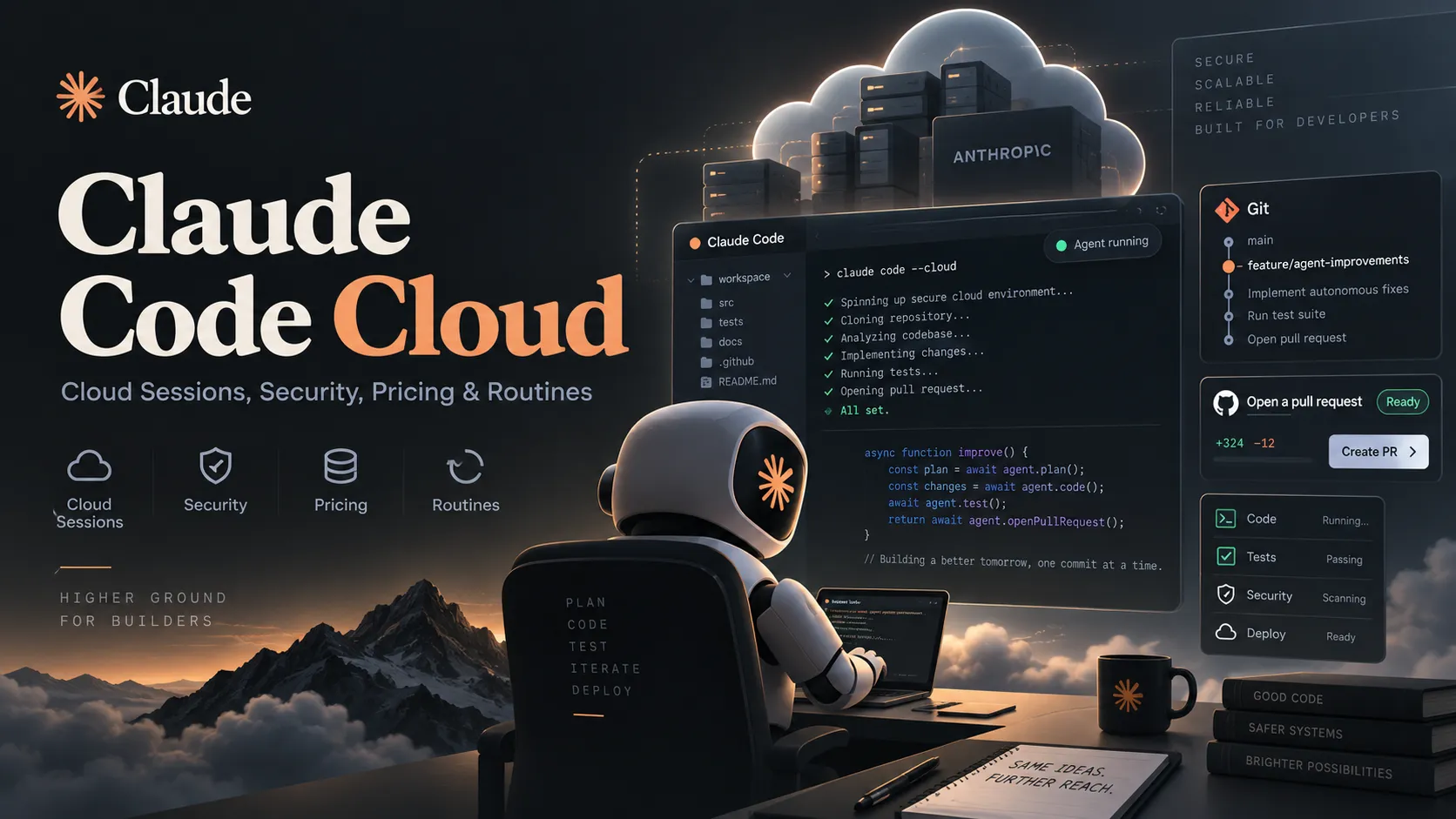
- Claude Code Cloud is the community shorthand for Anthropic's Claude Code cloud sessions, which run coding tasks in remote environments instead of on a developer's local machine.
- Cloud sessions let developers delegate work, close their laptop, and later review the result from the web, desktop app, mobile app, or terminal.
- Anthropic-hosted environments are designed for real software work, with Linux, common runtimes, Docker, databases, Git tooling, and configurable setup scripts.
- Cloud sessions are ephemeral execution environments, not permanent VPS instances. Long-running services should not be treated as durable infrastructure.
- The biggest strategic shift is not remote compute itself. It is the combination of cloud execution, GitHub integration, isolated credentials, automated pull-request workflows, and scheduled or event-driven Routines.
- Claude Code Cloud is most useful for bounded, testable tasks such as bug fixes, CI repair, dependency upgrades, refactors, tests, and repository maintenance.
What Is Claude Code Cloud?
Claude Code Cloud is an informal name for Claude Code cloud sessions.
Traditional Claude Code runs directly on a developer's computer. It reads local files, executes shell commands, edits code, runs tests, and works with the local Git checkout.
A cloud session changes the execution location:
Browser / mobile / desktop / CLI
              ↓
         Claude Code
              ↓
      Cloud environment
              ↓
Repository + shell + tests + Git
The developer can start a task and disconnect while the remote environment continues working.
That changes Claude Code from a tool that is tightly coupled to an open terminal into a system that can support delegated coding work.
How Claude Code Cloud Differs From Local Claude Code
Local Claude Code uses the developer's own machine:
Developer laptop
      ↓
Claude Code
      ↓
Local files and tools
Cloud sessions instead run remotely:
Developer device
      ↓
Claude interface
      ↓
Remote execution environment
      ↓
Repository and build tools
This creates several practical differences:
- The laptop does not need to remain awake.
- Multiple tasks can run independently.
- The remote environment can be configured consistently across sessions.
- GitHub workflows can be integrated more directly into the agent lifecycle.
- Local-only tools and files are not automatically available in the cloud environment.
Claude Code Cloud vs Remote Control
Cloud Sessions and Remote Control are not the same feature.
| Feature | Cloud Sessions | Remote Control |
|---|---|---|
| Claude runs on | Remote cloud environment | Your own computer |
| Laptop can be shut down | Yes | No |
| Direct access to local files | No | Yes |
| Uses local tools | No | Yes |
| Good for unattended tasks | Yes | Limited |
| Good for specialized local hardware | Limited | Yes |
Remote Control is useful when the developer wants to operate a powerful local Claude Code setup from another device.
Cloud Sessions are better when the goal is to hand off the work itself.
Starting a Cloud Session
A cloud task can be launched from the Claude Code CLI with a command such as:
claude --cloud "Fix the failing authentication tests and open a pull request"The task runs remotely instead of occupying the current machine.
Multiple independent jobs can be started for separate tasks:
claude --cloud "Upgrade the API client dependencies"
claude --cloud "Fix the flaky integration test"
claude --cloud "Update the deployment documentation"
This is one of the strongest use cases for cloud execution: parallelizing work that does not depend on the same unfinished branch state.
Bringing a Cloud Session Back to the Terminal
Claude Code also supports moving a cloud session back into a local workflow.
A typical command is:
claude --teleportThe goal is to let the developer continue locally after Claude has already done substantial work in the cloud.
This should be understood as a handoff rather than permanent two-way synchronization. Once work continues locally, the local and original remote contexts can diverge.
Cloud Environment Resources
Anthropic-hosted cloud environments are sized for common development tasks rather than unlimited compute.
The documented environment is based on Ubuntu and includes resources suitable for typical web application and backend development.
Commonly available tools include:
- Node.js and JavaScript package managers
- Python
- PHP
- Go
- Rust
- Java
- GCC and Clang
- Git and GitHub CLI
- Docker and Docker Compose
- PostgreSQL
- Redis
- Common shell utilities
This means Claude can do more than edit files. It can install dependencies, run builds, start supporting services, execute tests, inspect failures, and iterate.
Why Cloud Environments Matter
The important architectural feature is not just the remote VM. It is the reusable Cloud Environment around it.
A Cloud Environment can define things such as:
- Setup scripts
- Environment variables
- Network permissions
- API credentials
- Cached dependencies and tools
Without these controls, every remote coding task would behave like a fresh temporary server that must be rebuilt manually.
With environment configuration, teams can make autonomous sessions more predictable.
Setup Scripts
Projects that require extra system packages or command-line tools can install them before Claude begins working.
For example:
#!/bin/bash
apt update
apt install -y ffmpeg shellcheck
npm install -g wrangler
A setup script is useful for tools that are required across many tasks.
Good candidates include:
- Build dependencies
- Framework CLIs
- Linters
- Database clients
- Media-processing tools
- Cloud deployment CLIs
Setup scripts should stay deterministic and relatively fast. A fragile setup process makes every cloud task less reliable.
Environment Caching
Repeatedly downloading the same dependencies would make autonomous sessions slow and wasteful.
Cloud environment caching reduces that overhead by reusing prepared filesystem state.
Typical cached items can include:
- Installed packages
- Downloaded developer tools
- Docker images
- Generated setup artifacts
Running processes themselves should not be treated as durable state.
This makes the environment conceptually similar to a combination of:
Dev container
+
Ephemeral CI runner
+
AI coding agent
Network Access and Security Boundaries
Autonomous coding agents should not automatically receive unrestricted network access.
Cloud environments can restrict outbound access so that Claude can reach required package registries, APIs, and development services without receiving an unlimited network surface.
This is particularly important because an AI coding agent can:
- Execute shell commands
- Install packages
- Read repository content
- Make network requests
- Modify code
- Use credentials made available to the environment
A strong Cloud Environment therefore treats network access as an explicit permission.
GitHub Integration
GitHub is central to the Claude Code Cloud workflow.
A typical lifecycle is:
Repository
   ↓
Cloud session
   ↓
Edit code
   ↓
Run tests
   ↓
Commit changes
   ↓
Push branch
   ↓
Create pull request
This is more useful than simply giving an AI agent a remote shell because the output arrives through the team's existing code-review process.
The pull request becomes the review boundary between autonomous execution and human approval.
Credential Isolation
One of the most important security ideas in Claude Code Cloud is to avoid exposing broad credentials directly inside the agent environment whenever possible.
For example, GitHub access can be mediated so that the session can perform the operations it needs without simply storing an unrestricted personal token in a readable environment variable.
The same principle matters for external APIs.
Instead of designing an environment around:
PRODUCTION_SECRET=very-sensitive-valuethe safer architecture is to provide narrowly scoped credentials only to the requests and services that need them.
For autonomous coding systems, least privilege is more important than convenience.
Local Repository Bundling
Cloud Sessions are most deeply integrated with GitHub, but local repositories can also be useful inputs.
When a repository cannot be cloned directly through the standard GitHub flow, Claude Code can package repository state for a cloud session under supported conditions.
This is useful for:
- Early projects without a public remote
- Repositories hosted outside GitHub
- Experiments that have not yet been pushed
- Temporary branches or local work
However, full push and pull-request automation remains strongest when the repository is hosted on GitHub.
Cloud Sessions Are Not Permanent VPS Servers
Claude Code Cloud should not be used like a normal always-on server.
The execution environment is designed to be ephemeral.
That makes it well suited for workflows such as:
Fix issue
→ run tests
→ commit
→ open PR
→ finish
It is a poor fit for:
Start production service
→ keep process alive indefinitely
→ serve user traffic
Persistent bots, production web servers, crawlers, and other long-running services still belong on infrastructure designed for permanent workloads.
Best Tasks for Claude Code Cloud
Cloud execution works best when the task has a clear target and an objective way to verify success.
Strong use cases include:
- Bug fixes
- Failing test repair
- CI troubleshooting
- Unit-test generation
- Integration-test expansion
- Dependency upgrades
- Mechanical refactors
- Type migrations
- API migrations
- Documentation updates
- Lint and formatting cleanup
- Repository maintenance
- Pull-request follow-up work
These tasks benefit from measurable signals such as:
- Tests passing
- Type checks passing
- Build success
- Lint success
- Small reviewable diffs
- CI status
The more measurable the definition of done, the more suitable the task is for autonomous execution.
Tasks That Are Less Suitable
Cloud Sessions are less attractive when success depends heavily on continuous human visual judgment or unusual local infrastructure.
Examples include:
- GPU-dependent development
- Very large memory-intensive builds
- Proprietary hardware integration
- Complex local VPN-only environments
- Workflows that require frequent manual browser interaction
- Visual UI iteration that needs constant human steering
- Permanent background services
In these cases, local Claude Code, Remote Control, or a self-hosted environment can be a better choice.
Claude Code Cloud vs a VPS
A developer can recreate part of the experience with a regular VPS:
VPS
+
tmux
+
Git
+
Claude Code
A VPS can offer:
- Persistent processes
- Full root access
- Larger storage options
- Custom CPU and RAM
- Arbitrary networking
- Complete infrastructure control
Claude Code Cloud competes on a different layer.
Its value comes from the managed workflow around the execution environment:
- Disposable environments
- Cross-device access
- GitHub integration
- Permission boundaries
- Environment configuration
- Credential handling
- Parallel sessions
- Pull-request workflows
- Automated follow-up
- Event-driven execution
The product is therefore better understood as managed agent infrastructure, not simply rented compute.
Routines: The Bigger Long-Term Story
The most important extension of cloud execution is Claude Code Routines.
Routines allow predefined coding workflows to run based on triggers such as:
- A schedule
- A GitHub event
- An API request
That changes Claude Code from a system that waits for a human command into one that can react automatically to external events.
For example:
Nightly schedule
      ↓
Claude Code Routine
      ↓
Check repository health
      ↓
Run maintenance task
      ↓
Create pull request
Or:
CI failure
   ↓
Routine starts
   ↓
Inspect error
   ↓
Reproduce failure
   ↓
Attempt fix
   ↓
Open or update PR
Or:
Pull request opened
      ↓
Routine starts
      ↓
Review selected files
      ↓
Apply repository checklist
      ↓
Post findings
Cloud Sessions provide the execution layer. Routines provide automated invocation.
Together, they turn Claude Code into something closer to an event-driven software agent platform.
Auto-Fix and Pull-Request Feedback Loops
A powerful autonomous workflow does not stop after creating a pull request.
The more useful model is:
Claude creates PR
      ↓
CI runs
      ↓
Failure or review feedback
      ↓
Claude investigates
      ↓
Claude updates branch
      ↓
CI runs again
This reduces the repetitive human work of copying CI logs back into an AI conversation.
However, teams should review any GitHub automation triggered by comments or branch updates. Autonomous agents can accidentally activate downstream workflows that were originally designed only for trusted human input.
Pricing and Usage
Cloud execution should not be interpreted as a traditional hourly VM product.
The important cost driver is still model usage.
Parallel sessions can consume usage significantly faster because several agents may simultaneously:
- Read large repositories
- Generate code
- Run tools
- Re-evaluate failures
- Produce new iterations
Conceptually:
1 long-running agent
≈ 1 stream of model usage

5 long-running agents
≈ 5 concurrent streams of model usage
Parallelism improves throughput, but developers should still manage task size, context, and concurrency.
Anthropic has also used promotional Cloud Session credits for eligible Claude subscribers. Because promotional amounts, eligibility rules, and expiration dates can change, current account information should be treated as authoritative before making purchasing decisions.
Security Best Practices
Cloud coding agents deserve the same security discipline as CI/CD systems.
Recommended practices include:
- Give each environment only the repositories it needs.
- Restrict outbound network access.
- Avoid putting unrestricted production secrets in plain environment variables.
- Use narrowly scoped API credentials.
- Keep write permissions minimal.
- Review comment-triggered GitHub Actions.
- Do not expose production databases to general-purpose coding agents.
- Separate review-only agents from deployment-capable agents.
- Keep generated pull requests behind human review for high-impact changes.
The core principle is simple:
An agent should receive only the permissions required to complete its current task.
Privacy and Sensitive Repositories
Cloud execution means code must be processed outside the developer's local machine unless a self-hosted execution model is used.
Before using hosted sessions for sensitive repositories, teams should review:
- Their Claude plan and data terms
- Organization retention policies
- Repository classification
- Regulatory requirements
- Secret-handling rules
- Network restrictions
- Whether self-hosted execution is more appropriate
For low-risk open-source or ordinary application code, hosted execution can greatly simplify operations.
For highly regulated or confidential codebases, environment architecture deserves more scrutiny.
A Practical Workflow for Complex Tasks
A useful pattern is to separate planning from execution.
First, work interactively on the implementation plan:
Human + Claude
      ↓
Architecture discussion
      ↓
Concrete implementation plan
Then hand the approved plan to the cloud environment:
Reviewed plan
      ↓
Cloud Session
      ↓
Implementation
      ↓
Tests
      ↓
Pull request
      ↓
Human review
This reduces the risk of sending an autonomous agent into a large codebase with an ambiguous instruction such as refactor the backend.
The better the specification, tests, and acceptance criteria, the more effective Cloud Sessions become.
Why Claude Code Cloud Matters
The remote VM itself is not revolutionary.
Developers have had access to inexpensive cloud servers, CI runners, containers, and remote development machines for years.
The important change is the agent orchestration layer.
Claude Code is evolving through several stages:
Claude model
    ↓
Terminal coding assistant
    ↓
Remote cloud agent
    ↓
Parallel autonomous sessions
    ↓
GitHub feedback loops
    ↓
Scheduled and event-driven Routines
A terminal assistant waits for a developer.
A cloud agent keeps working after the developer disconnects.
An event-driven cloud agent can begin working without a developer manually starting the task at all.
That is the larger shift behind Claude Code Cloud.
Conclusion
Claude Code Cloud is best understood as the cloud execution layer of Claude Code rather than as a new cloud hosting product.
Its immediate advantage is straightforward: a developer can delegate a bounded coding task to a remote environment, leave the computer, and later review a branch or pull request.
The more important long-term value comes from the surrounding infrastructure: Cloud Environments, parallel sessions, credential isolation, GitHub workflows, automated PR follow-up, and Routines.
For teams evaluating the feature, the best starting point is not a large autonomous project. Start with a narrow, verifiable task such as a failing test, dependency upgrade, CI fix, or isolated refactor.
Then improve the repository's tests, setup scripts, permissions, and environment configuration before expanding into more autonomous workflows.
Claude Code Cloud is most powerful when the repository itself provides clear signals for success. In that environment, Claude Code moves beyond being an AI pair programmer and starts functioning as a managed software-development agent.
Continue Reading
More articles connected to the same themes, protocols, and tools.
Referenced Tools
Browse entries that are adjacent to the topics covered in this article.
