
 Cindy AgentCindy sits above individual coding harnesses. It provides one persistent workspace in which developers can use Claude Code, Codex, Pi, and other models without rebuilding project context each time.
Skydive
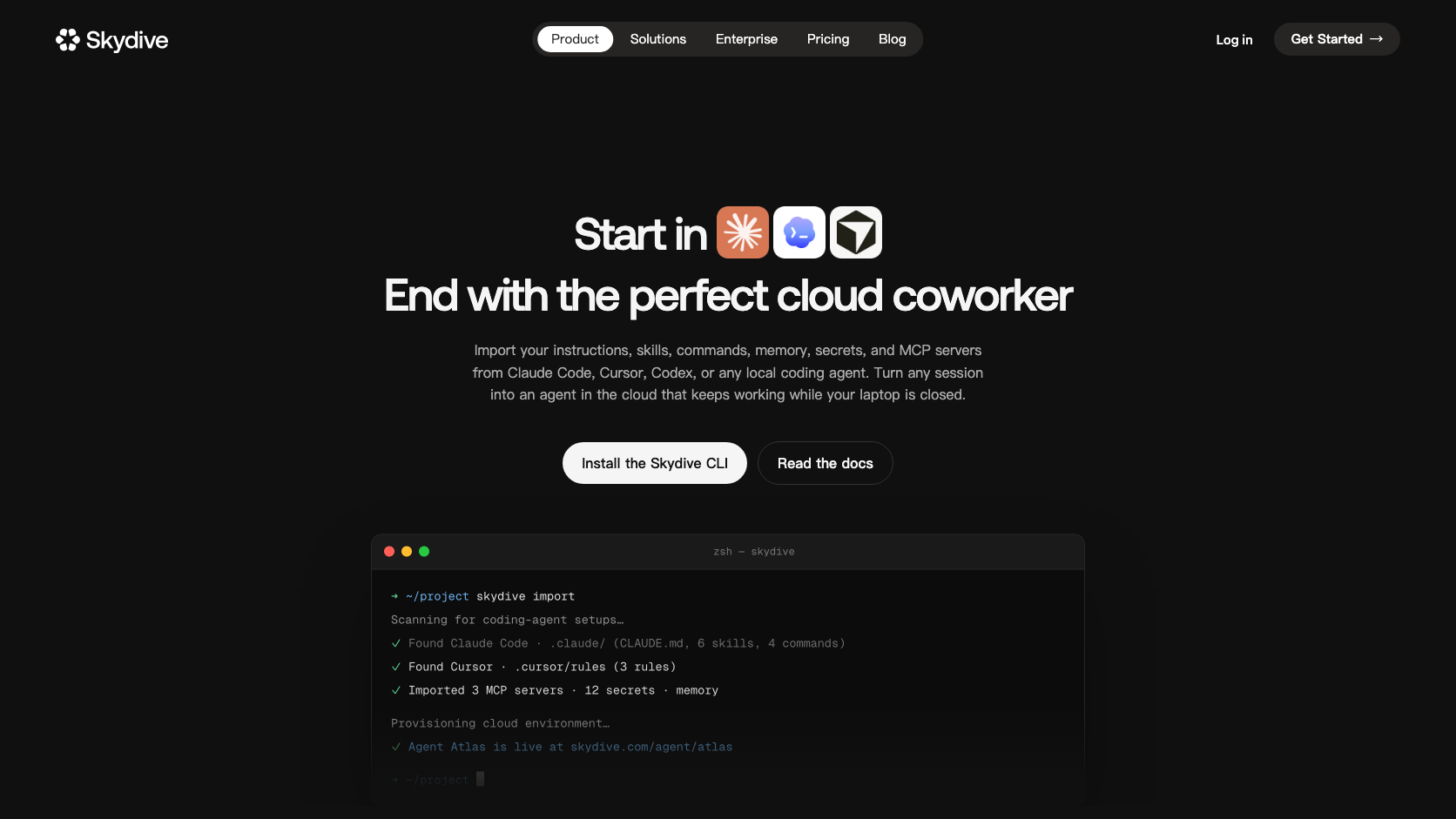
Skydive is a persistent cloud coworker layer for existing coding-agent setups. It imports the instructions and integrations developers already use, then keeps a remote workspace available around the clock.
Information checked: Aug 29, 2026 ·View sources
Tool details
- Type
- Developer workflows
- Platforms
- Cloud, Web, Slack, Email, iMessage
- Free plan
- No
- Open source
- No
- Bring your own key
- Yes
- Local models
- No
Overview
Best for
- Developers who want local coding-agent workflows available in the cloud.
- Teams running long tasks that need persistent workspaces.
- Users who supervise agents through messaging tools.
Strengths
- Builds on existing agent configurations instead of requiring a full restart.
- Persistent cloud availability supports long-running work.
- Repository, terminal, files, and memory form a complete workspace.
- Multiple messaging channels make remote supervision practical.
Limitations & trade-offs
- Organizations requiring all code and secrets to remain local.
- Users who only need short interactive sessions.
- Teams without clear cloud-agent permission policies.
- Uploading skills and secrets to a cloud agent raises security questions.
- Remote compute adds cost and another vendor dependency.
- Imported configurations may not behave identically to local tools.
- Messaging access requires strict authorization and audit controls.
Get started
Pricing & usage limits
See pricing
Cloud agent accessPlan-dependent
Compute, agent, and organization terms depend on the current Skydive plan.
Pricing checked: Aug 29, 2026 · Subscription, usage limits, and model costs may be billed separately.
Features & details
Import Existing Setup
- Instructions
- Skills
- MCP servers
- Secrets and integrations
Persistent Workspace
- Repository access
- Terminal and files
- Long-term memory
- 24/7 cloud availability
Remote Collaboration
- Web access
- Slack communication
- Email workflows
- iMessage interaction
Skydive Review 2026
Skydive turns a coding setup into a persistent cloud agent by importing instructions, skills, MCP servers, and secrets from tools such as Claude Code, Cursor, and Codex into a remote workspace.
What Is Skydive?
Skydive is a persistent cloud coworker layer for existing coding-agent setups. It imports the instructions and integrations developers already use, then keeps a remote workspace available around the clock.
Rather than replacing Claude Code, Cursor, or Codex, Skydive attempts to lift their instructions, skills, MCP servers, and secrets into a persistent cloud environment.
Core Features
Import Existing Setup
- Instructions
- Skills
- MCP servers
- Secrets and integrations
Persistent Workspace
- Repository access
- Terminal and files
- Long-term memory
- 24/7 cloud availability
Remote Collaboration
- Web access
- Slack communication
- Email workflows
- iMessage interaction
How It Fits an Agentic Development Workflow
Skydive is most useful when its permissions, repository scope, model access, and review checkpoints are configured before the first large task. Start with a bounded project, verify the generated changes or analysis, and only then expand access. This matters because agentic tools can move faster than a conventional assistant and can also amplify a bad assumption.
For teams, the practical evaluation should cover setup time, context quality, task completion rate, review burden, model or infrastructure cost, security controls, and how easily a human can interrupt or redirect work.
Best Use Cases
- Developers who want local coding-agent workflows available in the cloud.
- Teams running long tasks that need persistent workspaces.
- Users who supervise agents through messaging tools.
Pricing
- Cloud agent access: Plan-dependent. Compute, agent, and organization terms depend on the current Skydive plan.
Pricing and limits can change quickly. The figures or plan descriptions above were checked against official information on 2026-08-29; verify the official site before purchasing.
Privacy, Security, and Deployment
Skydive may hold repositories, terminal access, memory, MCP configuration, and secrets. Review isolation, encryption, retention, credential scope, remote-channel authorization, and deletion guarantees.
Any coding agent or developer tool with repository, terminal, browser, or secret access should be introduced with least-privilege credentials, protected branches, mandatory review, isolated test environments, and clear log-retention rules.
Limitations
- Uploading skills and secrets to a cloud agent raises security questions.
- Remote compute adds cost and another vendor dependency.
- Imported configurations may not behave identically to local tools.
- Messaging access requires strict authorization and audit controls.
Alternatives
- Cursor Cloud Agents
- Cindy Agent
- Warp
- Port22
- GitHub Codespaces
The best alternative depends on whether the priority is an AI-native editor, a terminal harness, autonomous cloud execution, code review, mobile control, or a shared orchestration layer.
Verdict
A notable cloud-agent workspace because it imports existing setups, but its security model should be evaluated as carefully as any privileged development environment.
Official Sources
Model support & data privacy
Supported models
- Imported coding-agent configurations
- Cloud model providers
Privacy & data handling
Skydive may hold repositories, terminal access, memory, MCP configuration, and secrets. Review isolation, encryption, retention, credential scope, remote-channel authorization, and deletion guarantees.
Guides, reviews & fixes
No published guides yet. Start with the official documentation above.
Product updates
No verified product updates listed yet. Follow this tool to see new relevant content in Saved.
See the content timelineAlternatives
Cindy AgentCindy sits above individual coding harnesses. It provides one persistent workspace in which developers can use Claude Code, Codex, Pi, and other models without rebuilding project context each time. WarpWarp is a terminal-first agentic development environment that combines an AI-native coding workspace with local and cloud agent orchestration.
 Port22Port22 is a lightweight mobile control surface for coding agents that continue to run on a developer's Mac. It focuses on monitoring and approvals rather than moving the whole agent into a new cloud platform.
 GitHub CodespacesGitHub Codespaces is a GitHub-native cloud development environment for running reproducible, containerized developer workspaces from repositories, branches, pull requests, and templates.
Sources & verification
Verification dates record when this directory checked the information. Product release dates appear separately above.
Directory revision history
Created a complete English draft profile from current official sources; kept unpublished for editorial review.