
 Fly.ioA developer-focused cloud platform that combines container deployment, globally distributed virtual machines, and programmable networking with more infrastructure control than a traditional PaaS.
Railway CLI
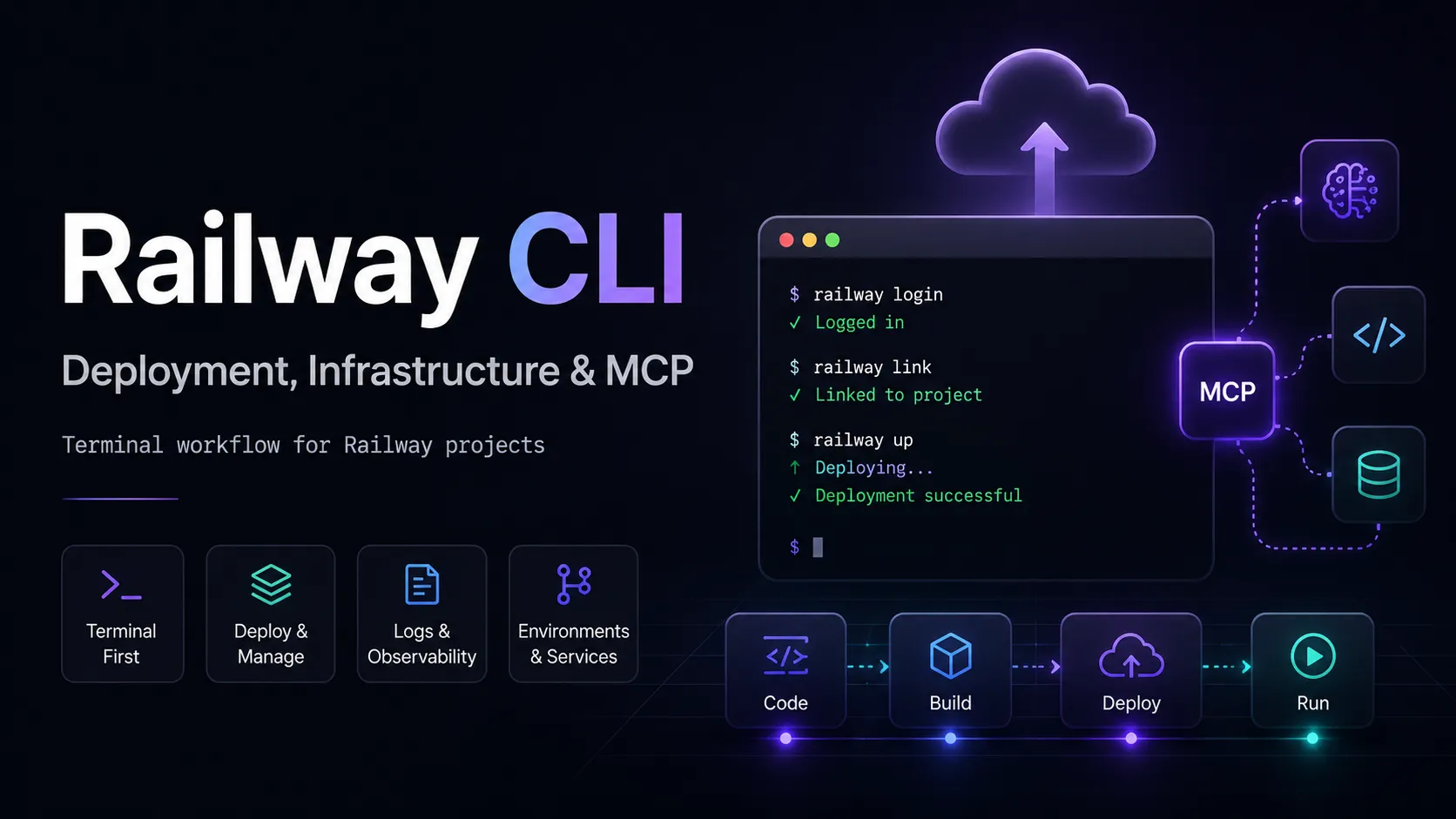
Railway CLI is a platform-specific developer workflow and infrastructure CLI for managing the Railway application deployment lifecycle from a terminal, with additional MCP and AI-agent integrations. ([Railway Docs][2])
Information checked: Aug 12, 2026 ·View sources
Tool details
- Type
- Developer workflows
- Platforms
- macOS, Linux, Windows, FreeBSD
- Free plan
- Yes
- Open source
- Yes
- Bring your own key
- No
- Local models
- No
Overview
Best for
- Developers deploying applications to Railway from the terminal
- Teams automating Railway deployments in CI/CD
- Managing Railway services, environments, variables, logs, and infrastructure
- Developers who want Claude Code, Cursor, Codex, or other coding assistants to operate Railway infrastructure
- Projects that want infrastructure configuration to live closer to source control
Strengths
- Covers most of the Railway deployment lifecycle without leaving the terminal.
- Open-source and MIT licensed.
- Works well in both interactive development and headless CI/CD workflows.
- Integrates Railway operations with modern AI coding assistants through MCP and Agent Skills.
- Supports configuration and infrastructure workflows that can be reviewed alongside application code.
- Useful debugging commands reduce the need to constantly switch to the Railway dashboard.
Limitations & trade-offs
- Developers looking for an AI agent that writes and edits application code
- Teams requiring cloud-provider-agnostic infrastructure tooling
- Projects that do not plan to use Railway as a hosting platform
- Organizations that want deployment automation completely independent of a managed PaaS
- Primarily useful for applications hosted on Railway.
- It is an infrastructure CLI, not a general-purpose AI coding agent.
- The CLI is free, but deployed Railway workloads can generate cloud usage charges.
- Infrastructure commands can modify or delete production resources if used carelessly.
- Moving to another hosting provider usually requires replacing Railway-specific automation.
Get started
Pricing & usage limits
Official pricingFree tier available
Railway CLI$0
Open-source MIT-licensed CLI. Railway cloud usage is billed separately.
Free$0 / month
Railway platform plan for small apps with $1 of monthly usage credit.
Hobby$5 / month
Includes $5 of Railway resource usage each month.
Pro$20 / month
Includes $20 of resource usage and supports team-oriented production workflows.
EnterpriseCustom
Enterprise Railway plan with compliance, SLA, and account-management options.
Pricing checked: Aug 12, 2026 · Subscription, usage limits, and model costs may be billed separately.
Features & details
Deploy & Operate
- Deploy local projects with railway up
- Create and link Railway projects and services
- Stream build and deployment logs
- SSH into running services
- Restart, redeploy, scale, and inspect deployments
Configuration & Automation
- Manage environments and variables
- Use project and workspace tokens in CI/CD
- Infrastructure-as-code plan and apply workflow
- JSON output for automation
- Run local commands with Railway environment variables
AI Developer Integration
- Local Railway MCP server
- Remote MCP configuration support
- Railway Agent Skills installation
- Claude Code, Cursor, Codex, Copilot, and OpenCode integration
- Natural-language Railway Agent access
Infrastructure Management
- Service and database provisioning
- Domains and networking management
- Resource usage inspection
- Deployment metrics and debugging
- Config-as-code support
Why Choose Railway CLI?
Railway CLI makes the most sense when Railway is already part of the deployment architecture. Rather than treating deployment as a separate operations task performed in a browser, it lets developers keep much of the application lifecycle inside the same terminal where they build, test, and debug software.
The important distinction is that Railway CLI is not primarily an AI coding agent. It does not occupy the same category as Claude Code, Codex CLI, Gemini CLI, or Aider. Its responsibility is the infrastructure surrounding the code: applications, services, environments, deployments, variables, networking, databases, logs, and operational state.
That boundary has become more interesting as Railway has expanded its AI integrations. The CLI can now act as the local execution layer behind Railway's MCP server and can install Railway-specific skills into supported coding assistants. This means an AI coding agent can remain responsible for reasoning about the project while Railway CLI provides a controlled interface to the deployment platform. ([Railway Docs][3])
Core Workflow
A productive Railway workflow usually begins by linking a local repository with the intended Railway project, service, and environment. Once that relationship is established, the terminal becomes a convenient operational context rather than simply a deployment button.
The biggest practical benefit appears during iteration. A developer can change application code, deploy it, inspect the resulting build or runtime behavior, adjust configuration, and repeat without constantly moving between the editor, terminal, and Railway dashboard. This is particularly useful when debugging failures that only appear after the application enters the hosted environment.
For production work, teams should separate application configuration from local developer state. Railway supports deployment-level config-as-code through railway.toml or railway.json, while newer infrastructure-as-code CLI commands support a broader plan-and-apply workflow. These mechanisms solve different problems: deployment configuration describes how a service should build and run, while infrastructure automation is more useful when the desired project structure itself should be reproducible. Railway's config-as-code settings override equivalent dashboard settings for the deployment, making the repository a meaningful source of deployment behavior. ([Railway Docs][2])
Working with AI Coding Agents
Railway's newer agent integration is arguably the most differentiating part of the CLI for an AI developer-tools audience.
Instead of requiring an AI assistant to construct arbitrary shell commands or directly call undocumented infrastructure endpoints, Railway exposes infrastructure operations through MCP. With the local configuration, the MCP server runs through Railway CLI and can expose structured operations for projects, services, environments, deployments, variables, domains, storage, networking, logs, and metrics. Railway also offers a hosted remote MCP path for workflows where developers do not want the local CLI to act as the server. ([Railway Docs][3])
The practical architecture is therefore different from a normal coding agent. Claude Code or Codex can reason about why an application failed, inspect the project, modify source code, and then use Railway's integration to retrieve deployment information or perform an infrastructure operation. Railway CLI acts as the bridge to the hosting environment rather than the primary reasoning engine.
This separation can be useful, but it also introduces a security consideration. Giving an AI assistant infrastructure access is substantially different from letting it search documentation. Operations such as deleting services, modifying networking, changing variables, or redeploying production workloads can have real consequences. Railway marks destructive MCP operations and documents confirmation and access-control considerations, but teams should still use appropriately scoped credentials and preferably test agent-driven automation against non-critical environments first. ([Railway Docs][3])
Comparison to Alternatives
The closest alternatives are not other AI coding agents; they are the command-line interfaces provided by competing deployment platforms.
Fly.io flyctl is a strong comparison for teams that want more explicit control over application runtime infrastructure. Fly.io workflows tend to expose more infrastructure concepts directly, whereas Railway emphasizes a higher-level application platform experience.
Heroku CLI is conceptually one of the closest comparisons. Both products place a managed application platform behind a developer-friendly command-line workflow. Developers migrating from Heroku will recognize the general model even though Railway's project, service, environment, networking, and billing concepts differ.
Vercel CLI and Netlify CLI overlap most strongly for web applications. They can be more natural choices when the workload is primarily frontend, serverless, or tightly integrated with their respective web deployment ecosystems. Railway is more compelling when the project includes conventional backend processes, databases, persistent services, or multiple cooperating services.
The deciding factor should therefore usually be the underlying hosting platform rather than the CLI in isolation. None of these tools is especially valuable without its corresponding cloud service.
Best Configuration
For individual development, an interactive Railway login and a linked local project provide the simplest workflow. For shared repositories and CI environments, configuration should be more explicit.
Keep build and deployment behavior in version-controlled configuration wherever practical, and avoid depending on one developer's local linked state as the only description of where an application deploys. CI jobs should use the appropriate Railway token type and explicitly target the expected project, service, and environment when ambiguity could create a production incident.
Projects using AI assistants should also decide deliberately between local and remote MCP. Local MCP is attractive when the developer already uses Railway CLI and wants the AI tool to operate through that authenticated local context. Remote MCP is more appropriate when OAuth-based access and a Railway-hosted endpoint better match the editor or automation environment.
Production teams should be conservative with automatic approval. The fact that an infrastructure action can be expressed naturally does not make it less consequential. Human review remains valuable for changes involving deletion, networking, storage, production variables, or deployment acceptance.
Migration Notes
Moving to Railway CLI from another provider's CLI is usually less about translating command names and more about translating the infrastructure model.
Application code packaged with a conventional Dockerfile is generally easier to move than a project deeply coupled to provider-specific build behavior. Explicit start commands, health checks, environment requirements, and dependency assumptions also reduce migration ambiguity.
Environment variables deserve special attention. Copying key-value pairs is simple, but service-to-service references, generated connection strings, private networking names, and provider-specific system variables may not have direct equivalents. Persistent databases and volumes should be treated as data migrations rather than CLI configuration migrations.
Moving away from Railway has the inverse tradeoff. Shell scripts built heavily around Railway commands, Railway-specific configuration files, MCP operations, or project tokens will need replacement. For organizations that consider provider portability a primary requirement, a more cloud-neutral infrastructure layer may be preferable. For teams committed to Railway, however, using the native CLI usually produces a simpler developer experience than maintaining a generic abstraction solely for hypothetical future portability.
Model support & data privacy
Privacy & data handling
Railway CLI authenticates against Railway and sends deployment, configuration, and operational requests to Railway services. Local MCP runs through the installed CLI, while Railway also offers a hosted remote MCP option. Authentication tokens and production credentials should be scoped and protected carefully, particularly when AI assistants are allowed to invoke infrastructure operations. ([Railway Docs][3])
Guides, reviews & fixes
No published guides yet. Start with the official documentation above.
Product updates
No verified product updates listed yet. Follow this tool to see new relevant content in Saved.
See the content timelineAlternatives
Fly.ioA developer-focused cloud platform that combines container deployment, globally distributed virtual machines, and programmable networking with more infrastructure control than a traditional PaaS. HerokuA mature platform as a service that prioritizes developer productivity by managing application builds, runtime infrastructure, delivery workflows, and common data services.
 VercelA frontend and AI cloud platform with official resources for coding agents and rapid web deployment.
Sources & verification
Verification dates record when this directory checked the information. Product release dates appear separately above.
Official websiteRailway CLI DocumentationRailway Pricing PlansRailway CLI Deployment GuideRailway MCP ServerRailway Agent SkillsRailway Config as Code
Directory revision history
Railway CLI v5.37.7 was the latest GitHub release when checked. ([GitHub][4])
Railway documented the unified agent setup workflow for installing Agent Skills, configuring MCP, and checking Railway authentication. ([Railway Docs][5])
Railway's CLI documentation included local and remote MCP integration for AI coding assistants including Claude Code, Cursor, Codex, Copilot, Factory Droid, and OpenCode. ([Railway Docs][6])