

Eclipse Che
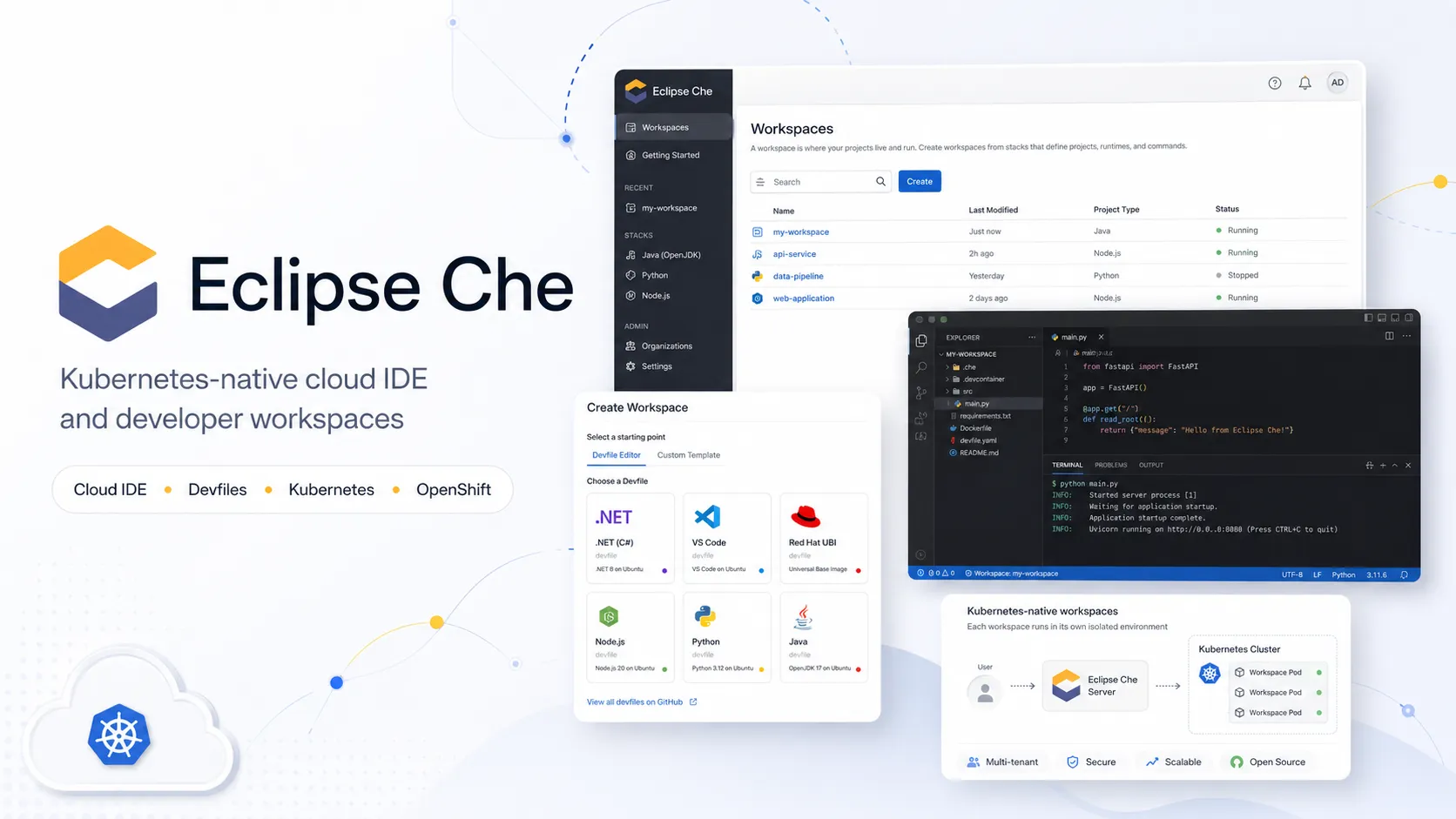
Eclipse Che is an open-source Kubernetes-native cloud IDE and developer workspace platform. It helps teams run browser-based, containerized development environments on Kubernetes or OpenShift using devfiles and workspace-as-code patterns.
Eclipse Che is a strong choice for organizations that want open-source, Kubernetes-native, browser-based developer workspaces with enterprise control. It is less suitable for teams that want a fully managed SaaS IDE, built-in AI coding, or a low-operations setup.
Pricing Plans
Open Source
Eclipse Che is free and open source under the Eclipse Public License 2.0.
Self-Hosted Infrastructure
You provide and pay for Kubernetes, OpenShift, storage, networking, identity, and compute resources.
Hosted Trial / Samples
Public sample workspaces may be available through Red Hat-hosted OpenShift workspaces, subject to availability and account requirements.
Core Features
1Kubernetes-Native Workspaces
- Workspaces run as Kubernetes or OpenShift pods
- DevWorkspace Operator-based workspace engine
- Multi-container workspace support
- Production-like development runtimes
2Browser-Based IDEs
- Default Visual Studio Code - Open Source editor
- JetBrains IDE support through Kubernetes-deployed editors
- In-browser terminal, VCS, language tools, and debugging
- Bring-your-own editor definitions
3Workspace-as-Code
- Devfile-based environment configuration
- Start workspaces from Git repository URLs
- Default Universal Developer Image fallback
- Shareable and repeatable workspace definitions
4Enterprise Administration
- OIDC authentication
- Kubernetes RBAC-based access control
- OpenShift OAuth or Dex integration
- Prometheus and Grafana integration paths
5Extension and Registry Control
- Open VSX extension registry support
- Embedded, public, or standalone extension registry options
- Default extension configuration
- Air-gapped and restricted-environment deployment support
Pros
- Open-source Kubernetes-native cloud IDE with strong enterprise deployment patterns.
- Good fit for teams already running Kubernetes or OpenShift.
- Devfile support makes development environments versioned and repeatable.
- Browser-first workflow reduces local setup and helps prevent code from living on developer laptops.
- Supports VS Code Open Source, JetBrains-style workflows, custom editors, and Open VSX extension control.
Cons
- Requires Kubernetes or OpenShift administration knowledge.
- Less turnkey than fully managed cloud IDEs such as GitHub Codespaces or Gitpod.
- Not an AI-native coding assistant by default.
- Operational complexity can be high for small teams without platform engineering support.
- Workspace performance and cost depend heavily on cluster sizing, storage, networking, and image strategy.
Why Choose Eclipse Che?
Eclipse Che is best understood as a platform for cloud development environments, not just a browser editor. Its strongest value appears when an organization already treats Kubernetes or OpenShift as the standard runtime and wants development workspaces to follow the same operational model.
The core advantage is environmental control. Instead of asking every developer to install the right runtimes, SDKs, credentials, extensions, and local services, Che turns the workspace into a centrally managed Kubernetes resource. That makes onboarding faster, reduces workstation drift, and gives platform teams a more consistent place to apply access control, monitoring, image policy, and network rules.
Core Workflow
A typical Che workflow starts from a Git repository or sample. Che reads the repository’s devfile when available, creates a workspace as Kubernetes resources, starts the selected browser IDE, and attaches the developer to the runtime containers needed to build, test, run, and debug the application.
The best results come when the devfile is treated like a first-class part of the repository. It should define the runtime image, commands, ports, dependencies, and workspace conventions clearly enough that a new developer can open the project without reading a long setup guide. For platform teams, the same pattern can be extended through curated base images, default extensions, internal Open VSX registries, and cluster-level policies.
Che is particularly different from local remote-development tools because the IDE itself is part of the workspace. The editor, tools, language services, terminal, and runtime all live close to the code and dependencies inside the cluster.
Use Cases
Eclipse Che fits organizations that need secure remote development, controlled onboarding, VDI replacement patterns, OpenShift-native workflows, training environments, regulated engineering environments, and production-like Kubernetes development.
It is also useful for large teams where laptop setup is a recurring cost. If developers frequently switch projects, branches, or technology stacks, browser-based reproducible workspaces can save time and reduce support tickets. The value is highest when many developers share similar environment requirements and the platform team can standardize them.
Comparison to Alternatives
Compared with GitHub Codespaces, Eclipse Che offers more self-hosting and Kubernetes-native control. Codespaces is easier for GitHub-first teams that want a managed service, while Che is more appropriate when infrastructure location, OpenShift integration, RBAC, extension registry control, and enterprise deployment policy matter.
Compared with Gitpod, Che is less SaaS-like and more platform-oriented. Gitpod may feel smoother for teams that want a managed or dedicated CDE product, while Che is a better fit for organizations that want an open-source base and are comfortable operating Kubernetes.
Compared with Coder, Che is more tightly aligned with Kubernetes and OpenShift concepts. Coder can be broader in infrastructure coverage and workspace templating, while Che is strongest where Kubernetes-native workspaces, devfiles, and in-browser IDEs are the desired standard.
Compared with DevPod, the operating model is almost reversed. DevPod is a lightweight client that launches devcontainer-style environments across providers. Che is a multi-user server-side platform where workspaces are managed inside a cluster.
Best Configuration
For production use, start with the platform foundation before onboarding teams. Identity, TLS, storage classes, namespace strategy, resource quotas, image registries, extension policy, and logging should be decided before broad rollout. Che can feel simple to developers only when the platform layer is well prepared.
Use curated base images and devfiles for common stacks. A small set of supported paths usually works better than allowing every team to invent a unique workspace model. For example, define official templates for Java, Node.js, Python, Go, Quarkus, Spring, and front-end applications, then let teams extend them only where necessary.
For extension governance, consider whether the public Open VSX registry is acceptable. Regulated or air-gapped environments may need an embedded or standalone registry so the organization can control which extensions are available.
Migration Notes
Teams moving from local development should not begin with every repository. Pick one project with painful onboarding, a clear container runtime, and a team willing to maintain the devfile. Once that project works well, reuse the pattern for similar stacks.
Teams moving from Codespaces or Gitpod should evaluate the operational tradeoff carefully. Che can reduce vendor dependency and improve infrastructure control, but it moves more responsibility to the organization. Cluster sizing, upgrades, storage performance, registry mirrors, user authentication, and support all become internal concerns.
For organizations already using OpenShift, Red Hat OpenShift Dev Spaces may be worth evaluating alongside upstream Eclipse Che. It is based on the same project lineage but packaged for enterprise OpenShift support and lifecycle expectations.
Best For
- Enterprise teams standardizing development environments on Kubernetes or OpenShift
- Organizations replacing local workstation setup with centralized browser-based workspaces
- Platform engineering teams building cloud development environments
- Teams that want devfile-based, version-controlled workspace definitions
- Projects that benefit from production-like development runtimes inside Kubernetes pods
Not Ideal For
- Small teams that want a simple managed IDE with no Kubernetes operations
- Developers looking for an AI coding assistant or prompt-to-app builder
- Teams that do not use containers, Kubernetes, OpenShift, or devfile workflows
- Organizations without capacity to manage storage, networking, OIDC, RBAC, upgrades, and cluster sizing
- Solo developers who mainly need lightweight local development
Privacy Notes
Eclipse Che is typically self-hosted on infrastructure controlled by the organization. Source code, workspace containers, credentials, logs, and runtime data are governed by the chosen Kubernetes or OpenShift cluster, storage backend, identity provider, RBAC policies, and extension registry configuration. Teams should review cluster access, namespace isolation, secrets handling, image provenance, Open VSX registry policy, and log retention before rollout.
Alternatives
Sources
- Official website
- Introduction to Eclipse Che documentation
- Devfile introduction documentation
- Microsoft Visual Studio Code - Open Source IDE documentation
- Managing IDE extensions documentation
- Security best practices documentation
- Gateway documentation
- Architecture documentation
- Restricted environment installation documentation
- Running Eclipse Che at scale documentation
- Official GitHub repository
- Devfile AI Assistant blog post
Update History
- Jun 16, 2026: Created initial directory entry using Eclipse Che official website, documentation, GitHub repository, security, architecture, extension registry, and Devfile AI Assistant blog sources.
Related Tools
More listings in a similar part of the directory.





Eclipse Che Articles
Guides, comparisons, and launch notes connected to this listing.

