
 Amazon BedrockAmazon Bedrock is an AWS-managed generative AI platform for enterprises and developers building secure model-powered applications, agents, RAG systems, and customized foundation model workflows.
Microsoft Foundry
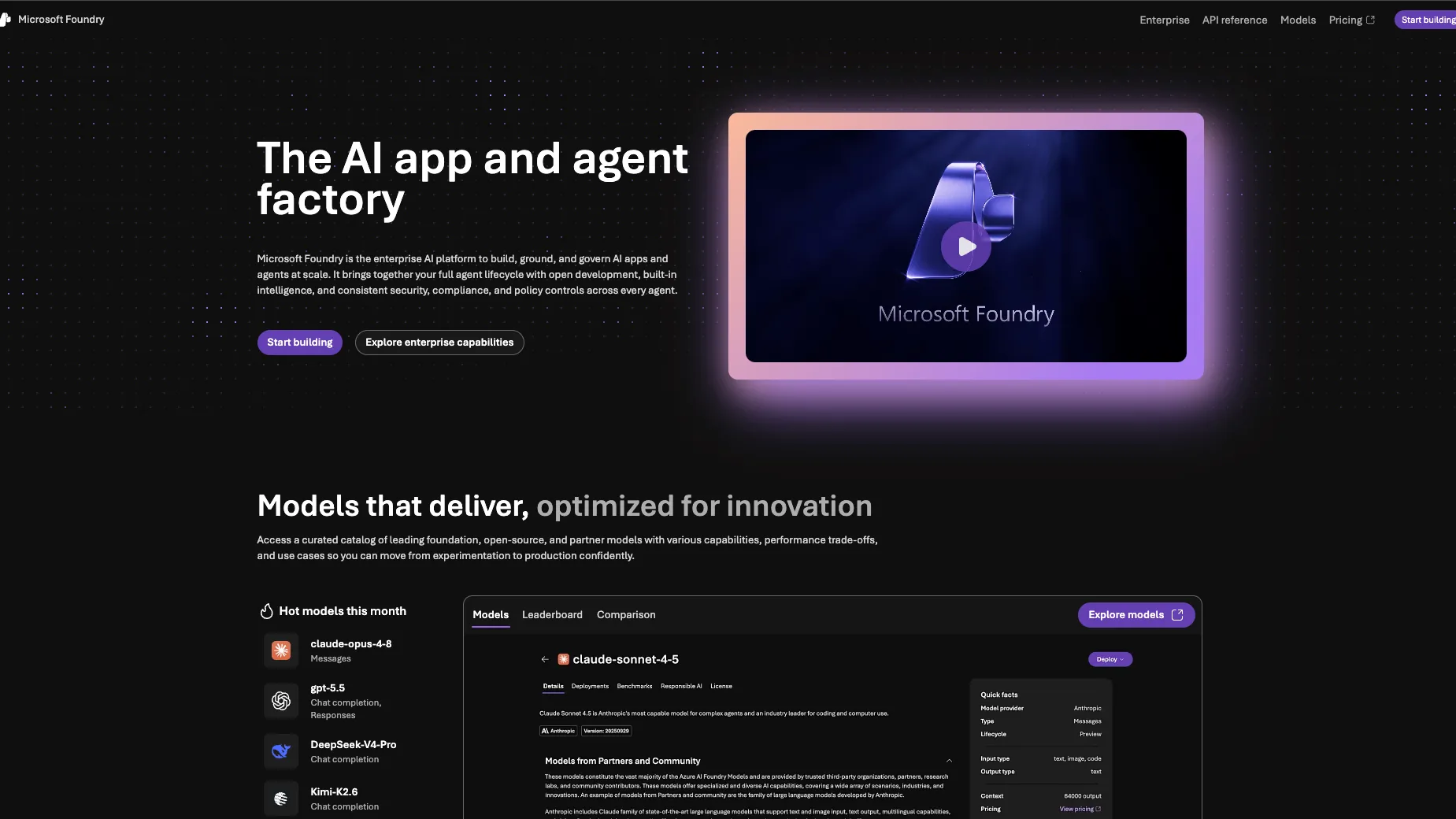
Microsoft Foundry is Azure’s enterprise AI application and agent platform for building, grounding, evaluating, deploying, and governing generative AI systems at scale.
Information checked: Jun 30, 2026 ·View sources
Tool details
- Type
- Developer workflows
- Platforms
- Azure Portal, Foundry Portal, Web, API, Azure SDK, Azure CLI, Azure Developer CLI, Visual Studio Code, Python, JavaScript, TypeScript, .NET, Java, Go, C#, Rust, Windows, Linux, macOS, Foundry Local
- Free plan
- No
- Open source
- No
- Bring your own key
- No
- Local models
- Yes
Overview
Best for
- Azure-native teams building production generative AI applications
- Enterprises that need centralized identity, governance, monitoring, and model access
- Teams building agents with tools, workflows, MCP connections, and enterprise data
- RAG systems using private company documents and Microsoft or Azure data sources
- Developers comparing multiple foundation model providers under one cloud platform
- Organizations that need evaluation, tracing, safety, and observability before production rollout
- Apps that need both cloud AI and local/on-device model execution options
Strengths
- Strong fit for enterprises already standardized on Microsoft Azure.
- Broad model catalog under Azure identity, billing, networking, and governance controls.
- Agent, RAG, evaluation, monitoring, and safety workflows are integrated into one platform surface.
- Useful bridge between low-code portal workflows, SDK-based development, VS Code tooling, and MCP-enabled agents.
- Foundry Local gives Microsoft’s AI platform a credible on-device and offline development path.
Limitations & trade-offs
- Developers looking for a full AI code editor like Cursor or Windsurf
- Small prototypes that only need one simple hosted LLM API key
- Teams that do not want Azure subscriptions, regions, RBAC, quotas, or cloud billing complexity
- Projects that require fully self-hosted open-source model serving with direct infrastructure control
- Builders who want a fixed monthly SaaS subscription instead of usage-based cloud pricing
- Apps that need provider-native APIs immediately without an Azure abstraction layer
- Not an AI IDE, code editor, or prompt-to-app builder.
- Pricing is complex because cost depends on model, region, provider, deployment type, token volume, tools, and connected Azure resources.
- The product naming has shifted from Azure AI Foundry to Microsoft Foundry, which can confuse search and documentation references.
- Best results require Azure knowledge, especially around subscriptions, RBAC, networking, quotas, monitoring, and billing.
- Some models, regions, and advanced agent or hosted-agent features may require access requests, previews, or quota planning.
Get started
Pricing & usage limits
Official pricingSee pricing
Foundry ModelsUsage-based / per model, token, image, video, audio, query, or compute unit
Pay-as-you-go pricing varies by model provider, modality, deployment type, region, and service tier.
Provisioned ThroughputUsage-based
Reserved model capacity for predictable latency and throughput on supported models.
Batch InferenceUsage-based
Batch processing option for supported models and offline inference workloads.
Managed ComputeUsage-based
Dedicated GPU infrastructure for open-source and custom model deployment without managing hardware.
Foundry Agent ServiceNo extra charge for native prompt/workflow agents
Model tokens, tools, connectors, Foundry IQ connections, and hosted-agent container compute may create separate charges.
Foundry Local$0
Local on-device runtime and SDK; no Azure subscription or per-token cloud cost for local execution.
Enterprise / Azure AccountCustom
Enterprise support, quotas, private networking, compliance, committed usage, and account-level procurement.
Pricing checked: Jun 30, 2026 · Subscription, usage limits, and model costs may be billed separately.
Features & details
Model Platform
- Large model catalog across Microsoft, OpenAI, Anthropic, Meta, Mistral, DeepSeek, xAI, Hugging Face, Cohere, and other providers
- Serverless API and provisioned deployment options
- Chat Completions, Responses API, and Azure SDK workflows
- Model benchmarking, routing, fine-tuning, distillation, and custom model import
Agent Development
- Foundry Agent Service
- Prompt agents and hosted code-based agents
- Support for Agent Framework, LangGraph, and custom agent code
- Action groups, tool catalog, MCP tools, traces, and multi-agent collaboration
RAG & Knowledge
- Foundry IQ and Knowledge Bases
- Enterprise data connectors
- Document ingestion, retrieval, citations, reranking, and grounding workflows
- Permission-aware data access patterns for enterprise knowledge
Evaluation & Governance
- Built-in model and agent evaluations
- Quality, safety, RAG, and agent-specific evaluators
- Tracing, monitoring, and Application Insights integration
- Content safety, responsible AI tooling, and policy controls
Developer Workflow
- Foundry portal
- Foundry SDKs and Azure SDKs
- Azure CLI and Azure Developer CLI workflows
- Foundry MCP Server for AI clients
- Foundry Toolkit for Visual Studio Code
Security & Deployment
- Microsoft Entra ID and Azure RBAC
- Azure Key Vault and customer-managed key patterns
- Private Link and network isolation options
- CloudTrail-equivalent Azure monitoring through Azure Monitor, Application Insights, and diagnostic logs
- Foundry Local for offline and on-device AI scenarios
Why Choose Azure AI Foundry?
Azure AI Foundry is now presented in current Microsoft documentation as Microsoft Foundry, but many developers and buyers still search for the older Azure AI Foundry name. The important product idea is the same: a Microsoft cloud platform for building AI apps and agents with enterprise governance rather than stitching together separate model APIs, vector tools, evaluation scripts, and deployment infrastructure.
The strongest reason to choose Foundry is Microsoft ecosystem gravity. If your organization already uses Azure, Entra ID, Microsoft 365, GitHub, Visual Studio Code, Azure Monitor, Azure networking, and Microsoft security controls, Foundry gives AI teams a path that feels native to the existing operating model.
It is not a replacement for an AI code editor. It is the platform behind AI applications: where teams discover models, deploy endpoints, orchestrate agents, connect tools, ground responses in enterprise data, run evaluations, observe quality, and apply governance policies before production rollout.
Core Workflow
A typical workflow starts with model exploration in the Foundry portal or catalog. Developers compare candidate models, test prompts in playgrounds, deploy a model, then call it from application code through Azure SDKs, REST APIs, or OpenAI-compatible patterns where supported.
As the app matures, the workflow usually expands beyond a single model call. Teams add retrieval over private data, define agent tools, build action groups, trace agent behavior, run evaluations, configure safety controls, and monitor quality and token usage in production. This shift from prompt testing to lifecycle management is where Foundry becomes valuable.
For coding-agent workflows, Microsoft is also pushing MCP and VS Code integration. Foundry MCP Server lets compatible clients interact with Foundry resources through natural-language tools, while Foundry Toolkit for Visual Studio Code helps developers work with models locally and in the Microsoft AI stack. That does not make Foundry an IDE, but it does make it more accessible inside developer environments.
Use Cases
Foundry is well suited to enterprise copilots, customer support agents, internal knowledge assistants, document search, sales enablement, code and data assistants, regulated workflow automation, call-center summarization, multimodal analysis, and RAG applications over business data.
It is also useful when a company wants to compare model providers without negotiating every integration separately. A team can evaluate OpenAI, Anthropic, Meta, Mistral, DeepSeek, xAI, Hugging Face, Microsoft, and other model families under a shared Azure governance model.
Foundry Local adds another use case: apps that need on-device AI for privacy, low latency, offline behavior, or lower cloud inference cost. That makes the platform relevant not only for cloud-hosted enterprise agents, but also for Windows and cross-platform applications that need local AI features.
Comparison to Alternatives
Compared with Amazon Bedrock, the decision often follows cloud strategy. AWS-native teams may prefer Bedrock because it fits IAM, VPC, CloudWatch, and broader AWS infrastructure. Microsoft-native teams may prefer Foundry because it aligns with Azure, Entra ID, Microsoft 365, GitHub, Visual Studio Code, and Azure governance.
Compared with Google Vertex AI, Foundry is more tightly associated with Microsoft enterprise productivity and the Azure/OpenAI relationship, while Vertex AI fits teams already invested in Google Cloud, Gemini, BigQuery, and Google’s broader ML platform.
Compared with the OpenAI API or Anthropic API, Foundry adds cloud governance and model-management layers. Direct provider APIs can be simpler and may expose provider-native features earlier, but Foundry is more attractive when procurement, auditability, private networking, policy, and enterprise controls matter.
Compared with Hugging Face Inference Endpoints, Fireworks AI, or Together AI, Foundry is broader and heavier. Those platforms can be faster for open-model inference experiments or specialized model serving. Foundry is better when AI systems must fit into enterprise Azure architecture and governance.
Best Configuration
The best Foundry setup starts by separating workloads by task. Do not assume one model should handle every use case. Extraction, chat, reasoning, coding, embeddings, reranking, image generation, summarization, and background batch jobs may each need different model and deployment choices.
For RAG, retrieval quality should be treated as a first-class product problem. Data permissions, chunking, metadata, indexing, citations, connector choice, and evaluation datasets often matter more than switching between similar model families.
For agents, begin with narrow tools and observable workflows. Tool permissions, authentication, approval steps, and rollback plans should be designed outside the model. MCP tools are powerful, but they should be governed like any other production integration because they can expose real systems to AI-driven actions.
For cost control, teams should model usage before launch. Token consumption, model routing, provisioned capacity, tool calls, vector retrieval, hosted-agent compute, evaluation jobs, and monitoring can all contribute to the bill. Azure cost management and clear ownership by project are important from the beginning.
Migration Notes
Migrating from Azure OpenAI-only apps to Foundry is usually easier than moving from another cloud because the identity, billing, and model access patterns are already Azure-oriented. The bigger change is operational: the app may gain evaluations, agents, RAG tools, prompt management, and governance workflows that were previously custom-built.
Migrating from direct OpenAI or Anthropic APIs requires careful retesting. Request formats, model versions, availability, streaming behavior, quotas, latency, content filtering, and response behavior can differ through a cloud platform even when the model family sounds familiar.
Migrating from Amazon Bedrock or Vertex AI is not just a model swap. Teams need to map IAM or Google Cloud controls to Azure RBAC and Entra ID, rebuild monitoring, review networking, port data connectors, update evaluation pipelines, and retest every agent tool path.
Migrating from self-hosted open-source models to Foundry can reduce infrastructure burden, but it may reduce low-level serving control. Before switching, document current prompt templates, batching, caching, GPU assumptions, model versions, safety filters, and any custom runtime behavior that the application depends on.
Model support & data privacy
Supported models
- Azure OpenAI
- OpenAI GPT
- OpenAI o-series
- OpenAI Sora
- Microsoft Phi
- Microsoft MAI
- Anthropic Claude
- Meta Llama
- Mistral AI
- DeepSeek
- xAI Grok
- Hugging Face
- Cohere
- Black Forest Labs FLUX
- Stability AI
- NVIDIA
- Nixtla
- Fireworks AI
Privacy & data handling
Microsoft documentation states that data used with models sold by Azure is not used to train generative AI foundation models without customer permission or instruction, and fine-tuned models are exclusively available to the customer whose data was used to create them. Data handling can still vary by model category, provider, region, deployment type, abuse-monitoring settings, logging, connected tools, and agent configuration, so teams should review the relevant Foundry, Azure OpenAI, Agent Service, and partner-model privacy documentation before sending sensitive data.
Guides, reviews & fixes
No published guides yet. Start with the official documentation above.
Product updates
No verified product updates listed yet. Follow this tool to see new relevant content in Saved.
See the content timelineAlternatives
Amazon BedrockAmazon Bedrock is an AWS-managed generative AI platform for enterprises and developers building secure model-powered applications, agents, RAG systems, and customized foundation model workflows. Vertex AIVertex AI, now folded into Google’s Gemini Enterprise Agent Platform naming, is a managed Google Cloud platform for building and operating AI applications rather than a standalone AI code editor.
 Hugging Face Inference EndpointsHugging Face Inference Endpoints is a managed AI model serving platform for developers and ML teams that need dedicated production inference APIs.
 Fireworks AIFireworks AI is a developer infrastructure platform for fast open-model inference, fine-tuning, and dedicated AI model deployment.
 Together AITogether AI is a developer infrastructure platform for teams that want hosted open-model inference, fine-tuning, evaluations, and GPU-backed deployment rather than a full AI code editor.
 ReplicateReplicate is an API-first AI model platform for developers who want managed inference and model deployment without operating GPU infrastructure.
 BasetenBaseten is a production AI inference platform for teams that need to deploy, scale, and operate custom or open-source models as APIs.
 ModalModal is a serverless compute platform for AI, data, Python, GPU, batch, sandbox, notebook, and inference workloads that need elastic cloud execution without infrastructure management.
 RunPodRunPod is a GPU-focused AI developer cloud for running interactive GPU instances, serverless inference endpoints, public model APIs, and multi-node clusters.
 Amazon SageMakerAmazon SageMaker is AWS’s managed ML and AI development platform for teams building production-grade models, data workflows, and governed AI applications.
 LangChainLangChain is a developer framework and agent engineering ecosystem for building, debugging, evaluating, and deploying LLM-powered applications.
 LlamaIndexLlamaIndex is a developer framework and managed document-agent platform for building context-aware LLM applications over private, structured, and unstructured data.
Sources & verification
Verification dates record when this directory checked the information. Product release dates appear separately above.
Official websiteMicrosoft Foundry DocumentationWhat is Microsoft Foundry?Microsoft Foundry PricingFoundry Models PricingFoundry Agent Service PricingFoundry Models OverviewFoundry Models Sold by AzureFoundry Models from Partners and CommunityFoundry Agent Service OverviewHosted Agents in Foundry Agent ServiceAgent Tools OverviewConnect Agents to MCP Server EndpointsFoundry MCP ServerObservability in Generative AIRun Evaluations from the Foundry PortalData, Privacy, and Security for Models Sold by AzureFoundry Local OverviewFoundry Local GitHubFoundry Toolkit for Visual Studio Code
Directory revision history
Created directory entry and checked official Microsoft Foundry product, documentation, model catalog, pricing, Agent Service, MCP, evaluation, observability, data privacy, Foundry Local, and VS Code tooling resources.