

AnythingLLM
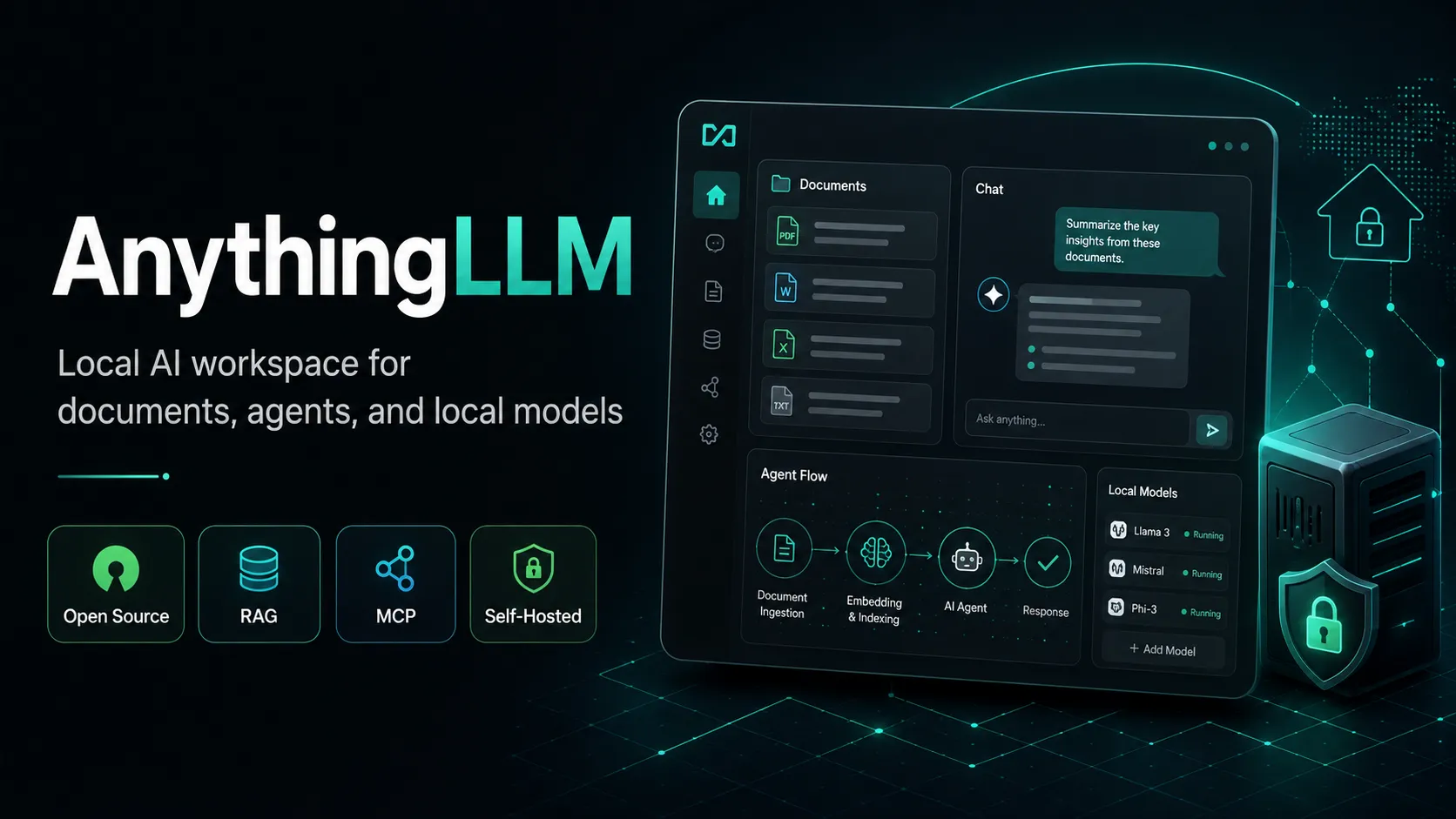
AnythingLLM is a local-first, open-source AI knowledge and agent workspace that combines document retrieval, configurable models, tools, and automation in a standalone or self-hosted environment.
Information checked: Aug 12, 2026 ·View sources
Tool details
- Type
- Developer workflows
- Platforms
- macOS, Windows, Linux, Docker, Android
- Free plan
- Yes
- Open source
- Yes
- Bring your own key
- Yes
- Local models
- Yes
Overview
Best for
- Running a private AI assistant over local documents
- Building internal RAG workspaces without assembling a separate chat UI and retrieval stack
- Teams wanting a self-hosted multi-user AI workspace
- Developers experimenting with different local and cloud LLM providers
- Users building agent workflows around MCP tools and custom skills
- Organizations that want more control over model and data infrastructure
Strengths
- Can run a useful private AI workspace without depending on a hosted SaaS account.
- Strong combination of RAG, agents, MCP, and local model support in one application.
- Broad model-provider support reduces model lock-in.
- Free self-hosted edition is MIT licensed.
- Works well for document-heavy and internal-knowledge workflows.
- Desktop edition lowers the setup barrier for local AI.
Limitations & trade-offs
- Developers primarily seeking inline code completion inside an IDE
- Users who want a task-to-PR autonomous software engineering agent
- Users who only need a minimal single-provider chat interface
- Local-model users without sufficient CPU, GPU, memory, or patience for on-device inference
- Teams unwilling to administer infrastructure but also unwilling to pay for managed hosting
- It is not a full AI IDE or replacement for an editor such as Cursor or Windsurf.
- Local model quality and speed depend heavily on available hardware.
- Some administration and multi-user capabilities are specific to Docker or enterprise deployments.
- Switching vector database backends can require documents to be re-embedded.
- Using external model, embedding, or vector providers can reduce the privacy benefits of a fully local setup.
- The breadth of configuration can be unnecessary for users who only need a simple chatbot.
Get started
Pricing & usage limits
Official pricingFree tier available
Free desktop app and free Docker self-hosting with the core AnythingLLM feature set.
Optional Desktop upgrade that removes daily limits from Magic features and removes document watermarks.
Private hosted instance with a custom subdomain; bring your own LLM API key.
Higher-performance hosted instance with priority resources and a 72-hour support SLA.
On-premise deployment, custom integrations, custom SLA, SSO, RBAC, and enterprise support.
Pricing checked: Aug 12, 2026 · Subscription, usage limits, and model costs may be billed separately.
Features & details
Local AI & Knowledge
- Local-first desktop experience
- Document RAG and source-aware chat
- Built-in LanceDB vector storage
- Workspace-specific knowledge bases
- Local model execution
Agents & Automation
- AI agents with tool calling
- Model Context Protocol support
- No-code Agent Flows
- Custom JavaScript agent skills
- Scheduled agent jobs
Models & Retrieval
- Local and cloud LLM providers
- System, workspace, and agent model selection
- Dynamic model routing
- OpenAI-compatible endpoints
- Multiple vector database backends
Teams & Integrations
- Multi-user Docker deployments
- Role-based workspace permissions
- Developer API
- Embeddable chat widget
- White-label configuration
Why Choose AnythingLLM?
AnythingLLM makes the most sense when control over the AI environment matters as much as the model itself. Instead of treating an LLM as a standalone chat endpoint, it treats models, private knowledge, retrieval, tools, and recurring workflows as parts of the same workspace.
That distinction is important for developers. A model can be replaced without rebuilding the entire environment, and different workspaces can be organized around different knowledge bases or model requirements. This makes AnythingLLM useful as a long-lived AI layer around documentation, research material, operating procedures, support content, or internal technical knowledge.
It should not, however, be confused with an AI-native IDE. AnythingLLM can assist with programming questions and can interact with developer-oriented tools, but its center of gravity is knowledge and agent orchestration rather than editing a repository with inline completions and codebase-aware refactoring.
Core Workflow
A practical deployment starts with deciding where the trust boundary should sit. A solo user can begin with Desktop and keep the entire stack on one machine. A team normally benefits from the Docker deployment because authentication, user separation, shared workspaces, and administration become more important than desktop convenience.
The next decision is the model architecture. AnythingLLM does not require every workspace to use the same provider. A lightweight local model can handle routine private work while a stronger hosted model is reserved for tasks where response quality matters more than keeping inference completely local. This hybrid approach is often more useful than committing the whole organization to a single model provider.
Retrieval should be configured before large document collections are imported. The default local database is the sensible starting point for most installations because it minimizes infrastructure and migration complexity. External vector infrastructure becomes more compelling when an existing organization already operates that database or has scaling and operational requirements that justify the additional dependency.
Agents should generally be added after ordinary document chat is working reliably. This separates retrieval problems from tool-calling problems and makes failures much easier to diagnose. MCP servers, custom skills, and Agent Flows can then be introduced only for workflows where the model needs to take actions rather than merely answer questions.
Use Cases
One of the clearest developer-oriented uses is an internal technical knowledge assistant. Architecture notes, API documentation, runbooks, product specifications, troubleshooting guides, and selected repository documentation can be organized into dedicated workspaces. The result is closer to a private technical research environment than a generic chatbot.
AnythingLLM can also act as an experimentation layer for teams evaluating models. Because the application is not tied to one inference provider, a team can compare local and hosted models without replacing the document and workspace layer each time the model strategy changes.
A third use case is lightweight operational automation. Once a reliable knowledge workspace exists, agents can combine that context with tools to generate reports, perform research, access approved services, or execute scheduled routines. The important design principle is to give an agent the smallest practical set of tools rather than connecting every available integration by default.
For privacy-sensitive research, the attraction is different: local inference, local embeddings, local document parsing, and local vector storage can form an environment where the core knowledge base never needs to be sent to a hosted model provider. This advantage disappears partially or completely when cloud inference or other external services are enabled, so the actual privacy level depends on configuration rather than the AnythingLLM name alone.
Comparison to Alternatives
AnythingLLM and Open WebUI overlap substantially, but their emphasis is different. Open WebUI is particularly natural as a flexible interface around model endpoints, while AnythingLLM places more product emphasis on workspace knowledge, document-oriented RAG, agent workflows, and packaging those components into a single local-first application. Users primarily seeking a polished interface for an existing Ollama server may prefer the former approach; users constructing persistent knowledge and agent environments may find AnythingLLM's structure more natural.
LibreChat is another close comparison because it also provides a self-hosted interface across multiple providers. LibreChat tends to resemble a highly configurable multi-provider conversational application, whereas AnythingLLM increasingly behaves like an AI workspace and agent runtime. The better choice depends less on model support than on whether conversations or knowledge-and-action workflows are the center of the deployment.
Desktop tools such as Msty compete more directly for individual users who want local models without maintaining Docker infrastructure. AnythingLLM becomes more differentiated as the workflow grows beyond personal chat into persistent RAG collections, custom agents, tool integrations, and eventually multi-user deployment.
Best Configuration
For an individual developer, a good default is AnythingLLM Desktop with a local embedding model and the built-in vector database. A capable local LLM can be the default provider, with a cloud model configured only when a task warrants the additional capability. This keeps routine document interaction inexpensive and private without preventing access to stronger hosted models.
For a team, Docker is the more appropriate baseline. Multi-user mode should be enabled before the instance becomes widely used because changing access architecture after workspaces accumulate is more disruptive. Model credentials should be managed centrally, and sensitive workspaces should be separated from general-purpose knowledge rather than putting every document into one universal collection.
The model used for tool-calling deserves separate evaluation from the model used for basic conversation. Agent reliability depends heavily on how well a model follows tool schemas and handles multi-step execution. A cheaper model that performs well for document Q&A may therefore be a poor choice for an automation-heavy workspace.
For fully private deployments, keep the entire chain local: inference, embeddings, vector storage, parsing, and agent dependencies. Disabling application telemetry is only one part of this configuration; external MCP servers, web search tools, cloud embedding APIs, and hosted LLM endpoints must also be reviewed individually.
Migration Notes
Model changes are comparatively low-risk because AnythingLLM separates model configuration from workspace content and even allows model choices to vary by workspace. This makes it practical to replace an API provider or test a new local model without rebuilding the knowledge layer.
Vector database changes require more planning. Existing embeddings are not automatically migrated between vector providers, so moving a mature installation to another backend can require documents to be embedded again. Choosing the default database until a concrete scaling or infrastructure reason appears avoids unnecessary migration work.
Before moving a self-hosted installation between machines, treat the AnythingLLM storage directory as persistent application data rather than rebuilding the container and assuming the knowledge base will follow automatically. Back up configuration, application data, documents, and vector storage together, and validate the restored instance before retiring the original deployment.
Teams migrating from a hosted chatbot should also distinguish conversation migration from knowledge migration. Recreating the important source documents, workspace boundaries, prompts, retrieval settings, and tool permissions is usually more valuable than attempting to preserve every historical chat transcript.
Where AnythingLLM Fits in a Developer Stack
AnythingLLM is most useful beside an IDE rather than in place of one. An AI code editor is optimized around files being actively changed: completions, diffs, refactors, terminal commands, and repository navigation. AnythingLLM is optimized around persistent context that should remain useful across projects and sessions.
A developer might therefore use an AI-native editor for implementation while AnythingLLM holds architecture documents, infrastructure runbooks, API references, research papers, internal procedures, and cross-project knowledge. MCP and custom agent skills can bridge some of the gap between those environments, but the product remains a general AI workspace rather than a code-editor-first system.
That distinction is also useful when evaluating ROI. AnythingLLM is less compelling when the only desired outcome is faster autocomplete. It becomes substantially more relevant when the harder problem is giving models reliable access to private organizational knowledge and controlled tools without surrendering the entire workflow to a single SaaS AI provider.
Model support & data privacy
Supported models
- AnythingLLM Built-in
- OpenAI
- Azure OpenAI
- Anthropic
- AWS Bedrock
- Google Gemini
- Ollama
- LM Studio
- LocalAI
- OpenRouter
- Mistral
- Groq
- DeepSeek
- Cohere
- Together AI
- NVIDIA NIM
- Fireworks AI
- Perplexity
- xAI
Privacy & data handling
Desktop and self-hosted deployments can keep models, documents, chats, embeddings, and vector storage local when configured with local providers. AnythingLLM also includes optional anonymous telemetry that can be disabled. Connecting cloud LLM, embedding, vector database, search, or other external services causes relevant data to leave the local instance and makes those providers' privacy policies applicable.
Guides, reviews & fixes
No published guides yet. Start with the official documentation above.
Product updates
No verified product updates listed yet. Follow this tool to see new relevant content in Saved.
See the content timelineSources & verification
Verification dates record when this directory checked the information. Product release dates appear separately above.
Directory revision history
Rechecked official pricing, deployment options, model-provider support, MCP capabilities, Agent Flows, Scheduled Jobs, Desktop Pro, and current product positioning.
AnythingLLM Desktop Pro documentation introduced the Pro model for unlimited Magic feature usage while retaining free daily access.
Official documentation reflected expanded model, agent, MCP, retrieval, self-hosting, and multi-user configuration guidance.