

Bubble
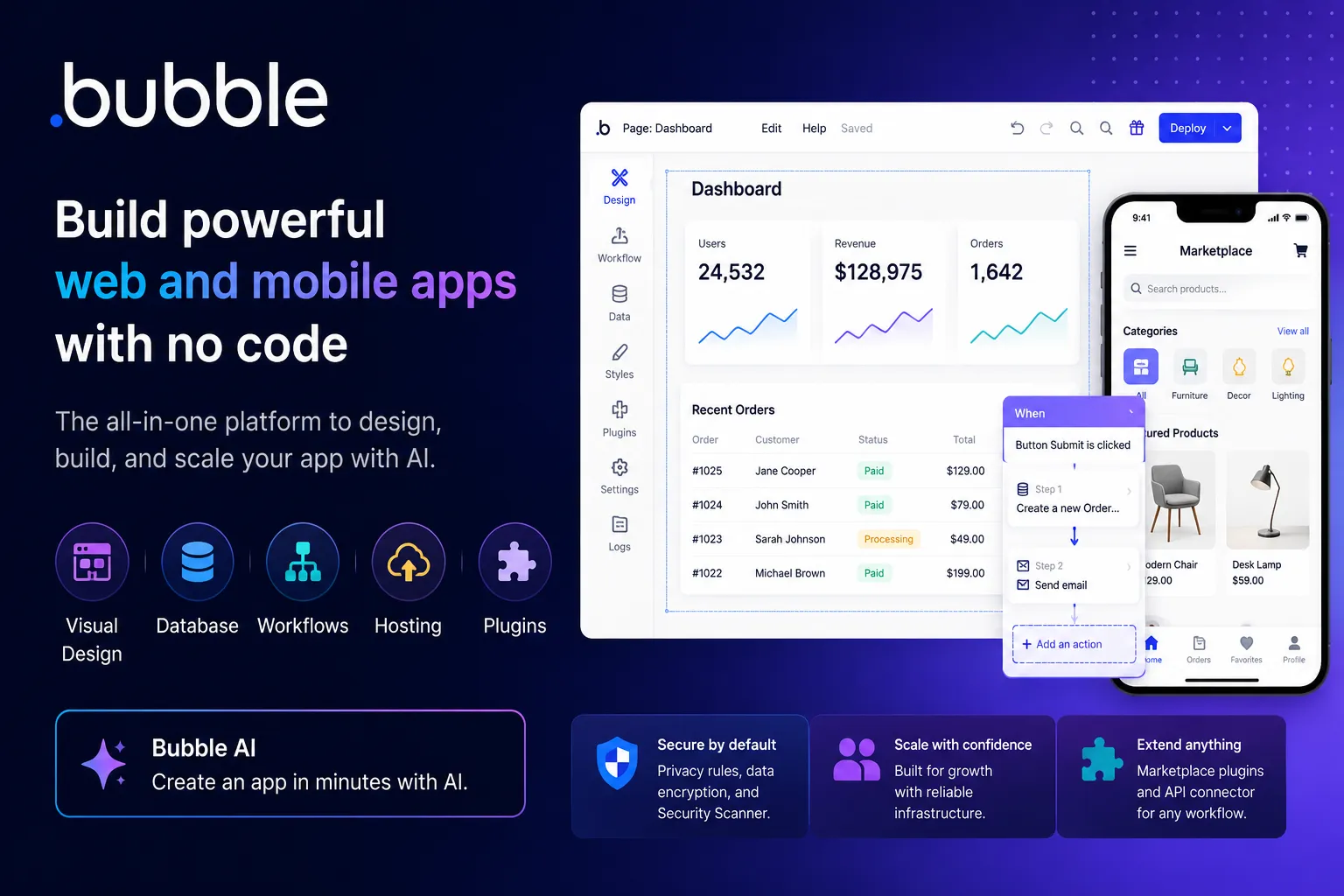
Bubble is a full-stack no-code app builder with AI-assisted app generation, visual editing, built-in database, workflows, hosting, security, and marketplace extensibility. It is best for teams that want to build and operate real web or mobile apps without owning a traditional codebase.
Choose Bubble when you want a mature no-code platform for building and operating full-stack web or mobile apps without managing code, hosting, database, and workflows separately. Choose Lovable, Bolt.new, v0, or Replit AI if source-code handoff or AI-first app generation matters more than visual no-code control.
Pricing Plans
Free
Free building and testing with Bubble branding, limited workload, and no full production deployment.
Starter
Annual web-only price. Adds custom domain, deployment, backend workflows, and starter production capacity.
Growth
Annual web-only price. Adds more workload, more live versions, and more control for growing apps.
Team
Annual web-only price. Designed for collaboration, higher app usage, and advanced team features.
Mobile / Web + Mobile
Mobile-only and Web + Mobile plans cost more than web-only plans and support native iOS/Android app builds and publishing.
Enterprise
Custom infrastructure, advanced security, scalability, SSO, dedicated support, and enterprise agreements.
Workload add-ons
Additional workload units can be purchased when app traffic, workflows, APIs, or backend usage exceed included capacity.
Core Features
1AI app generation
- Generate app structure from a text prompt.
- Creates pages, suggested features, workflows, database structure, and active UI elements.
- Generated apps remain editable in Bubble’s visual builder.
2Visual full-stack builder
- Drag-and-drop interface builder for responsive web apps.
- Built-in database for app data and relationships.
- Workflow editor for app logic, conditions, actions, and backend processes.
3Web and mobile apps
- Build browser-based web apps.
- Native mobile app development and publishing are supported through mobile plans.
- Web and mobile projects can share backend logic, data, and workflows.
4Hosting and scaling
- Built-in Bubble hosting on AWS-backed infrastructure.
- Usage is measured through workload units.
- Custom domains, live versions, logs, and deployment controls are available on paid plans.
5Extensibility
- Marketplace for plugins, templates, experts, and integrations.
- API connector and plugins support external services.
- Apps can connect to AI providers, payment systems, databases, automation tools, and custom APIs.
6Security and governance
- Privacy rules control data visibility and access.
- Security dashboard scans apps for common configuration issues.
- Enterprise-grade features include SOC 2, GDPR support, encryption, SSO, and dedicated security options.
Pros
- Mature no-code ecosystem for building real production apps.
- AI generation accelerates the first version without locking users into code.
- Visual editor, database, workflows, hosting, and security are integrated.
- Strong marketplace of templates, plugins, agencies, and experts.
- Good fit for founders, agencies, internal tools, SaaS MVPs, and business apps.
- Web and native mobile capabilities can share backend logic.
Cons
- No-code flexibility comes with a learning curve.
- Apps are tied to Bubble’s platform rather than exported as a conventional codebase.
- Workload-based pricing can be hard to predict as usage grows.
- Complex apps require strong data modeling, privacy rules, and performance discipline.
- Not ideal for teams that require full source-code ownership or custom infrastructure.
- AI-generated apps still need review, cleanup, security checks, and optimization.
Why Choose Bubble?
Bubble is strongest when the goal is not just to generate a prototype, but to visually build, operate, and iterate a complete application on one platform. Its biggest advantage is maturity: database, workflows, responsive UI, hosting, authentication, plugins, templates, marketplace experts, privacy rules, and deployment all live in the same ecosystem.
That makes Bubble different from newer AI app builders. Tools such as Lovable, Bolt.new, v0, and Replit AI often emphasize generating code or moving quickly from prompt to app. Bubble emphasizes long-term visual control inside a no-code platform. Bubble AI can accelerate the first version, but the real value is that the generated app remains editable through Bubble’s mature visual development model.
Core Workflow
A practical Bubble workflow starts with app structure. Define the user roles, data types, pages, workflows, privacy rules, and third-party services before polishing the interface. Bubble AI can create a starting point from a prompt, but serious apps still need manual refinement of database fields, workflow conditions, API connections, responsive behavior, and performance.
After the first version, the workflow becomes iterative. Builders adjust UI elements, add workflows, create backend processes, configure privacy rules, test edge cases, and monitor workload usage. Bubble rewards users who think like product builders and system designers, even if they do not write code.
Use Cases
Bubble fits SaaS MVPs, marketplaces, CRMs, internal tools, booking systems, community apps, client portals, dashboards, workflow automation tools, and database-driven business apps. It is especially useful for founders and agencies that need to validate, sell, and operate real software without hiring a full engineering team from day one.
It is less ideal when the product requires full source-code ownership, custom backend architecture, unusual infrastructure, high-performance native mobile interactions, or deep low-level engineering control. In those cases, Bubble may still work for validation, but a code-based stack may eventually be more appropriate.
Comparison to Alternatives
Compared with Lovable, Bolt.new, and v0, Bubble is more no-code and platform-native. Those tools are often better when the user wants source code, GitHub handoff, or a React/Next.js-oriented workflow. Bubble is better when the user wants visual development, built-in hosting, integrated database, and a large no-code ecosystem.
Compared with FlutterFlow, Bubble is more web-app and database-workflow oriented, while FlutterFlow is stronger for Flutter and mobile-first UI. Compared with Softr or Glide, Bubble is more flexible and powerful, but also harder to master. Compared with WeWeb, Bubble is more all-in-one, while WeWeb is often paired with external backends such as Xano, Supabase, or custom APIs.
Best Configuration
The best Bubble setup starts with data modeling and privacy rules. Build data types carefully, define who can see and modify each object, and avoid exposing sensitive fields by default. Then structure workflows clearly so actions are predictable, debuggable, and efficient.
For performance and cost control, monitor workload units early. Avoid unnecessary searches, repeated workflow actions, heavy repeating groups, and inefficient API calls. For teams, use versioning, development/staging/live habits, naming conventions, reusable elements, and clear plugin governance. Bubble can scale, but it needs disciplined no-code architecture.
Migration Notes
Moving into Bubble from spreadsheets, Airtable, or manual operations is often straightforward if the workflow is well understood. Start by modeling the core process and building the smallest useful internal version before adding advanced design, payments, analytics, or automation.
Moving out of Bubble is more complex because Bubble apps are not exported as a conventional codebase. Teams should plan around data export, API access, workflow documentation, plugin dependencies, file storage, user accounts, and authentication flows. For this reason, Bubble is best chosen when the team is comfortable operating on Bubble for a meaningful period, not only using it as a throwaway code generator.
Best For
- Startup MVPs
- SaaS apps
- Marketplaces
- Internal tools
- Client portals
- CRMs
- Admin dashboards
- Workflow apps
- Booking platforms
- Community apps
- No-code agencies
- Non-technical founders
- Business teams building custom software
- Teams that want visual development instead of code ownership
Not Ideal For
- Teams that require exportable source code
- Backend-heavy systems needing custom infrastructure
- Highly specialized native mobile apps
- Large engineering teams with strict code review and CI/CD standards
- Projects requiring local model execution
- Users who want provider-neutral AI coding agents
- Developers who mainly need inline autocomplete or IDE-based coding help
Privacy Notes
Bubble apps may process user data, database records, files, workflow logs, API requests, prompts, app configuration, and plugin data depending on how the app is built. Bubble provides privacy rules, security scans, encryption, GDPR support, SOC 2 controls, and AWS-backed hosting, but app builders remain responsible for configuring data privacy, authentication, API permissions, plugin trust, workload exposure, and compliance requirements correctly.
Alternatives
Sources
Update History
- Jun 15, 2026: Created entry with Bubble AI app generator, no-code visual builder, web/mobile pricing structure, workload-unit model, security controls, privacy rules, and comparison positioning against AI app builders and no-code alternatives.
Related Tools
More listings in a similar part of the directory.






Bubble Articles
Guides, comparisons, and launch notes connected to this listing.

