On This Page8 sections
Key Takeaways
- Wan 3.0 works directly from the terminal through Alibaba Cloud's Bailian CLI, with
wan3.0-videoused as the default video model for standard generation workflows. - The CLI supports text-to-video, image-to-video, first/last-frame generation, file-to-video, reference-to-video, async tasks, task lookup, and downloads.
- Supported file arguments can accept local paths, so developers do not need to build a separate upload flow first.
- Wan 3.0 Prime is speed-optimized, not an officially documented higher-quality tier.
- The biggest advantage of the CLI is automation: Wan 3.0 becomes scriptable, reproducible, batch-friendly, and easier to connect to coding agents and local assets.
What Is the Wan 3.0 CLI?
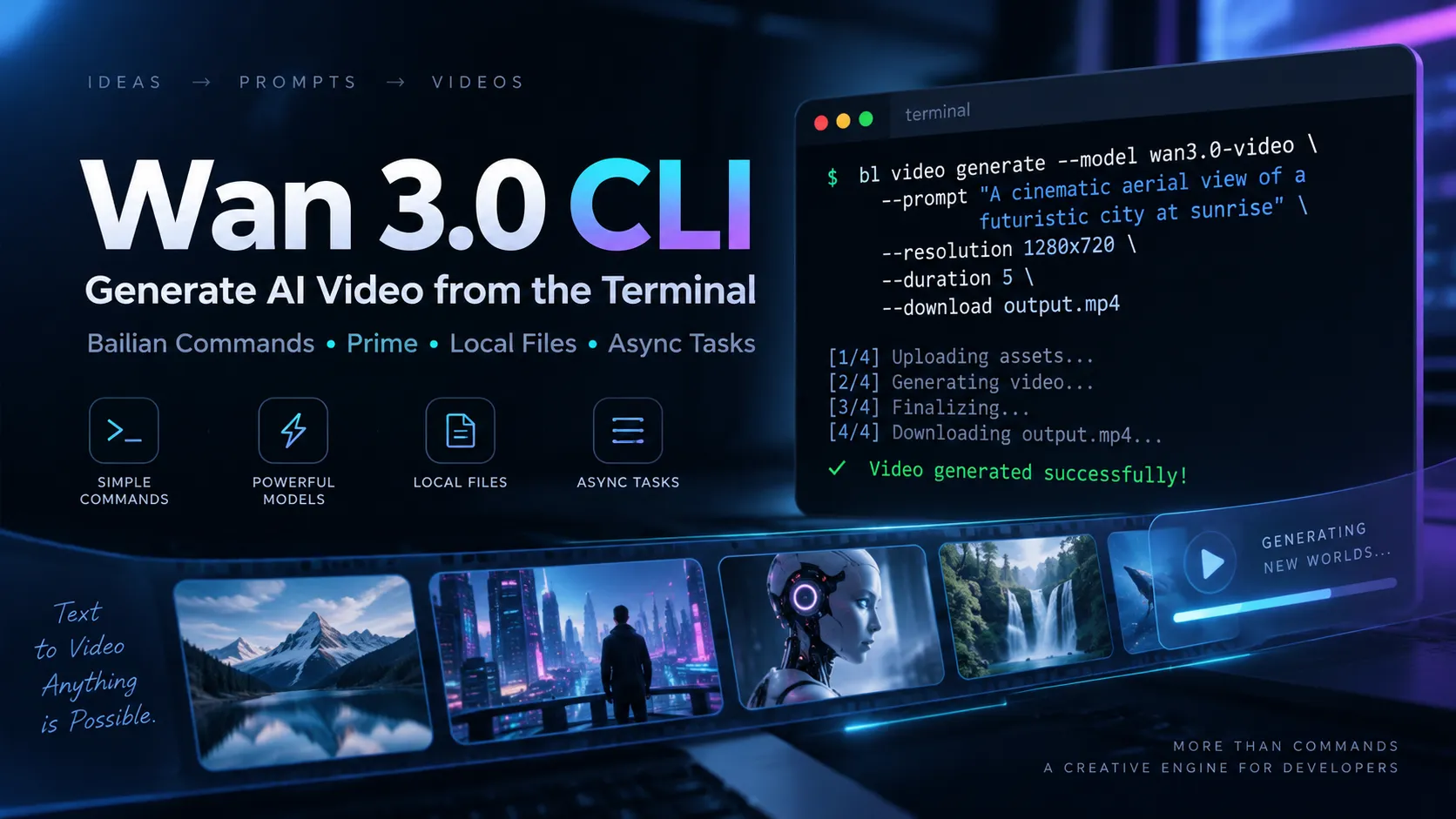
The term Wan 3.0 CLI usually refers to running Alibaba Cloud's Wan 3.0 video model through the Bailian command-line interface.
Instead of opening Model Studio in a browser for every generation, developers can invoke Wan with commands such as bl video generate, bl video ref, bl video task get, and bl video download.
Alibaba's current Bailian CLI documentation lists wan3.0-video as the default model for standard video generation. The official CLI changelog also records Wan 3.0 becoming the default model for text, image, and reference video workflows.
For developers, the CLI turns Wan 3.0 into a command surface that can be called from shell scripts, local tools, CI jobs, backend workers, and AI coding agents.
Why Use Wan 3.0 from the Terminal?
The Model Studio interface is useful for experimentation, but command-line access is better suited to repeatable workflows.
Typical use cases include:
- Generating videos from a queue
- Processing local product images
- Running video jobs from remote servers
- Returning task IDs instead of blocking a process
- Automatically downloading completed videos
- Building batch content pipelines
- Connecting Wan 3.0 to AI coding agents
- Saving generation presets in scripts
A browser workflow often requires manually uploading an asset, entering a prompt, selecting settings, starting the task, waiting, and downloading the result.
The CLI can reduce that process to one reproducible command:
bl video generate --prompt 'Waves crashing on volcanic rocks at sunset, slow cinematic push-in' --download ./sunset.mp4Install Bailian CLI
Install Bailian CLI globally with npm:
npm install -g bailian-cliVerify the installation:
bl --versionKeep the CLI current with:
bl updateFor exact flags supported by the installed version, use:
bl video generate --helpAuthenticate Bailian CLI
For an interactive workstation:
bl auth login --consoleFor remote servers or CI environments:
bl auth login --api-key <YOUR_API_KEY>Check the current authentication state:
bl auth status --output jsonProduction systems should avoid embedding API keys directly in repositories, shell history, frontend code, or long-lived scripts.
Generate Your First Wan 3.0 Video
The shortest text-to-video workflow is:
bl video generate --prompt 'A futuristic train crossing a desert at golden hour'For production workflows, explicitly pinning the model is safer:
bl video generate --model wan3.0-video --prompt 'A futuristic train crossing a desert at golden hour' --download ./train.mp4Explicit model selection protects a workflow from future default-model changes.
Text-to-Video with Wan 3.0 CLI
A more controlled command can define model, resolution, duration, and output path:
bl video generate --model wan3.0-video --prompt 'A macro shot of raindrops sliding across a glass window, neon city lights in the background' --resolution 1080P --duration 8 --download ./rain.mp4Wan 3.0 officially supports 480P, 720P, and 1080P output, with videos up to 30 seconds.
For reproducible production jobs, explicitly store the parameters that materially affect output:
- Model ID
- Prompt
- Resolution
- Duration
- Aspect ratio
- Seed, when used
- Output path
- Reference assets
Image-to-Video from a Local File
Use --image for image-to-video generation:
bl video generate --image ./product-shot.png --prompt 'Slow camera orbit around the product, subtle studio reflections' --download ./product-video.mp4One of Bailian CLI's most useful features is local-file handling. Developers do not necessarily need to upload the image to a public CDN first.
This is especially useful for product photography, AI-generated concept art, user uploads, storyboard frames, and internal creative assets.
First-Frame and Last-Frame Video
Wan 3.0 supports first/last-frame workflows, giving the model a starting composition and an intended ending composition.
bl video generate --image ./start.png --last-frame ./end.png --prompt 'Smoothly transition from the opening composition to the final composition' --download ./transition.mp4This mode is useful for product reveals, character pose transitions, camera moves with a defined destination, and storyboard-driven shots.
File-to-Video with --file
Wan 3.0 CLI supports file-based video generation through --file.
bl video generate --model wan3.0-video --file ./reference.pdf --prompt 'Create a cinematic product introduction based on the reference material' --download ./reference-video.mp4The key advantage is that the CLI can handle the local-file upload step before the model request.
Reference-to-Video with bl video ref
Reference-based generation uses the dedicated bl video ref command.
bl video ref --image ./character.png --image ./scene.png --prompt 'Image 1 walks through the environment shown in Image 2' --download ./reference-output.mp4Strong use cases include:
- Character consistency
- Product preservation
- Brand mascots
- Multi-subject scenes
- Reusable environments
- Reference-directed storytelling
Voice References
Reference workflows can also include voice assets.
bl video ref --image ./character.png --image-voice ./voice.mp3 --prompt 'Image 1 speaks directly to the camera' --resolution 1080PVoice references show why Wan 3.0 CLI is more than a terminal wrapper around text-to-video.
Wan 3.0 Prime from the CLI
Wan 3.0 Prime uses the model ID wan3.0-video-prime.
Alibaba describes Prime as an accelerated or speed-optimized Wan 3.0 model. It is not documented as a separate higher-resolution or higher-fidelity tier.
bl video generate --prime --workspace-id <WORKSPACE_ID> --model wan3.0-video-prime --prompt 'Ocean waves hitting black volcanic rocks at sunset' --download ./prime-output.mp4Wan 3.0 Standard vs Prime
| Feature | wan3.0-video | wan3.0-video-prime |
|---|---|---|
| Positioning | Standard | Speed-optimized |
| 480P | Yes | Yes |
| 720P | Yes | Yes |
| 1080P | Yes | Yes |
| Maximum duration | 30 seconds | 30 seconds |
| Multimodal input | Yes | Yes |
| Main documented advantage | Standard workflow | Faster generation |
| CLI endpoint handling | Standard | Workspace-scoped Prime flow |
The key distinction is speed. Alibaba does not document Prime as providing a higher maximum resolution, longer duration, or separate premium quality mode.
Run Wan 3.0 Jobs Asynchronously
Use --async to return a task ID immediately:
bl video generate --model wan3.0-video --prompt 'Drone flight through a futuristic coastal city' --asyncQuery the task later:
bl video task get --task-id <TASK_ID>Download a completed task:
bl video download --task-id <TASK_ID> --out ./result.mp4A robust production system should persist every returned task ID so interrupted workers can resume status checks or downloads without creating duplicate jobs.
Wan 3.0 CLI Command Reference
| Goal | Command |
|---|---|
| Text-to-video | bl video generate --prompt |
| Image-to-video | bl video generate --image |
| First + last frame | bl video generate --image --last-frame |
| File-to-video | bl video generate --file |
| Prime generation | bl video generate --prime --model wan3.0-video-prime |
| Reference-to-video | bl video ref |
| Async generation | bl video generate --async |
| Check task | bl video task get |
| Download task | bl video download |
| Inspect current flags | bl video generate --help |
Build a Wan 3.0 CLI Command Builder
A useful companion tool is a Wan 3.0 CLI Command Builder.
Users could choose:
- Text-to-video
- Image-to-video
- First/last-frame
- File-to-video
- Reference-to-video
- Standard or Prime
- Resolution
- Duration
- Aspect ratio
- Async mode
- Download path
- Seed
- Watermark preference
The tool can then generate a ready-to-copy command:
bl video generate --model wan3.0-video --prompt 'Luxury perfume bottle on black marble, slow dolly shot' --resolution 1080P --duration 10 --download ./perfume.mp4The command builder has a major product advantage: generating shell syntax does not require an inference request.
That means the tool itself can be free to operate while users execute the resulting command with their own Model Studio account.
Using Wan 3.0 CLI with AI Coding Agents
Bailian CLI works naturally in terminal-driven agent workflows.
An agent can:
- Inspect project assets.
- Build a prompt from project context.
- Run
bl video generate. - Save the returned task ID.
- Poll the task.
- Download the final video.
- Update application code or content with the new asset.
The larger benefit is that developers can expose a stable command interface to the agent instead of writing a custom wrapper around every Model Studio API operation first.
Better Wan 3.0 CLI Prompts
A weak prompt:
A cool cinematic car video.A stronger prompt:
A metallic silver sports car drives through a rain-soaked downtown street at night. Low-angle tracking shot from the front-left quarter. Reflections from blue and amber storefront lights move across the bodywork. Moderate speed, realistic tire spray, shallow depth of field, cinematic contrast.For automated generation, prompts should describe:
- Subject
- Action
- Environment
- Camera position
- Camera movement
- Lighting
- Motion speed
- Visual style
- Temporal progression
- Relationship to reference assets
Common Wan 3.0 CLI Mistakes
Using an outdated CLI
Check the installed version:
bl --versionThen update if needed:
bl updateAssuming Prime means better quality
Prime is officially positioned around generation speed. Do not describe it as a higher-resolution or guaranteed higher-fidelity tier unless Alibaba documents such a change.
Hardcoding API keys
Avoid committing credentials to repositories or embedding them directly in permanent scripts.
Hosting every local asset manually
The CLI can resolve supported local file inputs, so many workflows do not need a separate CDN upload step first.
Relying on defaults in production
Defaults can change. Pin the model and important generation parameters in long-lived workflows.
Losing async task IDs
Persist task IDs so interrupted workers can resume polling or download a completed generation without submitting a duplicate job.
Wan 3.0 CLI vs Direct API
The CLI is usually the better fit when:
- Developers are working locally
- Shell automation is enough
- Local assets are common
- AI coding agents need to invoke Wan
- Rapid prototyping is the priority
- A lightweight internal generation pipeline is being built
The direct API is usually better when:
- Wan is embedded in a customer-facing application
- Requests originate from a backend service
- Authentication must remain hidden from users
- The application needs its own persistent job model
- Large-scale orchestration is required
- Custom retry, queue, and observability logic is important
A practical development strategy is to prototype through Bailian CLI first, then move high-volume or customer-facing operations to the direct API when the architecture requires it.
Is Wan 3.0 CLI Free?
Installing Bailian CLI does not create a separate video-generation subscription.
However, running wan3.0-video or wan3.0-video-prime still invokes Alibaba Cloud Model Studio and therefore consumes the user's available quota or paid model usage.
This distinction makes a free Wan CLI Command Builder practical: building the command costs nothing, the website does not need the user's Model Studio API key, and actual generation happens only when the user runs the command in their own environment.
Wan 3.0 CLI FAQ
What command generates a Wan 3.0 video?
Use bl video generate. The standard default model is currently wan3.0-video.
Can Wan 3.0 CLI use local images?
Yes. Supported file inputs can accept local paths, allowing Bailian to handle the temporary upload step.
Can Wan 3.0 generate from a first and last frame?
Yes. Use --image together with --last-frame for a first/last-frame workflow.
Does Wan 3.0 CLI support multiple reference images?
Yes. Use bl video ref with repeatable --image inputs.
Does the CLI support Wan 3.0 Prime?
Yes. Prime uses wan3.0-video-prime together with Prime mode and the appropriate workspace configuration.
Is Wan 3.0 Prime higher quality than Standard?
Alibaba currently positions Prime as speed-optimized. It does not document a higher maximum resolution, longer duration, or guaranteed higher-fidelity output tier.
Can the CLI return an async task instead of waiting?
Yes. Use --async, store the returned task ID, and query it later with bl video task get.
Can the CLI automatically download videos?
Yes. Use --download during generation or bl video download for a completed task.
Conclusion
Wan 3.0 CLI turns Alibaba's current video-generation model into a practical developer interface rather than a browser-only creative tool.
Its strongest advantages are not limited to text-to-video. Local file handling, image-to-video, first/last-frame control, reference generation, voice references, Prime mode, asynchronous jobs, downloads, and agent integration make it suitable for repeatable production workflows.
The most practical setup is to install Bailian CLI, authenticate with Model Studio, explicitly pin wan3.0-video in production scripts, test local-file and async workflows, and use Prime when faster generation justifies its workspace-specific configuration.
For a developer-focused Wan site, the strongest companion utility is a Wan 3.0 CLI Command Builder. It provides immediate value, costs nothing to operate at the inference layer, and matches a more actionable search intent than another generic Wan 3.0 overview.
Continue Reading
More articles connected to the same themes, protocols, and tools.


Referenced Tools
Browse entries that are adjacent to the topics covered in this article.