


Claude Code
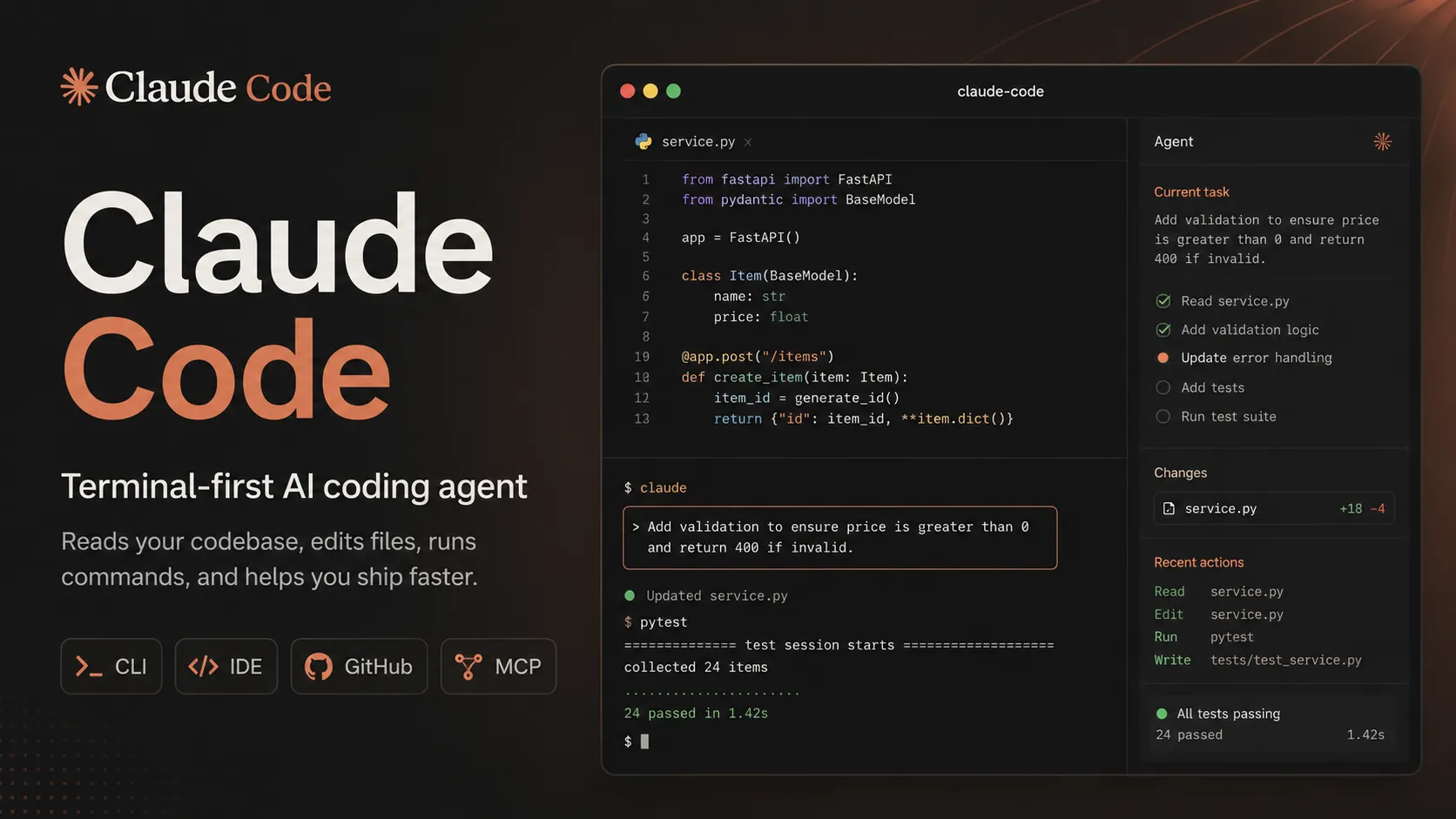
Claude Code is Anthropic's terminal coding agent for repository work, subagents, hooks, MCP, and automation, with growing operational tooling for API cost analysis and feedback.
Information checked: Aug 29, 2026 ·View sources
Tool details
- Type
- CLI agents
- Platforms
- macOS, Linux, Windows, Terminal, VS Code, Cursor, VS Code forks, JetBrains IDEs, Claude desktop app, GitHub Actions, Claude Agent SDK
- Free plan
- No
- Open source
- No
- Bring your own key
- Yes
- Local models
- No
Overview
Best for
- Terminal-first developers
- Large refactors
- Repository exploration
- Debugging failing tests
- Writing and updating tests
- Code review preparation
- Documentation automation
- GitHub issue and PR workflows
- Teams already using Claude
- Developers who want a managed frontier-model coding agent
Strengths
- Strong terminal-native agent workflow for real repositories.
- Good fit for complex refactors, debugging, and multi-file codebase work.
- Works across CLI, supported IDEs, GitHub Actions, and Agent SDK workflows.
- MCP and tool use make it extensible beyond simple code chat.
- Can be accessed through Claude subscriptions or API pay-as-you-go.
- Backed by Anthropic’s strongest coding-focused Claude models.
Limitations & trade-offs
- Users who need local model execution
- Developers who mainly want inline autocomplete
- Non-technical users looking for a visual prompt-to-app builder
- Teams requiring provider-agnostic model routing
- Users who want a fully open-source coding agent
- Projects where agentic shell actions are not allowed by security policy
- Usage limits and token costs require active monitoring on larger tasks.
- Not a full standalone IDE or visual app builder.
- No local model support.
- Model choice is limited to Claude and supported Anthropic deployment channels.
- Agentic shell and file actions still need human review and permission discipline.
- Production code should be tested, reviewed, and security-checked before release.
Get started
Pricing & usage limits
Official pricingFrom $20
API Pay-as-you-goUsage-based
Use Claude Code with a Claude Console account and pay standard Claude API token rates.
Claude Pro$20 / month
$17/month when billed annually. Includes Claude Code with shared Claude plan usage limits.
Claude Max 5x$100 / month
Higher individual usage tier with Claude Code included and about 5x Pro capacity per session.
Claude Max 20x$200 / month
Highest individual usage tier with Claude Code included and about 20x Pro capacity per session.
Claude Team$25+ / user/month
Team Standard starts at $25/user/month monthly or $20/user/month annually; Premium is available at higher usage and feature levels.
Claude EnterpriseCustom
Custom enterprise access with organization controls, security options, usage management, and deployment support.
Pricing checked: Jun 14, 2026 · Subscription, usage limits, and model costs may be billed separately.
Claude Code +50% Weekly Limits Promo Explained: Why You’re Seeing It and What Changes on August 19Would You Pay $300 for Unlimited Codex? The 2026 Power-User Pricing DebateWhy Everyone Thanked Tibo When Grok Bot Reset Its Limits: Inside the 2026 AI Agent Reset WarsFeatures & details
Terminal coding agent
- Runs from the command line inside a real project.
- Reads files, edits code, executes commands, and helps debug build or test failures.
- Supports interactive coding sessions and non-interactive automation through claude -p.
IDE and editor workflows
- Works with VS Code, Cursor and other VS Code forks, and JetBrains IDEs.
- Uses the same Claude account or API authentication as terminal sessions.
- Lets developers keep their existing editor while delegating implementation tasks to Claude.
Automation and GitHub
- Claude Code GitHub Actions can respond to issues, pull requests, comments, and explicit automation prompts.
- Supports authentication through Anthropic API keys, Claude subscription OAuth tokens, Amazon Bedrock, Google Vertex AI, and Microsoft Foundry.
- Agent SDK exposes Claude Code-style agent behavior through Python and TypeScript.
Extensibility
- Supports MCP for connecting external tools and data sources.
- Supports project instructions and workflow customization through Claude Code configuration.
- Can be used for codebase exploration, implementation planning, refactoring, test generation, and documentation updates.
Safety and governance
- Permission controls help users approve sensitive tool actions.
- Team and Enterprise plans provide organization-level administration and usage visibility.
- Enterprise customers can evaluate security, compliance, and managed deployment options through Anthropic.
Cost and Feedback Workflows
- Profile Claude API spend with /claude-api cost-optimize
- Evaluate caching, tokens, batch, effort, and model choice
- Draft reviewable session feedback with SendFeedback
- Disable feedback drafts through managed settings
Why Choose Claude Code?
Claude Code is strongest when the developer wants to delegate real engineering tasks without leaving the repository. It is not primarily a chat window, autocomplete plugin, or visual app generator. Its value comes from letting Claude inspect the project, reason through the change, edit files, run commands, and iterate on failures in the same environment where the code already lives.
The strongest fit is a developer who is comfortable reviewing diffs, reading test output, and deciding which agent actions are safe. Claude Code can move quickly, but the user remains responsible for approving risky actions, protecting secrets, and validating the final result. Treat it as a high-leverage engineering collaborator rather than a replacement for code review.
Core Workflow
A practical workflow starts with a specific task and a clean Git state. Ask Claude Code to inspect the relevant files, explain the implementation plan, then make a scoped change. After the edit, run tests, review the diff, and ask for targeted fixes if the output is incomplete. This keeps the agent focused and makes it easier to separate useful changes from speculative ones.
For larger tasks, the best pattern is staged delegation. First ask for architecture discovery, then request a plan, then allow implementation one subsystem at a time. This reduces token waste, avoids giant diffs, and gives the developer more decision points before shell commands, migrations, or broad refactors are attempted.
Use Cases
Claude Code is useful for debugging failing tests, tracing behavior across unfamiliar repositories, generating tests, updating APIs, migrating code, refactoring modules, writing documentation, and automating issue or pull request workflows. It is especially useful when the task needs both code understanding and tool execution.
It is less ideal for users who want a drag-and-drop builder or a model-agnostic open-source agent. A non-technical founder may be better served by Lovable, Bolt.new, or Replit AI. A developer who wants local models or many provider choices may prefer Aider or OpenCode. A developer who wants a complete AI editor may prefer Cursor or Windsurf.
Comparison to Alternatives
Compared with Aider, Claude Code is more tightly integrated with Anthropic’s model and product ecosystem, while Aider is more open and provider-flexible. Compared with OpenCode, Claude Code has the advantage of first-party Claude integration, while OpenCode appeals to users who want open-source control, local models, and broad provider routing.
Compared with Cursor or Windsurf, Claude Code is less about replacing the editor and more about giving the terminal a powerful coding agent. Cursor and Windsurf feel smoother for inline editing, autocomplete, and visual IDE workflows. Claude Code is compelling when the user wants explicit task delegation, shell execution, and repository-level work from the command line.
Compared with Codex CLI or Gemini CLI, the decision often comes down to model preference, price structure, and ecosystem. Claude Code is a natural choice for users who already rely on Claude for reasoning-heavy code work, long debugging loops, and multi-file refactors.
Best Configuration
The best setup starts with project instructions. Document the stack, test commands, style rules, package manager, architecture notes, and files or directories Claude should avoid. Keep secrets out of the repository and use environment variables or secret managers. When possible, run Claude Code in a branch or worktree so agent changes are easy to isolate.
For teams, standardize permission settings, approved usage patterns, and review requirements. Decide when developers may use interactive sessions, when GitHub Actions automation is allowed, and which repositories are safe for agentic changes. For enterprise use, evaluate logging, identity, access control, cloud deployment channels, and data handling before broad rollout.
Migration Notes
Developers moving from manual terminal work can adopt Claude Code gradually. Start with read-only exploration, test generation, and small bug fixes before delegating larger refactors. The goal is to learn how the agent behaves in the codebase before trusting it with high-risk workflows.
Teams migrating from Aider, OpenCode, or Codex CLI should compare more than raw answer quality. Evaluate permission controls, model behavior on long tasks, IDE support, GitHub workflow fit, cost predictability, and how well the agent follows repository instructions. The safest migration path is to run the same representative tasks across tools: one failing test, one refactor, one issue-to-PR workflow, and one documentation update.
Claude Code 2.1.247: Cost Optimization and Feedback
Claude Code 2.1.247, released August 26, 2026, added two practical workflow tools:
/claude-api cost-optimize: profiles an existing project's Claude API spend and works through measured improvements involving prompt caching, token hygiene, batch processing, effort settings, and model choice.- SendFeedback: when a session goes wrong, Claude can draft a feedback report for the user to review and send through
/feedback. Organizations can disable feedback drafts with thefeedbackDraftssetting.
The cost workflow is aimed at applications built with the Claude API, not only at the cost of the current Claude Code session. It is most useful when a team has usage data and can validate one change at a time instead of applying generic optimization advice blindly.
Official sources: Claude Code changelog and Claude Code cost documentation.
Model support & data privacy
Supported models
- Claude Opus 4.8
- Claude Sonnet 4.6
- Claude Haiku 4.5
Privacy & data handling
Claude Code may process prompts, codebase context, command output, files, tool calls, and repository metadata to provide coding assistance. Privacy and retention depend on whether the user authenticates through a Claude subscription, Anthropic API, or cloud provider deployment such as Bedrock, Vertex AI, or Foundry. Users should keep secrets out of prompts and source files, use environment variables or secret stores, and review permissions before allowing agentic actions.
Guides, reviews & fixes
View all 42
Claude Code vs Codex
Claude Code Guide

Claude Code Considered Killing Plan Mode the Day After Google Antigravity Shipped It — What the Split Really Means

Claude Code Cloud Explained: How Cloud Sessions Turn Claude Code Into an Always-On Coding Agent
What Is OpenCodex? How It Lets Codex and Claude Code Run on Almost Any LLM
Product updates
Official changelogClaude CodeTool news
Claude Code Considered Killing Plan Mode the Day After Google Antigravity Shipped It — What the Split Really MeansGoogle Antigravity shipped /plan on Sept. 22, 2026. A day later, Claude Code questioned Plan Mode. Here is what the split really means.
Claude CodeTool news
Claude Code Cloud Explained: How Cloud Sessions Turn Claude Code Into an Always-On Coding AgentClaude Code Cloud explained: learn how Cloud Sessions work, how they differ from Remote Control, their security model, pricing, limits, and Routines.
Claude CodeTool news
Claude Opus 5.5 Disabled in Claude Code? Why Homebrew Says You’re Up to Date and How to Fix ItSeeing Opus 5.5 disabled in Claude Code? Learn why Homebrew can lag behind 2.1.280 and how to upgrade safely on macOS.
Claude CodeTool news
Claude Code Plugin Eval: The New Way to Prove Your Skills Actually WorkClaude Code plugin eval adds reproducible A/B testing for plugins and Skills. Learn how to measure real value, regressions, cost, and reliability.
Claude CodeTool news
Shopify CEO Tobi Lütke Considers Banning Claude Code Over AGENTS.md — Why This “Small” File Could Reshape AI CodingShopify CEO Tobi Lütke challenged Claude Code over AGENTS.md support. Why agent configuration portability is becoming a critical AI coding standard.
Claude CodeTool news
Claude Code +50% Weekly Limits Promo Explained: Why You’re Seeing It and What Changes on August 19Claude Code weekly limits are temporarily 50% higher through August 19, 2026. Learn who qualifies, what changes, and what happens next.
Alternatives
 AiderAider is a terminal-native, open-source AI coding agent for developers who want direct Git-based code editing with flexible model choice.Claude Code vs Aider
 OpenCodeOpenCode is an open-source coding-agent harness for terminal, desktop, and IDE workflows with broad provider support, BYOK, and an optional OpenCode Go subscription for curated open models.Claude Code vs OpenCode
 Codex CLIOpenAI Codex CLI is a terminal coding agent that combines repository editing and command execution with task-to-task coordination, parallel workflows, hooks, and the broader Codex platform.Claude Code vs Codex CLI
 Gemini CLIGemini CLI is Google’s open-source terminal coding agent for Gemini-powered development workflows, now positioned as a legacy tool transitioning toward Antigravity CLI for future agent-first development.Claude Code vs Gemini CLI
 Qwen CodeQwen Code is an open-source terminal coding agent optimized for Qwen Coder models and designed for developers who want agentic code understanding, editing, automation, and tool use from the command line.
 CursorCursor is an AI coding and cloud development platform that combines a VS Code-based editor, local and cloud agents, CLI workflows, Origin code hosting, repository collaboration, and prompt-to-app creation.Claude Code vs Cursor
 WindsurfWindsurf, now transitioning under the Devin Desktop brand, is an AI-native IDE for developers who want coding agents, codebase context, and editor workflows in one desktop environment.
 ClineCline is an open-source, model-flexible AI coding agent for developers who want agentic file editing, command execution, browser use, MCP tools, and human-in-the-loop control inside existing development environments.
 Roo CodeRoo Code is a powerful open-source VS Code coding agent for developers who want model choice, deep customization, local control, and multi-step agentic workflows inside their editor.
 ContinueContinue is an open-source AI coding agent and IDE extension ecosystem focused on configurable model access, repository-defined AI checks, and team-controlled coding workflows.
 GitHub CopilotGitHub Copilot is a mainstream AI code assistant and developer workflow layer for teams that want AI support inside existing editors, GitHub repositories, pull requests, and terminal workflows.
 Augment CodeAugment Code is an enterprise-focused AI coding platform for teams working in large repositories, existing IDEs, terminals, and automated engineering workflows.
 DevinDevin is an autonomous AI software engineer for delegating real engineering tasks to cloud and desktop agents that work across repositories, tickets, pull requests, shells, browsers, and team tools.
Sources & verification
Verification dates record when this directory checked the information. Product release dates appear separately above.
Official websiteClaude Code documentationClaude Code costs documentationClaude pricingUse Claude Code with Pro or MaxWhat is the Max plan?What is the Team plan?Claude Code platforms and integrationsClaude Code GitHub ActionsClaude Code Action GitHub repositoryClaude Agent SDK overviewClaude models overviewClaude Code data usageClaude Code legal and complianceClaude Code changelogClaude Code cost documentation
Directory revision history
Added Claude Code 2.1.247 SendFeedback and /claude-api cost-optimize coverage from official documentation.
Created entry with current Claude Code positioning, Pro/Max/Team pricing, API pay-as-you-go option, IDE support, GitHub Actions, Agent SDK, model list, privacy notes, and migration guidance.