

Codex CLI
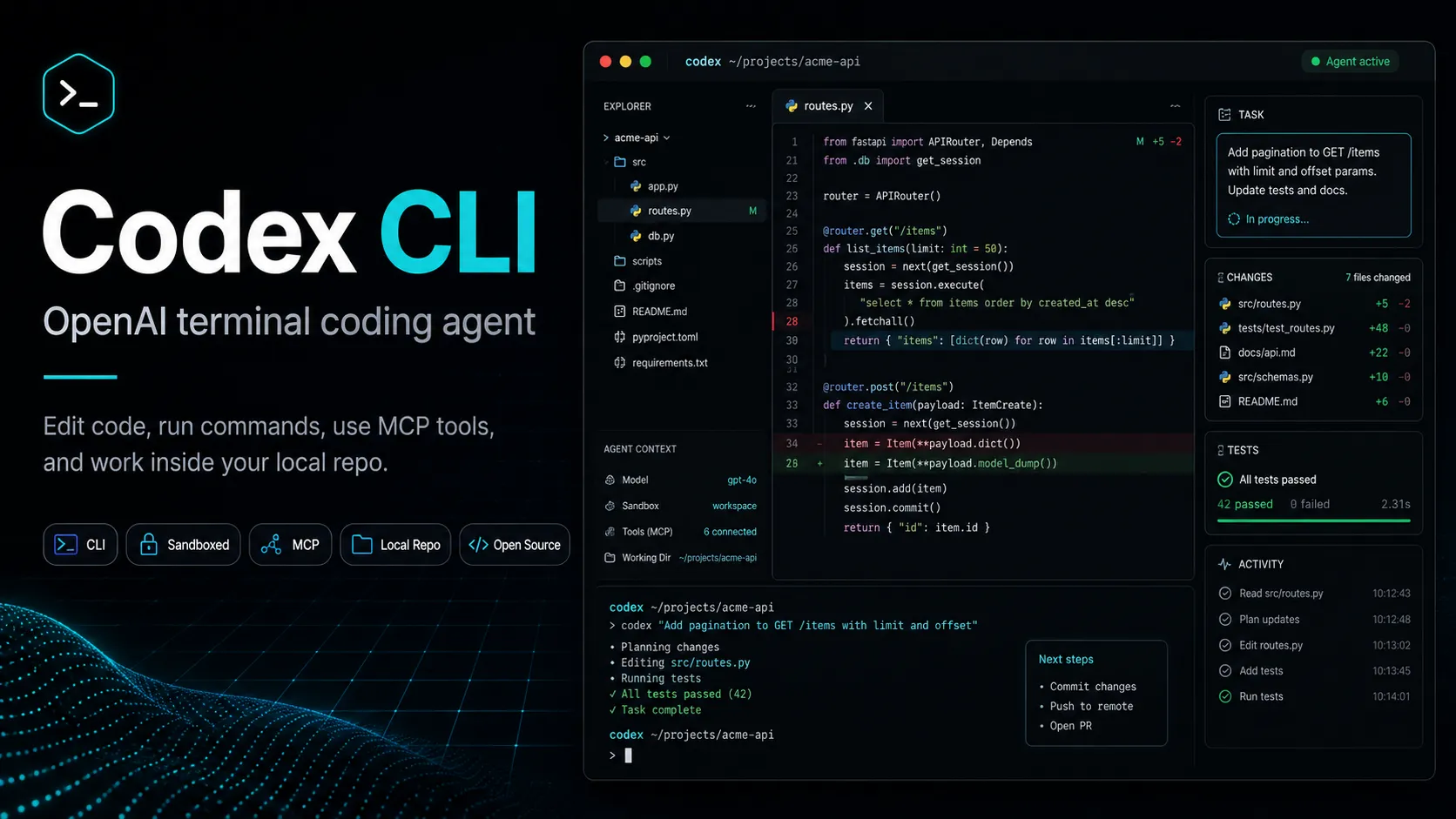
OpenAI Codex CLI 是一款终端编程 Agent,它将仓库编辑、命令执行与任务间协调、并行工作流、钩子机制以及更广泛的 Codex 平台结合在一起。
资料核对: 2026年8月29日 ·查看来源
工具信息
- 工具类型
- CLI 代理
- 平台
- macOS, Linux, Windows, Terminal, Local project directories, VS Code-compatible IDE workflows via Codex IDE extension, Codex app, Codex SDK, GitHub Actions
- 免费方案
- 支持
- 开源
- 支持
- 自带密钥
- 支持
- 本地模型
- 支持
工具概览
适合场景
- 终端优先的开发者
- 本地仓库编辑
- 多文件 Bug 修复
- 代码重构
- 测试用例生成
- 代码库探索
- OpenAI 模型用户
- 需要可配置审批和沙箱机制的开发者
- 已在使用 ChatGPT 或 OpenAI API 的团队
- 通过 Codex SDK 或 GitHub Actions 实现自动化
优点
- 由 OpenAI Codex 生态系统支持的开源终端 Agent。
- 在现有仓库中本地工作,无需更换 IDE。
- 提供强大的模型选项,兼顾复杂编程和快速常规修改。
- 支持 API 密钥、ChatGPT 方案、自定义供应商及本地开源工作流。
- 具备良好的安全界面,支持审批、沙箱、配置和历史记录控制。
- 与 Codex IDE、应用、SDK、云端及 GitHub 工作流共享核心概念。
局限与取舍
- 需要可视化应用构建工具的非技术用户
- 主要需求是行内代码补全的开发者
- 需要完全中立的托管型产品的团队
- 不想管理终端环境或配置的用户
- 不允许 AI Agent 运行 Shell 命令的项目
- 在使用 API 密钥认证时需要云端 Codex 功能的工作流
- 需要熟悉终端操作并具备严谨的配置习惯。
- 用量限制和额度因模型、任务规模和订阅方案而异。
- 仅使用 API 密钥认证时,无法使用云端功能。
- 本地模型质量高度依赖于所选的开源模型和硬件性能。
- 并非主要定位为行内代码补全工具。
- Agent 执行的文件和 Shell 操作在进入生产环境前仍需人工审查。
开始使用
价格与使用额度
免费方案 · 付费起价 $8 · 月
Free$0 / 月
包含基础 Codex 访问权限,适用于额度有限的快速编程任务。
Go$8 / 月
轻量级 Codex 用量,适用于小型编程任务。
Plus$20 / 月
包含 Web、CLI、IDE 扩展和 iOS 端的 Codex 访问,支持最新模型及额度扩展。
ProFrom $100 / 月
比 Plus 版更高的用量限制,包含 GPT-5.3-Codex-Spark 研究预览版的专属访问权。
API KeyUsage-based
通过 API 密钥按量计费,支持在 CLI、SDK 或 IDE 扩展中使用;不包含云端功能。
BusinessPay as you go
团队工作区,包含 Codex 席位、额度、管理控制、SAML SSO、多因素认证,默认不使用业务数据进行训练。
Enterprise & EduCustom
企业级访问,支持 SCIM、EKM、RBAC、审计日志、用量监控、数据驻留及保留控制。
价格核对: 2026年6月14日 · 额度、模型费用与订阅价格可能分别计算。
OpenAI Codex for Open Source: How Maintainers Can Get 6 Months of ChatGPT Pro, API Credits, and Codex SecurityClaude Ultra vs Codex: What $200 Buys After the 5-Hour Limit ChangeGLM-5.3 Highspeed: 490 Tokens/s AI Coding Model, API, Pricing & Benchmarks功能与详细介绍
终端编程 Agent
- 在选定的项目目录内从命令行本地运行。
- 读取文件、写入修改、运行命令并协助完成编程任务。
- 使用 Rust 构建,并作为开源项目发布。
模型与供应商选项
- 支持 GPT-5.5、GPT-5.4、GPT-5.4 mini 以及 GPT-5.3-Codex-Spark(可用时)。
- 可通过 ChatGPT 订阅方案或 API 密钥进行身份验证。
- 支持自定义供应商、Azure OpenAI、Amazon Bedrock 以及通过 Ollama/LM Studio 实现的本地开源模型模式。
本地控制与安全
- 审批策略可控制 Codex 在运行生成的命令前是否暂停。
- 沙箱模式可限制文件访问和网络连接。
- 本地历史记录持久化可配置或禁用。
自定义能力
- 通过 AGENTS.md 提供针对特定仓库的指令。
- 通过技能和插件封装可复用的工作流。
- 子 Agent 支持并行的专业 Agent 进行探索或实现。
生态集成
- MCP 支持将 Codex 连接到工具、文档、浏览器工作流及 Figma 等服务。
- Codex IDE 扩展与 CLI 共享相同的 Agent 和配置。
- Codex SDK、非交互模式和 GitHub Actions 支持脚本化自动化。
任务编排
- 使用 @ 提及来引用 Codex 任务
- 读取、创建其他任务并向其发送消息
- 协调并行的终端工作
- 用于工作流控制的中断钩子
为什么选择 Codex CLI?
如果开发者希望在处理 Git、测试、包管理器、脚本和部署命令的终端工作流中,直接使用 OpenAI 原生编程 Agent,那么 Codex CLI 是最佳选择。它不是一个可视化应用构建工具,也不是单纯的代码补全层。它的价值在于让 Codex 能够检查本地项目、推导任务逻辑、修改文件、运行命令,并与开发者保持实时互动迭代。
相比浏览器应用或桌面端 IDE,选择它的核心理由是控制力。该 CLI 开放了模型、供应商、审批机制、沙箱、项目指令、MCP 服务端、钩子、技能、子 Agent 以及本地历史记录的详细配置。这对于想要精细调整 Agent 行为的开发者非常强大,但也意味着要获得最佳效果,需要依靠严谨的配置而非随意的提示词。
核心工作流程
实际的 Codex CLI 工作流通常从干净的 Git 状态开始。在项目目录中启动 Codex,让其检查相关代码,针对复杂任务请求方案,然后让其执行局部修改。修改完成后,审查 Diff 差异,运行测试,并使用后续提示词进行针对性修复,而不是要求其大范围重写。
对于大型任务,更安全的模式是阶段式委派:先探索,再计划,后实现,最后验证。建议在 AGENTS.md 中记录项目特定规则,如包管理器、测试命令、代码风格规范、架构边界、需避开的文件以及审查标准。对于多环节工作,可以通过子 Agent 和技能将重复的工作流转化为可复用的构建块,而非冗长的提示词。
适用场景
Codex CLI 适合原生代码仓库的工程任务:调试失败的测试、更新 API、生成测试覆盖率、重构模块、升级依赖、解释陌生系统以及自动化重复任务。当任务同时涉及代码修改和命令执行时,它尤其有用。
它也适合希望在多个界面使用同一 Codex Agent 的团队。开发者可以在本地使用 CLI,在兼容 VS Code 的编辑器中使用 IDE 扩展,使用 Codex 应用进行并行任务管理,并利用 GitHub 工作流进行审查或自动化。对于偏好明确终端控制权的开发者,CLI 依然是最直接的交互界面。
同类工具对比
与 Claude Code 相比,Codex CLI 是 OpenAI 原生的,受益于 OpenAI 的 Codex 模型生态;而 Claude Code 围绕 Anthropic 的 Claude 模型及其智能体编程流构建。选择哪一个通常取决于对模型的偏好、组织政策以及团队已有的 AI 订阅方案。
与 Aider 相比,Codex CLI 与更广泛的第一方产品生态连接更紧密;而 Aider 对于追求轻量化、以 Git 为中心、模型选择灵活的开源工作流开发者更具吸引力。与 OpenCode 相比,Codex CLI 拥有更深的 OpenAI 集成,而 OpenCode 默认对供应商保持中立。
与 Cursor 或 Windsurf 相比,Codex CLI 的视觉集成度较低,但更贴近终端原生体验。Cursor 和 Windsurf 通常更适合希望在单一编辑器内完成 AI 编辑、对话、补全和导航的开发者。如果你需要一个能配合任何编辑器使用,且能通过配置、沙箱和 Shell 权限进行管控的强大 Agent,Codex CLI 则更具吸引力。
最佳配置建议
个人使用:处理复杂任务建议首选 GPT-5.5,在处理常规修改且在意用量时切换到较小模型。在建立对工作流的信任之前,请保持审批提示开启。谨慎使用工作区写入沙箱,除非任务确实需要,否则避免开启网络访问。
团队使用:应标准化 AGENTS.md、授权的 MCP 服务端、默认模型、沙箱配置文件、本地历史规则、供应商路由和钩子。敏感仓库应定义更严格的审批行为,并避免开启不必要的 MCP 上下文,因为每个连接的工具都可能增加隐私泄露风险和 Token 消耗。使用商业版、企业版或教育版方案的团队,还应将 Codex 访问权限与 RBAC、合规日志、工作区额度和数据保留政策对齐。
迁移建议
从 Claude Code、Aider 或 OpenCode 迁移过来的开发者,应通过真实的业务任务进行对比,而非仅凭第一次提示词下结论。建议测试一个 Bug 修复、一个重构任务、一个测试生成任务和一个仓库探索任务。评估其 Diff 质量、命令执行行为、Token 用量、权限提示、模型切换灵活性以及工具对项目指令的遵循程度。
采用 Codex CLI 的团队应先在非核心仓库进行试点,然后再允许其在生产相关的代码库中获得广泛的 Shell 访问权限。最安全的推广方式是循序渐进:从只读探索开始,到微小修改、测试生成,最后在团队审查过其行为、工具链和安全边界后,再进行大型重构。
Codex CLI 0.150.0:跨任务编排
2026 年 8 月 26 日发布的 Codex CLI 0.150.0 增加了两项工作流功能,使产品超越了孤立的终端会话:
- 使用
@进行任务引用:一个 Codex 任务可以引用另一个任务。Agent 可以从终端读取、创建或向任务发送消息,支持并行工作和显式任务图。 - 中断钩子:工作流可以响应任务中断,为团队提供了一个结构化的位置来记录状态、通知其他系统或执行清理逻辑。
当一个任务负责调查问题而另一个任务负责执行修复,或者由一个协调任务委派工作并汇总结果时,这些功能非常有用。它们并不能取代分支隔离、权限限制、测试和人工审查的必要性。跨任务访问应被视为另一项高权限能力。
官方来源:OpenAI Codex 更新日志 。
模型支持与数据隐私
支持的模型
- gpt-5.5
- gpt-5.4
- gpt-5.4 mini
- gpt-5.3-codex-spark
- OpenAI API
- Azure OpenAI
- Amazon Bedrock
- Ollama
- LM Studio
隐私与数据处理
Codex CLI 在本地运行,可以读取项目文件、编辑代码、运行命令,并除非另有配置,否则会在 CODEX_HOME 下持久化本地会话历史。发送给模型的数据取决于身份验证方法、所选供应商、ChatGPT 工作区设置、API 组织设置、MCP 服务端以及是否使用本地开源模式。用户应避免在提示词、源文件、命令输出或连接的工具中暴露密钥,并应针对敏感仓库配置审批、沙箱、忽略路径和历史记录持久化。
指南、评测与常见问题
查看全部 60 篇
OpenAI Codex for Open Source: How Maintainers Can Get 6 Months of ChatGPT Pro, API Credits, and Codex Security

Who Is Jason Liu? OpenAI Codex Developer Experience Leader
Who Is Alexander Embiricos? OpenAI Codex Product Leader Profile
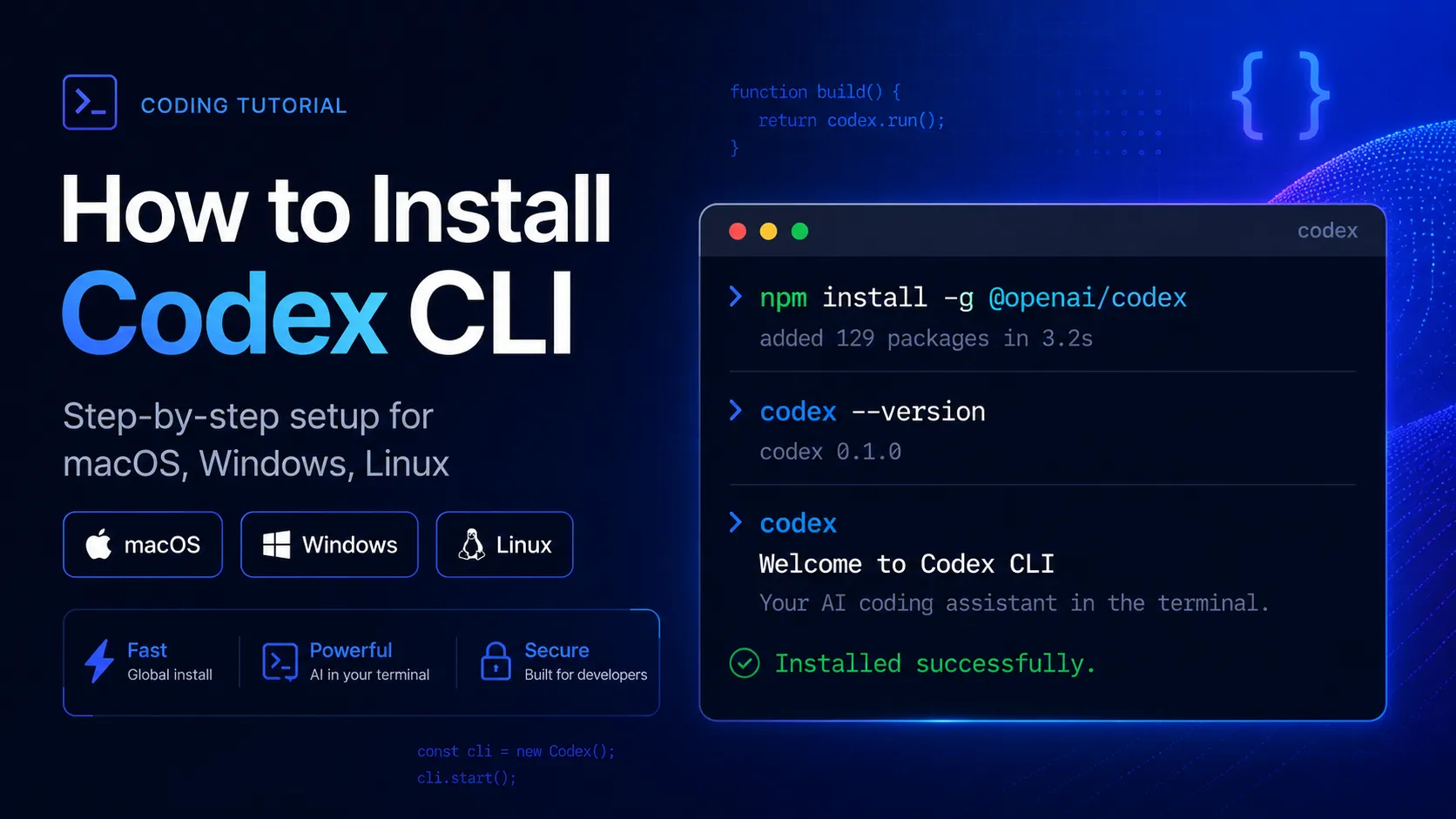
How to Install Codex CLI: Complete Step-by-Step Guide

Claude Ultra vs Codex: What $200 Buys After the 5-Hour Limit Change
产品动态
官方日志暂时没有经过核对的产品动态。关注后,新的相关内容会出现在「我的收藏」。
查看相关内容动态替代工具
 Claude CodeClaude Code 是 Anthropic 推出的用于仓库工作、子智能体、Hooks、MCP 和自动化的终端编程智能体,并配备了日益完善的 API 成本分析和反馈工具。Codex CLI 与 Claude Code 对比
 AiderAider 是一款 terminal-native、开源 AI coding agent,适合想要直接在 Git 中编辑代码,并保有模型选择灵活性的开发者。
 OpenCodeOpenCode 是一款开源编程 Agent 框架,支持终端、桌面和 IDE 工作流,具备广泛的供应商支持和 BYOK 模式,并提供可选的 OpenCode Go 订阅以访问精选开源模型。Codex CLI 与 OpenCode 对比
 Gemini CLIGemini CLI 是 Google 为 Gemini 驱动的开发工作流推出的开源终端编程智能体,目前定位为向未来“智能体优先”开发模式(Antigravity CLI)过渡的传统工具。Codex CLI 与 Gemini CLI 对比
 Qwen CodeQwen Code 是一款开源终端编程智能体,专为 Qwen Coder 模型优化,旨在为开发者提供命令行环境下的智能代码理解、编辑、自动化和工具调用能力。
 ClineCline 是一款开源、模型灵活的 AI 编程智能体,专为希望在现有开发环境中实现智能体化文件编辑、命令执行、浏览器调用、MCP 工具集成及人机协作控制的开发者设计。
 Roo CodeRoo Code 是一款强大的开源 VS Code 编程 Agent,专为追求模型选择权、深度定制、本地控制以及在编辑器内执行多步 Agent 工作流的开发者设计。
 ContinueContinue 是一款开源 AI coding agent 和 IDE extension ecosystem,重点在 configurable model access、repository-defined AI checks,以及 team-controlled coding workflows。
 CursorCursor 是一款基于 VS Code 的 AI IDE,专注于将自动补全、聊天、代码库上下文和自主编码智能体整合为一个集成的开发者工作流。Codex CLI 与 Cursor 对比
 WindsurfWindsurf 目前正在转入 Devin Desktop 品牌,是一款 AI-native IDE,适合想在同一个桌面环境中使用 coding agents、codebase context 和 editor workflows 的开发者。
 GitHub CopilotGitHub Copilot 是主流 AI code assistant 和开发者 workflow layer,适合希望在现有编辑器、GitHub repositories、pull requests 和 terminal workflows 中使用 AI 支持的团队。
 Augment CodeAugment Code 是一个面向企业级团队的 AI 编程平台,适用于处理大型仓库、现有 IDE、终端以及自动化工程工作流。
信息来源与核对记录
核对日期记录本站何时检查信息;不代表产品发版日期。
官方网站Codex 开发者概览Codex 定价详情Codex 模型说明Codex CLI 功能介绍Codex CLI 命令参考Codex 配置基础Codex 高级配置Codex MCP 文档Codex 技能说明Codex 子 Agent 说明OpenAI Codex GitHub 仓库在 ChatGPT 方案中使用 CodexOpenAI Codex 更新日志
本站资料修订记录
新增 Codex CLI 0.150.0 任务引用、跨任务读/写/消息操作及中断钩子。
创建条目,包含当前 Codex CLI 的定位、定价方案、支持模型、开源状态、本地供应商支持、MCP、技能、子 Agent、沙箱、审批机制及企业级控制。